1. 什么是Chat Memory
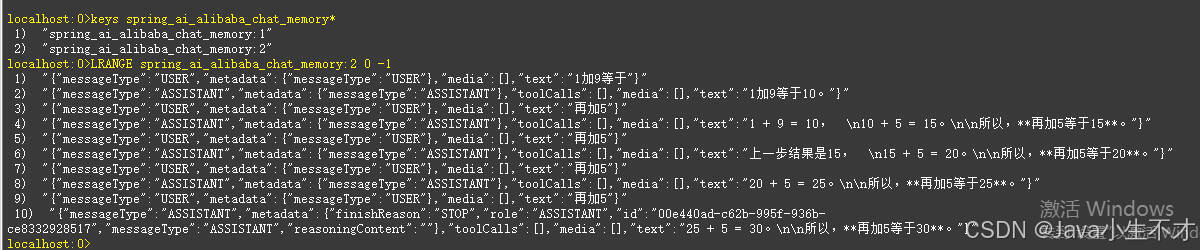
"大模型的对话记忆"这一概念,根植于人工智能与自然语言处理领域,特别是针对具有深度学习能力的大型语言模型而言,它指的是模型在与用户进行交互式对话过程中,能够追踪、理解并利用先前对话上下文的能力。 此机制使得大模型不仅能够响应即时的输入请求,还能基于之前的交流内容能够在对话中记住先前的对话内容,并根据这些信息进行后续的响应。这种记忆机制使得模型能够在对话中持续跟踪和理解用户的意图和上下文,从而实现更自然和连贯的对话添加链接描述
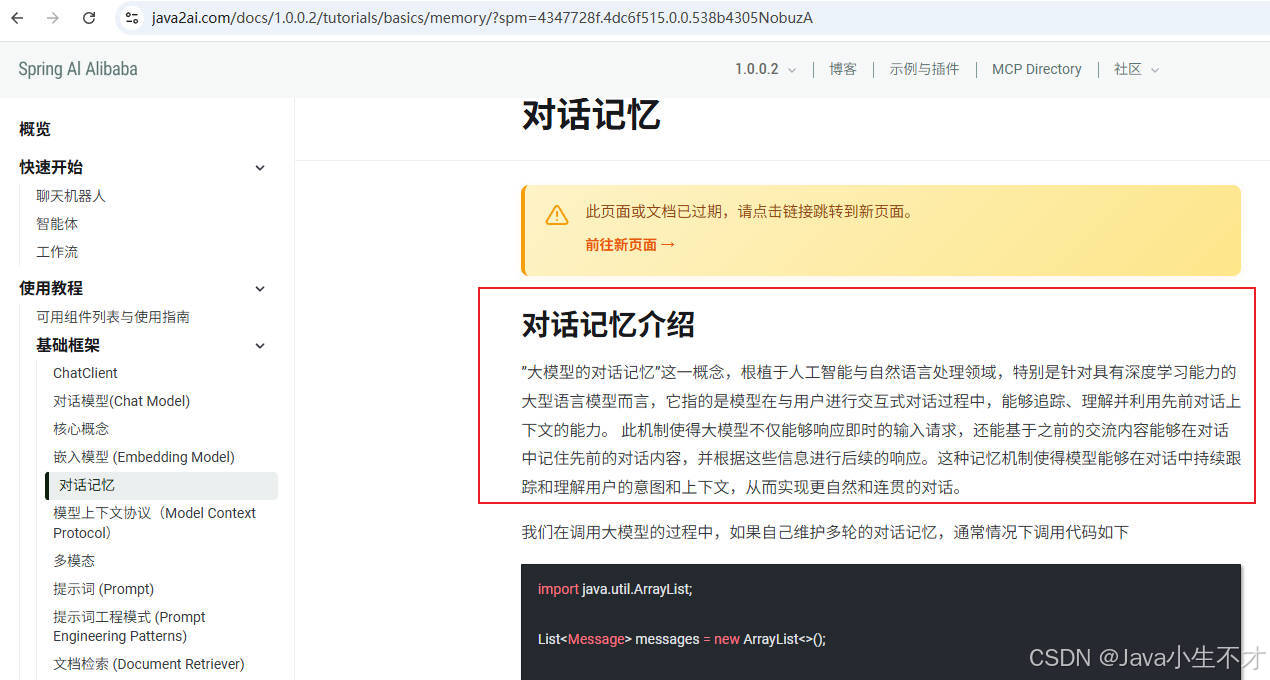
Spring AI Alibaba中的聊天记忆提供了维护 AI 聊天应用程序的对话上下文和历史的机制。
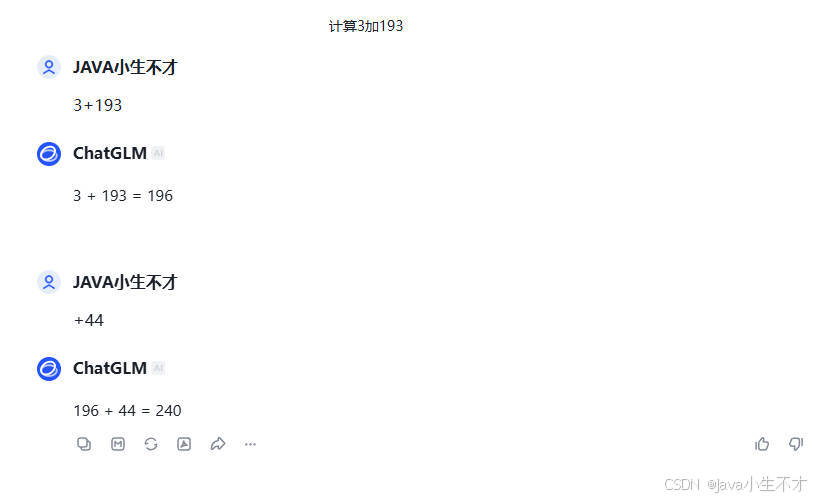
2.前置知识
2.1.ChatMemoryRepository接口
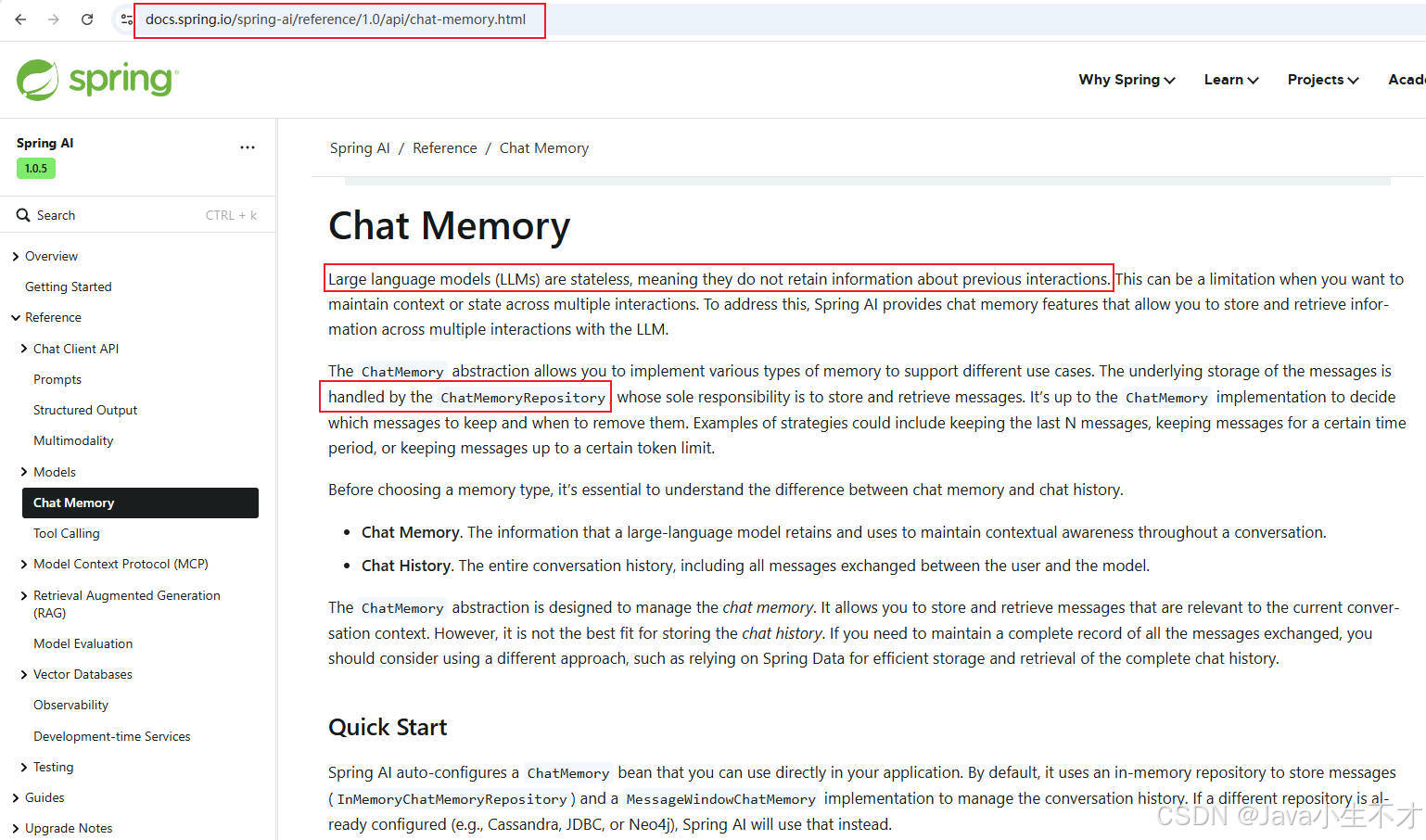
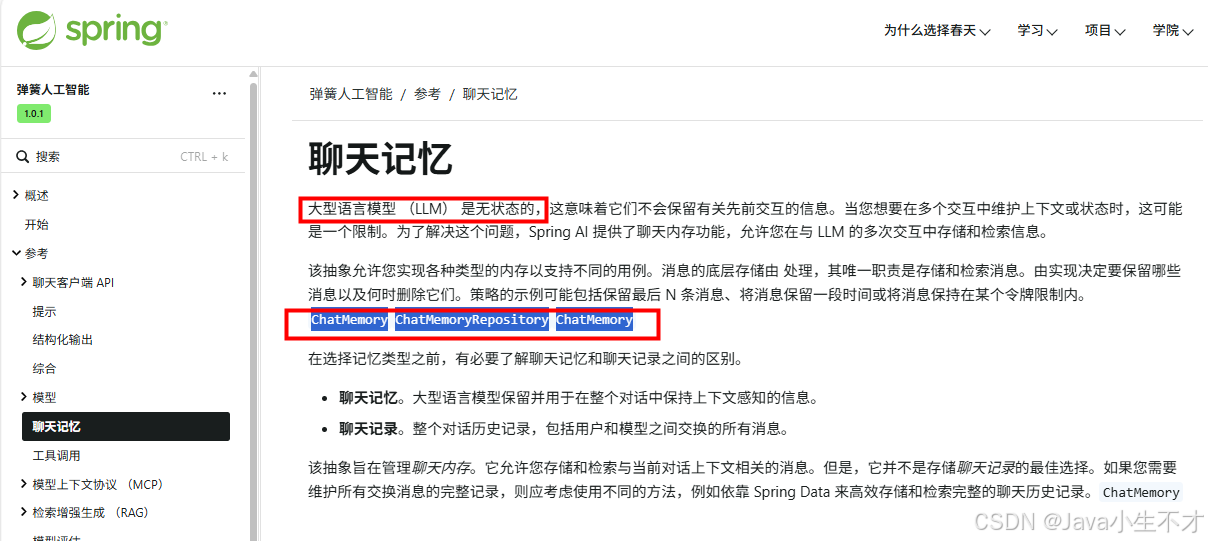
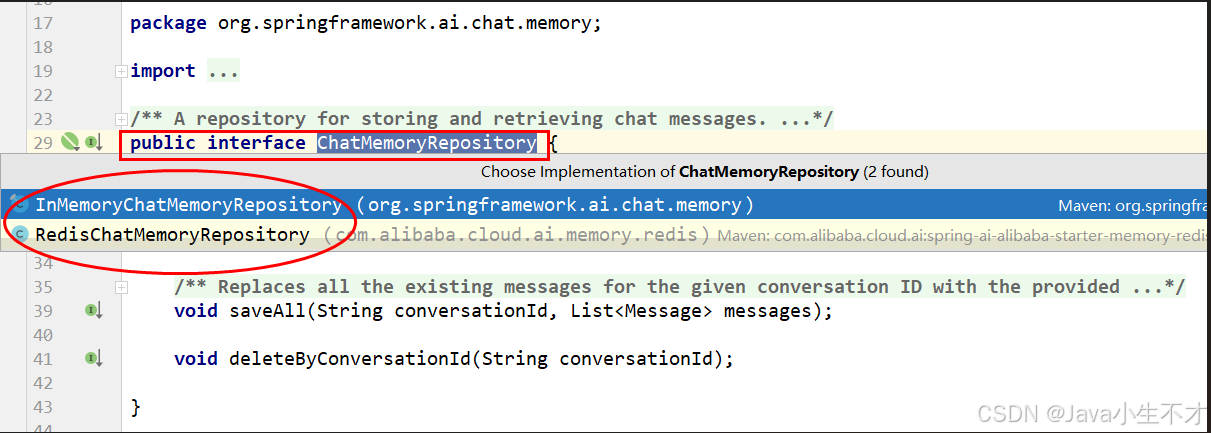
2.2.ChatMemoryRepository接口实现类
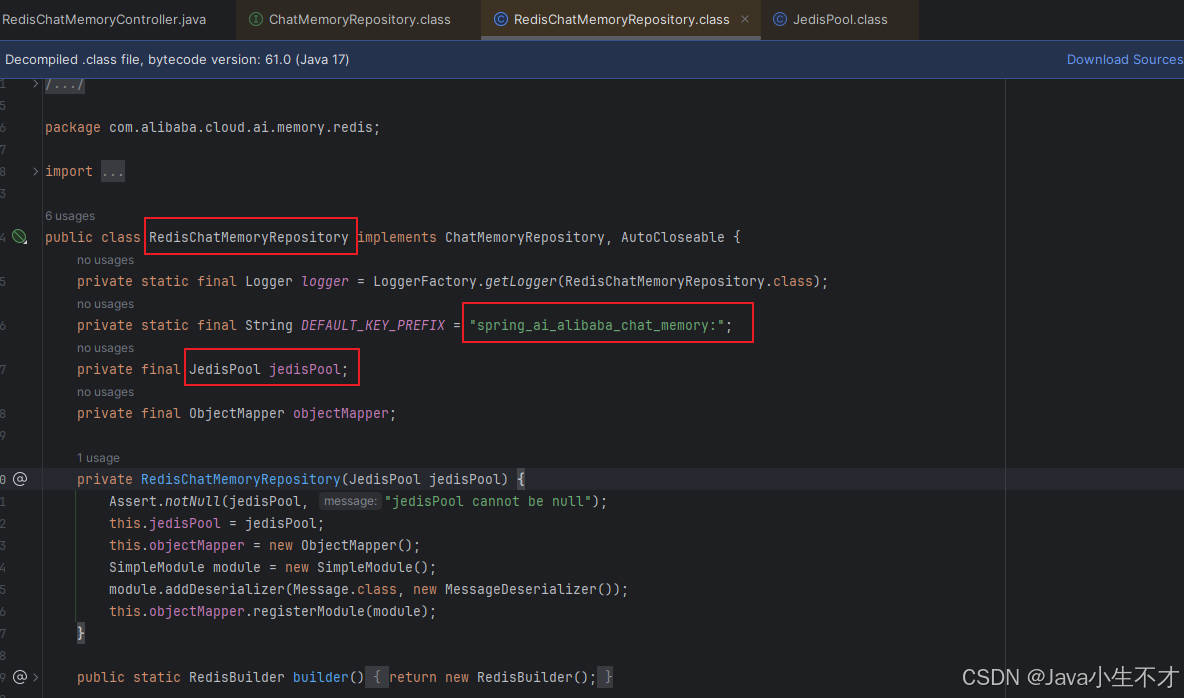
2.3.RedisChatMemoryRepository类
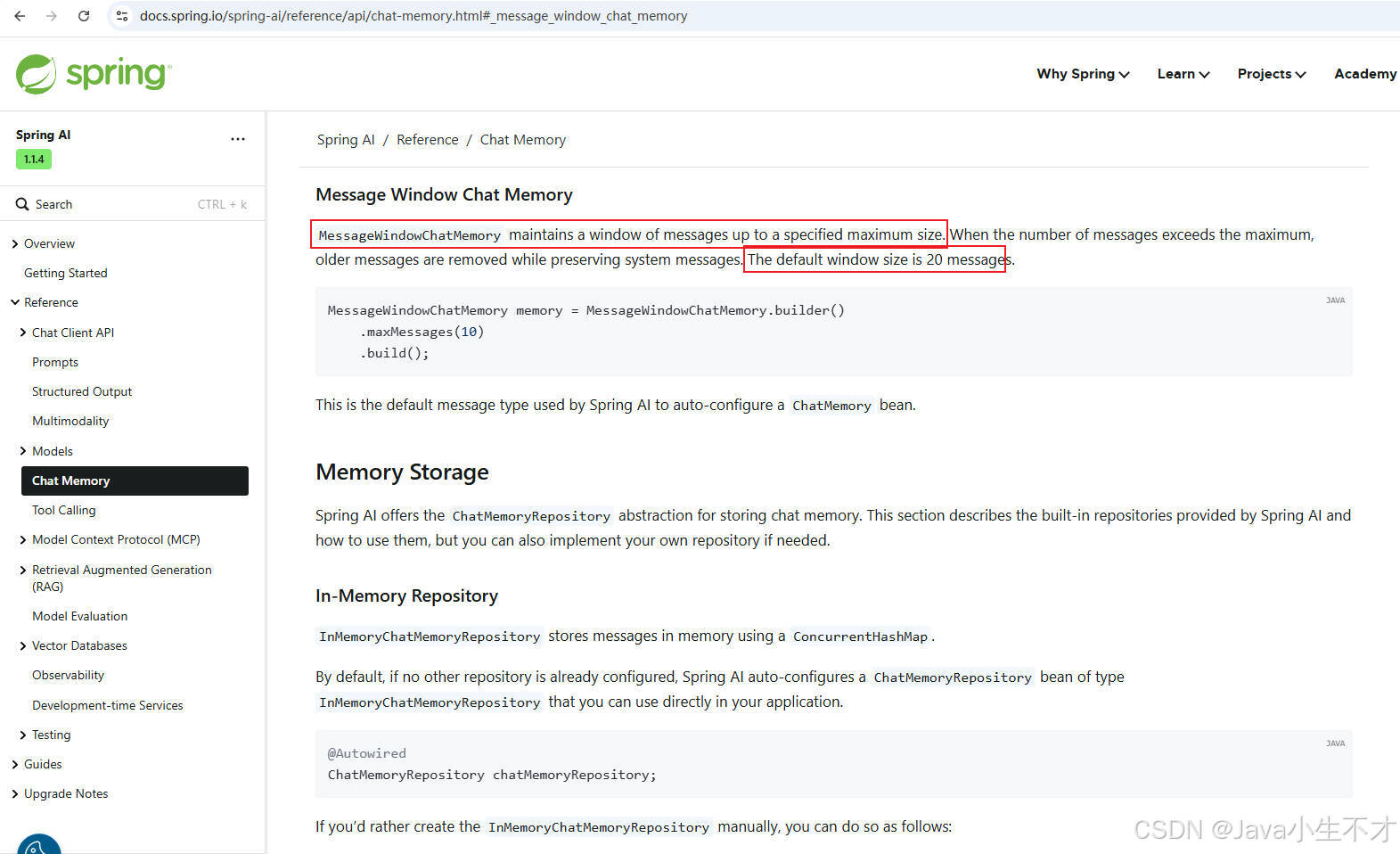
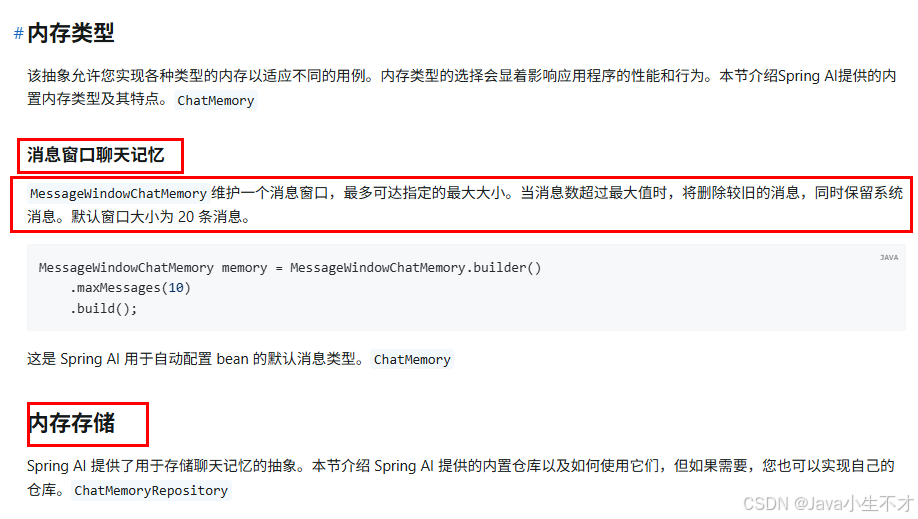
2.4.MessageWindowChatMemory 消息窗口聊天记忆
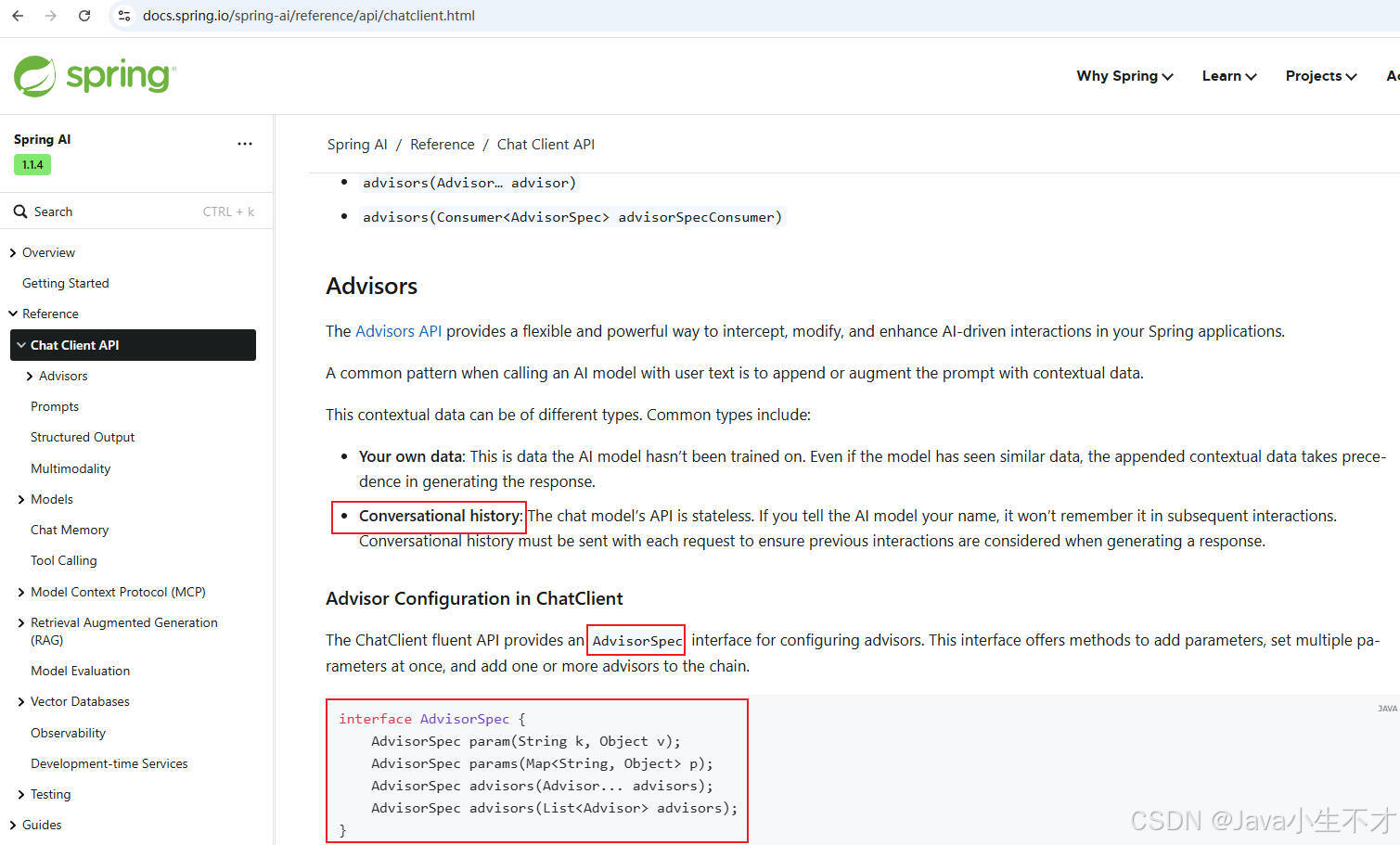
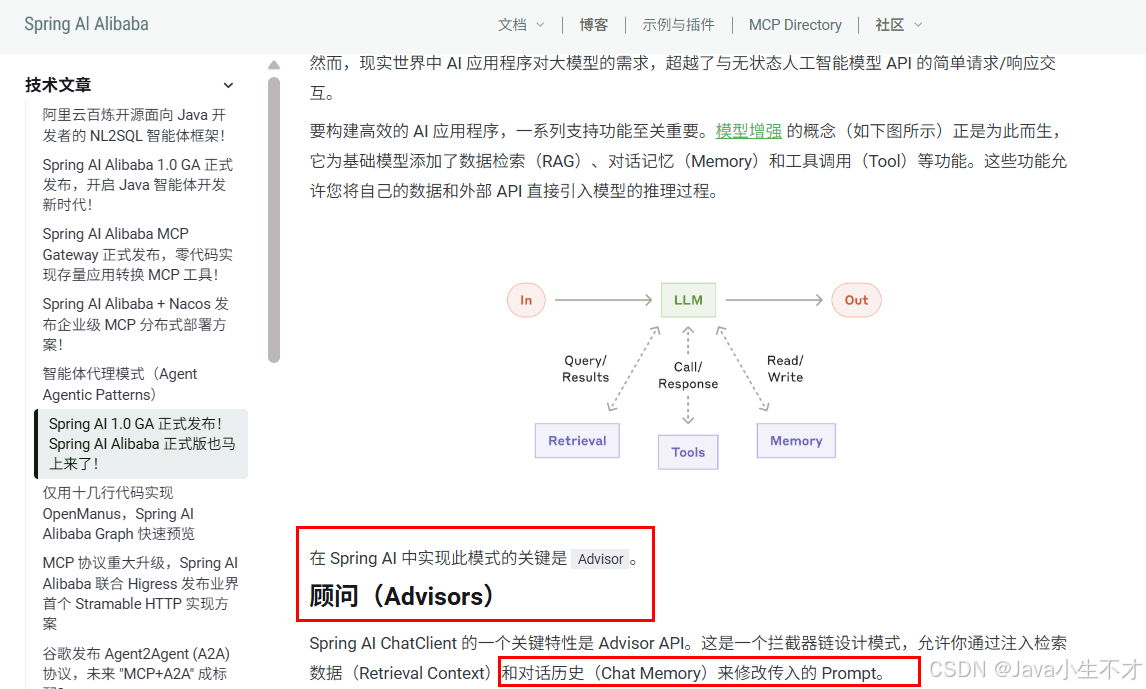
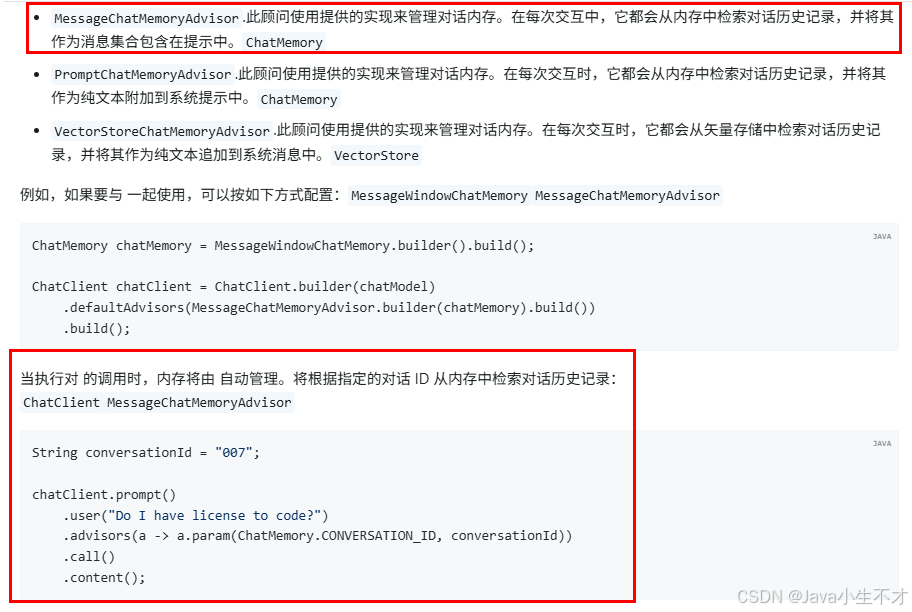
2.5.Advisors顾问
3. 新建子模块SAA-08Persistent
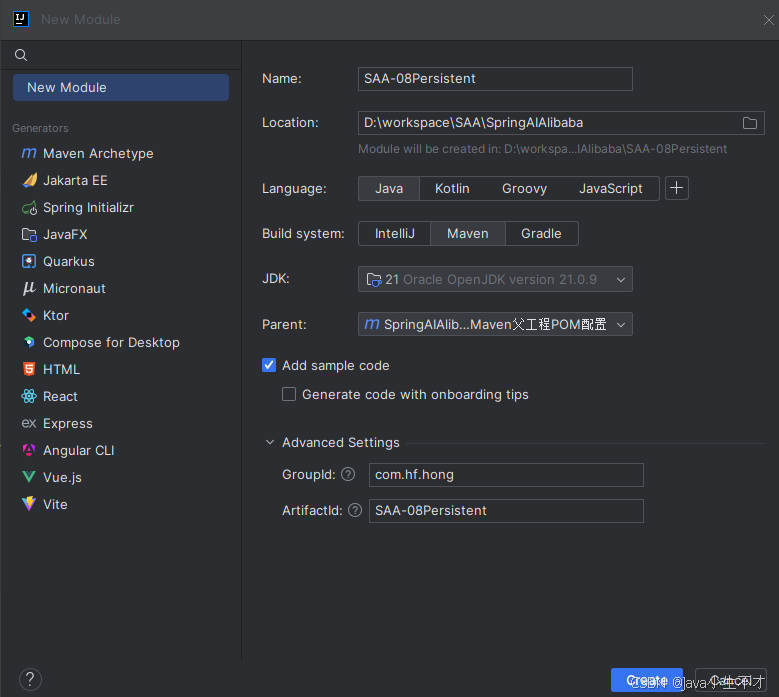
本文使用Redis方式进行上下文内容的存储和记录
3.1. pom文件
redis坐标使用jedis详情见2.3
xml
<?xml version="1.0" encoding="UTF-8"?>
<project xmlns="http://maven.apache.org/POM/4.0.0"
         xmlns:xsi="http://www.w3.org/2001/XMLSchema-instance"
         xsi:schemaLocation="http://maven.apache.org/POM/4.0.0 http://maven.apache.org/xsd/maven-4.0.0.xsd">
    <modelVersion>4.0.0</modelVersion>
    <parent>
        <groupId>com.hf.hong</groupId>
        <artifactId>SpringAIAlibaba-v1</artifactId>
        <version>1.0-SNAPSHOT</version>
    </parent>

    <artifactId>SAA-08Persistent</artifactId>

    <properties>
        <maven.compiler.source>21</maven.compiler.source>
        <maven.compiler.target>21</maven.compiler.target>
        <project.build.sourceEncoding>UTF-8</project.build.sourceEncoding>
    </properties>

    <dependencies>
        <dependency>
            <groupId>org.springframework.boot</groupId>
            <artifactId>spring-boot-starter-web</artifactId>
        </dependency>
        <!-- 引入 springai alibaba DashScope 模型适配的 Starter -->
        <dependency>
            <groupId>com.alibaba.cloud.ai</groupId>
            <artifactId>spring-ai-alibaba-starter-dashscope</artifactId>
        </dependency>
        <!--lombok-->
        <dependency>
            <groupId>org.projectlombok</groupId>
            <artifactId>lombok</artifactId>
            <version>1.18.38</version>
        </dependency>
        <!--hutool-->
        <dependency>
            <groupId>cn.hutool</groupId>
            <artifactId>hutool-all</artifactId>
            <version>5.8.22</version>
        </dependency>
        <dependency>
            <groupId>org.springframework.boot</groupId>
            <artifactId>spring-boot-starter-test</artifactId>
            <scope>test</scope>
        </dependency>

        <!--spring-ai-alibaba memory-redis-->
        <dependency>
            <groupId>com.alibaba.cloud.ai</groupId>
            <artifactId>spring-ai-alibaba-starter-memory-redis</artifactId>
        </dependency>
        <!--jedis-->
        <dependency>
            <groupId>redis.clients</groupId>
            <artifactId>jedis</artifactId>
        </dependency>
    </dependencies>

    <build>
        <plugins>
            <plugin>
                <groupId>org.springframework.boot</groupId>
                <artifactId>spring-boot-maven-plugin</artifactId>
            </plugin>
            <plugin>
                <groupId>org.apache.maven.plugins</groupId>
                <artifactId>maven-compiler-plugin</artifactId>
                <version>3.11.0</version>
                <configuration>
                    <compilerArgs>
                        <arg>-parameters</arg>
                    </compilerArgs>
                    <source>21</source>
                    <target>21</target>
                </configuration>
            </plugin>
        </plugins>
    </build>

    <repositories>
        <repository>
            <id>spring-milestones</id>
            <name>Spring Milestones</name>
            <url>https://repo.spring.io/milestone</url>
            <snapshots>
                <enabled>false</enabled>
            </snapshots>
        </repository>
    </repositories>

</project>
3.2. application.properties
yaml
server.port=8008

#大模型对话中文乱码UTF8编码处理
server.servlet.encoding.enabled=true
server.servlet.encoding.force=true
server.servlet.encoding.charset=UTF-8

spring.application.name=SAA-08Persistent

# ====SpringAIAlibaba Config=============
spring.ai.dashscope.api-key=${aliQwen-api}


# ==========redis config ===============
spring.data.redis.host=localhost
spring.data.redis.port=6379
spring.data.redis.database=0
spring.data.redis.connect-timeout=3
spring.data.redis.timeout=2
3.3. 配置文件类
3.3.1.Redis配置类RedisMemoryConfig生成RedisChatMemoryRepository
java
package com.hf.hong.config;

import com.alibaba.cloud.ai.memory.redis.RedisChatMemoryRepository;
import org.springframework.beans.factory.annotation.Value;
import org.springframework.context.annotation.Bean;
import org.springframework.context.annotation.Configuration;

/**
 *
 * @author admin
 * @date 2026/3/17 21:23
 * @description: redis配置类生成RedisChatMemoryRepository
 */

@Configuration
public class RedisMemoryConfig {
    @Value("${spring.data.redis.host}")
    private String host;

    @Value("${spring.data.redis.port}")
    private int port;

    @Bean
    public RedisChatMemoryRepository redisChatMemoryRepository() {
        return RedisChatMemoryRepository.builder()
                .host(host)
                .port(port)
                .build();
    }
}
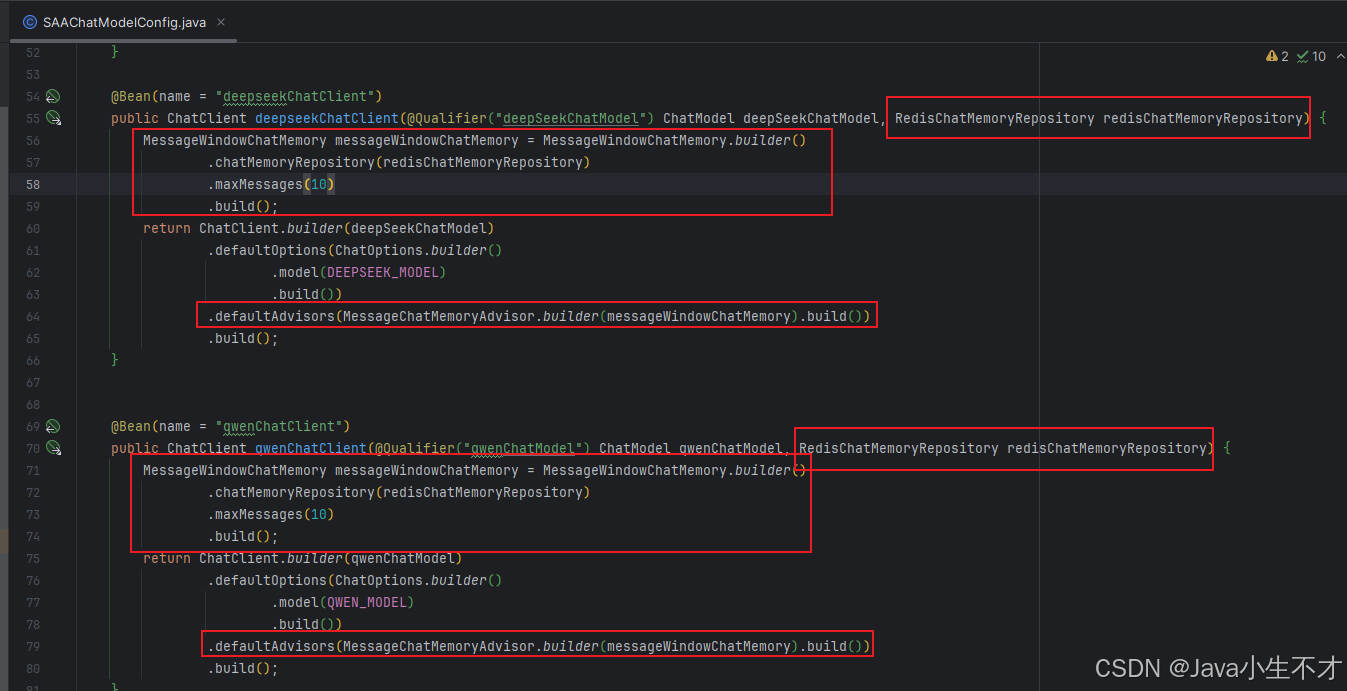
3.3.2.多模型并存配置类SAAChatModelConfig(与之前子模块中相比有改动)
java
package com.hf.hong.config;

import com.alibaba.cloud.ai.dashscope.api.DashScopeApi;
import com.alibaba.cloud.ai.dashscope.chat.DashScopeChatModel;
import com.alibaba.cloud.ai.dashscope.chat.DashScopeChatOptions;
import com.alibaba.cloud.ai.memory.redis.RedisChatMemoryRepository;
import org.springframework.ai.chat.client.ChatClient;
import org.springframework.ai.chat.client.advisor.MessageChatMemoryAdvisor;
import org.springframework.ai.chat.memory.MessageWindowChatMemory;
import org.springframework.ai.chat.model.ChatModel;
import org.springframework.ai.chat.prompt.ChatOptions;
import org.springframework.beans.factory.annotation.Qualifier;
import org.springframework.context.annotation.Bean;
import org.springframework.context.annotation.Configuration;

/**
 *
 * @author admin
 * @date 2026/2/9 20:13
 * @description: 多模型并存配置类
 */

@Configuration
public class SAAChatModelConfig {
    private final String DEEPSEEK_MODEL = "deepseek-v3";
    private final String QWEN_MODEL = "qwen-plus";

    @Bean(name = "deepSeekChatModel")
    public ChatModel deepSeekChatModel() {

        return DashScopeChatModel.builder()
                .dashScopeApi(DashScopeApi.builder()
                        .apiKey(System.getenv("aliQwen-api"))
                        .build())
                .defaultOptions(
                        DashScopeChatOptions.builder().withModel(DEEPSEEK_MODEL).build()
                )
                .build();
    }

    @Bean(name = "qwenChatModel")
    public ChatModel qwenChatModel() {
        return DashScopeChatModel.builder().dashScopeApi(DashScopeApi.builder()
                        .apiKey(System.getenv("aliQwen-api"))
                        .build())
                .defaultOptions(
                        DashScopeChatOptions.builder()
                                .withModel(QWEN_MODEL)
                                .build()
                )
                .build();
    }

    @Bean(name = "deepseekChatClient")
    public ChatClient deepseekChatClient(@Qualifier("deepSeekChatModel") ChatModel deepSeekChatModel, RedisChatMemoryRepository redisChatMemoryRepository) {
        MessageWindowChatMemory messageWindowChatMemory = MessageWindowChatMemory.builder()
                .chatMemoryRepository(redisChatMemoryRepository)
                .maxMessages(10)
                .build();
        return ChatClient.builder(deepSeekChatModel)
                .defaultOptions(ChatOptions.builder()
                        .model(DEEPSEEK_MODEL)
                        .build())
                .defaultAdvisors(MessageChatMemoryAdvisor.builder(messageWindowChatMemory).build())
                .build();
    }


    @Bean(name = "qwenChatClient")
    public ChatClient qwenChatClient(@Qualifier("qwenChatModel") ChatModel qwenChatModel, RedisChatMemoryRepository redisChatMemoryRepository) {
        MessageWindowChatMemory messageWindowChatMemory = MessageWindowChatMemory.builder()
                .chatMemoryRepository(redisChatMemoryRepository)
                .maxMessages(10)
                .build();
        return ChatClient.builder(qwenChatModel)
                .defaultOptions(ChatOptions.builder()
                        .model(QWEN_MODEL)
                        .build())
                .defaultAdvisors(MessageChatMemoryAdvisor.builder(messageWindowChatMemory).build())
                .build();
    }
}
4.RedisChatMemoryController
java
package com.hf.hong.controller;

import jakarta.annotation.Resource;
import org.springframework.ai.chat.client.ChatClient;
import org.springframework.web.bind.annotation.GetMapping;
import org.springframework.web.bind.annotation.RequestMapping;
import org.springframework.web.bind.annotation.RestController;

import java.util.function.Consumer;

import static org.springframework.ai.chat.memory.ChatMemory.CONVERSATION_ID;

/**
 *
 * @author admin
 * @date 2026/3/17 21:30
 * @description: redis实现chatMemory存储
 */


@RestController
@RequestMapping("/redis/chatMemory")
public class RedisChatMemoryController {
    @Resource(name = "qwenChatClient")
    private ChatClient qwenChatClient;


    /**
     * redis实现聊天记忆存储(匿名内部类)
     * @param msg
     * @param userId
     * @return
     */
    @GetMapping("/chat")
    public String chat(String msg, String userId) {
        return qwenChatClient.prompt(msg).advisors(new Consumer<ChatClient.AdvisorSpec>()
        {
            @Override
            public void accept(ChatClient.AdvisorSpec advisorSpec)
            {
                advisorSpec.param(CONVERSATION_ID, userId);
            }
        }).call().content();

    }


    /**
     * redis实现聊天记忆存储(lambda)
     * @param msg
     * @param userId
     * @return
     */
    @GetMapping("/chat2")
    public String chat2(String msg, String userId) {
        return qwenChatClient.prompt(msg)
                .advisors(advisorSpec -> advisorSpec.param(CONVERSATION_ID, userId))
                .call()
                .content();
    }
}
5. 测试
bash
http://localhost:8008/redis/chatMemory/chat?msg=%E5%86%8D%E5%8A%A05&userId=1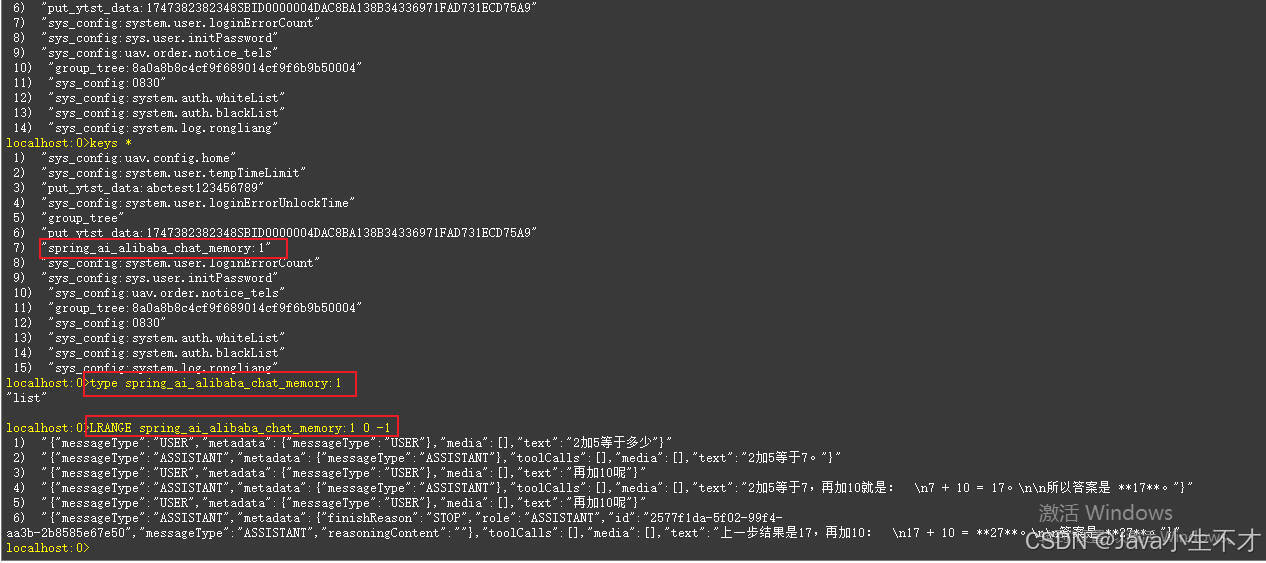
切换chat2