前面介绍了 如何通过 mitmproxy的本地捕获代理模式获取 OpenCode 发起的 AI API 请求的详细信息
本文介绍如何提取 OpenCode 的 API 接口
捕获到opencode.ai的流量后,可以导出https://opencode.ai/zen/v1/messages接口的CURL:
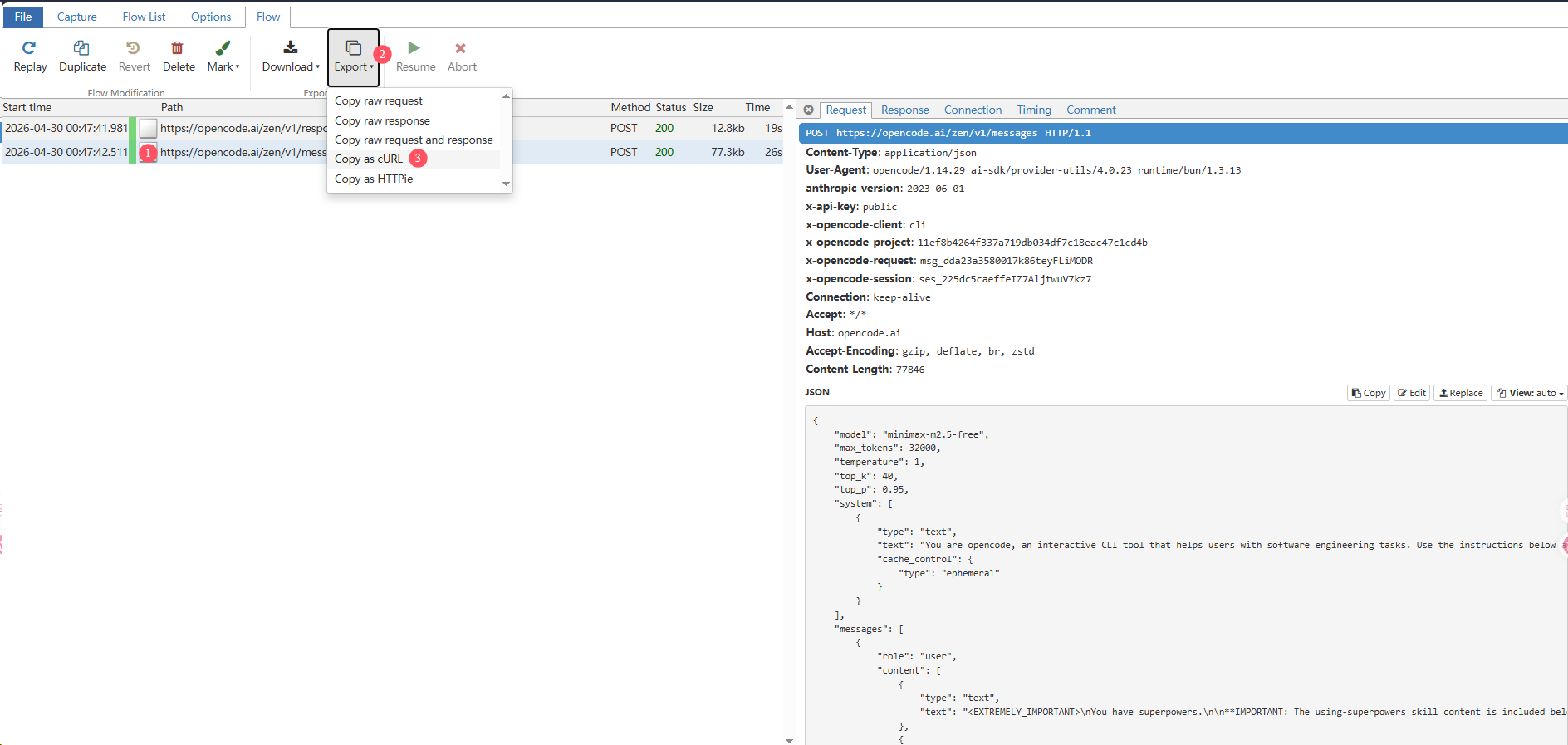
简化一下导出的CURL(譬如:简化系统提示词,工具列表),发给AI,让AI 转化为 Python 代码
然后再让AI优化微调一下(譬如:抽取函数send_message,创建SSLContext对象,添加重试机制)
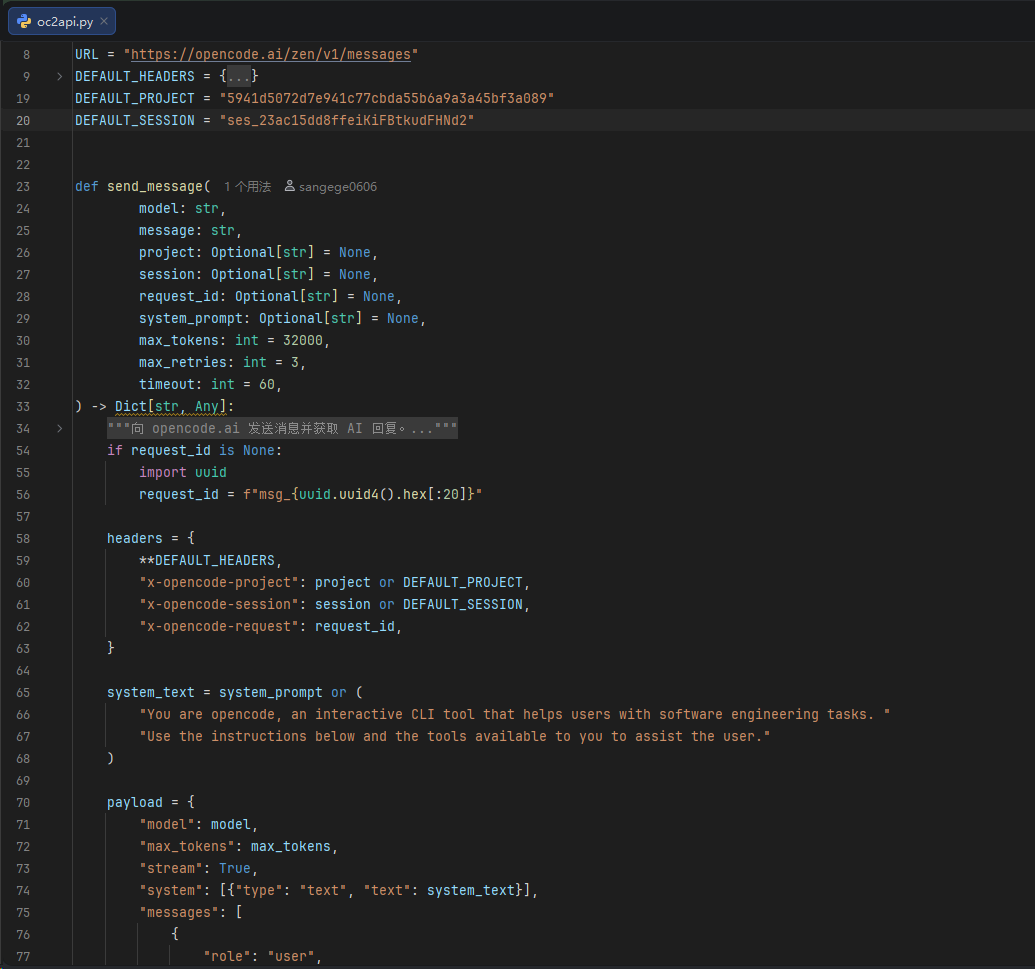
调式成功:
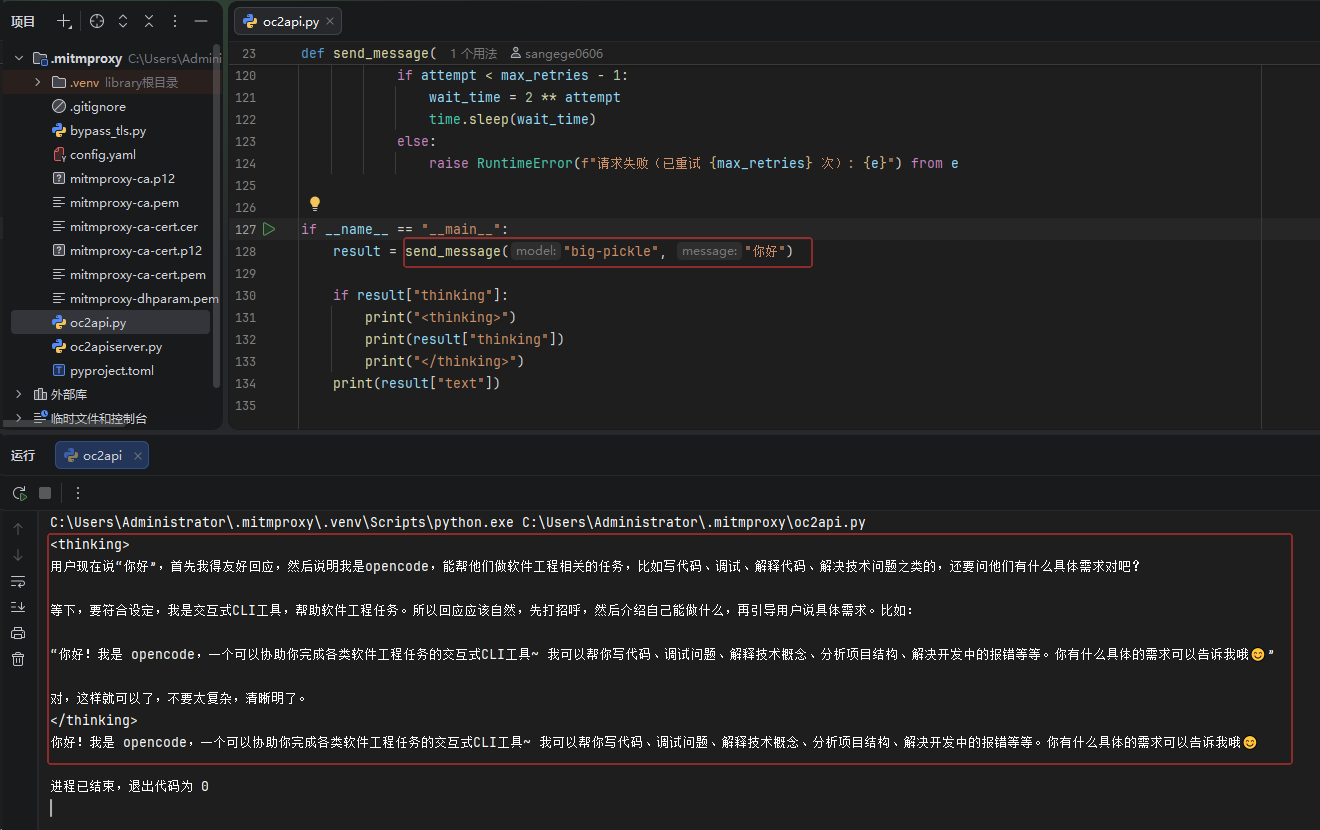
示例代码:
python
import json
import ssl
import time
from typing import Optional, Dict, Any

import httpx

URL = "https://opencode.ai/zen/v1/messages"
DEFAULT_HEADERS = {
    "Content-Type": "application/json",
    "User-Agent": "ai-sdk/anthropic/3.0.71 ai-sdk/provider-utils/4.0.23 runtime/bun/1.3.13",
    "anthropic-version": "2023-06-01",
    "x-api-key": "public",
    "x-opencode-client": "cli",
    "Connection": "close",
    "Accept": "*/*",
    "Host": "opencode.ai",
}
DEFAULT_PROJECT = "5941d5072d7e941c77cbda55b6a9a3a45bf3a089"
DEFAULT_SESSION = "ses_23ac15dd8ffeiKiFBtkudFHNd2"


def send_message(
        model: str,
        message: str,
        project: Optional[str] = None,
        session: Optional[str] = None,
        request_id: Optional[str] = None,
        system_prompt: Optional[str] = None,
        max_tokens: int = 32000,
        max_retries: int = 3,
        timeout: int = 60,
) -> Dict[str, Any]:
    """
    向 opencode.ai 发送消息并获取 AI 回复。

    参数:
        model: 模型名称,如 "big-pickle"
        message: 用户消息内容
        project: x-opencode-project(可选)
        session: x-opencode-session(可选)
        request_id: x-opencode-request(可选,默认自动生成)
        system_prompt: 系统提示词(可选)
        max_tokens: 最大 token 数
        max_retries: 失败重试次数
        timeout: 请求超时(秒)

    返回:
        包含以下键的字典:
            - text: AI 文本回复
            - thinking: AI 思考内容(如有)
            - full: 原始完整响应数据列表
    """
    if request_id is None:
        import uuid
        request_id = f"msg_{uuid.uuid4().hex[:20]}"

    headers = {
        **DEFAULT_HEADERS,
        "x-opencode-project": project or DEFAULT_PROJECT,
        "x-opencode-session": session or DEFAULT_SESSION,
        "x-opencode-request": request_id,
    }

    system_text = system_prompt or (
        "You are opencode, an interactive CLI tool that helps users with software engineering tasks. "
        "Use the instructions below and the tools available to you to assist the user."
    )

    payload = {
        "model": model,
        "max_tokens": max_tokens,
        "stream": True,
        "system": [{"type": "text", "text": system_text}],
        "messages": [
            {
                "role": "user",
                "content": [{"type": "text", "text": message}],
            }
        ],
    }

    ssl_context = ssl.create_default_context()

    for attempt in range(max_retries):
        try:
            full_response = []
            with httpx.Client(http2=False, verify=ssl_context, timeout=timeout) as client:
                with client.stream("POST", URL, headers=headers, json=payload) as response:
                    if response.status_code != 200:
                        raise RuntimeError(f"HTTP {response.status_code}: {response.text}")

                    text_parts = []
                    thinking_parts = []
                    current_event = None

                    for line in response.iter_lines():
                        if line.startswith("event:"):
                            current_event = line.split(":", 1)[1].strip()
                        elif line.startswith("data:") and current_event:
                            data_str = line.split(":", 1)[1].strip()
                            try:
                                data_obj = json.loads(data_str)
                                full_response.append(data_obj)
                                delta = data_obj.get("delta", {})
                                if delta.get("type") == "thinking_delta":
                                    thinking_parts.append(delta["thinking"])
                                elif delta.get("type") == "text_delta":
                                    text_parts.append(delta["text"])
                            except json.JSONDecodeError:
                                pass

            return {
                "text": "".join(text_parts),
                "thinking": "".join(thinking_parts),
                "full": full_response,
            }

        except (httpx.ConnectError, httpx.ReadError, httpx.RemoteProtocolError) as e:
            if attempt < max_retries - 1:
                wait_time = 2 ** attempt
                time.sleep(wait_time)
            else:
                raise RuntimeError(f"请求失败(已重试 {max_retries} 次): {e}") from e


if __name__ == "__main__":
    result = send_message("big-pickle", "你好")

    if result["thinking"]:
        print("<thinking>")
        print(result["thinking"])
        print("</thinking>")
    print(result["text"])