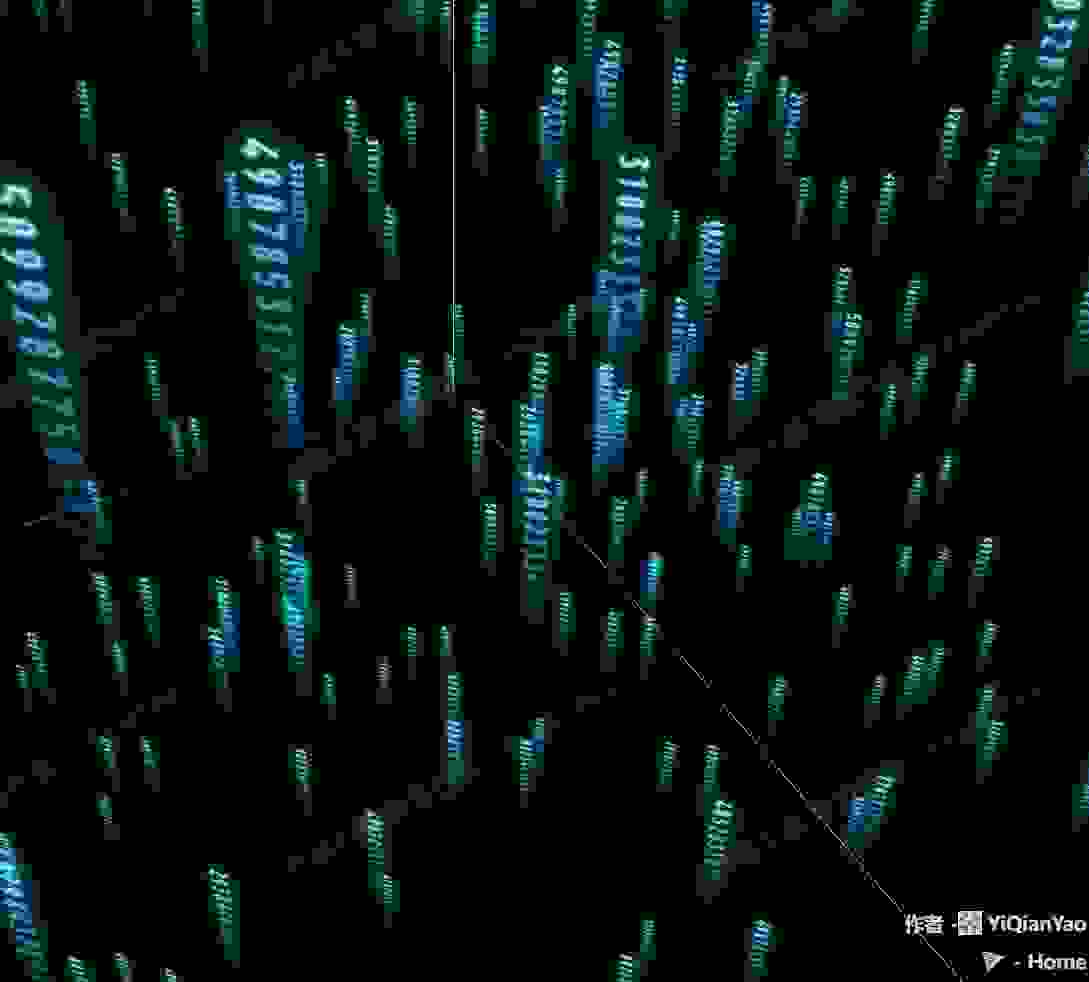
function initMaterial() {
  let loader = new THREE.TextureLoader()
  return new THREE.ShaderMaterial({
    uniforms: {
      texture1: { value: loader.load(FILE_HOST + 'application/codeCloud/1.png') },
      texture2: { value: loader.load(FILE_HOST + 'application/codeCloud/2.png') },
      texture3: { value: loader.load(FILE_HOST + 'application/codeCloud/3.png') },
      texture4: { value: loader.load(FILE_HOST + '/threeExamples/application/codeCloud/4.png') },
      texture5: { value: loader.load(FILE_HOST + '/threeExamples/application/codeCloud/5.png') },
      texture6: { value: loader.load(FILE_HOST + '/threeExamples/application/codeCloud/6.png') },
      texture7: { value: loader.load(FILE_HOST + '/threeExamples/application/codeCloud/7.png') },
      texture8: { value: loader.load(FILE_HOST + '/threeExamples/application/codeCloud/8.png') },
      texture9: { value: loader.load(FILE_HOST + '/threeExamples/application/codeCloud/9.png') },
      random: { value: Math.random() }
    },

    vertexShader: `
      varying vec2 vUv;
      void main() {
        vUv = uv;
        gl_Position = projectionMatrix * modelViewMatrix * vec4(position, 1.0);
      }
    `,
    fragmentShader: `
      varying vec2 vUv;
      uniform sampler2D texture1;
      uniform sampler2D texture2;
      uniform sampler2D texture3;
      uniform sampler2D texture4;
      uniform sampler2D texture5;
      uniform sampler2D texture6;
      uniform sampler2D texture7;
      uniform sampler2D texture8;
      uniform sampler2D texture9;

      uniform float random;

      void main() {
        float selfRandom = vUv.y - fract(vUv.y);
        float k = abs(sin(selfRandom * random))*10.0;

        if(k < 1.0) {
          gl_FragColor = texture2D( texture1, vec2(fract(vUv.x), fract(vUv.y)));
        } else if(k < 2.0) {
          gl_FragColor = texture2D( texture2, vec2(fract(vUv.x), fract(vUv.y)));
        } else if(k < 3.0) {
          gl_FragColor = texture2D( texture3, vec2(fract(vUv.x), fract(vUv.y)));
        } else if(k < 4.0) {
          gl_FragColor = texture2D( texture4, vec2(fract(vUv.x), fract(vUv.y)));
        } else if(k < 5.0) {
          gl_FragColor = texture2D( texture5, vec2(fract(vUv.x), fract(vUv.y)));
        } else if(k < 6.0) {
          gl_FragColor = texture2D( texture6, vec2(fract(vUv.x), fract(vUv.y)));
        } else if(k < 7.0) {
          gl_FragColor = texture2D( texture7, vec2(fract(vUv.x), fract(vUv.y)));
        } else if(k < 8.0) {
          gl_FragColor = texture2D( texture8, vec2(fract(vUv.x), fract(vUv.y)));
        } else {
          gl_FragColor = texture2D( texture9, vec2(fract(vUv.x), fract(vUv.y)));
        }
      }
    `,
    depthWrite: false,
    transparent: true
  });
}
cloud = new THREE.Group()
scene.add(cloud)
shader_material = initMaterial()

let width = 128, height = 128

for (var i = 0; i < 1000; i++) {
  var pos = new THREE.Vector3(
    Math.random() * range - range / 2,
    Math.random() * range - range / 2,
    Math.random() * range - range / 2
  )

  pos.vX = ((Math.random() - 0.5) / 3) / 10
  pos.vY = (0.05 + Math.random() * 0.1) / 5

  let geometry = new THREE.PlaneGeometry(4, 4);
  let s = Math.floor(Math.random() * 1000) + 1
  geometry.attributes.uv.array = geometry.attributes.uv.array.map(e => e += s)

  var plane = new THREE.Mesh(geometry, shader_material);
  plane.position.copy(pos)
  plane.userData.pos = pos
  cloud.add(plane)
}