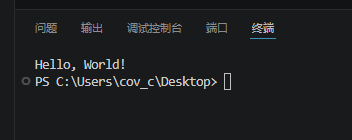
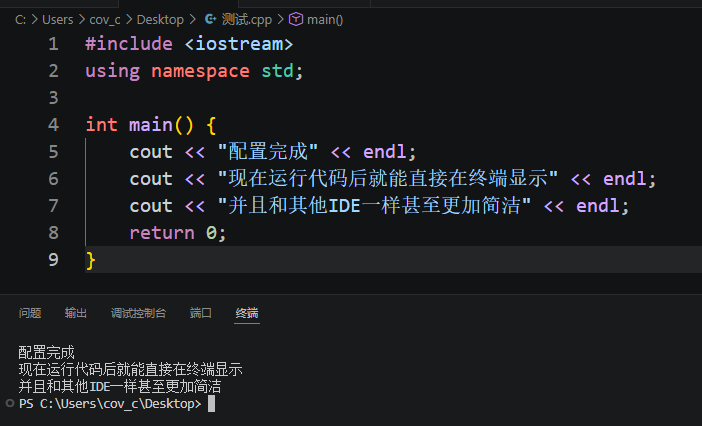
如何整洁的打印内容到终端
如果你用的Code Runner自带的清除输出,但它只会清除输出,而不会清空终端的内容。
Tip: Code Runner是个拓展,需要先安装
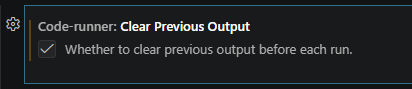
所以就可能会导致运行代码的时候终端非常的奇怪,非常难受。
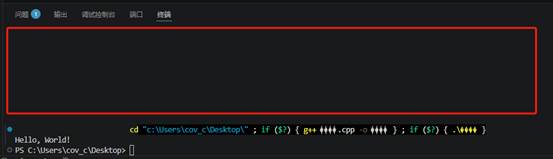
所以本教程将对VS Code进行完美的输出。
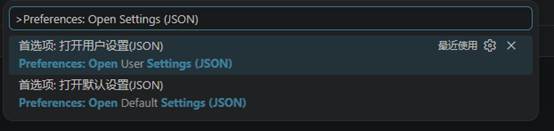
首先按下Ctrl + Shift + P 输出Preferences: Open Settings (JSON) 打开settings.json
或者输入打开用户设置也可以
首先需要保证你是在终端运行的,所以要包含
"code-runner.runInTerminal": true,然后添加如下代码:
"code-runner.executorMap": {

        "cpp": " Clear-Host; Set-Location $dir; $exe = \"$fileNameWithoutExt.exe\"; g++ \"$fileName\" -o $exe; if ($?) { & .\\$exe }",

        "c": " Clear-Host; Set-Location $dir; $exe = \"$fileNameWithoutExt.exe\"; gcc \"$fileName\" -o $exe; if ($?) { & .\\$exe }",

        "python": " Clear-Host; Set-Location $dir; py -u \"$fullFileName\"",

        "java": " Clear-Host; Set-Location $dir; javac \"$fileName\"; if ($?) { java \"$fileNameWithoutExt\" }"

    },
这段是 Code Runner 插件里的 executorMap 配置,本质是在告诉 VS Code:
" 不同语言运行时,用什么命令去执行"
你这段是典型的 用 PowerShell 作为执行环境 的写法。
含义:
- Clear-Host
清空终端(类似 cls) - Set-Location $dir
切换到当前文件所在目录 - 剩下的就是执行对应语言文件的相应命令
$? 是 PowerShell 的:
" 上一条命令是否成功"
& 是:
执行命令/程序(调用运算符)
这里的切换到当前文件所在目录在VS Code的设置中也有,但是在Run Code时,命令第一个字符可能会被吃掉,只剩下了d所以可能会报错,即使不影响。但为了避免,所以这个切换到当前文件所在目录手动写入。
但记得要在配置中取消/删掉这个配置
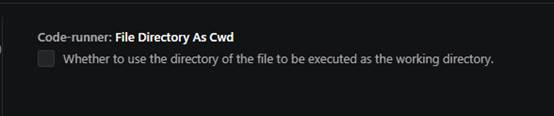
方法一:
打开设置搜索:code-runner.fileDirectoryAsCwd
将这个选项取消勾选,一般是不会勾的,如果有勾选的话一定要取消。
方法二:
在配置中删除
"code-runner.fileDirectoryAsCwd": true,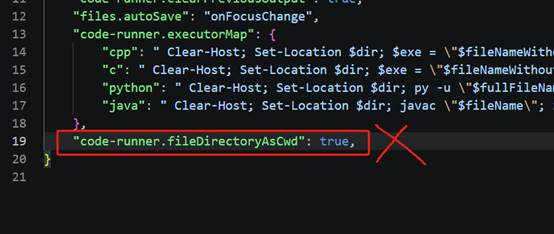
直接选中删除即可。
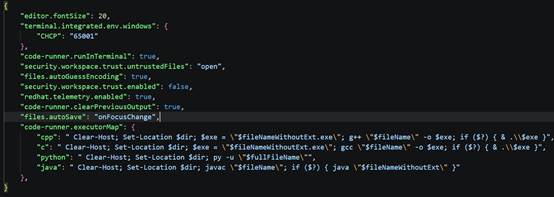
配置后的代码参考:
{

    "editor.fontSize": 20,

    "terminal.integrated.env.windows": {

        "CHCP": "65001"

    },

    "code-runner.runInTerminal": true,

    "security.workspace.trust.untrustedFiles": "open",

    "files.autoGuessEncoding": true,

    "security.workspace.trust.enabled": false,

    "redhat.telemetry.enabled": true,

    "code-runner.clearPreviousOutput": true,

    "files.autoSave": "onFocusChange",

    "code-runner.executorMap": {

        "cpp": " Clear-Host; Set-Location $dir; $exe = \"$fileNameWithoutExt.exe\"; g++ \"$fileName\" -o $exe; if ($?) { & .\\$exe }",

        "c": " Clear-Host; Set-Location $dir; $exe = \"$fileNameWithoutExt.exe\"; gcc \"$fileName\" -o $exe; if ($?) { & .\\$exe }",

        "python": " Clear-Host; Set-Location $dir; py -u \"$fullFileName\"",

        "java": " Clear-Host; Set-Location $dir; javac \"$fileName\"; if ($?) { java \"$fileNameWithoutExt\" }"

    },

}
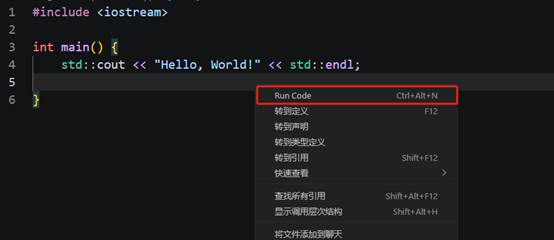
回到编辑界面右键点击Run Code就行运行