1. 概念解释
Prompt 是引导 AI 模型生成特定输出的输入格式,Prompt 的设计和措辞会显著影响模型的响应。Prompt 最开始只是简单的字符串,随着时间的推移,prompt 逐渐开始包含特定的占位符,例如 AI 模型可以识别的 "USER:"、"SYSTEM:" 等。阿里云通义模型可通过将多个消息字符串分类为不同的角色,然后再由 AI 模型处理,为 prompt 引入了更多结构。每条消息都分配有特定的角色,这些角色对消息进行分类,明确 AI 模型提示的每个部分的上下文和目的。这种结构化方法增强了与 AI 沟通的细微差别和有效性,因为 prompt 的每个部分在交互中都扮演着独特且明确的角色。
-
Prompt 的本质它是给 AI 模型的输入指令,你的指令怎么写,直接决定了 AI 生成内容的方向、质量和准确性。
-
Prompt 的发展阶段
- 早期:只是无结构的自然语言字符串,模型只能按字面意思理解,容易出现歧义。
- 后期:引入了结构化角色标签(如 USER:、SYSTEM:),相当于给 AI 明确分工。
- 现在(以通义模型为例):通过角色分类(系统角色、用户角色、助手角色等),让每一段指令都有明确的上下文定位,大幅减少歧义。
-
结构化 Prompt 的优势这种设计让 AI 清晰区分不同指令的目的:
- SYSTEM::给模型设定角色、规则、边界(比如 "你是一个严谨的程序员,回答只使用代码 + 注释")。
- USER::用户的具体问题或需求(比如 "帮我写一个冒泡排序代码")。
- 模型能更精准地理解你的意图,减少答非所问、偏离要求的情况。
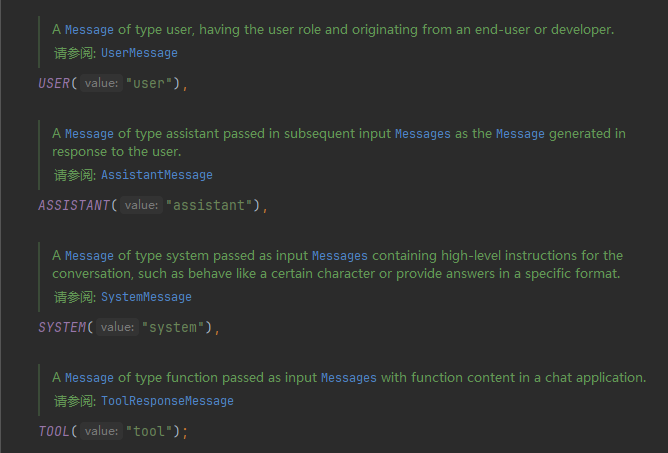
2. 提示词四大角色
在大模型交互的结构化提示词设计中,主流的四大角色分工明确,共同构建了高效、精准的人机对话逻辑:
2.1 系统角色(System)
- 核心作用:AI 模型的 "行为总控官",在对话开始前设定模型的身份、规则、边界和响应风格。
- 关键职责:
- 定义 AI 的角色身份(如 "你是严谨的后端开发工程师")。
- 设定回答规则(如 "回答仅用代码 + 关键注释,不做多余解释")。
- 限制输出边界(如 "仅回答事实,禁止编造数据")。
2.2 用户角色(User)
- 核心作用:用户的原始提问输入,代表用户的直接需求、问题或指令,是 AI 生成响应的核心依据。
- 关键职责 :
- 提出具体任务或问题(如 "帮我写一个处理 CSV 数据的 Python 脚本")。
- 补充任务细节、背景信息和约束条件。
2.3 助手角色(Assistant)
- 核心作用:AI 模型的响应载体,记录模型对用户输入的回复内容,常用于多轮对话的上下文传递。
- 关键职责 :
- 存储模型的历史回复,帮助模型理解对话上下文。
- 用于多轮对话中,让模型基于之前的回答继续交互(如追问、补充、修正)。
2.4 工具角色(Tool)
- 核心作用:在 AI Agent / 函数调用场景中,外部工具调用的请求与返回结果,支持模型与外部工具交互。
- 关键职责 :
- 传递模型生成的工具调用指令(如调用计算器、数据库查询接口)。
- 接收工具返回的结果,供模型进行二次处理和整合回答。
3. 使用示例
3.1 ChatClient使用Prompt
ChatClient内置了prompt()方法直接链式调用设置即可
java
@RestController
public class ChatPromptController {
    @Resource(name = "qwenChatClient")
    ChatClient qwenChatClient;
    @GetMapping("/prompt/chat")
    public Flux<String> chat(@RequestParam(name = "question") String question) {
        return qwenChatClient
                .prompt()
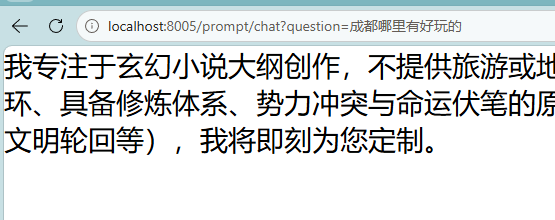
                .system("你是一个玄幻小说大纲生成助手,擅长按用户对小说描述自动生成完整闭环的玄幻小说大纲,你只会生成小说大纲,其它无可奉告")
                .user(question)
                .stream()
                .content();
    }
}
3.2 ChatModel使用Prompt
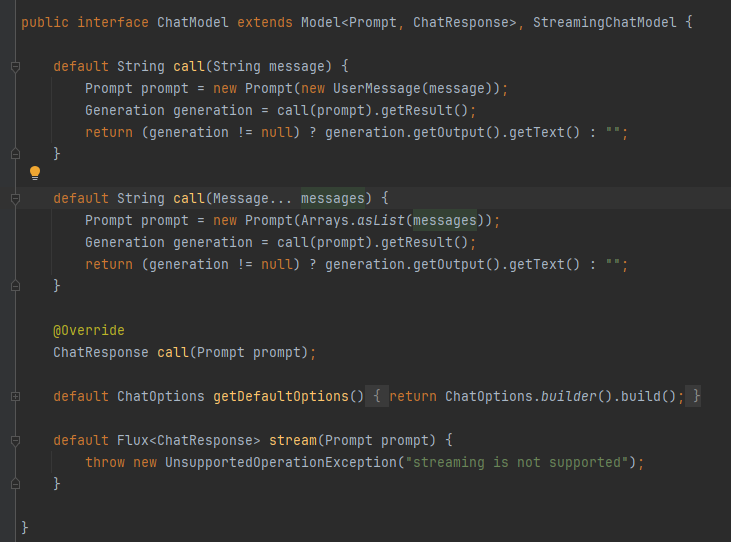
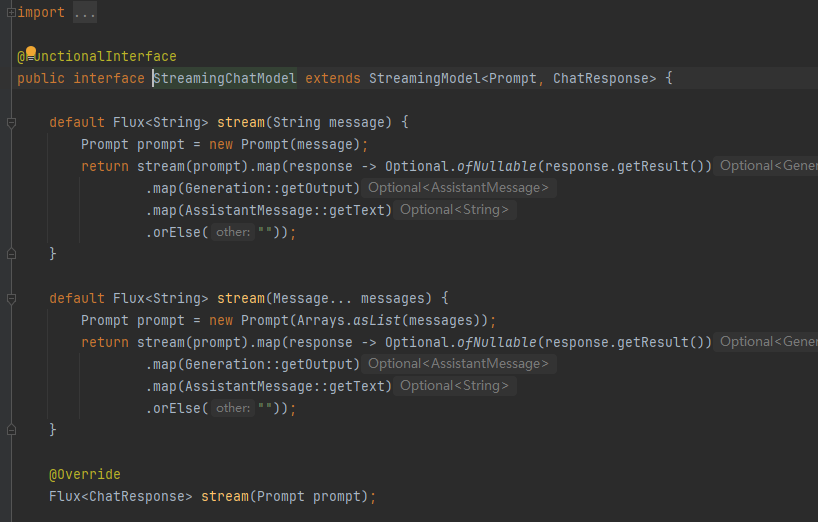
ChatModel可以通过传入Prompt对象或者若干个Message对象来使用Promp
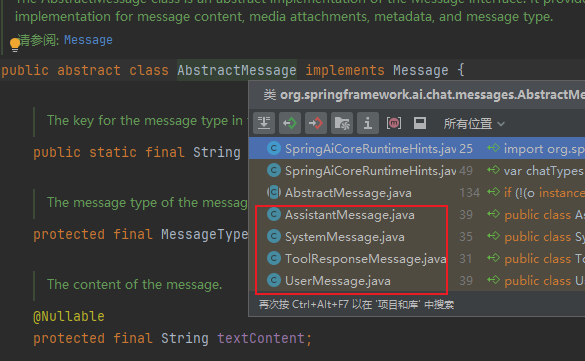
可以看到有提示词四大角色对应的实现类,我们按需传入即可:
java
@RestController
public class ChatPromptController {
    @Resource(name = "deepseekChatModel")
    ChatModel deepseekChatModel;
    @GetMapping("/prompt/chat2")
    public Flux<ChatResponse> chat2(@RequestParam(name = "question") String question) {
        SystemMessage systemMessage = new SystemMessage("你是一个儿童故事作家,会根据用户输入生成300字以内相关联的儿童故事,对于用户的其它类型问题,你不会做出相关回复");
        UserMessage userMessage = new UserMessage(question);
        Prompt prompt = new Prompt(systemMessage, userMessage);
        return deepseekChatModel.stream(prompt);
    }

}
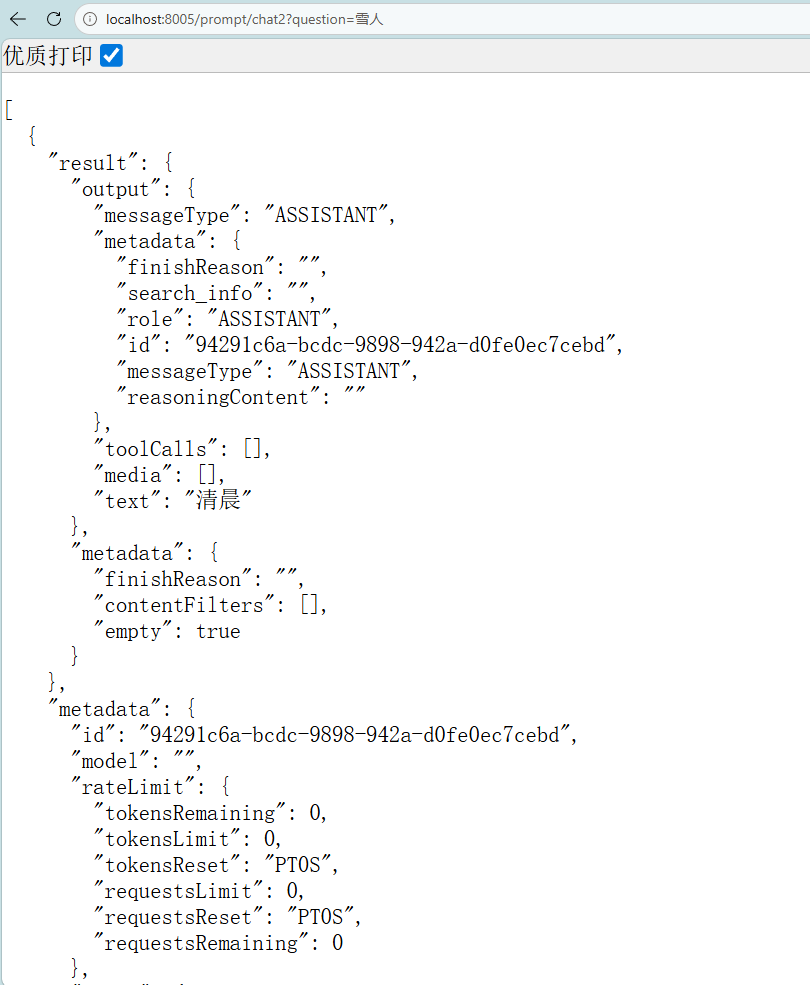
注意这里的返回内容是Flux<ChatResponse>ChatResponse代表的是大模型回复的完整的元数据
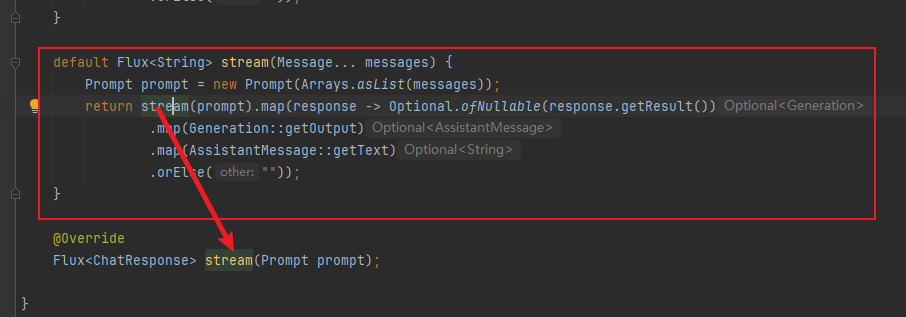
我们实际使用中可以调用这个已经做过处理的stream方法或自己手动处理:
java
@RestController
public class ChatPromptController {
    @Resource(name = "deepseekChatModel")
    ChatModel deepseekChatModel;
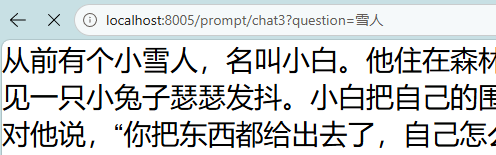
    @GetMapping("/prompt/chat3")
    public Flux<String> chat3(@RequestParam(name = "question") String question) {
        SystemMessage systemMessage = new SystemMessage("你是一个儿童故事作家,会根据用户输入生成300字以内相关联的儿童故事,对于用户的其它类型问题,你不会做出相关回复");
        UserMessage userMessage = new UserMessage(question);
        return deepseekChatModel.stream(systemMessage, userMessage);
    }

    @GetMapping("/prompt/chat4")
    public Flux<String> chat4(@RequestParam(name = "question") String question) {
        SystemMessage systemMessage = new SystemMessage("你是一个儿童故事作家,会根据用户输入生成300字以内相关联的儿童故事,对于用户的其它类型问题,你不会做出相关回复");
        UserMessage userMessage = new UserMessage(question);
        Prompt prompt = new Prompt(systemMessage, userMessage);
        return deepseekChatModel.stream(prompt).map(chatResponse -> chatResponse.getResults().get(0).getOutput().getText());
    }

}
3.2 Assistant使用示例
java
@RestController
public class ChatPromptController {
    @Resource(name = "qwenChatClient")
    ChatClient qwenChatClient;

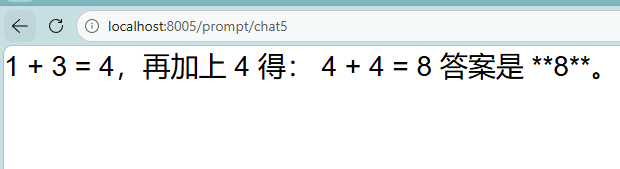
    @GetMapping("/prompt/chat5")
    public Flux<String> chat5() {
        AssistantMessage assistantMessage = qwenChatClient
                .prompt()
                .user("1+3")
                .call()
                .chatResponse()
                .getResult()
                .getOutput();

        return qwenChatClient
                .prompt()
                .messages(assistantMessage)
                .user("再加上4")
                .stream()
                .content();
    }

}
4. PromptTemplate
PromptTemplate(提示词模板),可以支持在提示词中使用变量一段提示词多次使用:
java
@RestController
public class PromptTemplateController {
    @Resource(name = "qwenChatClient")
    ChatClient qwenChatClient;

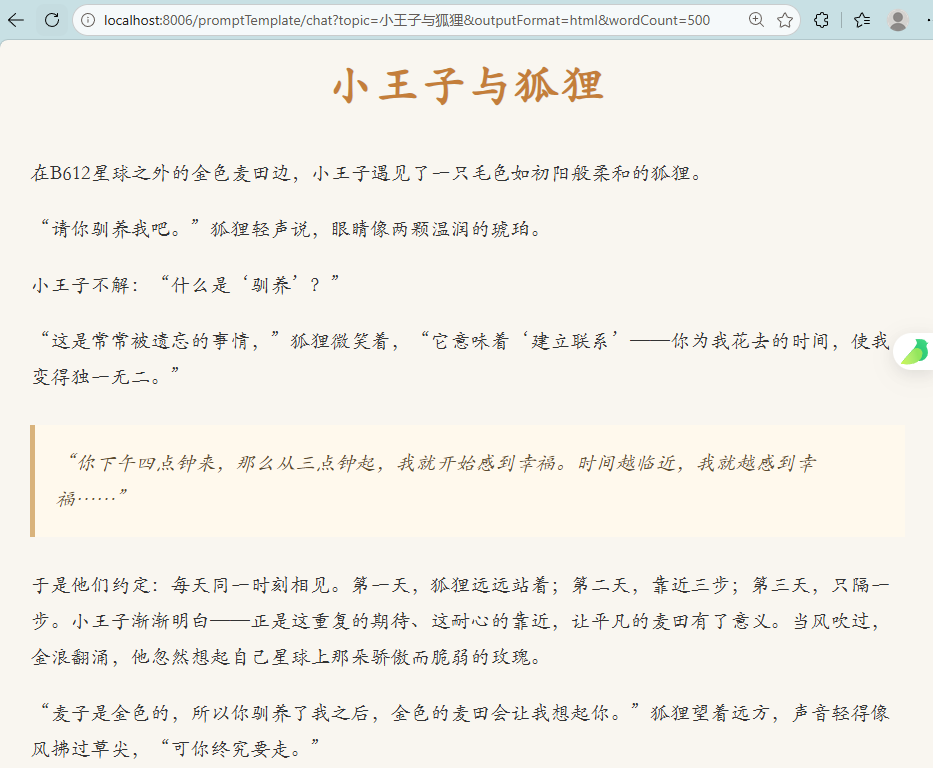
    @GetMapping("/promptTemplate/chat")
    public Flux<String> chat(String topic, String outputFormat, String wordCount) {
        PromptTemplate promptTemplate = new PromptTemplate(
                "讲一个关于{topic}的故事," +
                "以{outputFormat}格式输出," +
                "字数在{wordCount}左右"
        );
        Prompt prompt = promptTemplate.create(Map.of(
                "topic", topic,
                "outputFormat", outputFormat,
                "wordCount", wordCount
        ));
        return qwenChatClient.prompt(prompt).stream().content();
    }
}
这个写法就可以让我们通过不同参数使用这个提示词生成不同类型不同格式字数的故事
也可以把提示词模板写在文件中使用时读取,方便更改:
java
@RestController
public class PromptTemplateController {
    @Resource(name = "qwenChatClient")
    ChatClient qwenChatClient;

    @Value("classpath:/promptTemplate/userTemplate.txt")
    private org.springframework.core.io.Resource userTemplate;

    @GetMapping("/promptTemplate/chat2")
    public Flux<String> chat2(String topic, String outputFormat, String wordCount) {
        PromptTemplate promptTemplate = new PromptTemplate(userTemplate);
        Prompt prompt = promptTemplate.create(Map.of(
                "topic", topic,
                "outputFormat", outputFormat,
                "wordCount", wordCount
        ));
        return qwenChatClient.prompt(prompt).stream().content();
    }
}
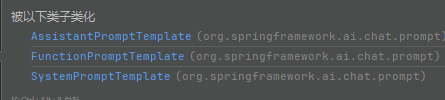
不只有用户提示词模板,对于提示词的四个角色都有对应的模板类:
java
@RestController
public class PromptTemplateController {
    @Resource(name = "qwenChatClient")
    ChatClient qwenChatClient;


    @GetMapping("/promptTemplate/chat3")
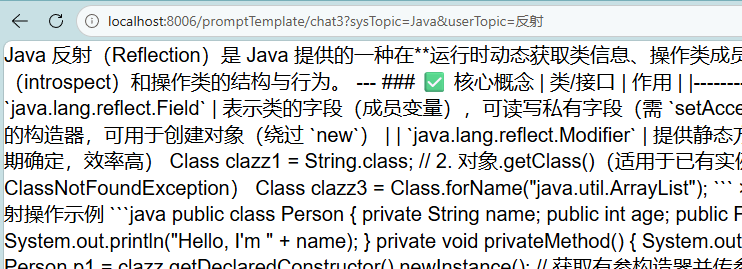
    public Flux<String> chat3(String sysTopic, String userTopic) {
        //创建message
        SystemPromptTemplate systemPromptTemplate = new SystemPromptTemplate("你是一个{sysTopic}小助手,只回答{sysTopic}相关的问题");
        Message systemMessage = systemPromptTemplate.createMessage(Map.of("sysTopic", sysTopic));
        PromptTemplate promptTemplate = new PromptTemplate("请介绍一下{userTopic}");
        Message userMessage = promptTemplate.createMessage(Map.of("userTopic", userTopic));

        //创建prompt
        Prompt prompt = new Prompt(systemMessage, userMessage);

        return qwenChatClient.prompt(prompt).stream().content();
    }
}