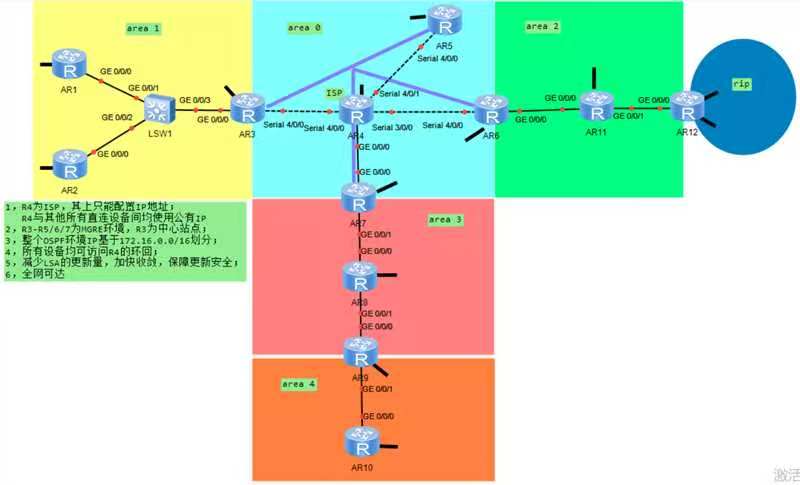
1. 核心需求
| 序号 | 要求 |
|---|---|
| 1 | R4 为 ISP,仅配置 IP;直连设备用公有 IP |
| 2 | R3 为中心、R5/R6/R7 为分支,构建 MGRE 环境 |
| 3 | 全网基于 172.16.0.0/16划分子网;除 R12 外均单环回 |
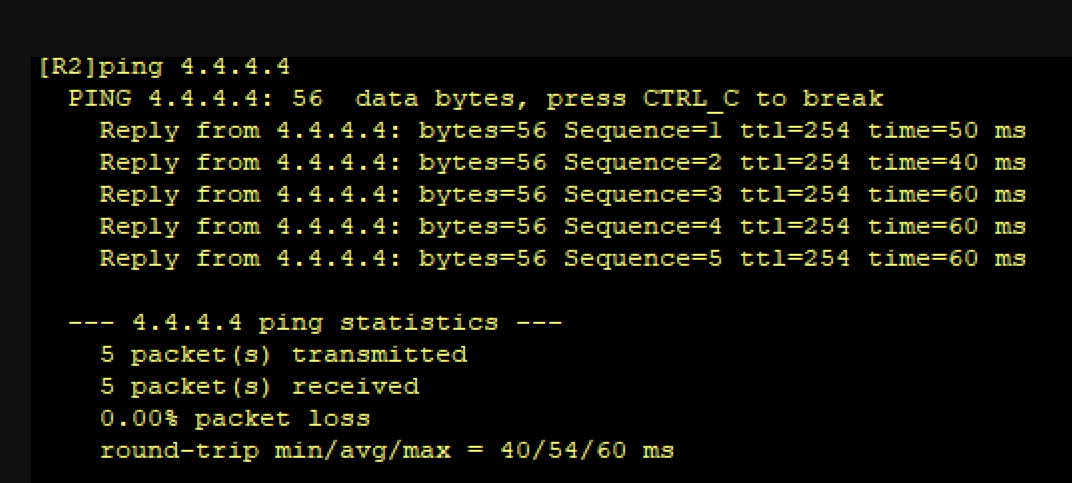
| 4 | 所有设备可访问 R4 环回 |
| 5 | 减少 LSA、加快收敛、保障更新安全 |
| 6 | 全网可达 |
R4(ISP)
sysname ISP
interface Serial4/0/0
 ip address 34.0.0.2 255.255.255.0
interface Serial4/0/1
 ip address 46.0.0.1 255.255.255.0
interface Serial3/0/0
 ip address 45.0.0.1 255.255.255.0
interface GigabitEthernet0/0/0
 ip address 47.0.0.1 255.255.255.0
R3(中心+区域1 ABR)
sysname R3
interface GigabitEthernet0/0/0
 ip address 172.16.0.3 255.255.240.0
interface LoopBack0
 ip address 172.16.24.1 255.255.252.0
interface Serial4/0/0
 ip address 34.0.0.1 255.255.255.0
ip route-static 0.0.0.0 0.0.0.0 34.0.0.2
R5(分支)
sysname R5
interface Serial4/0/0
 ip address 45.0.0.2 255.255.255.0
ip route-static 0.0.0.0 0.0.0.0 45.0.0.1
R6(分支+区域2 ABR)
sysname R6
interface Serial4/0/0
 ip address 46.0.0.2 255.255.255.0
interface GigabitEthernet0/0/0
 ip address 172.16.32.1 255.255.248.0
interface LoopBack0
 ip address 172.16.48.1 255.255.252.0
ip route-static 0.0.0.0 0.0.0.0 46.0.0.1
R7(分支+区域3 ABR)
sysname R7
interface GigabitEthernet0/0/0
 ip address 47.0.0.2 255.255.255.0
interface GigabitEthernet0/0/1
 ip address 172.16.64.1 255.255.248.0
interface LoopBack0
 ip address 172.16.128.4 255.255.224.0
ip route-static 0.0.0.0 0.0.0.0 47.0.0.1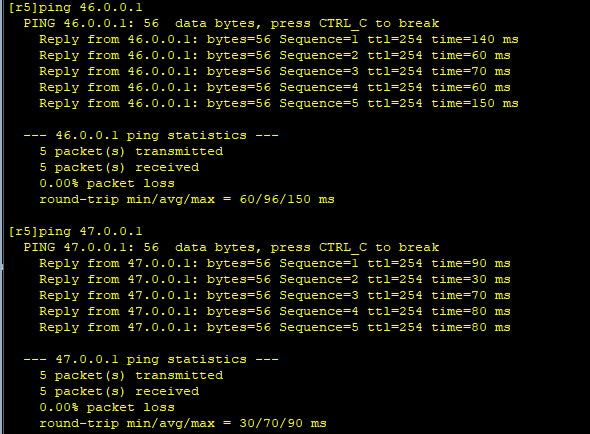
📌 MGRE 隧道与 NHRP 配置
中心 R3
interface Tunnel0/0/0
 ip address 172.16.128.1 255.255.248.0
 tunnel-protocol gre p2mp
 source 34.0.0.1
 nhrp entry multicast dynamic
 nhrp network-id 100
 ospf network-type p2mp
 ospf dr-priority 1
分支 R5/R6/R7(以 R5 为例)
interface Tunnel0/0/0
 ip address 172.16.128.2 255.255.248.0
 tunnel-protocol gre p2mp
 source 45.0.0.2
 nhrp network-id 100
 nhrp entry 172.16.128.1 34.0.0.1 register
 ospf network-type p2mp
 ospf dr-priority 0
📌 OSPF 多区域与优化配置
区域1(R1/R2/R3)
# R1
ospf 1 router-id 1.1.1.1
 area 1
  network 172.16.0.0 0.0.15.255
  network 172.16.16.0 0.0.3.255
  stub no-summary
  authentication-mode md5 1 cipher 123
区域2(R6/R11/R12)
# R6
ospf 1 router-id 6.6.6.6
 area 2
  network 172.16.32.0 0.0.7.255
  network 172.16.48.0 0.0.3.255
  abr-summary 172.16.64.0 255.255.224.0
  nssa no-summary
区域3(R7/R8/R9)
# R7
ospf 1 router-id 7.7.7.7
 area 3
  network 172.16.64.0 0.0.7.255
  network 172.16.80.0 0.0.3.255
  abr-summary 172.16.96.0 255.255.224.0
区域4(R9/R10,独立 OSPF 进程)
# R9
ospf 2 router-id 9.9.9.9
 area 4
  network 172.16.96.0 0.0.15.255
 default-route-advertise always
📌 RIP 与 OSPF 双向重分发(R12)
# R12
rip 1
 version 2
 undo summary
 network 172.16.0.0
ospf 1 router-id 12.12.12.12
 area 2
  network 172.16.40.0 0.0.7.255
  asbr-summary 172.16.128.0 255.255.224.0
  nssa no-summary
 import-route rip 1
rip 1
 import-route ospf 1
📌 全网访问 ISP 环回(NAT + 默认路由)
R3/R5/R6/R7(以 R3 为例)
acl 2000
 rule permit source 172.16.0.0 0.0.15.255
 rule permit source 172.16.16.0 0.0.15.255
interface GigabitEthernet0/0/0
 nat outbound 2000
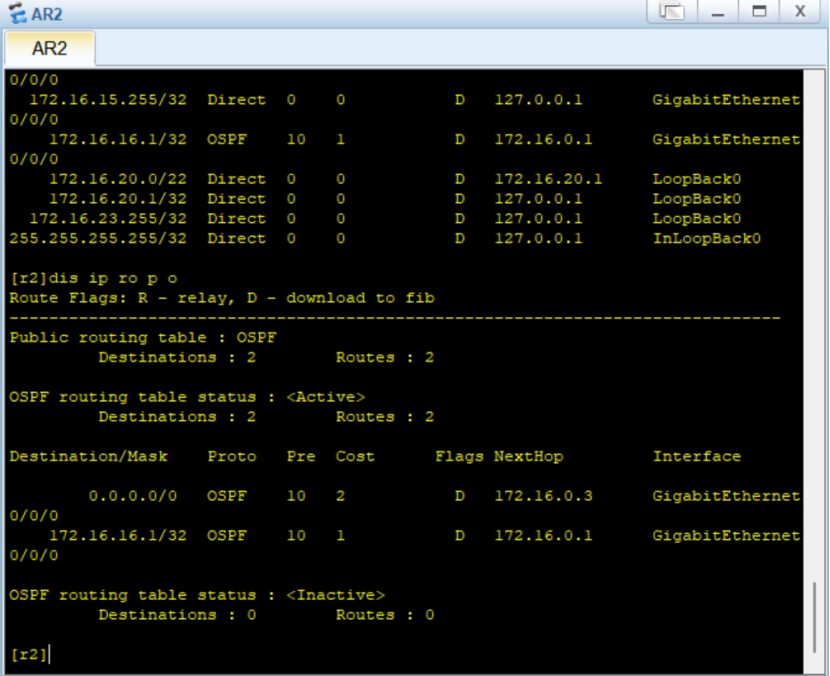
ospf 1
 default-route-advertise always
ip route-static 172.16.32.0 19 NULL 0

三、核心逻辑详解(避坑指南)
1. 为什么 MGRE 要改 OSPF 网络类型为 P2MP?
-
默认 GRE 隧道是 P2P 类型,无法选举 DR/BDR,分支间无法互通;
-
改为
p2mp后,中心(R3)作为 DR,分支仅与中心建邻接,减少 LSA 泛洪。
2. 特殊区域怎么选?
| 区域 | 类型 | 作用 |
|---|---|---|
| 区域1 | Stub No-Summary | 禁止外部 LSA,仅保留默认路由 |
| 区域2 | NSSA No-Summary | 允许 RIP 重分发,不产生类型5 LSA |
| 区域4 | 普通区域 | 性能弱,通过默认路由访问其他区域 |
3. 路由汇总与空接口防环
-
ABR/ASBR 做汇总后,必须配置
ip route-static 汇总网段 NULL 0,防止路由环路; -
示例:
abr-summary 172.16.32.0 255.255.224.0→ 对应空接口路由。
4. NAT 配置注意事项
-
ACL 需匹配所有私有网段,否则部分设备无法访问公网;
-
NAT 必须配置在连接 ISP 的公网接口上。
四、验证命令
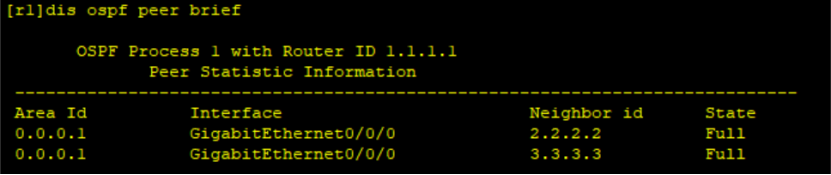
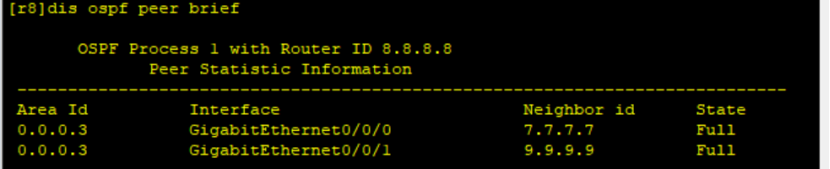
# 查看 OSPF 邻居
display ospf peer brief
# 查看 MGRE 隧道状态
display nhrp peer all
# 查看路由表
display ip routing-table
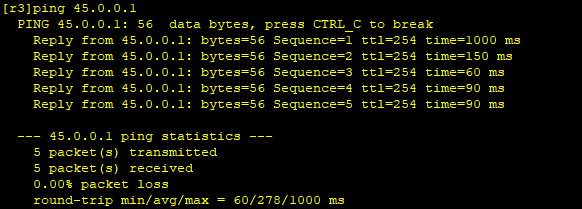
# 测试公网连通性
ping 47.0.0.1  # 访问 ISP 环回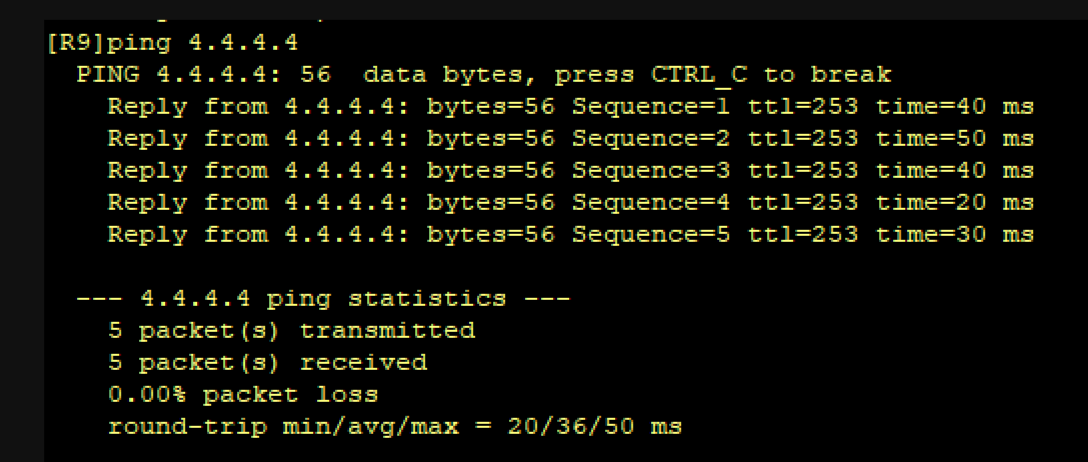
五、常见问题排查
-
MGRE 隧道不通:检查 NHRP Network-ID 是否一致、分支是否向中心注册;
-
OSPF 邻居起不来:检查区域 ID、认证密码、网络类型是否匹配;
-
私网无法访问公网:检查 NAT ACL 规则、默认路由是否下发。