1. 简单介绍
MCP是Anthropic公司于2024年11月正式推出MCP开放协议,解决了Model和外部系统的连接问题。2025年12月Anthropic正式将Agent Skills发布为一项开放标准,Agent Skills允许将特定领域知识打包成独立的Skill,在运行时按需加载到 Agent 的上下文中。MCP和Agent Skills两个协议都是Anthropic推出的。
微软在2026年4月3号发布了Microsoft Agent Framework(简称MAF) 1.0。MAF提供了两种能力,一个是智能体创建,另外一个是工作流创建,多智能体的编排。这个框架也可以集成MCP和Agent Skills了
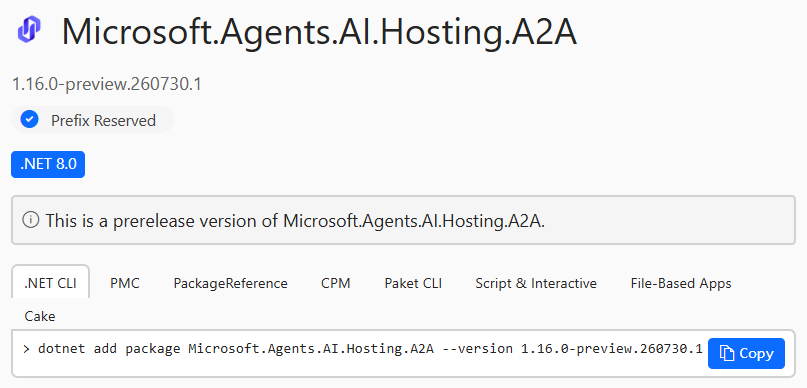
MAF提供了AgentSkillProvider/AgentSkillsProviderBuilder/AgentClassSkill/AgentInlineSkill等对象模型来支持Agent Skills的集成(file-based skill/class-based skill/inline code-defined skill)。在项目中,Agent Skills一般以文件或者代码的存在于应用程序中,如果多个应用程序都要使用到同一个Agent Skills,则需要在每个应用中创建一份。
当前MAF发布了一个新的特性,支持从MCF server去获取Agent Skills,这样不同Agent应用程序可以从同一个源头去获取Agent Skills,便于对Agent Skills进行统一管理和版本控制。
这边将简单尝试一下MCP Server发布Agent Skills的新特性,同时创建一个简单的Agent去获取Agent Skills。原本打算在AI Agent中使用GitHub Models中的大模型,发现GitHub Models当前不能使用了,
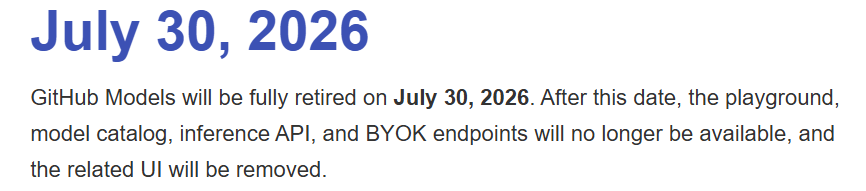
这边后来使用的是DeepSeek的deepseek-v4-pro模型。
note, 关于创建MCP server的创建,也可以参考一下之前的文章,
Model Context Protocol (MCP) - 尝试创建和测试一下MCP Server
AI - 尝试一下基于A2A SDK v1使用Microsoft Agent Framework for .NET创建A2A(Agent to Agent) Server和A2A Client
2.创建应用程序
这边是基于.NET10创建的控制台应用程序。MCP server可以采用两种方式来发布Agent Skills。一种是skill-md,将Agent Skills的agent.md以及相关文件以MCP resource的方式暴露出去。另外一种是archive,Agent Skills相关文件以一个archive文件存在于MCP Server,Agent从MCP server获取到的archive文件需要先解压缩,然后再使用。存在于archieve中的script将不会被执行。
这边创建的应用程序用于获取2025年亚洲杯男篮球员的一些统计信息,
2.1 添加MCP相关package
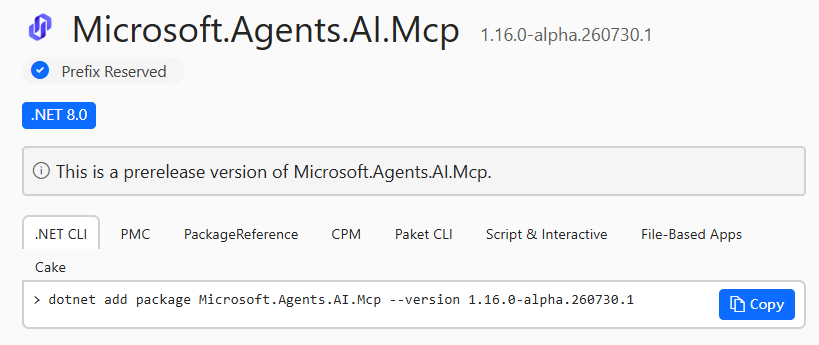
在项目中添加Microsoft.Agents.AI.Mcp 和 ModelContextProtocol nuget package,
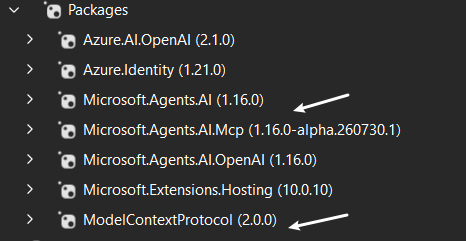
note, 目前ModelConextProtocol已经是2.0.0版本了
2.2 创建MCP Server
这边采用的MCP协议是Stdio,
var builder = Host.CreateApplicationBuilder();
builder.Services.AddMcpServer(o => o.ServerInfo = new() { Name = "SkillsServer", Version = "1.0.0" })
.WithStdioServerTransport()
.WithResources<SkillResources>();
await builder.Build().RunAsync();
2.3 创建MCP resource
Agent Skills内容将被定义在MCP resource中,
[McpServerResourceType]
internal sealed class SkillResources
{
    private const string IndexJson = """
        {
            "$schema": "https://schemas.agentskills.io/discovery/0.2.0/schema.json",
            "skills": [
                {
                    "name": "asia-cup-2025-player-data-analysis",
                    "type": "skill-md",
                    "description": "Get the average height and age for Asia Cup Players 2025",
                    "url": "skill://asia-cup-2025-player-data-analysis/SKILL.md"
                }
            ]
        }
        """;

    private const string SkillMd = """
        ---
        name: asia-cup-2025-player-data-analysis
        description: asia-cup-2025-player-data-analysis is used to get player data for Asia Cup 2025 and some analysis can be made based on the data.
        ---

        ## Asia Cup 2025 Player Data

        When the user requests a data analysis, use below Asia Cup 2025 data metrics:

        |Region        | Average Age          | Average Height   |
        |---------------|----------------------|------------------|
        |Australia      | 24.50                | 200.17           |
        |China          | 26.08                | 199.67           |
        |New Zealand    | 25.25                | 197.58           |
        |South Korea    | 27.25                | 193.25           |
        |Chinese Taipei | 27.67                | 192.92           |
        |Japan          | 26.00                | 193.50           |
        |Philippines    | 30.67                | 197.67           |
        |Iran           | 26.00                | 197.00           |
        |Lebanon        | 29.50                | 195.25           |
        """;

    [McpServerResource(UriTemplate = "skill://index.json", Name = "Skill Index", MimeType = "application/json")]
    [Description("SEP-2640 skill discovery index")]
    public static string GetIndex() => IndexJson;

    [McpServerResource(UriTemplate = "skill://asia-cup-2025-player-data-analysis/SKILL.md", Name = "Asia Cup 2025 Player Data Analysis Skill", MimeType = "text/markdown")]
    [Description("Asia Cup 2025 Player Data Analysis skill instructions")]
    public static string GetSkillMd() => SkillMd;
}
2.4 创建MCP client
await using McpClient client = await McpClient.CreateAsync(
    new StdioClientTransport(new()
    {
        Name = "skills-server",
        Command = "dotnet",
        Arguments = [thisAssemblyPath, "--server"],
    }));
2.5 创建AgentSkillProvider
将之前创建的MCP client作为UseMcpSkills方法的参数,最后创建出一个AgentSkillProvider
var skillsProvider = new AgentSkillsProviderBuilder()
    .UseMcpSkills(client)
    .Build();
2.6 创建AI Agent
将步骤2.5创建的AgentSkillProvider添加到AIConextProviders中,这样AI Agent就有了Skill的上下文了,代码如下所示,
AIAgent agent = chatClient
    .AsAIAgent(new ChatClientAgentOptions
    {
        Name = "SkillsAgent",
        ChatOptions = new()
        {
            ModelId = model,
            Instructions = "You are a helpful assistant. Use available skills to answer the user.",
        },
        AIContextProviders = [skillsProvider],
    })
    .AsBuilder()
    .UseToolApproval(new ToolApprovalAgentOptions
    {
        AutoApprovalRules = [AgentSkillsProvider.AllToolsAutoApprovalRule],
    })
    .Build();
2.7 使用AI Agent
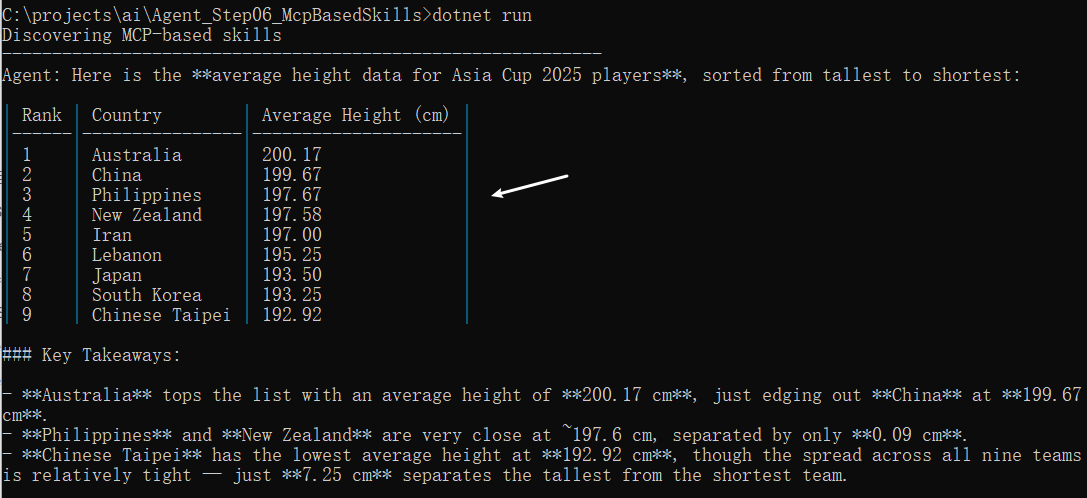
这边要获取的是2025年亚洲杯男篮球员的平均身高,然后按降序排列,
AgentResponse response = await agent.RunAsync("Please tell me average height data for Asia Cup 2025 Players,and sort by height desc. And finally show the info as table.");
Console.WriteLine($"Agent: {response.Text}");
3. 运行项目
使用dotnet run命令运行项目,最后Agent返回了预期的亚洲杯男篮球员的信息,
4.总结
本文简单介绍了一下如何在MCP server中部署Agent Skills以及在Agent中如何使用这些Agent Skills的过程。当前MCP skills API处于experimental阶段。关于Microsoft Agent Framework的内容很多,还需继续跟着微软老师学习一下。
本文如果哪里有错误,麻烦告之,谢谢谢谢!