异步需要考虑的问题其实很多。所以一般情况下能同步解决的就用同步。
这次是有个数据源QPS太高了。20万以上,同步吞吐跟不上。或者同样的处理速率,同步比异步消耗资源多太多。所以就想到了异步方法。需要外部数据源也支持异步访问。刚好是支持的。
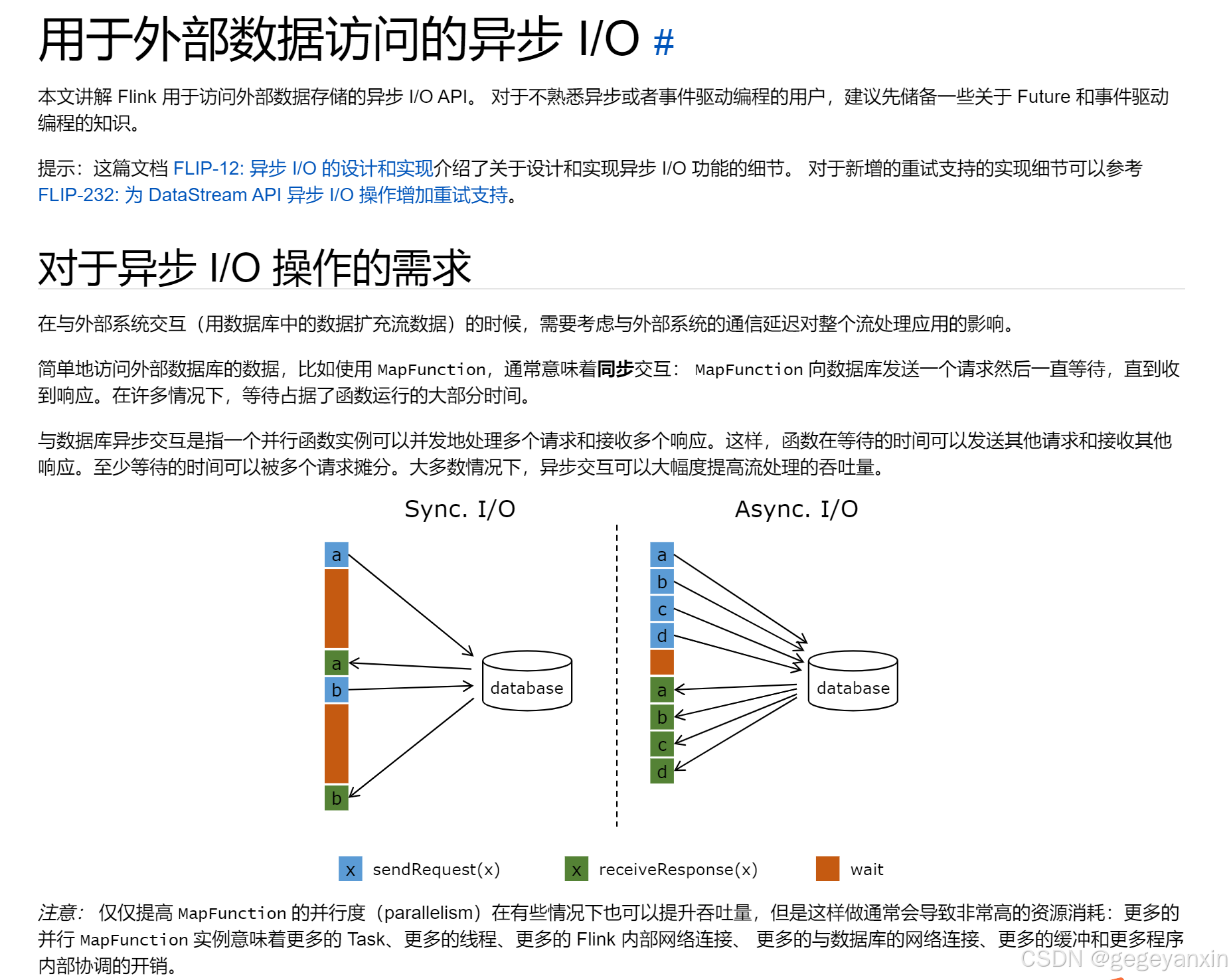
异步IO官方文档:异步 I/O | Apache Flink
SingleOutputStreamOperator<ArrayList<UsageToPegasus>> appIdStreamCompute = AsyncDataStream
                .orderedWait(appIdStream,
                        new MapAsynProcessState(clusterName, StatePegasusName, stateTtl),
                        asynTimeout,
                        TimeUnit.MILLISECONDS,
                        asynStateCapacity)
                .uid("uid1")
                .name("name1")
                .returns(arrayListTypeInfo)
                .disableChaining()
                ;
异步方法内部:
public class MapAsynProcessState extends RichAsyncFunction<AppIdState, ArrayList<UsageToPegasus>> {


    public void open(Configuration parameters) throws Exception {
        super.open(parameters);
        client = PegasusClientFactory.createClient(properties);
        table = client.openTable(StatePegasusName);
        RuntimeContext runtimeContext = getRuntimeContext();
        OperatorMetricGroup metricGroup = runtimeContext.getMetricGroup();

        // 注册监控指标
        successCounter = metricGroup.counter("xxx1"); //falcon监控用。xxx1为指标名称
        failureCounter = metricGroup.counter("xxx");
        timeoutCounter = metricGroup.counter("xxx");
    }


//核心方法
public void asyncInvoke(AppIdState appState, ResultFuture<ArrayList<UsageToPegasus>> resultFuture) throws Exception {

        table.asyncMultiGet(appState.getHashKey().getBytes(), null, 30000).addListener(
                (PegasusTableInterface.MultiGetListener) future -> {
                    String gaid = appState.getHashKey();
                    if (future.isSuccess()) {
                        PegasusTableInterface.MultiGetResult res = future.get();
                        ConcurrentHashMap<Long, long[]> one_hour_map = new ConcurrentHashMap<>();
                        ConcurrentHashMap<Long, long[]> six_hour_map = new ConcurrentHashMap<>();


                处理逻辑......

                        successCounter.inc();
//                            successRateMeter.markEvent();
//结果回收 (非常重要)                            resultFuture.complete(Collections.singleton(longMapToResult(id, one_hour_map, six_hour_map, useLatest, current15minTimestamp)));
                        } //asyncMultiGet监听到结果处理完成
                        else { //asyncMultiGet监听成功,但没结果
//每条路都要有结果回收 (非常重要)
//有些异常可以返回空,但是也需要返回resultFuture.complete(Collections.emptyList());
                          resultFuture.complete(Collections.singleton(longMapToResult(id, one_hour_map, six_hour_map, useLatest, current15minTimestamp)));
                            System.out.println("本次查询成功,但是结果为空,这个用户当前尚没有记录");
                        }


}

}
注意结果回收:resultFuture.complete(Collections.singleton(结果对象))
//有些异常可以返回空,但是返回这个动作不能省。 resultFuture.complete(Collections.emptyList());
之前有出现过一个bug。异常情况没有回收,flink程序卡住运行不了。加上回收以后就好了。
写部分:
写部分:

{
            Future<Void> setFuture = table.asyncSet(
                    appState.getHashKey().getBytes(),
                    appState.getSortKey().getBytes(),
                    MapSerializeAndDeserialize.serializeHashMap(appState.getAppState()),
                    stateTtl,
                    0);

            setFuture.addListener((PegasusTableInterface.SetListener) future ->{
                if (future.isSuccess()) {
                    stateSetSuccessCounter.inc();
                } else {
                    stateSetFailureCounter.inc();
                    System.err.println("写状态失败的原因是"+future.cause());
                }
            });
另外的示例:
inal Future<Void> pegasusResultFuture = this.table.asyncSet(pegasusKey.getBytes(), realtimeSampleSortKey, streamSample.getFeatureRowBytes(), ttl, 10000);

        CompletableFuture.supplyAsync(  // 写Pegasus
                        () -> {
                            try {
                                markEventSync(metricGroup, counterMap, "pegasus_write", ENV);
                                return pegasusResultFuture.get();
                            } catch (Exception e) {
                                markEventSync(metricGroup, counterMap, "pegasus_write_err_1", ENV);
                                LOGGER.error("Pegasus write error: ", e);
                                return null;
                            }
                        })
                .handle(
                        (Void dbResult, Throwable throwable) -> {
                            // 异步查询异常,可进行重试
                            if (throwable != null) {
                                markEventSync(metricGroup, counterMap, "pegasus_write_err_2", ENV);
                                LOGGER.warn("Future complete error: ", throwable);
                                resultFuture.completeExceptionally(throwable);
                                return "fail";
                            }
                            markEventSync(metricGroup, counterMap, "pegasus_write_success", ENV);
                            resultFuture.complete(Collections.singleton(streamSample));
                            return "success";
                        });
    }