文章目录
前言
终于到了最后一篇喽,嘻嘻!
一、引入网络库模块
引入cpp-httplib
下载地址如下,我个人不喜欢新版本
我们将cpp-httplib放到项目中的test目录下,并解压 unzip 好
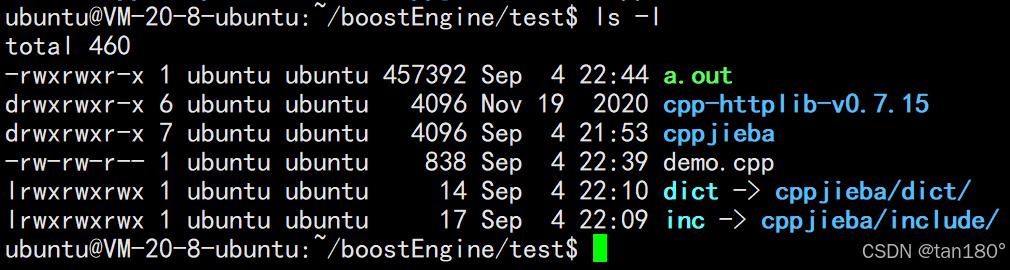
再建立软链接到我们的项目路径下

cpp-httplib测试
cpp
#include "cpp-httplib/httplib.h"

int main()
{
    // 创建一个Server对象,本质就是搭建服务端
    httplib::Server svr;

    // 这里注册用于处理 get 请求的函数,当收到对应的 get 请求时(请求hi时),程序会执行对应的函数(也就是lambda表达式)
    svr.Get("/hi", [](const httplib::Request& req, httplib::Response& rsp){
            //设置 get "hi" 请求返回的内容
            rsp.set_content("hello world!", "text/plain; charset=utf-8");
          });

    // 绑定端口(8080),启动监听(0.0.0.0表示监听任意端口)
    svr.listen("0.0.0.0", 8080);

    return 0;
}
相应的,我们更新一下我们的 makefile
makefile
# 定义编译器
CXX = g++

# 定义编译器选项
CXXFLAGS = -std=c++11

# 定义目标程序
PARSER = parser
DEBUG = debug
HTTP_SERVER = http_server

# 定义链接库
PARSER_LIBS = -lboost_system -lboost_filesystem
DEBUG_LIBS = -ljsoncpp
HTTP_SERVER_LIBS = -ljsoncpp -lpthread

# 默认目标
.PHONY: all
all: $(PARSER) $(DEBUG) $(HTTP_SERVER)

# 编译parser
$(PARSER): parser.cc
	$(CXX) $(CXXFLAGS) -o $@ $< $(PARSER_LIBS)

# 编译debug
$(DEBUG): debug.cc
	$(CXX) $(CXXFLAGS) -o $@ $< $(DEBUG_LIBS)

# 编译http_server
$(HTTP_SERVER): http_server.cc
	$(CXX) $(CXXFLAGS) -o $@ $< $(HTTP_SERVER_LIBS)

# 清理生成的文件
.PHONY: clean
clean:
	rm -rf $(PARSER) $(DEBUG) $(HTTP_SERVER)
编译后,我们直接开始运行这个 http_server

访问这个端口后有如下效果
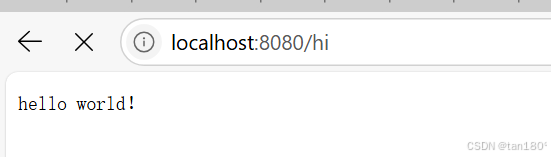
问题在于,现在当我们访问服务器的时候,确实这个效果
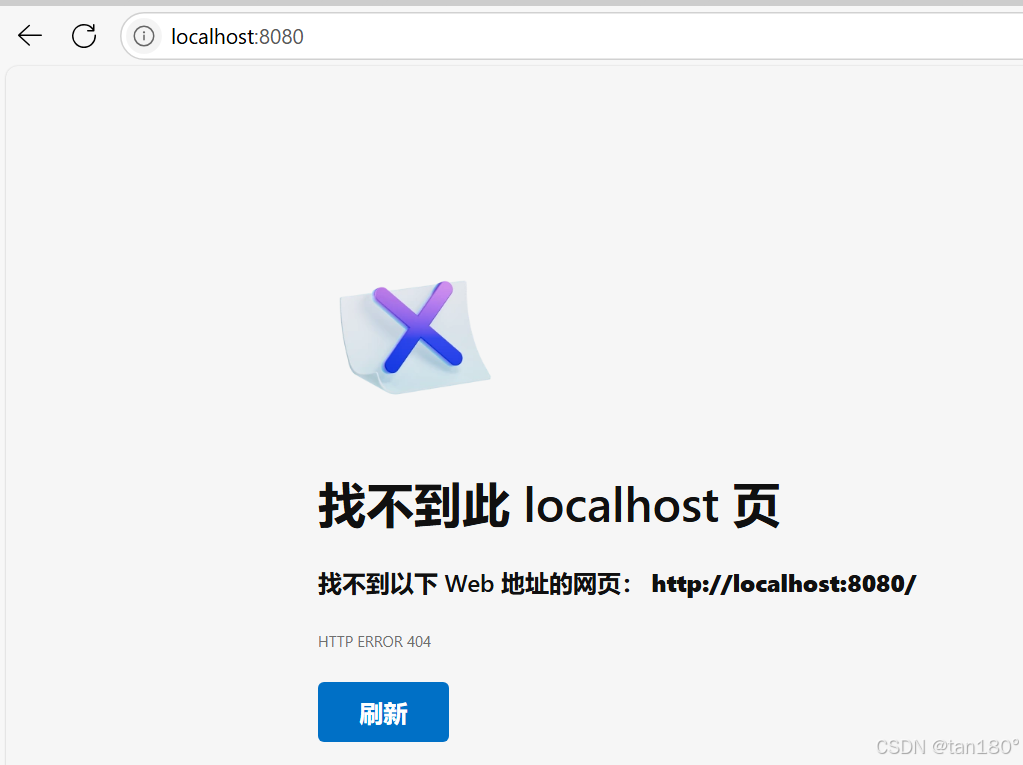
问题在于,像我们访问百度时,www.baidu.com ,百度会给一个首页,所以在我们的项目目录下呢,也需要一个首页,于是我们在本地目录下创建了一下这个 wwwroot 目录,在该目录下创建了一个 index.html 文件

正式编写http_server
好了,测试结束,我们差不多大概也了解了 cpphttplib 的用法
cpp
#include "cpp-httplib/httplib.h"
#include "searcher.hpp"

const std::string input = "data/raw_html/raw.txt";
const std::string root_path = "./wwwroot";

int main()
{
    ns_searcher::Searcher search;
    search.InitSearcher(input);

    // 创建一个Server对象,本质就是搭建服务端
    httplib::Server svr;

    // 访问首页
    svr.set_base_dir(root_path.c_str());

    // 这里注册用于处理 get 请求的函数,当收到对应的get请求时(请求s时),程序会执行对应的函数(也就是lambda表达式)
    svr.Get("/s", [&search](const httplib::Request &req, httplib::Response &rsp)
            {
            //has_param:这个函数用来检测用户的请求中是否有搜索关键字,参数中的word就是给用户关键字取的名字(类似word=split)
            if(!req.has_param("word")){
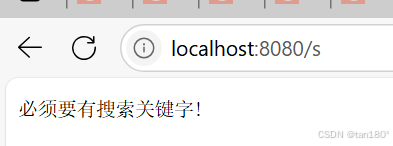
                rsp.set_content("必须要有搜索关键字!", "text/plain; charset=utf-8");
                return;
            }

            // 获取用户输入的关键字
            std::string word = req.get_param_value("word");
            std::cout << "用户在搜索:" << word << std::endl;

            // 根据关键字,构建json串
            std::string json_string;
            search.Search(word, &json_string);

            // 设置 get "s" 请求返回的内容,返回的是根据关键字,构建json串内容
            rsp.set_content(json_string, "application/json"); });

    std::cout << "服务器启动成功......" << std::endl;

    // 绑定端口(8080),启动监听(0.0.0.0表示监听任意端口)
    svr.listen("0.0.0.0", 8080);
    return 0;
}
此时我直接开始 make 编译代码,先执行 parser 进行数据清洗,然后执行 http_server ,搭建服务,创建单例,构建索引,发生请求(根据用户输入的关键字,进行查找索引,构建 json 串),最后响应给我们用户
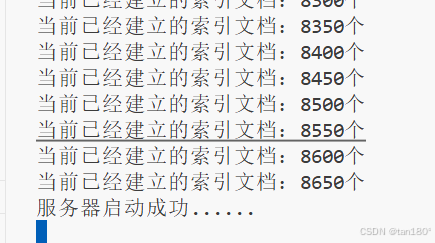
索引建立成功,服务器也启动成功,这个时候进行浏览器访问 (8080/s)
访问(8080/s?word=split),结果如下
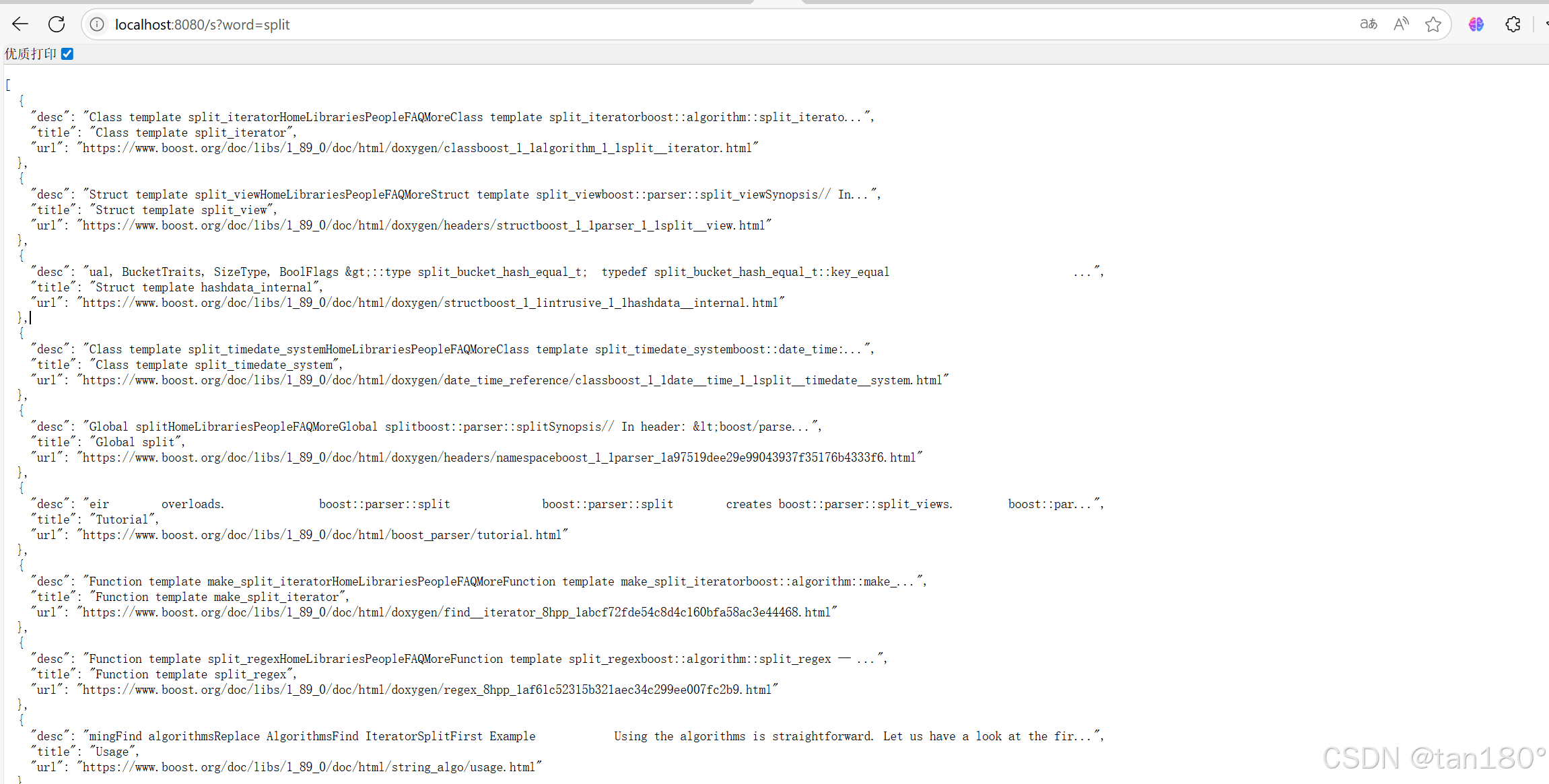
到这里差不多我们的后端部分也就完成了
二、前端模块
其实我前端不怎么会,以下代码几乎都是参考的 DeepSeek,不得不说 AI 还是强大
以下给出 DS大人 的前端代码
html
<!DOCTYPE html>
<html lang="zh-CN">

<head>
    <meta charset="UTF-8">
    <meta name="viewport" content="width=device-width, initial-scale=1.0, maximum-scale=1.0, user-scalable=no">
    <script src="https://code.jquery.com/jquery-3.6.0.min.js"></script>
    <link rel="stylesheet" href="https://cdnjs.cloudflare.com/ajax/libs/font-awesome/6.0.0/css/all.min.css">
    <title>Boost 智能搜索引擎</title>
    <style>
        :root {
            --primary-color: #4e6ef2;
            --hover-color: #3b5bdb;
            --background: #f8f9fa;
            --text-dark: #2d3436;
            --text-light: #636e72;
        }

        * {
            margin: 0;
            padding: 0;
            box-sizing: border-box;
            font-family: 'Segoe UI', system-ui, sans-serif;
        }

        body {
            background: var(--background);
            min-height: 100vh;
            padding: 2rem 1rem;
        }

        .container {
            max-width: 800px;
            margin: 0 auto;
            animation: fadeIn 0.5s ease;
        }

        .search-box {
            display: flex;
            gap: 10px;
            margin-bottom: 2rem;
            box-shadow: 0 4px 6px rgba(0, 0, 0, 0.1);
            border-radius: 30px;
            background: white;
            padding: 5px;
        }

        .search-input {
            flex: 1;
            padding: 1rem 1.5rem;
            border: none;
            border-radius: 30px;
            font-size: 1.1rem;
            color: var(--text-dark);
            transition: all 0.3s ease;
        }

        .search-input:focus {
            outline: none;
            box-shadow: 0 0 0 3px rgba(78, 110, 242, 0.2);
        }

        .search-btn {
            padding: 0 2rem;
            border: none;
            border-radius: 30px;
            background: linear-gradient(135deg, var(--primary-color), var(--hover-color));
            color: white;
            font-size: 1rem;
            font-weight: 600;
            cursor: pointer;
            transition: all 0.3s ease;
            display: flex;
            align-items: center;
            gap: 8px;
        }

        .search-btn:hover {
            background: var(--hover-color);
            transform: translateY(-1px);
        }

        .result-item {
            background: white;
            border-radius: 12px;
            padding: 1.5rem;
            margin-bottom: 1rem;
            box-shadow: 0 2px 4px rgba(0, 0, 0, 0.05);
            transition: transform 0.2s ease;
        }

        .result-item:hover {
            transform: translateX(5px);
        }

        .result-title {
            color: var(--primary-color);
            font-size: 1.2rem;
            font-weight: 600;
            margin-bottom: 0.5rem;
            text-decoration: none;
            display: flex;
            align-items: center;
            gap: 8px;
        }

        .result-title:hover {
            text-decoration: underline;
        }

        .result-desc {
            color: var(--text-dark);
            line-height: 1.6;
            margin-bottom: 0.5rem;
            display: -webkit-box;
            -webkit-line-clamp: 3;
            -webkit-box-orient: vertical;
            overflow: hidden;
        }

        .result-url {
            color: var(--text-light);
            font-size: 0.9rem;
            font-family: monospace;
        }

        .loading {
            text-align: center;
            padding: 2rem;
            color: var(--text-light);
        }

        @keyframes fadeIn {
            from {
                opacity: 0;
                transform: translateY(20px);
            }

            to {
                opacity: 1;
                transform: translateY(0);
            }
        }

        @media (max-width: 768px) {
            .search-box {
                flex-direction: column;
                border-radius: 15px;
            }

            .search-btn {
                padding: 1rem;
                justify-content: center;
            }
        }
    </style>
</head>

<body>
    <div class="container">
        <div class="search-box">
            <input type="text" class="search-input" placeholder="请输入搜索关键词..." autofocus>
            <button class="search-btn" onclick="search()">
                <i class="fas fa-search"></i>
                搜索
            </button>
        </div>
        <div class="result-container"></div>
    </div>

    <script>
        // 增强功能
        $(document).ready(() => {
            // 回车键搜索
            $('.search-input').keypress(e => e.which === 13 && search())

            // 输入框交互
            $('.search-input').focus(function () {
                if (this.value === "请输入搜索关键词...") this.value = ""
            }).blur(function () {
                if (this.value === "") this.value = "请输入搜索关键词..."
            })
        })

        function search() {
            const query = $('.search-input').val().trim()
            if (!query) return

            // 显示加载状态
            $('.result-container').html(`
                <div class="loading">
                    <i class="fas fa-spinner fa-spin"></i>
                    正在搜索中...
                </div>
            `)

            $.ajax({
                url: `/s?word=${encodeURIComponent(query)}`,
                method: 'GET',
                success: buildResults,
                error: () => {
                    $('.result-container').html(`
                        <div class="result-item" style="color: #dc3545;">
                            <i class="fas fa-exclamation-triangle"></i>
                            请求失败,请稍后重试
                        </div>
                    `)
                }
            })
        }

        function buildResults(data) {
            const container = $('.result-container').empty()

            if (data.length === 0) {
                container.html(`
                    <div class="result-item">
                        <div style="color: var(--text-light); text-align: center;">
                            <i class="fas fa-search-minus"></i>
                            没有找到相关结果
                        </div>
                    </div>
                `)
                return
            }

            data.forEach(item => {
                const elem = $(`
                    <div class="result-item">
                        <a href="${item.url}" class="result-title" target="_blank">
                            <i class="fas fa-link"></i>
                            ${item.title}
                        </a>
                        <p class="result-desc">${item.desc}</p>
                        <div class="result-url">${item.url}</div>
                    </div>
                `)
                container.append(elem)
            })
        }
    </script>
</body>

</html>
再次编译运行后,我们来看看效果,不得不感概nb,这要是以我目前的前端水平,完全设计不出来
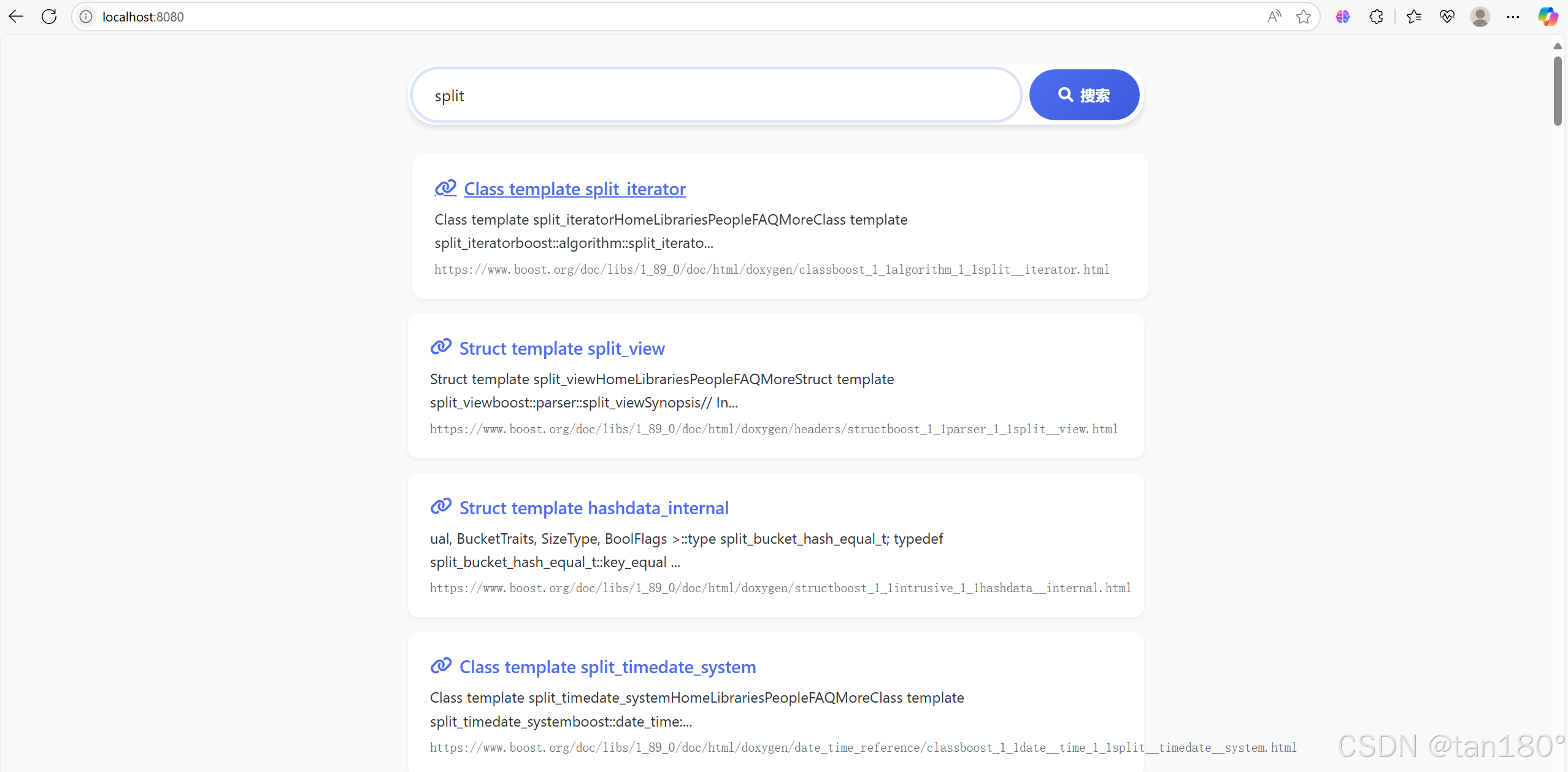
三、项目的可能拓展
这个时候,发挥我们的脑袋,可以看看我们到底有什么可以拓展发挥的地方
-
建立整站搜索
-
不使用组件,而是自己设计一下对应的各种方案
-
在我们的搜索引擎中,添加竞价排名
-
热次统计,智能显示搜索关键词(字典树,优先级队列)
-
设置登陆注册,引入对 mysql 的使用
等等都是可以考虑的地方
总结
结束喽,其实我这个项目包括上一个都是比较简单的,怎么说呢,刚入门,害,加油吧!