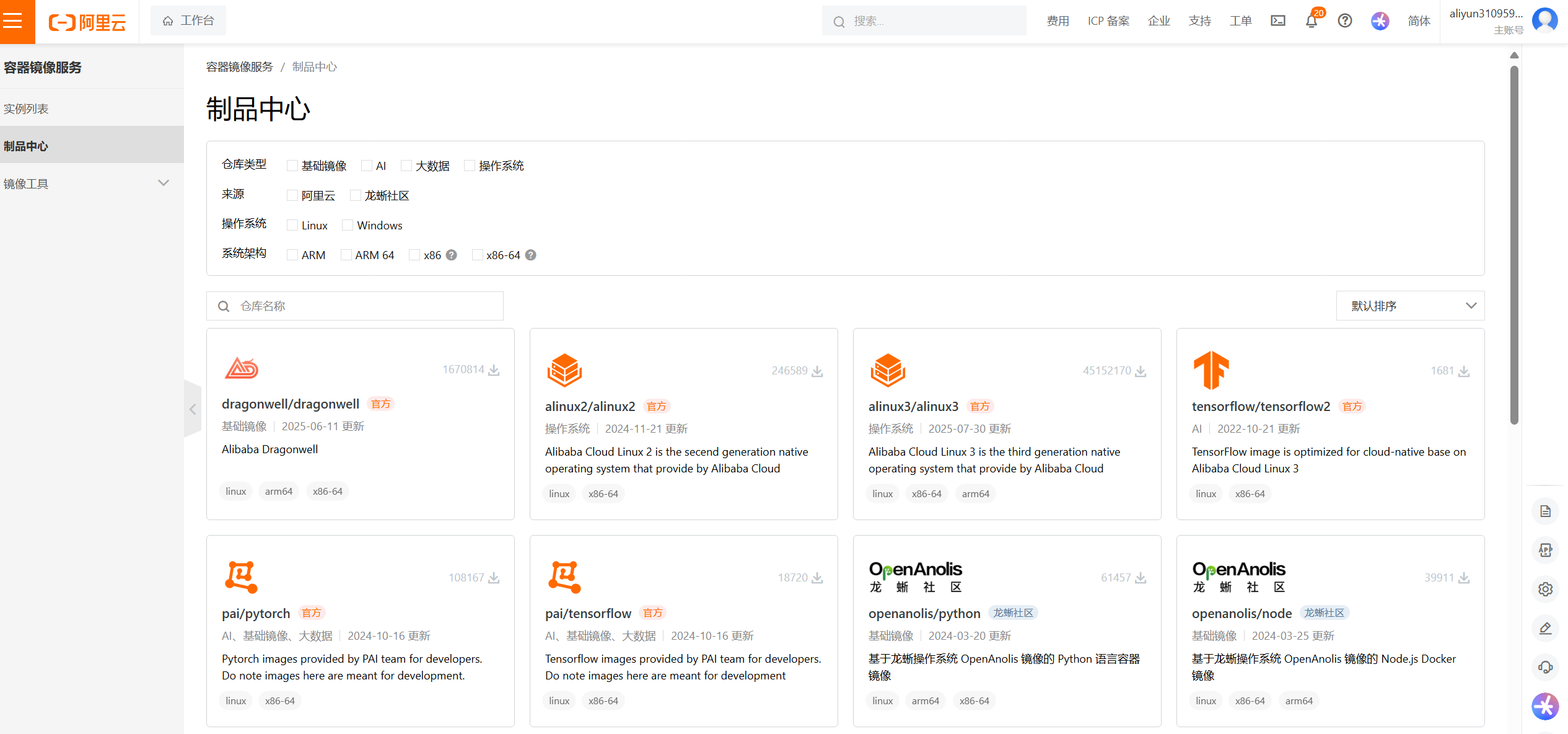
1.搜索镜像
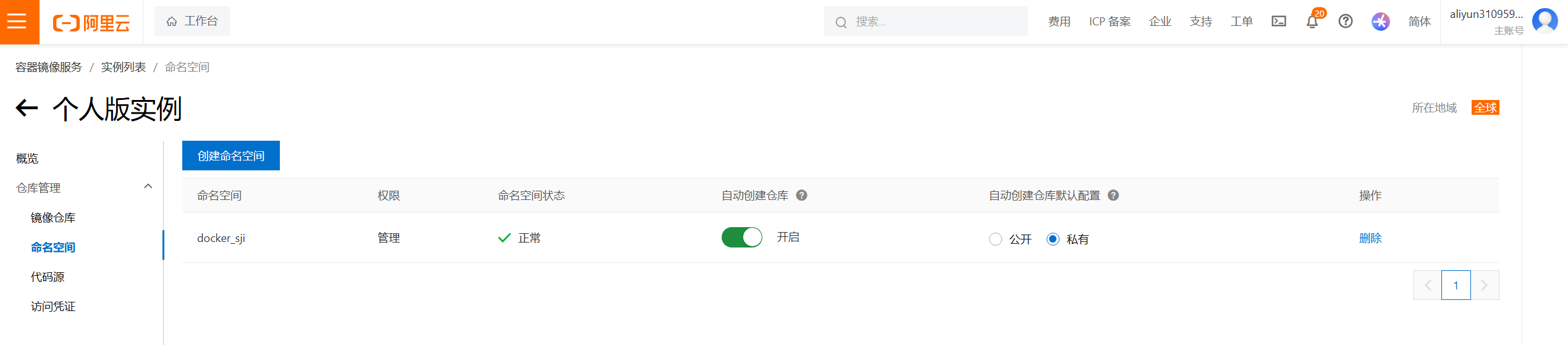
2.使用命名空间
3.从命令行登录阿里云 Registry
bash
[root@host1 ~]# docker login crpi-xyb4ez7e48w6bh7l.cn-chengdu.personal.cr.aliyuncs.com
Username: aliyun3109593796
Password:

WARNING! Your credentials are stored unencrypted in '/root/.docker/config.json'.
Configure a credential helper to remove this warning. See
https://docs.docker.com/go/credential-store/

Login Succeeded
4.将镜像推送到阿里云 Registry
bash
[root@host1 ~]# docker tag hello-world crpi-xyb4ez7e48w6bh7l.cn-chengdu.personal.cr.aliyuncs.com/docker_sjl/hello-world
[root@host1 ~]# docker images | grep hello-world
crpi-xyb4ez7e48w6bh7l.cn-chengdu.personal.cr.aliyuncs.com/docker_sjl/hello-world   latest    1b44b5a3e06a   4 weeks ago     10.1kB
hello-world                                                                        latest    1b44b5a3e06a   4 weeks ago     10.1kB
然后执行 docker push 命令推送该镜像
bash
[root@host1 ~]# docker tag 1b44b5a3e06a  crpi-xyb4ez7e48w6bh7l.cn-chengdu.personal.cr.aliyuncs.com/docker_sji/hello-world
[root@host1 ~]# docker push crpi-xyb4ez7e48w6bh7l.cn-chengdu.personal.cr.aliyuncs.com/docker_sji/hello-world
Using default tag: latest
The push refers to repository [crpi-xyb4ez7e48w6bh7l.cn-chengdu.personal.cr.aliyuncs.com/docker_sji/hello-world]
53d204b3dc5d: Pushed
latest: digest: sha256:19459a6bbefb63f83f137f08c1df645f8846e2cd1f44fe209294ebc505e6495e size: 524
5.从阿里云 Registry 拉取镜像
bash
[root@host1 ~]# docker pull crpi-xyb4ez7e48w6bh7l.cn-chengdu.personal.cr.aliyuncs.com/docker_sji/hello-world
Using default tag: latest
latest: Pulling from docker_sji/hello-world
Digest: sha256:19459a6bbefb63f83f137f08c1df645f8846e2cd1f44fe209294ebc505e6495e
Status: Image is up to date for crpi-xyb4ez7e48w6bh7l.cn-chengdu.personal.cr.aliyuncs.com/docker_sji/hello-world:latest
crpi-xyb4ez7e48w6bh7l.cn-chengdu.personal.cr.aliyuncs.com/docker_sji/hello-world:latest