unity Point Cloud Viewer and Tool 那个插件不支持pcd二进制,而且网上到处都是AI
我恨这种AI滥用,提供不了一点价值
好了,言归正传
可以在Point Cloud Viewer and Tool这个插件报错地方转用这个代码,具体咋结合请自行研究。
部分参考:
Unity PointCloud开发:Mesh渲染点云_unity 点云特效-CSDN博客
步骤大致为
按行读取文件
发现是二进制文件
解码,计算出是三维坐标点的位置
然后直接实例化对象
为了保证性能,用了上面链接的方案,这样不用第三方库,也能兼容统信和多种平台
在一个空对象上直接挂载代码,作者设置如下
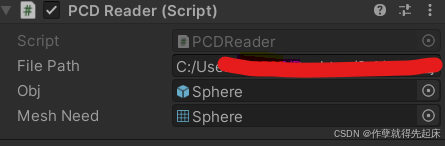
全代码+注释如下:
cs
using System.Collections;
using System.Collections.Generic;
using System.IO;
using UnityEngine;
public class PCDReader :UnitySingleton<PCDReader>
{
public string filePath = "文件路径"; // PCD文件路径,需放置在Unity工程中
public GameObject _obj;
void Start()
{
LoadPCD(filePath);
}
public void LoadPCD(string path)//FileStream
{
/*if (!File.Exists(path))
{
Debug.LogError("文件不存在:" + path);
return;
}*/
// 读取文件流
using (FileStream stream=new FileStream(path, FileMode.Open))
using (BinaryReader reader = new BinaryReader(stream))
{
// Step 1: 解析头部(ASCII格式)
Dictionary<string, string> header = new Dictionary<string, string>();
string line;
while (true)
{
line = ReadLine(reader); // 自定义方法读取一行ASCII文本
if (line == null || line.StartsWith("DATA binary"))
break;
string[] parts = line.Split(' ');
if (parts.Length >= 2)
{
header[parts[0]] = parts[1];
}
}
// 验证头部关键字段
if (!header.ContainsKey("FIELDS") || !header.ContainsKey("POINTS") || !header.ContainsKey("SIZE"))
{
Debug.LogError("头部信息不完整");
}
// 提取元数据
string[] fields = header["FIELDS"].Split(' ');
int pointCount = int.Parse(header["POINTS"]);
string[] sizes = header["SIZE"].Split(' ');
List<Vector3> points = new List<Vector3>(); // 存储点坐标
List<Color> colors = new List<Color>(); // 存储点颜色(如果存在rgb字段)
// 计算每个点的大小(基于SIZE和COUNT)
int pointSize = 0;
foreach (string size in sizes)
{
pointSize += int.Parse(size); // SIZE每个值通常是4(字节)
}
// Step 2: 读取二进制数据部分
for (int i = 0; i < pointCount; i++)
{
// 读取坐标(假设前三个字段是x,y,z)
float x = reader.ReadSingle(); // 4字节浮点数
float y = reader.ReadSingle();
float z = reader.ReadSingle();
points.Add(new Vector3(x, y, z));
// 如果存在rgb字段,读取并转换为Unity颜色
/*if (fields.Length >= 4 && fields[3] == "rgb")
{
uint rgb = reader.ReadUInt32(); // rgb通常以UInt32存储
float r = ((rgb >> 16) & 0xFF) / 255.0f;
float g = ((rgb >> 8) & 0xFF) / 255.0f;
float b = (rgb & 0xFF) / 255.0f;
colors.Add(new Color(r, g, b));
}*/
// 跳过其他字段(如有)
int remainingSize = pointSize;//- 12 - 4; // 减去xyz(12字节)和rgb(4字节)
reader.ReadBytes(remainingSize);
}
// Step 3: 在Unity中创建点云对象
CreatePointCloud(points, colors);
//return points;
}
}
// 辅助方法:从二进制流读取一行ASCII文本
private string ReadLine(BinaryReader reader)
{
List<byte> bytes = new List<byte>();
byte nextByte;
while (reader.BaseStream.Position < reader.BaseStream.Length)
{
nextByte = reader.ReadByte();
if (nextByte == '\n') // 换行符结束行
break;
bytes.Add(nextByte);
}
return System.Text.Encoding.ASCII.GetString(bytes.ToArray());
}
// 辅助方法:创建点云GameObject(使用Mesh)
private void CreatePointCloud(List<Vector3> points, List<Color> colors)
{
GameObject pointCloud = _obj;/*new GameObject("PointCloud");
Mesh mesh = new Mesh();
// mesh.vertices = points.ToArray();
// 设置颜色(如果存在)
/*if (colors.Count == points.Count)
{
mesh.colors = colors.ToArray();
}#1#
// 创建MeshRenderer和MeshFilter
MeshFilter meshFilter = pointCloud.AddComponent<MeshFilter>();
MeshRenderer meshRenderer = pointCloud.AddComponent<MeshRenderer>();
meshFilter.mesh = mesh;
// 使用默认材质(可通过Unity材质自定义)
meshRenderer.material = new Material(Shader.Find("Standard"));
*/
CreateMesh(points.Count,points);
/*for (int i = 0; i < points.Count; i++)
{
GameObject _obj=GameObject.Instantiate(pointCloud);
_obj.transform.position = points[i];
}*/
Debug.Log("点云加载完成,点数: " + points.Count);
}
public Mesh meshNeed;
void CreateMesh(int num,List<Vector3> point)
{
int _PointNum = num;
GameObject pointObj = new GameObject();
pointObj.name = "PointCloud";
// 绑定Mesh组件
pointObj.AddComponent<MeshFilter>();
pointObj.AddComponent<MeshRenderer>();
// 为点云创建新的Mesh
Material mat = new Material(Shader.Find("Custom/VertexColor"));
pointObj.GetComponent<MeshFilter>().mesh = meshNeed;
pointObj.GetComponent<MeshRenderer>().material = mat;
Vector3[] points = new Vector3[num];
Color[] colors = new Color[num];
int[] indecies = new int[num];
for (int i = 0; i < num; ++i)
{
points[i] = point[i];
indecies[i] = i;
colors[i] = Color.white;
}
meshNeed.vertices = points;
meshNeed.colors = colors;
meshNeed.SetIndices(indecies, MeshTopology.Points, 0);// 设置Mesh的渲染类型为Point
meshNeed.SetIndexBufferParams(num, UnityEngine.Rendering.IndexFormat.UInt32);
}
}更新一下:
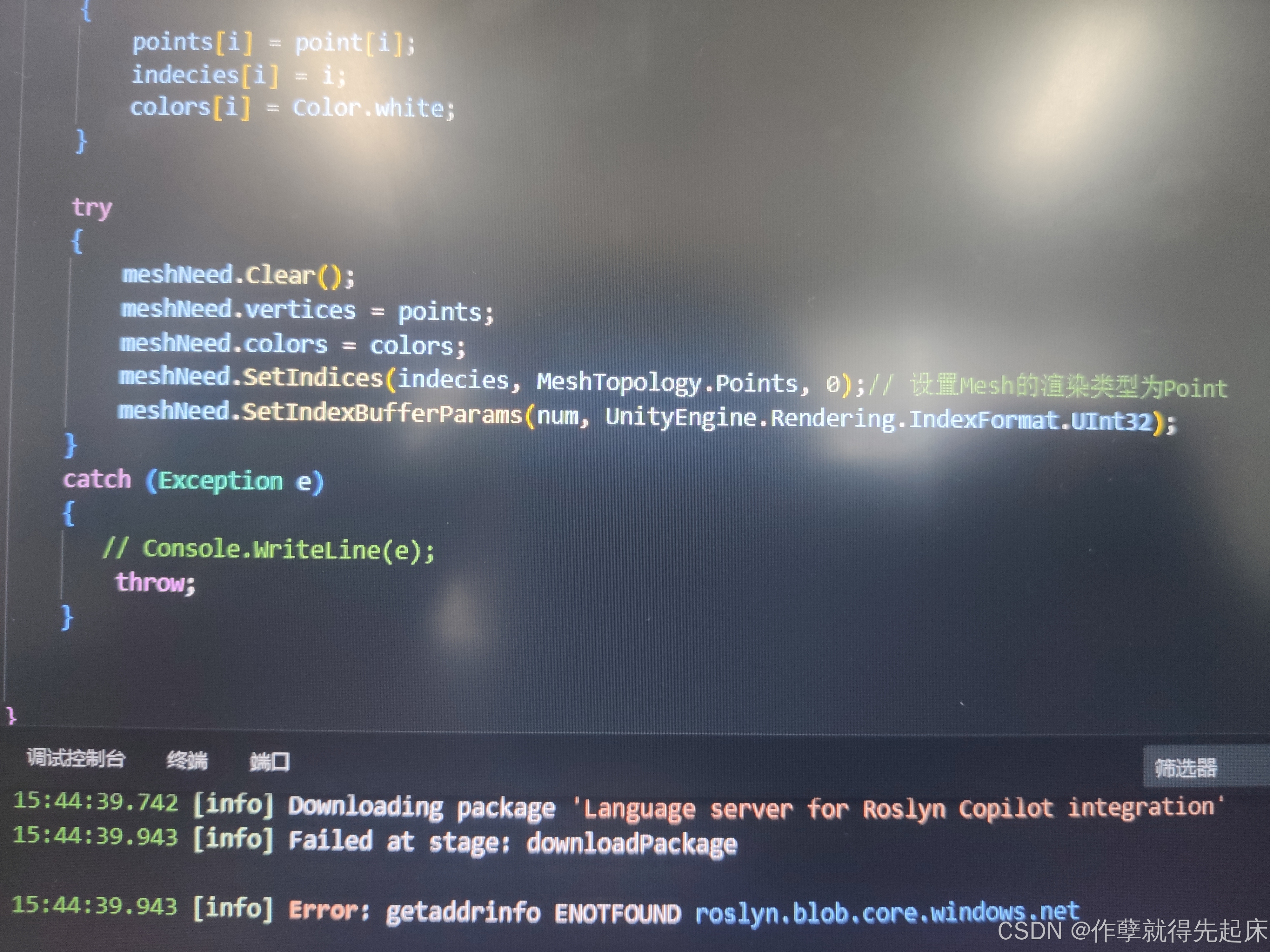
代码上加了个清理,为了重复调用,优化性能
meshNeed.Clear();
还得记得在外面加个try,catch。
大致如下