0.首先已管理员运行wireshark
1.打开wireshark-》关于-》选择文件夹,如下图

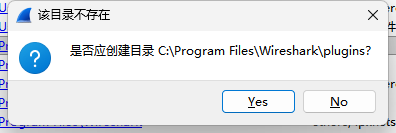
如果目录不存在,会提示创建,这也是为
2.在目录下新建lua脚本
3.添加协议,这个协议是TCP
lua
-- 创建名为"TCP80"的新协议,在Wireshark中显示为"TCP Port 80 Protocol"
local tcp_protocol = Proto("TCP80", "TCP Port 80 Protocol")

-- 定义要显示的字段
local fields = {
    src_port = ProtoField.uint16("tcp80.src_port", "Source Port", base.DEC),
    dst_port = ProtoField.uint16("tcp80.dst_port", "Destination Port", base.DEC),
    seq_num = ProtoField.uint32("tcp80.seq", "Sequence Number", base.DEC),
    ack_num = ProtoField.uint32("tcp80.ack", "Acknowledgment Number", base.DEC),
    data_offset = ProtoField.uint8("tcp80.data_offset", "Data Offset", base.DEC),
    flags = ProtoField.uint8("tcp80.flags", "Flags", base.HEX),
    window = ProtoField.uint16("tcp80.window", "Window Size", base.DEC),
    checksum = ProtoField.uint16("tcp80.checksum", "Checksum", base.HEX),
    urg_ptr = ProtoField.uint16("tcp80.urg_ptr", "Urgent Pointer", base.DEC)
}

tcp_protocol.fields = fields
4.添加解析器
lua
function tcp_protocol.dissector(buffer, pinfo, tree)
    -- 检查缓冲区长度是否足够(TCP头部最小20字节)
    local length = buffer:len()
    if length < 20 then
        return  -- 数据包太小,不是完整的TCP头部
    end

    -- 解析TCP头部字段
    local offset = 0
    local src_port = buffer(offset, 2):uint()
    offset = offset + 2
    local dst_port = buffer(offset, 2):uint()
    offset = offset + 2

    if src_port ~= 80 and dst_port ~= 80 then
        return  -- 如果不是端口80的流量,不继续解析
    end
    -- 设置协议列显示为TCP80
    pinfo.cols.protocol:set("TCP80")
5.注册新协议到wireshark
lua
-- 获取TCP端口解析器表
local tcp_port = DissectorTable.get("tcp.port")

-- 将我们的解析器注册到端口80
-- 当Wireshark遇到TCP端口80的流量时,会调用我们的解析函数
tcp_port:add(80, tcp_protocol)

-- 加载成功提示
print("TCP Port 80 dissector loaded successfully!")