UE GAS 属性集
1.创建自己的属性集
我们需要实现一个简单的属性集,里面有生命值和最大生命值等属性,这些属性能够复制,以及有一些获取设置属性的函数。
- 属性集需要继承UAttributeSet
下面是属性集中的属性,可以网络复制
cpp
UPROPERTY(BlueprintAssignable)
	FAttributesInitialized OnAttributesInitialized;

	UPROPERTY(BlueprintReadOnly,ReplicatedUsing=OnRep_Health)
	FGameplayAttributeData Health;

	UPROPERTY(BlueprintReadOnly,ReplicatedUsing=OnRep_MaxHealth)
	FGameplayAttributeData MaxHealth;

	UPROPERTY(BlueprintReadOnly,ReplicatedUsing=OnRep_Mana)
	FGameplayAttributeData Mana;

	UPROPERTY(BlueprintReadOnly,ReplicatedUsing=OnRep_MaxMana)
	FGameplayAttributeData MaxMana;

	UFUNCTION()
	void OnRep_Health(const FGameplayAttributeData& OldValue);

	UFUNCTION()
	void OnRep_MaxHealth(const FGameplayAttributeData& OldValue);

	UFUNCTION()
	void OnRep_Mana(const FGameplayAttributeData& OldValue);

	UFUNCTION()
	void OnRep_MaxMana(const FGameplayAttributeData& OldValue);
注意网络复制的属性需要重写 virtual void GetLifetimeReplicatedProps(TArray& OutLifetimeProps) const override;
cpp
void UCC_AttributeSet::GetLifetimeReplicatedProps(TArray<class FLifetimeProperty>& OutLifetimeProps) const
{
	Super::GetLifetimeReplicatedProps(OutLifetimeProps);

	DOREPLIFETIME_CONDITION_NOTIFY(ThisClass,Health,COND_None,REPNOTIFY_Always)
	DOREPLIFETIME_CONDITION_NOTIFY(ThisClass,MaxHealth,COND_None,REPNOTIFY_Always)
	DOREPLIFETIME_CONDITION_NOTIFY(ThisClass,Mana,COND_None,REPNOTIFY_Always)
	DOREPLIFETIME_CONDITION_NOTIFY(ThisClass,MaxMana,COND_None,REPNOTIFY_Always)
}
同时处理复制后的通知使用自带的宏GAMEPLAYATTRIBUTE_REPNOTIFY
cpp
void UCC_AttributeSet::OnRep_Health(const FGameplayAttributeData& OldValue)
{
	GAMEPLAYATTRIBUTE_REPNOTIFY(ThisClass,Health,OldValue);
}

void UCC_AttributeSet::OnRep_MaxHealth(const FGameplayAttributeData& OldValue)
{
	GAMEPLAYATTRIBUTE_REPNOTIFY(ThisClass,MaxHealth,OldValue);
}

void UCC_AttributeSet::OnRep_Mana(const FGameplayAttributeData& OldValue)
{
	GAMEPLAYATTRIBUTE_REPNOTIFY(ThisClass,Mana,OldValue);
}

void UCC_AttributeSet::OnRep_MaxMana(const FGameplayAttributeData& OldValue)
{
	GAMEPLAYATTRIBUTE_REPNOTIFY(ThisClass,MaxMana,OldValue);
}
为了方便定义一些获取设置属性的方法我们自己对原本设置的宏整理成一个专门设置的宏
cpp
#define ATTRIBUTE_ACCESSORS(ClassName,PropertyName)\
	GAMEPLAYATTRIBUTE_PROPERTY_GETTER(ClassName,PropertyName)\
	GAMEPLAYATTRIBUTE_VALUE_GETTER(PropertyName)\
	GAMEPLAYATTRIBUTE_VALUE_SETTER(PropertyName)\
	GAMEPLAYATTRIBUTE_VALUE_INITTER(PropertyName)
这样就可以批量定义
cpp
	ATTRIBUTE_ACCESSORS(ThisClass,Health)
	ATTRIBUTE_ACCESSORS(ThisClass,MaxHealth)
	ATTRIBUTE_ACCESSORS(ThisClass,Mana)
	ATTRIBUTE_ACCESSORS(ThisClass,MaxMana)
最后我们需要将属性集赋予玩家和角色
对于玩家我们赋予到PlayerState
cpp
ACC_PlayerState::ACC_PlayerState()
{
	SetNetUpdateFrequency(100.f);

	AbilitySystemComponent = CreateDefaultSubobject<UCC_AbilitySystemComponent>(TEXT("AbilitySystemComponent"));
	AbilitySystemComponent->SetIsReplicated(true);
	AbilitySystemComponent->SetReplicationMode(EGameplayEffectReplicationMode::Mixed);

	AttributeSet = CreateDefaultSubobject<UCC_AttributeSet>(TEXT("AttributeSet"));
}
对于其余角色我们赋予到character中
cpp
ACC_EnemyCharacter::ACC_EnemyCharacter()
{
	PrimaryActorTick.bCanEverTick = false;

	AbilitySystemComponent = CreateDefaultSubobject<UCC_AbilitySystemComponent>(TEXT("AbilitySystemComponent"));
	AbilitySystemComponent->SetIsReplicated(true);
	AbilitySystemComponent->SetReplicationMode(EGameplayEffectReplicationMode::Minimal);

	AttributeSet = CreateDefaultSubobject<UCC_AttributeSet>(TEXT("AttributeSet"));
}
2.初始化属性游戏效果
我们已经有了属性集,但是还没对属性集初始化,一个最好的方式就是使用GameplayEffect对其进行初始化
创建GameplayEffect,设置持续状态
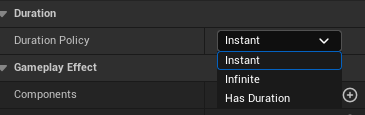
由上到下分别是瞬时,永久,有一段持续时间,对于我们初始化属性,我们选择瞬时。
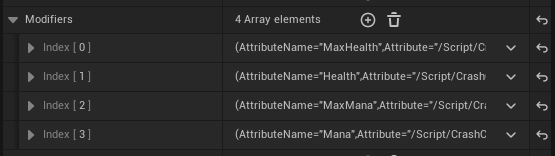
之后选择修改器,对我们的值进行修改
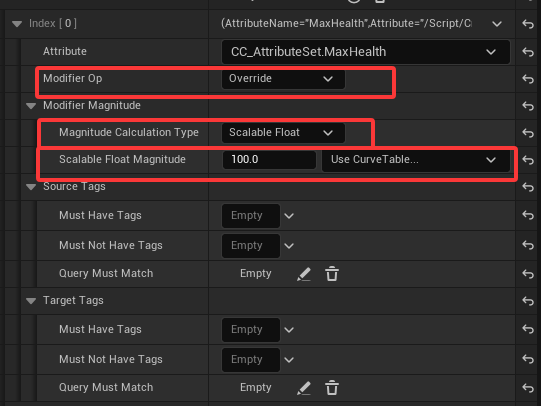
设置好GameplayEffect后,我们需要回到C++中应用这个GE
cpp
	UPROPERTY(EditDefaultsOnly,Category="Crash|Effect")
	TSubclassOf<UGameplayEffect> InitAttributeEffect;
我们在Character基类定义好初始化的GE
cpp
void ACC_BaseCharacter::InitAttributes() const
{
	checkf(IsValid(InitAttributeEffect),TEXT("InitAttributeEffect is not set."));

	const FGameplayEffectContextHandle ContextHandle = GetAbilitySystemComponent()->MakeEffectContext();
	const FGameplayEffectSpecHandle SpecHandle = GetAbilitySystemComponent()->MakeOutgoingSpec(InitAttributeEffect,1.f,ContextHandle);
	GetAbilitySystemComponent()->ApplyGameplayEffectSpecToSelf(*SpecHandle.Data.Get());
}
之后按照如上定义初始化属性集的方法
之后我们分别在服务器调用玩家和敌人的初始化属性集方法
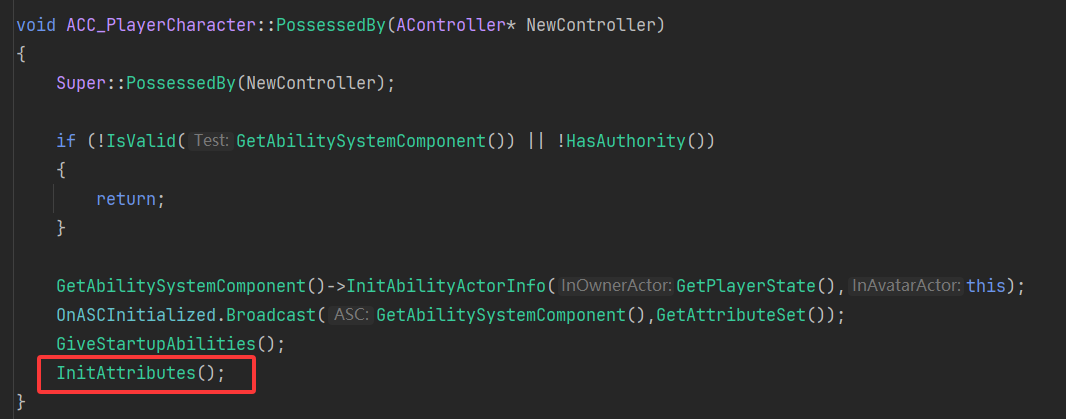
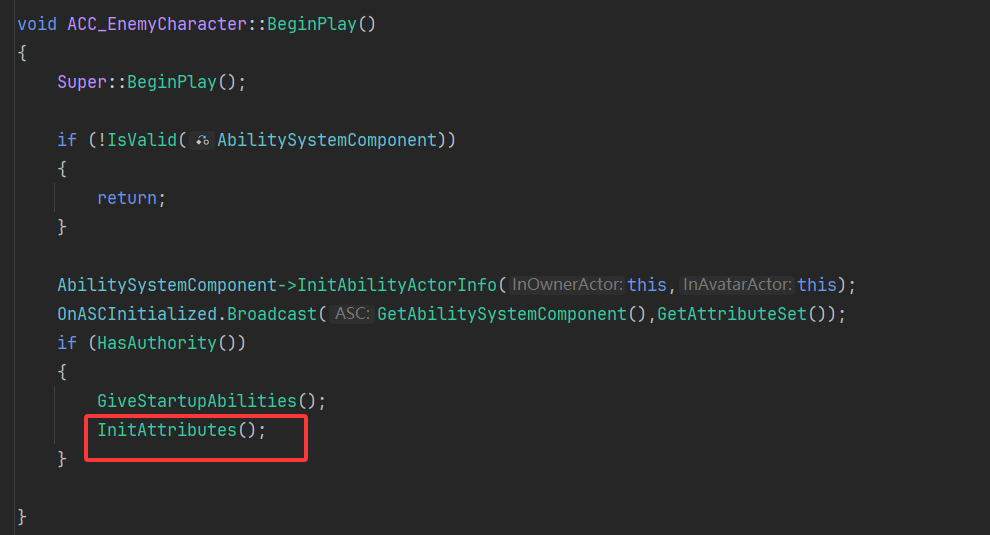
3.属性控件组件
我们想实现的功能是人物角色头顶的血条和蓝条,对于这种通用的进度,有一个最大值和一个当前值的进度显示,我们会做成通用的UIWidget,由我们自定义的WidgetComponent组件进行管理。
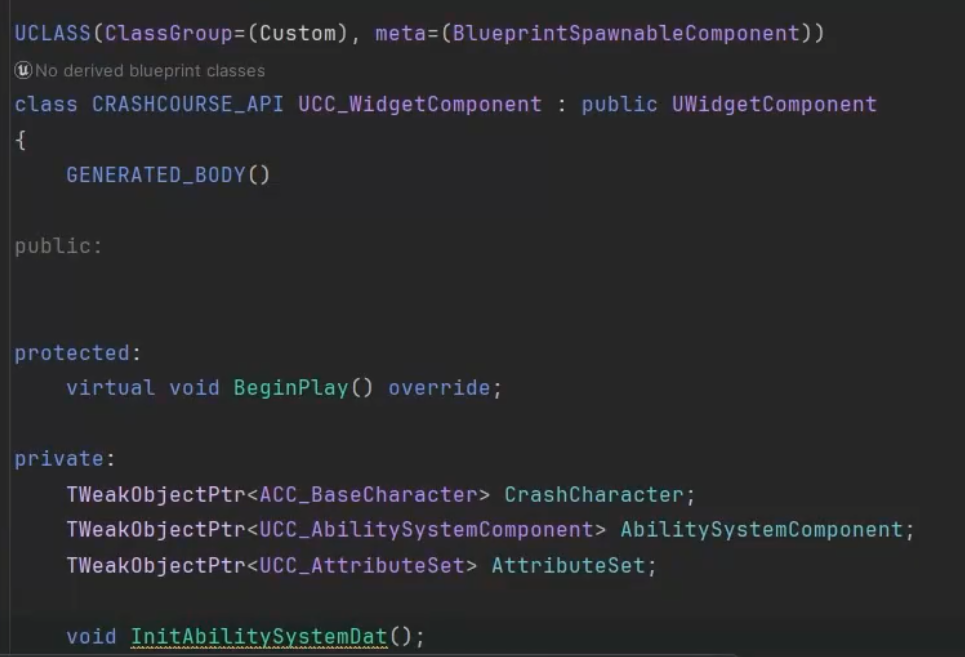
可以看到上面的代码中,我们对Character、ASC、AttributeSet 进行弱引用,我们只是引用它们,并不是拥有它们。
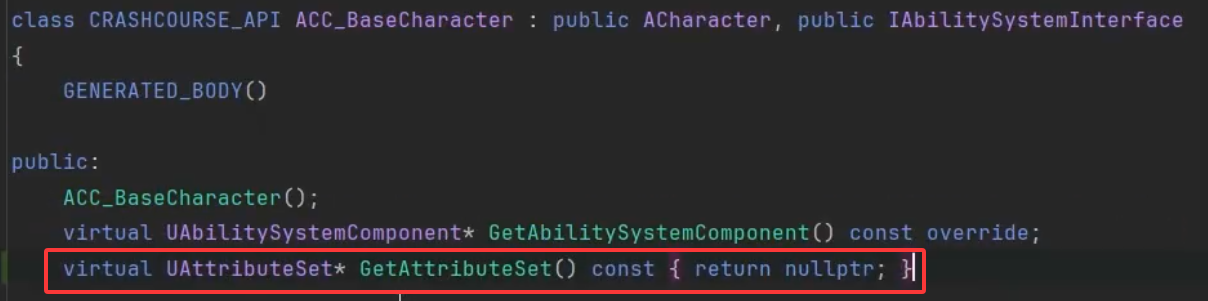

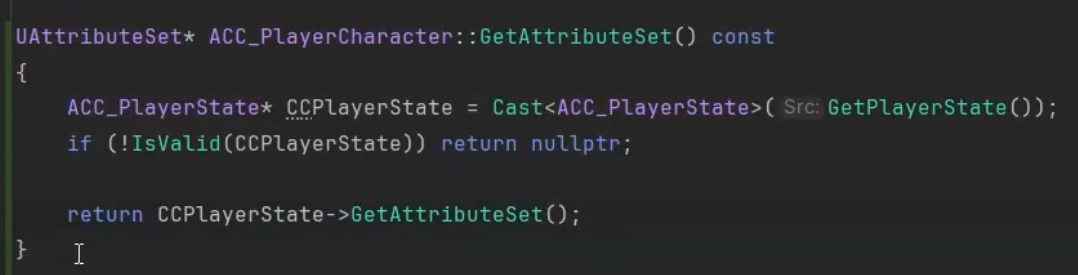
为了之后我们获取属性集方便,我们在Character基类创建获取属性集的虚方法,分别在角色和敌人子类进行实现。

最终的初始化数据的方法如下。
- 那么问题来了,我们要在什么时机去调用呢?
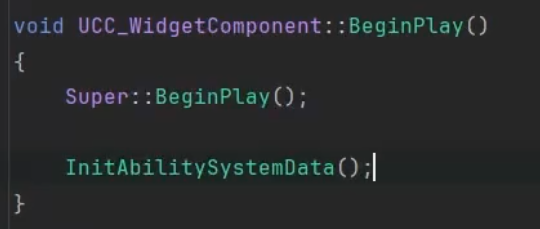
按照如上的在组件的BeginPlay调用,显然存在问题,客户端可能还没有初始化完成AttributeSet以及ASC,所以我们要等待这些初始化后调用。我们将使用委托的方式进行广播。

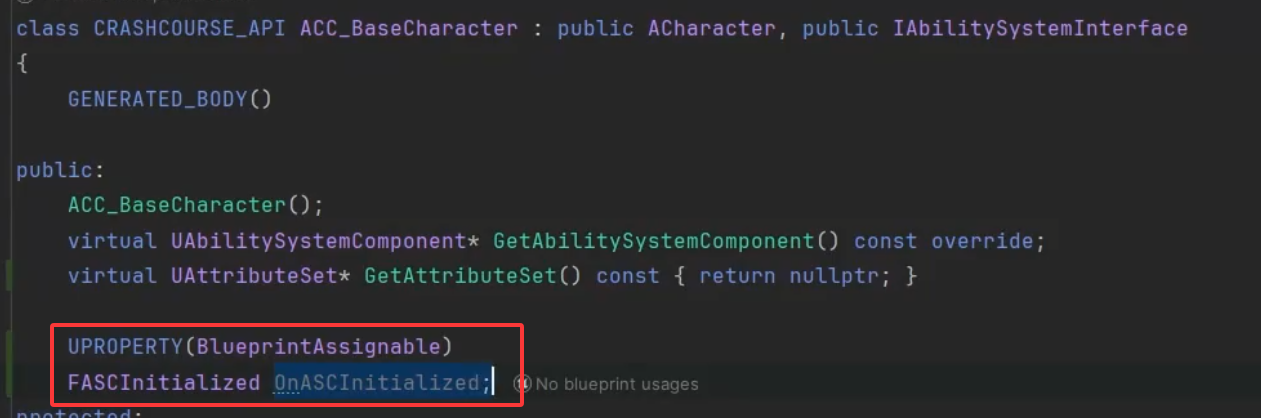
我们在Character基类定义和声明这个委托 - 我们应该在什么时机广播呢?
我们可以分别在服务器和客户端初始化ASC组件之后
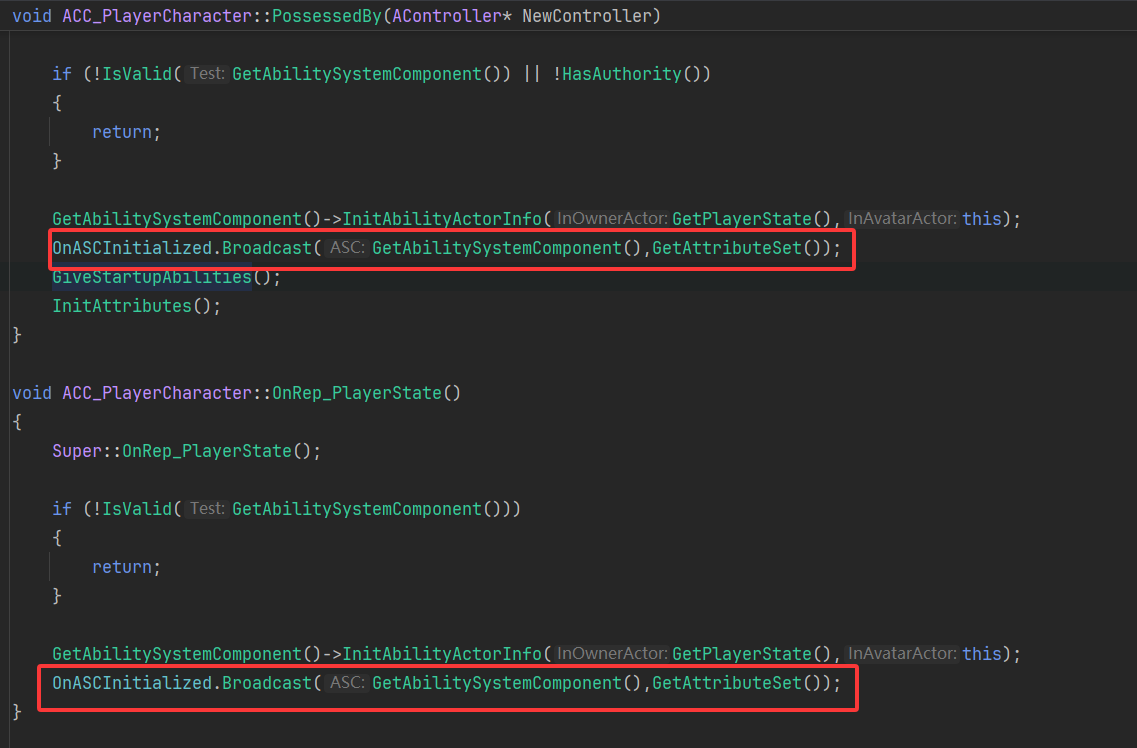
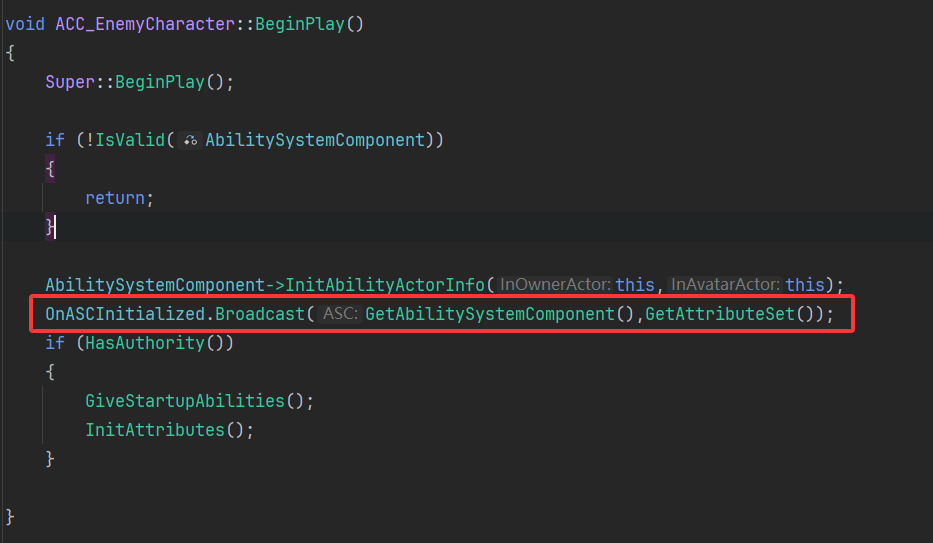
做完这些后,我们可以继续完善逻辑,如果在开始时可以初始化那就对其初始化,如果不能那就等待广播进行初始化


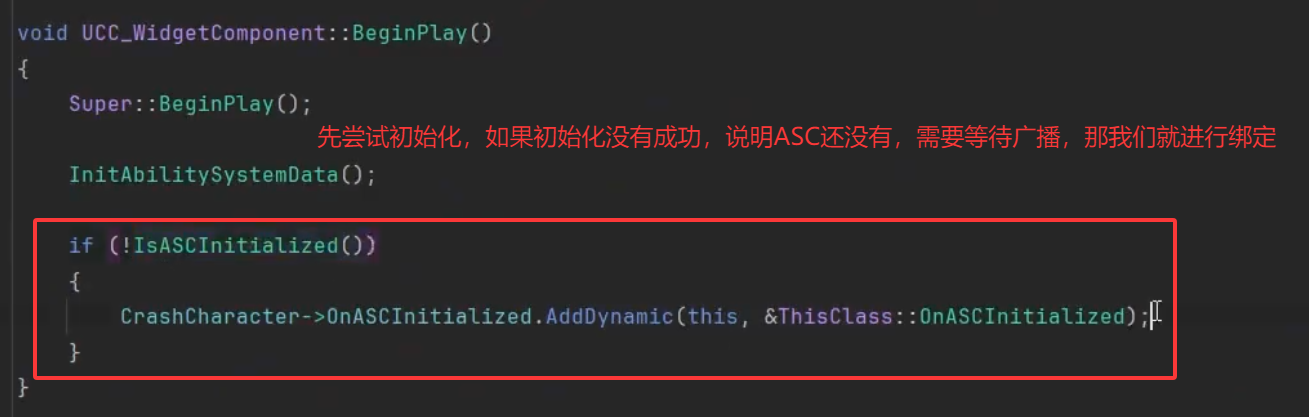


现在我们对ASC的初始化进行了判断,但是还没有对属性集的第一次属性初始化(之前我们创建的GE用于初始化第一次的值)进行判断,我们需要在第一次初始化后再对其进行初始化属性集。
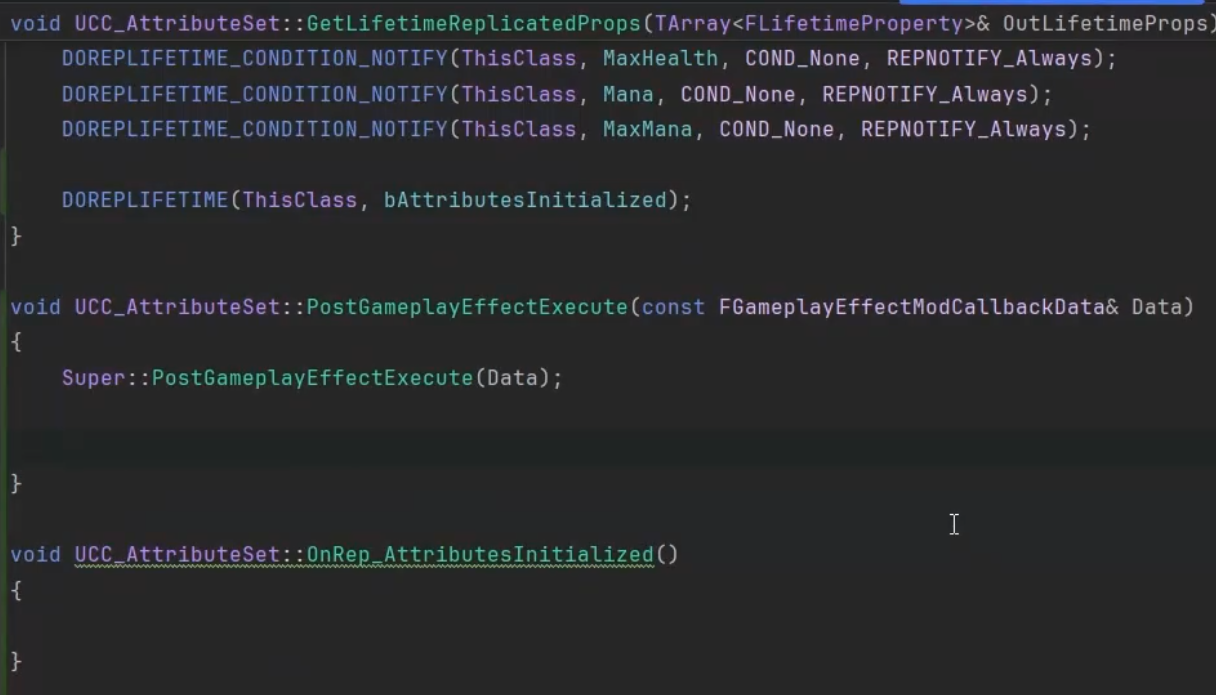
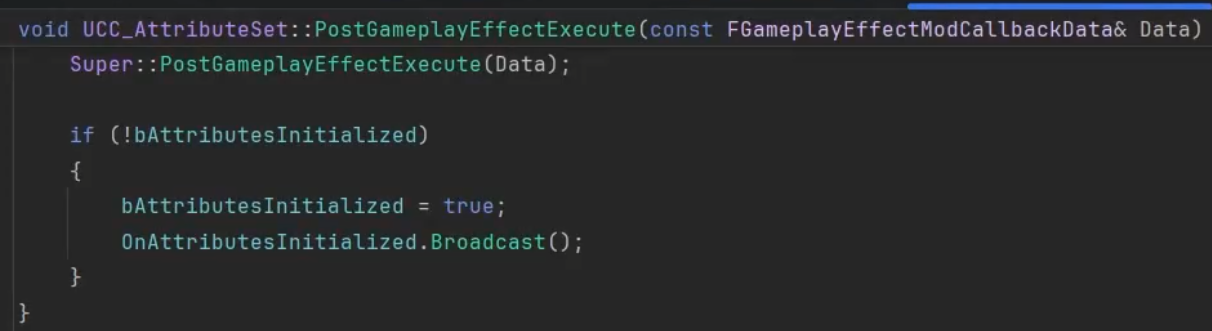
我们为了实现第一次GE初始化后执行,可以在属性集中重写下面这个函数,每次GE执行之后都会调用这个方法。

我们还需要一个标记变量,来标记属性集是否已经第一次初始化了
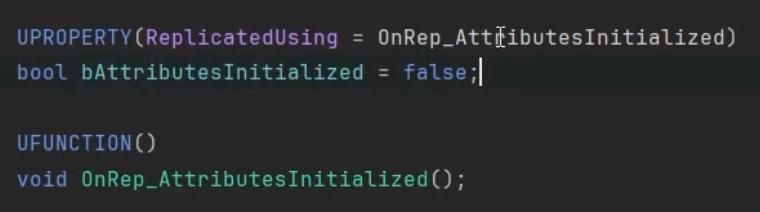
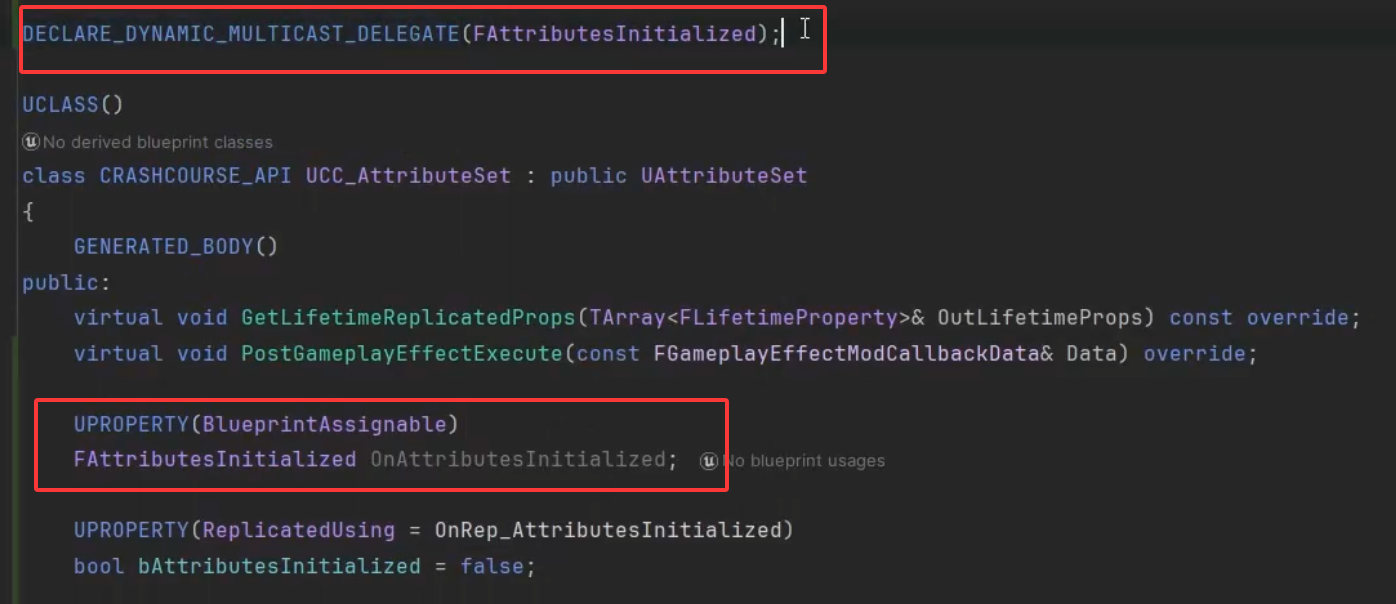
我们还需要定义一个委托用于广播
让我们来实现上面声明的一些方法
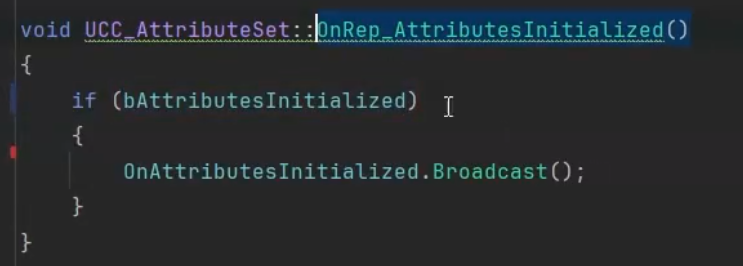
完成广播后让我们回到WidgetComponent中
定义并时间初始化委托方法
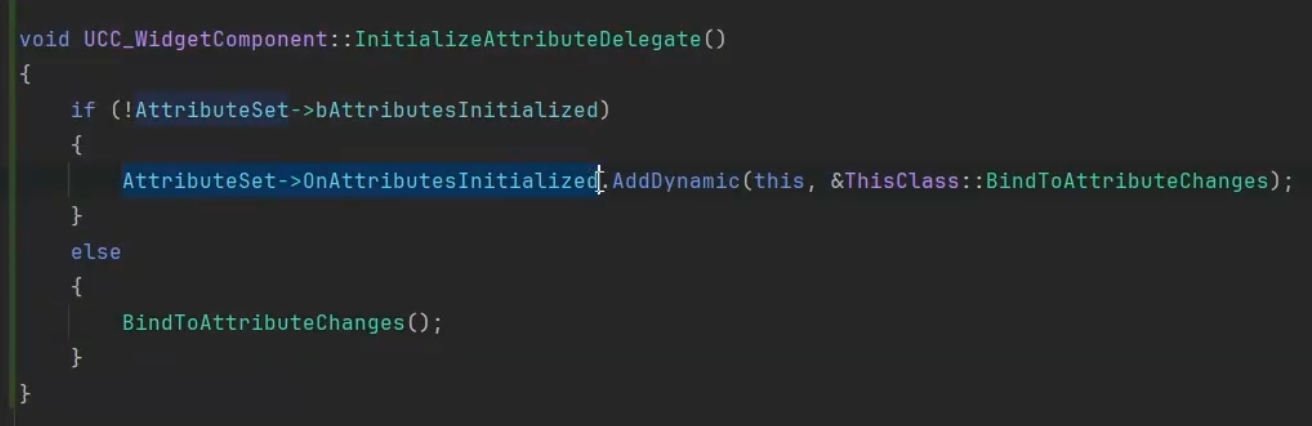
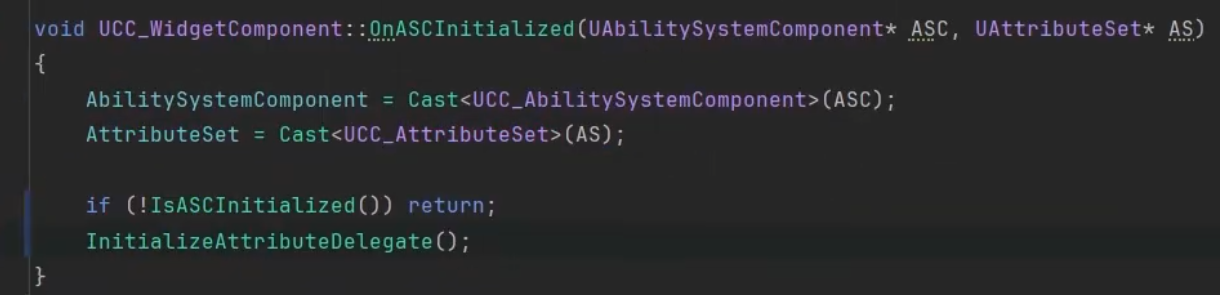
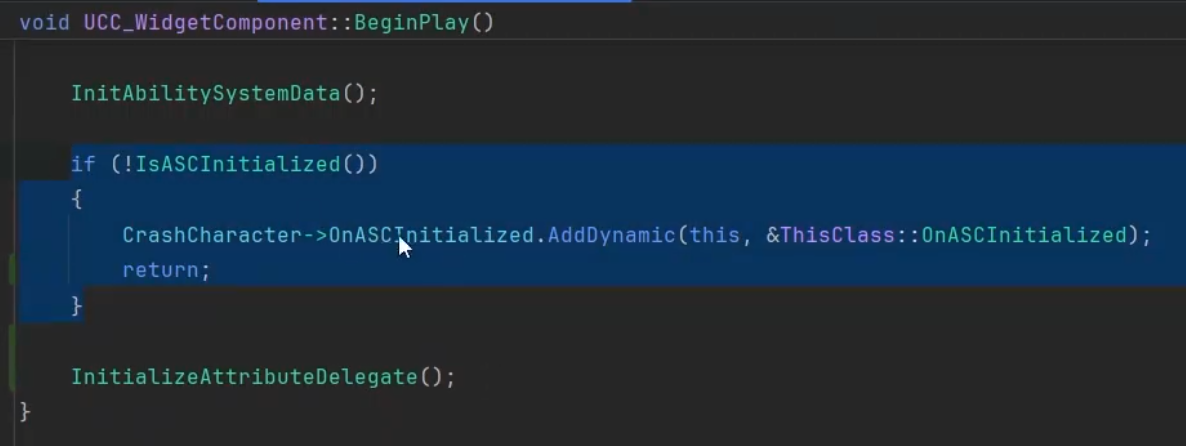
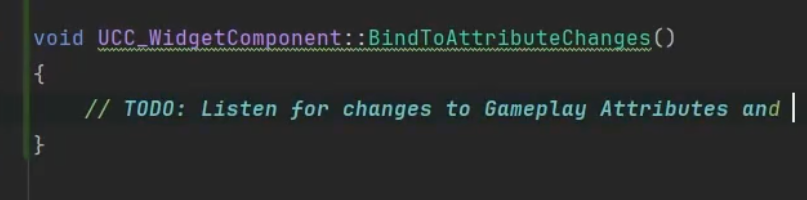
最终的监听数据改变的方法都在如下的函数中
4.UserWidget
我们创建这种有最大值和当前值的用户控件

MatchesAttributes 函数是用来后续对比属性是否相同的

我们还需要定义属性值改变调用的函数


为了后续的值刷新UI等,我们可以暴露给蓝图


定义一个Map,是全部的属性值key、value

之后我们需要遍历子Widget,如果子widget是我们定义的这种当前值和最大值的widget,我们对其值变化进行绑定
cpp
void UCC_WidgetComponent::OnAttributesInitialized()
{
	for (const TTuple<FGameplayAttribute,FGameplayAttribute>& Pair : AttributeMap)
	{
		BindWidgetToAttributesChange(GetUserWidgetObject(),Pair);

		GetUserWidgetObject()->WidgetTree->ForEachWidget([this,&Pair](UWidget* InWidget)
		{
			BindWidgetToAttributesChange(InWidget,Pair);
		});
	}
}
cpp
void UCC_WidgetComponent::BindWidgetToAttributesChange(UWidget* InWidget,const TTuple<FGameplayAttribute, FGameplayAttribute>& Pair) const
{
	UCC_AttributeWidget* CC_AW = Cast<UCC_AttributeWidget>(InWidget);
	if (!IsValid(CC_AW)) return;
	if (!CC_AW->MatchesAttributes(Pair)) return;

	CC_AW->OnAttributeChange(Pair,AttributeSet.Get());

	AbilitySystemComponent->GetGameplayAttributeValueChangeDelegate(Pair.Key).AddLambda([this,CC_AW,&Pair](const FOnAttributeChangeData& AttributeChangeData)
	{
		CC_AW->OnAttributeChange(Pair,AttributeSet.Get());
	});
}
5.蓝图设置
蓝图部分简化讲解
对其值进行简单设置
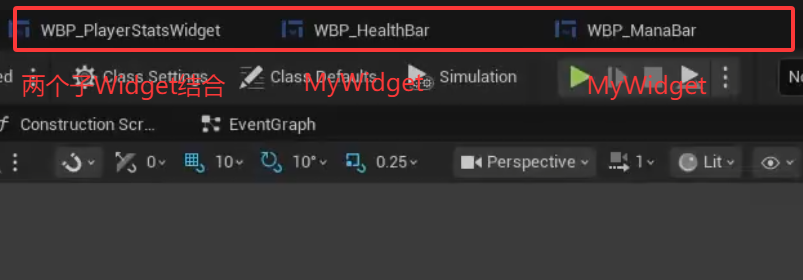
之后将WidgetComponent附加在Character上
6.伤害游戏效果
创建玩家伤害GameplayEffect,设置相关属性
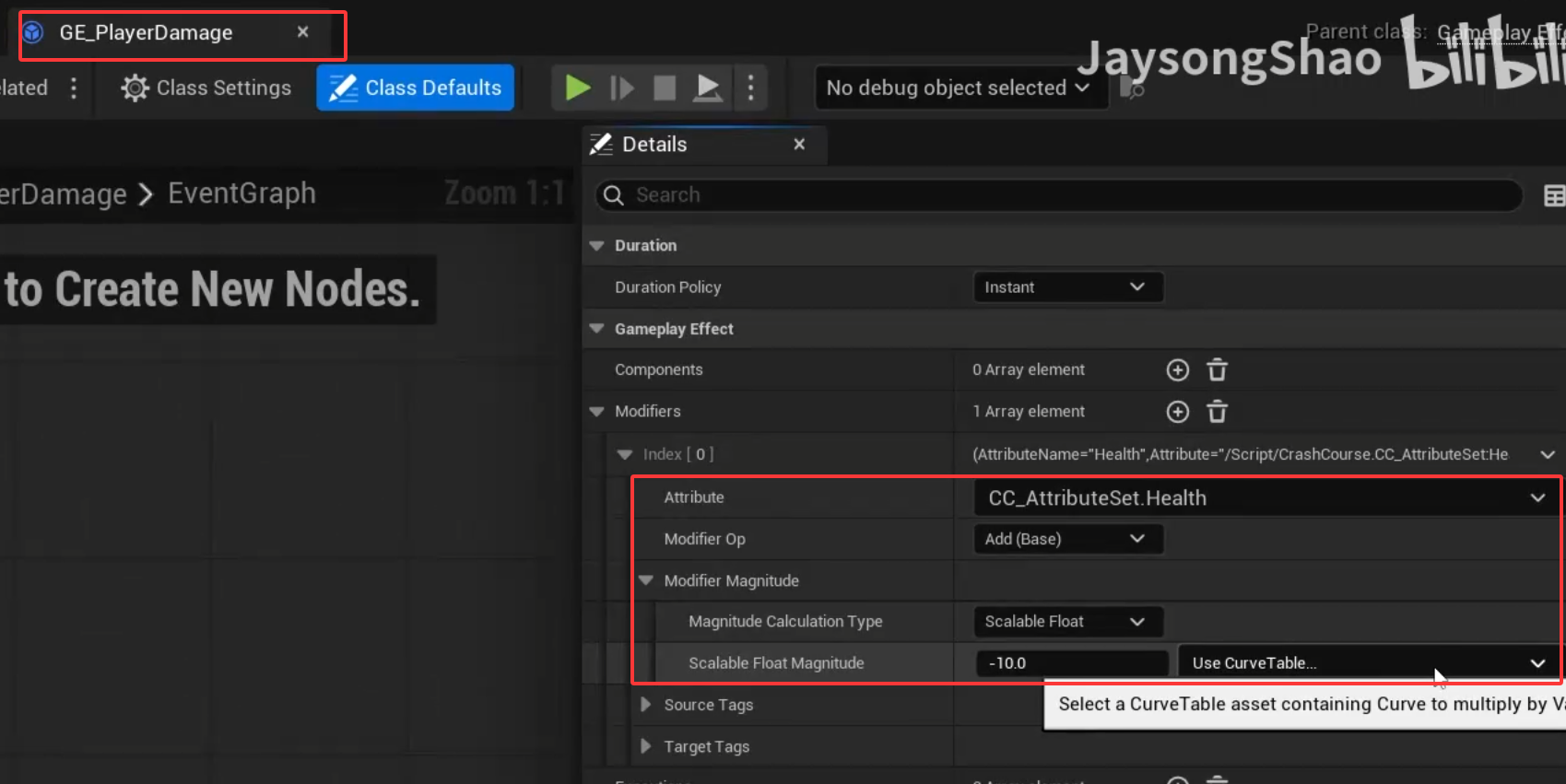
回到主要游戏能力蓝图,当我们判断集中的敌人Actor数组进行遍历,对其应用游戏效果
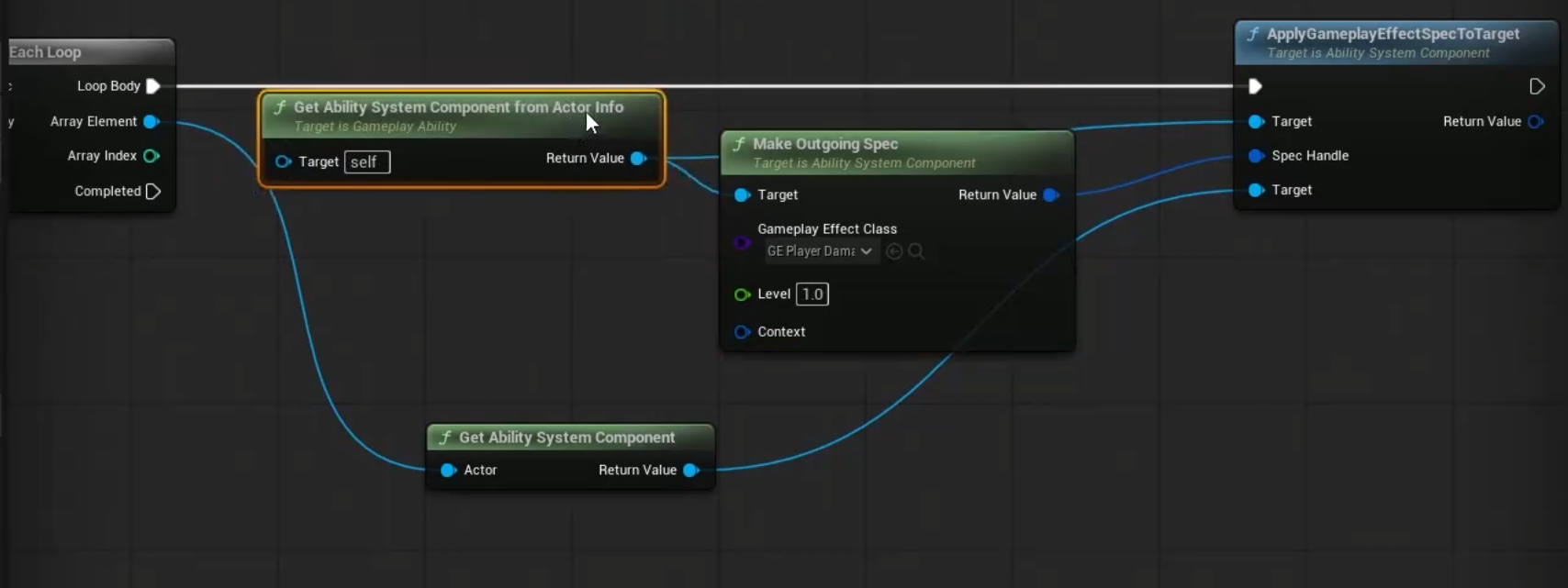
7.曲线表
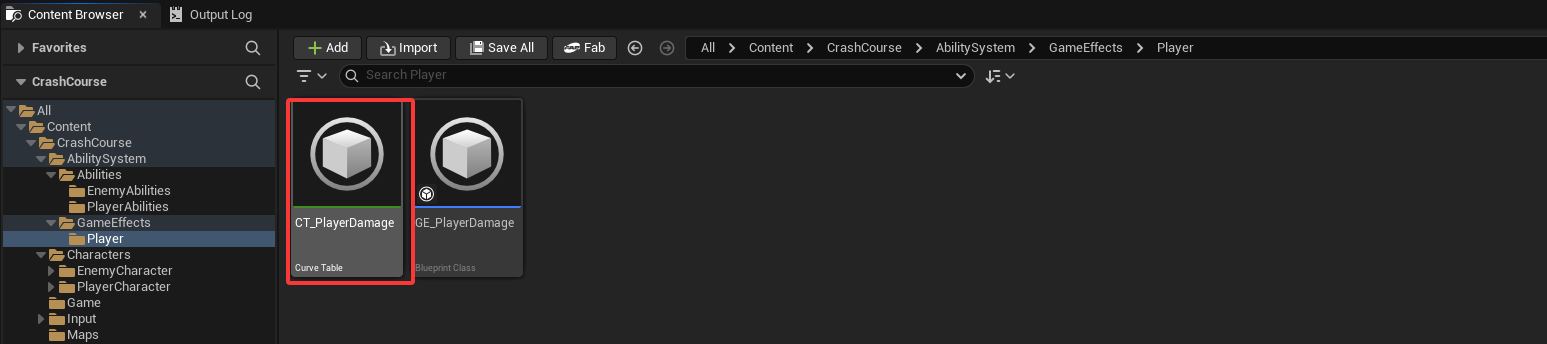
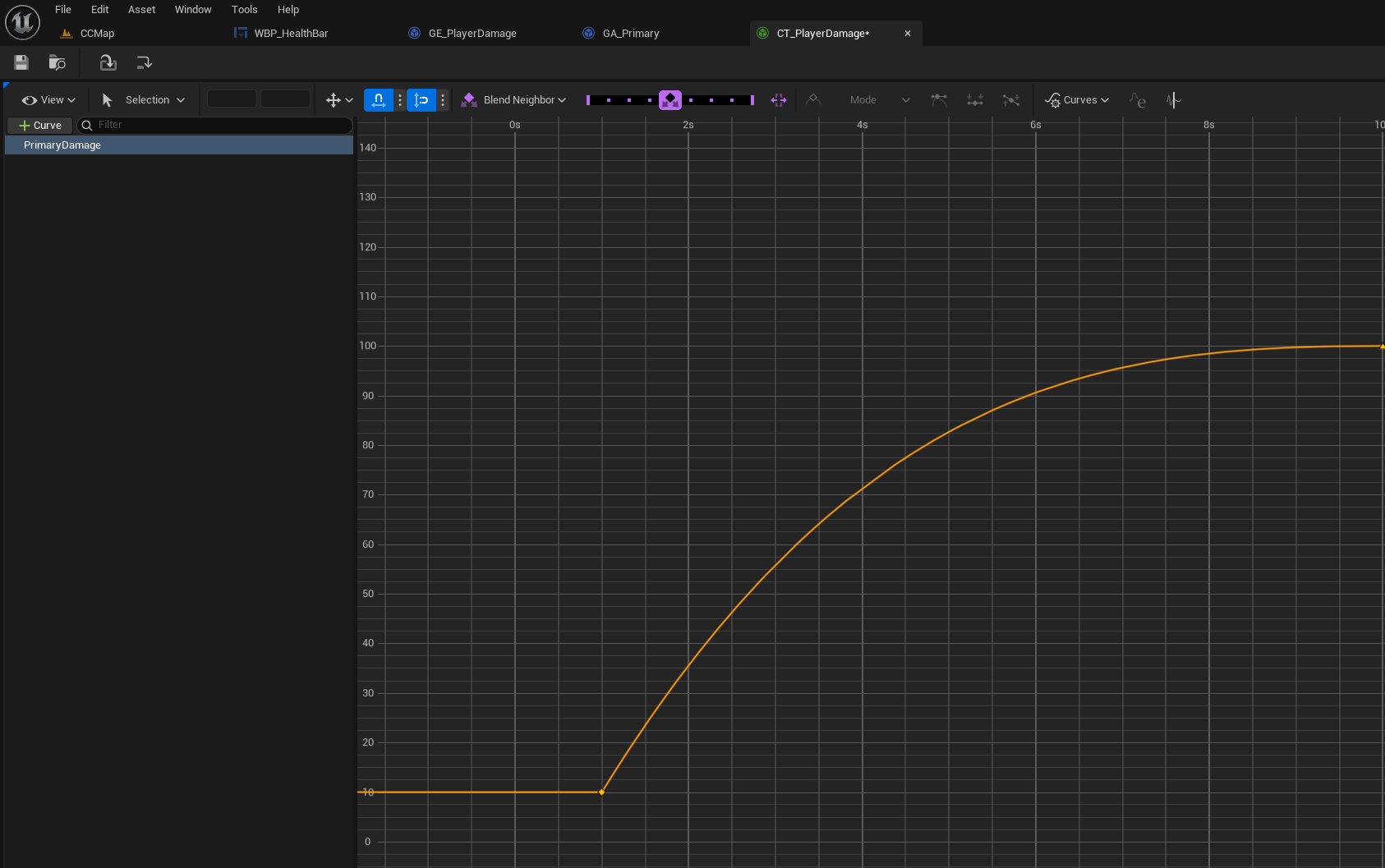
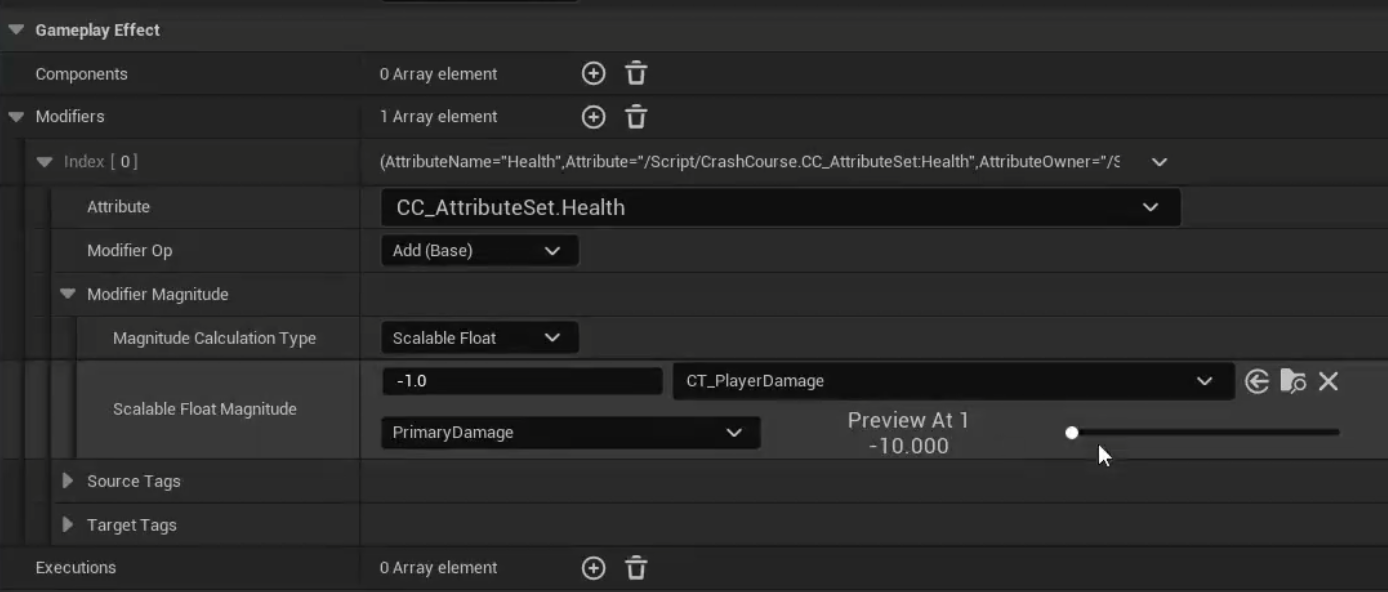
这样就能将伤害数值映射到曲线表,也是为了之后我们升级我们的技能。
8.提升能力
攻击时对MakeOutgoingSpec函数传入获取的能力等级
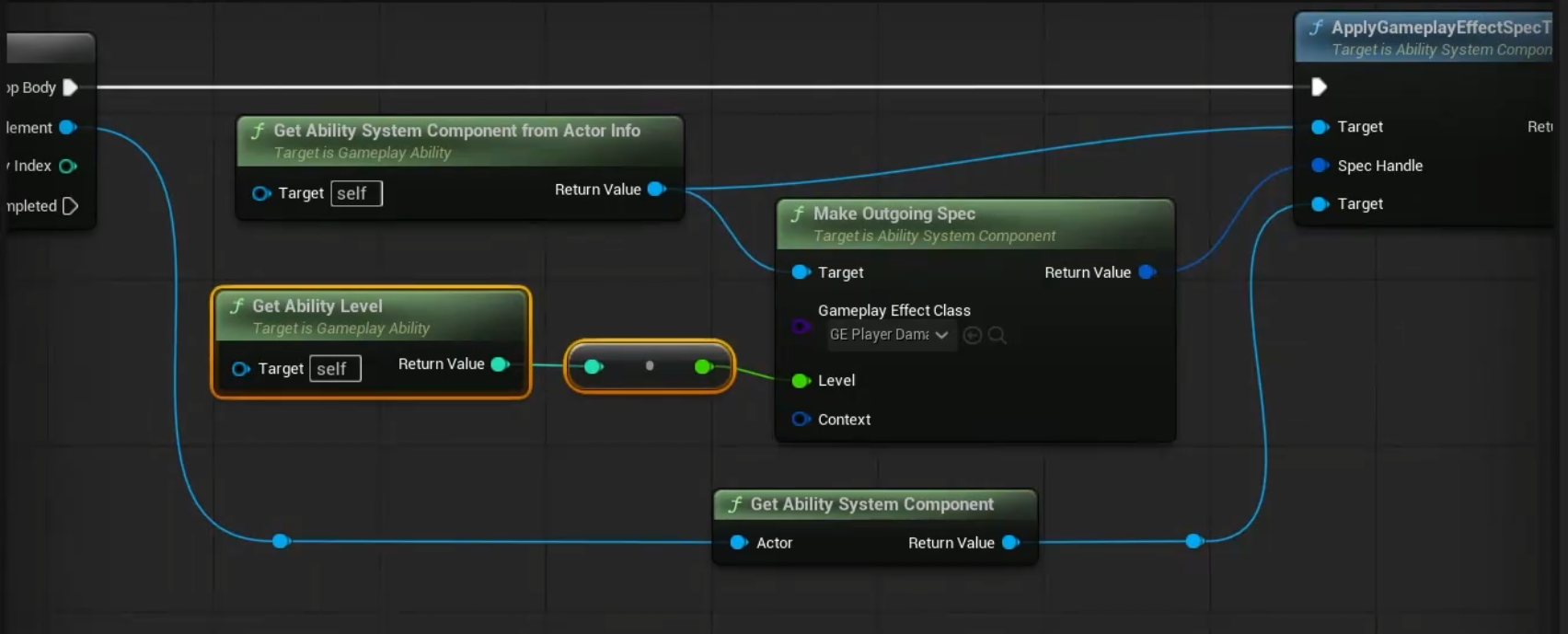
我们对ASC组件提供设置等级和升级功能(设置能力的等级,让等级变成脏数据,复制给客户端)
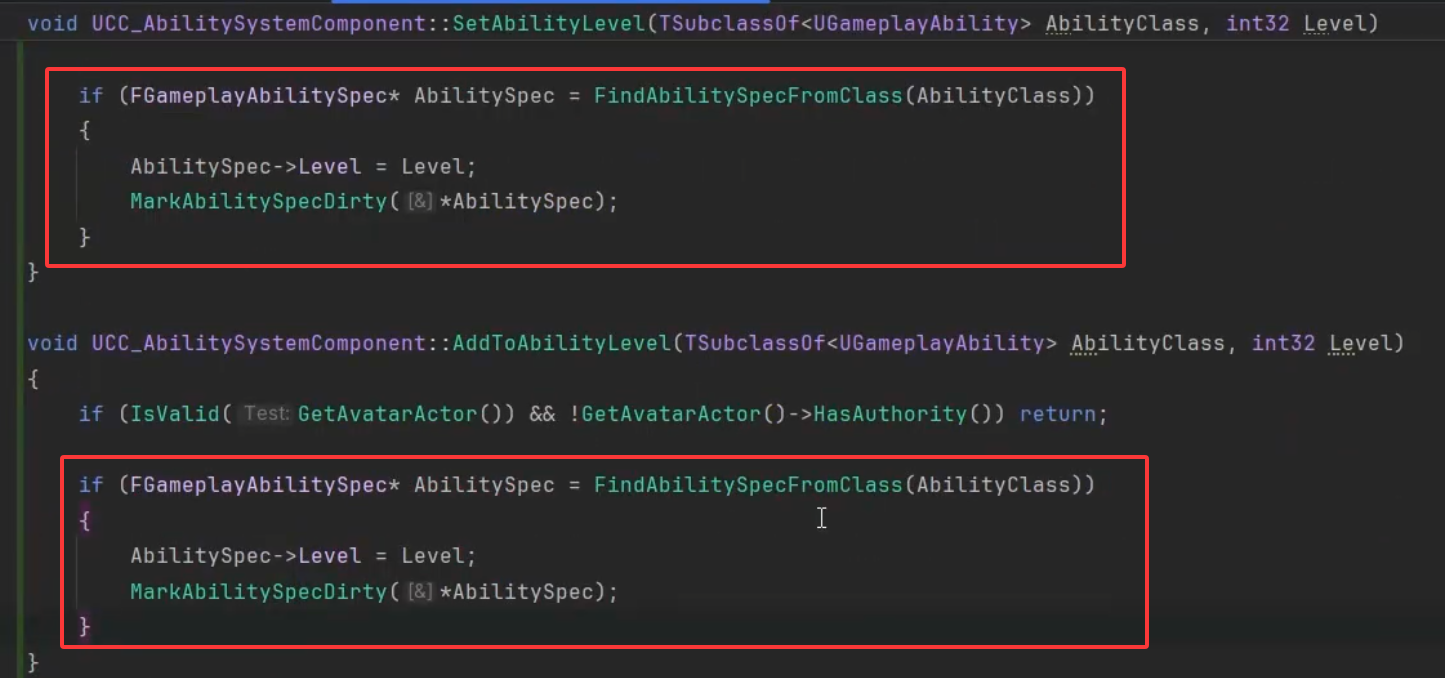
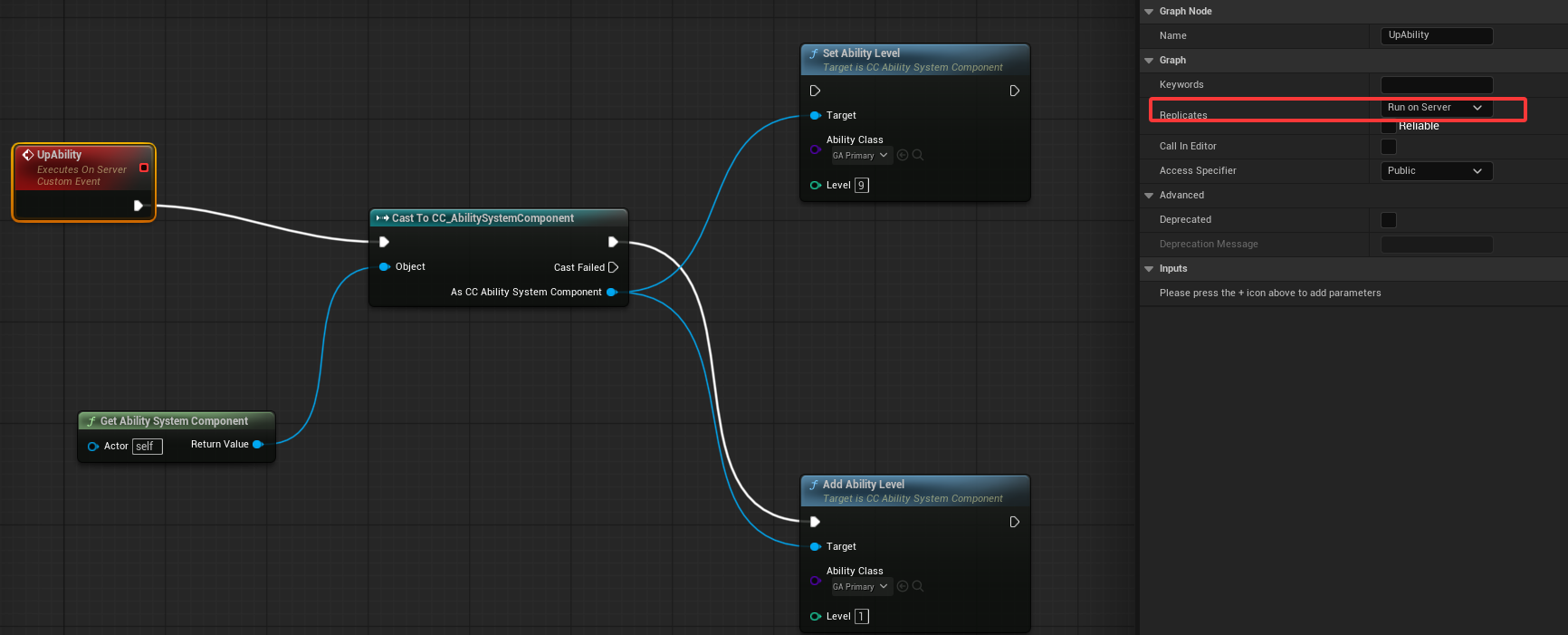
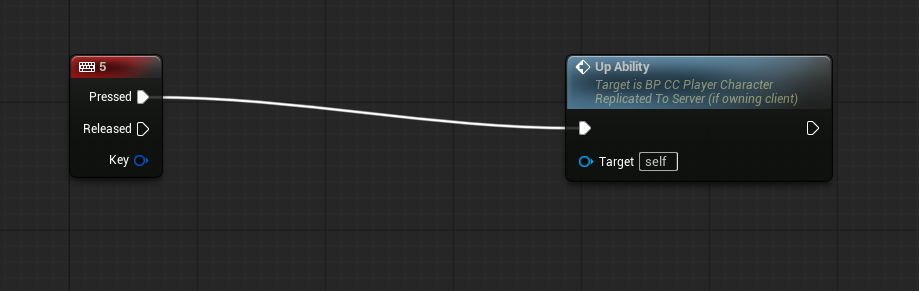
测试升级,由于升级需要在服务端执行,所以创建蓝图服务端运行事件