前言
我们在图像处理中有时候需要求图像的最小灰度和最大灰度,本文就来介绍如何实现。
1、halcon算子应用
csharp
dev_clear_window()
gen_image_const (Image, 'byte', 3, 3)
get_image_size (Image, Width, Height)
for rowIndex := 1 to Height by 1
    for columnIndex := 1 to Width by 1
        if(rowIndex=1 and columnIndex=1)
             set_grayval (Image, rowIndex-1, columnIndex-1,1)
        endif
        if(rowIndex=1 and columnIndex=2)
             set_grayval (Image, rowIndex-1, columnIndex-1,2)
        endif
        if(rowIndex=1 and columnIndex=3)
             set_grayval (Image, rowIndex-1, columnIndex-1,30)
        endif
        if(rowIndex=2 and columnIndex=1)
             set_grayval (Image, rowIndex-1, columnIndex-1,100)
        endif
        if(rowIndex=2 and columnIndex=2)
             set_grayval (Image, rowIndex-1, columnIndex-1,150)
        endif
        if(rowIndex=2 and columnIndex=3)
             set_grayval (Image, rowIndex-1, columnIndex-1,190)
        endif
        if(rowIndex=3 and columnIndex=1)
             set_grayval (Image, rowIndex-1, columnIndex-1,210)
        endif
        if(rowIndex=3 and columnIndex=2)
             set_grayval (Image, rowIndex-1, columnIndex-1,225)
        endif
        if(rowIndex=3 and columnIndex=3)
             set_grayval (Image, rowIndex-1, columnIndex-1,250)
        endif
    endfor
endfor

threshold (Image, Region, 0, 255)
min_max_gray (Region, Image, 20, Min, Max, Range)
min_max_gray算子用于计算图像最小灰度和最大灰度,该算子有6的参数
参数1是指定计算的区域范围
参数2是输入图像
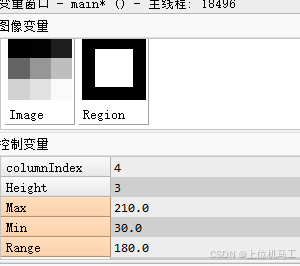
参数3是截断百分比,取值范围 用于控制从灰度直方图两端移除的像素比例,比如上面的代码的图像总共有9个像素,参数3是20,则灰度直方图两边需要移除的像素个数是9*20%=1.8个像素,4舍5入,需要移除2个像素,灰度直方图中像素从小到大的排列是1、2、30、100、150、190、210、225、250,移除掉灰度小的一边的2个像素1、2,移除掉灰度大的一边的2个像素225、250,所以最终得到的灰度最小值是30,灰度最大值210,灰度范围是210-30=180.
参数4是灰度最小值,参考参数3中描述的计算方式
参数5是灰度最大值,参考参数3中描述的计算方式
参数6是灰度范围,参考参数3中描述的计算方式
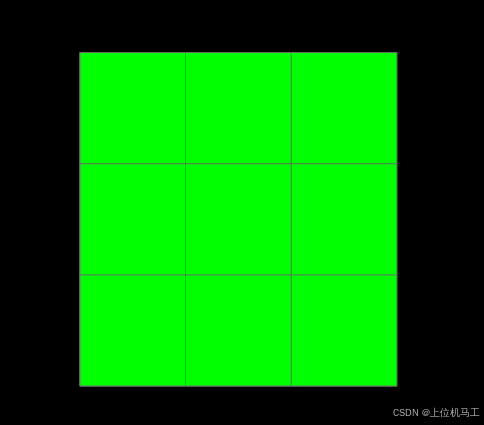
2、算子应用后效果