1. 实验目的
理解数据字典、表、索引、视图的作用,掌握数据字典的操纵方式,掌握库、表、索引、视图的操作方法。
2. 实验内容
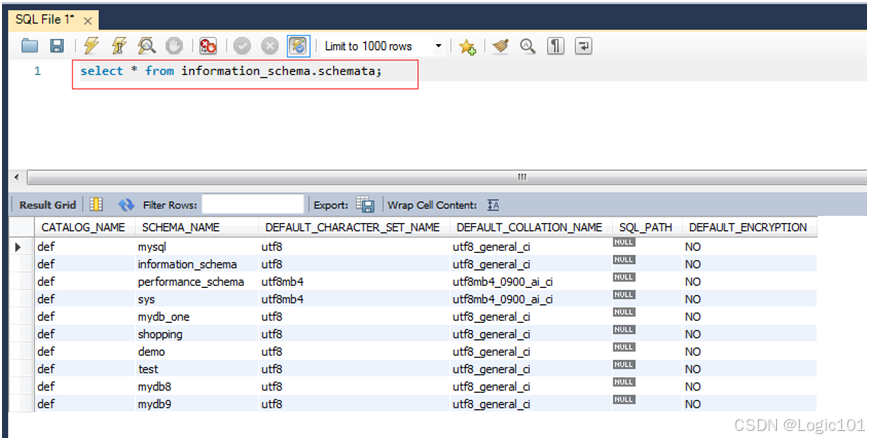
【实验2-1】查看INFORMATION_SCHEMA.SCHEMATA 表中的信息。
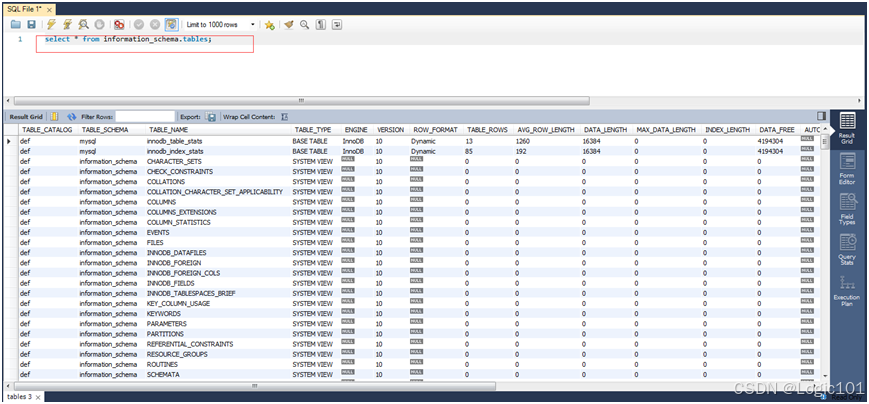
【实验2-2】查看INFORMATION_SCHEMA.TABLES 表中的信息。
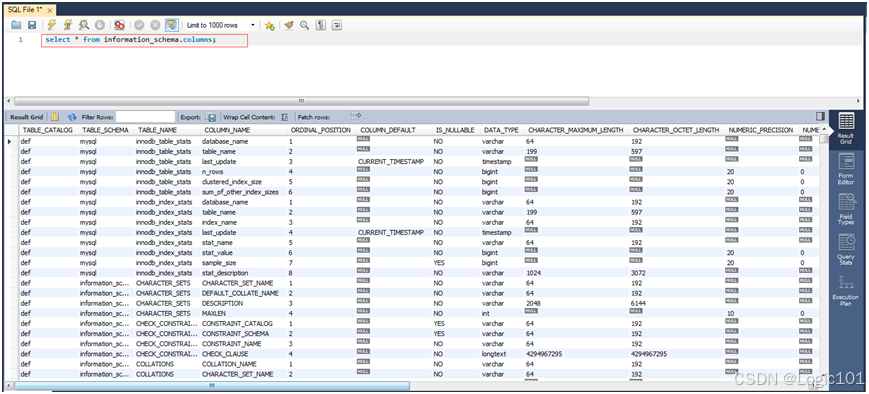
【实验2-3】查看INFORMATION_SCHEMA.COLUMNS 表中的信息。
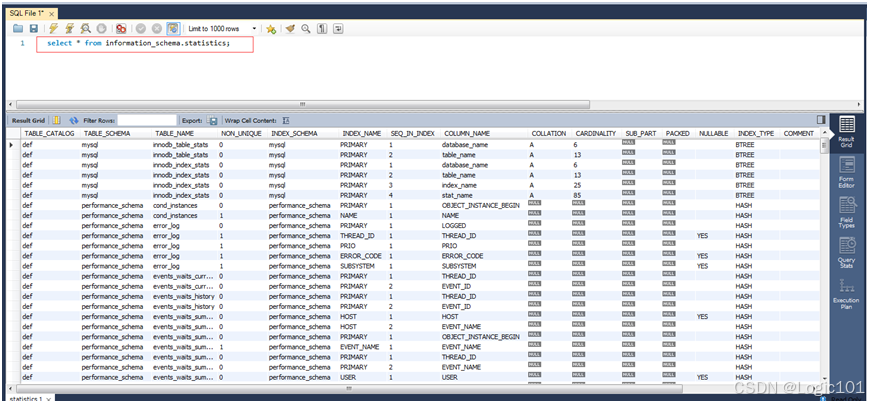
【实验2-4】查看INFORMATION_SCHEMA.STATISTICS 表中的信息。
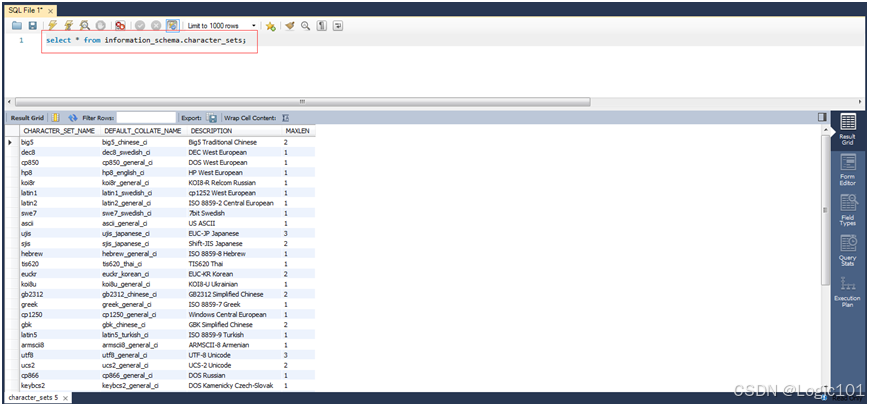
【实验2-5】查看INFORMATION_SCHEMA.CHARACTER_SETS 表中的信息。
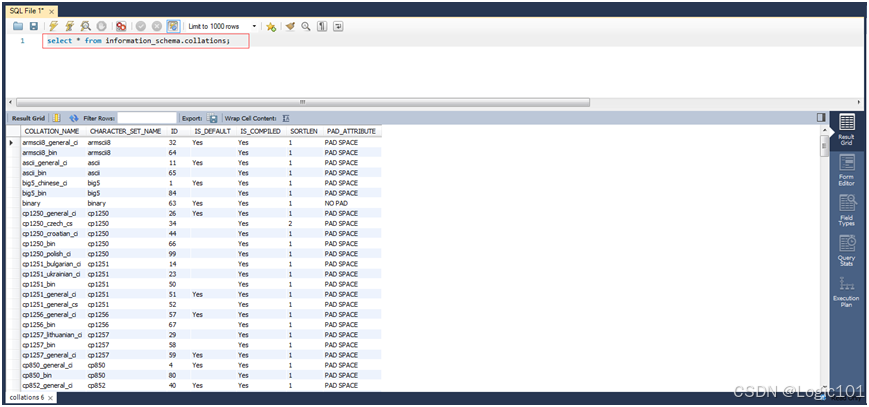
【实验2-6】查看INFORMATION_SCHEMA.COLLATIONS表中的信息。
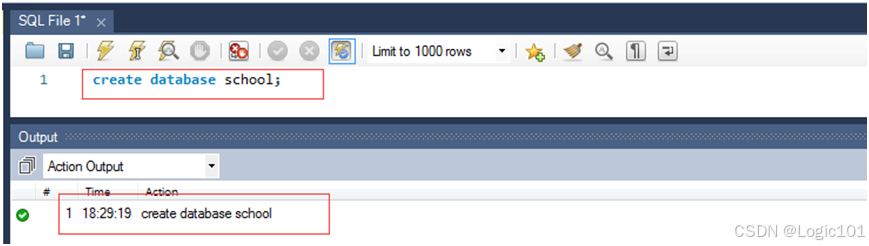
【实验2-7】使用CREATE DABASE语句创建school数据库。
【实验2-8】将school数据库的字符集设为utf-8。

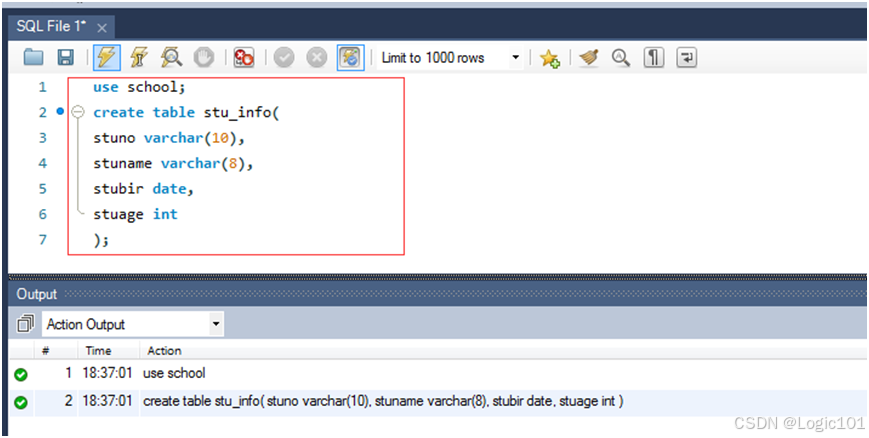
【实验2-9】在school数据库下创建stu_info表,包括stuno varchar(10)、stuname varchar(8)、stubir date、stuage int;创建表course,包括courno varchar(3)、courname varchar(10)、schyear date、credit int;创建stuandcour表,包括stuno varchar(10)、courno varchar(3)、grade int。
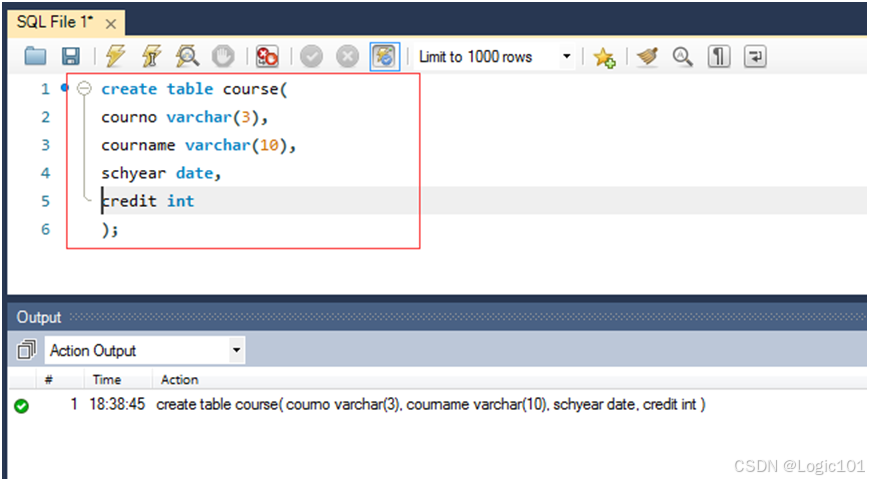
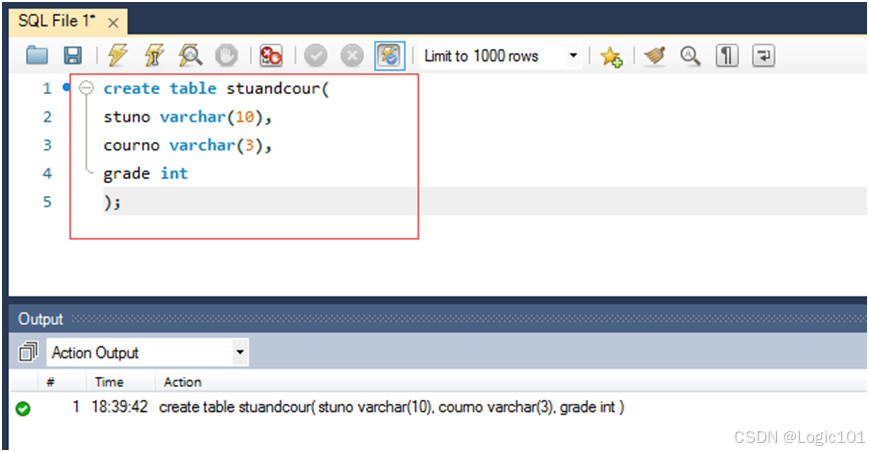
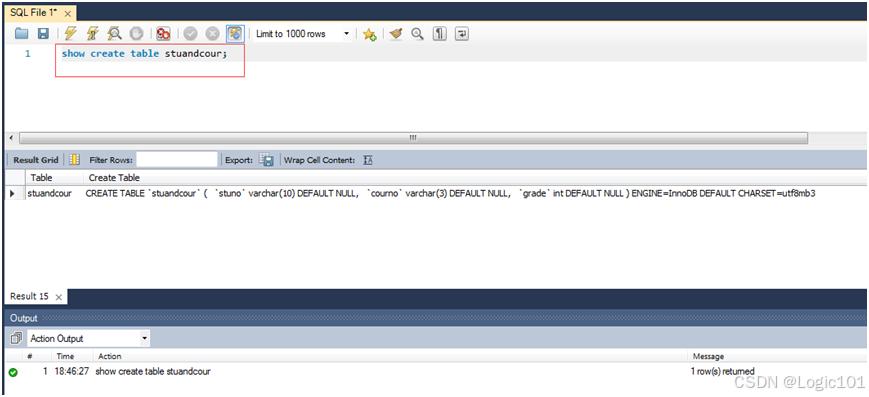
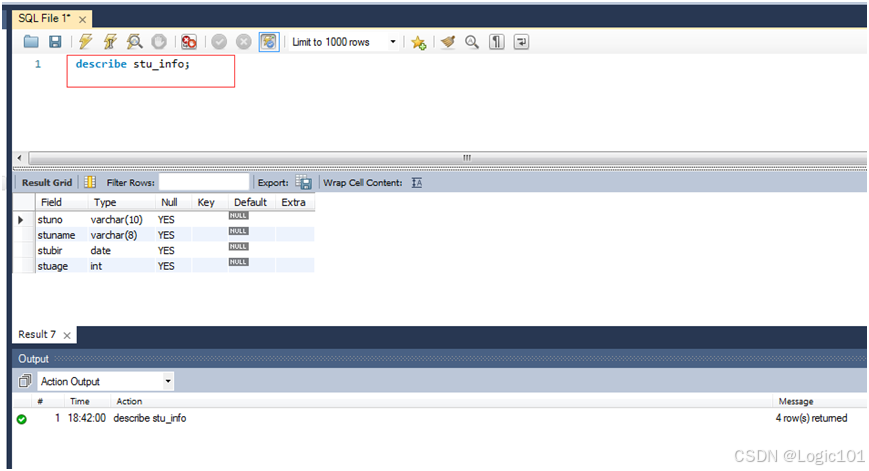
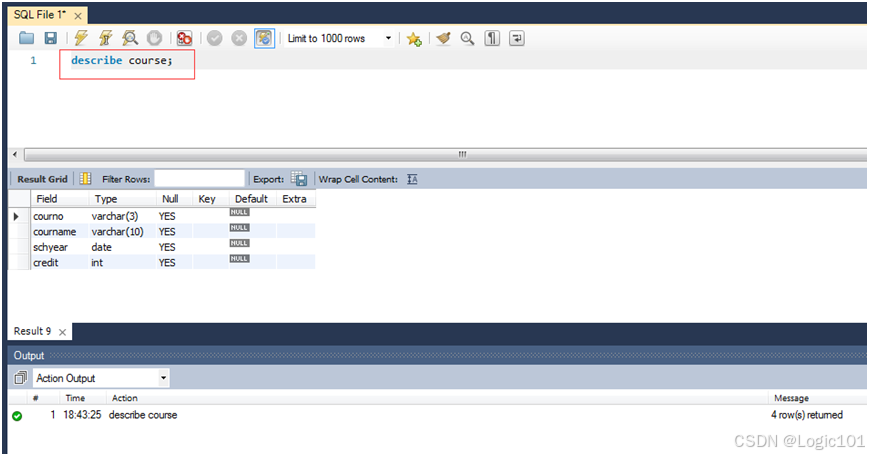
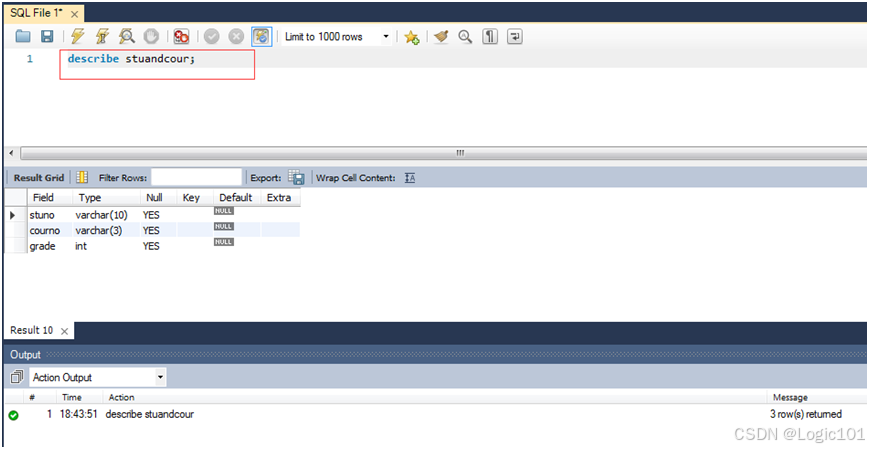
【实验2-10】使用SHOW、DESCRIBE语句查看所建的表。
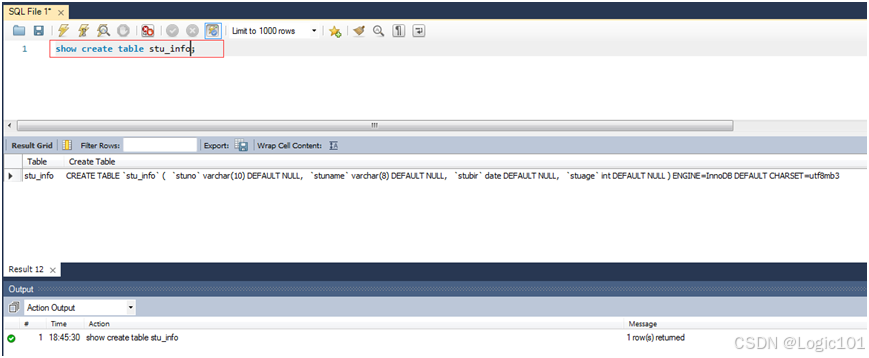
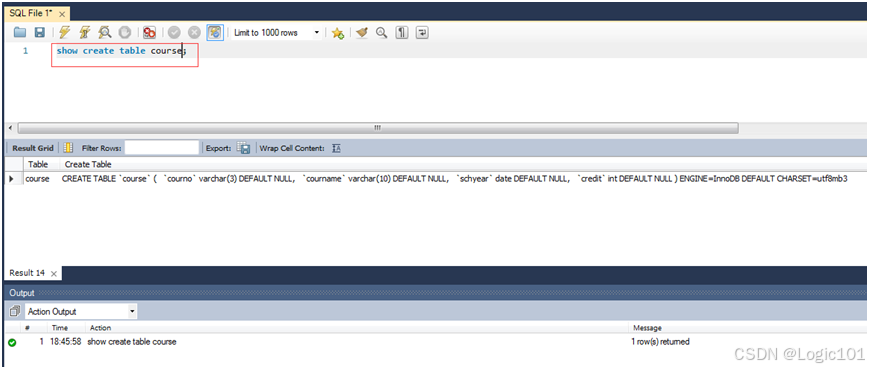
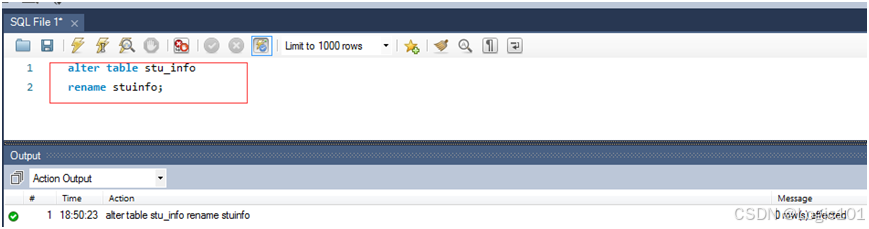
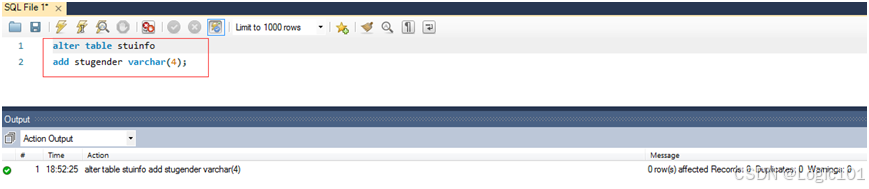
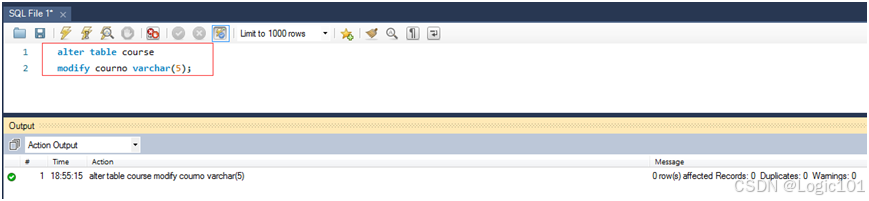
【实验2-11】使用ALTER TABLE语句将stu_info表的表名改为stuinfo,并且增加stugender varchar(4)字段,将course表中courno字段的类型改为varchar(5)。
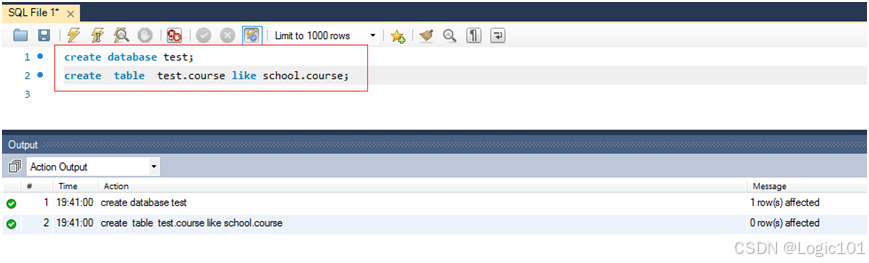
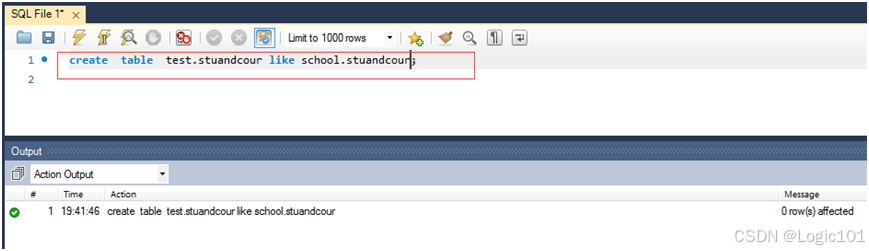
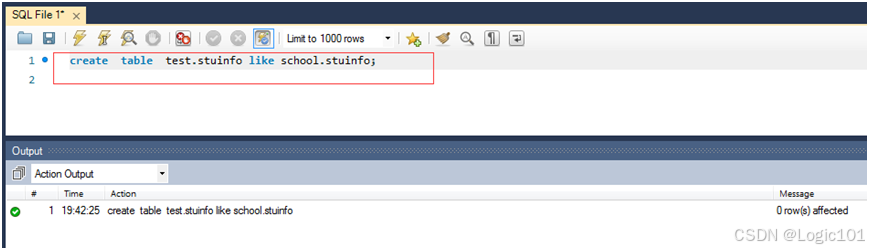
【实验2-12】将前边建的表复制到test数据库中,如果没有test数据库就新建一个。
**注:**用下列方式只能移动表,不能复制表,最终school中的相应的表将消失:
rename table school.course to test.course,school.stuandcour to test.stuandcour,school.stuinfo to test.stuinfo;
因此要用like关键字来复制表。
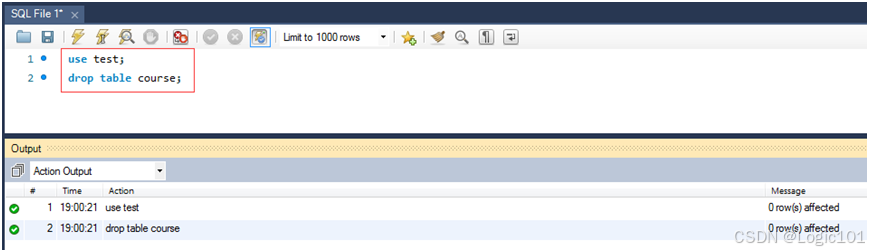
【实验2-13】删除test数据库中的course表。
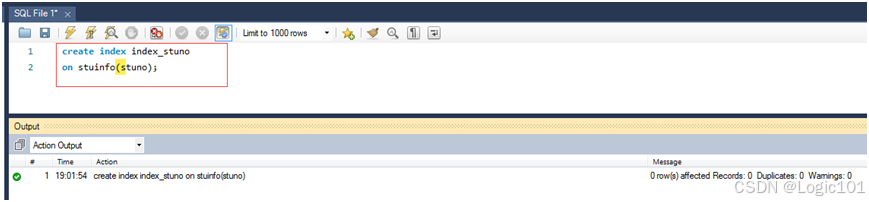
【实验2-14】创建stuinfo表上stuno的索引。
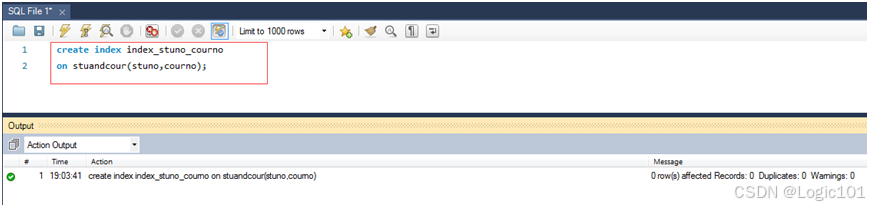
【实验2-15】创建stuandcour表上stuno字段和courno字段上的多列索引。
【实验2-16】删除创建的索引。
【实验2-17】创建stuinfo表上的单源视图。
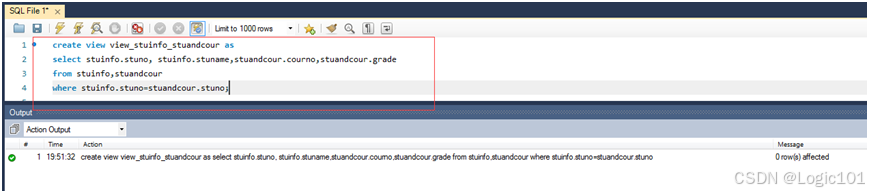
【实验2-18】创建stuinfo表和stuandcour上的多源视图,包含stuno、stuname、courno、grade。
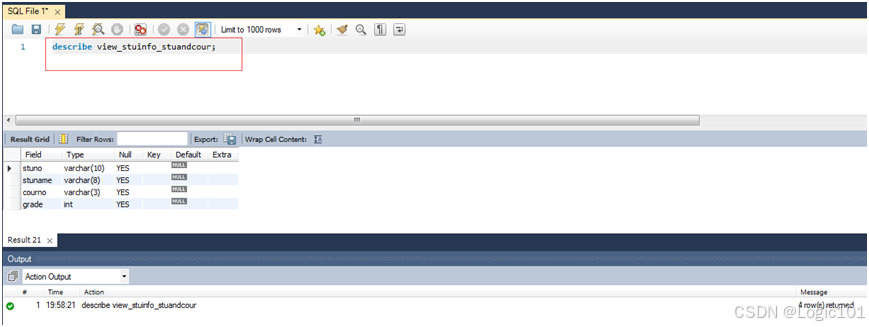
【实验2-19】分别通过访问information_schema的views表和tables表,查看已经创建好的视图;使用DESCRIBE语句查看已经创建好的视图。
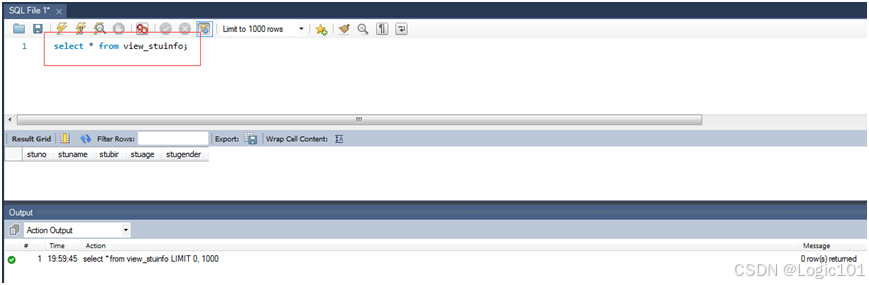
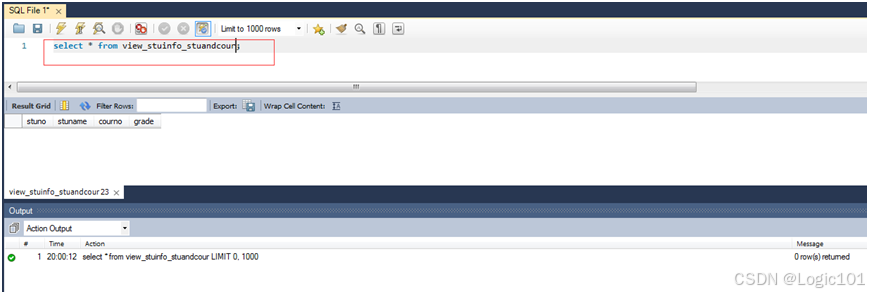
【实验2-20】使用SELECT语句查询创建好的视图。
3. 实验要求
(1)所有操作均在命令行或者MySQL Workbench中完成。
(2)将操作过程以屏幕抓图的方式复制,形成实验文档,并对照本章内容写出分析报告。
4. 分析报告
通过本次实验,深刻了解mysql数据库对象和数据字典的特点和使用方法。数据库对象是数据库的组成部分,有表、索引、视图、触发器、存储过程、用户等;数据字典是描述数据的信息集合,是对系统中使用的所有数据元素的定义的集合,数据字典是一种用户可以访问的记录数据库和数据库对象的目录,它们为用户提供了访问数据库元数据的方式,通过访问其中的数据表,可以清楚地了解数据库的组成并可以对权限进行分配。
【实验2-1】查看INFORMATION_SCHEMA.SCHEMATA 表中的信息。
select * from information_schema.schemata;
【实验2-2】查看INFORMATION_SCHEMA.TABLES 表中的信息。
select * from information_schema.tables;
【实验2-3】查看INFORMATION_SCHEMA.COLUMNS 表中的信息。
select * from information_schema.columns;
【实验2-4】查看INFORMATION_SCHEMA.STATISTICS 表中的信息。
select * from information_schema.statistics;
【实验2-5】查看INFORMATION_SCHEMA.CHARACTER_SETS 表中的信息。
select * from information_schema.character_sets;
【实验2-6】查看INFORMATION_SCHEMA.COLLATIONS表中的信息。
select * from information_schema.collations;
【实验2-7】使用CREATE DABASE语句创建school数据库。
create database school;
【实验2-8】将school数据库的字符集设为utf-8。
alter database school
default character set utf8
default collate utf8_general_ci;
【实验2-9】在school数据库下创建stu_info表,包括stuno varchar(10)、stuname varchar(8)、stubir date、stuage int;创建表course,包括courno varchar(3)、courname varchar(10)、schyear date、credit int;创建stuandcour表,包括stuno varchar(10)、courno varchar(3)、grade int。
use school;
create table stu_info(
	stuno varchar(10),
	stuname varchar(8),
	stubir date,
	stuage int

);
create table course(
	courno varchar(3),
	courname varchar(10),
	schyear date,
	credit int

);
create table stuandcour(
	stuno varchar(10),
	courno varchar(3),
	grade int

);
【实验2-10】使用SHOW、DESCRIBE语句查看所建的表。
show create table stu_info;
show create course;
show create stuandcour;
describe stu_info;
describe course;
describe stuandcour;
【实验2-11】使用ALTER TABLE语句将stu_info表的表名改为stuinfo,并且增加stugender varchar(4)字段,将course表中courno字段的类型改为varchar(5)。
alter table stu_info rename stuinfo;
alter table course modify courno varchar(5);
【实验2-12】将前边建的表复制到test数据库中,如果没有test数据库就新建一个。
create database test;
create table test.course like school.course;
create table test.stuandcour like school.stuandcour;
create table test.stuinfo like school.stuinfo;
【实验2-13】删除test数据库中的course表。
use test
drop table course;
【实验2-14】创建stuinfo表上stuno的索引。
create index index_stuno on stuinfo(stuno);
【实验2-15】创建stuandcour表上stuno字段和courno字段上的多列索引。
create index index_stuno_courno on stuandcour(stuno,courno);
【实验2-16】删除创建的索引。
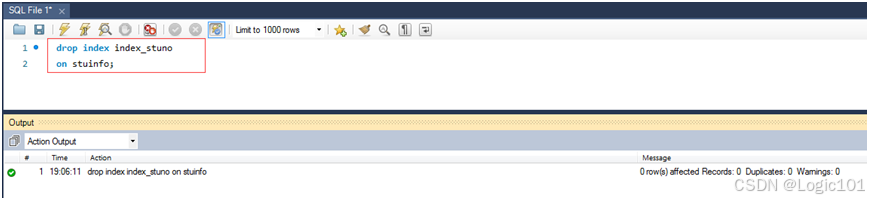
drop index index_stuno on stuinfo;
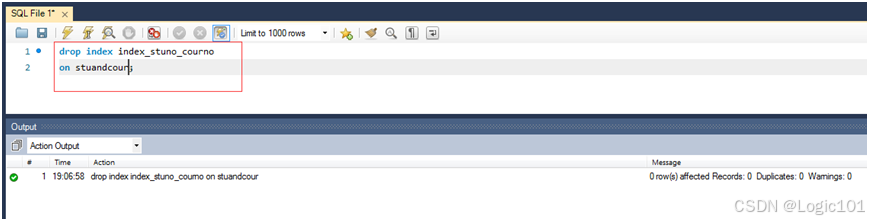
drop index index_stuno_courno on stuandcour;
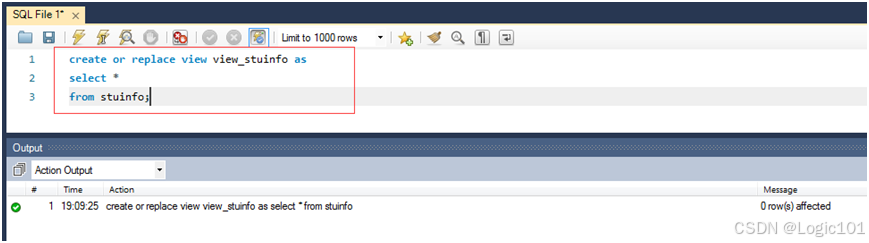
【实验2-17】创建stuinfo表上的单源视图。
create or replace view view_stuinfo as select * from stuinfo;
【实验2-18】创建stuinfo表和stuandcour上的多源视图,包含stuno、stuname、courno、grade。
create view view_stuinfo_stuandcour as select stuinfo.stuno,stuinfo.stuname,stuandcour.courno,stuand.grade from stuinfo,stuandcour where stuinfo.stuno=stuandcour.stuno;
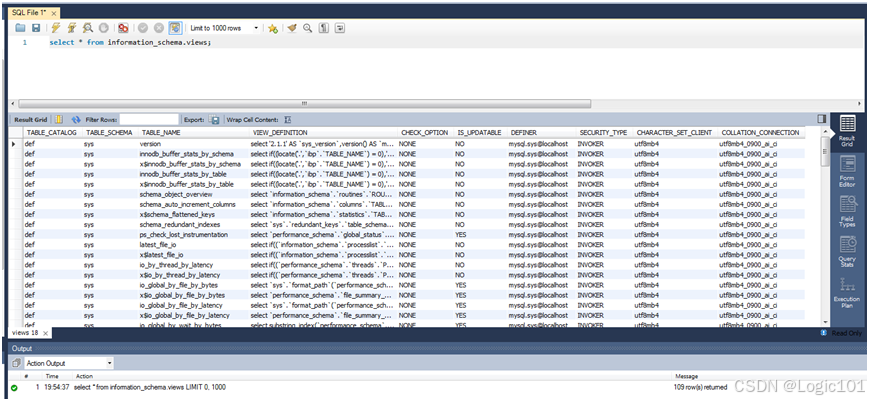
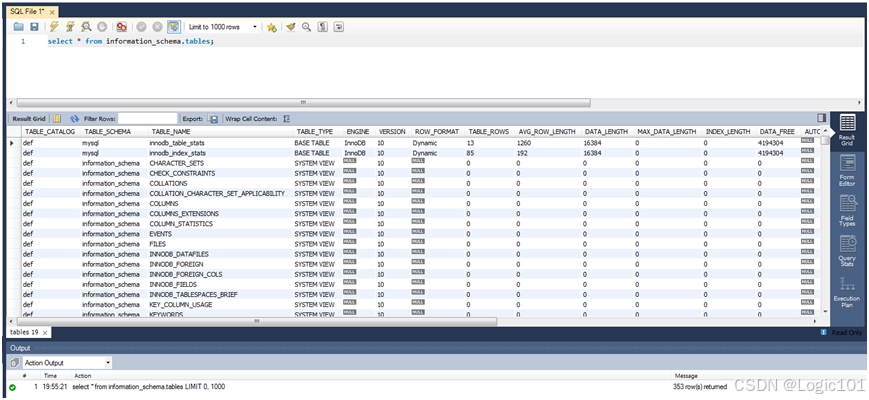
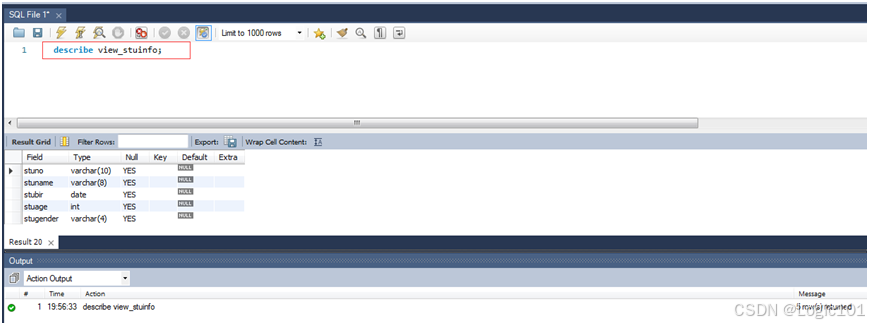
【实验2-19】分别通过访问information_schema的views表和tables表,查看已经创建好的视图;使用DESCRIBE语句查看已经创建好的视图。
select * from information_schema.views;
select * from information_schema.tables;
describe view_stuinfo;
describe view_stuinfo_stuandcour;
【实验2-20】使用SELECT语句查询创建好的视图。
select * from view_stuinfo;
select * from view_stuinfo_stuandcour;
sql
【实验2-1】查看INFORMATION_SCHEMA.SCHEMATA 表中的信息。
select * from information_schema.schemata;
【实验2-2】查看INFORMATION_SCHEMA.TABLES 表中的信息。
select * from information_schema.tables;
【实验2-3】查看INFORMATION_SCHEMA.COLUMNS 表中的信息。
select * from information_schema.columns;
【实验2-4】查看INFORMATION_SCHEMA.STATISTICS 表中的信息。
select * from information_schema.statistics;
【实验2-5】查看INFORMATION_SCHEMA.CHARACTER_SETS 表中的信息。
select * from information_schema.character_sets;
【实验2-6】查看INFORMATION_SCHEMA.COLLATIONS表中的信息。
select * from information_schema.collations;
【实验2-7】使用CREATE DABASE语句创建school数据库。
create database school;
【实验2-8】将school数据库的字符集设为utf-8。
alter database school
default character set utf8
default collate utf8_general_ci;
【实验2-9】在school数据库下创建stu_info表,包括stuno varchar(10)、stuname varchar(8)、stubir date、stuage int;创建表course,包括courno varchar(3)、courname varchar(10)、schyear date、credit int;创建stuandcour表,包括stuno varchar(10)、courno varchar(3)、grade int。
use school;
create table stu_info(
stuno varchar(10),
stuname varchar(8),
stubir date,
stuage int
);
create table course(
courno varchar(3),
courname varchar(10),
schyear date,
credit int
);
create table stuandcour(
stuno varchar(10),
courno varchar(3),
grade int
);
【实验2-10】使用SHOW、DESCRIBE语句查看所建的表。
show create table stu_info;
show create course;
show create stuandcour;
describe stu_info;
describe course;
describe stuandcour;
【实验2-11】使用ALTER TABLE语句将stu_info表的表名改为stuinfo,并且增加stugender varchar(4)字段,将course表中courno字段的类型改为varchar(5)。
alter table stu_info rename stuinfo;
alter table course modify courno varchar(5);
【实验2-12】将前边建的表复制到test数据库中,如果没有test数据库就新建一个。
create database test;
create table test.course like school.course;
create table test.stuandcour like school.stuandcour;
create table test.stuinfo like school.stuinfo;
【实验2-13】删除test数据库中的course表。
use test
drop table course;
【实验2-14】创建stuinfo表上stuno的索引。
create index index_stuno on stuinfo(stuno);
【实验2-15】创建stuandcour表上stuno字段和courno字段上的多列索引。
create index index_stuno_courno on stuandcour(stuno,courno);
【实验2-16】删除创建的索引。
drop index index_stuno on stuinfo;
drop index index_stuno_courno on stuandcour;
【实验2-17】创建stuinfo表上的单源视图。
create or replace view view_stuinfo as select * from stuinfo;
【实验2-18】创建stuinfo表和stuandcour上的多源视图,包含stuno、stuname、courno、grade。
create view view_stuinfo_stuandcour as select stuinfo.stuno,stuinfo.stuname,stuandcour.courno,stuand.grade from stuinfo,stuandcour where stuinfo.stuno=stuandcour.stuno;
【实验2-19】分别通过访问information_schema的views表和tables表,查看已经创建好的视图;使用DESCRIBE语句查看已经创建好的视图。
select * from information_schema.views;
select * from information_schema.tables;
describe view_stuinfo;
describe view_stuinfo_stuandcour;
【实验2-20】使用SELECT语句查询创建好的视图。
select * from view_stuinfo;
select * from view_stuinfo_stuandcour;本文为个人学习笔记与经验总结,仅供学习交流参考