视频教程:
1.基本设置
1.1 素材
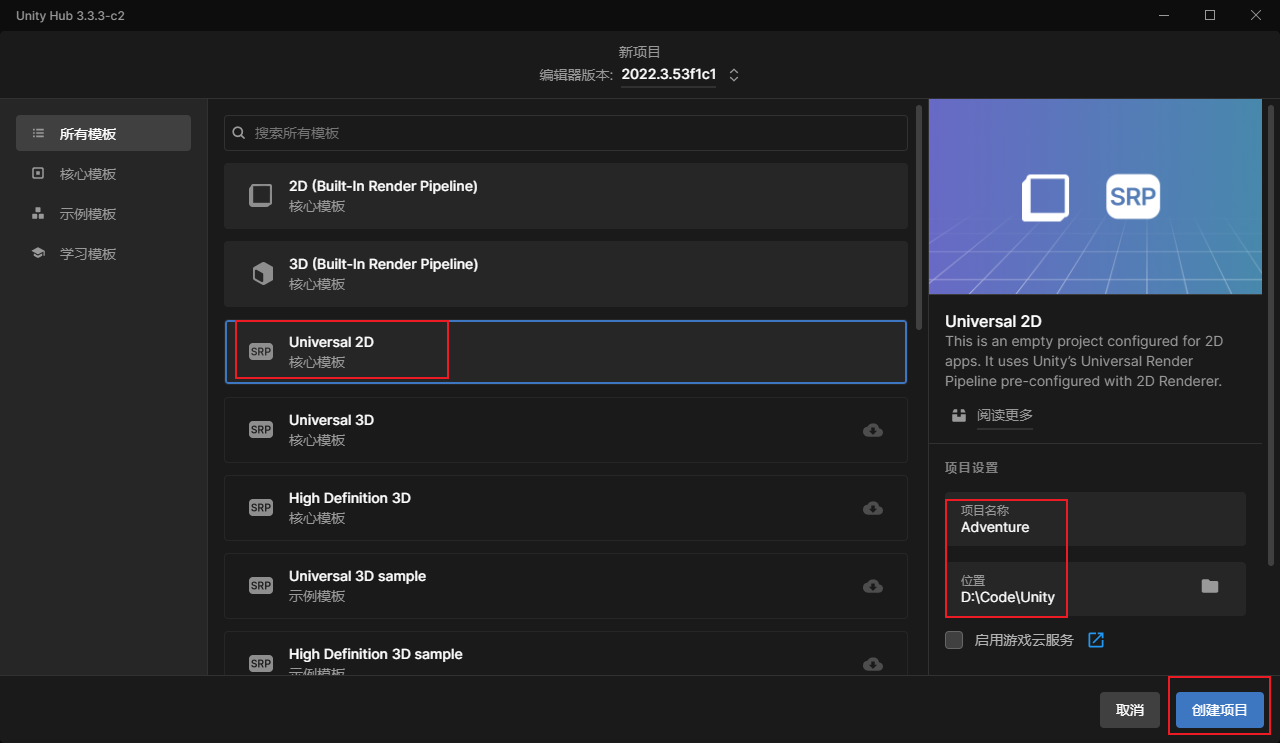
创建项目
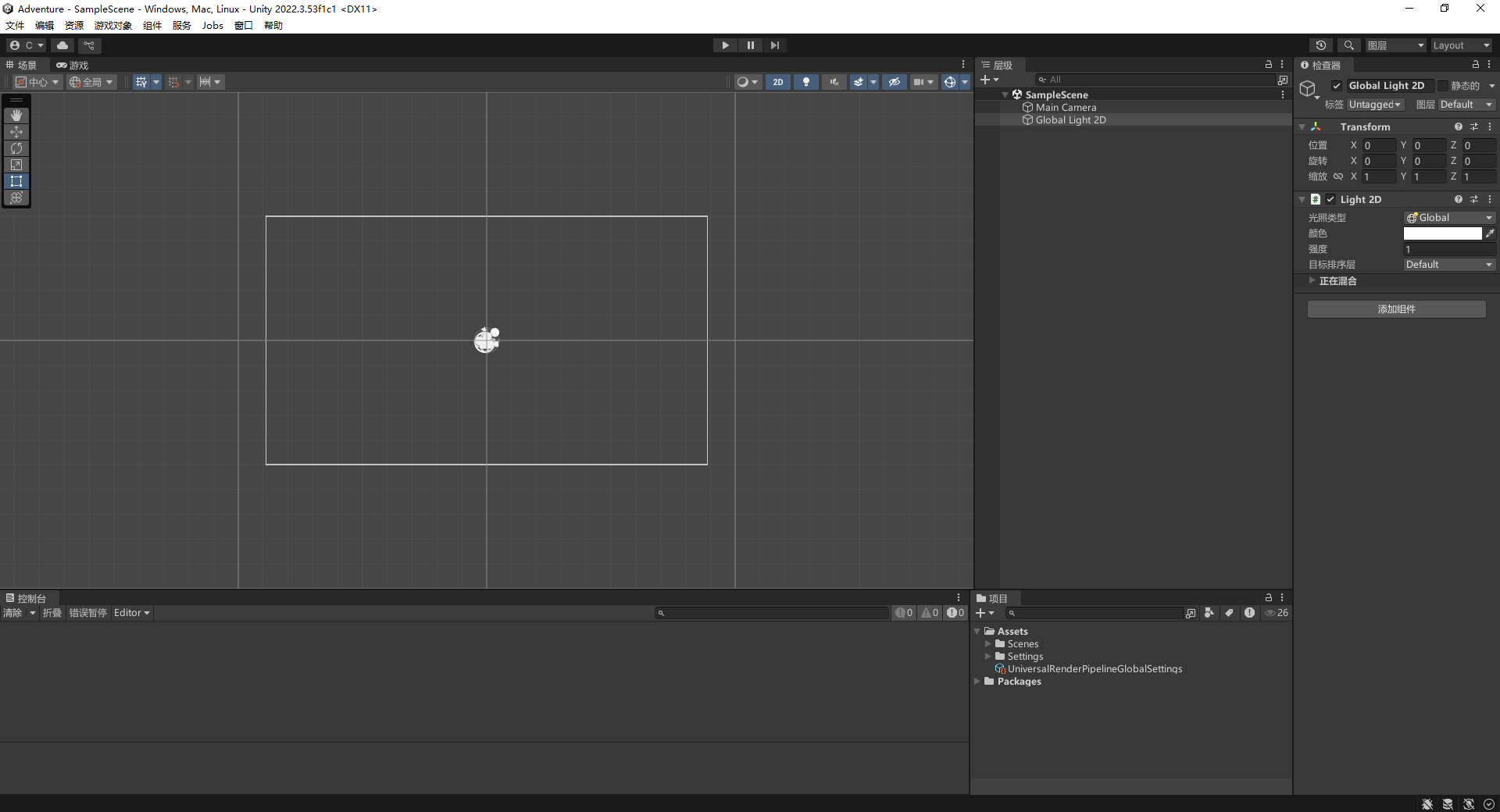
调整布局
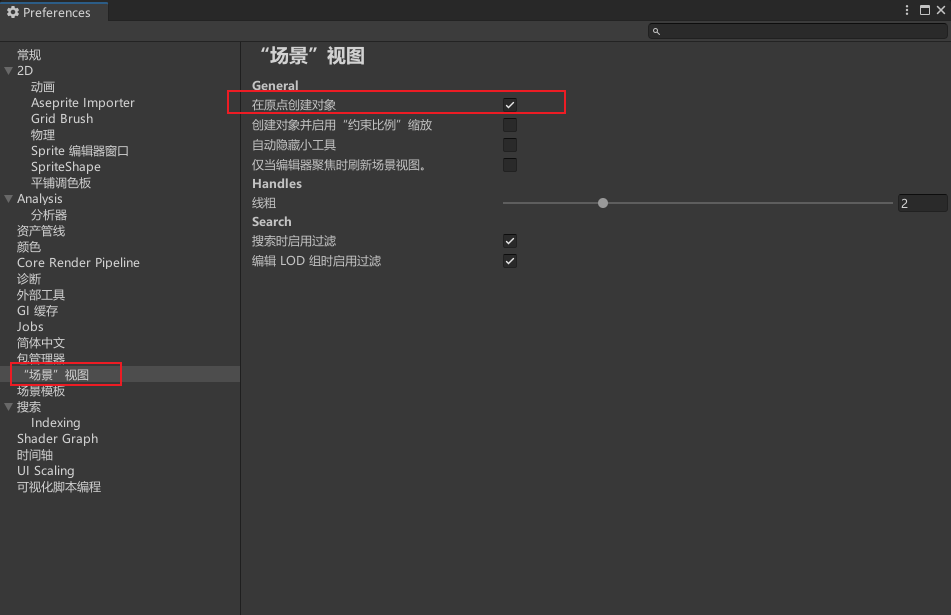
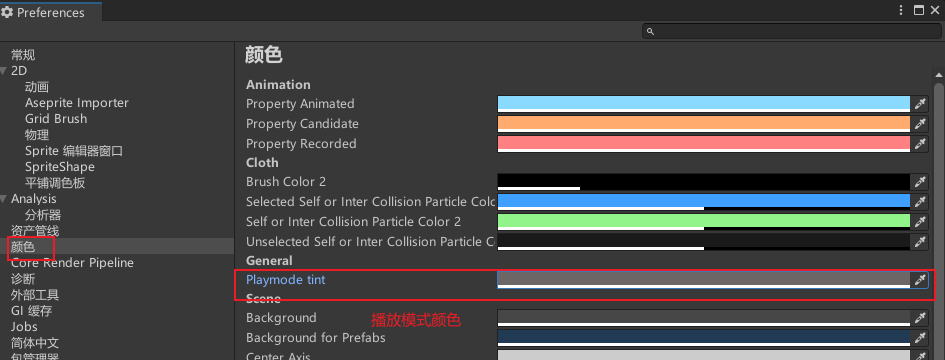
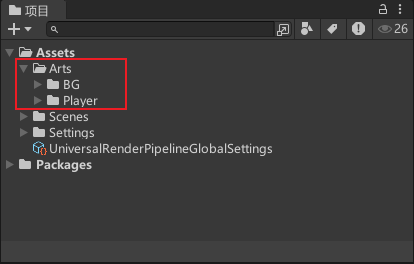
基础设置
导入素材
设置人物图片
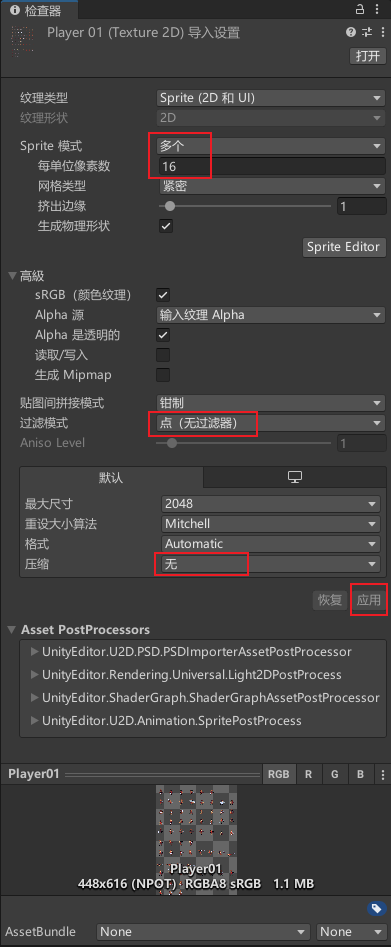
"过滤模式"三个选项的区别
| 属性 | Point (No Filter) | Bilinear | Trilinear |
|---|---|---|---|
| 插值方式 | 最近邻插值(Nearest Neighbor) | 双线性插值(4 像素加权平均) | 三线性插值(Mipmap 层级间平滑过渡) |
| 清晰度 | 高(像素化明显) | 中等(轻微模糊) | 中等(更柔和的模糊) |
| 锯齿效果 | 明显 | 减少 | 减少 |
| 模糊程度 | 无 | 轻微 | 更高 |
| 性能开销 | 最低 | 中等 | 较高 |
| 适用场景 | 像素风格游戏、保持原始像素感的纹理 | 普通 3D 游戏中的纹理、UI 元素 | 远距离观察的物体(如地形、远景) |
| Mipmap 支持 | 不支持平滑过渡 | 支持单层 Mipmap 平滑 | 支持多层 Mipmap 平滑过渡 |
| 视觉效果特点 | 锐利、块状效果 | 平滑、自然 | 过渡自然、适合远近视角切换 |
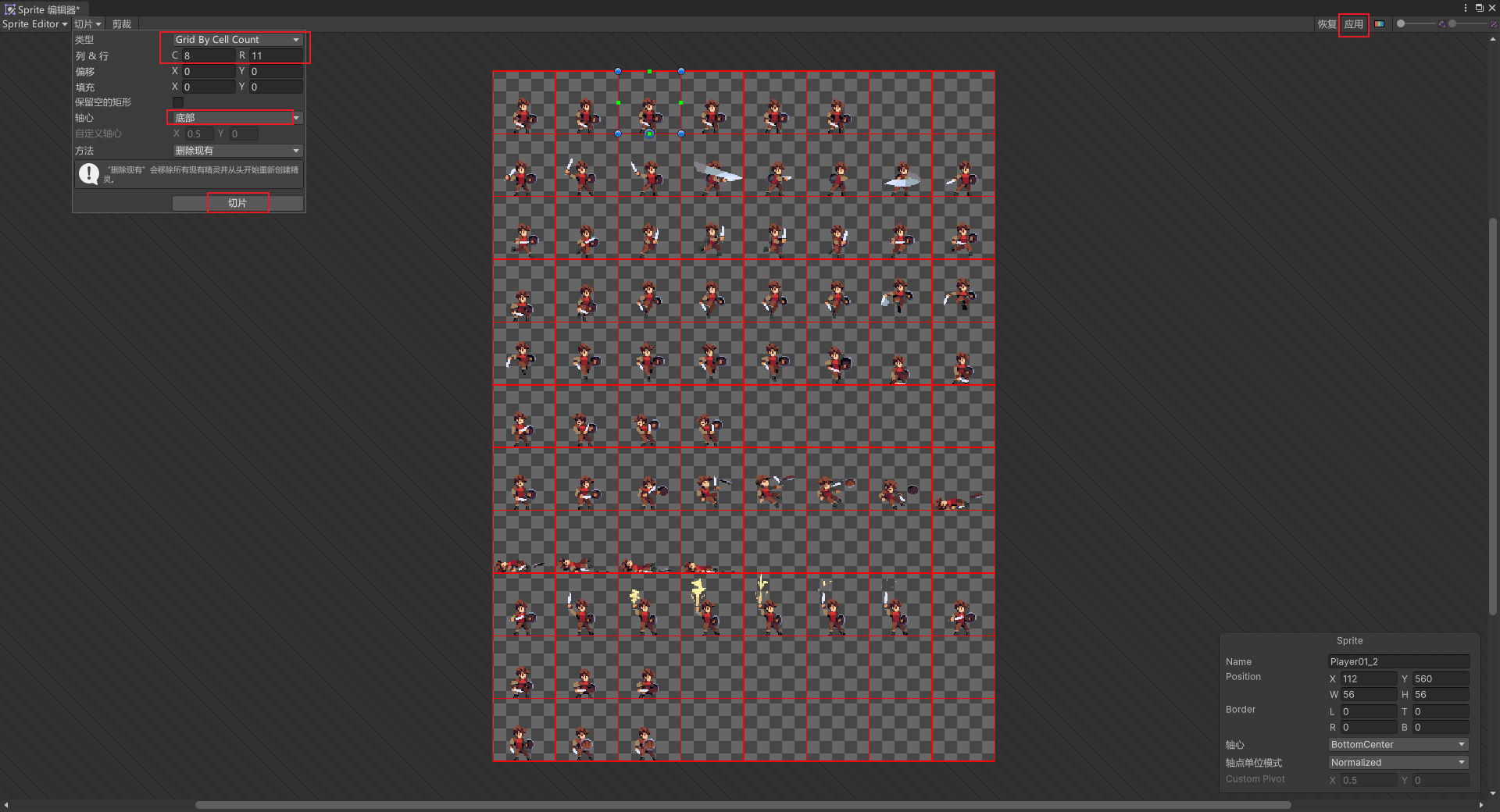
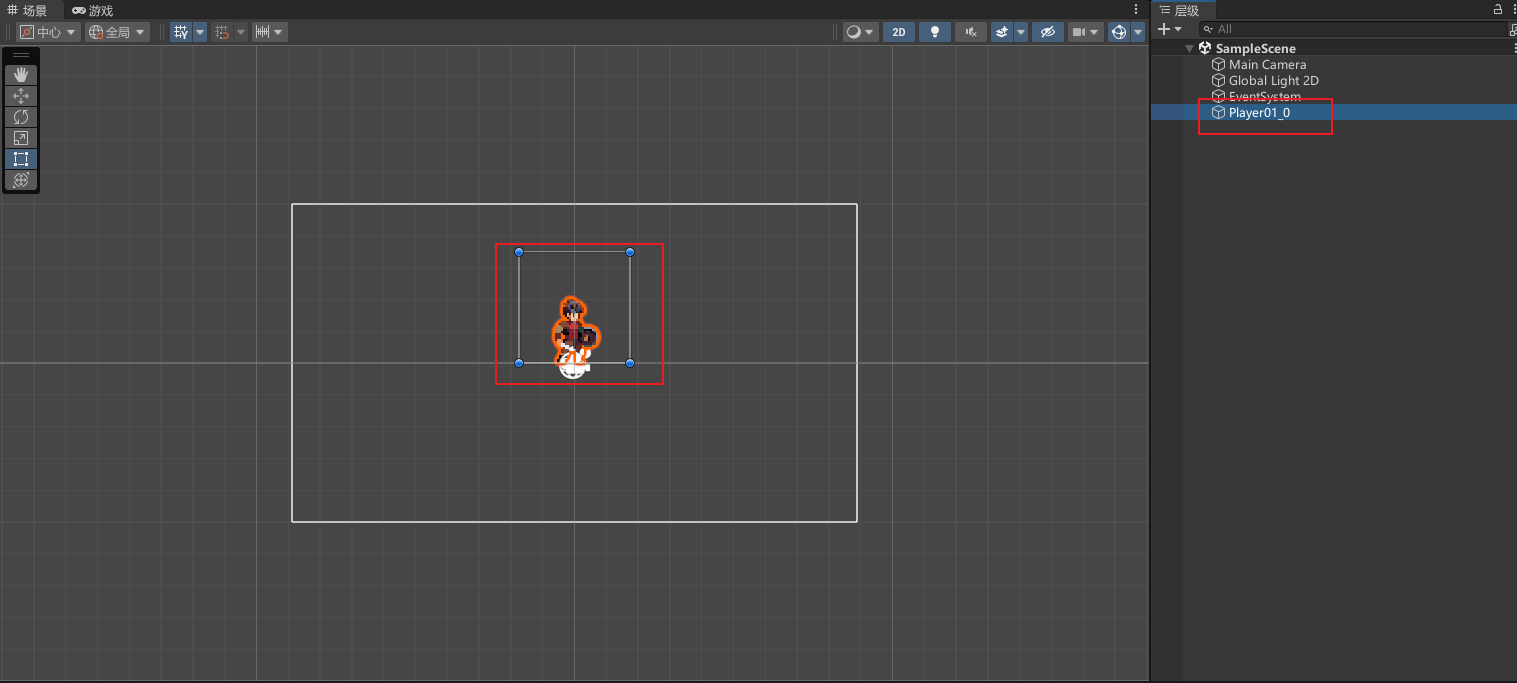
1.2 场景、叠层
1.2.1 场景
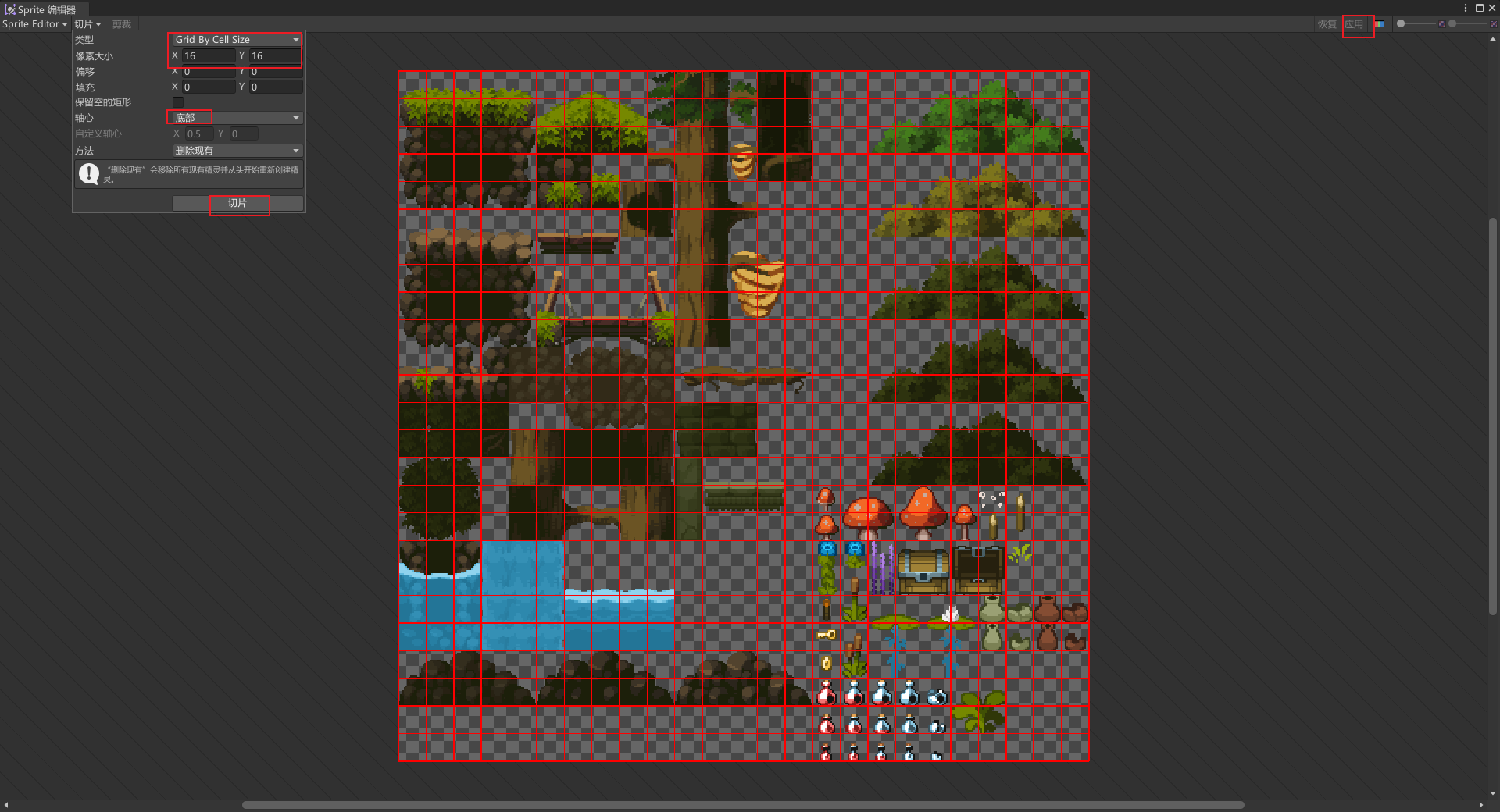
设置森林背景图片
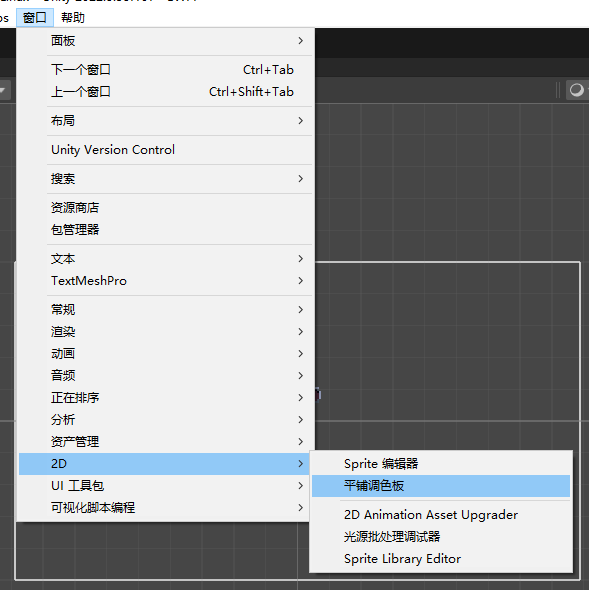
显示"平铺调色盘"
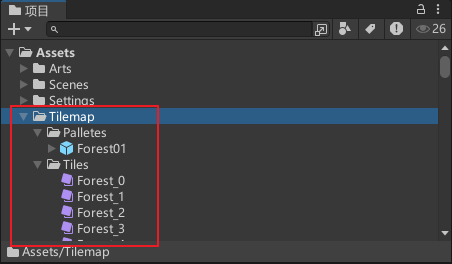
创建瓦片地图相关的文件夹、文件
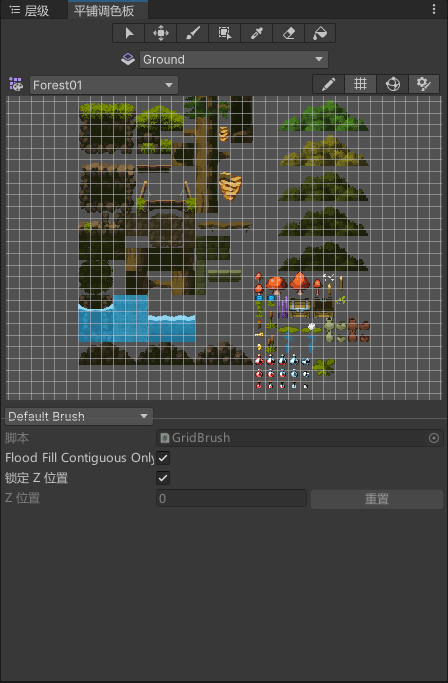
绘制地图
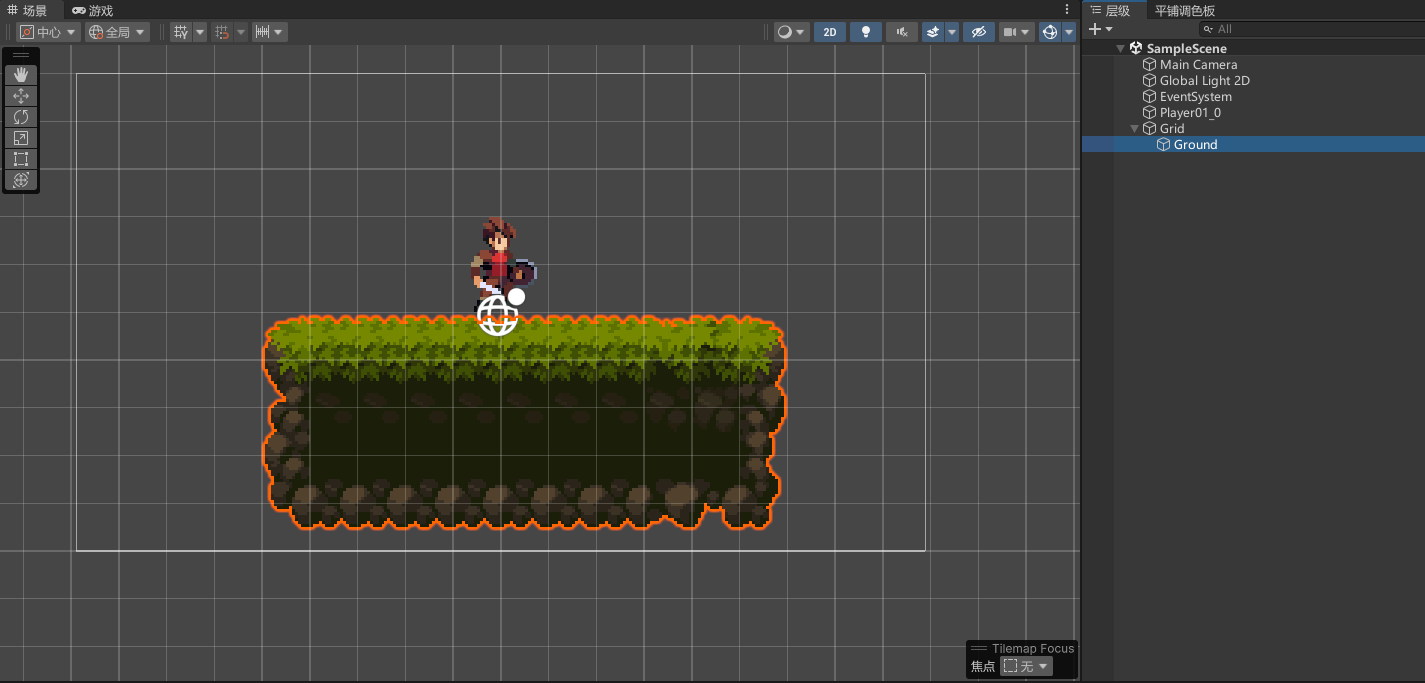
1.2.2 叠层
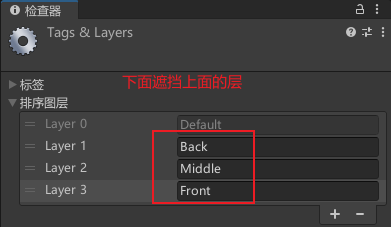
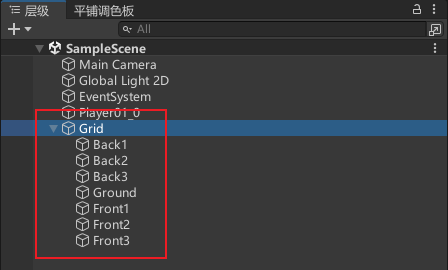
新增三个图层
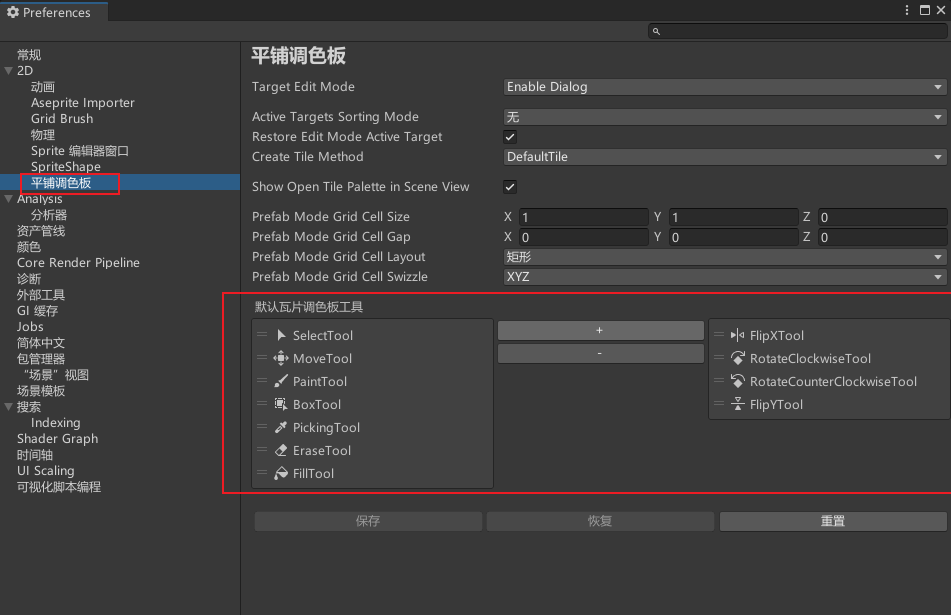
调色板可增加功能按钮
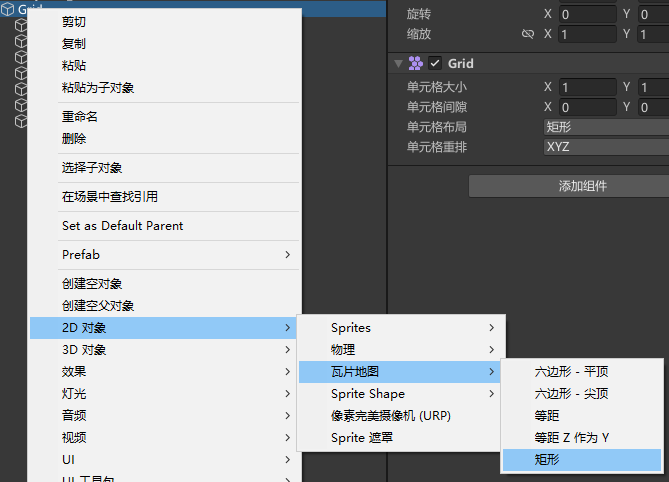
新建瓦片地图
依次设置排序图层
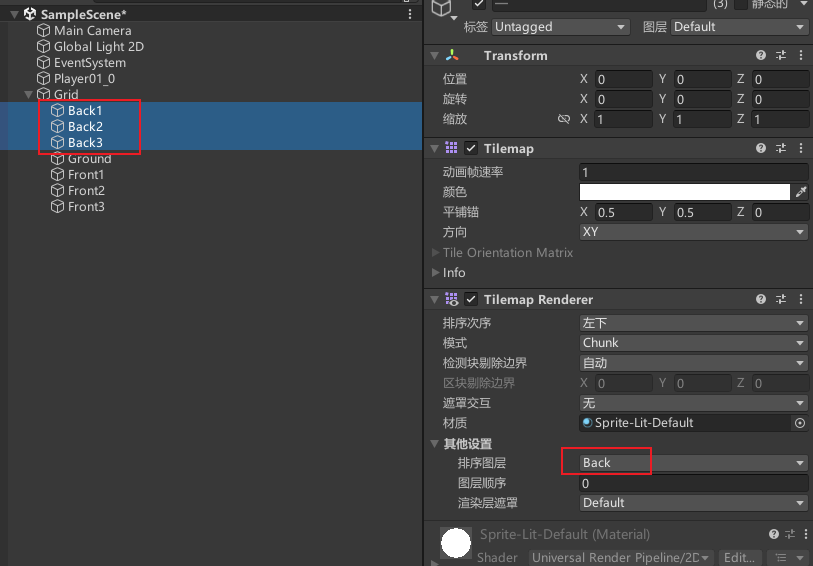
依次设置图层顺序
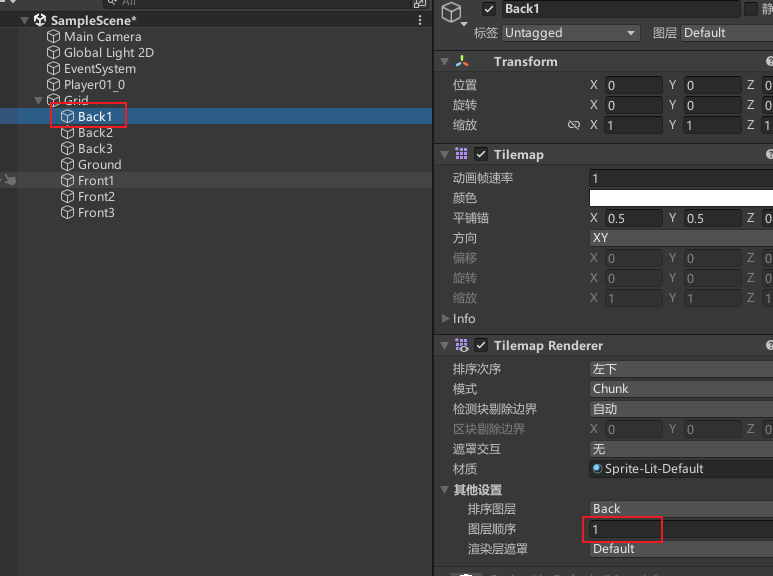
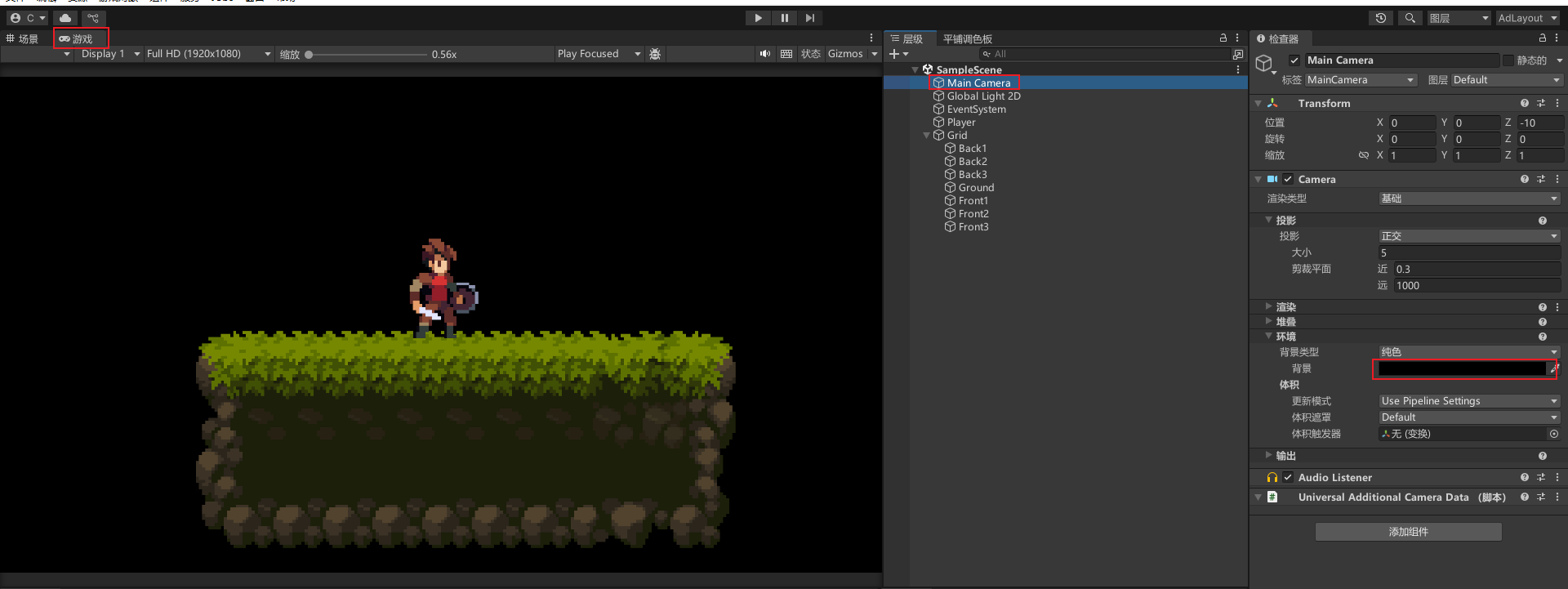
修改摄像机背景颜色
1.3 规律瓦片
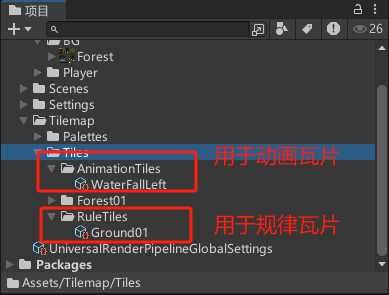
新建文件夹、动画瓦片、规律瓦片
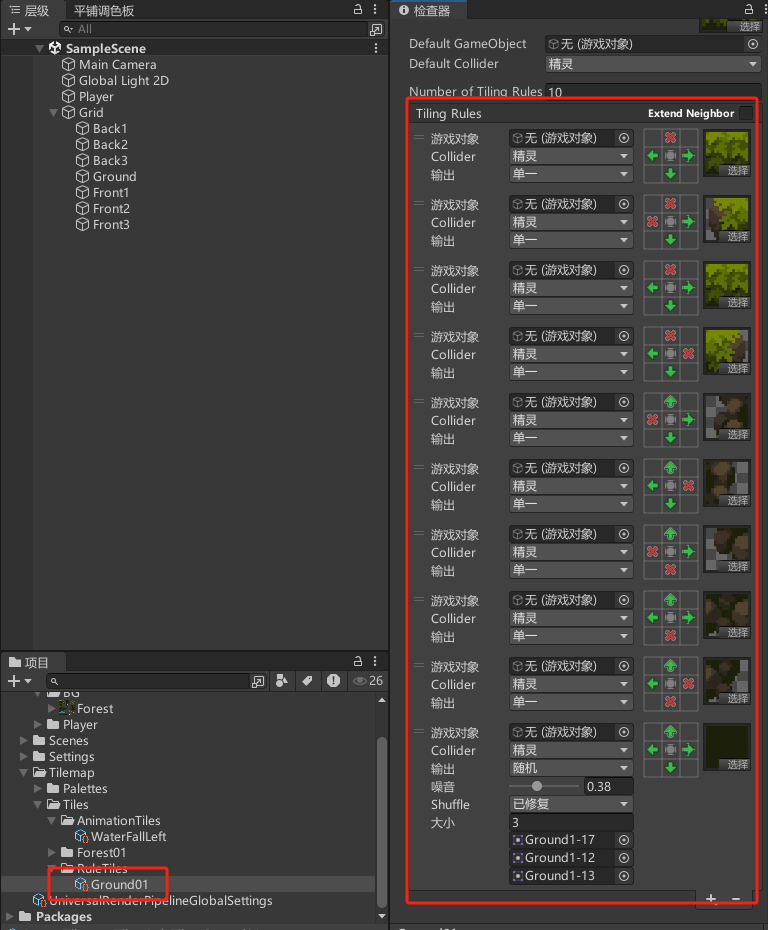
设置规律瓦片规则
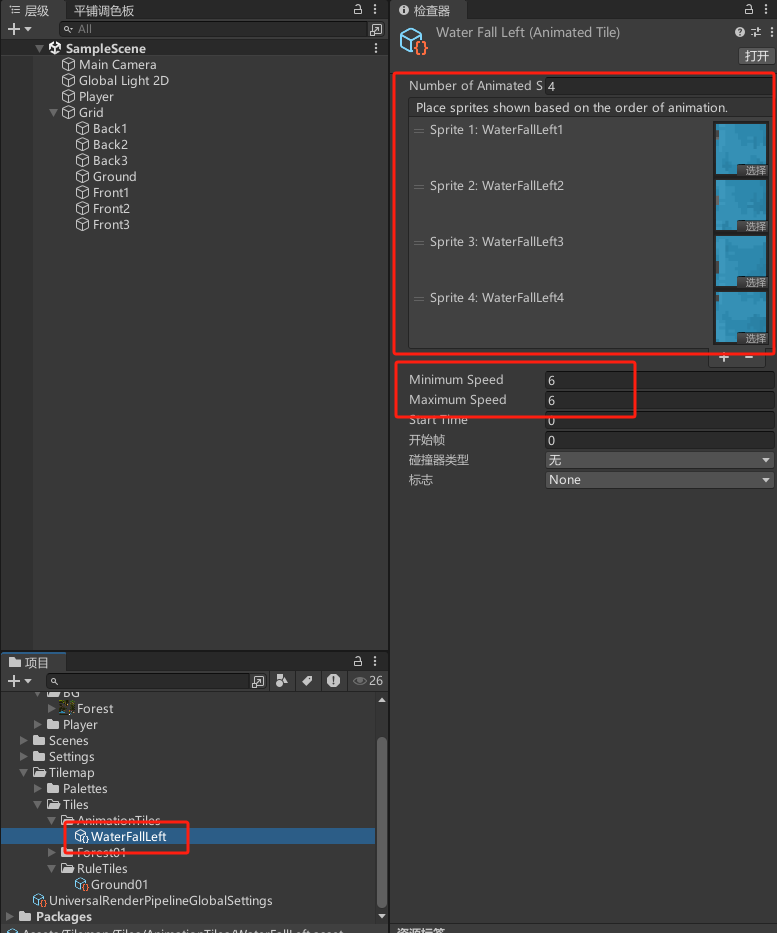
设置动画瓦片规则
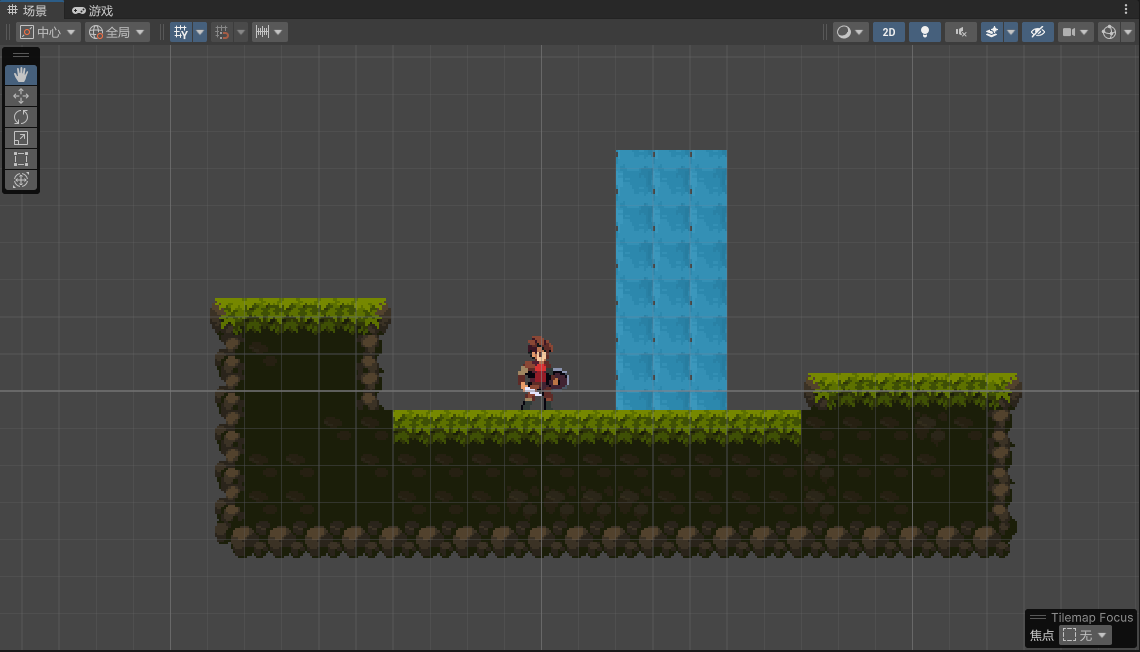
最终效果
2.玩家
2.1 碰撞体、物理组件
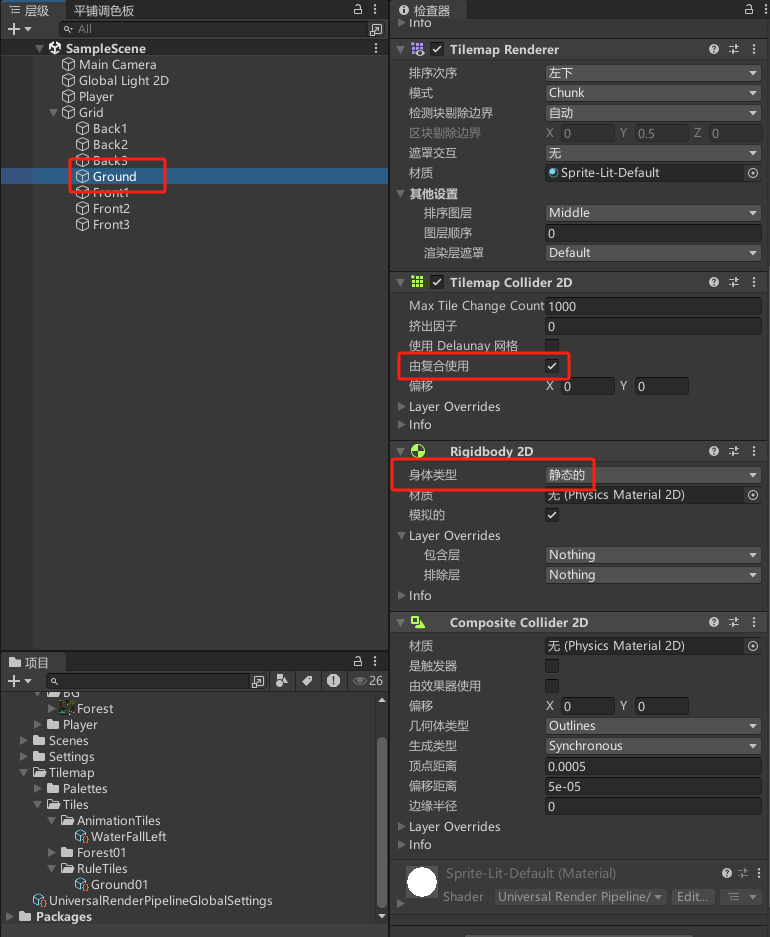
地面
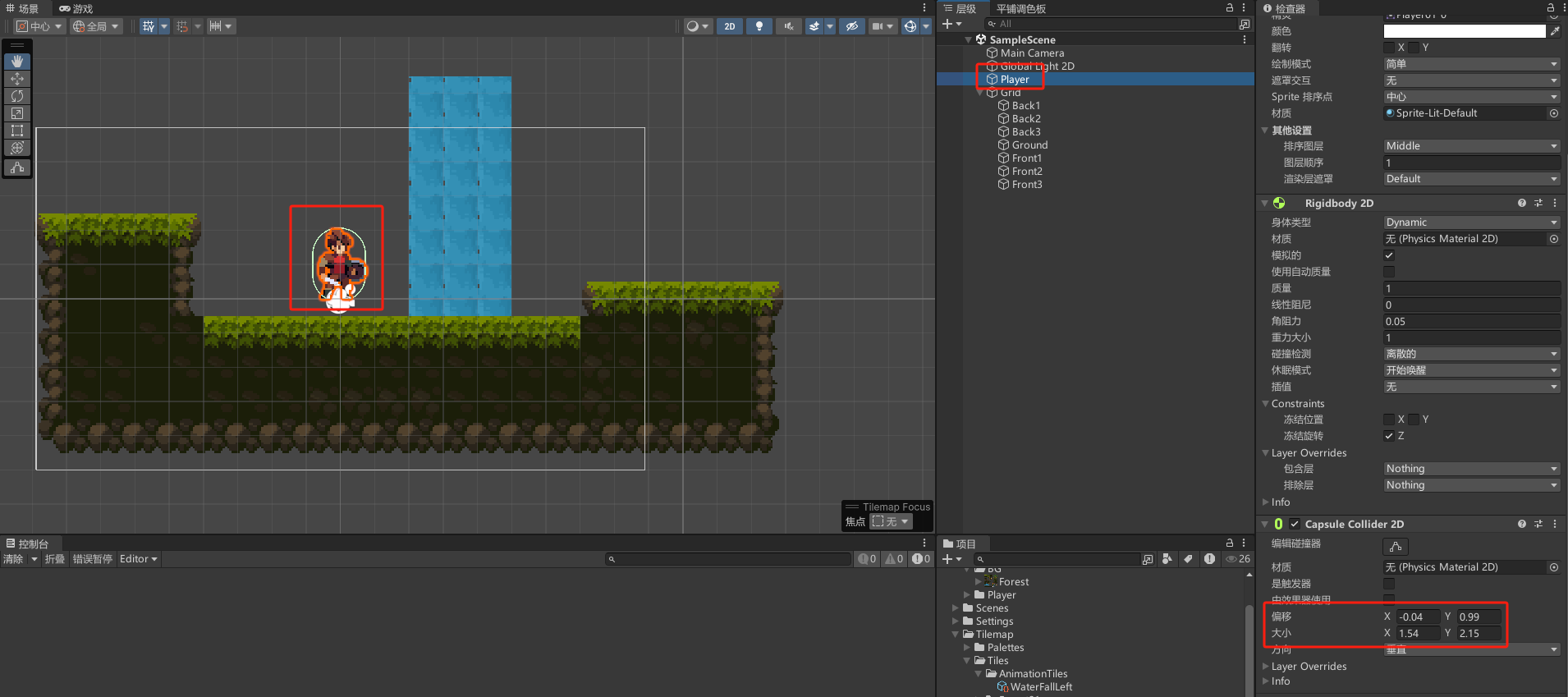
玩家
2.2 输入系统
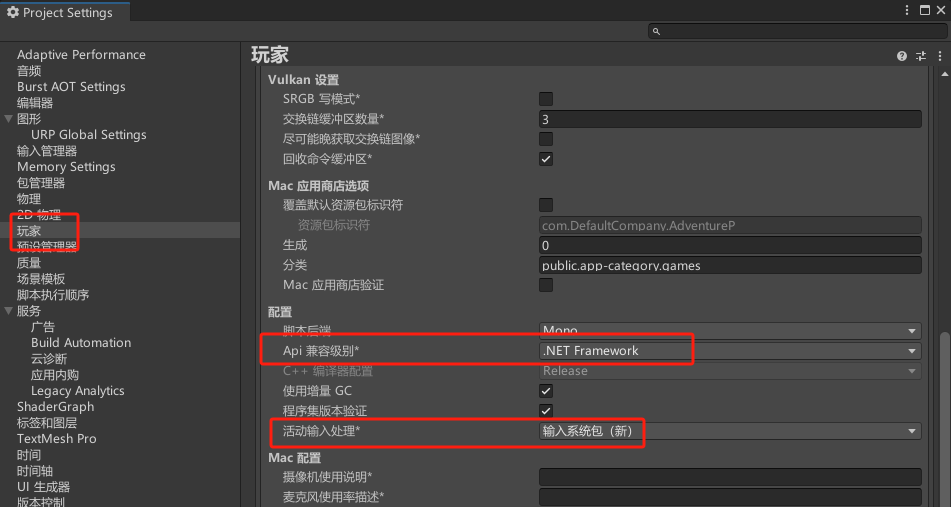
设置新的输入系统
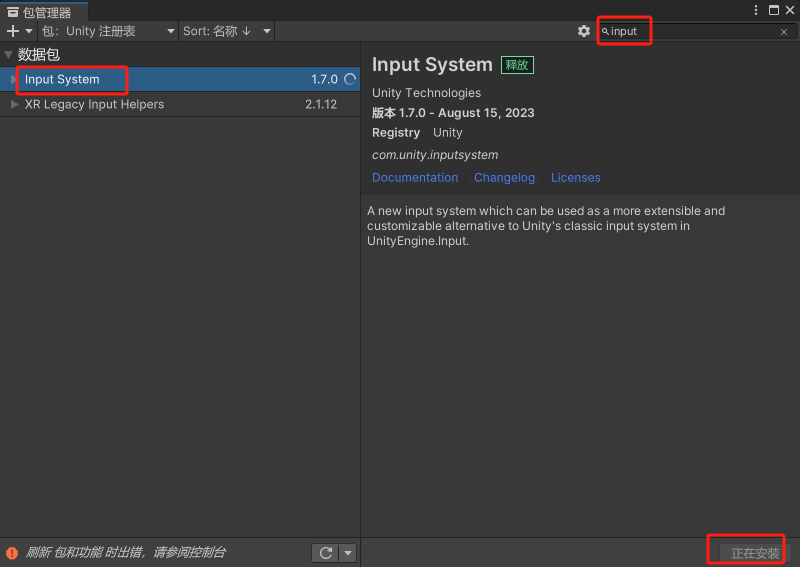
安装"Input System"包
创建输入系统脚本
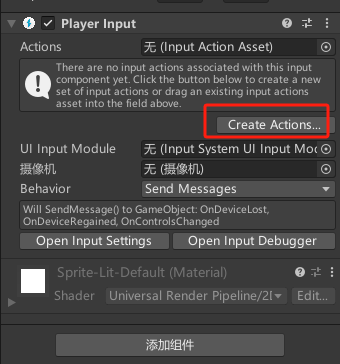
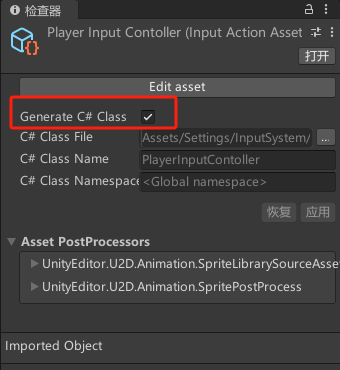
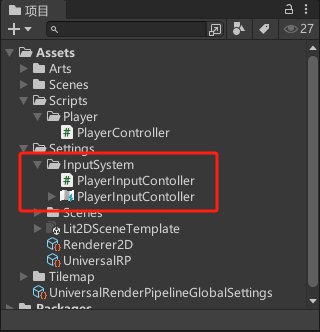
2.3 移动翻转
csharp
using System;
using System.Collections;
using System.Collections.Generic;
using UnityEngine;
using UnityEngine.InputSystem;

public class PlayerController : MonoBehaviour
{
    [Header("基础参数")]
    public Vector2 inputDirection;
    public float speed;
    public float jumpForce;

    public PlayerInputContoller inputController;
    private Rigidbody2D rb;
    private bool isGrounded;

    private void Awake()
    {
        inputController = new PlayerInputContoller();
        rb = GetComponent<Rigidbody2D>();
    }

    // Start is called before the first frame update
    void Start()
    {

    }

    // Update is called once per frame
    void Update()
    {
        inputDirection = inputController.Player.Move.ReadValue<Vector2>();
    }

    private void FixedUpdate()
    {
        Move();
    }

    private void OnEnable()
    {
        inputController.Enable();
    }

    private void OnDisable()
    {
        inputController.Disable();
    }

    void Move()
    {
        rb.velocity = new Vector2(inputDirection.x * speed * Time.deltaTime, rb.velocity.y);

        float faceDir = transform.localScale.x;
        if(inputDirection.x < 0) faceDir = -1;
        if(inputDirection.x > 0) faceDir = 1;
        transform.localScale = new Vector3(faceDir, 1, 1);
    }
}
2.4 跳跃
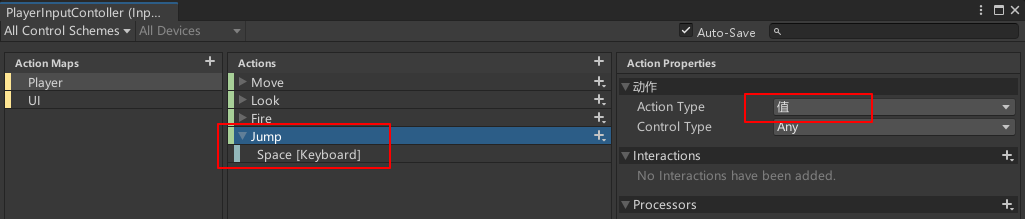
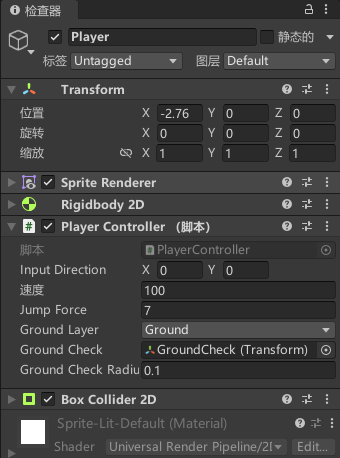
csharp
using System;
using System.Collections;
using System.Collections.Generic;
using UnityEngine;
using UnityEngine.InputSystem;

public class PlayerController : MonoBehaviour
{
    public Vector2 inputDirection;
    public float speed;
    public float jumpForce;
    public LayerMask groundLayer;
    public Transform groundCheck;
    public float groundCheckRadius = 0.2f;

    public PlayerInputContoller inputController;
    private Rigidbody2D rb;
    private bool isGrounded;

    private void Awake()
    {
        inputController = new PlayerInputContoller();
        rb = GetComponent<Rigidbody2D>();

        inputController.Player.Jump.started += Jump;
    }

    // Start is called before the first frame update
    void Start()
    {

    }

    // Update is called once per frame
    void Update()
    {
        inputDirection = inputController.Player.Move.ReadValue<Vector2>();
    }

    private void FixedUpdate()
    {
        Move();
        CheckGround();
    }

    private void OnEnable()
    {
        inputController.Enable();
    }

    private void OnDisable()
    {
        inputController.Disable();
    }

    void Move()
    {
        rb.velocity = new Vector2(inputDirection.x * speed * Time.deltaTime, rb.velocity.y);

        float faceDir = transform.localScale.x;
        if(inputDirection.x < 0) faceDir = -1;
        if(inputDirection.x > 0) faceDir = 1;
        transform.localScale = new Vector3(faceDir, 1, 1);
    }

    private void Jump(InputAction.CallbackContext context)
    {
        if (isGrounded)
        {
            Debug.Log("Jumping");
            rb.AddForce(Vector2.up * jumpForce, ForceMode2D.Impulse);
            isGrounded = false;
        }
        else {
            Debug.Log("Not Jumping, not grounded");
        }
    }

    private void CheckGround()
    {
        isGrounded = Physics2D.OverlapCircle(groundCheck.position, groundCheckRadius, groundLayer);
    }
}
2.5 闲置、移动动画
添加动画控制器、动画片段
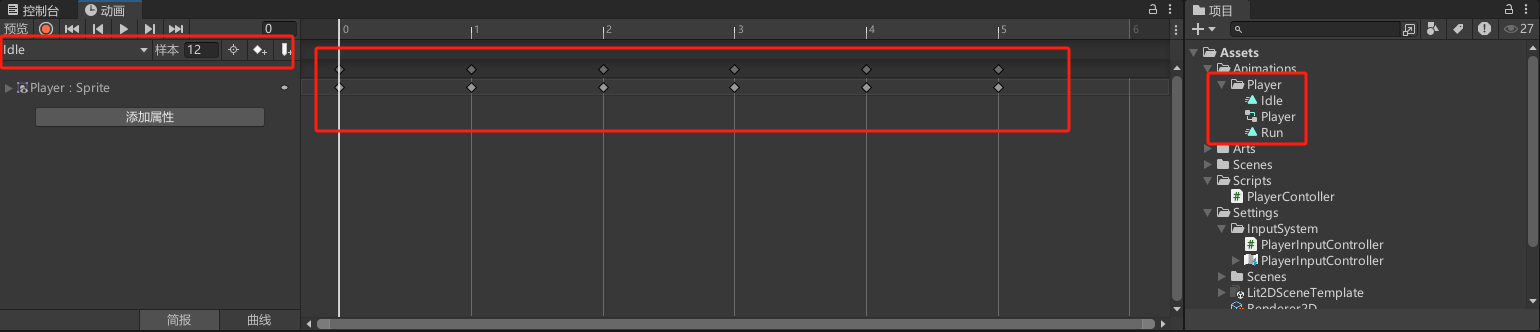
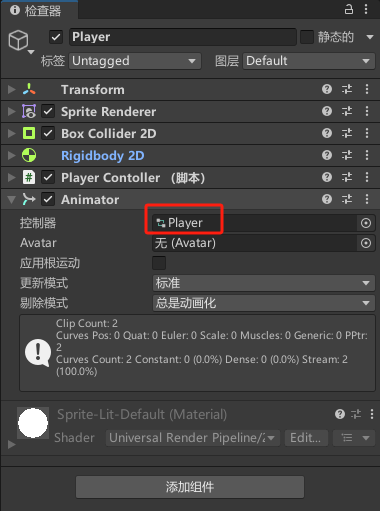
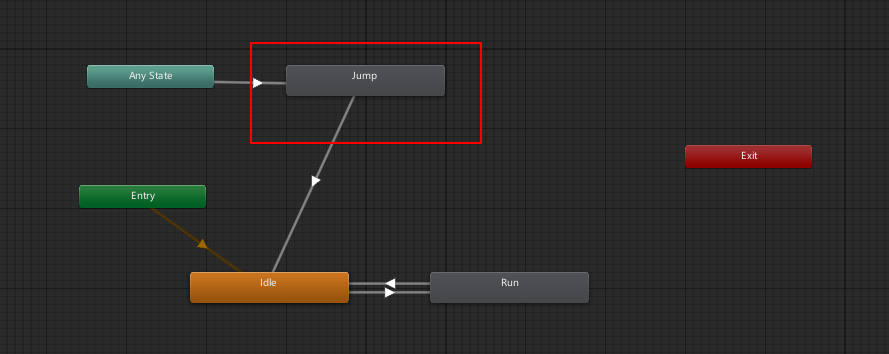
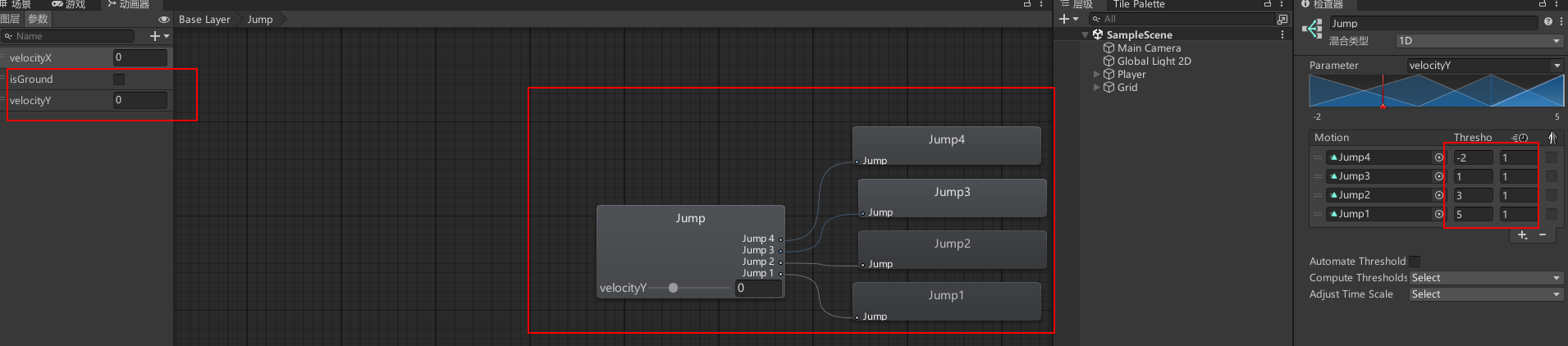
设置动画器
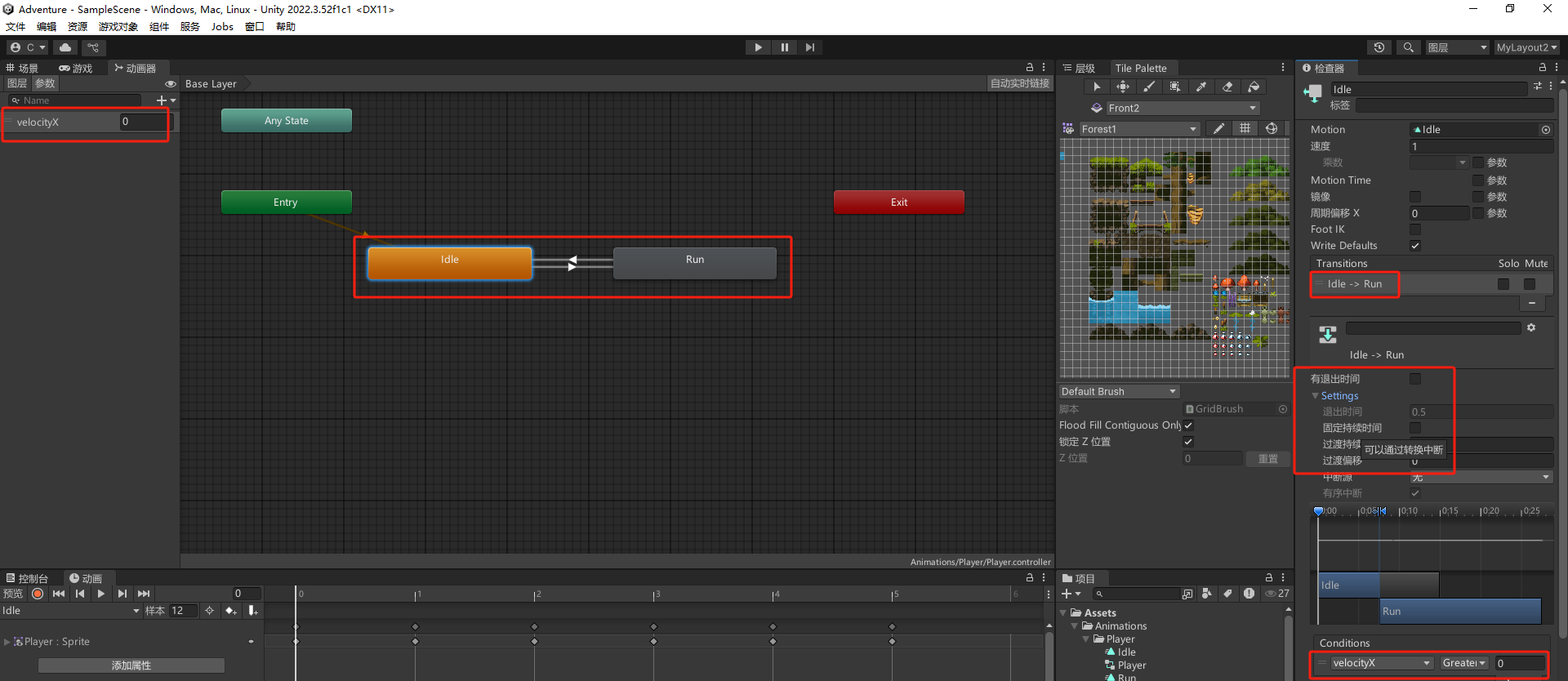
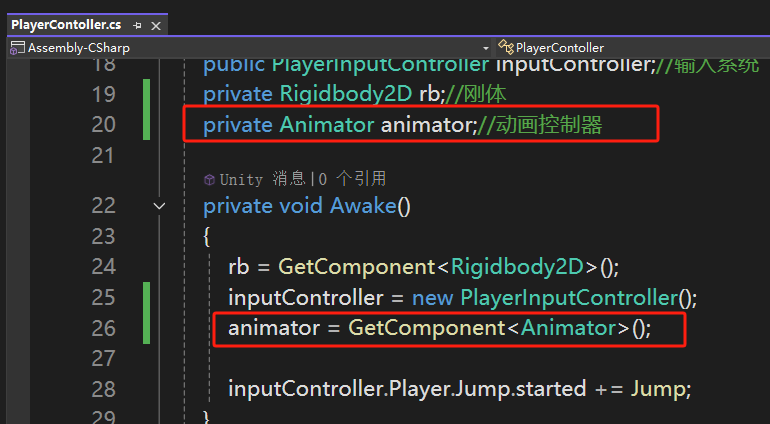
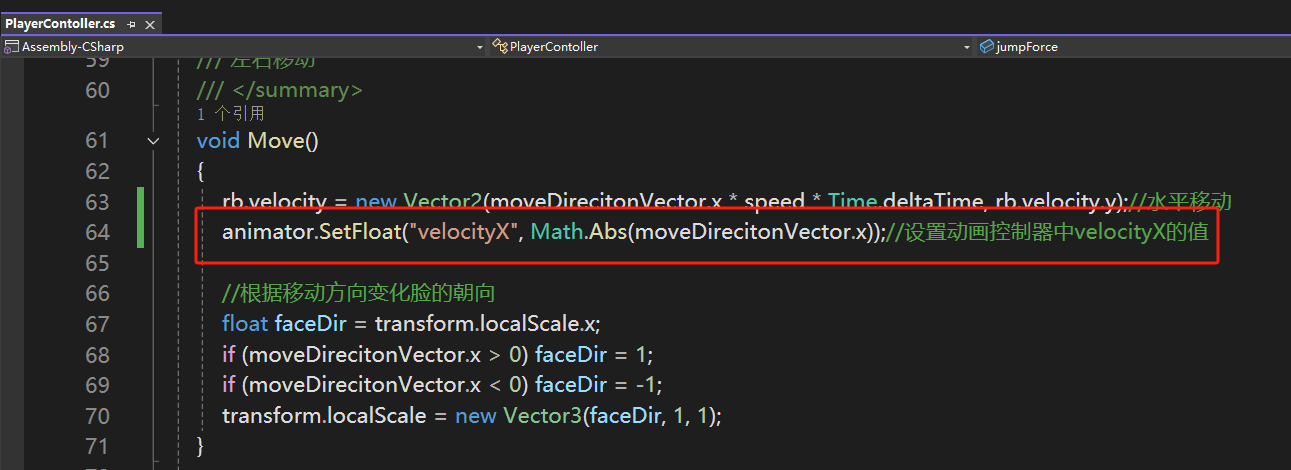
代码
2.6 跳跃动画

2.7 受伤
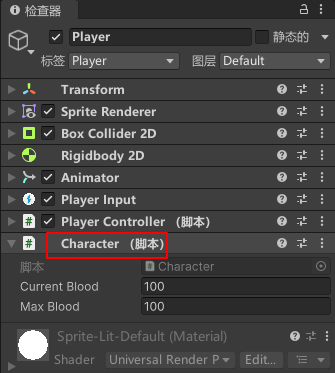
Player
Boar
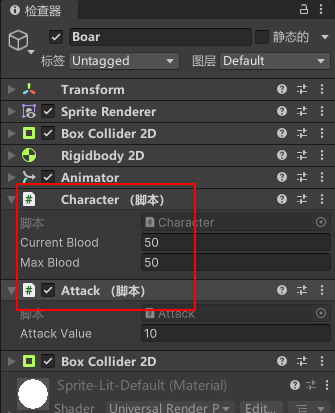
csharp
using System.Collections;
using System.Collections.Generic;
using UnityEngine;

/// <summary>
/// 角色基础属性管理类,处理生命值和伤害计算
/// </summary>
public class Character : MonoBehaviour
{
    // 当前生命值
    public float currentBlood;
    // 最大生命值
    public float maxBlood;

    /// <summary>
    /// 处理角色受到伤害的方法
    /// </summary>
    /// <param name="damage">受到的伤害值</param>
    public void TakeDamage(float damage)
    {
        // 减少当前生命值
        currentBlood -= damage;
        // 确保生命值不会低于0
        if (currentBlood < 0) currentBlood = 0;
    }
}
csharp
using System.Collections;
using System.Collections.Generic;
using UnityEngine;
using UnityEngine.TextCore.Text;

/// <summary>
/// 处理攻击行为和伤害判定的组件
/// </summary>
public class Attack : MonoBehaviour
{
    // 攻击伤害值
    public float attackValue;
    // 是否处于无敌状态
    private bool isInvincible;
    // 上次造成伤害的时间
    private float lastTime;
    // 无敌状态持续时间(单位:秒)
    private float invincibleDuration = 2f;

    private void Awake()
    {
        // 初始化上次攻击时间
        lastTime = Time.time;
    }

    // Update在每一帧被调用
    void Update()
    {
        // 检查是否需要解除无敌状态
        if (isInvincible && Time.time - lastTime >= invincibleDuration)
        {
            isInvincible = false;
        }
    }

    /// <summary>
    /// 当其他碰撞体持续停留在触发器内时调用
    /// </summary>
    /// <param name="collision">与之碰撞的碰撞体</param>
    private void OnTriggerStay2D(Collider2D collision)
    {
        // 如果碰撞对象不是玩家,直接返回
        if (!collision.CompareTag("Player")) return;

        // 只有在非无敌状态下才造成伤害
        if (!isInvincible)
        {
            // 获取被攻击对象的Character组件
            Character character = collision.GetComponent<Character>();
            // 对目标造成伤害
            character.TakeDamage(attackValue);
            // 进入无敌状态
            isInvincible = true;
            // 记录当前时间点
            lastTime = Time.time;
        }
    }
}
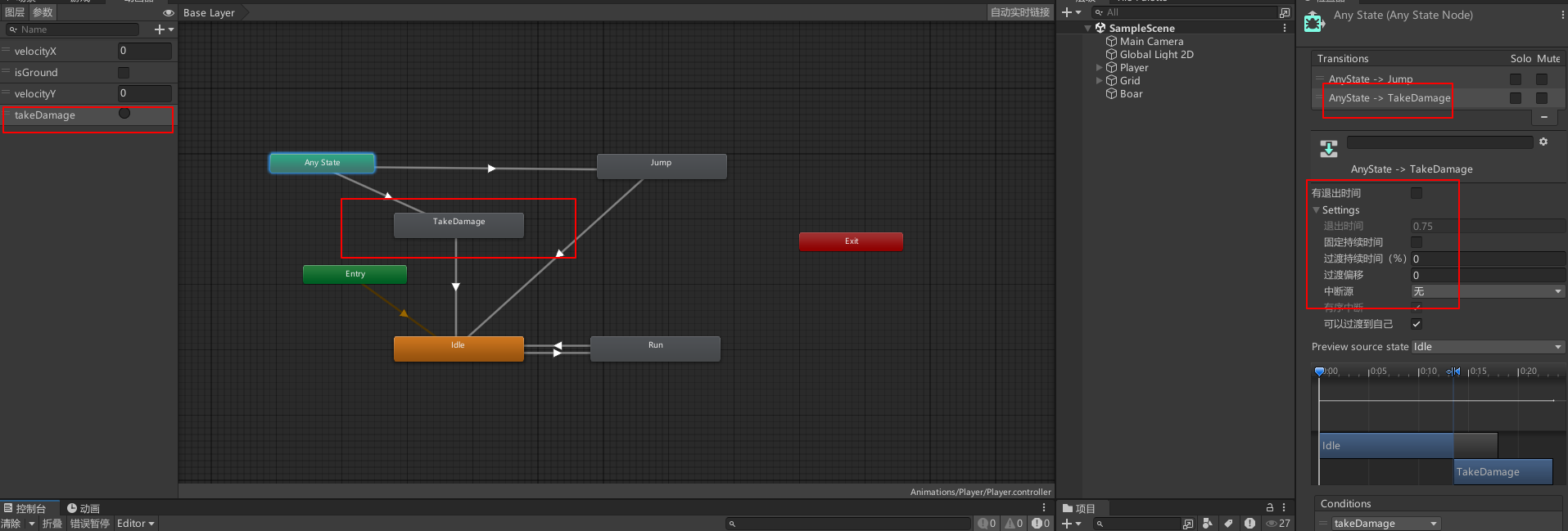
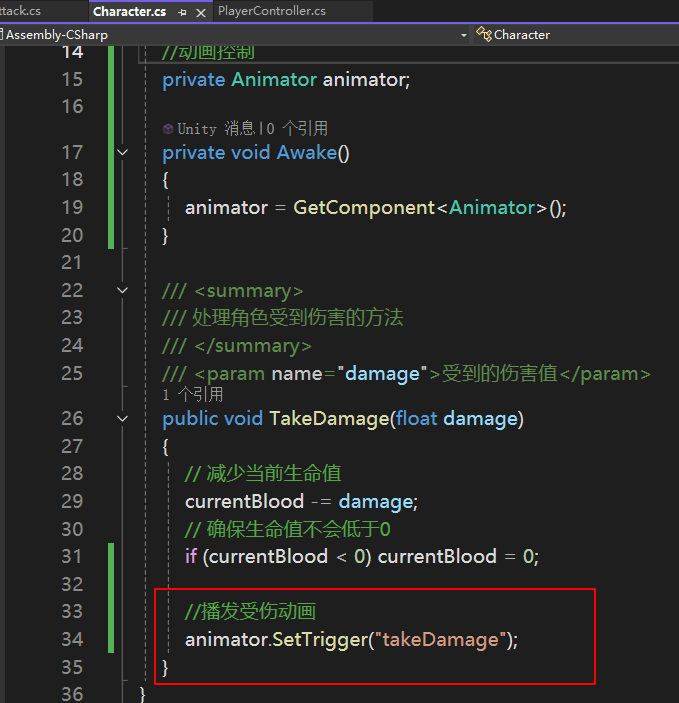
受伤动画
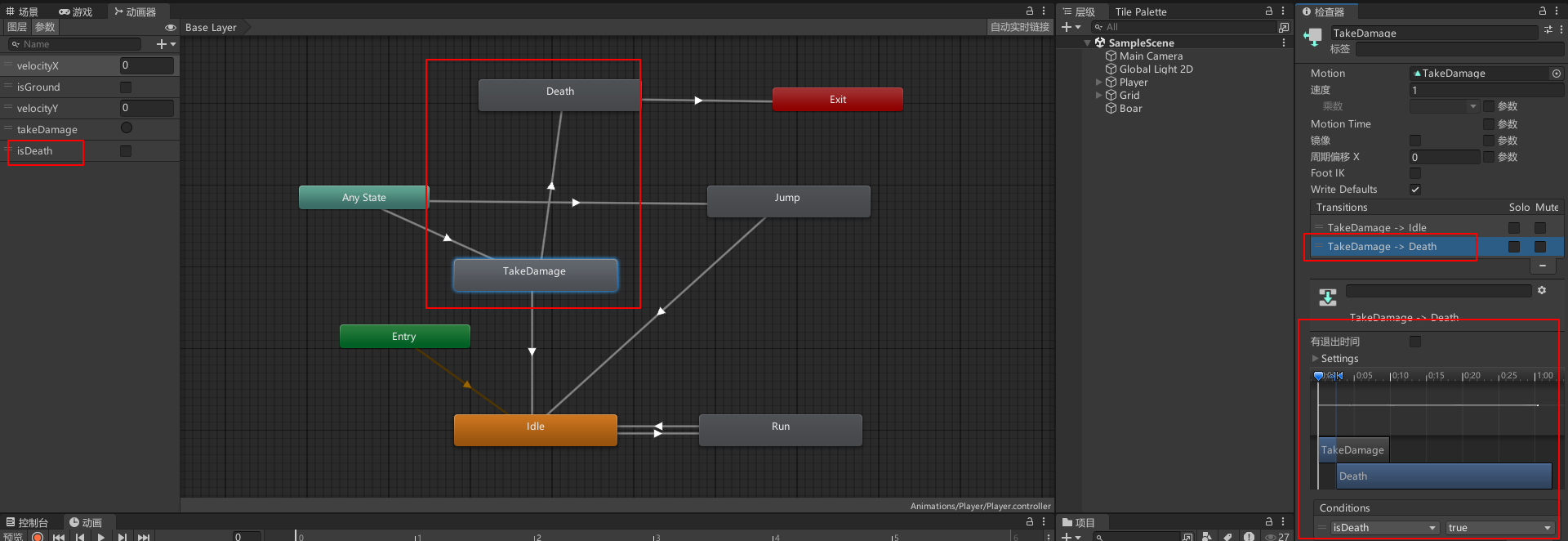
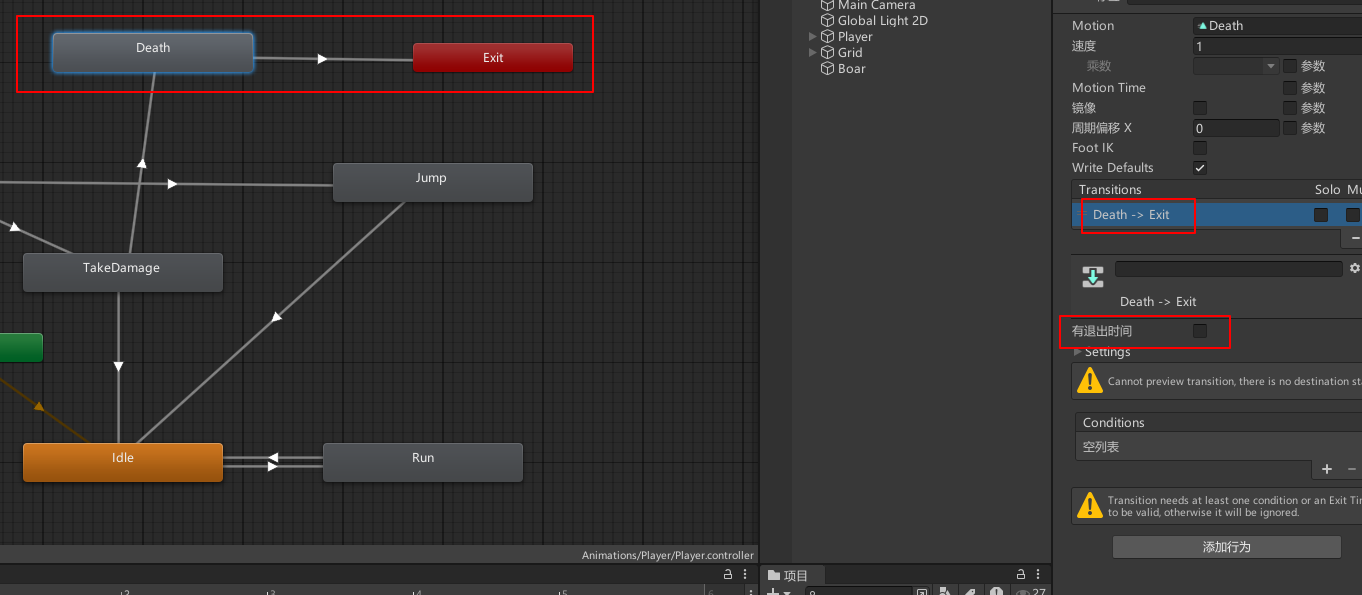
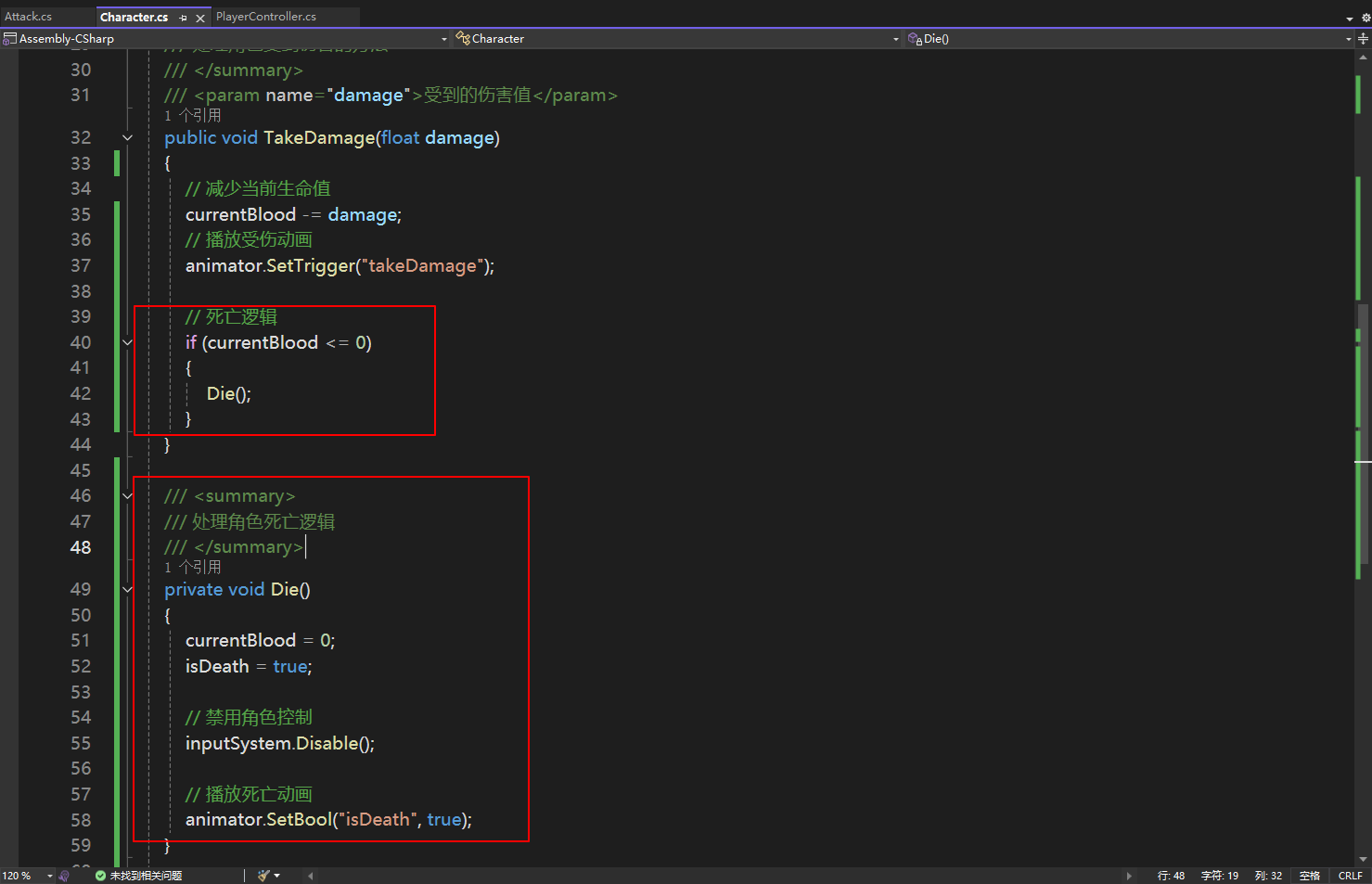
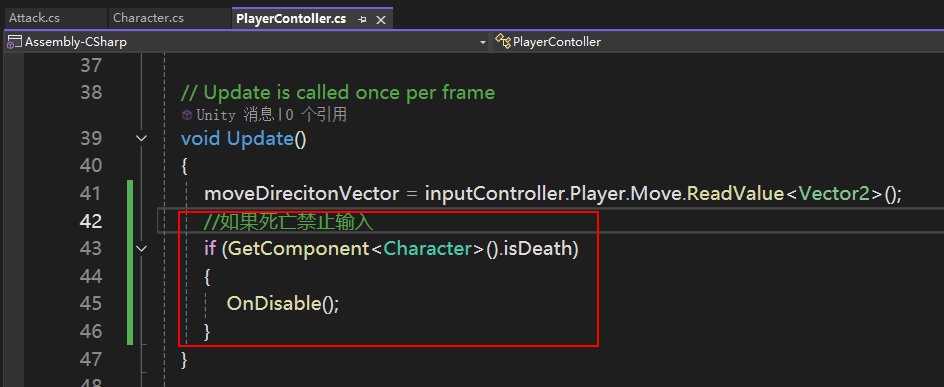
2.8 死亡