策略模式其实一点都不高深,说白了就是:把"会变的做法"单独拎出来,需要的时候换一个用。
很多人一开始都会用 if / switch 来判断该执行哪种逻辑,但随着需求一多,代码就会变得又长又乱。策略模式要解决的正是这个问题------它不关心你"怎么实现",只关心你"现在用哪一种策略"。当同一个行为有多种实现,并且还可能不断增加时,用策略模式可以让代码更清晰,也更容易扩展。
1.定义策略接口
cs
using System.Collections;
using System.Collections.Generic;
using UnityEngine;

public interface IMoveStrategy
{
    void Move();
}
2.具体的策略实现
cs
using System.Collections;
using System.Collections.Generic;
using UnityEngine;

public class WalkStrategy : IMoveStrategy
{
    public void Move()
    {
        Debug.Log("走路上班");
    }
}

public class BikeStrategy : IMoveStrategy
{
    public void Move()
    {
        Debug.Log("骑车上班");
    }
}

public class CarStrategy : IMoveStrategy
{
    public void Move()
    {
        Debug.Log("开车上班");
    }
}
3.使用
这里定义了一个枚举类型用来模拟不同的天气,用一个字典存储了不同枚举类型对应的策略方法,当后期如果要增加新的额策略的时候只需要向字典中添加策略即可,或者之后修改天气和对应的策略的时候只需要修改字典中对应的方法即可。
cs
using System.Collections.Generic;
using UnityEngine;
//枚举的天气类型
public enum WeatherType
{
    Sunny,
    Rainy,
    Snowy
}

public class Player : MonoBehaviour
{
    public WeatherType weather;

    private IMoveStrategy moveStrategy;

    // 策略字典
    private Dictionary<WeatherType, IMoveStrategy> strategyMap;

    private void Awake()
    {
        InitStrategies();
    }

    private void Start()
    {
        SetStrategyByWeather(weather);
        GoToWork();
    }

    // 初始化策略字典
    void InitStrategies()
    {
        strategyMap = new Dictionary<WeatherType, IMoveStrategy>()
        {
            { WeatherType.Sunny, new WalkStrategy() },
            { WeatherType.Rainy, new CarStrategy() },
            { WeatherType.Snowy, new BikeStrategy() }
        };
    }

    // 设置策略
    public void SetStrategyByWeather(WeatherType weatherType)
    {
        if (strategyMap.TryGetValue(weatherType, out IMoveStrategy strategy))
        {
            moveStrategy = strategy;
        }
        else
        {
            Debug.LogError("没有配置该天气对应的策略:" + weatherType);
        }
    }

    // 执行上班方法
    public void GoToWork()
    {
        moveStrategy?.Move();
    }
}
4.运行
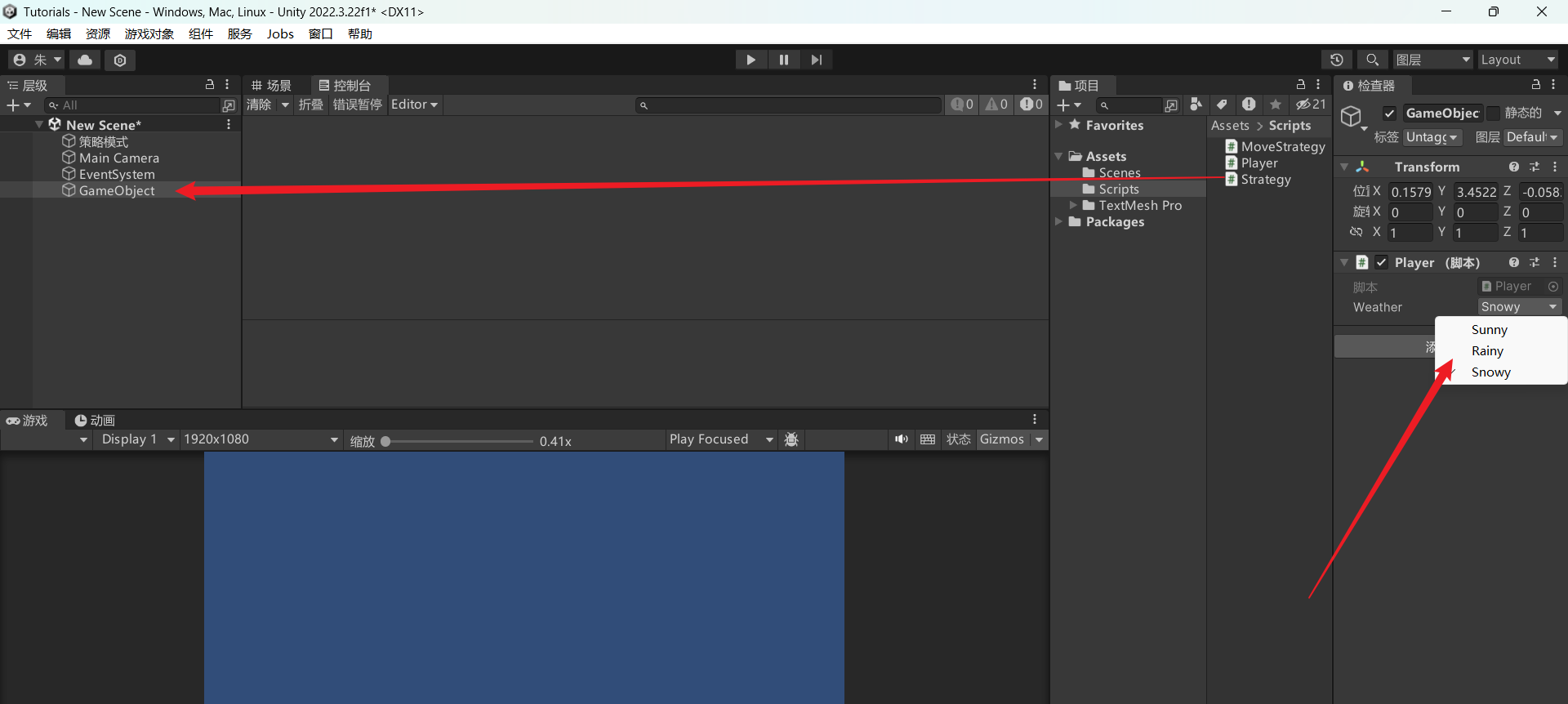
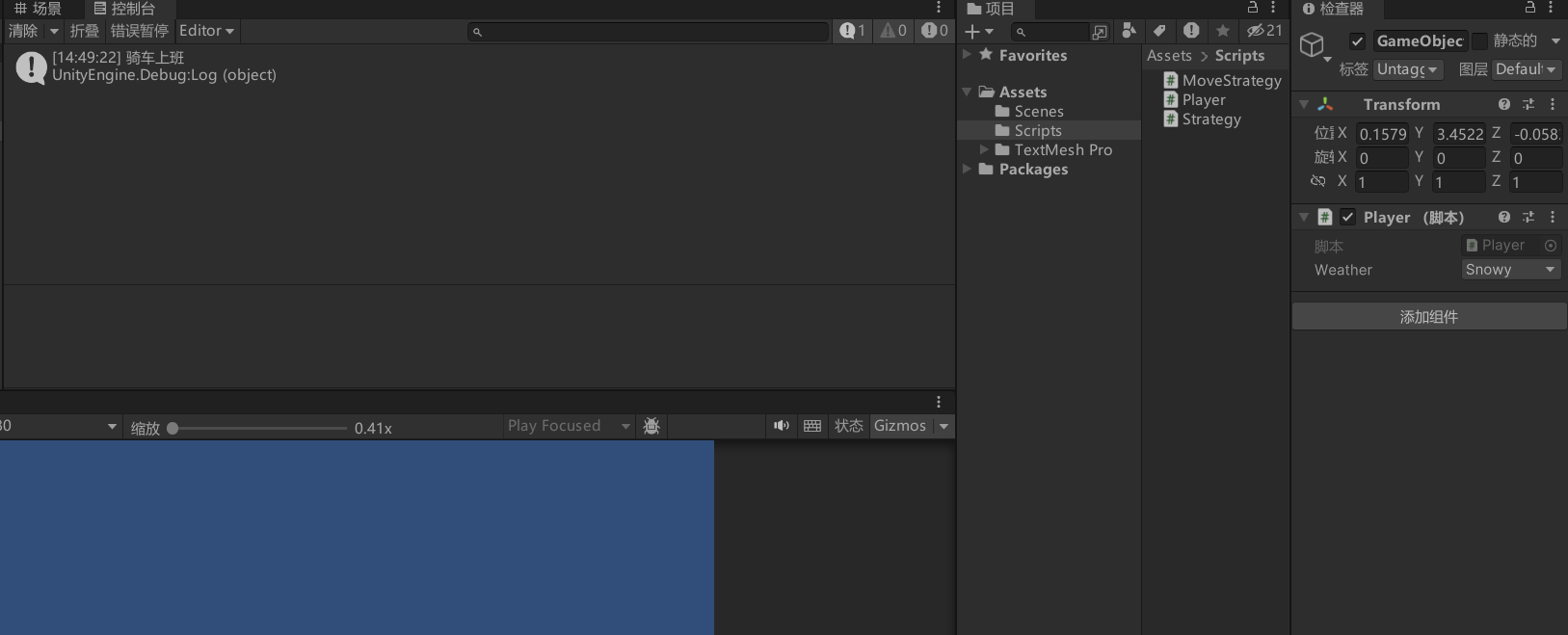
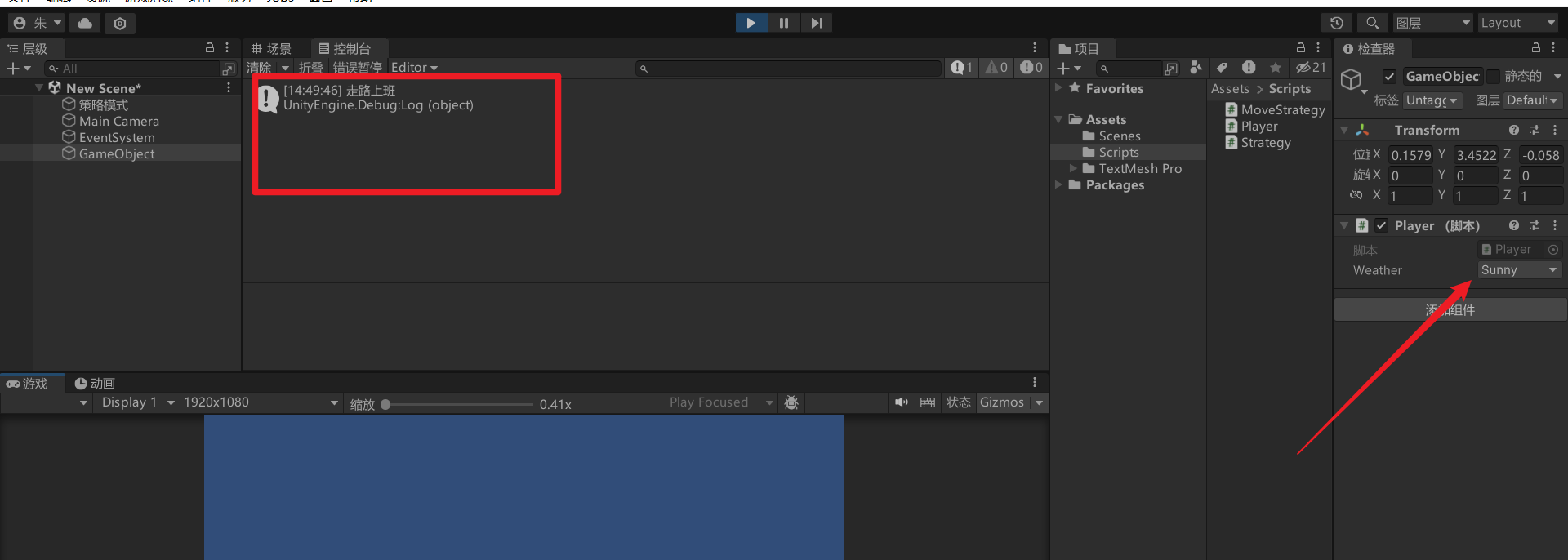
将Player脚本加到场景中的一个空对象上并选择天气然后运行游戏就会发现天气不同打印出来的策略也不同。
5.总结
到这里你会发现,策略模式其实一点都不"设计模式"。
它既不复杂,也不神秘,本质就是:
-
不要用一堆 if 去判断"该干啥"
-
而是直接把"干啥"封装好
-
用的时候,换一个就行
说人话就是:
"我不关心你怎么实现,我只要你现在能干这件事。"
如果你在项目里遇到这些情况:
-
同一个行为有多种实现
-
后期还可能不断新增
-
if / switch 越写越多
那基本可以确定一句话:
👉 你该用策略模式了。