在游戏开发中,技能系统几乎是绕不开的核心模块 。
一开始我们可能只关心技能能不能放出来,但随着功能增加,问题也会接踵而至:
冷却时间、耗蓝、公共CD、网络校验、AI复用......
如果把这些逻辑全部堆在技能本体或者玩家脚本里,代码很快就会变得又长又乱,后期几乎无法维护。
本篇文章将通过一个简单但非常实用的 Unity 示例,演示如何使用**代理模式(Proxy Pattern)**来解耦技能本体与技能规则,让玩家只关心"释放技能",而不必关心技能背后复杂的限制逻辑。
1.技能接口定义
cs
using System.Collections;
using System.Collections.Generic;
using UnityEngine;

public interface ISkill
{
    void Cast();
}
2.具体的技能
cs
using System.Collections;
using System.Collections.Generic;
using UnityEngine;

// 火球技能
public class FireBallSkill : ISkill
{
    public void Cast()
    {
        Debug.Log("释放火球术!");
    }
}

// 分身术技能
public class CloneSkill : ISkill
{
    public void Cast()
    {
        Debug.Log("释放分身术!");
    }
}

// 治疗技能
public class HealSkill : ISkill
{
    public void Cast()
    {
        Debug.Log("释放治疗术!");
    }
}
3.技能释放代理
玩家只需要调用代理中提供的Cast()方法,其他的玩家都不用关心。
cs
using System.Collections;
using System.Collections.Generic;
using UnityEngine;

public class SkillCooldownProxy : ISkill
{
    private ISkill realSkill;

    private float cooldownTime = 3f;   // 冷却时长
    private float lastCastTime = -999f;//防止刚进入游戏无法释放技能

    public SkillCooldownProxy(ISkill skill)
    {
        realSkill = skill;
    }

    public void Cast()
    {
        if (Time.time - lastCastTime < cooldownTime)
        {
            Debug.Log("技能冷却中...");
            return;
        }

        lastCastTime = Time.time;

        realSkill.Cast();

        Debug.Log("技能释放");
    }
}
4.玩家调用
玩家只知道要释放技能,释放技能的冷却或者耗蓝这些他都不用关心,比如后面要制作AI或者敌人的时候就可以直接将代理进行组合排列。
cs
using System.Collections;
using System.Collections.Generic;
using UnityEngine;

public class PlayerInput : MonoBehaviour
{
    private ISkill fireBall;
    private ISkill FenshenShu;

    void Start()
    {
        // 注意这里:玩家拿到的是"代理"
        fireBall = new SkillCooldownProxy(new FireBallSkill());
        FenshenShu = new SkillCooldownProxy(new CloneSkill());
    }

    void Update()
    {
        if (Input.GetKeyDown(KeyCode.Q))
        {
            fireBall.Cast();
        }
        if (Input.GetKeyDown(KeyCode.E))
        {
            FenshenShu.Cast();
        }
    }
}
5.运行结果
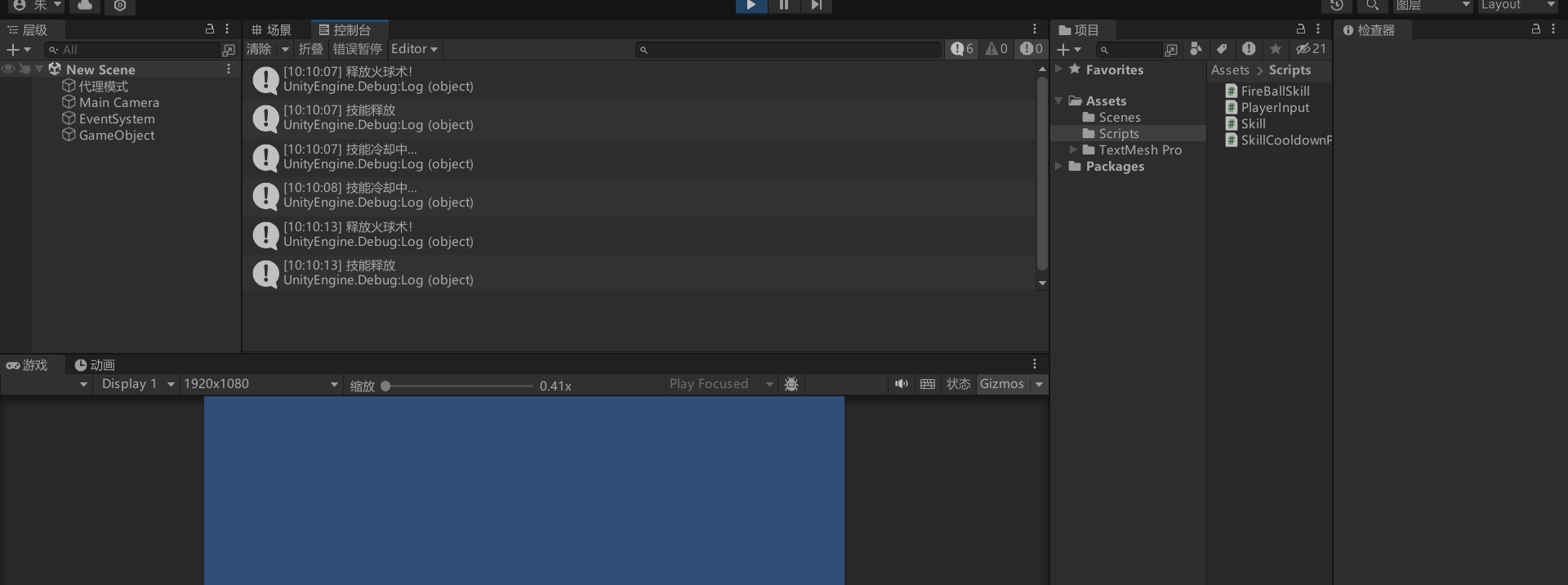
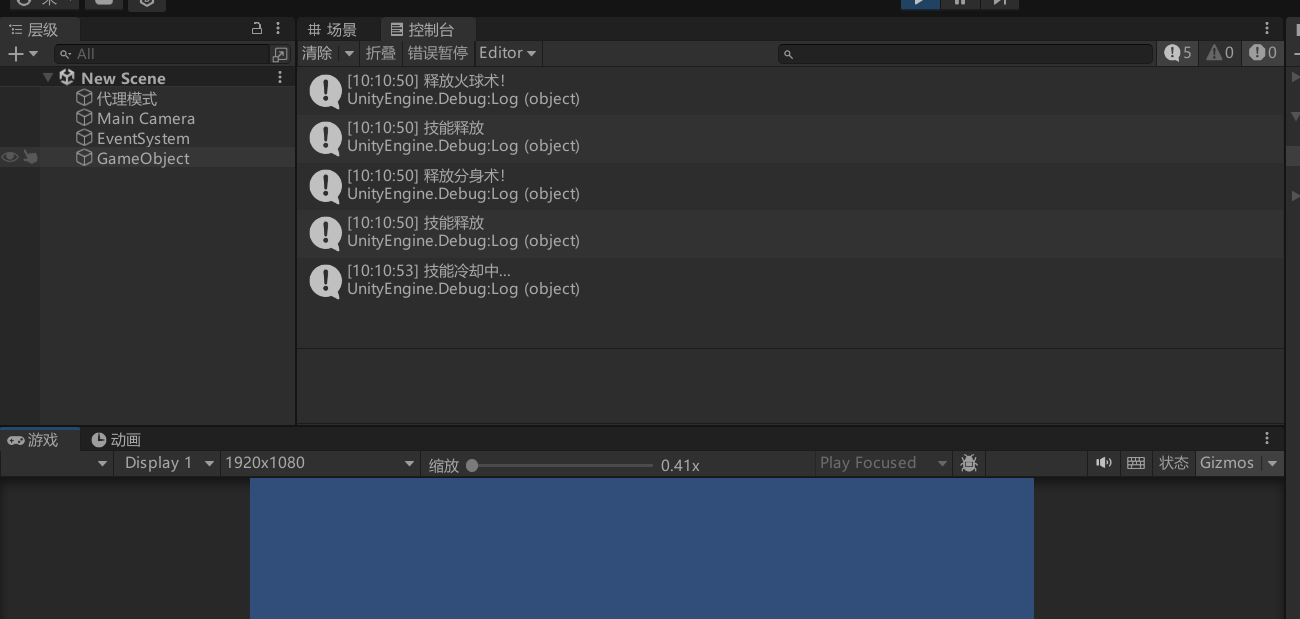
将PlayerInput加到场景中的一个空对象上,然后运行游戏按下Q键,发现成功打印了火球释放,连续按下会提示技能正在冷却。
6.总结
技能本体只负责"技能做什么",
代理类负责"技能能不能做"。
当后期需求增加时,比如:
-
技能耗蓝
-
公共 CD
-
网络校验
-
AI 自动释放限制
我们只需要新增对应的代理,而无需修改原有技能代码,甚至可以像搭积木一样对代理进行组合。