Windows 下 Z-Image-Turbo 专业版 Gradio 生成器实战:功能增强全记录
发布时间:2025年12月28日
基础功能版:
经过一段时间的反复调试和优化,我终于在 Windows 11 + RTX 3090 环境下打造出了一个功能完整、稳定高效、界面美观的 Z-Image-Turbo 专业生成器。
这不仅仅是一个简单的推理脚本,而是一个本地 AI 画图工作室,拥有以下强大功能:
- 本地编译 Flash Attention 2.8.3 加速(7 秒出图)
Windows 下成功编译 Flash Attention 2.8.3 (flash-attn /flash_attn)个人复盘记录
Windows 11 下 Z-Image-Turbo 完整部署与 Flash Attention 2.8.3 本地编译复盘
Flash Attention 2.6.3 在 Windows 上编译成功复盘笔记
- 批量生成队列
- Real-ESRGAN 4x 超分放大
- 自动序号文件名(永不覆盖)
- 生成历史画廊(最新 50 张)
- 尺寸自动校正(16 倍数)
- 一键示例 + 公共分享链接
下面分享完整界面、功能演示和使用心得。
界面概览
主界面(单图生成页):
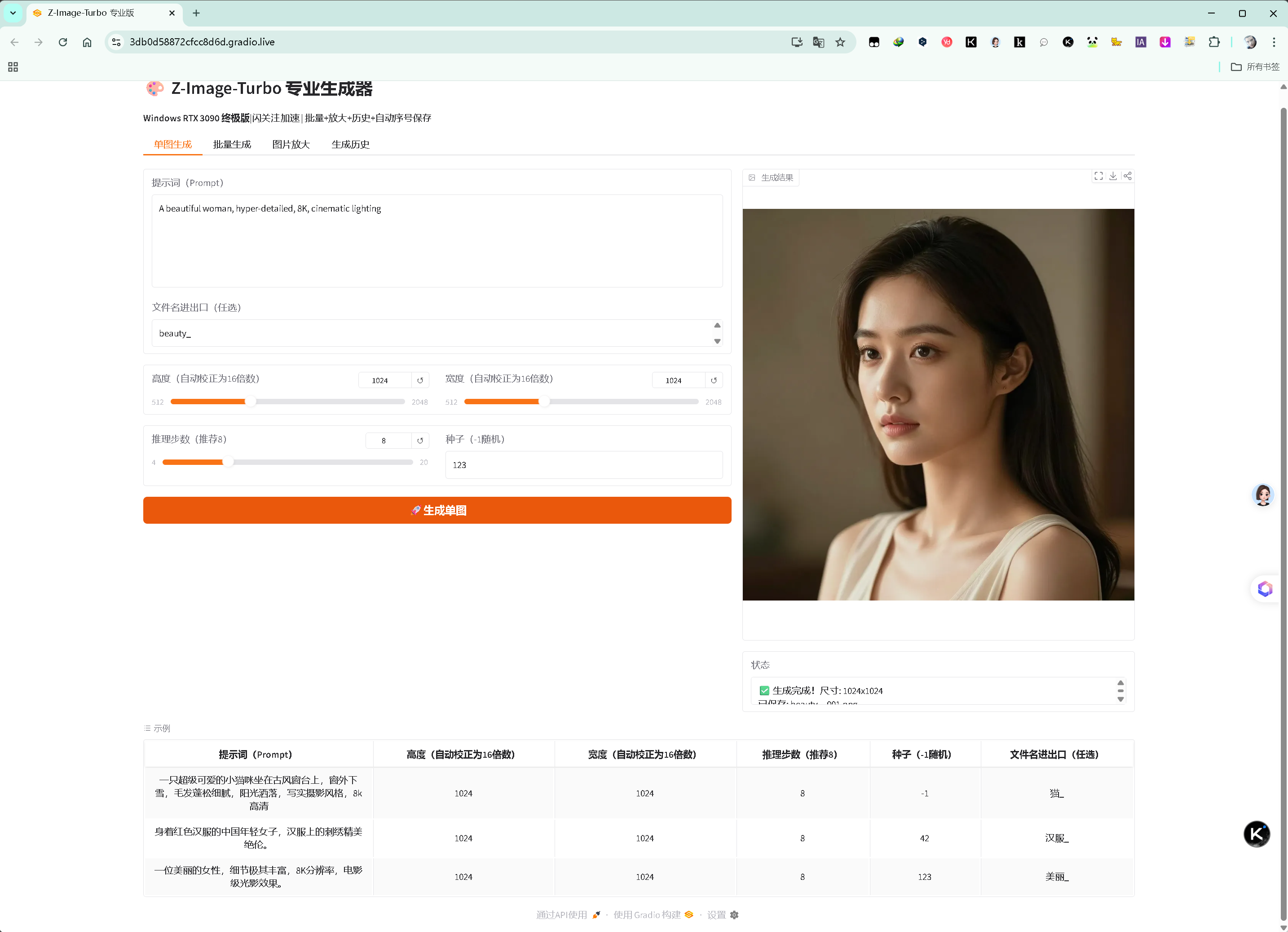 单图生成页:可用示例尝试
批量生成页(支持多行提示词,一次生成多张):
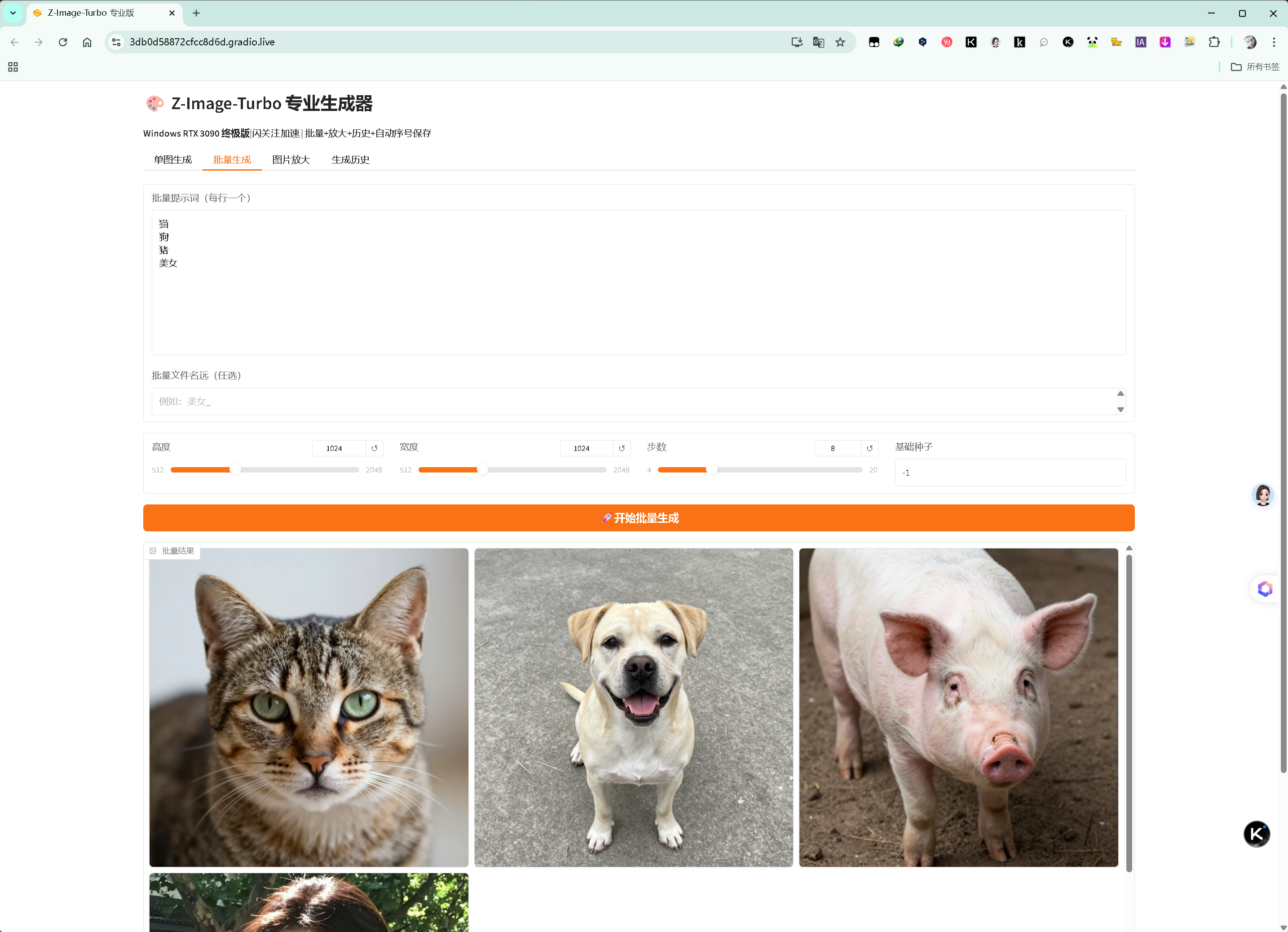 批量生成页(支持多行提示词,一次生成多张)
图片放大页(4x Real-ESRGAN 超分,GPU 加速):
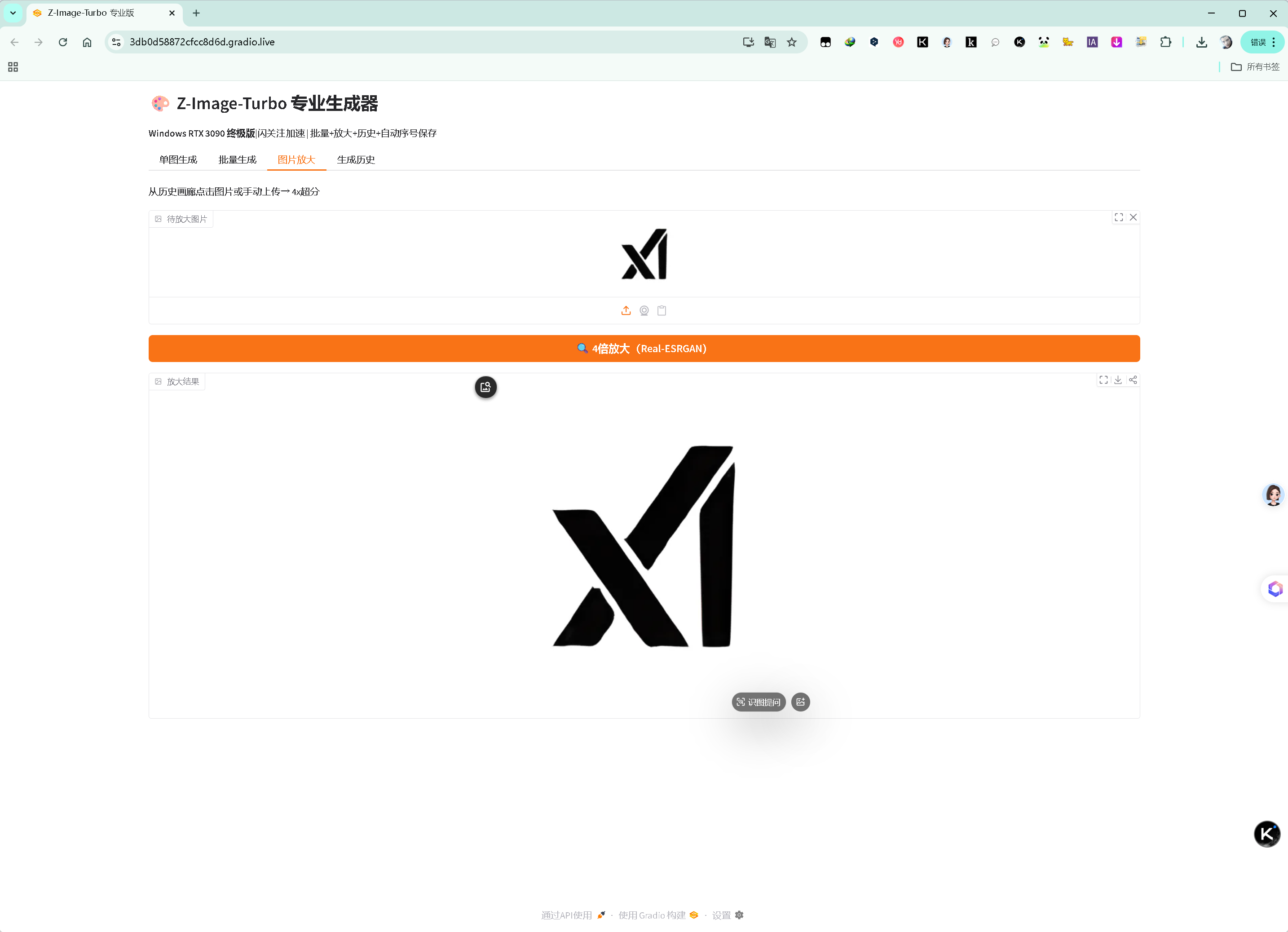 图片放大页(4x Real-ESRGAN 超分,GPU 加速)
生成历史页(最近 50 张记录,支持点击上传放大):
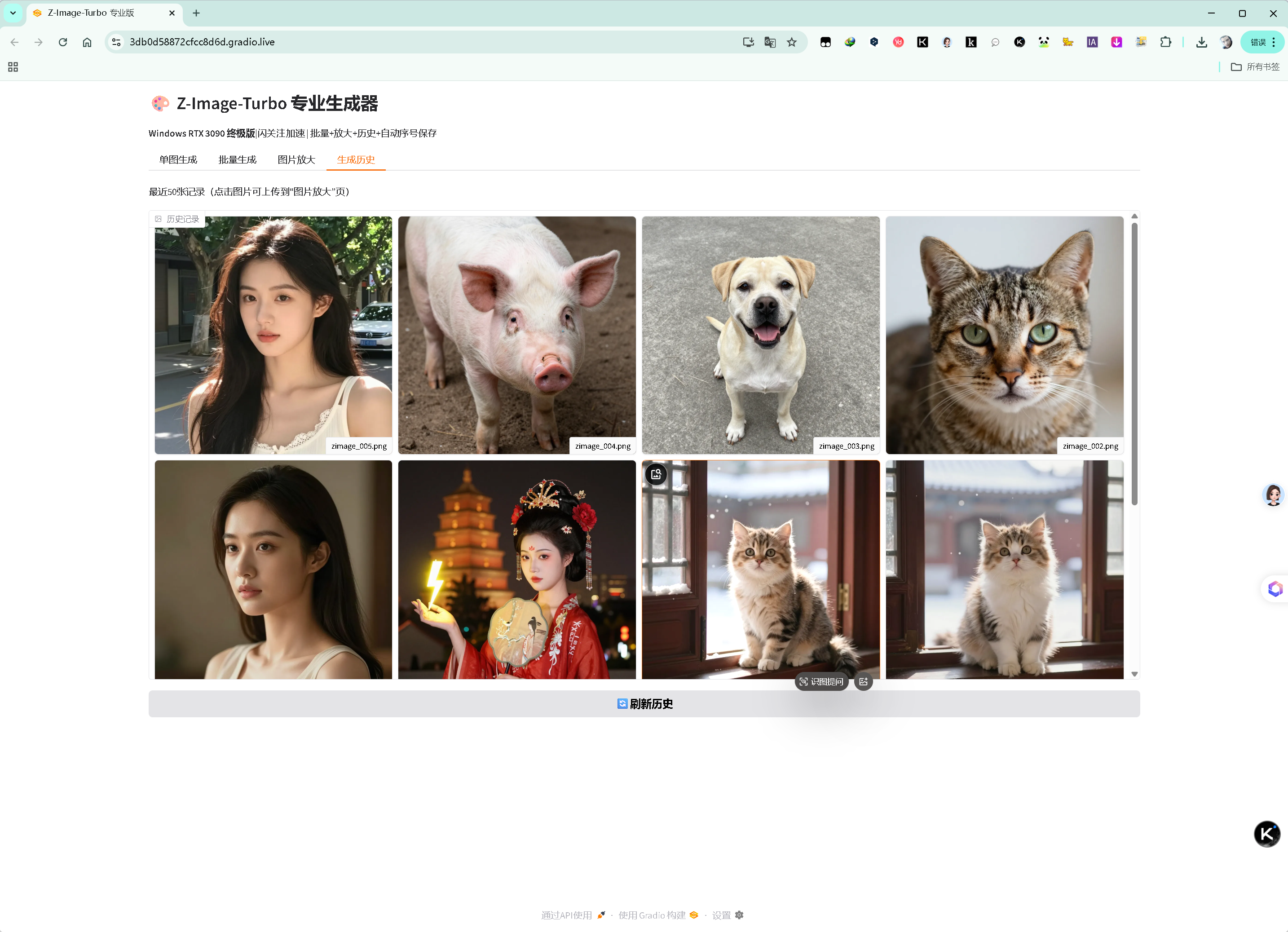 生成历史页(最近 50 张记录,支持点击上传放大)
核心功能演示
1. 单图生成 + 自动序号保存
- 输入提示词 + 可选前缀(如 cat_)
- 生成后自动保存为 cat_001.png、cat_002.png... 永不覆盖
- 历史画廊实时记录
2. 批量生成
- 每行一个提示词,一次生成多张
- 支持统一前缀(如 beauty_ → beauty_001.png...)
- 进度实时显示
3. 4x 超分放大
- 从历史画廊点击图片或手动上传
- 一键 4x 放大到 4096×4096 超清大图
- 毛发、纹理细节爆炸
4. 示例一键加载
- 内置经典示例(小猫咪、汉服美女、超详细女性)
- 点击即可自动填充提示词、分辨率、步数、前缀
亮点:公共分享链接
运行脚本时自动生成 Gradio 公共链接(限时 1 周):
只要你的 Windows 电脑上一直运行着该项目,Gradio 公共链接将在任意可上网的浏览器中限时有效。
分享方式:
- 发给好友,他们无需安装任何环境,直接在浏览器使用
- 自己在手机上打开链接,随时随地生成图片
- 完美解决"想让朋友玩但他们不会装环境"的痛点

生成效果展示
小猫咪雪天窗台(经典提示词):

汉服美女 + 大雁塔夜景(官方长提示词):
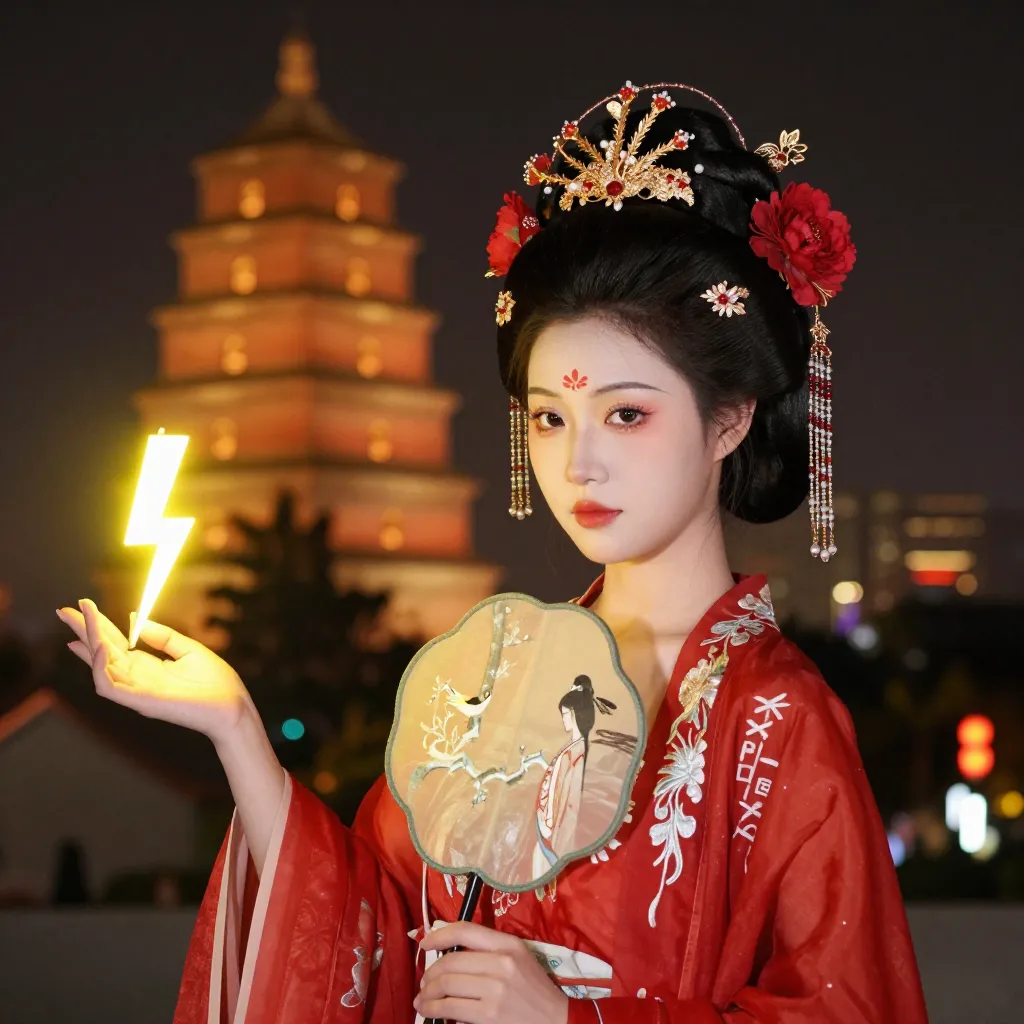
超详细美女(经典测试):

批量生成示例(猫、狗、猪、美女):
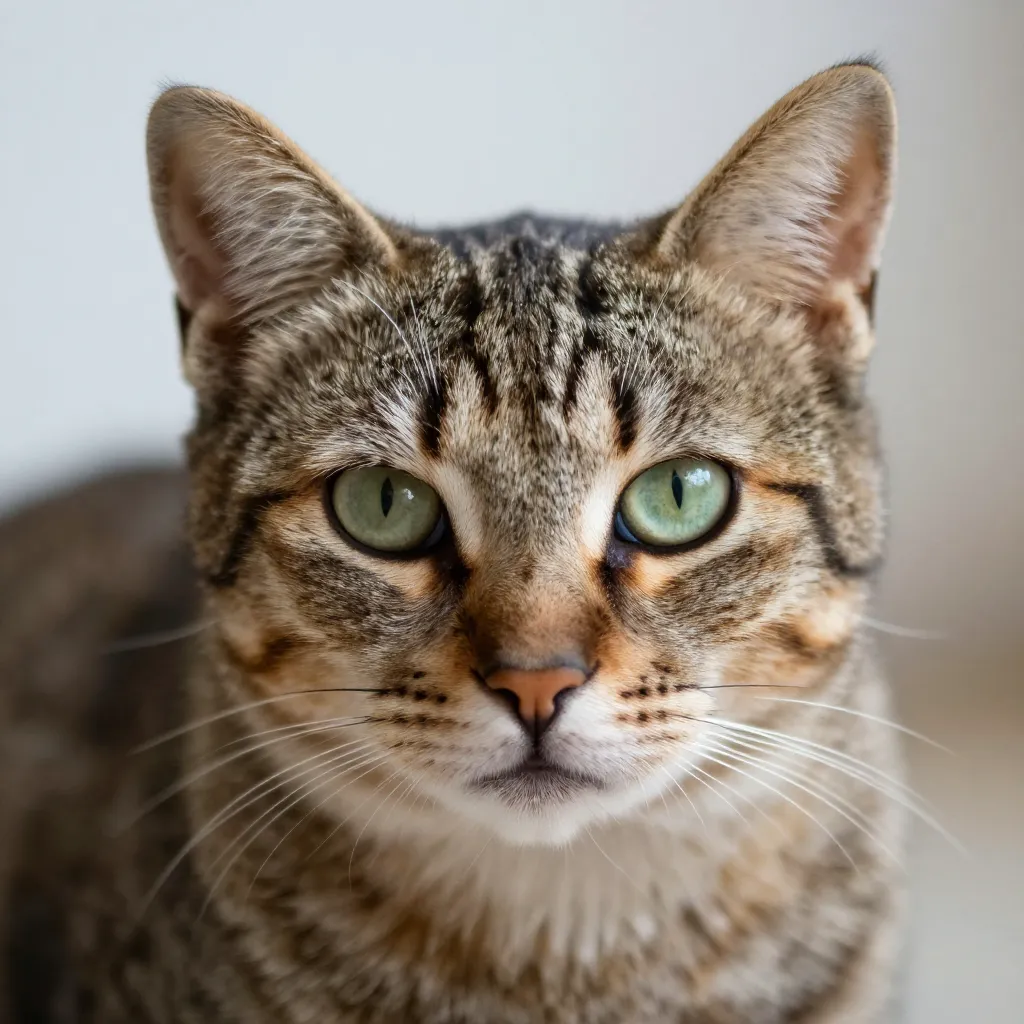
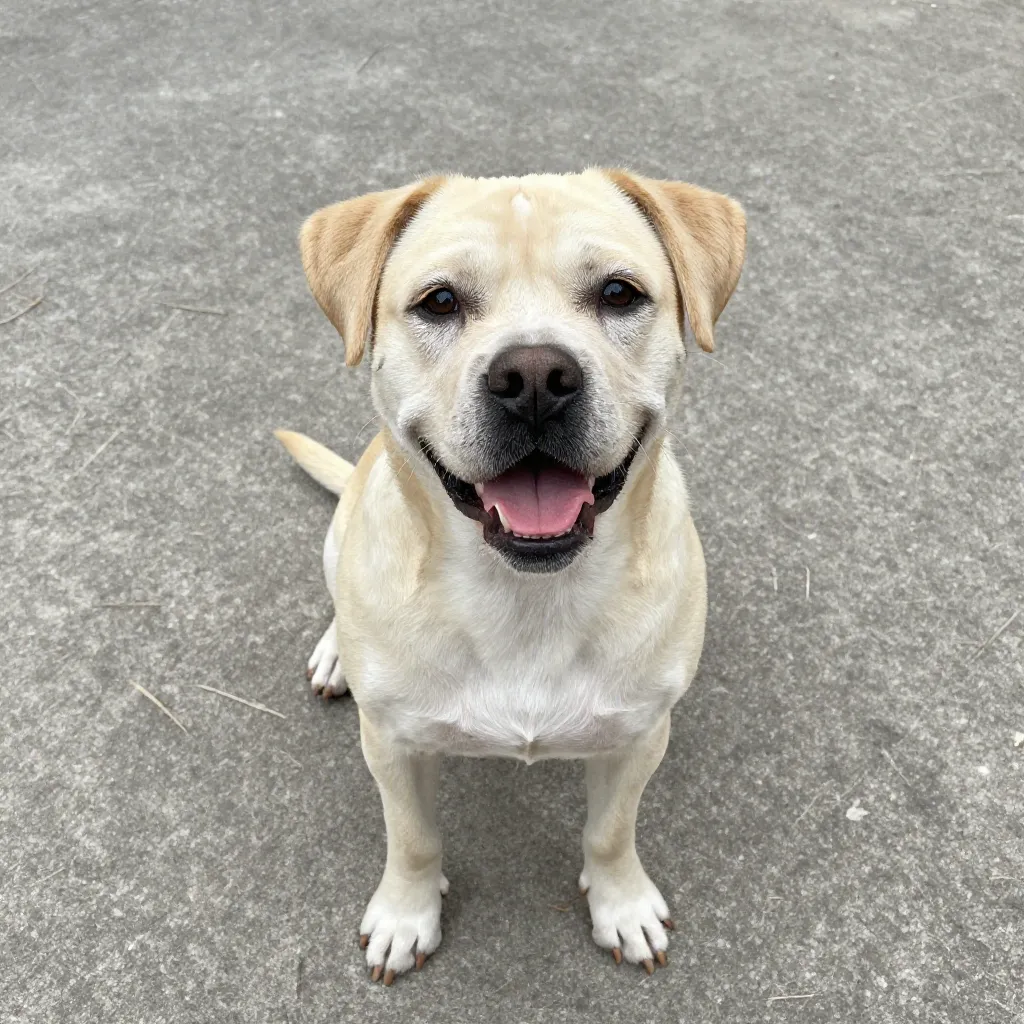
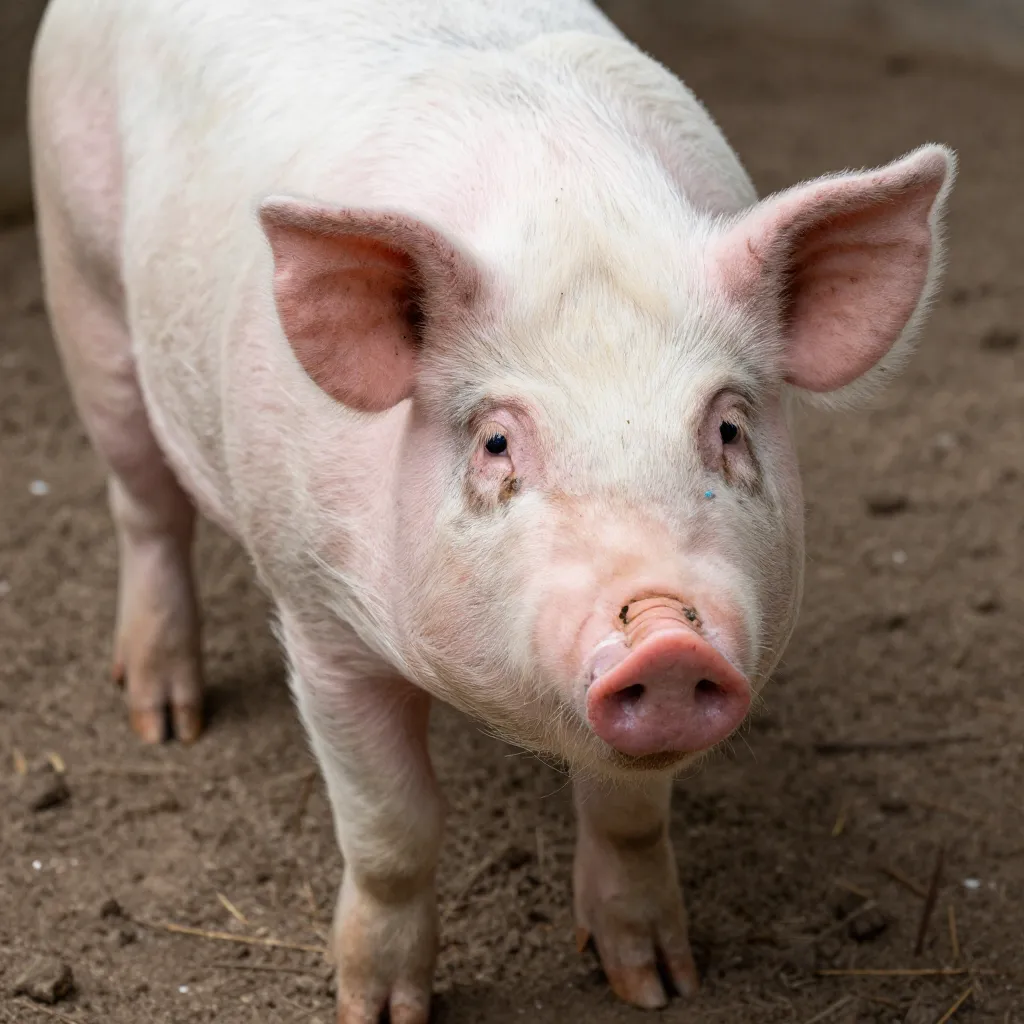

4x 放大后效果(受限于模型,还有待提升):

总结
这套 Z-Image-Turbo 专业生成器,是我 2025 年底较为满意的技术魔改之一。
它把:
- 最高性能(本地 Flash Attention 加速)
- 最完整功能(批量 + 放大 + 历史 + 自动保存)
- 最友好体验(Gradio 界面 + 公共分享)
完美结合在了一起。
后续仍会有更新迭代,敬请期待。
zimage_gui.py
# zimage_gui.py
# Z-Image-Turbo 专业版 Gradio 生成器(Windows RTX 3090 终极稳定版)
# 已集成:本地 Flash Attention 2.8.3 加速 + 批量生成 + 4x 图片放大 + 生成历史画廊 + 智能自动序号文件名
# 修复:尺寸自动校正为16倍数 + Gradio 输出绑定 + 兼容最新 torchvision + 公共链接手机生成稳定

import os
import torch
import gradio as gr
from diffusers import ZImagePipeline
from PIL import Image
import datetime
import glob
import re
import numpy as np

# ================== 关键修复 ==================
os.environ["DIFFUSERS_NO_UP_CAST_ATTENTION"] = "1"  # 禁用 float32 upcast

import warnings

warnings.filterwarnings("ignore", message="torch_dtype is deprecated! Use `dtype` instead!")

# ================== 模型加载 ==================
print("正在加载 Z-Image-Turbo 模型(bfloat16),首次稍慢,请耐心等待...")
pipe = ZImagePipeline.from_pretrained(
    "Tongyi-MAI/Z-Image-Turbo",
    torch_dtype=torch.bfloat16,
)
pipe.to("cuda")

# 启用本地 Flash Attention 2.8.3
try:
    if hasattr(pipe.transformer, "set_attention_backend"):
        pipe.transformer.set_attention_backend("flash")
        print("✅ 已成功启用本地 Flash Attention 2.8.3 加速!")
    else:
        print("ℹ️ diffusers 不支持直接设置,但 FlashAttention 已自动启用")
except Exception as e:
    print(f"⚠️ Flash Attention 设置异常(无影响):{e}")

print("🚀 模型加载完成!可以开始生成啦~")

# ================== Upscale(Real-ESRGAN 4x) ==================
from basicsr.archs.rrdbnet_arch import RRDBNet
from realesrgan import RealESRGANer

# 关键修复:使用 tile=400 分块处理,避免手机/公共链接显存 OOM
upsampler = RealESRGANer(
    scale=4,
    model_path="https://github.com/xinntao/Real-ESRGAN/releases/download/v0.1.0/RealESRGAN_x4plus.pth",
    model=RRDBNet(num_in_ch=3, num_out_ch=3, num_feat=64, num_block=23, num_grow_ch=32, scale=4),
    tile=400,  # 分块处理,显存友好,解决公共链接卡死/unknown error
    tile_pad=10,
    pre_pad=0,
    half=True,
    gpu_id=0
)


def upscale_image(input_image):
    if input_image is None:
        return None
    torch.cuda.empty_cache()  # 清理显存碎片
    img_array = np.array(input_image)
    output, _ = upsampler.enhance(img_array, outscale=4)
    return Image.fromarray(output)


# ================== 智能文件名生成 ==================
HISTORY_DIR = "generation_history"
os.makedirs(HISTORY_DIR, exist_ok=True)


def get_next_filename(prefix):
    if not prefix.strip():
        prefix = "zimage"
    prefix = re.sub(r'[^\w\-_]', '_', prefix)

    pattern = os.path.join(HISTORY_DIR, f"{prefix}_*.png")
    existing = glob.glob(pattern)

    numbers = []
    for f in existing:
        match = re.search(rf"{re.escape(prefix)}_(\d{{3}})\.png$", os.path.basename(f))
        if match:
            numbers.append(int(match.group(1)))

    next_num = max(numbers) + 1 if numbers else 1
    return os.path.join(HISTORY_DIR, f"{prefix}_{next_num:03d}.png")


def get_history_gallery():
    files = sorted(glob.glob(os.path.join(HISTORY_DIR, "*.png")), key=os.path.getmtime, reverse=True)
    return [(Image.open(f), os.path.basename(f)) for f in files[:50]]


# ================== 生成函数 ==================
def generate_single(prompt, height, width, steps, seed, prefix):
    height = max(512, int((height // 16) * 16))
    width = max(512, int((width // 16) * 16))

    generator = None if seed == -1 else torch.Generator("cuda").manual_seed(int(seed))

    torch.cuda.empty_cache()  # 生成前清理显存

    with torch.inference_mode():
        image = pipe(
            prompt=prompt,
            height=height,
            width=width,
            num_inference_steps=int(steps),
            guidance_scale=0.0,
            generator=generator,
        ).images[0]

    save_path = get_next_filename(prefix)
    image.save(save_path)

    return image, f"✅ 生成完成!尺寸: {width}x{height}\n已保存: {os.path.basename(save_path)}"


def generate_batch(prompts_text, height, width, steps, seed, prefix):
    prompts = [p.strip() for p in prompts_text.split("\n") if p.strip()]
    if not prompts:
        return None, "请输入至少一个提示词"

    height = max(512, int((height // 16) * 16))
    width = max(512, int((width // 16) * 16))

    outputs = []
    status_lines = []

    for i, prompt in enumerate(prompts):
        torch.cuda.empty_cache()  # 每张图前清理显存
        gen_seed = -1 if seed == -1 else int(seed) + i
        generator = None if gen_seed == -1 else torch.Generator("cuda").manual_seed(gen_seed)

        with torch.inference_mode():
            image = pipe(prompt=prompt, height=height, width=width,
                         num_inference_steps=int(steps), guidance_scale=0.0,
                         generator=generator).images[0]

        save_path = get_next_filename(prefix)
        image.save(save_path)
        outputs.append(image)
        status_lines.append(f"[{i + 1}/{len(prompts)}] {prompt[:40]}... → {os.path.basename(save_path)}")

    return outputs, "\n".join(status_lines) + f"\n批量完成!尺寸: {width}x{height}"


# ================== Gradio 界面 ==================
with gr.Blocks(title="Z-Image-Turbo 专业版") as demo:
    gr.Markdown("# 🎨 Z-Image-Turbo 专业生成器")
    gr.Markdown("**Windows RTX 3090 终极版** | Flash Attention 加速 | 批量 + 放大 + 历史 + 自动序号保存")

    with gr.Tabs():
        # 单图生成
        with gr.Tab("单图生成"):
            with gr.Row():
                with gr.Column(scale=3):
                    prompt = gr.Textbox(
                        label="提示词(Prompt)",
                        lines=6,
                        placeholder="输入详细描述,支持中英文...",
                        value="一只超级可爱的小猫咪坐在古风窗台上,窗外下雪,毛发蓬松细腻,阳光洒落,写实摄影风格,8k高清"
                    )
                    prefix1 = gr.Textbox(
                        label="文件名前缀(可选)",
                        value="",
                        placeholder="例:cat_(自动加序号,如 cat_001.png)"
                    )
                    with gr.Row():
                        height = gr.Slider(512, 2048, value=1024, step=16, label="高度(自动校正为16倍数)")
                        width = gr.Slider(512, 2048, value=1024, step=16, label="宽度(自动校正为16倍数)")
                    with gr.Row():
                        steps = gr.Slider(4, 20, value=8, step=1, label="推理步数(推荐8)")
                        seed = gr.Number(value=-1, label="种子(-1随机)")
                    single_btn = gr.Button("🚀 生成单图", variant="primary")

                with gr.Column(scale=2):
                    single_image = gr.Image(label="生成结果", height=700)
                    single_status = gr.Textbox(label="状态")

            # 经典示例
            gr.Examples(
                examples=[
                    ["一只超级可爱的小猫咪坐在古风窗台上,窗外下雪,毛发蓬松细腻,阳光洒落,写实摄影风格,8k高清", 1024,
                     1024, 8, -1, "cat_"],
                    ["Young Chinese woman in red Hanfu, intricate embroidery. Impeccable makeup, red floral forehead pattern. Elaborate high bun, golden phoenix headdress, red flowers, beads. Holds round folding fan with lady, trees, bird. Neon lightning-bolt lamp (⚡️), bright yellow glow, above extended left palm. Soft-lit outdoor night background, silhouetted tiered pagoda (西安大雁塔), blurred colorful distant lights.",
                     1024, 1024, 8, 42, "hanfu_"],
                    ["A beautiful woman, hyper-detailed, 8K, cinematic lighting", 1024, 1024, 8, 123, "beauty_"],
                ],
                inputs=[prompt, height, width, steps, seed, prefix1]
            )

            single_btn.click(generate_single,
                             inputs=[prompt, height, width, steps, seed, prefix1],
                             outputs=[single_image, single_status])

        # 批量生成
        with gr.Tab("批量生成"):
            batch_prompts = gr.Textbox(label="批量提示词(每行一个)", lines=10)
            prefix_batch = gr.Textbox(label="批量文件名前缀(可选)", value="", placeholder="例:beauty_")
            with gr.Row():
                batch_height = gr.Slider(512, 2048, value=1024, step=16, label="高度")
                batch_width = gr.Slider(512, 2048, value=1024, step=16, label="宽度")
                batch_steps = gr.Slider(4, 20, value=8, step=1, label="步数")
                batch_seed = gr.Number(value=-1, label="基础种子")
            batch_btn = gr.Button("🚀 开始批量生成", variant="primary")

            batch_gallery = gr.Gallery(label="批量结果", columns=3)
            batch_status = gr.Textbox(label="进度")

            batch_btn.click(generate_batch,
                            inputs=[batch_prompts, batch_height, batch_width, batch_steps, batch_seed, prefix_batch],
                            outputs=[batch_gallery, batch_status])

        # 图片放大
        with gr.Tab("图片放大"):
            gr.Markdown("从历史画廊点击图片或手动上传 → 4x 超分(已优化显存,公共链接稳定)")
            upscale_input = gr.Image(label="待放大图片", type="pil")
            upscale_btn = gr.Button("🔍 4x 放大(Real-ESRGAN)", variant="primary")
            upscale_output = gr.Image(label="放大结果")

            upscale_btn.click(upscale_image, inputs=upscale_input, outputs=upscale_output)

        # 生成历史
        with gr.Tab("生成历史"):
            gr.Markdown("最近 50 张记录(点击图片可上传到"图片放大"页)")
            history_gallery = gr.Gallery(value=get_history_gallery(), label="历史记录", columns=4)
            refresh_btn = gr.Button("🔄 刷新历史")
            refresh_btn.click(lambda: gr.update(value=get_history_gallery()), outputs=history_gallery)

# ================== 启动 ==================
demo.queue(max_size=30)
demo.launch(
    server_name="0.0.0.0",
    server_port=7860,
    share=True,
    inbrowser=True
)
如果你也在 Windows 上玩 AI 图像生成,强烈推荐按我的方案搭建一套------从编译到界面,一步到位,爽到飞起!
玩得开心~🎨✨
------ 一个在 Windows 上坚持玩转 AI 的普通爱好者