minikuber中文文档:https://minikube.kubernetes.ac.cn
一、安装
在线安装步骤
1. 安装
https://minikube.kubernetes.ac.cn/docs/start/?arch=%2Flinux%2Fx86-64%2Fstable%2Fbinary+download
curl -LO https://github.com/kubernetes/minikube/releases/latest/download/minikube-linux-amd64
sudo install minikube-linux-amd64 /usr/local/bin/minikube && rm minikube-linux-amd64
2.启动您的集群
从具有管理员访问权限的终端(但未以 root 身份登录)运行
minikube start
如果 minikube 启动失败,请参阅驱动页面,了解如何设置兼容的容器或虚拟机管理器。
如果以root用户启动docker会报错

部署问题
报错一 root 容器启动docker
Exiting due to DRV_AS_ROOT: The "docker" driver should not be used with root privileges
通常出现在使用 Minikube 启动 Kubernetes 集群时,当你以 root 用户(或使用 sudo)运行 Minikube 并指定 --driver=docker 时触发。
原因说明
Minikube 的 Docker 驱动设计上不建议也不支持以 root 身份运行,因为:
- Docker 本身通常通过将用户加入 docker 用户组来避免使用 root。
- 以 root 运行 Minikube 可能导致权限混乱、安全风险或挂载问题。
- Minikube 明确禁止在 root 下使用 Docker 驱动以防止潜在问题。
解决方法
✅ 推荐做法:不要用 root / sudo 运行 Minikube
确保当前用户已加入 docker 用户组
sudo usermod -aG docker $USER然后重新登录(或执行 newgrp docker 临时生效)。
示例
sudo usermod -aG docker devlimux 创建用户指定家目录
创建用户
sudo useradd -m -d /指定/的/家目录路径 用户名-m:表示自动创建家目录(如果该目录不存在)。
-d /path:指定用户的家目录路径。
如果不加 -m,即使指定了 -d,系统不会自动创建该目录,可能导致登录问题。
然后为其设置密码:
sudo passwd alice验证
输出类似:
alice:x:1001:1001::/opt/alice:/bin/sh检查家目录是否存在且权限正确:
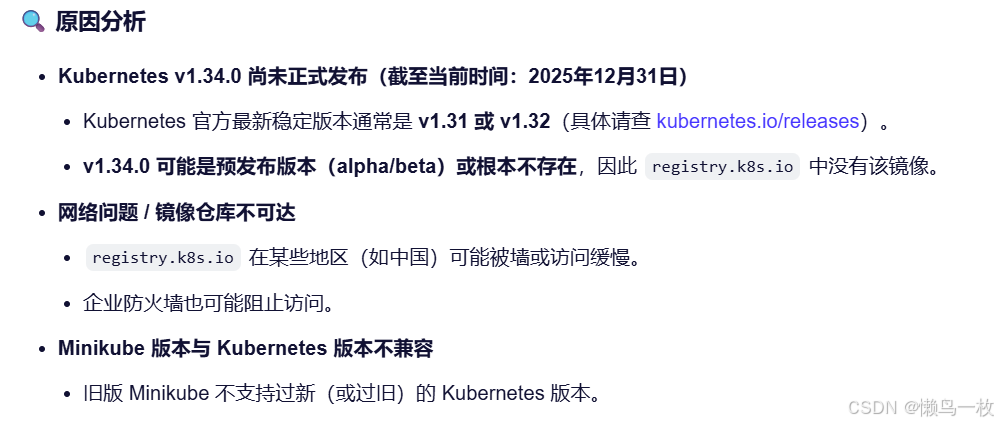
ls -ld /opt/alice报错二 kube-scheduler:v1.34.0、coredns:v1.12.1等镜像拉去不到
dev@xxxxx:/$ minikube start
😄  minikube v1.37.0 on Ubuntu 22.04 (kvm/amd64)
✨  Automatically selected the docker driver
📌  Using Docker driver with root privileges
👍  Starting "minikube" primary control-plane node in "minikube" cluster
🚜  Pulling base image v0.0.48 ...
❗  The image 'registry.k8s.io/kube-scheduler:v1.34.0' was not found; unable to add it to cache.
❗  The image 'registry.k8s.io/coredns/coredns:v1.12.1' was not found; unable to add it to cache.
❗  minikube cannot pull kicbase image from any docker registry, and is trying to download kicbase tarball from github release page via HTTP.
❗  It's very likely that you have an internet issue. Please ensure that you can access the internet at least via HTTP, directly or with proxy. Currently your proxy configure is:

❗  The image 'gcr.io/k8s-minikube/storage-provisioner:v5' was not found; unable to add it to cache.
❗  The image 'registry.k8s.io/kube-apiserver:v1.34.0' was not found; unable to add it to cache.
❗  The image 'registry.k8s.io/kube-controller-manager:v1.34.0' was not found; unable to add it to cache.
❗  The image 'registry.k8s.io/pause:3.10.1' was not found; unable to add it to cache.
❗  The image 'registry.k8s.io/kube-proxy:v1.34.0' was not found; unable to add it to cache.
E1231 11:19:09.737894  507554 cache.go:227] Error downloading kic artifacts:  failed to download kic base image or any fallback image
🔥  Creating docker container (CPUs=2, Memory=3900MB) ...|E1231 11:19:10.229806  507554 network_create.go:113] error while trying to create docker network minikube 192.168.49.0/24: create docker network minikube 192.168.49.0/24 with gateway 192.168.49.1 and MTU of 1500: docker network create --driver=bridge --subnet=192.168.49.0/24 --gateway=192.168.49.1 -o --ip-masq -o --icc -o com.docker.network.driver.mtu=1500 --label=created_by.minikube.sigs.k8s.io=true --label=name.minikube.sigs.k8s.io=minikube minikube: exit status 1
stdout:

stderr:
Error response from daemon: COMMAND_FAILED: 'python-nftables' failed: internal:0:0-0: Error: Could not process rule: No such file or directory

internal:0:0-0: Error: Could not process rule: No such file or directory

internal:0:0-0: Error: Could not process rule: No such file or directory

internal:0:0-0: Error: Could not process rule: No such file or directory

internal:0:0-0: Error: Could not process rule: No such file or directory

internal:0:0-0: Error: Could not process rule: No such file or directory


JSON blob:
{"nftables": [{"metainfo": {"json_schema_version": 1}}, {"insert": {"rule": {"family": "inet", "table": "firewalld", "chain": "filter_INPUT_ZONES", "expr": [{"match": {"left": {"meta": {"key": "iifname"}}, "op": "==", "right": "br-4cfa790bd2f7"}}, {"goto": {"target": "filter_IN_docker"}}]}}}, {"insert": {"rule": {"family": "inet", "table": "firewalld", "chain": "nat_POSTROUTING_ZONES", "expr": [{"match": {"left": {"meta": {"key": "oifname"}}, "op": "==", "right": "br-4cfa790bd2f7"}}, {"goto": {"target": "nat_POST_docker"}}]}}}, {"insert": {"rule": {"family": "inet", "table": "firewalld", "chain": "filter_FORWARD_ZONES", "expr": [{"match": {"left": {"meta": {"key": "iifname"}}, "op": "==", "right": "br-4cfa790bd2f7"}}, {"goto": {"target": "filter_FWD_docker"}}]}}}, {"insert": {"rule": {"family": "inet", "table": "firewalld", "chain": "nat_PREROUTING_ZONES", "expr": [{"match": {"left": {"meta": {"key": "iifname"}}, "op": "==", "right": "br-4cfa790bd2f7"}}, {"goto": {"target": "nat_PRE_docker"}}]}}}, {"insert": {"rule": {"family": "inet", "table": "firewalld", "chain": "mangle_PREROUTING_ZONES", "expr": [{"match": {"left": {"meta": {"key": "iifname"}}, "op": "==", "right": "br-4cfa790bd2f7"}}, {"goto": {"target": "mangle_PRE_docker"}}]}}}, {"add": {"rule": {"family": "inet", "table": "firewalld", "chain": "filter_FWD_docker_allow", "expr": [{"match": {"left": {"meta": {"key": "oifname"}}, "op": "==", "right": "br-4cfa790bd2f7"}}, {"accept": null}]}}}]}
🔥  Creating docker container (CPUs=2, Memory=3900MB) ...
❗  Unable to create dedicated network, this might result in cluster IP change after restart: un-retryable: create docker network minikube 192.168.49.0/24 with gateway 192.168.49.1 and MTU of 1500: docker network create --driver=bridge --subnet=192.168.49.0/24 --gateway=192.168.49.1 -o --ip-masq -o --icc -o com.docker.network.driver.mtu=1500 --label=created_by.minikube.sigs.k8s.io=true --label=name.minikube.sigs.k8s.io=minikube minikube: exit status 1
stdout:

stderr:
Error response from daemon: COMMAND_FAILED: 'python-nftables' failed: internal:0:0-0: Error: Could not process rule: No such file or directory

internal:0:0-0: Error: Could not process rule: No such file or directory

internal:0:0-0: Error: Could not process rule: No such file or directory

internal:0:0-0: Error: Could not process rule: No such file or directory

internal:0:0-0: Error: Could not process rule: No such file or directory

internal:0:0-0: Error: Could not process rule: No such file or directory


JSON blob:
{"nftables": [{"metainfo": {"json_schema_version": 1}}, {"insert": {"rule": {"family": "inet", "table": "firewalld", "chain": "filter_INPUT_ZONES", "expr": [{"match": {"left": {"meta": {"key": "iifname"}}, "op": "==", "right": "br-4cfa790bd2f7"}}, {"goto": {"target": "filter_IN_docker"}}]}}}, {"insert": {"rule": {"family": "inet", "table": "firewalld", "chain": "nat_POSTROUTING_ZONES", "expr": [{"match": {"left": {"meta": {"key": "oifname"}}, "op": "==", "right": "br-4cfa790bd2f7"}}, {"goto": {"target": "nat_POST_docker"}}]}}}, {"insert": {"rule": {"family": "inet", "table": "firewalld", "chain": "filter_FORWARD_ZONES", "expr": [{"match": {"left": {"meta": {"key": "iifname"}}, "op": "==", "right": "br-4cfa790bd2f7"}}, {"goto": {"target": "filter_FWD_docker"}}]}}}, {"insert": {"rule": {"family": "inet", "table": "firewalld", "chain": "nat_PREROUTING_ZONES", "expr": [{"match": {"left": {"meta": {"key": "iifname"}}, "op": "==", "right": "br-4cfa790bd2f7"}}, {"goto": {"target": "nat_PRE_docker"}}]}}}, {"insert": {"rule": {"family": "inet", "table": "firewalld", "chain": "mangle_PREROUTING_ZONES", "expr": [{"match": {"left": {"meta": {"key": "iifname"}}, "op": "==", "right": "br-4cfa790bd2f7"}}, {"goto": {"target": "mangle_PRE_docker"}}]}}}, {"add": {"rule": {"family": "inet", "table": "firewalld", "chain": "filter_FWD_docker_allow", "expr": [{"match": {"left": {"meta": {"key": "oifname"}}, "op": "==", "right": "br-4cfa790bd2f7"}}, {"accept": null}]}}}]}

❗  The image 'registry.k8s.io/etcd:3.6.4-0' was not found; unable to add it to cache.
🤦  StartHost failed, but will try again: creating host: create: creating: setting up container node: preparing volume for minikube container: docker run --rm --name minikube-preload-sidecar --label created_by.minikube.sigs.k8s.io=true --label name.minikube.sigs.k8s.io=minikube --entrypoint /usr/bin/test -v minikube:/var gcr.io/k8s-minikube/kicbase:v0.0.48@sha256:7171c97a51623558720f8e5878e4f4637da093e2f2ed589997bedc6c1549b2b1 -d /var/lib: exit status 125
stdout:

stderr:
Unable to find image 'gcr.io/k8s-minikube/kicbase:v0.0.48@sha256:7171c97a51623558720f8e5878e4f4637da093e2f2ed589997bedc6c1549b2b1' locally
docker: Error response from daemon: Get "https://gcr.io/v2/": net/http: request canceled while waiting for connection (Client.Timeout exceeded while awaiting headers)

Run 'docker run --help' for more information

🤷  docker "minikube" container is missing, will recreate.
🔥  Creating docker container (CPUs=2, Memory=3900MB) ...-E1231 11:19:58.648882  507554 network_create.go:113] error while trying to create docker network minikube 192.168.58.0/24: create docker network minikube 192.168.58.0/24 with gateway 192.168.58.1 and MTU of 1500: docker network create --driver=bridge --subnet=192.168.58.0/24 --gateway=192.168.58.1 -o --ip-masq -o --icc -o com.docker.network.driver.mtu=1500 --label=created_by.minikube.sigs.k8s.io=true --label=name.minikube.sigs.k8s.io=minikube minikube: exit status 1
stdout:

stderr:
Error response from daemon: COMMAND_FAILED: 'python-nftables' failed: internal:0:0-0: Error: Could not process rule: No such file or directory

internal:0:0-0: Error: Could not process rule: No such file or directory

internal:0:0-0: Error: Could not process rule: No such file or directory

internal:0:0-0: Error: Could not process rule: No such file or directory

internal:0:0-0: Error: Could not process rule: No such file or directory

internal:0:0-0: Error: Could not process rule: No such file or directory


JSON blob:
{"nftables": [{"metainfo": {"json_schema_version": 1}}, {"insert": {"rule": {"family": "inet", "table": "firewalld", "chain": "filter_INPUT_ZONES", "expr": [{"match": {"left": {"meta": {"key": "iifname"}}, "op": "==", "right": "br-c743c96c585f"}}, {"goto": {"target": "filter_IN_docker"}}]}}}, {"insert": {"rule": {"family": "inet", "table": "firewalld", "chain": "nat_POSTROUTING_ZONES", "expr": [{"match": {"left": {"meta": {"key": "oifname"}}, "op": "==", "right": "br-c743c96c585f"}}, {"goto": {"target": "nat_POST_docker"}}]}}}, {"insert": {"rule": {"family": "inet", "table": "firewalld", "chain": "filter_FORWARD_ZONES", "expr": [{"match": {"left": {"meta": {"key": "iifname"}}, "op": "==", "right": "br-c743c96c585f"}}, {"goto": {"target": "filter_FWD_docker"}}]}}}, {"insert": {"rule": {"family": "inet", "table": "firewalld", "chain": "nat_PREROUTING_ZONES", "expr": [{"match": {"left": {"meta": {"key": "iifname"}}, "op": "==", "right": "br-c743c96c585f"}}, {"goto": {"target": "nat_PRE_docker"}}]}}}, {"insert": {"rule": {"family": "inet", "table": "firewalld", "chain": "mangle_PREROUTING_ZONES", "expr": [{"match": {"left": {"meta": {"key": "iifname"}}, "op": "==", "right": "br-c743c96c585f"}}, {"goto": {"target": "mangle_PRE_docker"}}]}}}, {"add": {"rule": {"family": "inet", "table": "firewalld", "chain": "filter_FWD_docker_allow", "expr": [{"match": {"left": {"meta": {"key": "oifname"}}, "op": "==", "right": "br-c743c96c585f"}}, {"accept": null}]}}}]}
🔥  Creating docker container (CPUs=2, Memory=3900MB) ...
❗  Unable to create dedicated network, this might result in cluster IP change after restart: un-retryable: create docker network minikube 192.168.58.0/24 with gateway 192.168.58.1 and MTU of 1500: docker network create --driver=bridge --subnet=192.168.58.0/24 --gateway=192.168.58.1 -o --ip-masq -o --icc -o com.docker.network.driver.mtu=1500 --label=created_by.minikube.sigs.k8s.io=true --label=name.minikube.sigs.k8s.io=minikube minikube: exit status 1
stdout:

stderr:
Error response from daemon: COMMAND_FAILED: 'python-nftables' failed: internal:0:0-0: Error: Could not process rule: No such file or directory

internal:0:0-0: Error: Could not process rule: No such file or directory

internal:0:0-0: Error: Could not process rule: No such file or directory

internal:0:0-0: Error: Could not process rule: No such file or directory

internal:0:0-0: Error: Could not process rule: No such file or directory

internal:0:0-0: Error: Could not process rule: No such file or directory


JSON blob:
{"nftables": [{"metainfo": {"json_schema_version": 1}}, {"insert": {"rule": {"family": "inet", "table": "firewalld", "chain": "filter_INPUT_ZONES", "expr": [{"match": {"left": {"meta": {"key": "iifname"}}, "op": "==", "right": "br-c743c96c585f"}}, {"goto": {"target": "filter_IN_docker"}}]}}}, {"insert": {"rule": {"family": "inet", "table": "firewalld", "chain": "nat_POSTROUTING_ZONES", "expr": [{"match": {"left": {"meta": {"key": "oifname"}}, "op": "==", "right": "br-c743c96c585f"}}, {"goto": {"target": "nat_POST_docker"}}]}}}, {"insert": {"rule": {"family": "inet", "table": "firewalld", "chain": "filter_FORWARD_ZONES", "expr": [{"match": {"left": {"meta": {"key": "iifname"}}, "op": "==", "right": "br-c743c96c585f"}}, {"goto": {"target": "filter_FWD_docker"}}]}}}, {"insert": {"rule": {"family": "inet", "table": "firewalld", "chain": "nat_PREROUTING_ZONES", "expr": [{"match": {"left": {"meta": {"key": "iifname"}}, "op": "==", "right": "br-c743c96c585f"}}, {"goto": {"target": "nat_PRE_docker"}}]}}}, {"insert": {"rule": {"family": "inet", "table": "firewalld", "chain": "mangle_PREROUTING_ZONES", "expr": [{"match": {"left": {"meta": {"key": "iifname"}}, "op": "==", "right": "br-c743c96c585f"}}, {"goto": {"target": "mangle_PRE_docker"}}]}}}, {"add": {"rule": {"family": "inet", "table": "firewalld", "chain": "filter_FWD_docker_allow", "expr": [{"match": {"left": {"meta": {"key": "oifname"}}, "op": "==", "right": "br-c743c96c585f"}}, {"accept": null}]}}}]}

😿  Failed to start docker container. Running "minikube delete" may fix it: recreate: creating host: create: creating: setting up container node: preparing volume for minikube container: docker run --rm --name minikube-preload-sidecar --label created_by.minikube.sigs.k8s.io=true --label name.minikube.sigs.k8s.io=minikube --entrypoint /usr/bin/test -v minikube:/var gcr.io/k8s-minikube/kicbase:v0.0.48@sha256:7171c97a51623558720f8e5878e4f4637da093e2f2ed589997bedc6c1549b2b1 -d /var/lib: exit status 125
stdout:

stderr:
Unable to find image 'gcr.io/k8s-minikube/kicbase:v0.0.48@sha256:7171c97a51623558720f8e5878e4f4637da093e2f2ed589997bedc6c1549b2b1' locally
docker: Error response from daemon: Get "https://gcr.io/v2/": net/http: request canceled while waiting for connection (Client.Timeout exceeded while awaiting headers)

Run 'docker run --help' for more information


❌  Exiting due to GUEST_PROVISION: error provisioning guest: Failed to start host: recreate: creating host: create: creating: setting up container node: preparing volume for minikube container: docker run --rm --name minikube-preload-sidecar --label created_by.minikube.sigs.k8s.io=true --label name.minikube.sigs.k8s.io=minikube --entrypoint /usr/bin/test -v minikube:/var gcr.io/k8s-minikube/kicbase:v0.0.48@sha256:7171c97a51623558720f8e5878e4f4637da093e2f2ed589997bedc6c1549b2b1 -d /var/lib: exit status 125
stdout:

stderr:
Unable to find image 'gcr.io/k8s-minikube/kicbase:v0.0.48@sha256:7171c97a51623558720f8e5878e4f4637da093e2f2ed589997bedc6c1549b2b1' locally
docker: Error response from daemon: Get "https://gcr.io/v2/": net/http: request canceled while waiting for connection (Client.Timeout exceeded while awaiting headers)

Run 'docker run --help' for more information


╭───────────────────────────────────────────────────────────────────────────────────────────╮
│                                                                                           │
│    😿  If the above advice does not help, please let us know:                             │
│    👉  https://github.com/kubernetes/minikube/issues/new/choose                           │
│                                                                                           │
│    Please run `minikube logs --file=logs.txt` and attach logs.txt to the GitHub issue.    │
│                                                                                           │
╰───────────────────────────────────────────────────────────────────────────────────────────╯