Spring配置
别名
alias标签
xml
<!--别名,如果添加了别名,我们也可以使用别名获取到这个对象-->
<alias name="user" alias="balbala"/>
实例化容器的时候调用
java
User user = (User) context.getBean("balbala");
实际上取别名不如用bean,不推荐使用这种方式起别名
Bean的配置
- id:bean的唯一标识符,也就是相当于我们new对象的一个变量名,它也可以说是Spring容器的的id
- class: bean 对象所对应的全限定名:包名+类名(new的那个对象的类名)
- name:也是别名,而且name更高级,可以同时取多个别名(空格隔开、逗号、分号)
java
<bean id="user2" class="com.cike3.pojo.User2" name="userT u2,u3;u4">
    <property name="name" value="cike_y"/>
</bean>
import
这个import,一般用于团队开发使用,它可以将多个配置文件,导入合并为一个
假设,现在项目中有多个人开发,这三个人负责不同的类开发,不同的类需要注册的bean中,我们可以利用import,将所有人的beans.xml合并为一个总的!
- 张三
- 李四
- 王五
- applicationContext.xml(正规的命名)
java
<import resource="beans.xml"/>
<import resource="beans2.xml"/>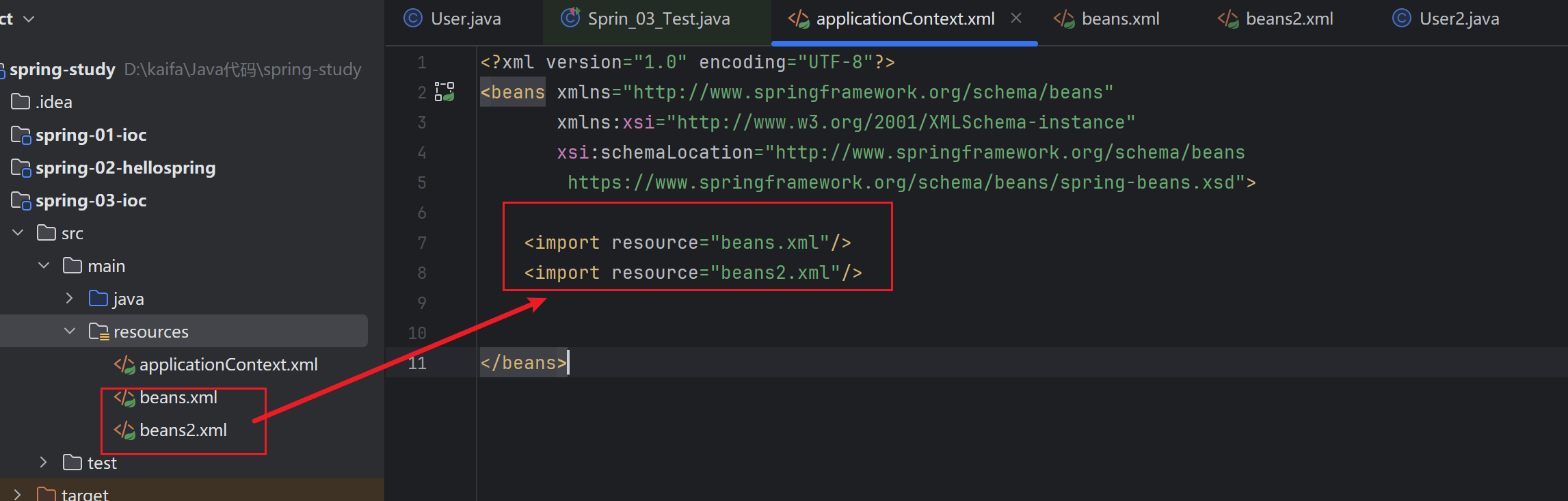
使用的时候,直接使用总的配置
官方文档:
plain
https://docs.spring.io/spring-framework/reference/core/beans/dependencies/factory-collaborators.html
https://docs.spring.io/spring-framework/docs/5.2.0.RELEASE/spring-framework-reference/core.html#beans-constructor-injection
依赖注入
构造器注入
前面 "IoC创建对象的方式"
set方式注入【重点】
- 依赖注入:本质是Set注入
- 依赖:bean对象的对象依赖于容器
- 注入:bean对象中的所有属性,由容器来注入
主要有以下注入:
- 普通值注入,value
xml
<bean id="student" class="com.cike4.pojo.Student">
    <!--第一种,普通值注入,直接使用value-->
    <property name="name" value="cike_y"/>
</bean>- Bean注入,ref
xml
<bean id="address" class="com.cike4.pojo.Address">
        <property name="address" value="广东"/>
</bean>

<bean id="student" class="com.cike4.pojo.Student">
    <!--第二种,Bean注入,ref引用address容器id-->
    <property name="address" ref="address"/>
</bean>- 数组注入
xml
<bean id="student" class="com.cike4.pojo.Student">
<!--数组注入-->
  <property name="books">
      <array>
          <value>十日终焉</value>
          <value>凡人修仙传</value>
          <value>夏日重现</value>
      </array>
  </property>
</bean>- List注入
xml
<bean id="student" class="com.cike4.pojo.Student">
  <property name="hobbys">
      <list>
          <value>打游戏</value>
          <value>看电影</value>
          <value>爱躺平</value>
      </list>
  </property>
</bean>- Map注入
xml
<bean id="student" class="com.cike4.pojo.Student">
<!--Map 注入-->
    <property name="card">
        <map>
            <entry key="身份证" value="444444444444444444"/>
        </map>
    </property>
</bean>- Set
xml
<bean id="student" class="com.cike4.pojo.Student">

    <!--Set-->
    <property name="games">
        <set>
            <value>和平精英</value>
            <value>原神</value>
        </set>
    </property>
</bean>- null
xml
<bean id="student" class="com.cike4.pojo.Student">
  <!--  null

    value默认不写为null
    <property name="wife" value=""/>
    -->
    <property name="wife">
        <null/>
    </property>
</bean>- Properties
xml
<bean id="student" class="com.cike4.pojo.Student">
    <!--Properties-->
    <property name="info">
        <props>
            <prop key="学号">20230302222</prop>
            <prop key="姓名">cike_y</prop>
            <prop key="性别">男</prop>
            <prop key="username">root</prop>
            <prop key="password">123456</prop>
        </props>
    </property>
</bean>
【环境搭建】
- 复杂类型
java
public class Address {
    private String address;

    public String getAddress() {
        return address;
    }

    public void setAddress(String address) {
        this.address = address;
    }
}- 真实测试对象
java
public class Student {
    // 引用类型
    private  String name;
    private  Address address;
    private  String[] books;
    private  List<String> hobbys;
    private  Map<String,Object> card;
    private  Set<String> games;
    private  String wife;
    private  Properties info;

}- 完整的beans.xml
xml
<?xml version="1.0" encoding="UTF-8"?>
<beans xmlns="http://www.springframework.org/schema/beans"
       xmlns:xsi="http://www.w3.org/2001/XMLSchema-instance"
       xsi:schemaLocation="http://www.springframework.org/schema/beans
		https://www.springframework.org/schema/beans/spring-beans.xsd">

        <bean id="address" class="com.cike4.pojo.Address">
                <property name="address" value="广东"/>
        </bean>

        <bean id="student" class="com.cike4.pojo.Student">
            <!--第一种,普通值注入,直接使用value-->
            <property name="name" value="cike_y"/>

            <!--第二种,Bean注入,ref-->
            <property name="address" ref="address"/>

            <!--数组注入-->
            <property name="books">
                <array>
                    <value>十日终焉</value>
                    <value>凡人修仙传</value>
                    <value>夏日重现</value>
                </array>
            </property>

            <!--List注入-->
            <property name="hobbys">
                <list>
                    <value>打游戏</value>
                    <value>看电影</value>
                    <value>爱躺平</value>
                </list>
            </property>

            <!--Map 注入-->
            <property name="card">
                <map>
                    <entry key="身份证" value="444444444444444444"/>
                </map>
            </property>

            <!--Set-->
            <property name="games">
                <set>
                    <value>和平精英</value>
                    <value>原神</value>
                </set>
            </property>

            <!--  null

            value默认不写为null
            <property name="wife" value=""/>
            -->
            <property name="wife">
                <null/>
            </property>

            <!--Properties-->
            <property name="info">
                <props>
                    <prop key="学号">20230302222</prop>
                    <prop key="姓名">cike_y</prop>
                    <prop key="性别">男</prop>
                    <prop key="username">root</prop>
                    <prop key="password">123456</prop>
                </props>
            </property>
        </bean>

</beans>- 测试类
java
public class sprint_04_Test {
    @Test
    public void test(){
        ApplicationContext context = new ClassPathXmlApplicationContext("beans.xml");
        Student student = (Student) context.getBean("student");
        System.out.println(student.toString());
        /*
        * Student{name='cike_y',
        * address=Address{address='广东'},
        * books=[十日终焉, 凡人修仙传, 夏日重现],
        * hobbys=[打游戏, 看电影, 爱躺平],
        * card={身份证=444444444444444444},
        * games=[和平精英, 原神],
        * wife='null',
        * info={
        *   学号=20230302222,
        *   性别=男,
        *   password=123456,
        *   姓名=cike_y,
        *   username=root
        *   }
        * }
          */
    }
}
官方文档:
plain
https://docs.spring.io/spring-framework/docs/5.2.0.RELEASE/spring-framework-reference/core.html#beans-collection-elements
https://docs.spring.io/spring-framework/reference/core/beans/dependencies/factory-properties-detailed.html
扩展注入
注意:p命名空间和c命名空间的使用,需要导入xml约束
java
xmlns:p="http://www.springframework.org/schema/p"
xmlns:c="http://www.springframework.org/schema/c"
p命名空间 (相当于set)
要用它一定要先导入官方文档中的p命名空间
xml
xmlns:p="http://www.springframework.org/schema/p"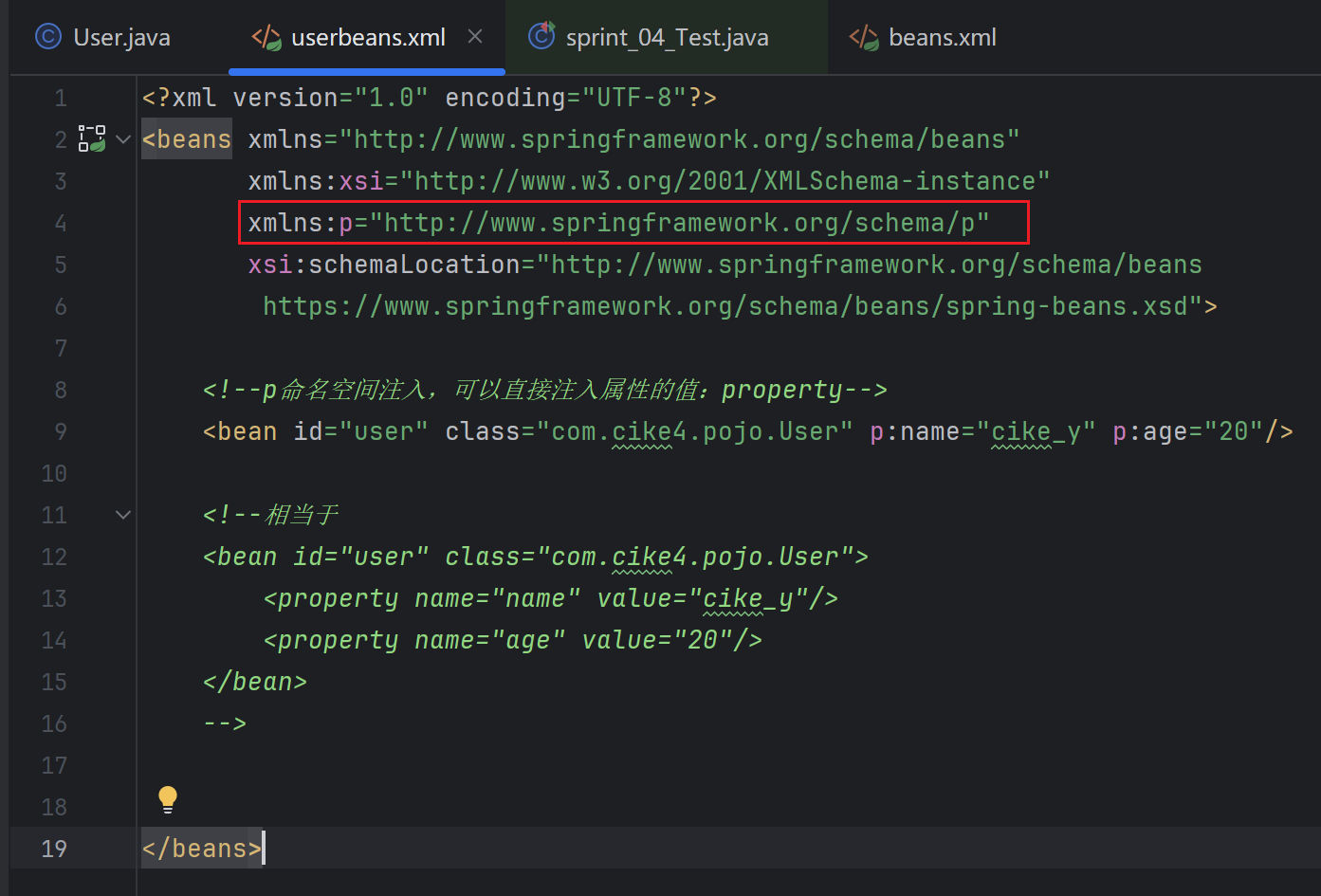
它对应着set注入的一些方法
- 普通值注入
- 引用ref对象
xml
<!--p命名空间注入,可以直接注入属性的值:property-->
<bean id="user" class="com.cike4.pojo.User" p:name="cike_y" p:age="20"/>

<!--相当于
<bean id="user" class="com.cike4.pojo.User">
    <property name="name" value="cike_y"/>
    <property name="age" value="20"/>
</bean>
-->
也可以引用其他的Bean对象

userbeans.xml中
xml
<?xml version="1.0" encoding="UTF-8"?>
<beans xmlns="http://www.springframework.org/schema/beans"

       xmlns:xsi="http://www.w3.org/2001/XMLSchema-instance"
       xmlns:p="http://www.springframework.org/schema/p"
       xsi:schemaLocation="http://www.springframework.org/schema/beans
		https://www.springframework.org/schema/beans/spring-beans.xsd">

    <!--p命名空间注入,可以直接注入属性的值:property-->
    <bean id="user" class="com.cike4.pojo.User" p:name="cike_y" p:age="20"/>

    <!--相当于
    <bean id="user" class="com.cike4.pojo.User">
        <property name="name" value="cike_y"/>
        <property name="age" value="20"/>
    </bean>
    -->


</beans>
JavaBean 的User类
java
public class User {
    private String name;
    private int age;


    public String getName() {
        return name;
    }

    public void setName(String name) {
        this.name = name;
    }

    public int getAge() {
        return age;
    }

    public void setAge(int age) {
        this.age = age;
    }

    @Override
    public String toString() {
        return "User{" +
                "name='" + name + '\'' +
                ", age=" + age +
                '}';
    }
}
测试方法中实例化对象
java
@Test
public void test2(){
    ApplicationContext context = new ClassPathXmlApplicationContext("userbeans.xml");
    // 这里申明了类型,就不需要强壮类型 User 类了
    User user = context.getBean("user", User.class);
    System.out.println(user.toString());
}
c命名空间(相当于构造器注入)
要先导入c命名空间
xml
xmlns:c="http://www.springframework.org/schema/c"userbean.xml 中
xml
<!--c命名空间注入,可以通过构造器注入:construct-args-->
<bean id="user2" class="com.cike4.pojo.User" c:name="user2" c:age="20"/>

<!--相当于
<bean id="user2" class="com.cike4.pojo.User">
    <constructor-arg name="name" value="cike_y"/>
    <constructor-arg name="age" value="20"/>
</bean>
-->
User类添加构造器方法
java
public User() {
}

public User(String name, int age) {
    this.name = name;
    this.age = age;
}
测试方法
java
@Test
public void test2(){
    ApplicationContext context = new ClassPathXmlApplicationContext("userbeans.xml");
    // 这里申明了类型,就不需要强壮类型 User 类了
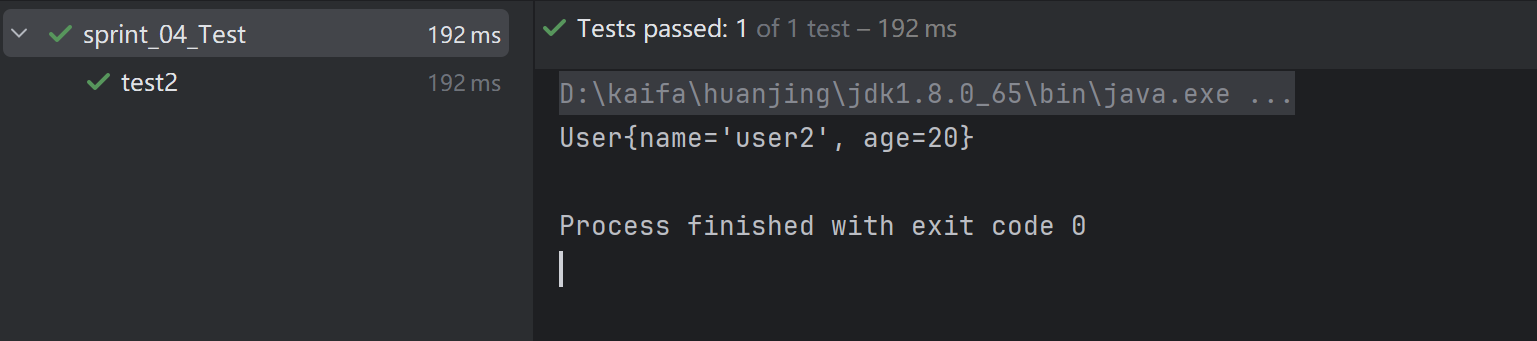
    User user = context.getBean("user2", User.class);
    System.out.println(user.toString());
}
官方解释:
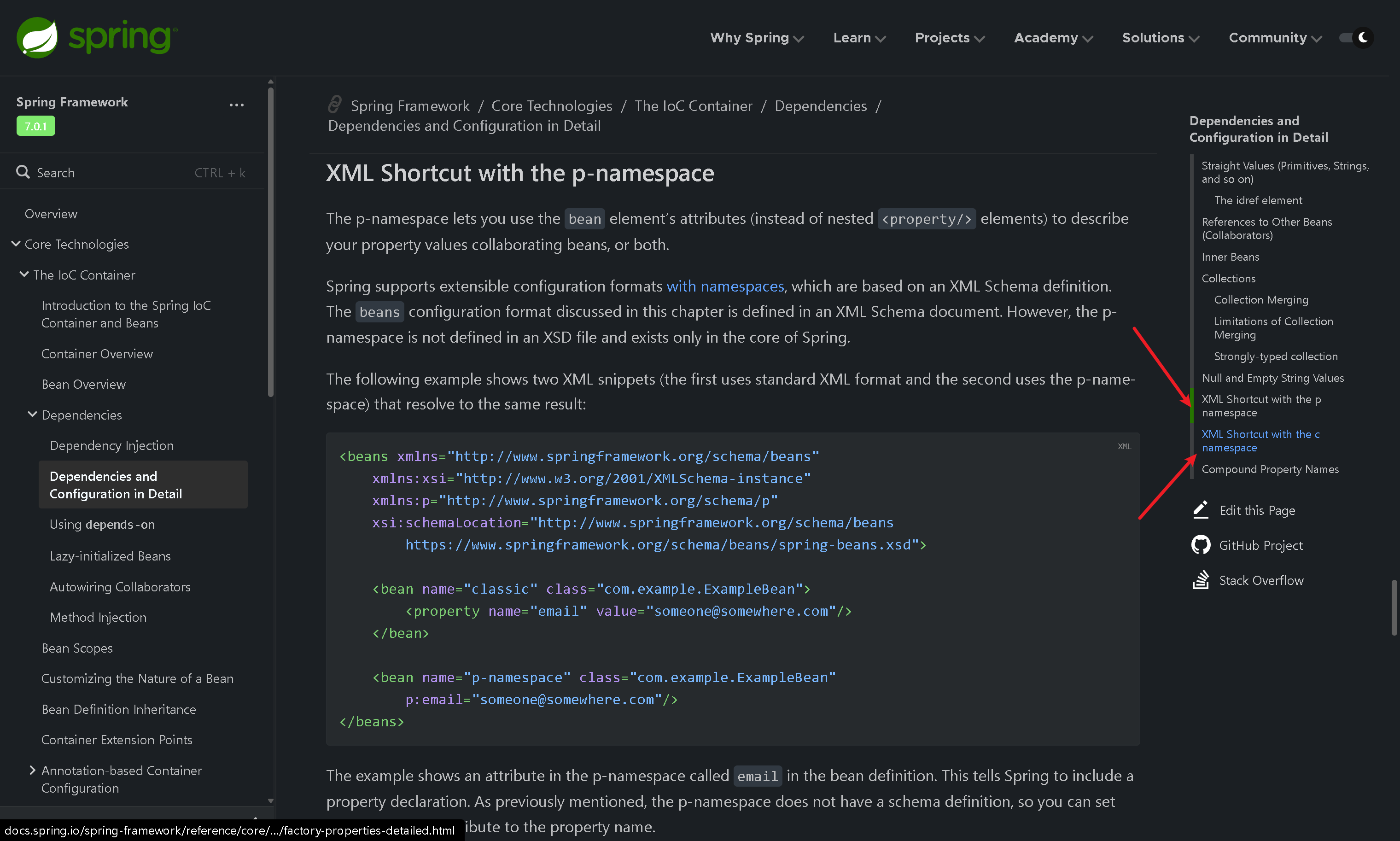
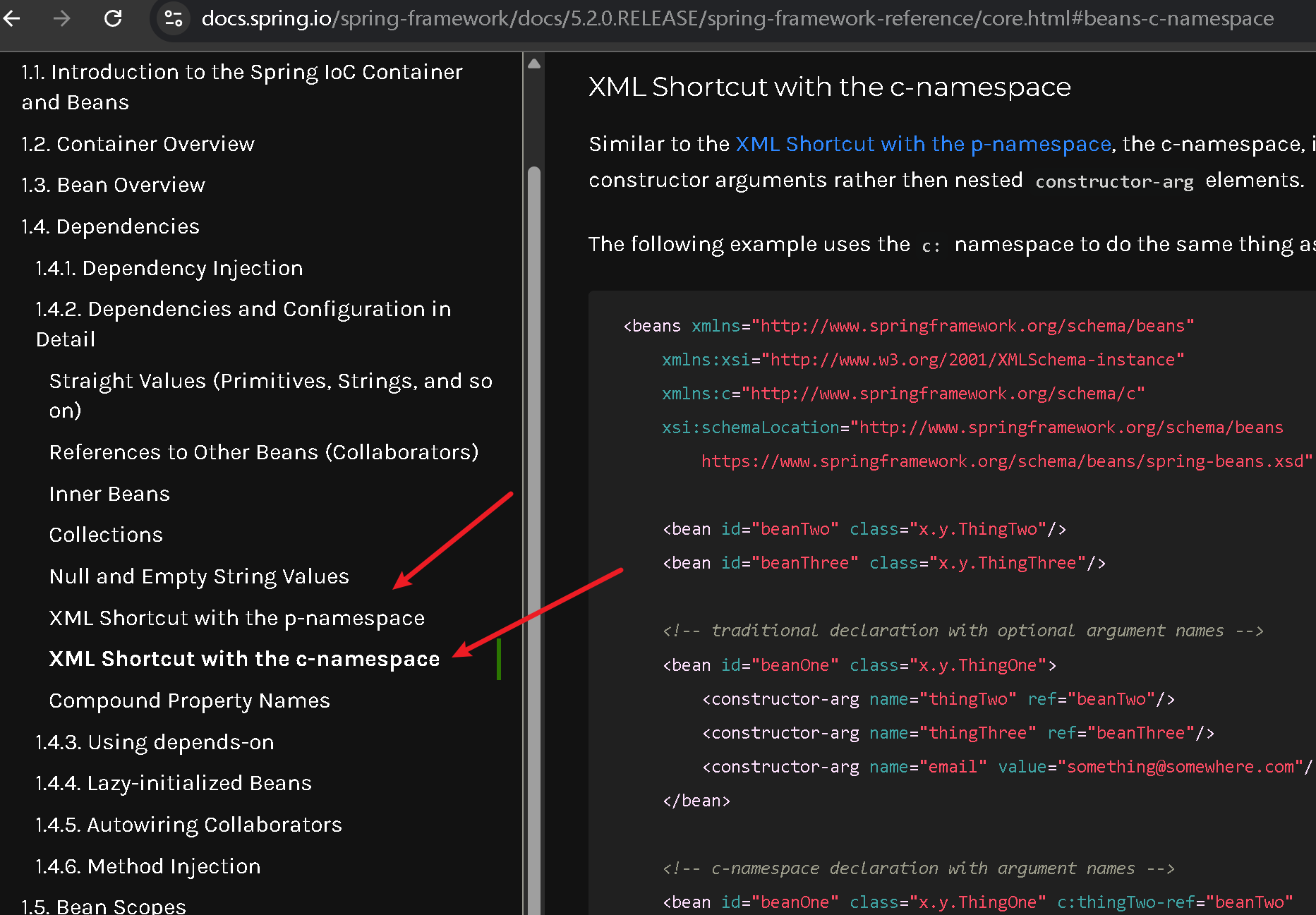
官方文档:
plain
https://docs.spring.io/spring-framework/docs/5.2.0.RELEASE/spring-framework-reference/core.html#beans-p-namespace
https://docs.spring.io/spring-framework/reference/core/beans/dependencies/factory-properties-detailed.html#beans-p-namespace