conda create -n qwe39 python=3.9
(conda create -n name python=3.9)
qwe39是我创建的环境的名字
激活环境 conda activate qwe39
下载 pytorch 和torchvision
查看 服务器的配置
nvidia-smi
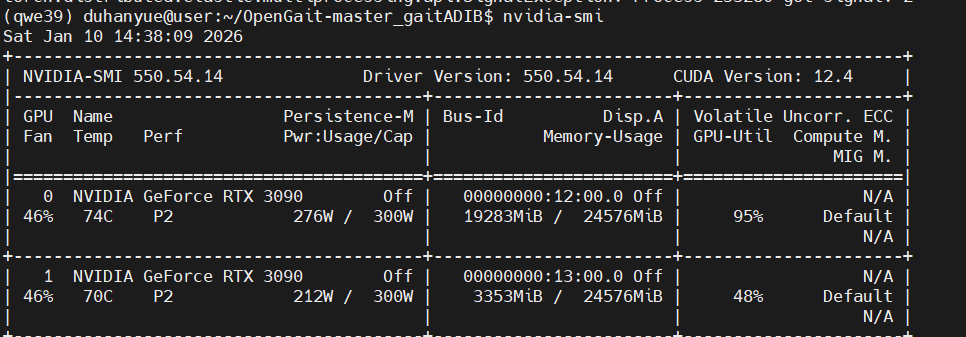
查看 右上角 CUDA Version: 12.4
所以------>下载的 CUDA Version 要 小于等于 12.4
打开 pytorch 官网
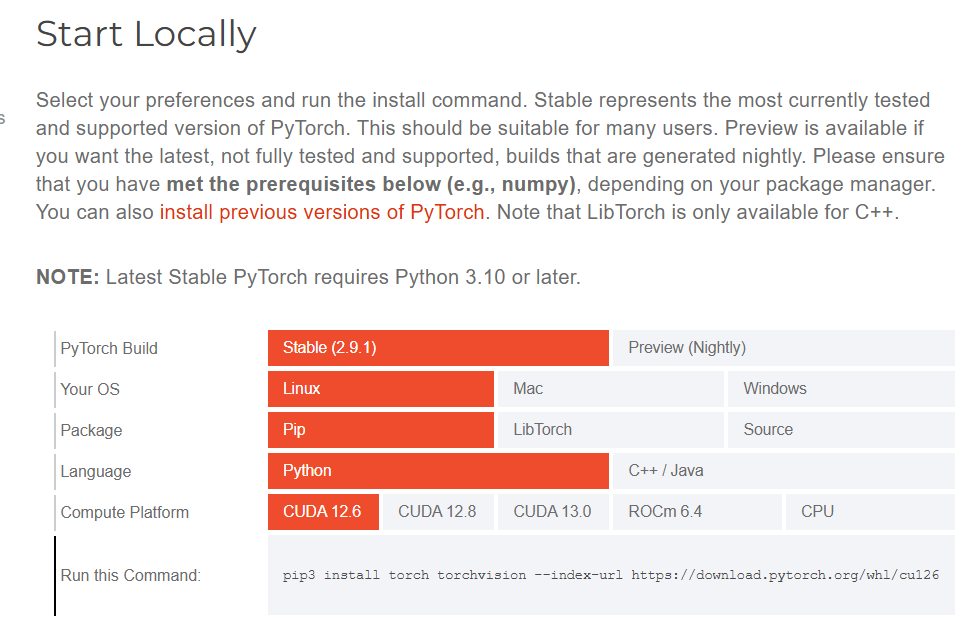
复制Run this Command 中的命令,这里我用的12.1版本的,我把Run this Command 中的命令中的cu126修改为了cu121
运行pip3 install torch torchvision --index-url https://download.pytorch.org/whl/cu121
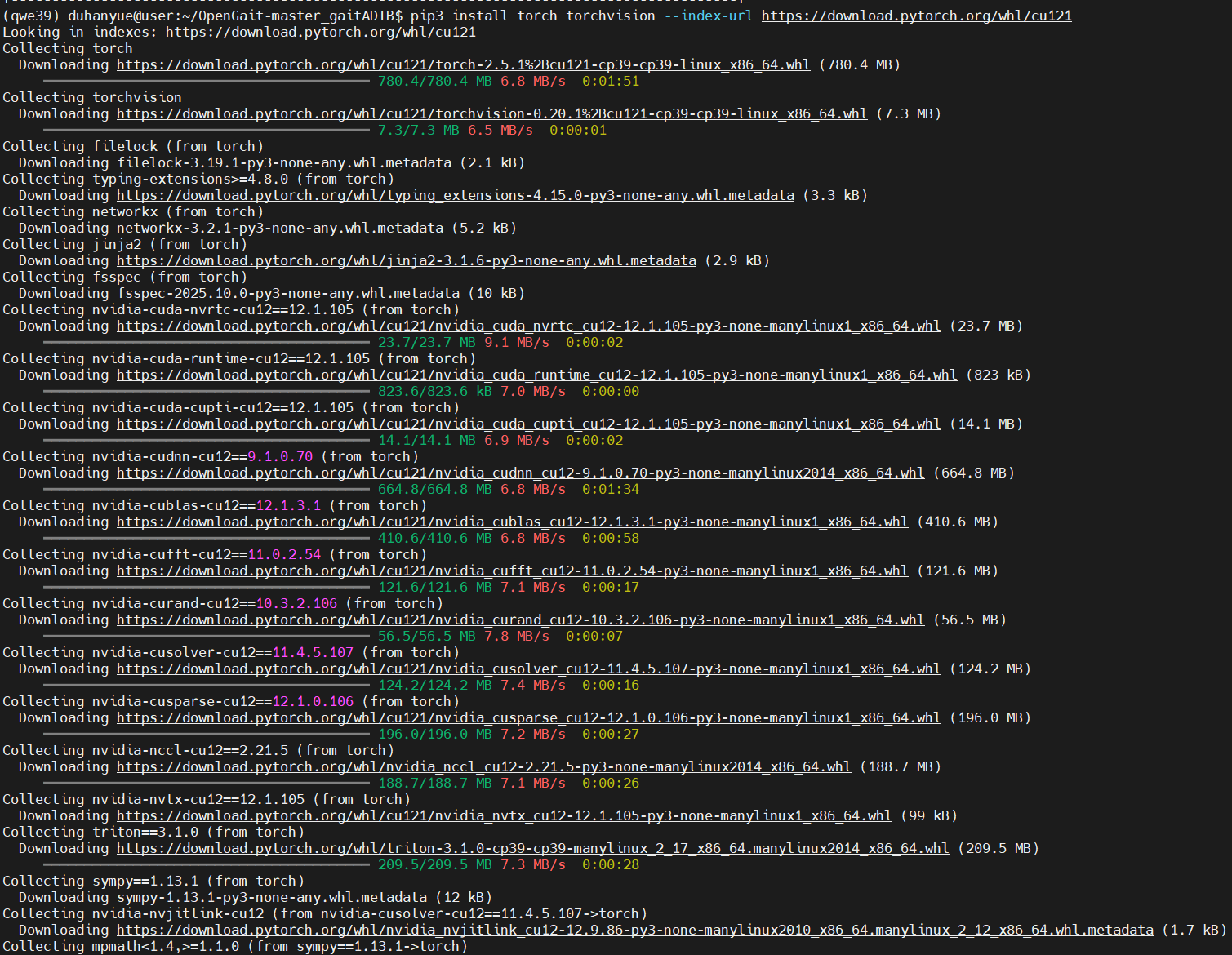
下载其他安装包
pip install tqdm -i https://pypi.tuna.tsinghua.edu.cn/simple
pip install matplotlib -i https://pypi.tuna.tsinghua.edu.cn/simple
pip install imageio -i https://pypi.tuna.tsinghua.edu.cn/simple
pip install kornia -i https://pypi.tuna.tsinghua.edu.cn/simple
pip install scikit-learn -i https://pypi.tuna.tsinghua.edu.cn/simple
pip install opencv-python -i https://pypi.tuna.tsinghua.edu.cn/simple
pip install tensorboard -i https://pypi.tuna.tsinghua.edu.cn/simple
pip install numpy -i https://pypi.tuna.tsinghua.edu.cn/simple