Unity接入DeepSeek需要在DeepSeek开放平台注册一个账号并且创建一个密钥API keys
Unity开放平台链接 : https://platform.deepseek.com/
注册一个账号并登录成功后会显示 API keys
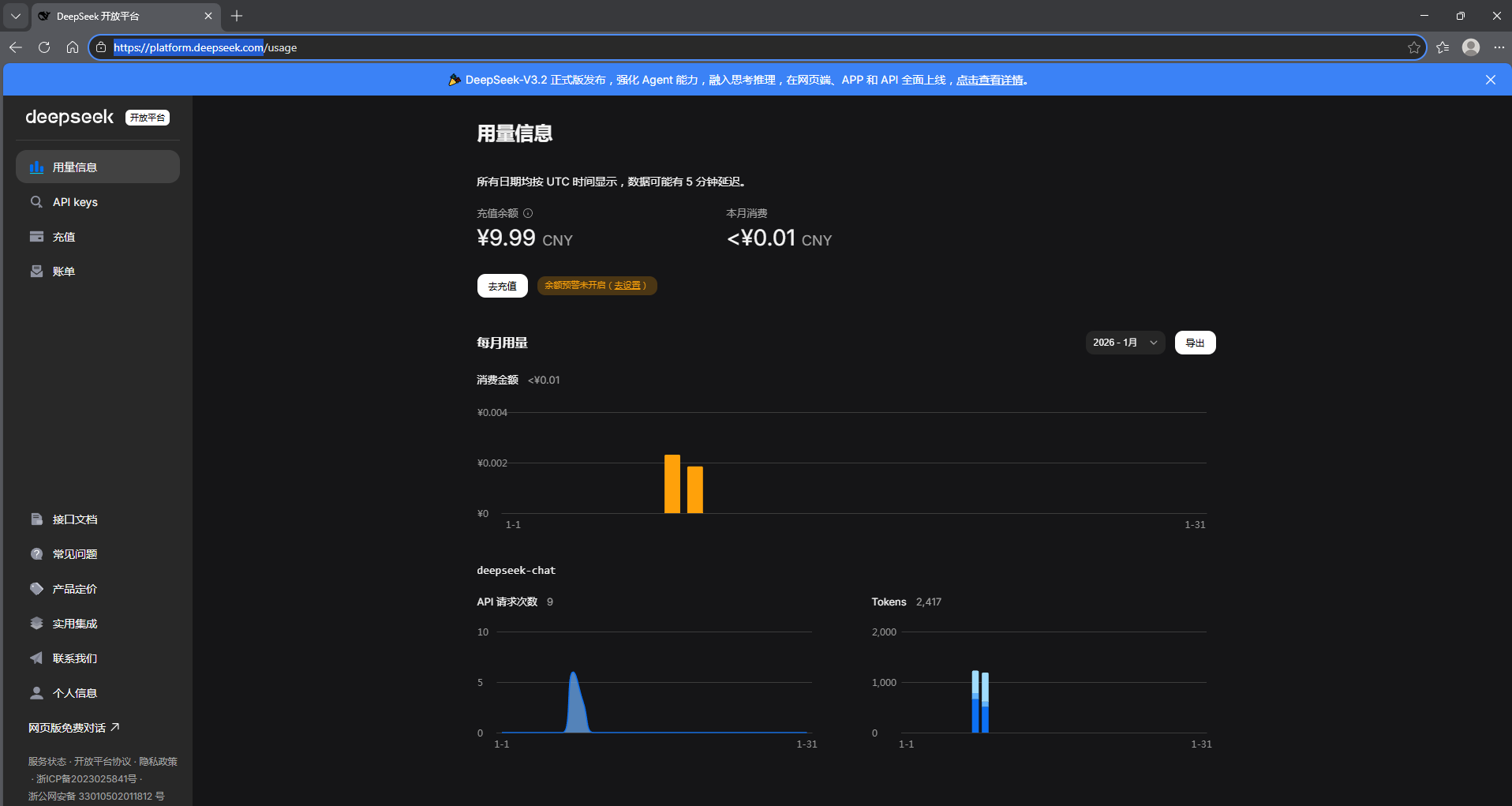
接入DeepSeek创建密钥之前需要 充值流量(10元即可)
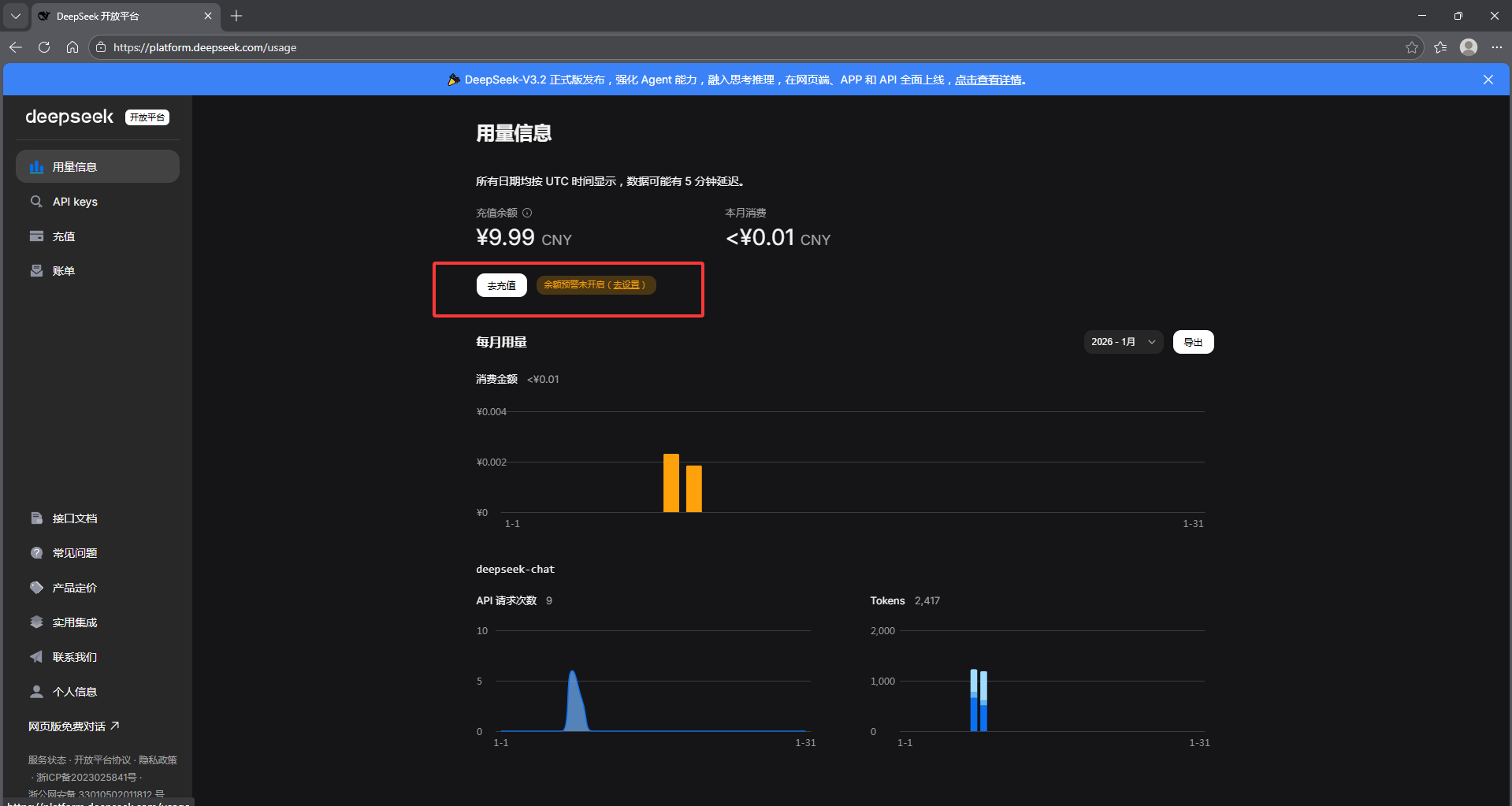
然后点击 API keys 再点击 创建 API key 即可
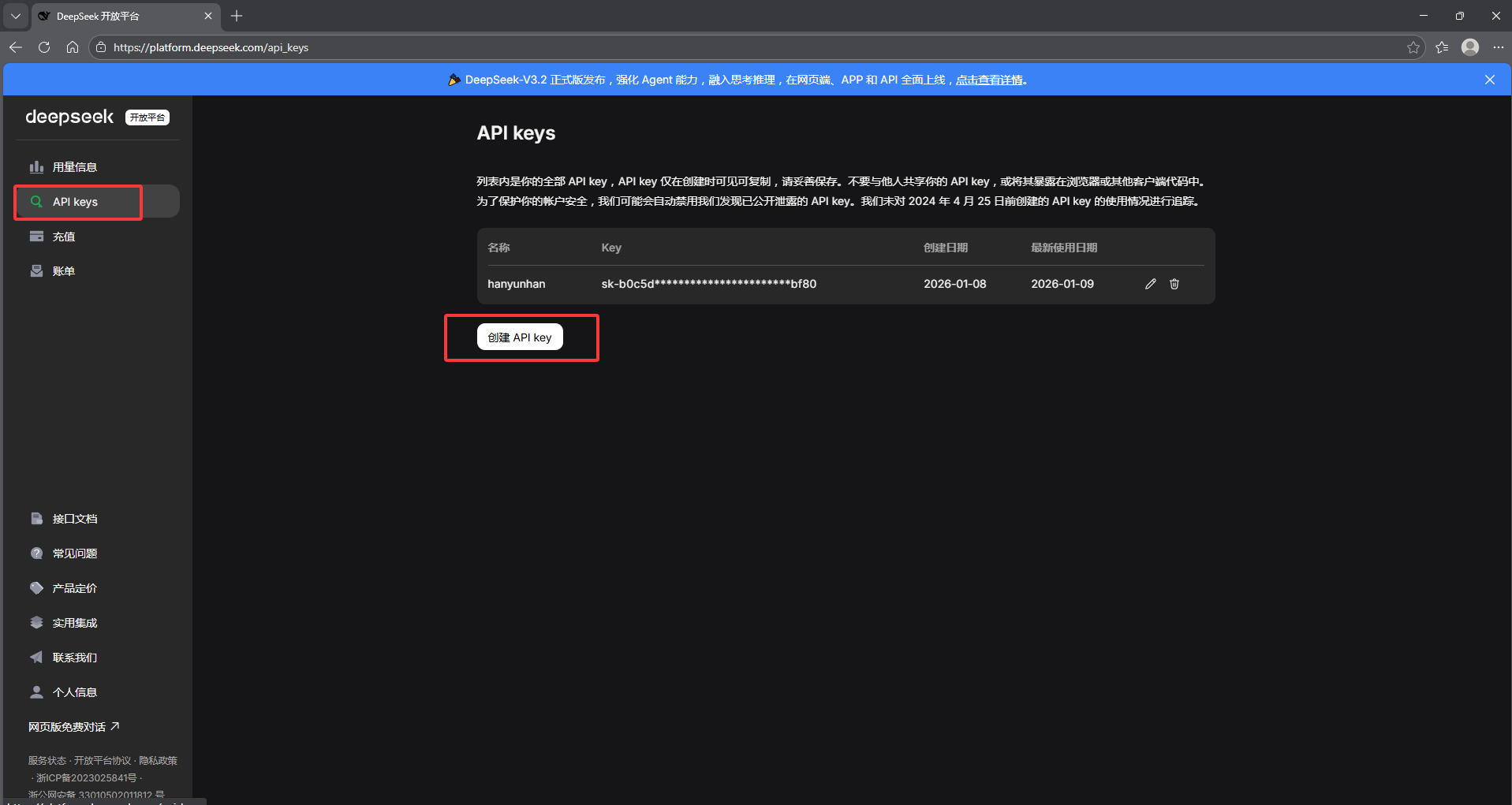
这里密钥只会显示一次要记得复制,下次只会显示部分隐藏版的Key 后续在Unity接入DeepSeek需要这个API key
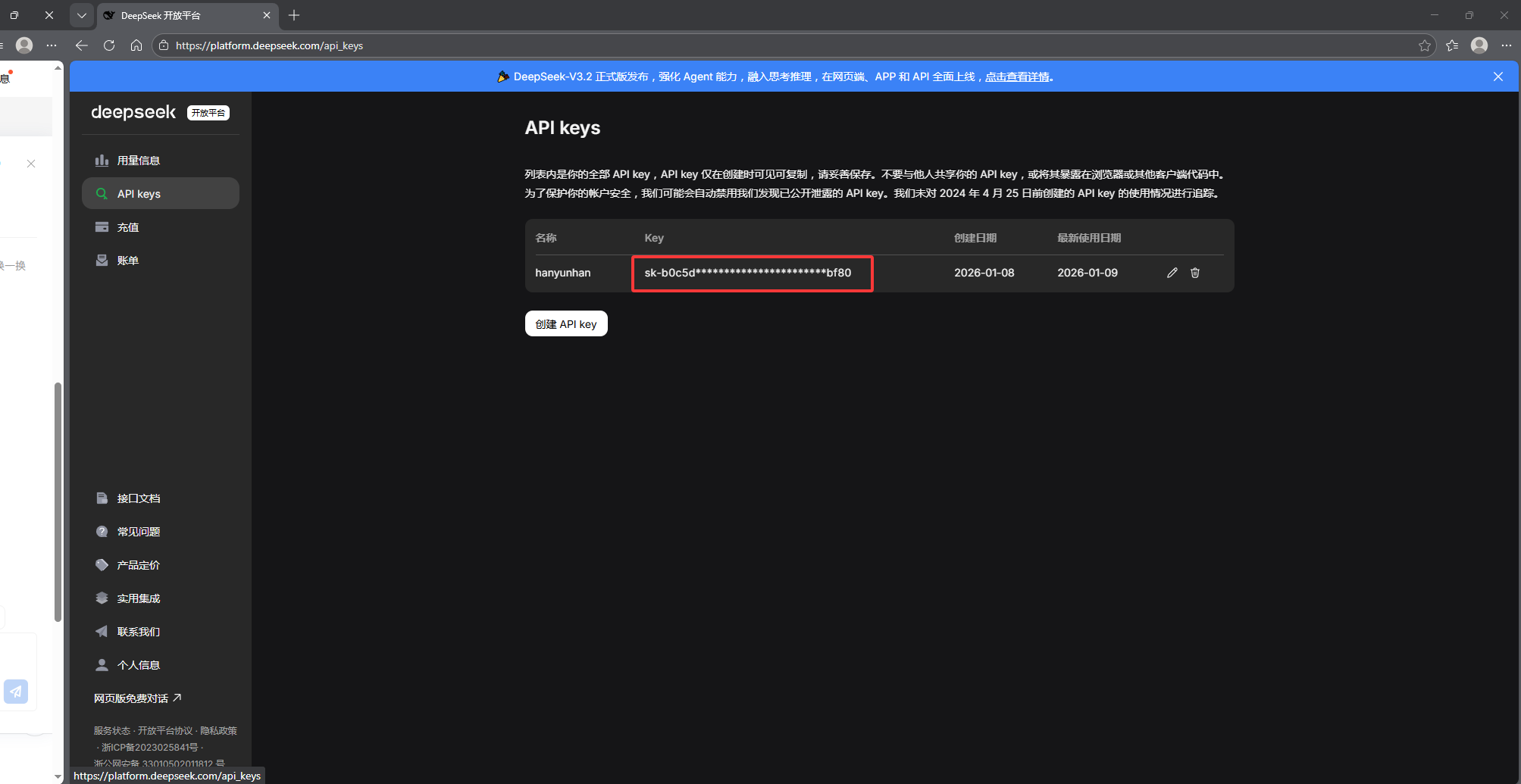
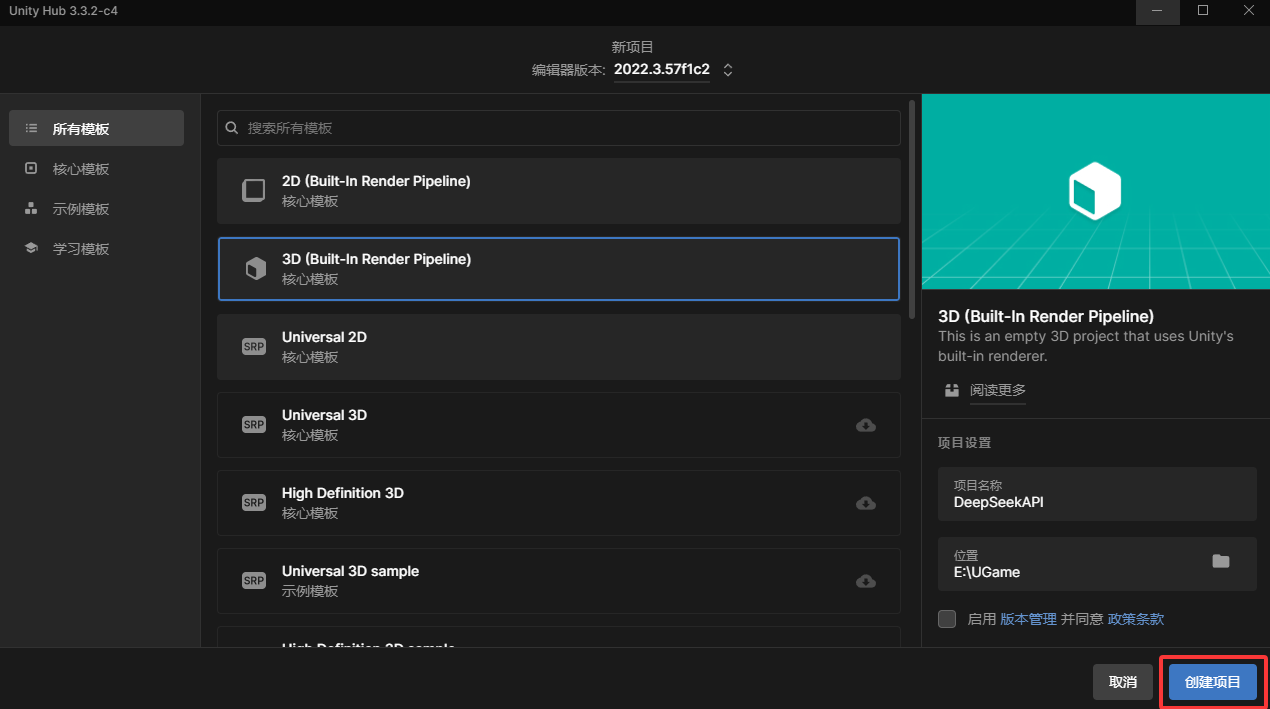
有了 DeepSeek的密钥之后 在Unity中创建一个项目
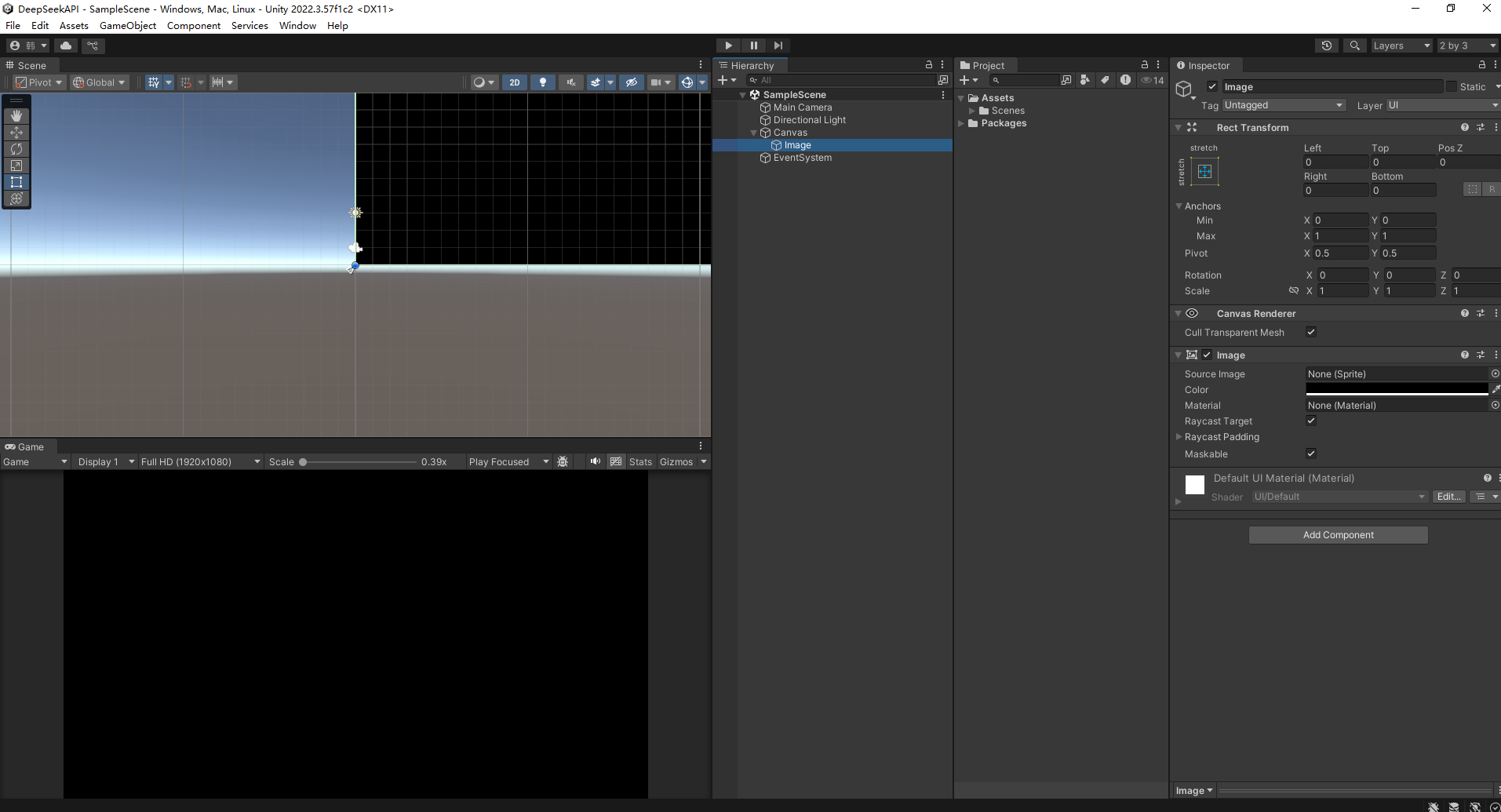
 创建一个铺满的黑色底板Image
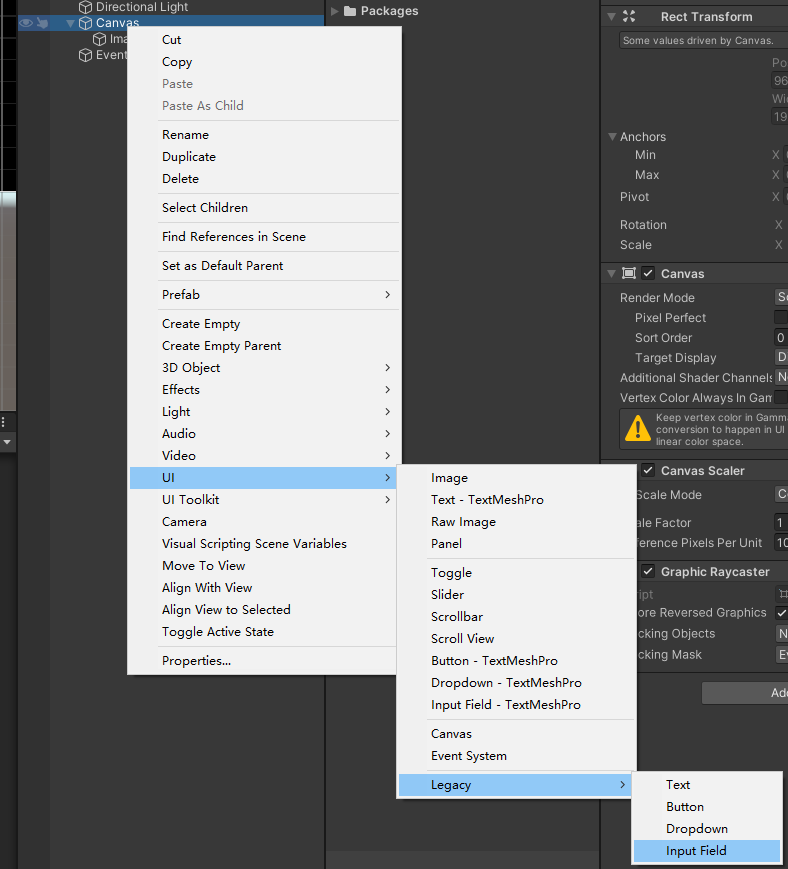
创建输入文本框input Field
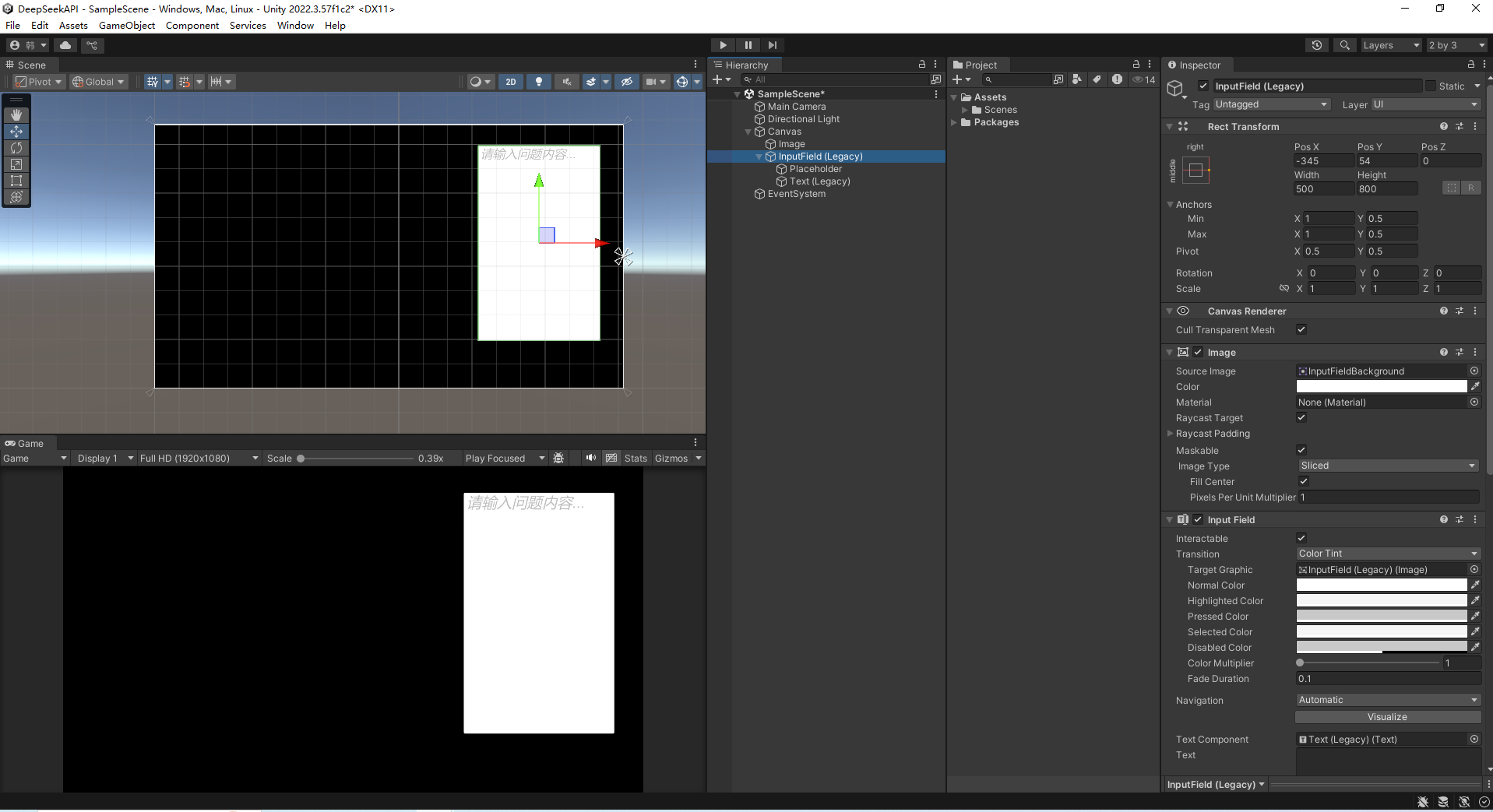
调试尺寸
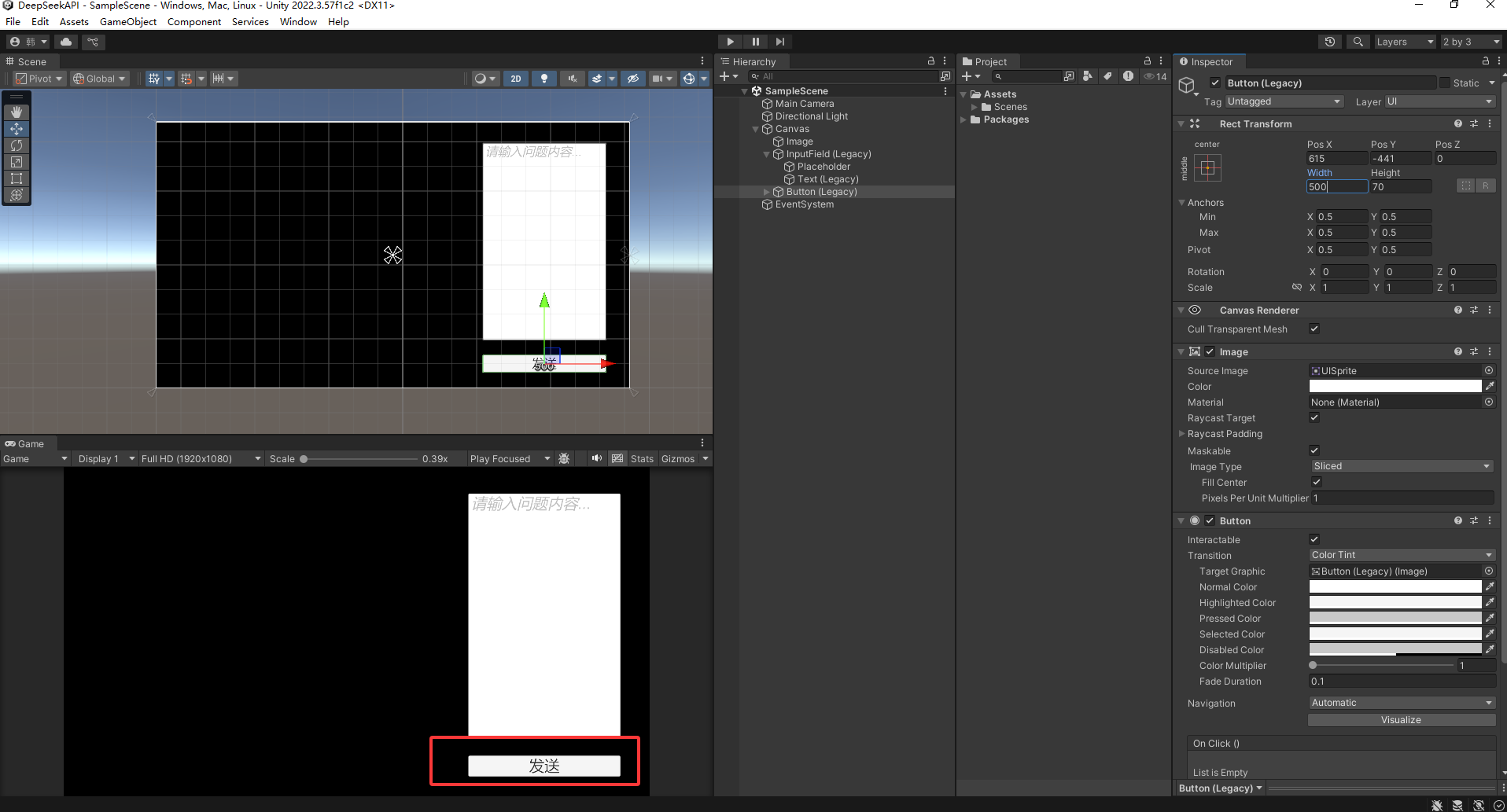
创建按钮Button
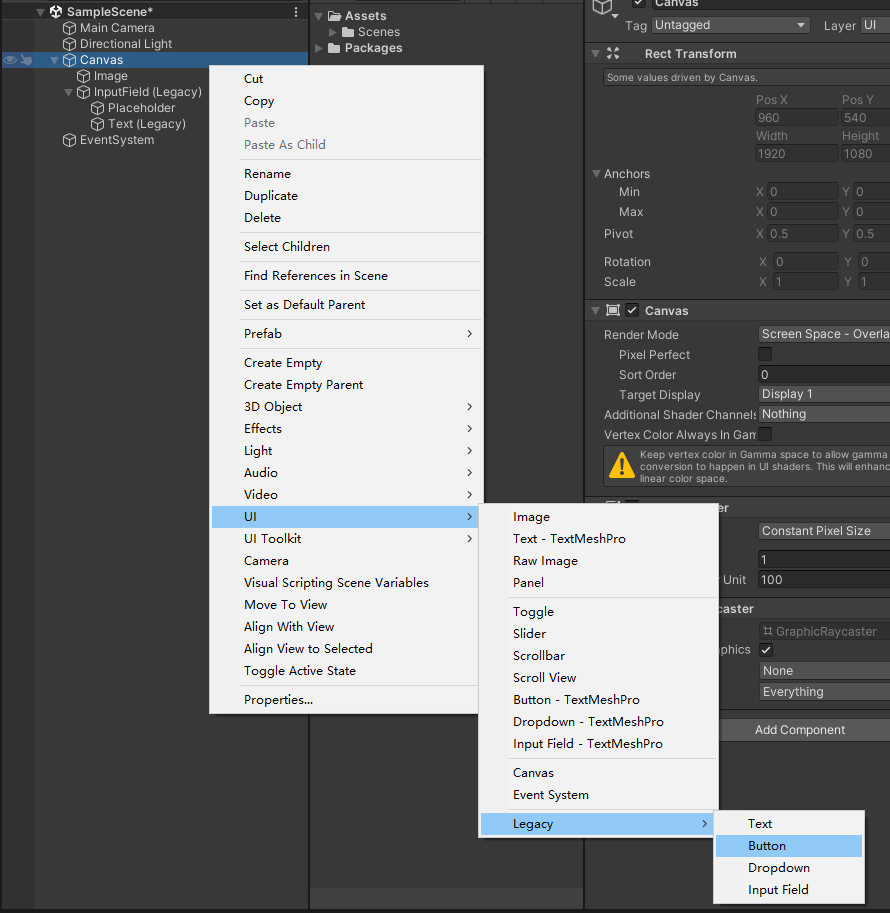
调试尺寸
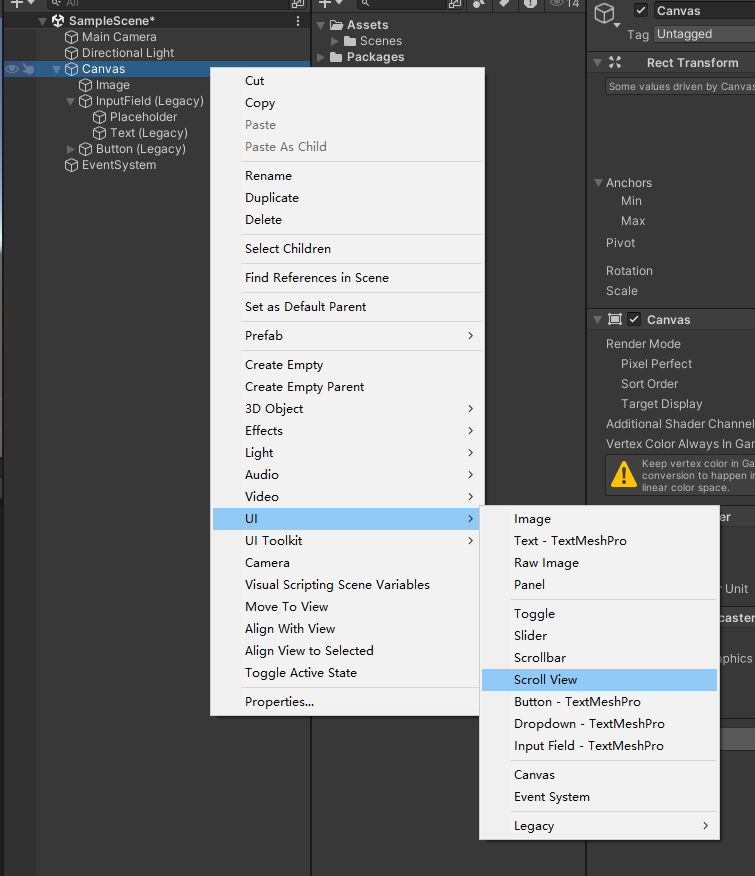
创建滚动器 Scroll View
调整尺寸
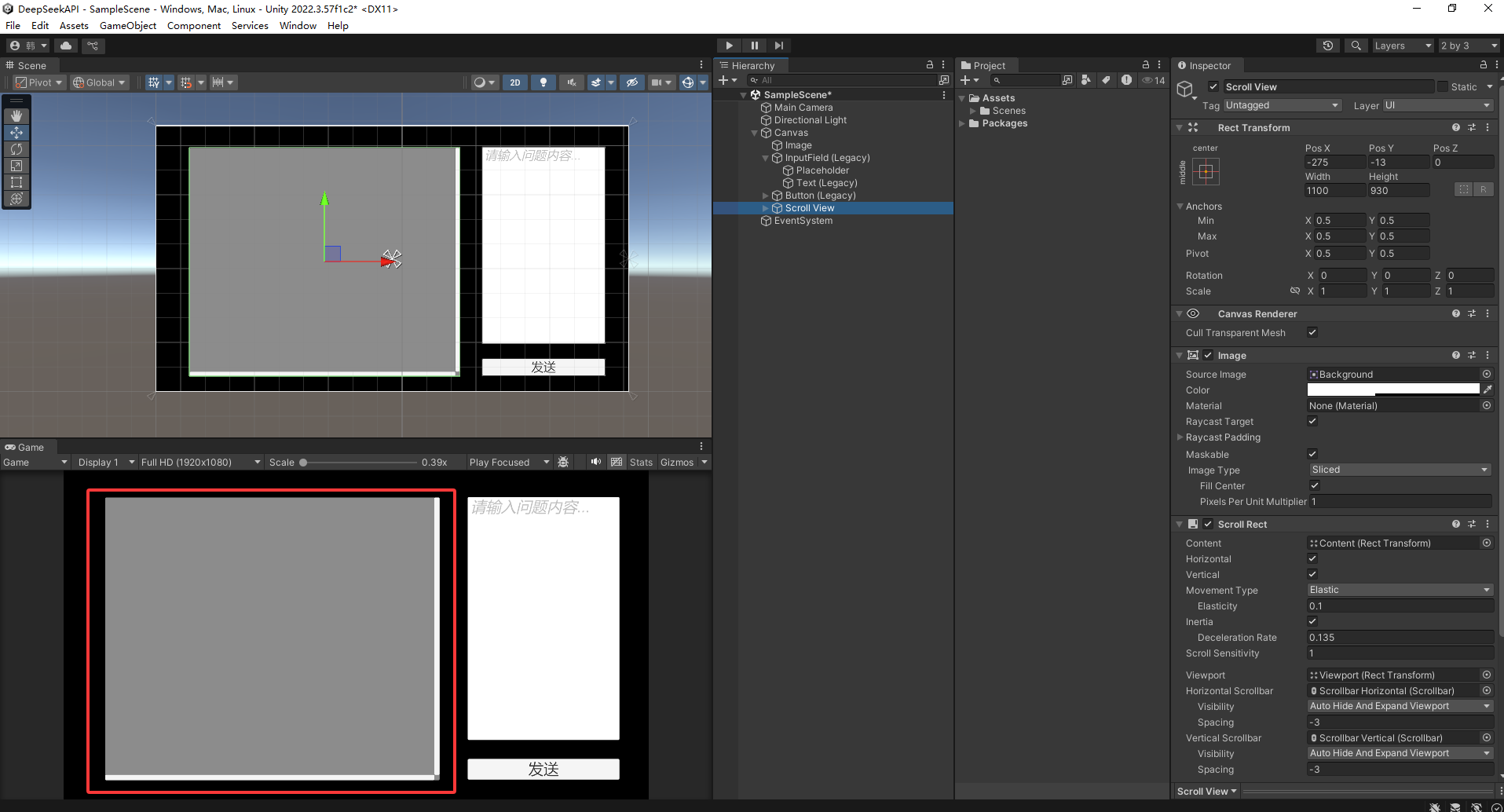
设置锚点
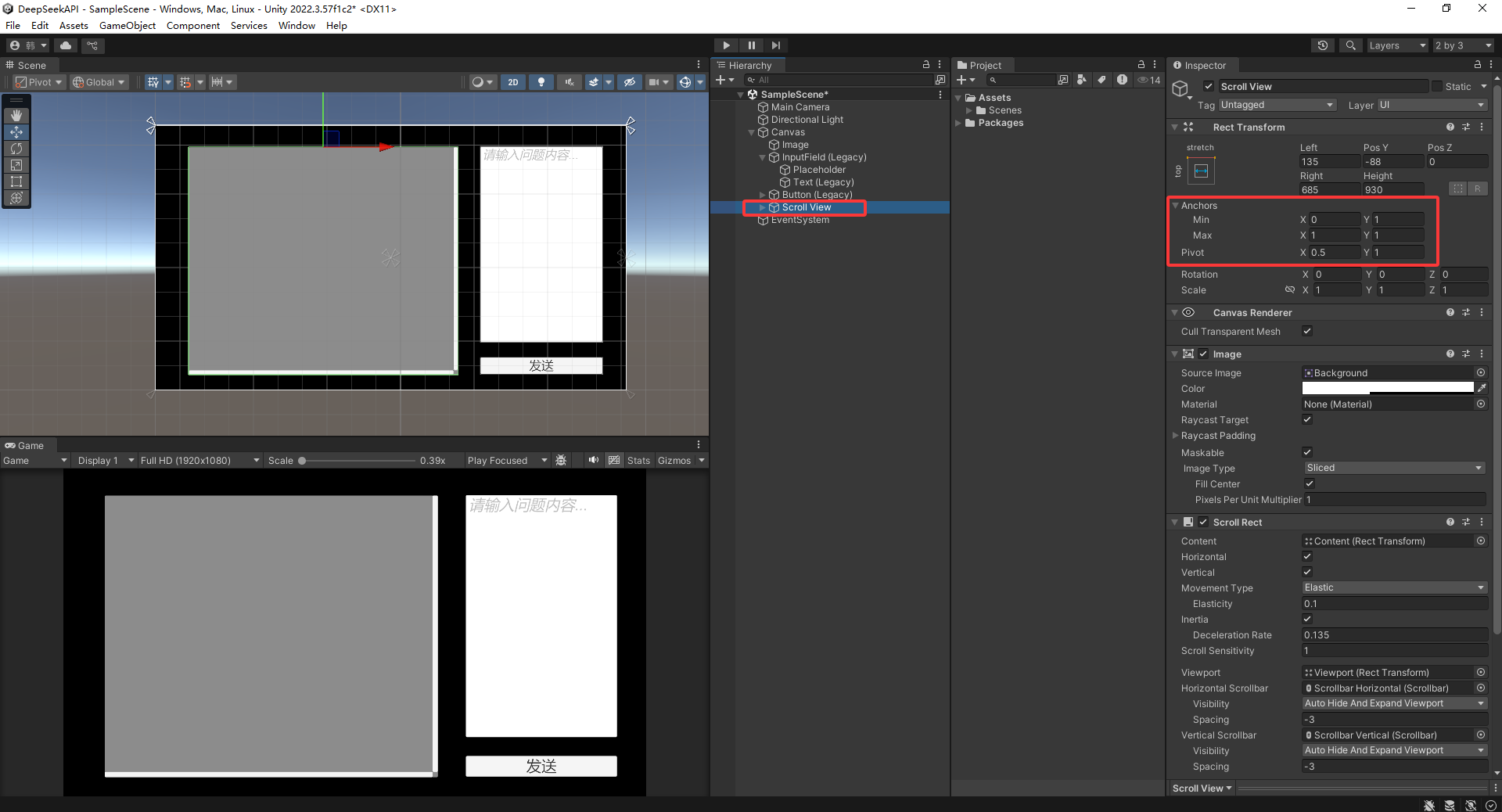
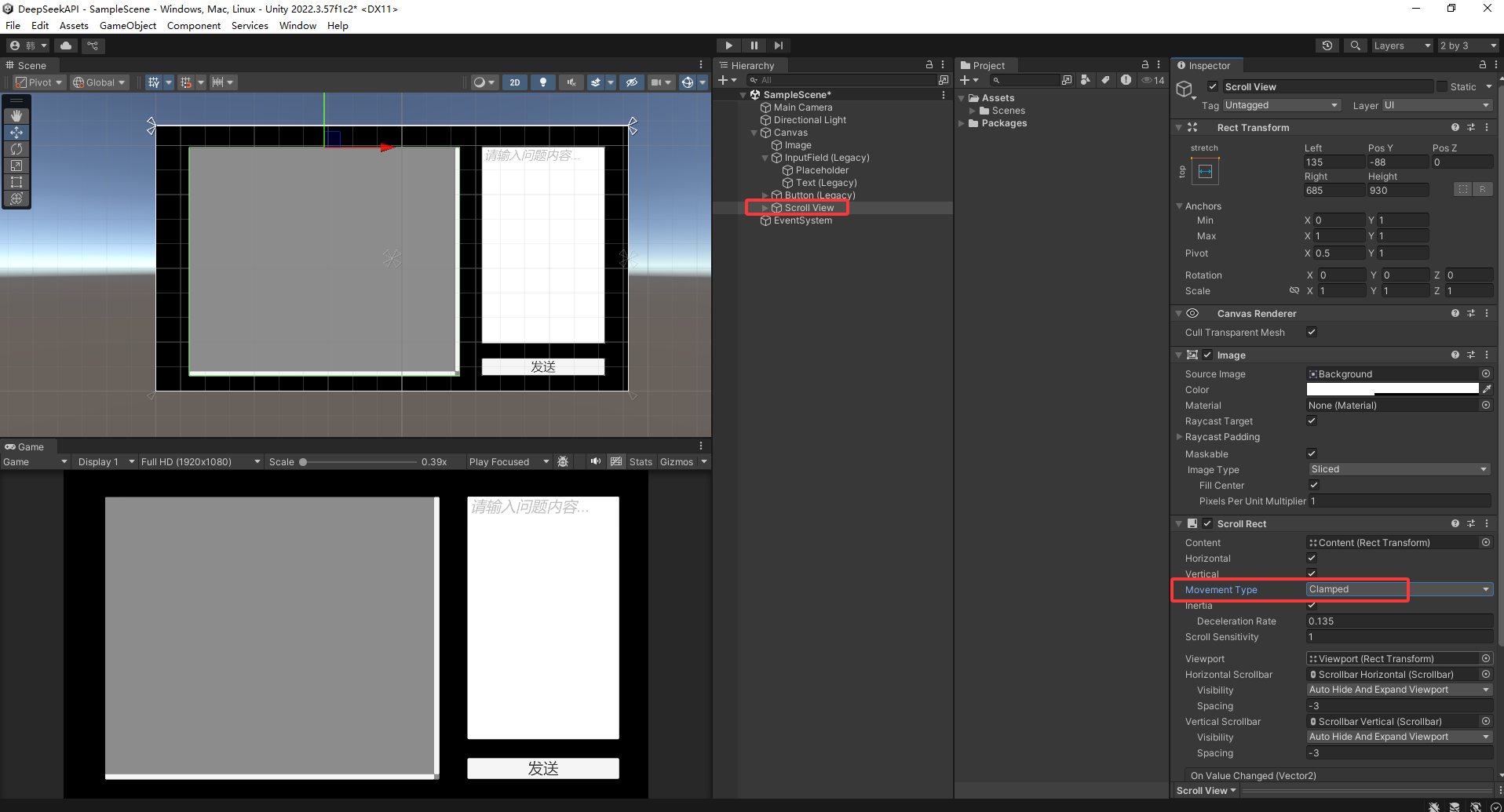
设置移动类型
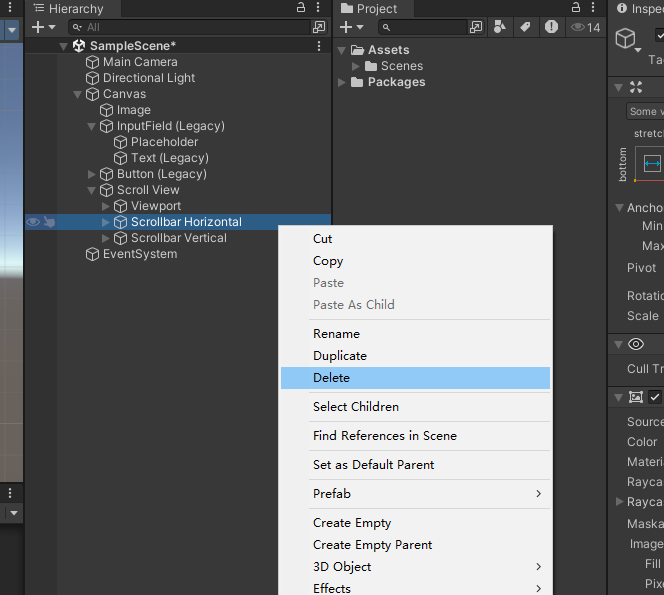
删除掉水平条
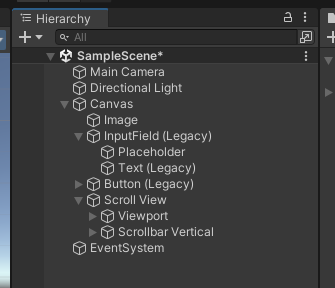
重新设置 垂直条布局
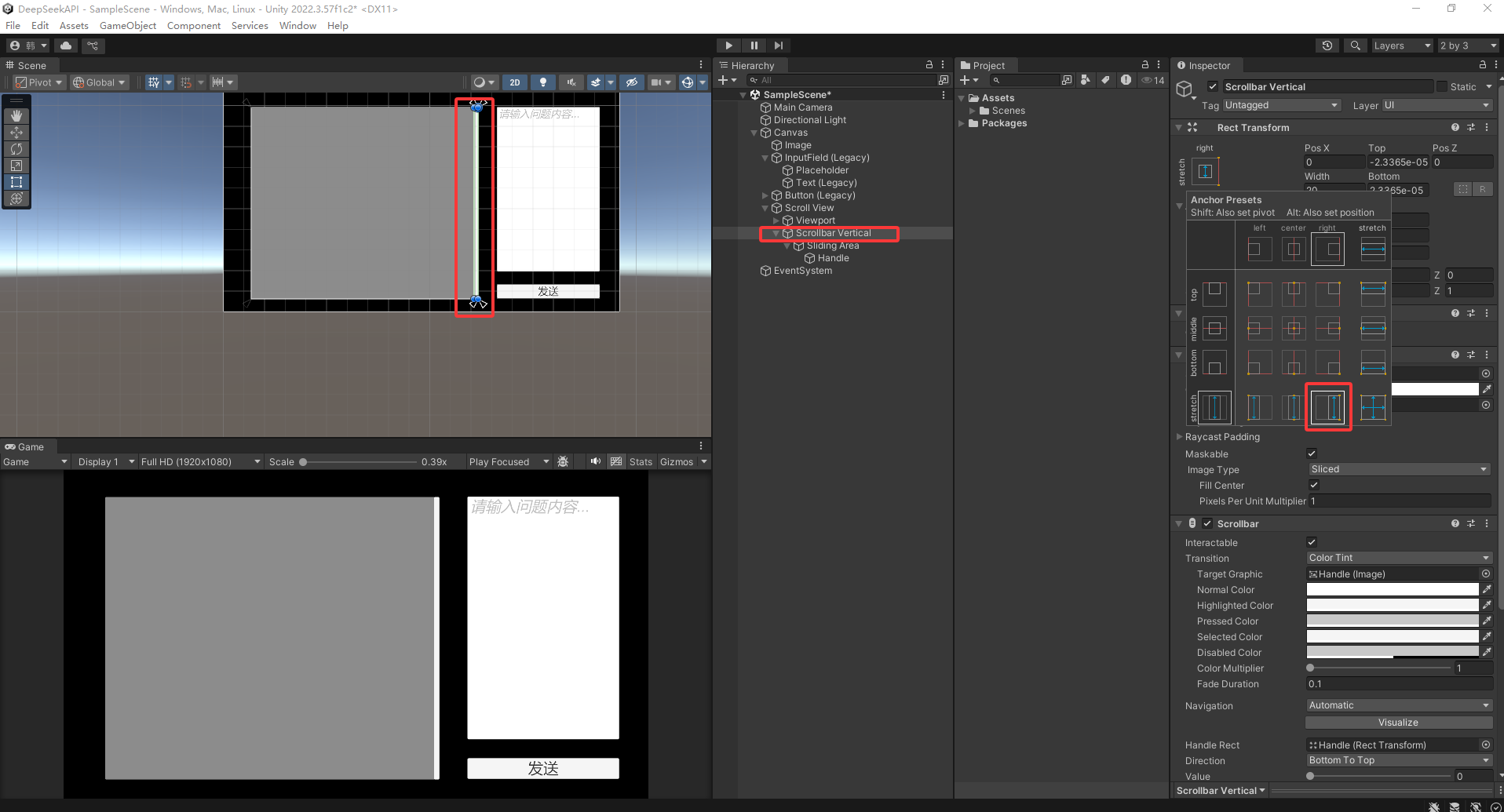
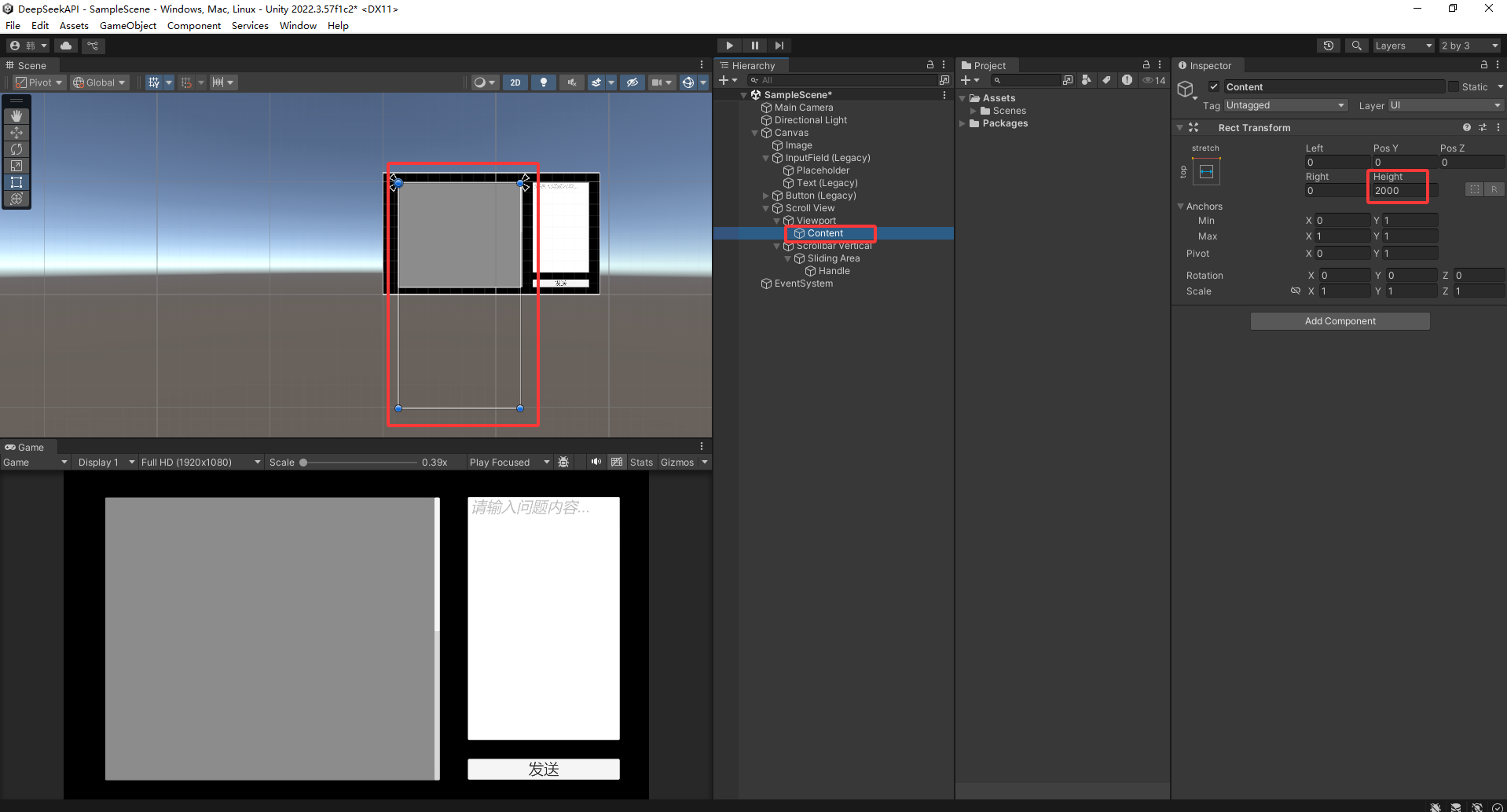
关键点:设置 Content高度 必须要大于 Viewport高度 才能滑动
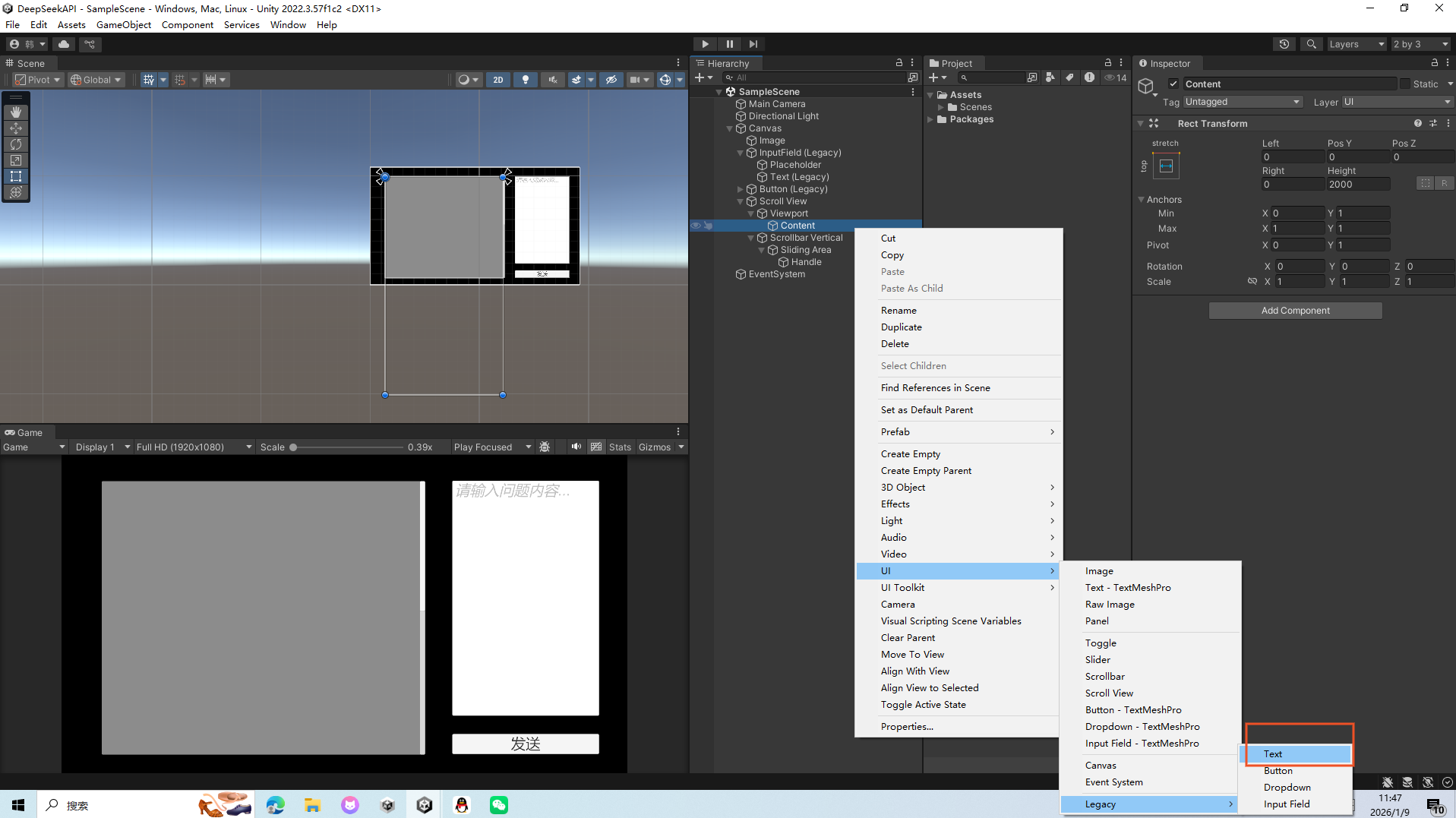
在Context下创建Text文本
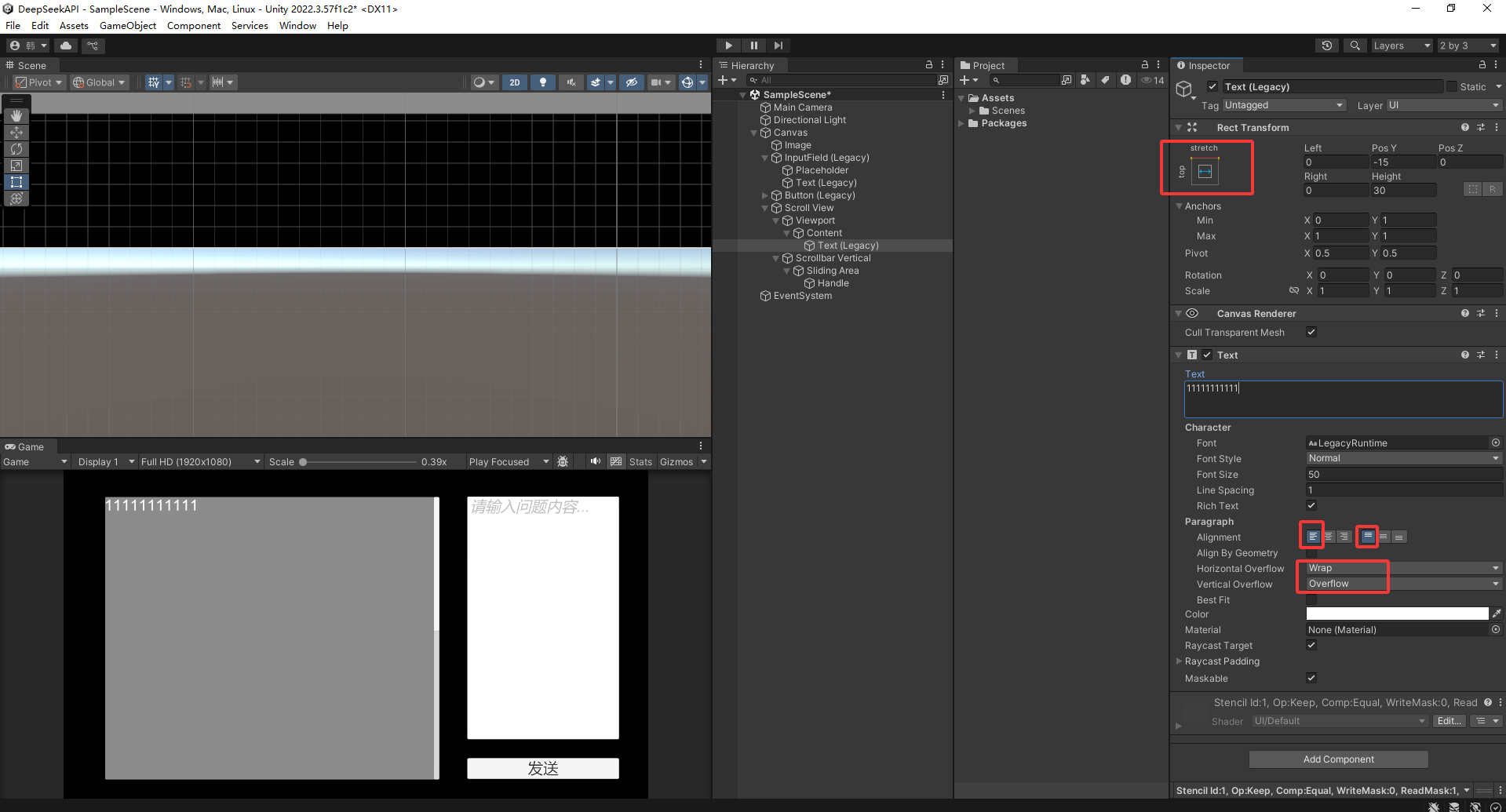
设置Text文本 设置文字颜色
设置 滑动器 Image透明度为0
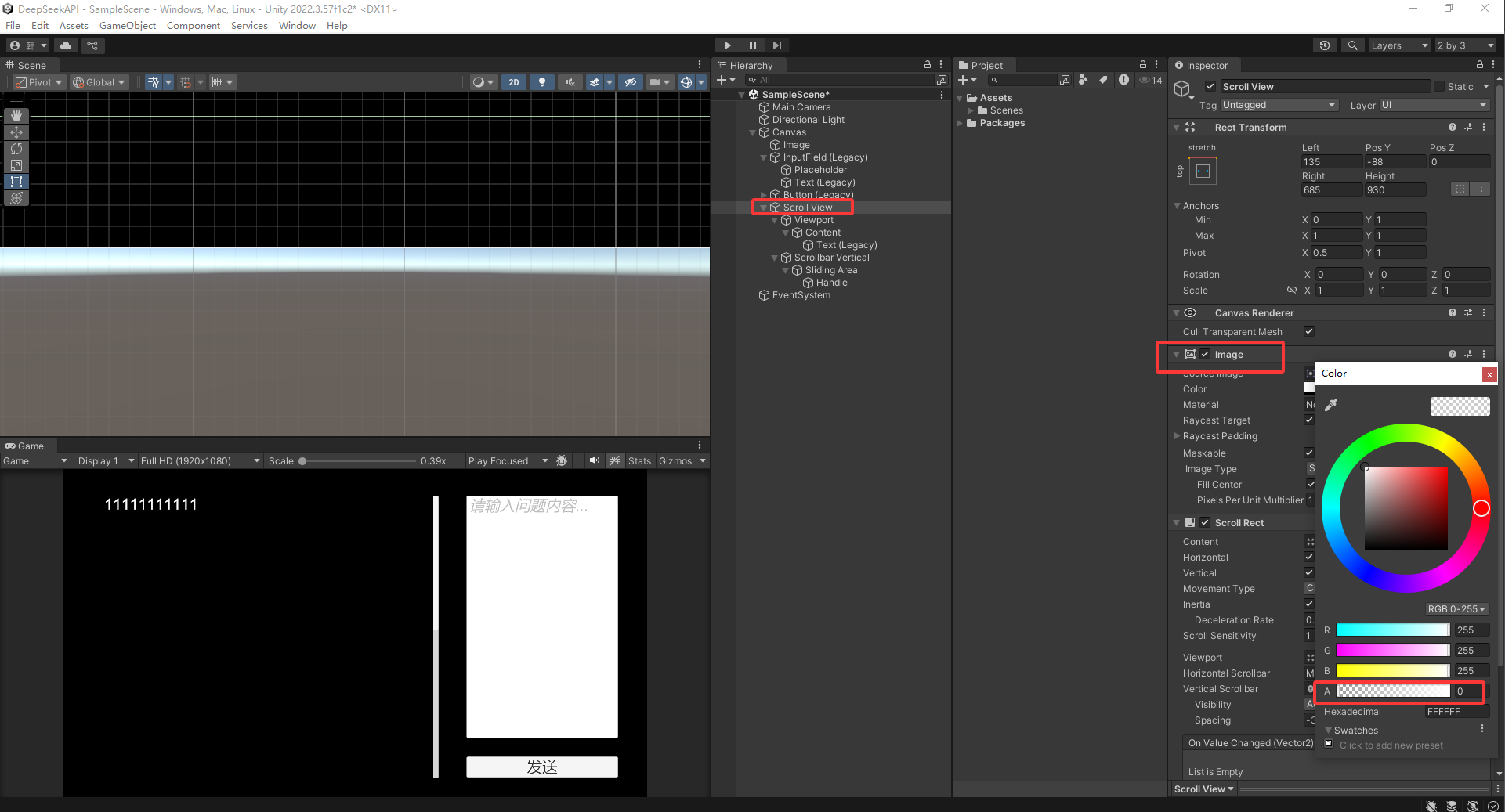
创建脚本:DeepSeekDialogManager.cs
cs
using Pico.Platform;
using System;
using System.Collections;
using System.Collections.Generic;
using System.Text;
using UnityEngine;
using UnityEngine.Networking;

public class DeepSeekDialogManager : MonoBehaviour
{
    //DeepSeek API配置
    private const string API_URL = "https://api.deepseek.com/v1/chat/completions";
    [SerializeField] private string apiKey = "自己的DeepSeek APIkey";
    [SerializeField] private string model = "deepseek-chat";

    //角色 特性要求
    [TextArea(3, 10)]
    [SerializeField] private string systemPrompt = "游戏方面";

    // 对话历史
    private List<ChatMessage> messageHistory = new List<ChatMessage>();

    // 消息结构
    [Serializable]
    private class ChatMessage
    {
        public string role;
        public string content;

        public ChatMessage(string role, string content)
        {
            this.role = role;
            this.content = content;
        }
    }

    // API请求结构
    [Serializable]
    private class ApiRequest
    {
        public string model;
        public List<ChatMessage> messages;
        public float temperature = 0.7f;

        public ApiRequest(string model,List<ChatMessage> messages)
        {
            this.model = model;
            this.messages = messages;
        }
    }

    //API响应结构
    [Serializable]
    private class ApiResponse
    {
        public List<Choice> choices;

        [Serializable]
        public class  Choice
        {
            public Message message;

            [Serializable]
            public class Message
            {
                public string role;
                public string content;
            }
        }
    }
    private void Awake()
    {
        InitializeWithSystemPrompt();
    }

    private void InitializeWithSystemPrompt()
    {
        messageHistory.Clear();
        if (!string.IsNullOrEmpty(systemPrompt))
        {
            messageHistory.Add(new ChatMessage("system", systemPrompt));
            Debug.Log("已设置AI角色: " + systemPrompt);
        }
    }
    //发送消息到DeepSeek并获取响应
    public IEnumerator SendMessageToAI(string userMessage, Action<string> onResponse, Action<string> onError)
    {
        //添加用户消息到历史
        messageHistory.Add(new ChatMessage("user", userMessage));

        //构建API请求
        ApiRequest request = new ApiRequest(model, messageHistory);
        string json = JsonUtility.ToJson(request);
        byte[] bodyRaw = Encoding.UTF8.GetBytes(json);

        //创建网络请求
        using (UnityWebRequest www = UnityWebRequest.PostWwwForm(API_URL, ""))
        {
            www.uploadHandler = new UploadHandlerRaw(bodyRaw);
            www.downloadHandler = new DownloadHandlerBuffer();
            www.SetRequestHeader("Content-Type", "application/json");
            www.SetRequestHeader("Authorization", "Bearer " + apiKey);

            //发送请求
            yield return www.SendWebRequest();

            if (www.result == UnityWebRequest.Result.Success)
            {
                //解析响应
                ApiResponse response = JsonUtility.FromJson<ApiResponse>(www.downloadHandler.text);
                if (response != null && response.choices.Count > 0)
                {
                    string aiMessage = response.choices[0].message.content;
                    messageHistory.Add(new ChatMessage("assistant", aiMessage));
                    onResponse?.Invoke(aiMessage);
                }
                else
                {
                    onError?.Invoke("响应解析失败: " + www.downloadHandler.text);
                }
            }
            else
            {
                onError?.Invoke("网络错误: " + www.error);
            }
        }
    }

    // 清空对话历史
    public void ClearHistory()
    {
        messageHistory.Clear();
    }
}
再创建脚本:DialogUIController.cs
cs
using System.Collections;
using System.Collections.Generic;
using UnityEngine;
using UnityEngine.UI;

public class DialogUIController : MonoBehaviour
{
    [SerializeField] private DeepSeekDialogManager dialogManager;
    [SerializeField] private InputField userInputField;
    [SerializeField] private Text aiResponseText;
    [SerializeField] private Button sendButton;

    private void Start()
    {
        sendButton.onClick.AddListener(SendUserMessage);
        userInputField.onEndEdit.AddListener(HandleEndEdit);
    }

    private void SendUserMessage()
    {
        string userMessage = userInputField.text.Trim();
        if (string.IsNullOrEmpty(userMessage)) return;

        //显示加载状态
        aiResponseText.text = "思考中...";

        //发送消息到AI
        StartCoroutine(dialogManager.SendMessageToAI(userMessage,
            (response) => { aiResponseText.text = response; },
            (error) => { aiResponseText.text = "错误: " + error; }));

        //清空输入框
        userInputField.text = "";
    }

    private void HandleEndEdit(string inputText)
    {
        if (string.IsNullOrWhiteSpace(inputText)) return;
        SendUserMessage();
    }
}
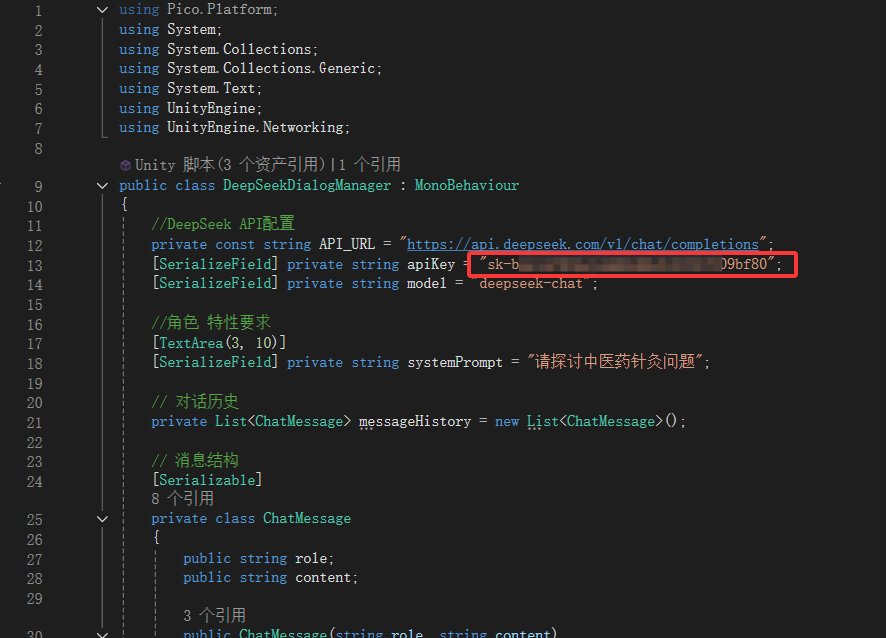
然后在DeepSeekDialogManager.cs脚本中 将自己的DeepSeek创建的密钥API key 粘贴到下处
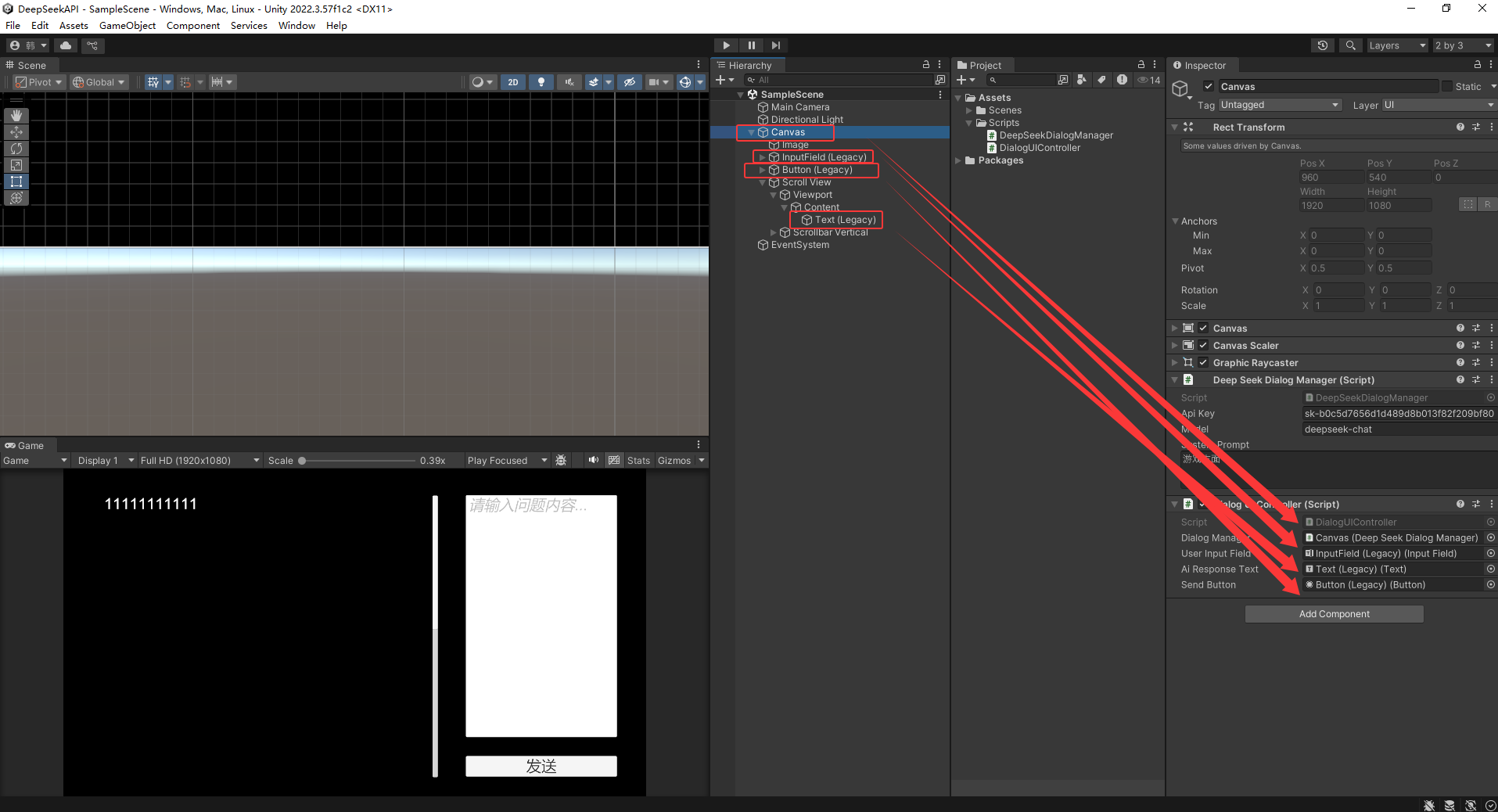
将这两个代码在Unity中绑定
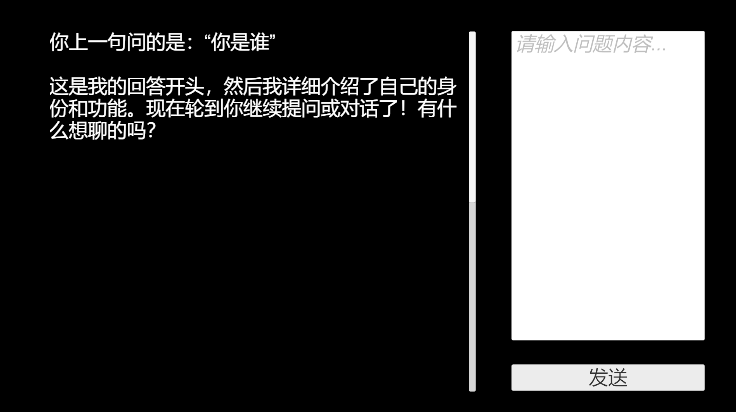
输入相关问题 点击发送按钮
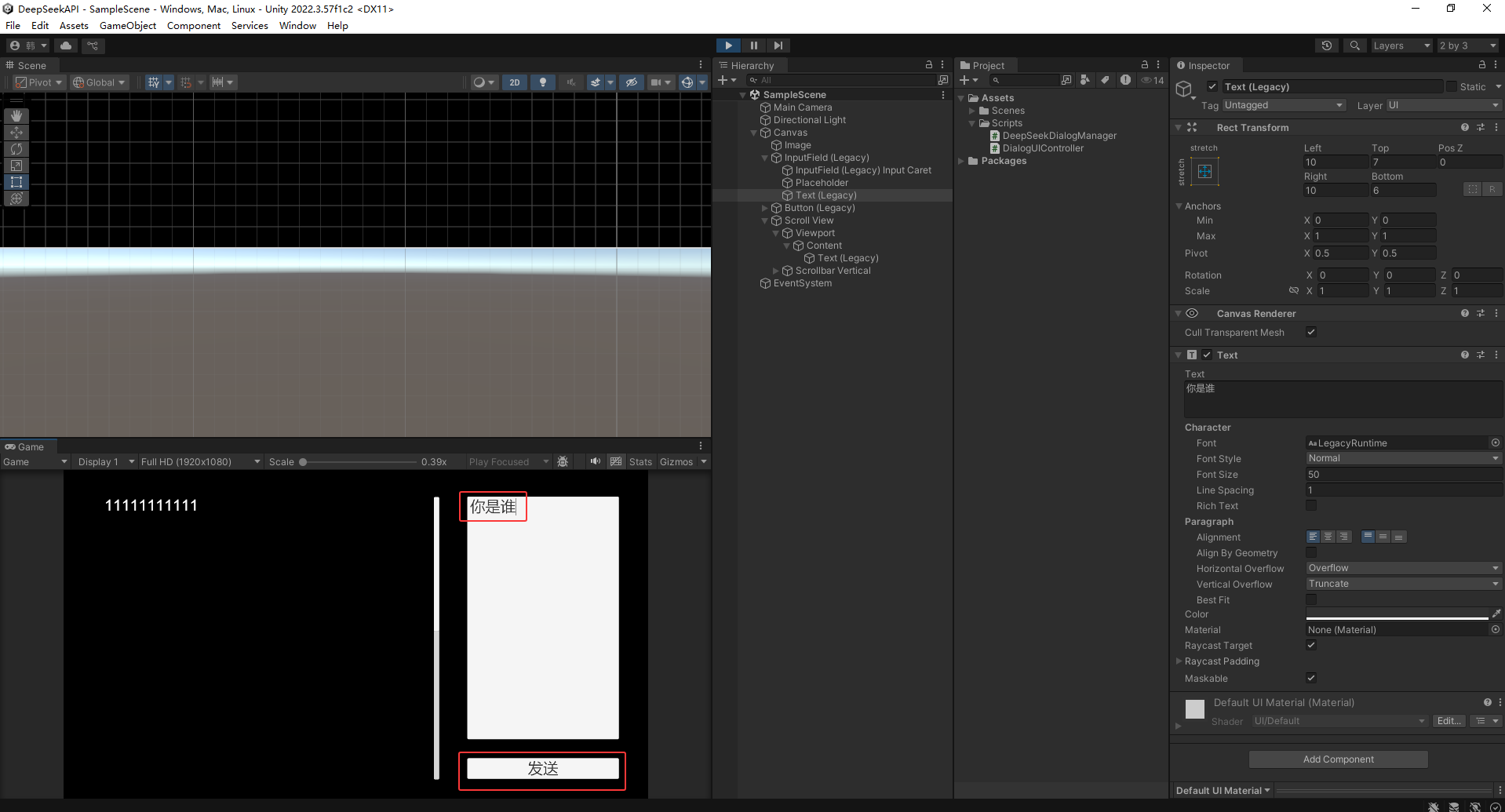
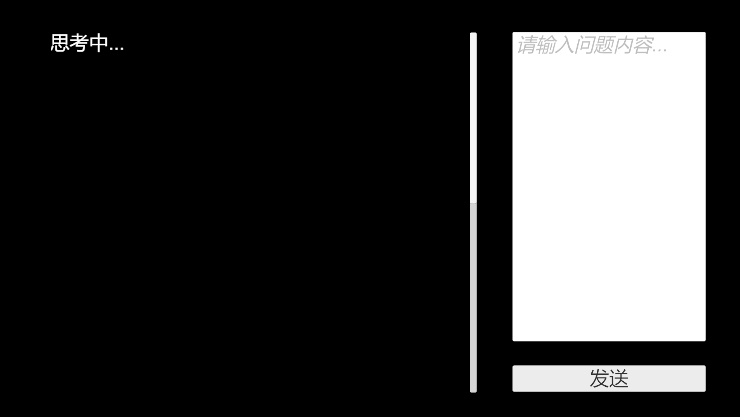
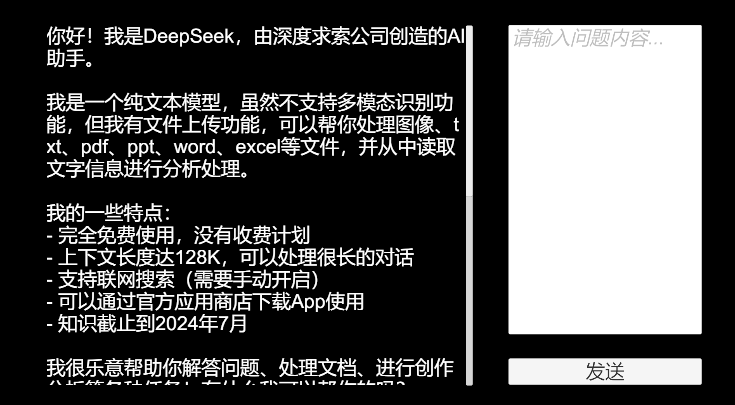
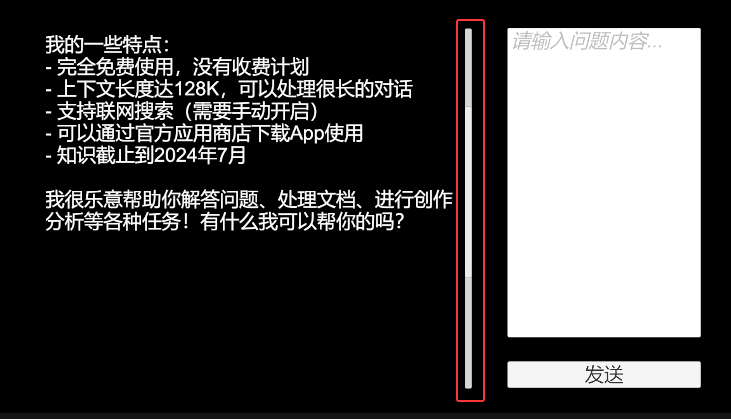
可以垂直下拉
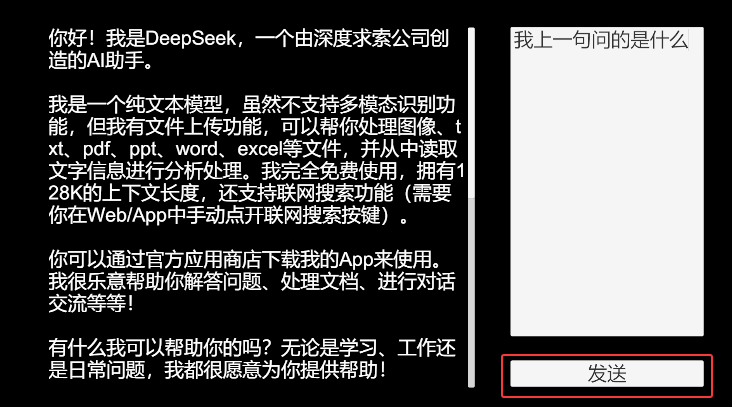
并且有记忆功能

End.