在 Windows 环境下使用 Docker Desktop 模拟 Elasticsearch 数据迁移
本文介绍如何在 Windows 环境 下,通过 Docker Desktop 搭建 Elasticsearch 与 Kibana,模拟数据迁移,包括 索引结构、索引数据 以及 Kibana 的 Index Pattern 的迁移。
一、环境准备
1. Docker Compose 文件
以下是示例 docker-compose.yml 文件,用于启动 Elasticsearch 和 Kibana:
yaml
version: "3.8"

services:
  # ---------------------------
  # Elasticsearch 7.x 服务
  # ---------------------------
  elasticsearch:
    image: docker.elastic.co/elasticsearch/elasticsearch:7.17.9
    container_name: elasticsearch
    environment:
      # 单节点模式,不启用集群发现
      - discovery.type=single-node
      # 禁用 X-Pack 安全(方便测试)
      - xpack.security.enabled=false
      # JVM 堆大小
      - ES_JAVA_OPTS=-Xms512m -Xmx512m
    ulimits:
      # 内存锁,防止 JVM 被 swap
      memlock:
        soft: -1
        hard: -1
    ports:
      - "9200:9200"  # REST API
      - "9300:9300"  # 集群通信
    networks:
      - es-to-os-net
    volumes:
      # 持久化数据卷
      - es-data:/usr/share/elasticsearch/data

  # ---------------------------
  # Kibana 服务(连接 Elasticsearch)
  # ---------------------------
  kibana:
    image: docker.elastic.co/kibana/kibana:7.17.9
    container_name: kibana
    depends_on:
      - elasticsearch
    environment:
      # 连接 ES
      - ELASTICSEARCH_HOSTS=http://elasticsearch:9200
      # 允许外部访问
      - SERVER_HOST=0.0.0.0
    ports:
      - "5602:5601"  # 避免和 OpenSearch Dashboards 冲突
    networks:
      - es-to-os-net

  # ---------------------------
  # OpenSearch 3.x 服务
  # ---------------------------
  opensearch:
    image: opensearchproject/opensearch:3.4.0
    container_name: opensearch
    environment:
      # 单节点模式
      - discovery.type=single-node
      # 内存锁
      - bootstrap.memory_lock=true
      # JVM 堆大小
      - OPENSEARCH_JAVA_OPTS=-Xms512m -Xmx512m
      # ⭐ 初始化管理员密码(首次启动生效)
      - OPENSEARCH_INITIAL_ADMIN_PASSWORD=S3cure@OpenSearch#2026
    ulimits:
      memlock:
        soft: -1
        hard: -1
    ports:
      - "9201:9200"   # OpenSearch REST API
      - "9600:9600"   # Performance Analyzer
    networks:
      - es-to-os-net
    volumes:
      # 持久化数据卷
      - opensearch-data:/usr/share/opensearch/data

  # ---------------------------
  # OpenSearch Dashboards 服务
  # ---------------------------
  opensearch-dashboards:
    image: opensearchproject/opensearch-dashboards:3.4.0
    container_name: opensearch-dashboards
    depends_on:
      - opensearch
    environment:
      # ⚠️ 连接 OpenSearch 的地址(字符串形式)
      - OPENSEARCH_HOSTS=https://opensearch:9200
      # 使用服务账号访问
      - OPENSEARCH_USERNAME=kibanaserver
      - OPENSEARCH_PASSWORD=kibanaserver
      # 忽略自签证书验证
      - OPENSEARCH_SSL_VERIFICATIONMODE=none
      - SERVER_HOST=0.0.0.0
    ports:
      - "5601:5601"
    networks:
      - es-to-os-net

# ---------------------------
# 网络配置
# ---------------------------
networks:
  es-to-os-net:
    driver: bridge

# ---------------------------
# 数据卷配置
# ---------------------------
volumes:
  # Elasticsearch 数据卷
  es-data:
    driver: local

  # OpenSearch 数据卷(存储 OpenSearch 数据)
  opensearch-data:
    driver: local
2. 启动与清理命令
bash
# 启动 Elasticsearch + Kibana
docker compose up -d

# 停止并删除容器、网络及卷
docker compose down -v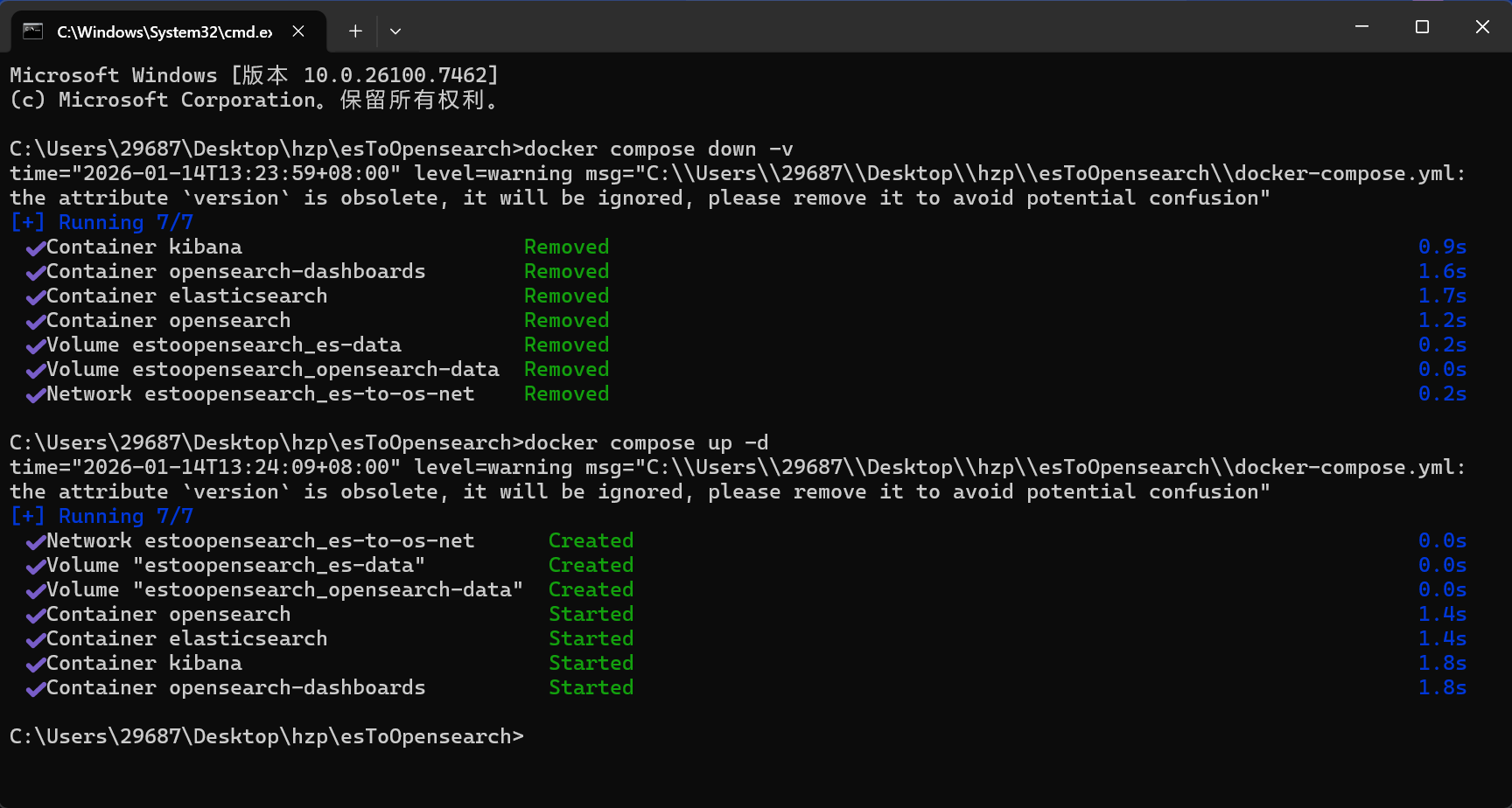
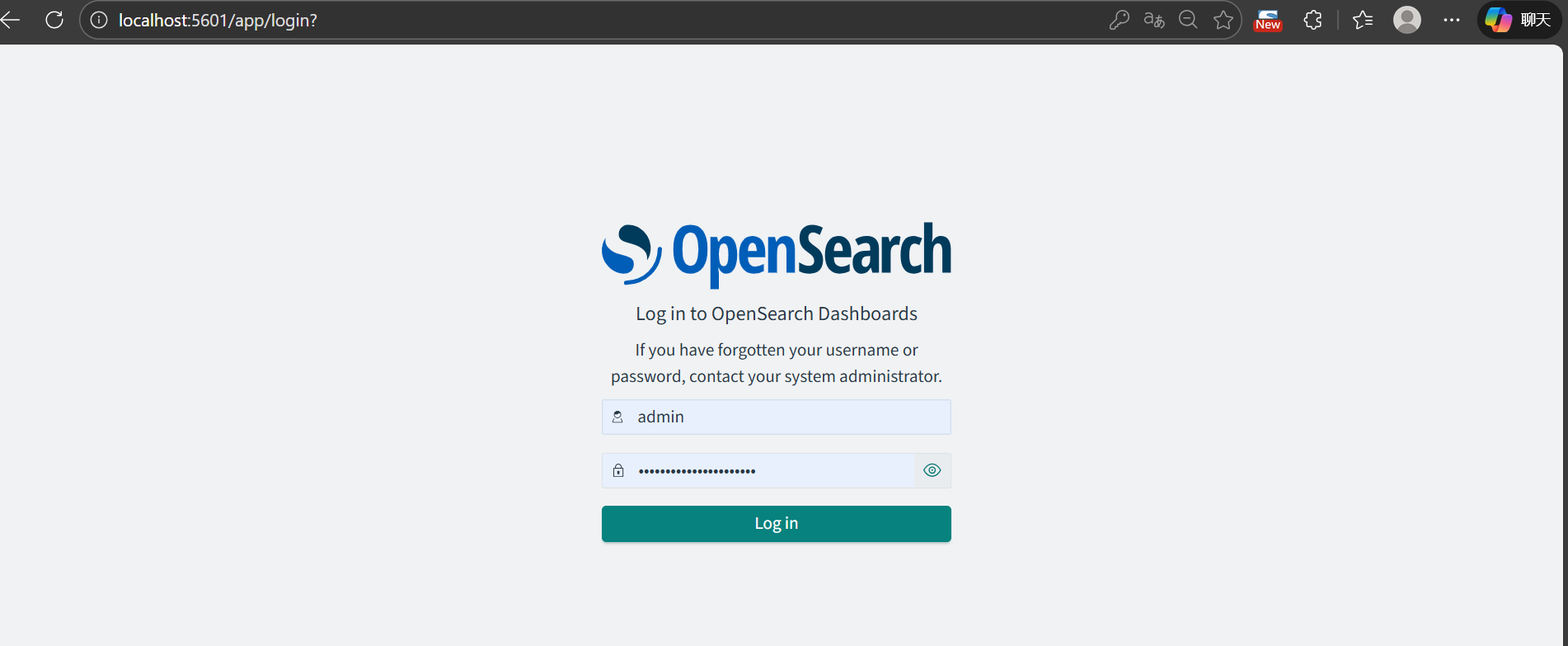
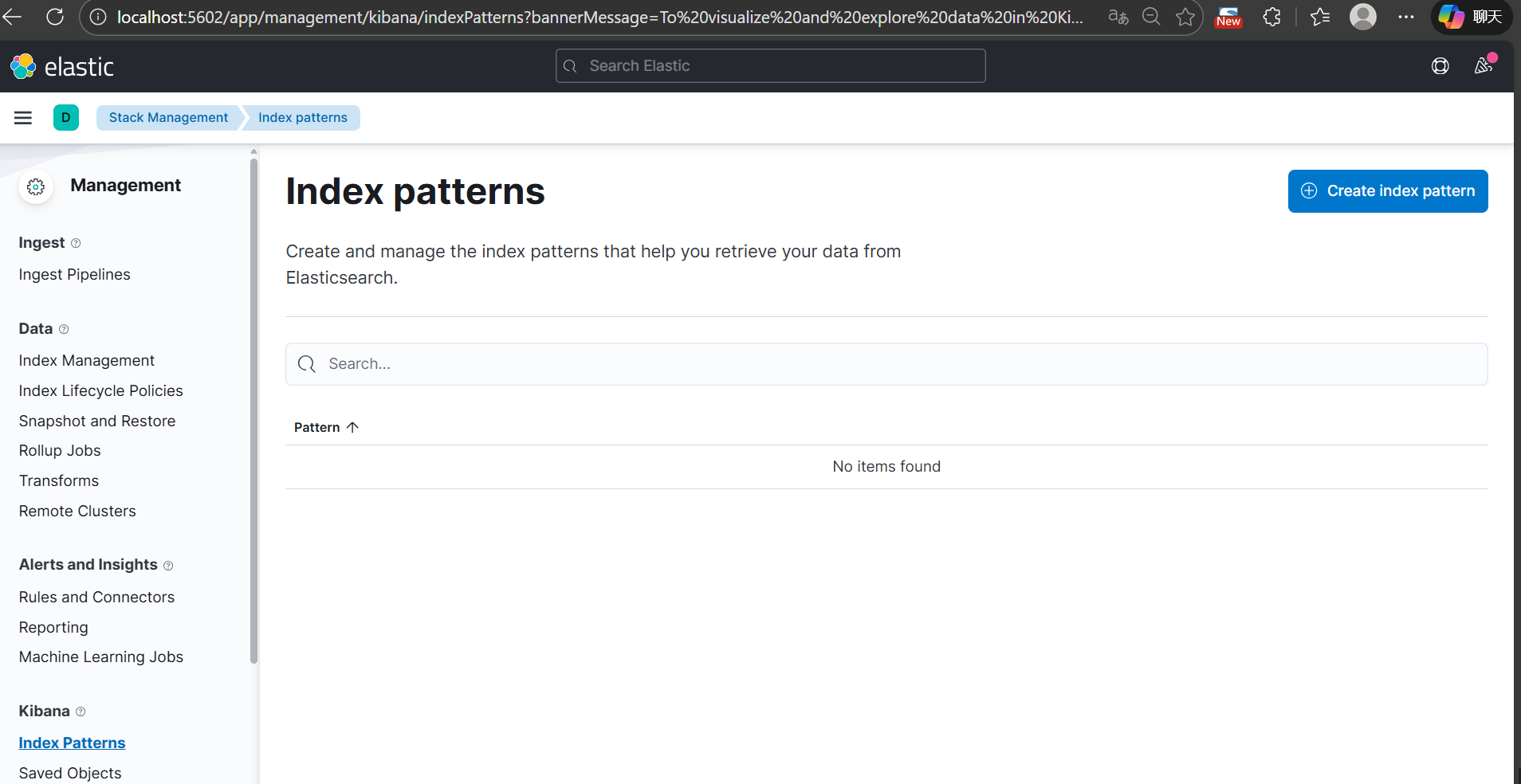
二、迁移模拟说明
通过 Spring Boot 程序来模拟 Elasticsearch 的数据创建、索引迁移和 Kibana 的 Index Pattern 迁移。主要包括以下内容:
2.1 Maven 依赖
在 pom.xml 中添加相关依赖(请根据实际版本调整):
xml
        <dependency>
            <groupId>org.opensearch.client</groupId>
            <artifactId>opensearch-rest-high-level-client</artifactId>
            <version>2.9.0</version>
        </dependency>

        <dependency>
            <groupId>com.alibaba</groupId>
            <artifactId>fastjson</artifactId>
            <version>2.0.44</version>
        </dependency>
⚠️ 注意:不同版本的 Elasticsearch 依赖和代码可能存在差异。
2.2 模拟数据
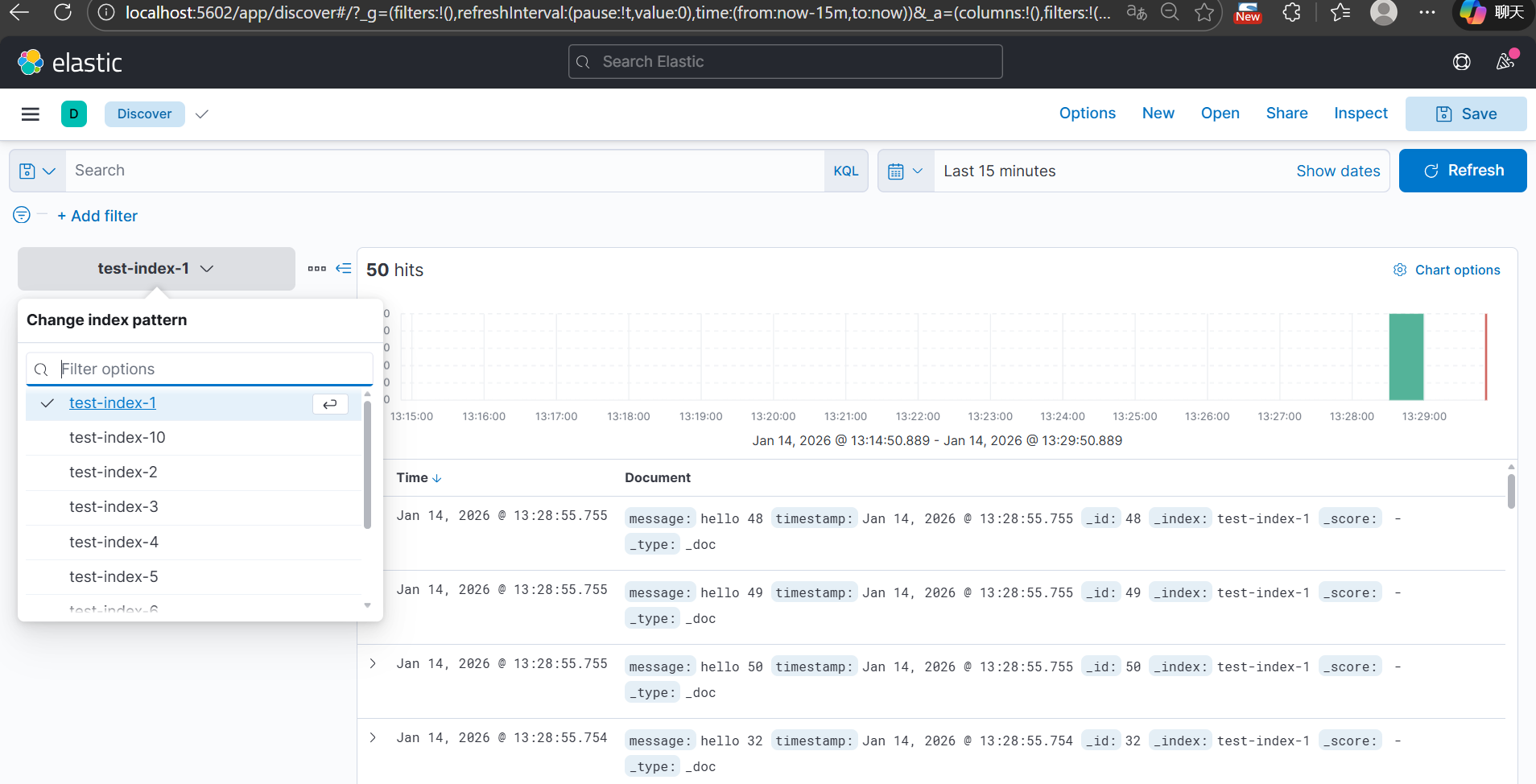
通过 Spring Boot 程序生成 Elasticsearch 数据和 Kibana Index Pattern。
java
package com.example.es2opensearch4j.util;

import org.opensearch.action.bulk.BulkRequest;
import org.opensearch.action.bulk.BulkResponse;
import org.opensearch.action.index.IndexRequest;
import org.opensearch.client.RequestOptions;
import org.opensearch.client.RestHighLevelClient;
import org.opensearch.client.indices.CreateIndexRequest;
import org.opensearch.client.indices.GetIndexRequest;
import org.opensearch.client.indices.PutMappingRequest;
import org.opensearch.common.xcontent.XContentType;

import java.net.URI;
import java.net.http.HttpClient;
import java.net.http.HttpRequest;
import java.net.http.HttpResponse;
import java.util.*;

public class KibanaIndexPatternSimulator {

    private final RestHighLevelClient esClient;
    private final String kibanaUrl = "http://localhost:5602"; // Kibana 地址
    private final Random random = new Random();

    public KibanaIndexPatternSimulator(RestHighLevelClient esClient) {
        this.esClient = esClient;
    }

    /** 模拟创建多个索引,并插入多条随机文档,同时创建 Kibana Index Pattern */
    public void simulateIndicesAndPatterns(int docsPerIndex) throws Exception {
        List<String> indexNames = Arrays.asList(
                "test-index-1",
                "test-index-2",
                "test-index-3",
                "test-index-4",
                "test-index-5",
                "test-index-6",
                "test-index-7",
                "test-index-8",
                "test-index-9",
                "test-index-10"
        );

        for (String indexName : indexNames) {
            // 1️⃣ 判断时间字段
            String timeField = null;
            if (indexName.equals("test-index-1") || indexName.equals("test-index-10")) {
                timeField = "timestamp";
            } else if (indexName.equals("test-index-4")) {
                timeField = "date";
            }

            // 2️⃣ 创建索引并设置 Mapping(确保时间字段是 date 类型)
            createIndexWithMapping(indexName, timeField);

            // 3️⃣ 批量生成随机文档
            BulkRequest bulkRequest = new BulkRequest();
            for (int i = 1; i <= docsPerIndex; i++) {
                Map<String, Object> doc = generateRandomDocument(indexName, i);
                bulkRequest.add(new IndexRequest(indexName).id(String.valueOf(i)).source(doc));
            }

            BulkResponse bulkResponse = esClient.bulk(bulkRequest, RequestOptions.DEFAULT);
            if (bulkResponse.hasFailures()) {
                Arrays.stream(bulkResponse.getItems())
                        .filter(item -> item.isFailed())
                        .forEach(item -> System.err.println("Insert failed: " + item.getFailureMessage()));
            }
            System.out.printf("Inserted %d documents into index %s%n", docsPerIndex, indexName);

            // 4️⃣ 创建 Kibana Index Pattern
            createKibanaIndexPattern(indexName, timeField);
        }
    }

    /** 根据索引名生成随机文档,模拟不同类型字段 */
    private Map<String, Object> generateRandomDocument(String indexName, int id) {
        Map<String, Object> doc = new HashMap<>();
        switch (indexName) {
            case "test-index-1" -> {
                doc.put("message", "hello " + id);
                doc.put("timestamp", new Date()); // 使用 Date,确保 ES 映射 date
            }
            case "test-index-2" -> {
                doc.put("user", "user" + random.nextInt(100));
                doc.put("score", random.nextInt(1000));
                doc.put("active", random.nextBoolean());
            }
            case "test-index-3" -> {
                doc.put("product", "product-" + random.nextInt(50));
                doc.put("price", Math.round(random.nextDouble() * 1000) / 10.0);
                doc.put("inStock", random.nextBoolean());
            }
            case "test-index-4" -> {
                doc.put("event", "login");
                doc.put("date", new Date()); // 使用 Date
                doc.put("location", "SG");
            }
            case "test-index-5" -> {
                doc.put("name", "Name" + random.nextInt(100));
                doc.put("age", 18 + random.nextInt(50));
            }
            case "test-index-6" -> {
                doc.put("category", "electronics");
                doc.put("rating", Math.round(random.nextDouble() * 50) / 10.0);
                doc.put("available", random.nextBoolean());
            }
            case "test-index-7" -> {
                doc.put("title", "Article " + id);
                doc.put("views", random.nextInt(5000));
                doc.put("published", random.nextBoolean());
            }
            case "test-index-8" -> {
                doc.put("sensor", "temperature");
                doc.put("value", Math.round(random.nextDouble() * 1000) / 10.0);
                doc.put("unit", "C");
            }
            case "test-index-9" -> {
                doc.put("orderId", 1000 + id);
                doc.put("amount", Math.round(random.nextDouble() * 5000) / 10.0);
                doc.put("paid", random.nextBoolean());
            }
            case "test-index-10" -> {
                doc.put("ip", "192.168.1." + id);
                doc.put("status", random.nextBoolean() ? "ok" : "fail");
                doc.put("timestamp", new Date()); // 使用 Date
            }
        }
        return doc;
    }

    /** 创建索引并设置时间字段 Mapping */
    private void createIndexWithMapping(String indexName, String timeField) throws Exception {
        // 1️⃣ 创建索引
        GetIndexRequest getIndexRequest = new GetIndexRequest(indexName);
        boolean exists = esClient.indices().exists(getIndexRequest, RequestOptions.DEFAULT);

        if (!exists) {
            CreateIndexRequest createIndexRequest = new CreateIndexRequest(indexName);
            esClient.indices().create(createIndexRequest, RequestOptions.DEFAULT);
            System.out.printf("Created index %s%n", indexName);
        } else {
            System.out.printf("Index %s already exists%n", indexName);
        }

        // 2️⃣ 设置时间字段 Mapping
        if (timeField != null) {
            String mappingJson = """
                {
                  "properties": {
                    "%s": {
                      "type": "date"
                    }
                  }
                }
                """.formatted(timeField);

            PutMappingRequest mappingRequest = new PutMappingRequest(indexName)
                    .source(mappingJson, XContentType.JSON);
            esClient.indices().putMapping(mappingRequest, RequestOptions.DEFAULT);
        }

        System.out.printf("Created index %s with time field: %s%n", indexName, timeField);
    }

    /** 创建 Kibana Index Pattern */
    private void createKibanaIndexPattern(String indexName, String timeField) {
        try {
            String json = """
                    {
                      "attributes": {
                        "title": "%s",
                        "timeFieldName": %s
                      }
                    }
                    """.formatted(indexName, timeField == null ? "null" : "\"" + timeField + "\"");

            HttpRequest request = HttpRequest.newBuilder()
                    .uri(URI.create(kibanaUrl + "/api/saved_objects/index-pattern/" + indexName))
                    .header("Content-Type", "application/json")
                    .header("kbn-xsrf", "true")
                    .POST(HttpRequest.BodyPublishers.ofString(json))
                    .build();

            HttpClient client = HttpClient.newHttpClient();
            HttpResponse<String> response = client.send(request, HttpResponse.BodyHandlers.ofString());
            System.out.printf("Kibana Index Pattern create status for %s: %d%n", indexName, response.statusCode());
        } catch (Exception e) {
            System.err.println("Failed to create Kibana Index Pattern for " + indexName + ": " + e.getMessage());
        }
    }

    /** ===== main 方法 ===== */
    public static void main(String[] args) throws Exception {
        try (RestHighLevelClient esClient = new RestHighLevelClient(
                org.opensearch.client.RestClient.builder(
                        new org.apache.http.HttpHost("localhost", 9200, "http")
                )
        )) {
            KibanaIndexPatternSimulator simulator = new KibanaIndexPatternSimulator(esClient);
            simulator.simulateIndicesAndPatterns(50); // 每个索引 50 条随机文档
        }
    }
}
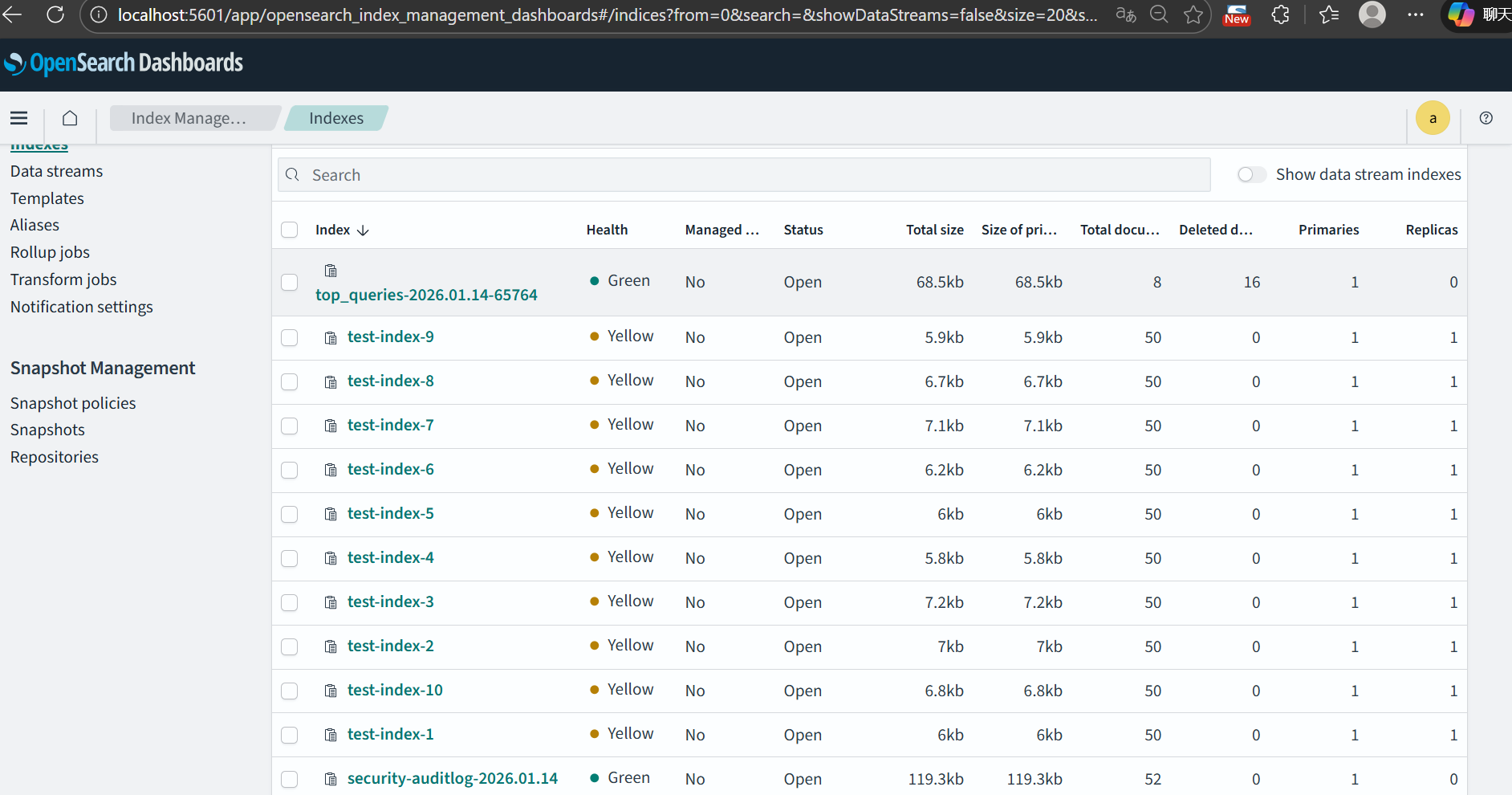
2.3 迁移索引
实现 Elasticsearch 索引结构和数据的迁移:
- 指定源索引和目标索引
- 执行迁移程序
- 确认数据已经同步到目标索引
java
package com.example.es2opensearch4j.util;

import org.apache.http.HttpHost;
import org.apache.http.auth.AuthScope;
import org.apache.http.auth.UsernamePasswordCredentials;
import org.apache.http.impl.client.BasicCredentialsProvider;
import org.apache.http.ssl.SSLContextBuilder;
import org.opensearch.action.bulk.BulkRequest;
import org.opensearch.action.bulk.BulkResponse;
import org.opensearch.action.index.IndexRequest;
import org.opensearch.action.search.ClearScrollRequest;
import org.opensearch.action.search.SearchRequest;
import org.opensearch.action.search.SearchResponse;
import org.opensearch.action.search.SearchScrollRequest;
import org.opensearch.client.RequestOptions;
import org.opensearch.client.RestClient;
import org.opensearch.client.RestHighLevelClient;
import org.opensearch.client.indices.CreateIndexRequest;
import org.opensearch.client.indices.GetIndexRequest;
import org.opensearch.client.indices.GetIndexResponse;
import org.opensearch.common.settings.Settings;
import org.opensearch.common.unit.TimeValue;
import org.opensearch.index.query.QueryBuilders;
import org.opensearch.search.Scroll;
import org.opensearch.search.SearchHit;
import org.opensearch.search.builder.SearchSourceBuilder;

import javax.net.ssl.SSLContext;
import java.io.IOException;
import java.security.KeyManagementException;
import java.security.KeyStoreException;
import java.security.NoSuchAlgorithmException;
import java.util.*;
import java.util.stream.Collectors;

public class IndexMigrator {

    private final RestHighLevelClient esClient;
    private final RestHighLevelClient osClient;

    private static final List<String> SYSTEM_INDEX_PREFIXES = Arrays.asList(
            ".kibana", ".apm", ".geoip", ".async-search", ".tasks"
    );

    // 滚动批量大小,可调节
    private static final int SCROLL_BATCH_SIZE = 100;
    private static final TimeValue SCROLL_TIMEOUT = TimeValue.timeValueMinutes(1L);

    public IndexMigrator(String esHost, int esPort, String esUser, String esPass,
                         String osHost, int osPort, String osUser, String osPass) throws NoSuchAlgorithmException, KeyStoreException, KeyManagementException {

        // Elasticsearch 客户端(无认证)
        this.esClient = new RestHighLevelClient(
                RestClient.builder(new HttpHost(esHost, esPort, "http"))
                        .setHttpClientConfigCallback(httpClientBuilder ->
                                httpClientBuilder
                                        .setMaxConnTotal(50)
                                        .setMaxConnPerRoute(25)
                        )
        );

        // OpenSearch 客户端(有认证)
        SSLContext sslContext = SSLContextBuilder.create()
                .loadTrustMaterial(null, (certificate, authType) -> true) // 信任所有证书
                .build();

        BasicCredentialsProvider osCreds = new BasicCredentialsProvider();
        osCreds.setCredentials(AuthScope.ANY, new UsernamePasswordCredentials(osUser, osPass));

        this.osClient = new RestHighLevelClient(
                RestClient.builder(new HttpHost(osHost, osPort, "https"))
                        .setHttpClientConfigCallback(httpClientBuilder ->
                                httpClientBuilder
                                        .setDefaultCredentialsProvider(osCreds)
                                        .setSSLContext(sslContext)
                                        .setMaxConnTotal(50)
                                        .setMaxConnPerRoute(25)
                        )
        );

    }

    public void migrateAllBusinessIndices() throws IOException {
        GetIndexRequest getIndexRequest = new GetIndexRequest("*");
        GetIndexResponse getIndexResponse = esClient.indices().get(getIndexRequest, RequestOptions.DEFAULT);
        String[] allIndices = getIndexResponse.getIndices();

        for (String indexName : allIndices) {
            if (isSystemIndex(indexName)) {
                System.out.println("Skipping system index: " + indexName);
                continue;
            }
            try {
                migrateIndexWithData(indexName);
            } catch (Exception e) {
                System.err.println("Failed to migrate index " + indexName + ": " + e.getMessage());
                e.printStackTrace();
            }
        }
    }

    private boolean isSystemIndex(String indexName) {
        return SYSTEM_INDEX_PREFIXES.stream().anyMatch(indexName::startsWith);
    }

    private void migrateIndexWithData(String indexName) throws IOException {
        System.out.println("Migrating index: " + indexName);

        // 1️⃣ 获取 ES 索引 Mapping + Settings
        GetIndexResponse getIndexResponse = esClient.indices().get(new GetIndexRequest(indexName), RequestOptions.DEFAULT);
        Map<String, Object> mappings = getIndexResponse.getMappings().get(indexName).sourceAsMap();

        // 过滤掉 ES 特有或不可迁移字段
        Settings indexSettings = getIndexResponse.getSettings().get(indexName);
        Set<String> ignoreKeys = Set.of(
                "index.creation_date",
                "index.uuid",
                "index.version",
                "index.version.created",
                "index.provided_name"
        );
        Map<String, Object> settingsMap = indexSettings.keySet().stream()
                .filter(key -> !ignoreKeys.contains(key))
                .collect(Collectors.toMap(key -> key, indexSettings::get));

        // 2️⃣ 创建 OpenSearch 索引(如果不存在)
        boolean exists = false;
        try {
            exists = osClient.indices().exists(new GetIndexRequest(indexName), RequestOptions.DEFAULT);
        } catch (Exception e) {
            System.err.println("Warning: cannot check index " + indexName + ", will try to create anyway.");
        }

        if (!exists) {
            CreateIndexRequest createIndexRequest = new CreateIndexRequest(indexName);
            createIndexRequest.settings(settingsMap);
            createIndexRequest.mapping(mappings);
            osClient.indices().create(createIndexRequest, RequestOptions.DEFAULT);
            System.out.println("Created index in OpenSearch: " + indexName);
        }

        // 3️⃣ Scroll + Bulk 迁移数据
        Scroll scroll = new Scroll(SCROLL_TIMEOUT);
        SearchRequest searchRequest = new SearchRequest(indexName);
        searchRequest.scroll(scroll);
        SearchSourceBuilder sourceBuilder = new SearchSourceBuilder();
        sourceBuilder.query(QueryBuilders.matchAllQuery());
        sourceBuilder.size(SCROLL_BATCH_SIZE);
        searchRequest.source(sourceBuilder);

        SearchResponse searchResponse = esClient.search(searchRequest, RequestOptions.DEFAULT);
        String scrollId = searchResponse.getScrollId();
        SearchHit[] searchHits = searchResponse.getHits().getHits();

        while (searchHits != null && searchHits.length > 0) {
            BulkRequest bulkRequest = new BulkRequest();
            for (SearchHit hit : searchHits) {
                bulkRequest.add(new IndexRequest(indexName).id(hit.getId()).source(hit.getSourceAsMap()));
            }
            BulkResponse bulkResponse = osClient.bulk(bulkRequest, RequestOptions.DEFAULT);
            if (bulkResponse.hasFailures()) {
                System.err.println("Bulk insert failures: " + bulkResponse.buildFailureMessage());
            }

            // 下一个 scroll
            SearchScrollRequest scrollRequest = new SearchScrollRequest(scrollId);
            scrollRequest.scroll(scroll);
            searchResponse = esClient.scroll(scrollRequest, RequestOptions.DEFAULT);
            scrollId = searchResponse.getScrollId();
            searchHits = searchResponse.getHits().getHits();
        }

        // 清理 scroll
        ClearScrollRequest clearScrollRequest = new ClearScrollRequest();
        clearScrollRequest.addScrollId(scrollId);
        esClient.clearScroll(clearScrollRequest, RequestOptions.DEFAULT);

        System.out.println("Completed migration for index: " + indexName);
    }

    public void close() throws IOException {
        esClient.close();
        osClient.close();
    }

    public static void main(String[] args) throws Exception {
        IndexMigrator migrator = new IndexMigrator(
                "localhost", 9200, null, null,          // ES 无认证
                "localhost", 9201, "admin", "S3cure@OpenSearch#2026"  // OS 认证
        );
        migrator.migrateAllBusinessIndices();
        migrator.close();
    }

}
2.4 迁移 Kibana Index Pattern
实现 Kibana UI 的 Index Pattern 迁移:
java
package com.example.es2opensearch4j.util;

import com.alibaba.fastjson2.JSON;
import com.alibaba.fastjson2.JSONArray;
import com.alibaba.fastjson2.JSONObject;
import org.apache.http.client.methods.CloseableHttpResponse;
import org.apache.http.client.methods.HttpGet;
import org.apache.http.client.methods.HttpPost;
import org.apache.http.entity.StringEntity;
import org.apache.http.impl.client.CloseableHttpClient;
import org.apache.http.impl.client.HttpClients;
import org.apache.http.util.EntityUtils;

import java.io.IOException;
import java.nio.charset.StandardCharsets;
import java.util.Base64;

public class BatchIndexPatternMigrator {

    private final CloseableHttpClient kibanaClient;
    private final CloseableHttpClient dashboardsClient;

    private final String kibanaUrl;
    private final String dashboardsUrl;

    // Dashboards Basic Auth Header
    private final String dashboardsAuthHeader;

    public BatchIndexPatternMigrator(
            String kibanaUrl, String kibanaUser, String kibanaPass,
            String dashboardsUrl, String dashboardsUser, String dashboardsPass
    ) {
        this.kibanaUrl = kibanaUrl;
        this.dashboardsUrl = dashboardsUrl;

        this.kibanaClient = HttpClients.createDefault();
        this.dashboardsClient = HttpClients.createDefault();

        // 构造 Basic Auth Header
        if (dashboardsUser != null && !dashboardsUser.isEmpty()) {
            String auth = dashboardsUser + ":" + dashboardsPass;
            this.dashboardsAuthHeader = "Basic " + Base64.getEncoder().encodeToString(auth.getBytes(StandardCharsets.UTF_8));
        } else {
            this.dashboardsAuthHeader = null;
        }
    }

    /**
     * 批量迁移所有 index pattern
     */
    public void migrateAllPatterns() throws IOException {
        String api = kibanaUrl + "/api/saved_objects/_find?type=index-pattern&per_page=1000";
        HttpGet get = new HttpGet(api);
        get.setHeader("osd-xsrf", "true");

        try (CloseableHttpResponse response = kibanaClient.execute(get)) {
            int status = response.getStatusLine().getStatusCode();
            if (status != 200) {
                System.err.println("Failed to fetch index patterns from Kibana: " + status);
                System.err.println(EntityUtils.toString(response.getEntity()));
                return;
            }

            String jsonStr = EntityUtils.toString(response.getEntity(), StandardCharsets.UTF_8);
            JSONObject result = JSON.parseObject(jsonStr);
            JSONArray savedObjects = result.getJSONArray("saved_objects");

            System.out.println("Found " + savedObjects.size() + " index patterns to migrate.");

            for (int i = 0; i < savedObjects.size(); i++) {
                JSONObject savedObject = savedObjects.getJSONObject(i);
                String patternId = savedObject.getString("id");
                JSONObject attributes = savedObject.getJSONObject("attributes");

                migratePattern(patternId, attributes);
            }
        }
    }

    /**
     * 迁移单个 index pattern 到 OpenSearch Dashboards
     */
    private void migratePattern(String patternId, JSONObject attributes) throws IOException {
        String dashboardsApi = dashboardsUrl + "/api/saved_objects/index-pattern/" + patternId;
        HttpPost post = new HttpPost(dashboardsApi);
        post.setHeader("osd-xsrf", "true");
        post.setHeader("kbn-xsrf", "true");
        post.setHeader("Content-Type", "application/json");

        if (dashboardsAuthHeader != null) {
            post.setHeader("Authorization", dashboardsAuthHeader);
        }

        JSONObject payload = new JSONObject();
        payload.put("attributes", attributes);
        post.setEntity(new StringEntity(JSON.toJSONString(payload), StandardCharsets.UTF_8));

        try (CloseableHttpResponse resp = dashboardsClient.execute(post)) {
            int respStatus = resp.getStatusLine().getStatusCode();
            String respBody = EntityUtils.toString(resp.getEntity(), StandardCharsets.UTF_8);

            if (respStatus >= 200 && respStatus < 300) {
                System.out.println("Migrated index pattern: " + patternId);
            } else {
                System.err.println("Failed to migrate index pattern: " + patternId + ", status=" + respStatus);
                System.err.println(respBody);
            }
        }
    }

    public void close() throws IOException {
        if (kibanaClient != null) kibanaClient.close();
        if (dashboardsClient != null) dashboardsClient.close();
    }

    public static void main(String[] args) throws IOException {
        BatchIndexPatternMigrator migrator = new BatchIndexPatternMigrator(
                "http://localhost:5602", null, null,                 // Kibana
                "http://localhost:5601", "kibanaserver", "kibanaserver" // Dashboards
        );

        migrator.migrateAllPatterns();
        migrator.close();
    }
}
2.5 总结
通过以上步骤,我们可以在 Windows + Docker Desktop 环境下:
- 模拟 Elasticsearch 索引和数据
- 迁移索引结构和数据
- 迁移 Kibana Index Pattern
⚡ 提示:
- 使用
docker compose down -v可以彻底清理数据,便于多次测试 - 迁移过程可以集成到 Spring Boot 应用中,实现自动化迁移