介绍
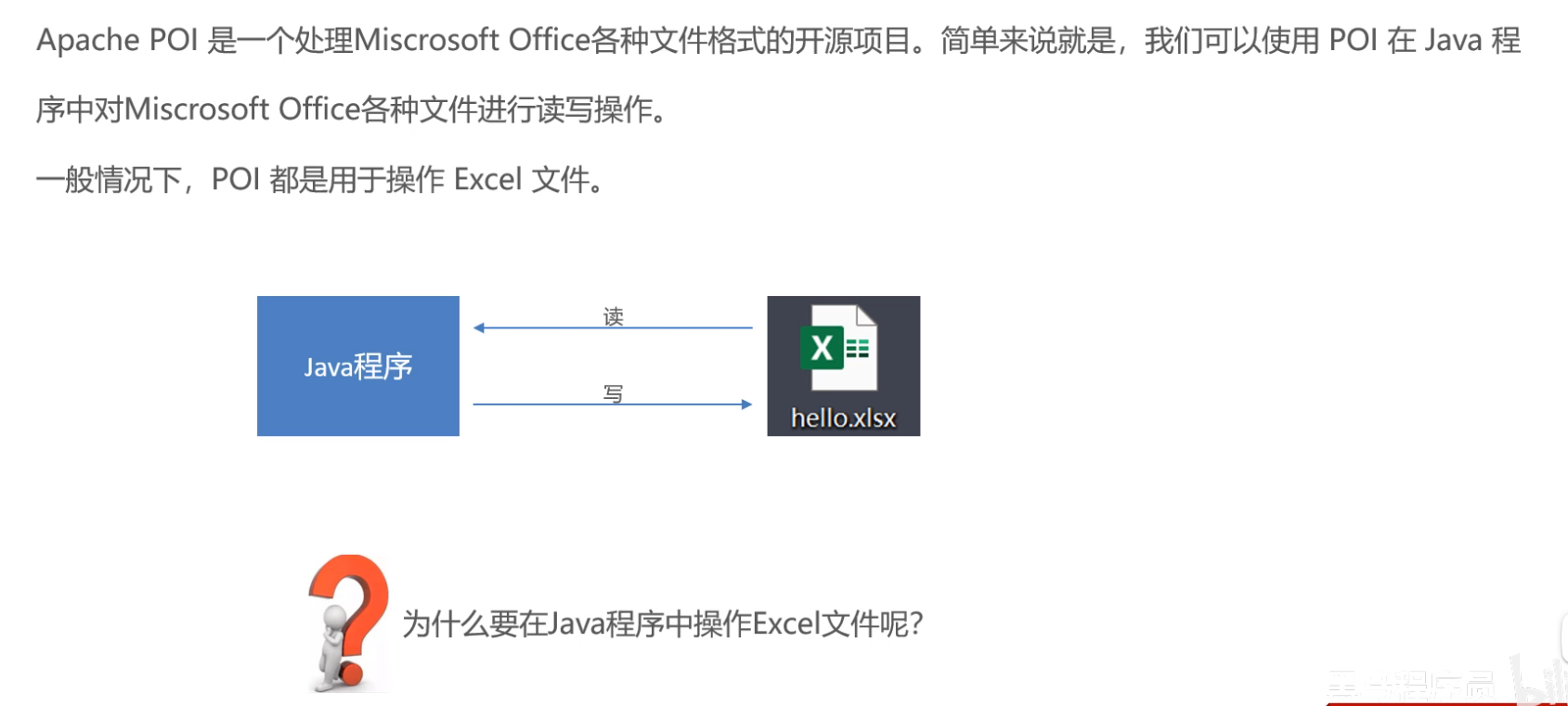
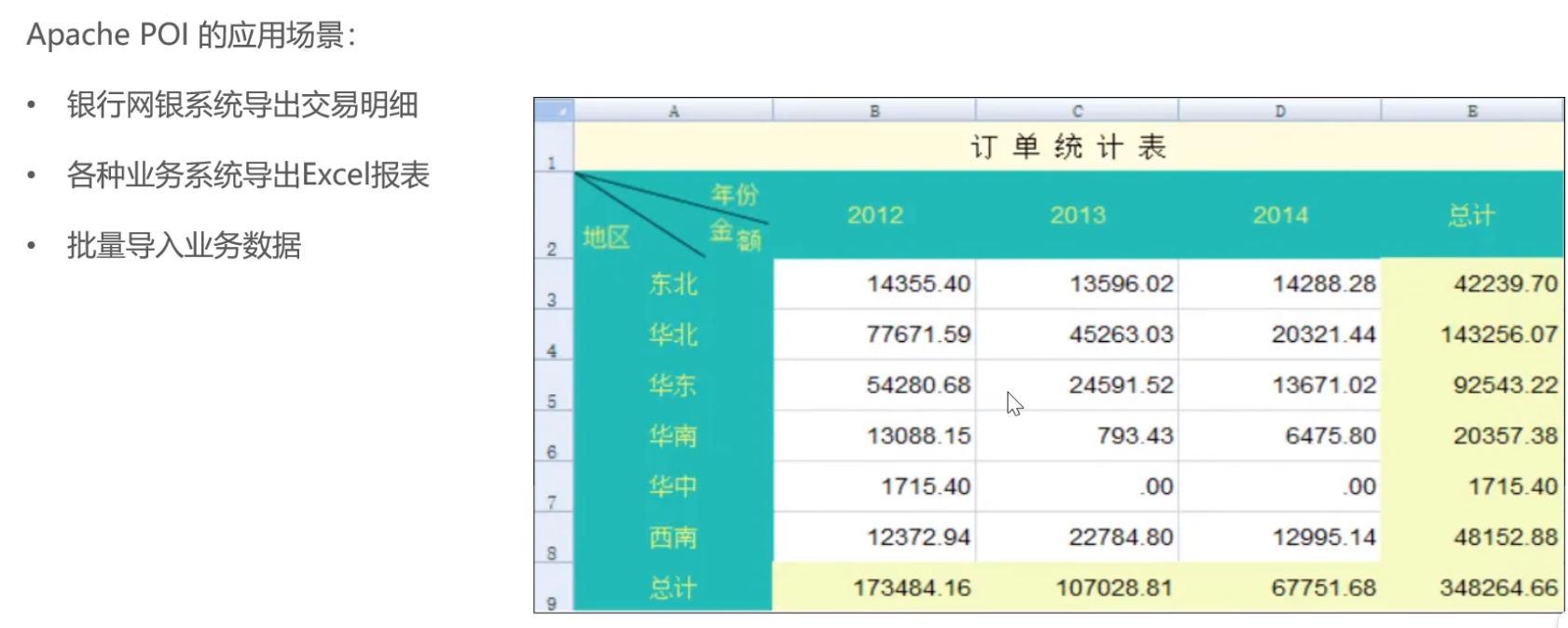
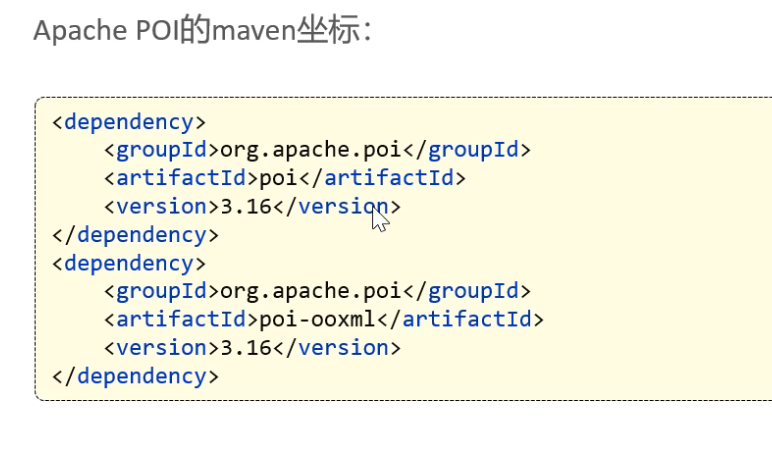
基础代码
java
package com.sky.test;

import org.apache.poi.xssf.usermodel.XSSFCell;
import org.apache.poi.xssf.usermodel.XSSFRow;
import org.apache.poi.xssf.usermodel.XSSFSheet;
import org.apache.poi.xssf.usermodel.XSSFWorkbook;
import java.io.File;
import java.io.FileInputStream;
import java.io.FileOutputStream;
import java.io.InputStream;

/**
 * 使用POI操作Excel文件
 */
public class POITest {

    /**
     * 通过POI创建Excel文件并且写入文件内容
     */
    public static void write() throws Exception{
        //在内存中创建一个Excel文件
        XSSFWorkbook excel = new XSSFWorkbook();
        //在Excel文件中创建一个Sheet页
        XSSFSheet sheet = excel.createSheet("info");
        //在Sheet中创建行对象,rownum编号从0开始
        XSSFRow row = sheet.createRow(1);
        //创建单元格并且写入文件内容
        row.createCell(1).setCellValue("姓名");
        row.createCell(2).setCellValue("城市");

        //创建一个新行
        row = sheet.createRow(2);
        row.createCell(1).setCellValue("张三");
        row.createCell(2).setCellValue("北京");

        row = sheet.createRow(3);
        row.createCell(1).setCellValue("李四");
        row.createCell(2).setCellValue("南京");

        //通过输出流将内存中的Excel文件写入到磁盘
        FileOutputStream out = new FileOutputStream(new File("D:\\info.xlsx"));
        excel.write(out);

        //关闭资源
        out.close();
        excel.close();
    }


    /**
     * 通过POI读取Excel文件中的内容
     * @throws Exception
     */
    public static void read() throws Exception{
        InputStream in = new FileInputStream(new File("D:\\info.xlsx"));

        //读取磁盘上已经存在的Excel文件
        XSSFWorkbook excel = new XSSFWorkbook(in);
        //读取Excel文件中的第一个Sheet页
        XSSFSheet sheet = excel.getSheetAt(0);

        //获取Sheet中最后一行的行号
        int lastRowNum = sheet.getLastRowNum();

        for (int i = 1; i <= lastRowNum ; i++) {
            //获得某一行
            XSSFRow row = sheet.getRow(i);
            //获得单元格对象
            String cellValue1 = row.getCell(1).getStringCellValue();
            String cellValue2 = row.getCell(2).getStringCellValue();
            System.out.println(cellValue1 + " " + cellValue2);
        }

        //关闭资源
        in.close();
        excel.close();
    }

    public static void main(String[] args) throws Exception {
        //write();
        read();
    }
}
案例 导出营业数据
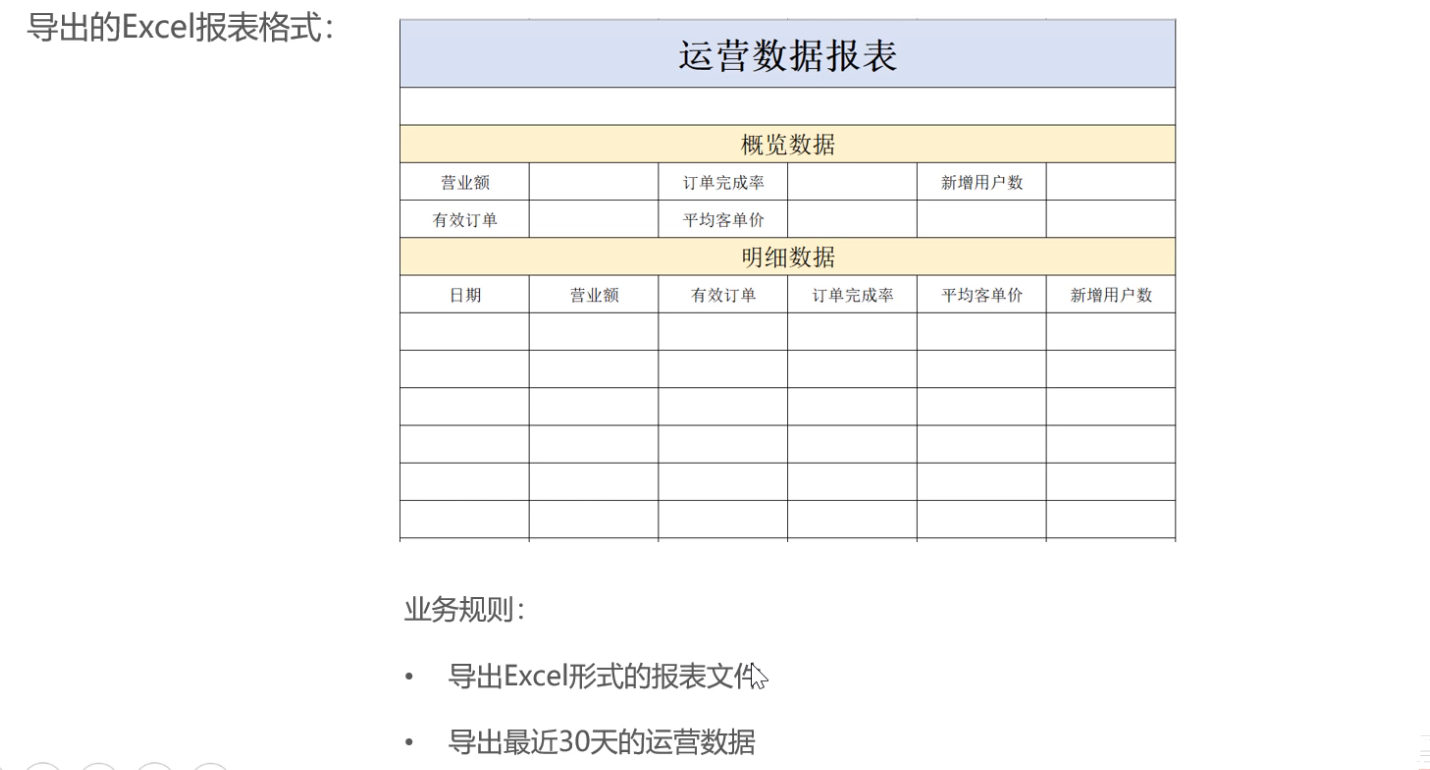
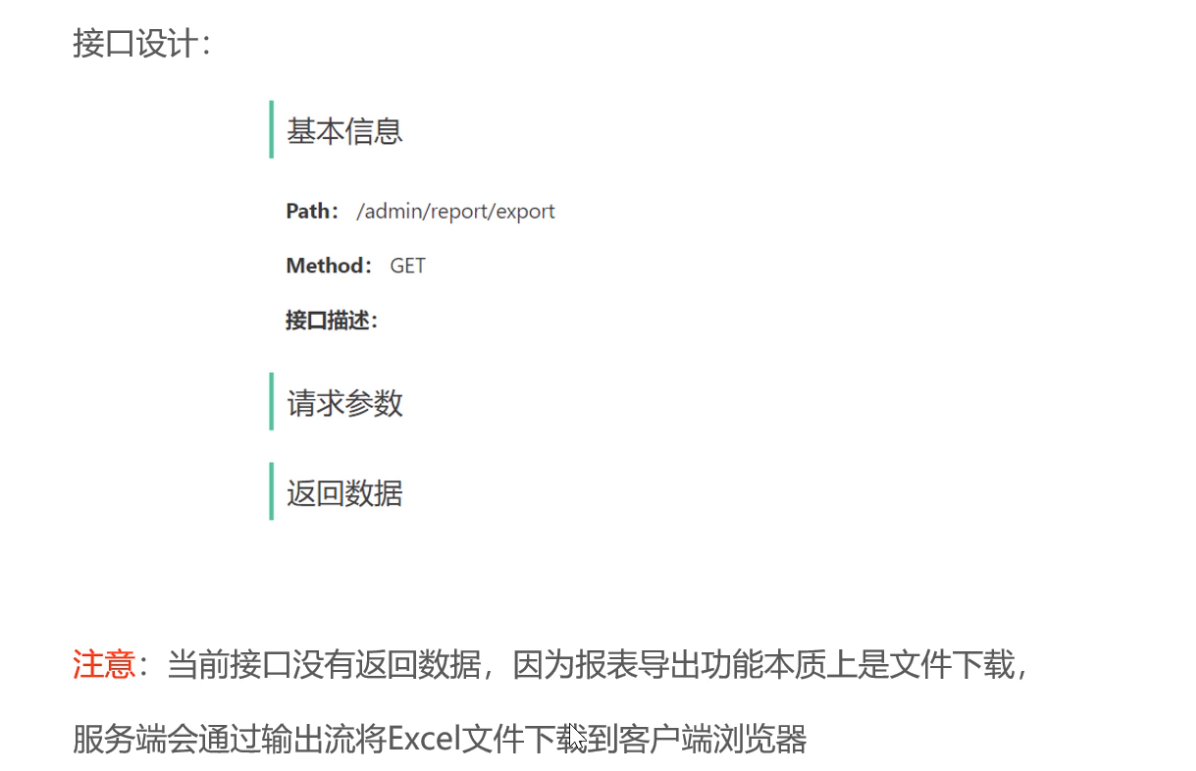
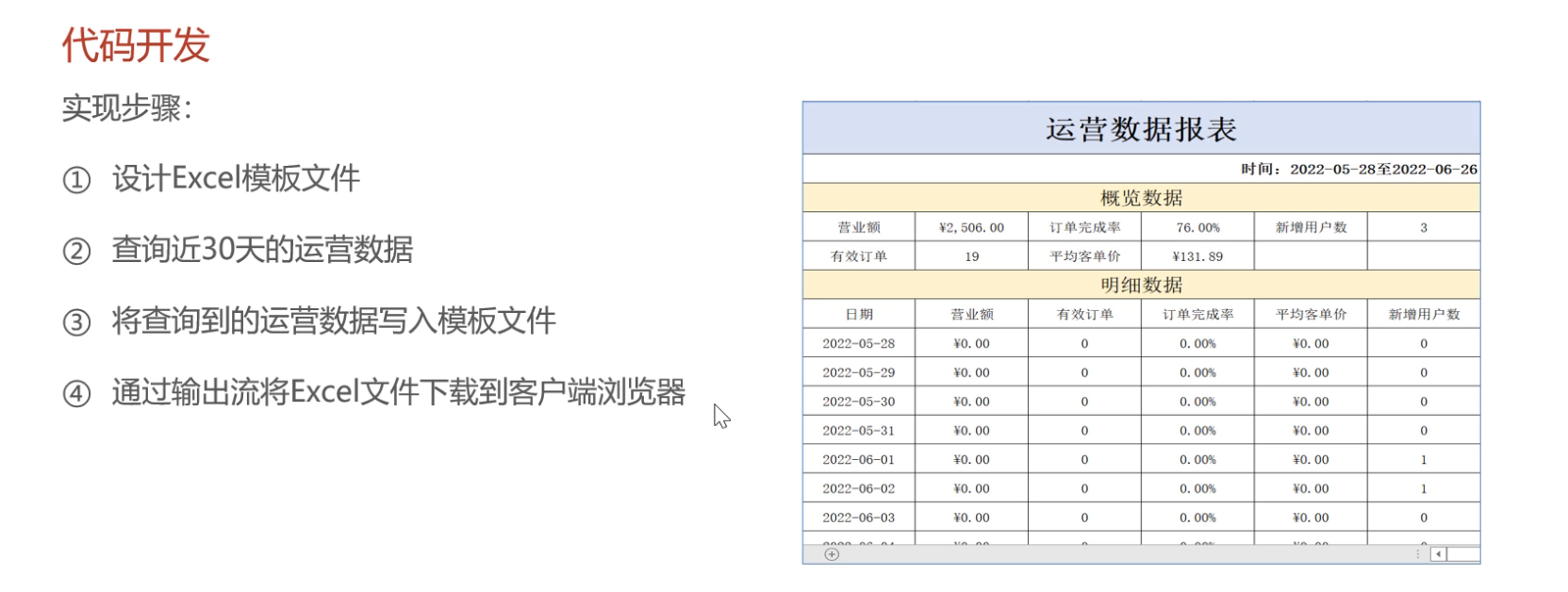
这个接口不需要参数也不需要返回数据
java
@GetMapping("/export")
    @ApiOperation("导出运营数据报表")
    public void export(HttpServletResponse response){
        reportService.exportBusinessData(response);
    }
java
/**
     * 导出营业数据
     * @param response
     */
    public void exportBusinessData(HttpServletResponse response) {
        // 查询数据库,获取营业数据
        LocalDate dateBegin = LocalDate.now().minusDays(30);
        LocalDate dateEnd = LocalDate.now().minusDays(1);
        BusinessDataVO businessDataVO = workspaceService.getBusinessData(
                LocalDateTime.of(dateBegin, LocalTime.MIN), LocalDateTime.of(dateEnd, LocalTime.MAX));
        // 通过POI,将数据写入到Excel文件
        InputStream in = this.getClass().getClassLoader().getResourceAsStream("template/运营数据报表模板.xlsx");
        try {
            // 创建Excel文件
            XSSFWorkbook excel = new XSSFWorkbook(in);

            // 填充数据
            XSSFSheet sheet = excel.getSheet("sheet1");

            // 填充时间
            sheet.getRow(1).getCell(1).setCellValue("时间:"+ dateBegin + "至" + dateEnd);

            // 获取第四行
            XSSFRow row4 = sheet.getRow(3);
            row4.getCell(2).setCellValue(businessDataVO.getTurnover());
            row4.getCell(4).setCellValue(businessDataVO.getOrderCompletionRate());
            row4.getCell(6).setCellValue(businessDataVO.getNewUsers());
            // 获取第五行
            XSSFRow row5 = sheet.getRow(4);
            row5.getCell(2).setCellValue(businessDataVO.getValidOrderCount());
            row5.getCell(4).setCellValue(businessDataVO.getUnitPrice());

            // 通过输出流将Excel文件输出到客户端
            ServletOutputStream out = response.getOutputStream();
            excel.write(out);
            // 填充明细数据
            for (int i = 0; i < 30; i++) {
                LocalDate date = dateBegin.plusDays(i);
                BusinessDataVO businessData = workspaceService.getBusinessData(
                        LocalDateTime.of(date, LocalTime.MIN), LocalDateTime.of(date, LocalTime.MAX));
                XSSFRow row = sheet.getRow(i + 7);
                row.getCell(1).setCellValue(date.toString());
                row.getCell(2).setCellValue(businessData.getTurnover());
                row.getCell(3).setCellValue(businessData.getValidOrderCount());
                row.getCell(4).setCellValue(businessData.getOrderCompletionRate());
                row.getCell(5).setCellValue(businessData.getUnitPrice());
                row.getCell(6).setCellValue(businessData.getNewUsers());
            }

            // 关闭资源
            in.close();
            out.close();
            excel.close();

        } catch (IOException e) {
            e.printStackTrace();
        }
    }