在arm上的ubuntu使用npm run dev的时候,在package.json中的scripts的dev中配置0.0.0.0的时候,启动会报错
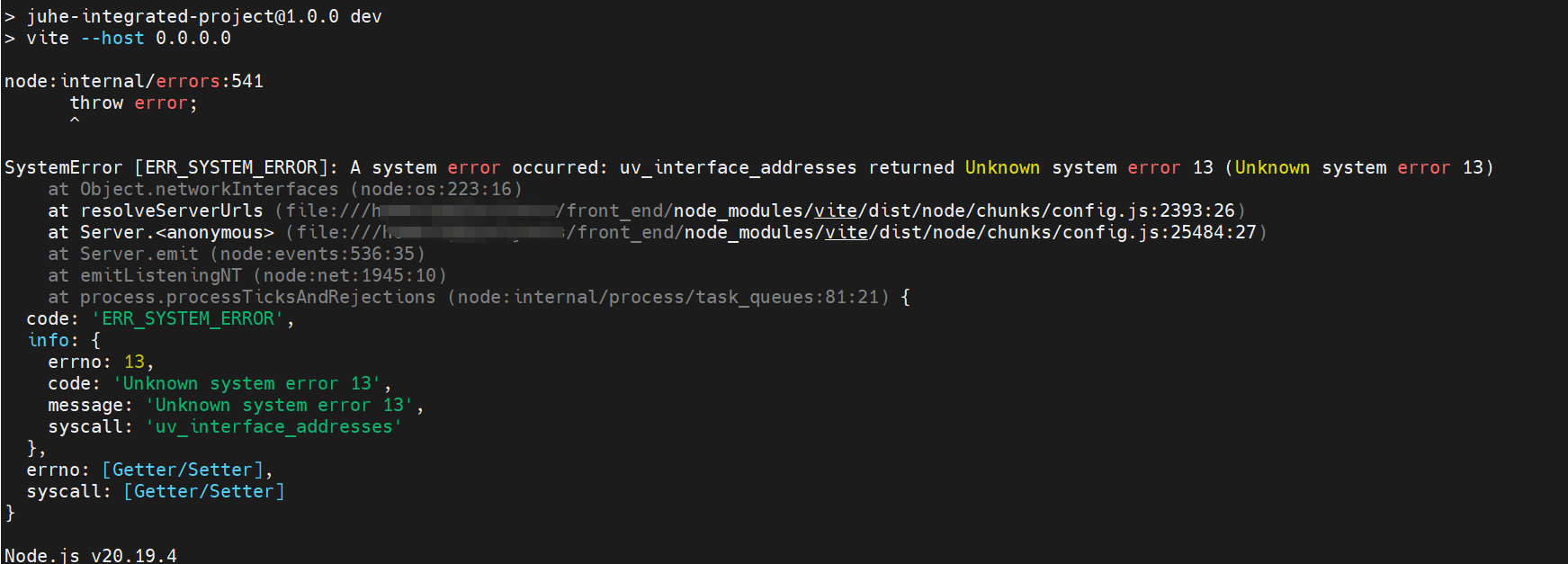
根本原因:ARM Ubuntu 上的 Node.js os.networkInterfaces() 系统调用有权限问题。
只能使用localhost,推荐使用nginx转发或者docker,下面以nginx配置为例:
1. 安装 nginx
sudo apt install nginx
2. 创建 nginx 配置
sudo vim /etc/nginx/sites-available/vite-proxy.conf
bash
server {
    # 外面访问5174转发到机器上的5173上
    listen 5174;
    listen [::]:5174;
    server_name _;

    location / {
    		# 5173是node启动的端口
        proxy_pass http://localhost:5173;
        proxy_http_version 1.1;
        proxy_set_header Upgrade $http_upgrade;
        proxy_set_header Connection "upgrade";
        proxy_set_header Host $host;
        proxy_set_header X-Real-IP $remote_addr;
        proxy_set_header X-Forwarded-For $proxy_add_x_forwarded_for;
        proxy_set_header X-Forwarded-Proto $scheme;
    }
}
3. 修改 package.json
bash
"scripts": {
  "dev": "vite --host localhost"
}
4. 启用配置
bash
sudo ln -s /etc/nginx/sites-available/vite-proxy /etc/nginx/sites-enabled/
sudo nginx -t
sudo systemctl reload nginx
5. 现在其他机器可以通过 http://你的ARM设备IP:3000 访问
6.如果做了外网域名访问,还需要修改vite.config.ts或者vite.config.js文件
bash
在server中增加域名配置
server: {
      port: 5173,
      host: true,
      // 允许的域名列表
      allowedHosts: [
        // 你的域名
        'abcd.com',
        'www.abcd.com',

        // 本地访问
        'localhost',
        '127.0.0.1',
        // 通配符匹配域名
        '.abcd.com'
      ],
}
7.启动node和nginx
npm run dev
service nginx start