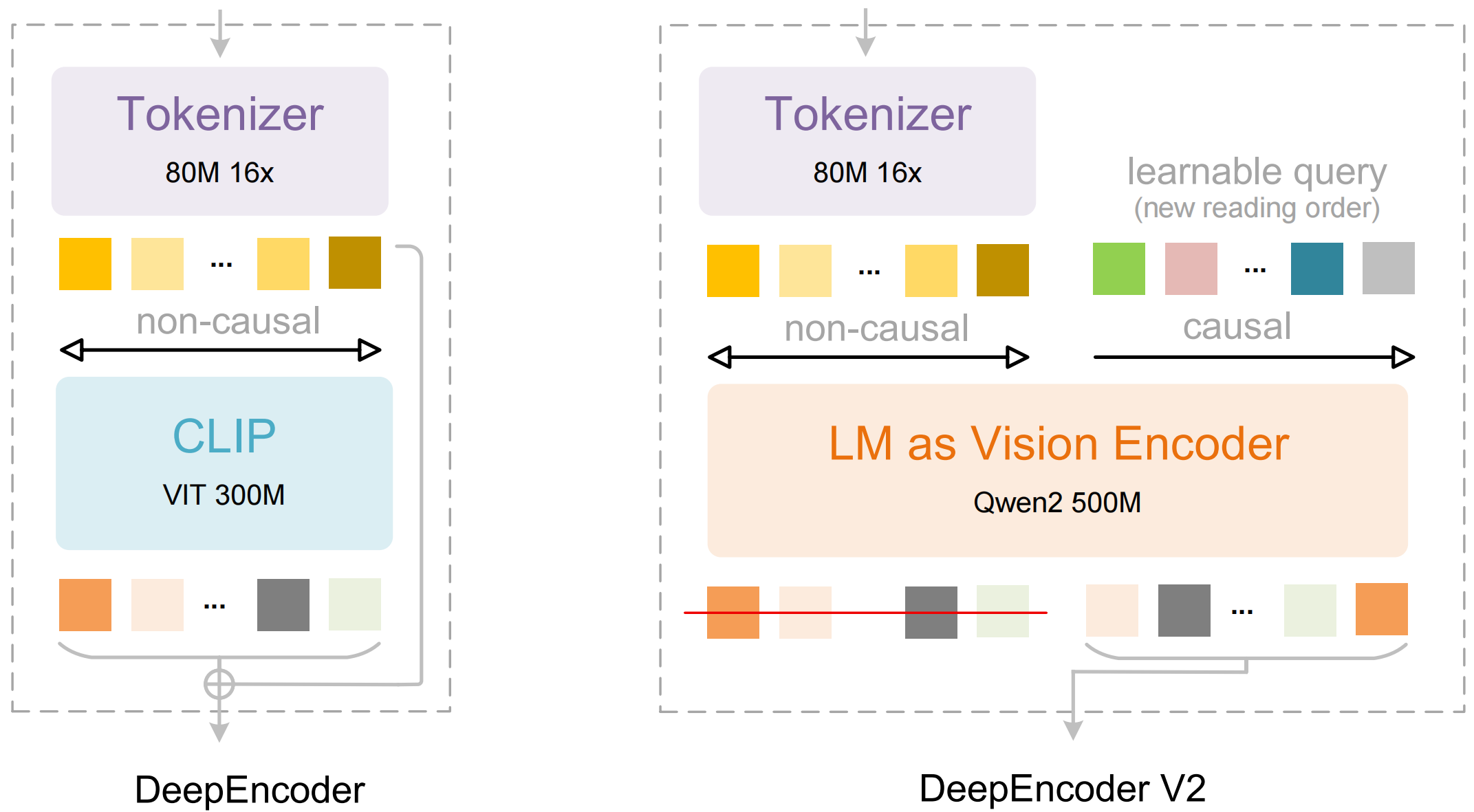
使用方法
基于Huggingface transformers库在NVIDIA GPU上进行推理。测试环境要求为python 3.12.9 + CUDA11.8:
torch==2.6.0
transformers==4.46.3
tokenizers==0.20.3
einops
addict
easydict
pip install flash-attn==2.7.3 --no-build-isolation
python
from transformers import AutoModel, AutoTokenizer
import torch
import os
os.environ["CUDA_VISIBLE_DEVICES"] = '0'
model_name = 'deepseek-ai/DeepSeek-OCR-2'

tokenizer = AutoTokenizer.from_pretrained(model_name, trust_remote_code=True)
model = AutoModel.from_pretrained(model_name, _attn_implementation='flash_attention_2', trust_remote_code=True, use_safetensors=True)
model = model.eval().cuda().to(torch.bfloat16)

# prompt = "<image>\nFree OCR. "
prompt = "<image>\n<|grounding|>Convert the document to markdown. "
image_file = 'your_image.jpg'
output_path = 'your/output/dir'


res = model.infer(tokenizer, prompt=prompt, image_file=image_file, output_path = output_path, base_size = 1024, image_size = 768, crop_mode=True, save_results = True)
vLLM
参考 🌟GitHub 获取模型推理加速和PDF处理等指南。
支持模式
- 动态分辨率
- 默认:(0-6)×768×768 + 1×1024×1024 --- (0-6)×144 + 256 视觉令牌 ✅
主要提示词
python
# document: <image>\n<|grounding|>Convert the document to markdown.
# without layouts: <image>\nFree OCR.
致谢
我们感谢 DeepSeek-OCR、Vary、GOT-OCR2.0、MinerU、PaddleOCR 提供的宝贵模型和思路。
同时感谢基准测试集 OmniDocBench。