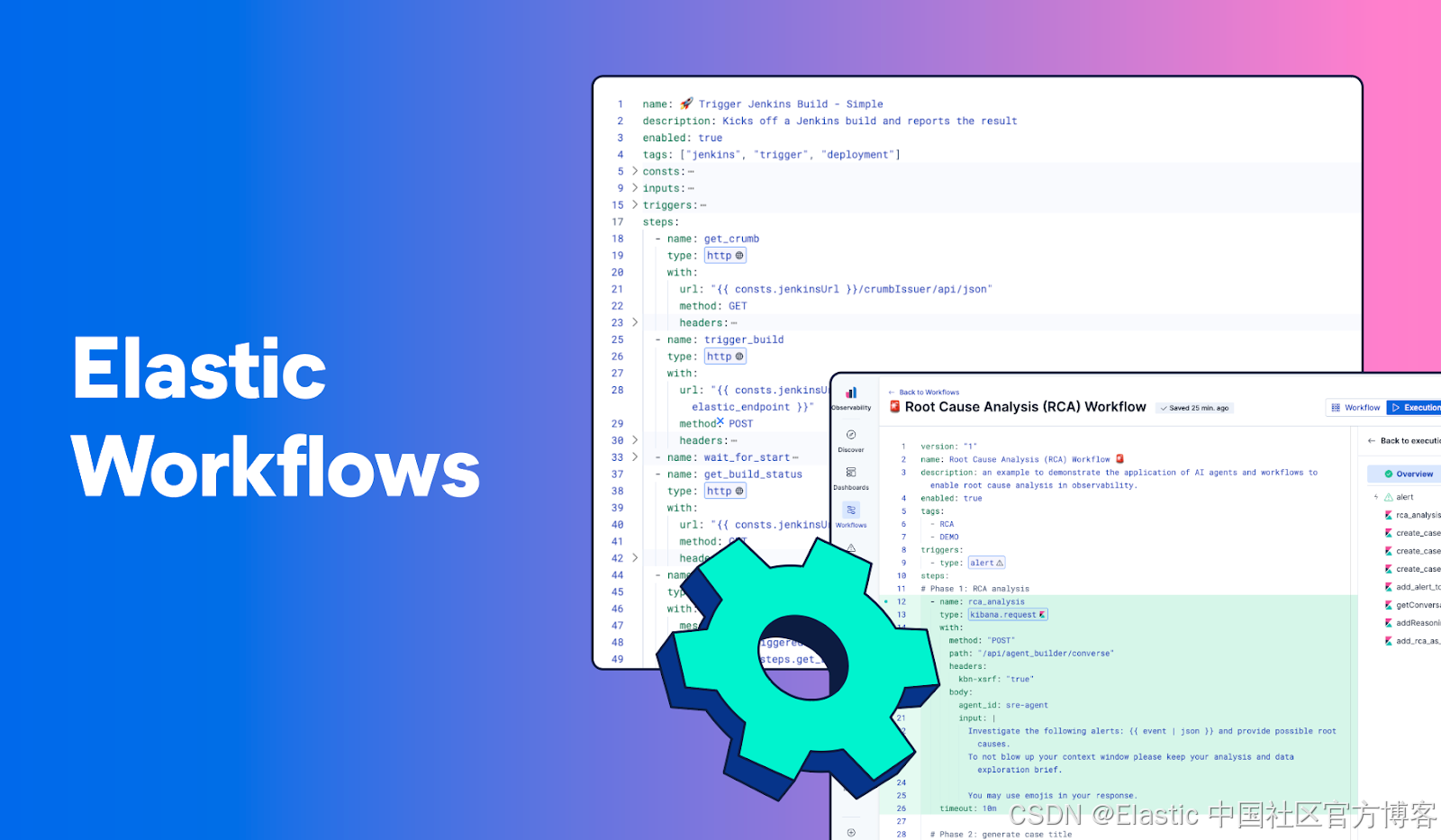
工作流(Workflow)是一个通过自动化来实现特定结果的、已定义的步骤序列。它是一个可复用、可版本化的 "配方",用于将输入转化为行动。
更多阅读:Elasticsearch:使用 Elastic Workflows 构建自动化 - 9.3
为什么要使用工作流
仅仅洞察数据还不够。真正的价值在于行动和结果。工作流完成了从数据到洞察再到自动化结果的完整路径。你的关键运维数据已经存在于 Elastic 集群中:安全事件、基础设施指标、应用日志以及业务上下文。工作流让你可以在数据所在的位置直接实现端到端流程自动化,而无需依赖外部自动化工具。
工作流解决了常见的运维挑战,例如:
- 告警疲劳:通过自动化响应来减少人工分流和排查。
- 人手不足:让团队用更少的资源完成更多工作。
- 手动、重复性工作:一致地自动化日常任务。
- 工具碎片化:无需再引入外部自动化工具。
工作流可以处理各种任务,从简单、可重复的步骤,到复杂的流程。
谁应该使用工作流
如果你希望减少人工工作量、加快响应时间,并确保重复出现的情况得到一致处理,那么工作流适合你。
关键概念
在使用工作流时需要理解的一些关键概念:
- 触发器/triggers:启动工作流的事件或条件。参考 Triggers 了解更多。
- 步骤/Steps:构成工作流的单个逻辑或操作单元。参考 Steps 了解更多。
- 数据/Data:数据在工作流中的流转方式,包括输入、常量、上下文变量、步骤输出,以及用于动态值的 Liquid 模板。参考 Data 和错误处理了解更多。
工作流结构
工作流使用 YAML 定义。在 YAML 编辑器中描述工作流应该执行的内容,平台会负责执行。
# ═══════════════════════════════════════════════════════════════
# METADATA - Identifies and describes the workflow
# ═══════════════════════════════════════════════════════════════
name: My Workflow                          # 1
description: What this workflow does       # 2
enabled: true                              # 3
tags: ["demo", "production"]               # 4

# ═══════════════════════════════════════════════════════════════
# CONSTANTS - Reusable values defined once, used throughout
# ═══════════════════════════════════════════════════════════════
consts:
  indexName: "my-index"
  environment: "production"
  alertThreshold: 100
  endpoints:                          # Can be objects/arrays
    api: "https://api.example.com"
    backup: "https://backup.example.com"

# ═══════════════════════════════════════════════════════════════
# INPUTS - Parameters passed when the workflow is triggered
# ═══════════════════════════════════════════════════════════════
inputs:
  - name: environment
    type: string
    required: true
    default: "staging"
    description: "Target environment"
  - name: dryRun
    type: boolean
    default: true

# ═══════════════════════════════════════════════════════════════
# TRIGGERS - How/when the workflow starts
# ═══════════════════════════════════════════════════════════════
triggers:
  - type: manual                     # 5
  # - type: scheduled                # 6
  #   with:
        every: 1d
  # - type: alert                    # 7

# ═══════════════════════════════════════════════════════════════
# STEPS - The actual workflow logic (executed in order)
# ═══════════════════════════════════════════════════════════════
steps:
  - name: step_one
    type: elasticsearch.search
    with:
      index: "{{consts.indexName}}"
      query:
        match_all: {}

  - name: step_two
    type: console
    with:
      message: |
        Environment: {{inputs.environment}}    # 9
Found: {{steps.step_one.output.hits.total.value}} # 10- 必填:唯一标识符
- 可选:在 UI 中显示
- 可选:启用或禁用执行
- 可选:用于组织工作流
- 用户点击 Run 按钮
- 按计划运行
- 由告警触发
- 引用常量
- 引用输入
- 引用步骤输出
运行你的第一个 workflow
在本教程中,你将创建一个工作流,用于对国家公园数据进行索引和搜索。在这个过程中,你将学习工作流的核心概念和能力。
前提条件
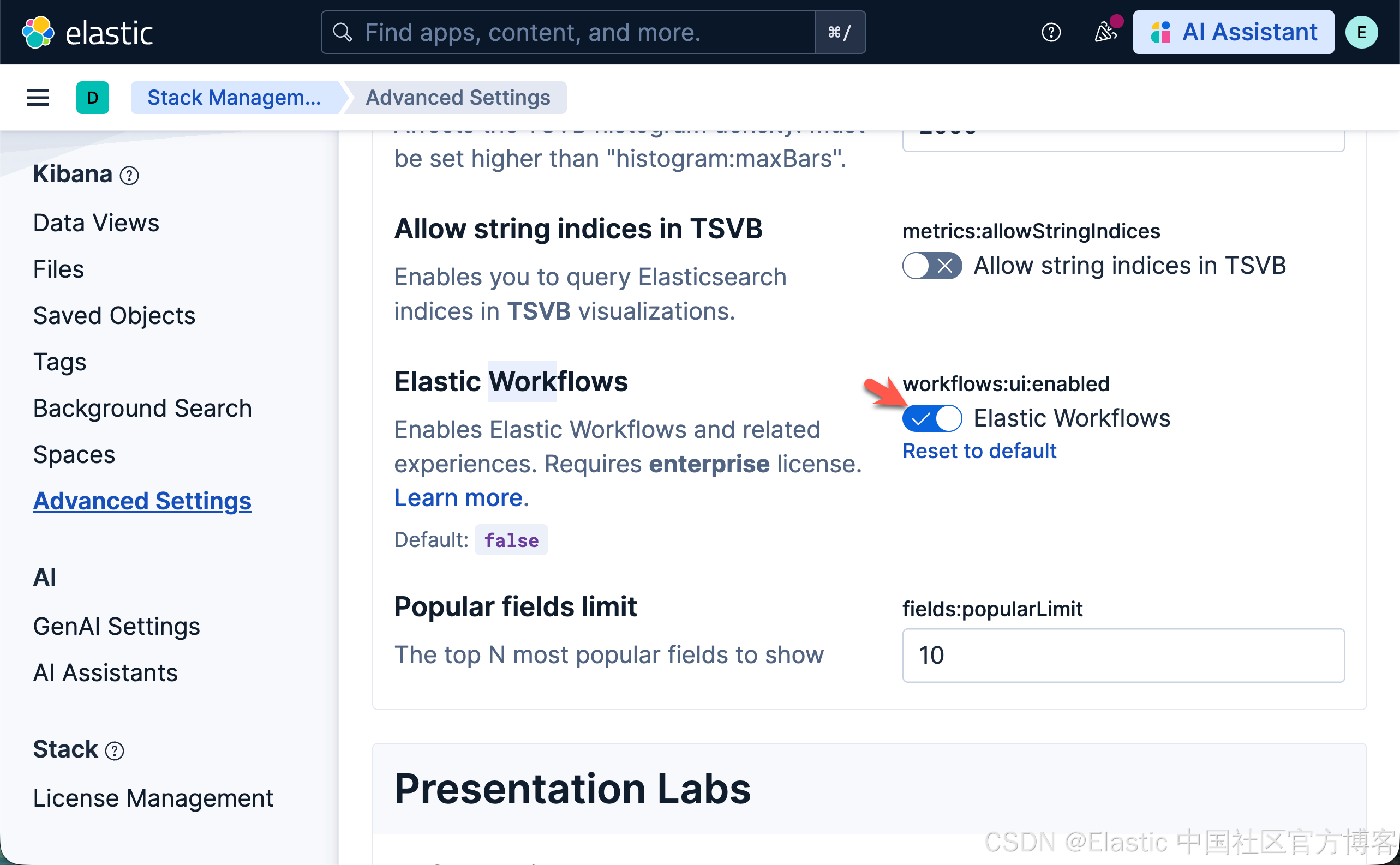
要使用 工作流,请开启 Elastic Workflows(workflows:ui:enabled)高级设置。
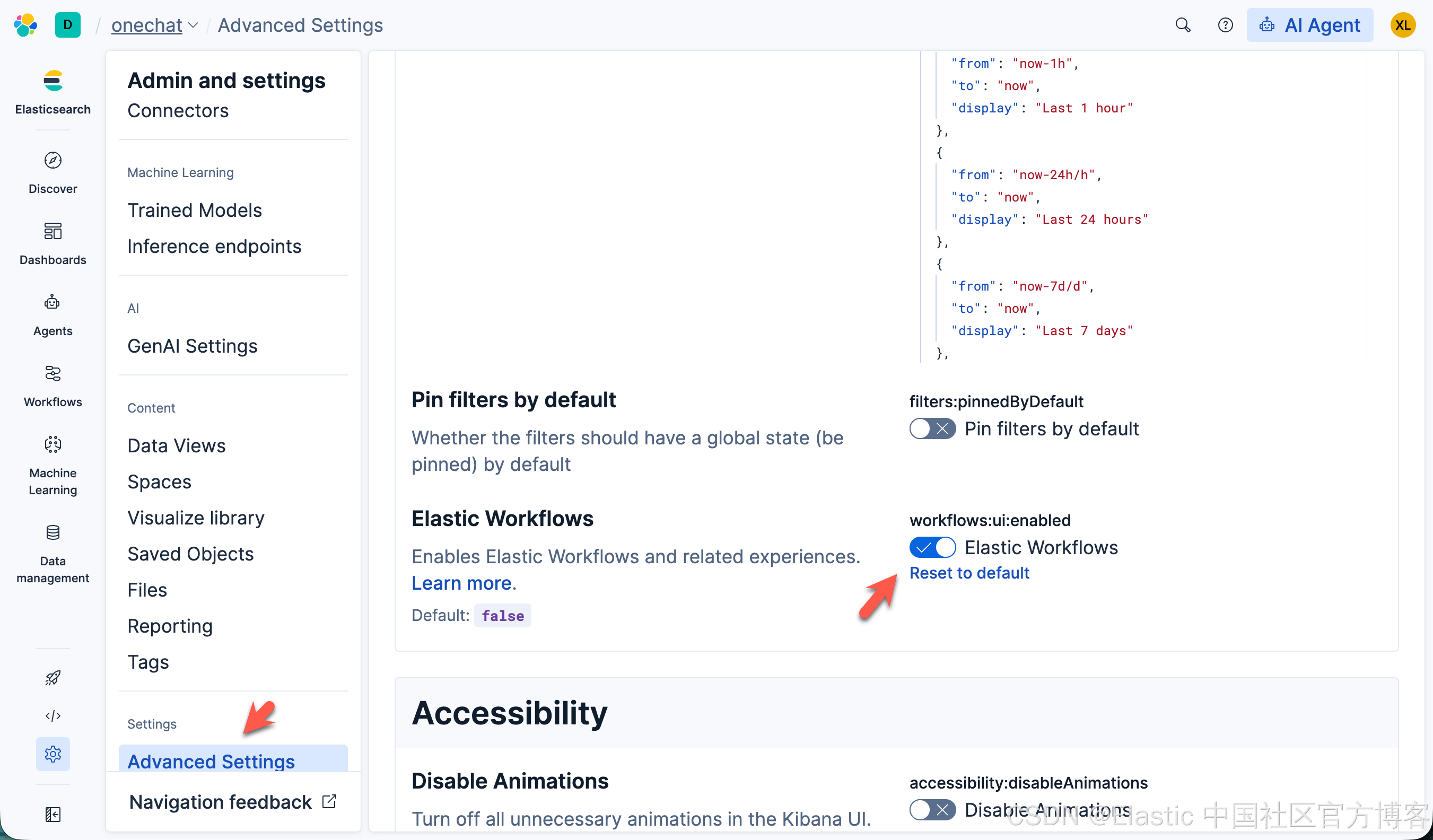
上面的显示是 Elastic Serverless 上的。正对自托管的 Elastic Stack 安装,界面虽然有所不同,但应该是是同一个开关。你可以安装最新的 Elastic Stack 9.3:

你必须具备相应的订阅。请参考 https://www.elastic.co/cn/subscriptions 的订阅页面,了解可用功能及其对应的订阅级别。
对工作流的访问由 Kibana 权限控制。请确保你的角色在 Analytics > Workflows 下拥有 All 权限,这样你就可以创建、编辑、运行和管理工作流。
教程
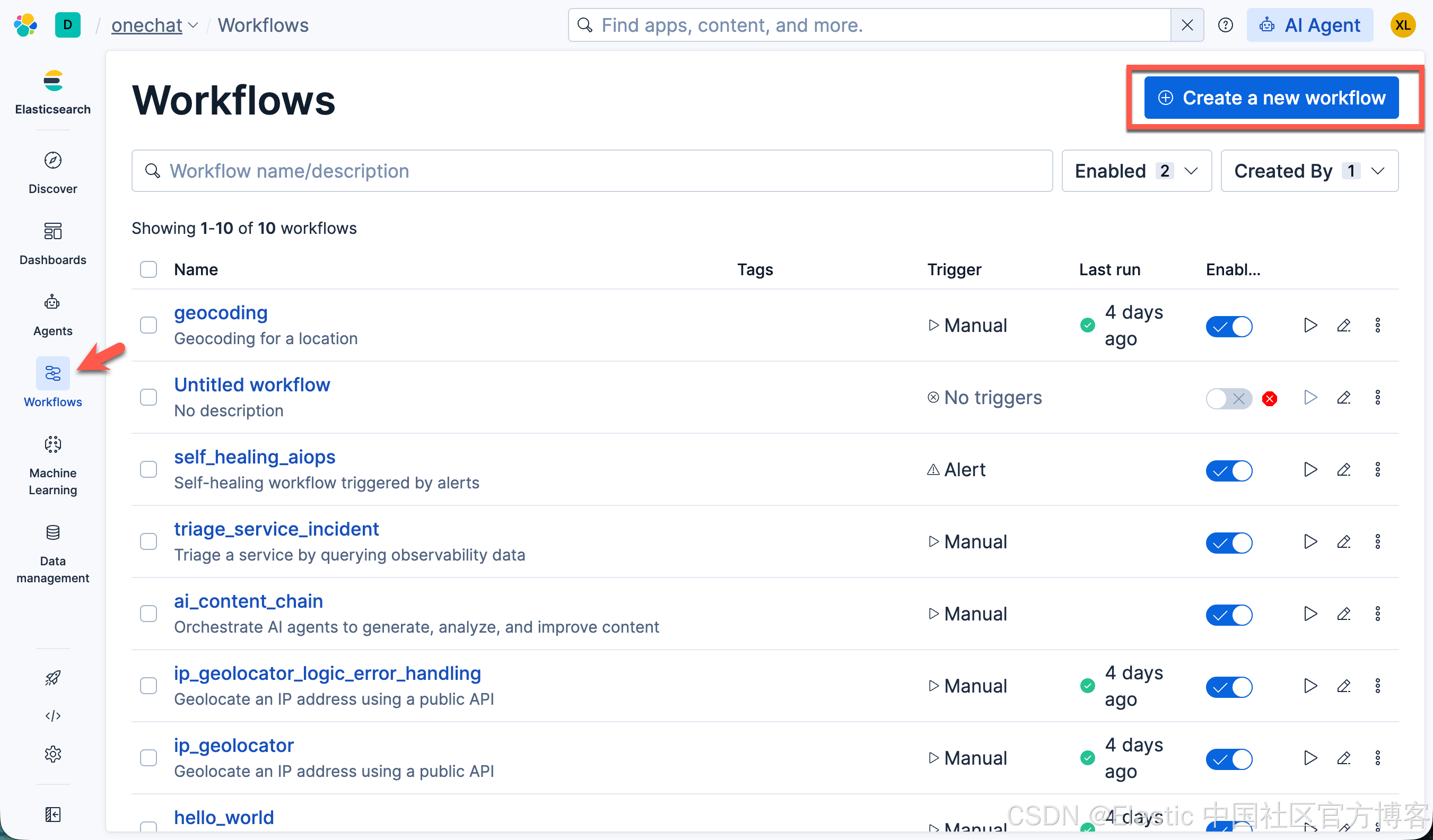
要访问 Workflows 页面,请在导航菜单中找到 Workflows:
定义你的工作流
删除占位内容,并将以下 YAML 复制并粘贴到编辑器中:
name: 🏔️ National Parks Demo1
description: Creates an Elasticsearch index, loads sample national park data using bulk operations, searches for parks by category, and displays the results.
enabled: true
tags: ["demo", "getting-started"]
consts:
  indexName: national-parks
triggers:
  - type: manual
steps:
  - name: get_index
    type: elasticsearch.indices.exists
    with:
      index: "{{ consts.indexName }}"
  - name: check_if_index_exists
    type: if
    condition: 'steps.get_index.output : true'
    steps:
      - name: index_already_exists
        type: console
        with:
          message: "index: {{ consts.indexName }} already exists. Will proceed to delete it and re-create"
      - name: delete_index
        type: elasticsearch.indices.delete
        with:
          index: "{{ consts.indexName }}"
    else:
      - name: no_index_found
        type: console
        with:
          message: "index: {{ consts.indexName }} Not found. Will proceed to create"

  - name: create_parks_index
    type: elasticsearch.indices.create
    with:
      index: "{{ consts.indexName }}"
      mappings:
        properties:
          name: { type: text }
          category: { type: keyword }
          description: { type: text }
  - name: bulk_index_park_data
    type: elasticsearch.request
    with:
      method: POST
      path: /{{ consts.indexName }}/_bulk?refresh=wait_for
      headers:
        Content-Type: application/x-ndjson
      body: |
        {"index":{}}
        {"name": "Yellowstone National Park", "category": "geothermal", "description": "America's first national park, established in 1872, famous for Old Faithful geyser and diverse wildlife including grizzly bears, wolves, and herds of bison and elk."}
        {"index":{}}
        {"name": "Grand Canyon National Park", "category": "canyon", "description": "Home to the immense Grand Canyon, a mile deep gorge carved by the Colorado River, revealing millions of years of geological history in its colorful rock layers."}
        {"index":{}}
        {"name": "Yosemite National Park", "category": "mountain", "description": "Known for its granite cliffs, waterfalls, clear streams, giant sequoia groves, and biological diversity. El Capitan and Half Dome are iconic rock formations."}
        {"index":{}}
        {"name": "Zion National Park", "category": "canyon", "description": "Utah's first national park featuring cream, pink, and red sandstone cliffs soaring into a blue sky. Famous for the Narrows wade through the Virgin River."}
        {"index":{}}
        {"name": "Rocky Mountain National Park", "category": "mountain", "description": "Features mountain environments, from wooded forests to mountain tundra, with over 150 riparian lakes and diverse wildlife at various elevations."}
  - name: search_park_data
    type: elasticsearch.search
    with:
      index: "{{ consts.indexName }}"
      size: 5
      query:
        term:
          category: canyon
  - name: log_results
    type: console
    with:
      message: |-
        Found {{ steps.search_park_data.output.hits.total.value }} parks in category "canyon".
  - name: loop_over_results
    type: foreach
    foreach: "{{steps.search_park_data.output.hits.hits | json}}"
    steps:
      - name: process-item
        type: console
        with:
          message: "{{foreach.item._source.name}}"
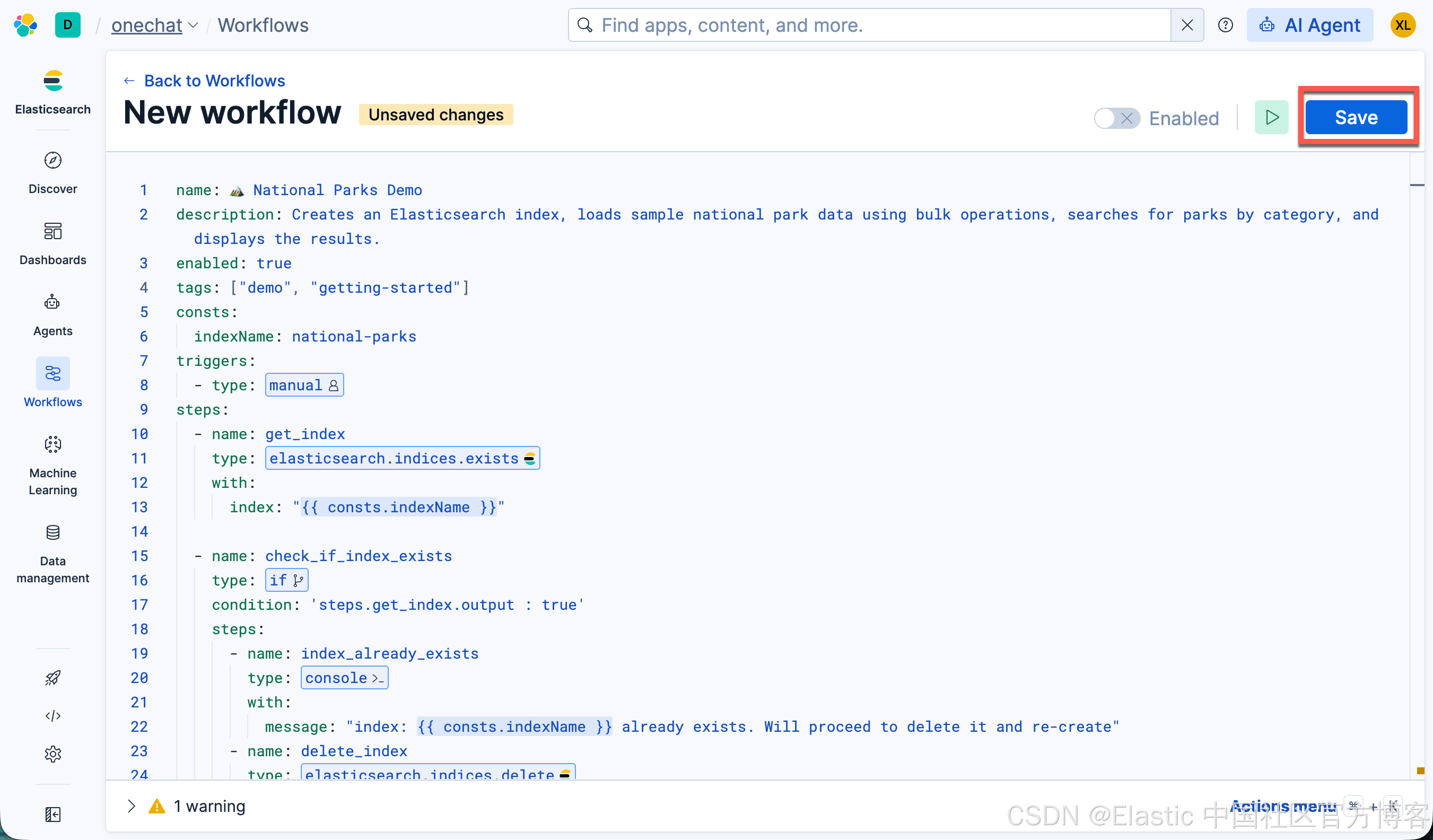
点击 Save 按钮:
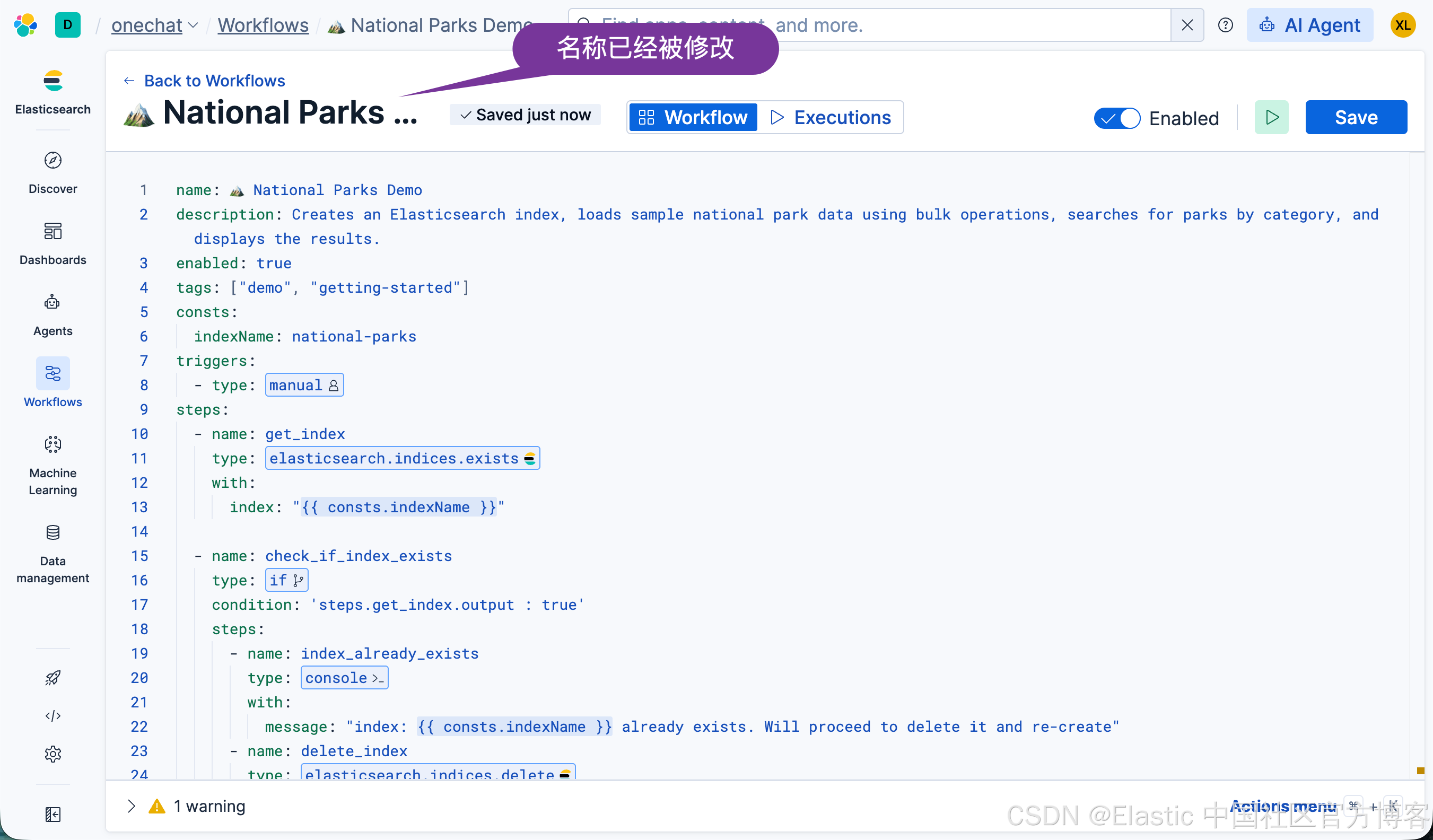
保存完毕后,我们可以看到 Workflow 的名称已经被修改。
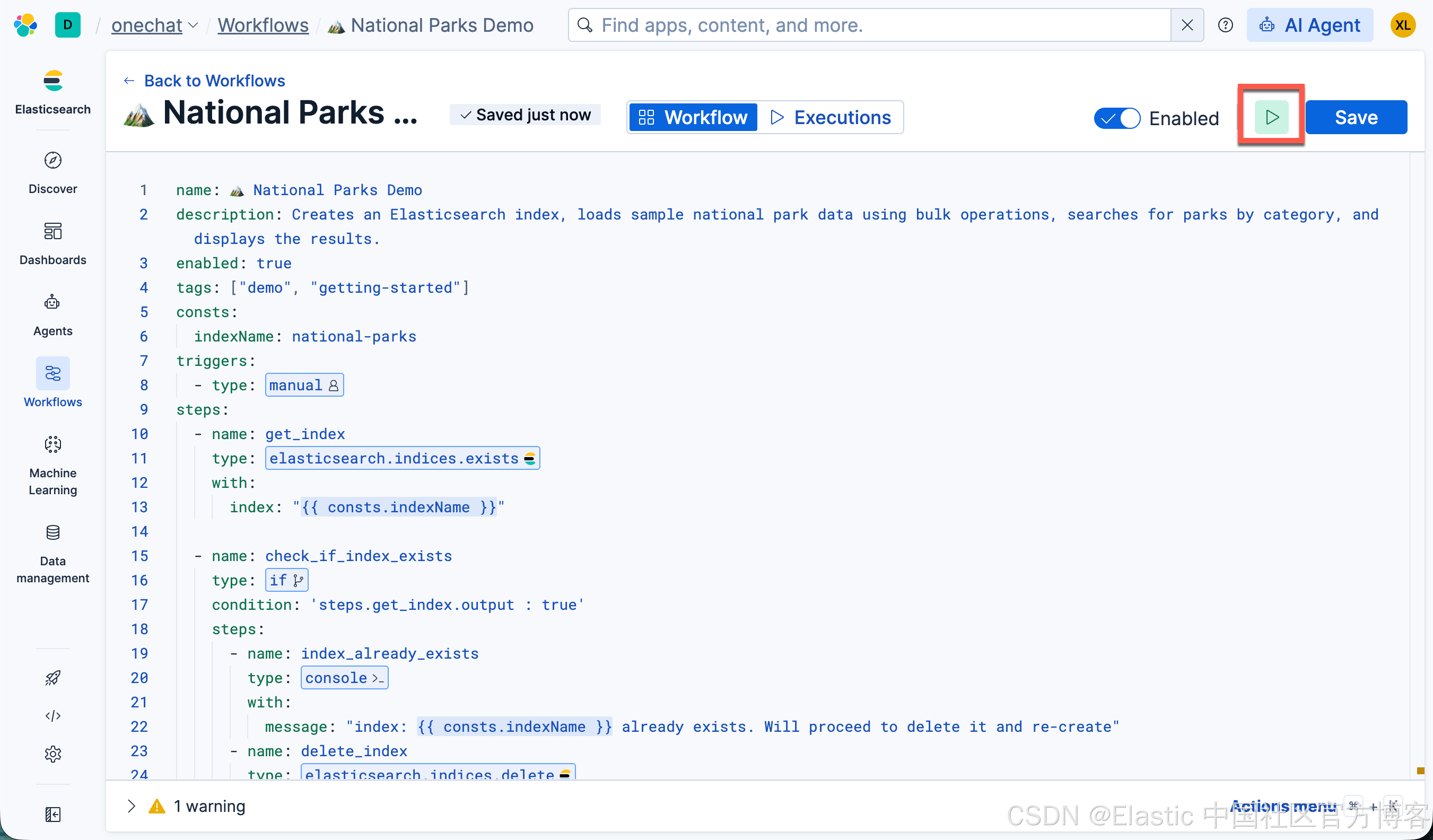
运行工作流
监控执行
当你的工作流运行时,执行日志会显示在工作流旁边的一个面板 中。在该 面板中,你可以看到:
- 实时执行日志:每个步骤在执行时都会显示。
- 工作流状态指示器:绿色表示成功,红色表示失败,并显示持续时间的时间戳。
- 可展开的步骤详情:点击任意步骤可查看 输入、输出和时间线。
查看执行历史
要检查过去的执行记录:
- 点击 Executions 选项卡。
- 查看所有工作流运行的列表(包括 pending 和 in progress 的运行),以及它们的状态和完成时间。
- 点击任意一次执行以查看其详细日志。
理解发生了什么
让我们检查工作流的每个部分,以理解它是如何工作的。
1)工作流元数据
name: 🏔️ National Parks Demo
description: Creates an Elasticsearch index, loads sample national park data using bulk operations, searches for parks by category, and displays the results.
enabled: true
tags: ["demo", "getting-started"]- name:你的工作流的唯一标识符。
- description:解释工作流的用途。
- enabled:控制工作流是否可以运行。
- tags:用于组织和查找工作流的标签。
2)Constants
consts:
indexName: national-parks-data- consts:定义可在整个工作流中引用的可复用值。
- 使用 template syntax 访问:{{ consts.indexName }}。这有助于保持一致性,并使工作流更易于维护。
3)Triggers
triggers:
- type: manual- triggers:定义工作流如何启动。
- type:指定触发器类型。 Manual 触发器需要用户显式操作(点击 Run icon )来启动工作流。
4)创建索引
- name: create_parks_index
  type: elasticsearch.indices.create
  with:
    index: "{{ consts.indexName }}"
    settings:
      number_of_shards: 1
      number_of_replicas: 0
    mappings:
      properties:
        name: { type: text }
        category: { type: keyword }
description: { type: text }- Step type:这是一个直接与 Elasticsearch 交互的 action 步骤。
- Step purpose:建立公园信息的数据结构,确保字段被正确类型化,便于搜索和聚合。
- Key elements :
- 使用 elasticsearch.indices.create,这是一个内置 action,对应 Elasticsearch Create Index API。
- 定义 mappings 来控制数据如何被索引(text 用于全文搜索,keyword 用于精确匹配)。
- 引用常量 indexName 以保持一致性。
- 为此 demo 设置索引 settings 以获得最佳性能。
5)批量索引文档
 - name: bulk_index_park_data
    type: elasticsearch.request
    with:
      method: POST
      path: /{{ consts.indexName }}/_bulk?refresh=wait_for
      headers:
        Content-Type: application/x-ndjson
      body: |
        {"index":{}}
        {"name": "Yellowstone National Park", "category": "geothermal", "description": "America's first national park, established in 1872, famous for Old Faithful geyser and diverse wildlife including grizzly bears, wolves, and herds of bison and elk."}
# ... additional parks- Step type: 使用 Elasticsearch 的 bulk API 的另一个内部 action step
- Steup purpose: 高效地在单次操作中加载多个 documents,向 index 填充示例数据
- 关键元素:
- operations 数组包含要索引的 documents
- 每个 document 都会成为 Elasticsearch 中可搜索的记录
- 使用 mappings 中定义的字段名 (name, category, description)
- 每个 document 都会成为具有一致字段结构的可搜索记录
- 此步骤演示了如何在 workflows 中处理批量操作
6)搜索 Parks
- name: search_park_data
  type: elasticsearch.search
  with:
    index: "{{ consts.indexName }}"
    size: 5
    query:
      term:
category: "canyon"- Step type: 用于查询 Elasticsearch 的内部 action step
- Step purpose: 根据条件检索特定数据,演示 workflows 如何基于数据做出决策
- 关键元素:
- 搜索 category 为 "canyon" 的 parks(会找到 Grand Canyon 和 Zion)
- steps.search_park_data.output 的结果会自动提供给后续 steps 使用
- 将结果限制为 5 个 documents 以保持输出可管理
- 演示 workflows 如何动态筛选和处理数据
7)记录结果
- name: log_results
  type: console
  with:
    message: |-
      Found {{ steps.search_park_data.output.hits.total.value }} parks in category "canyon".
Top results: {{ steps.search_park_data.output.hits.hits | json(2) }}- Step type: 用于输出和调试的 console step
- Step purpose: 以人类可读的格式展示结果,演示如何访问和格式化前一步的数据
- 关键元素:
- 模板变量访问搜索结果: {{ steps.search_park_data.output }}
- | json(2) filter 用于带缩进格式化 JSON 输出
- 使用精确的 step 名称 search_park_data 来引用前一步输出
- 演示数据如何在 workflow 中流动并可以被转换
演示的关键概念
此 workflow 介绍了几个基本概念:
- Action steps: 与 Elasticsearch 和 Kibana APIs 交互的内置 steps
- Data flow: 信息如何通过 outputs 和模板变量从一步流向下一步
- Constants: 可重用的值,使 workflows 更易维护
- Template syntax: {{ }} 表示动态值的语法
- Step chaining: 每个 step 如何基于前一步构建以完成整个流程