在这篇文章中,我们来展示如何使用 Index search 类型的 tool 来针对交易进行搜索。这篇文章是之前文章 "Elasticsearch:交易搜索 - MCP" 的续篇。我们讲使用 AI Builder 来进行搜索,但是我们创建一个叫做 index search 的 tool 类型。
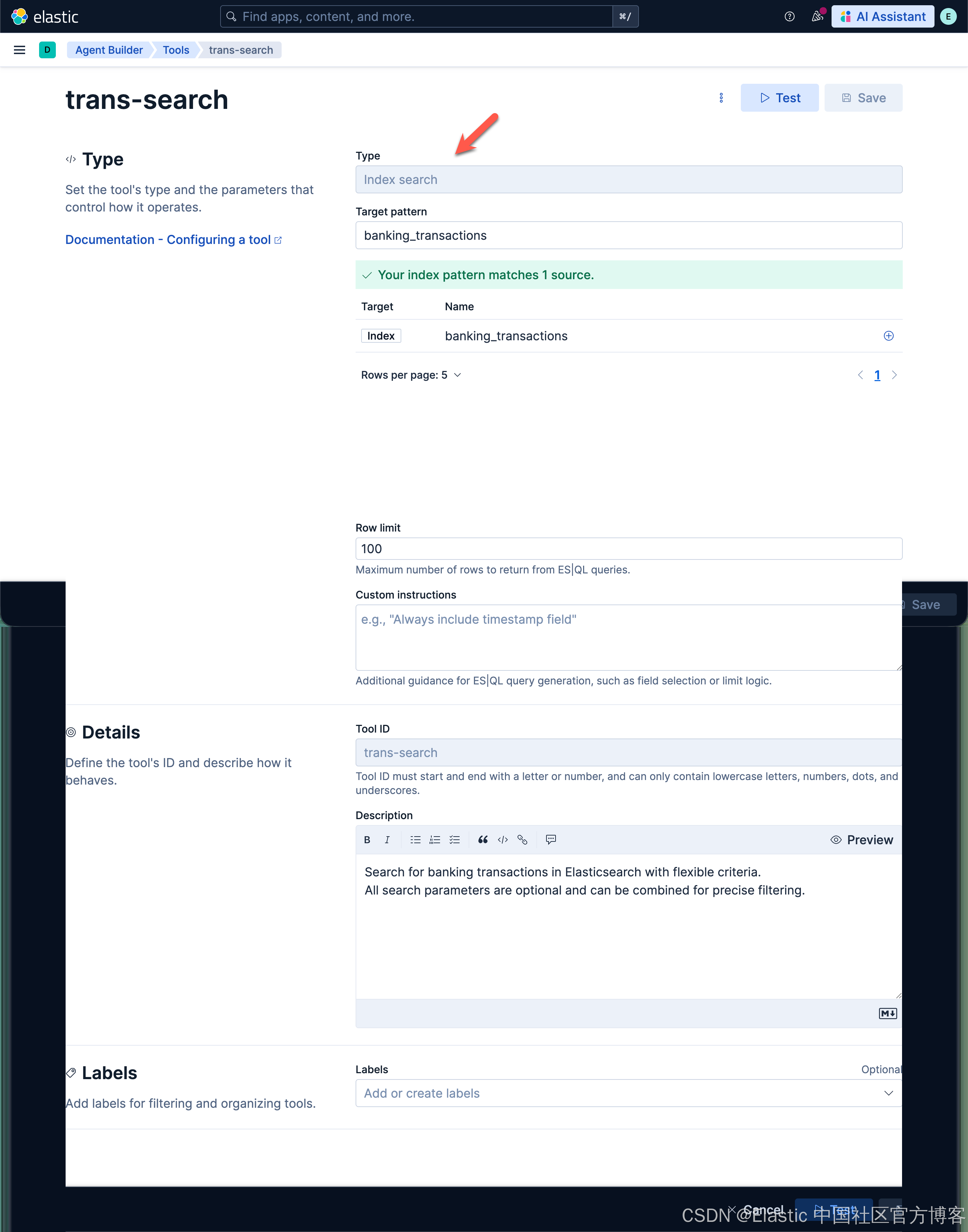
创建 index search tool
我们首先来创建一个叫做 Index search 类别的 tool:
创建 transaction-search agent
You are a helpful banking transaction agent. You help users search and analyze their banking transactions.

Current date: {current_date}

When users ask about transactions, use the appropriate tools:
- Use trans-search for finding specific transactions

For date references:
- "last month" = past 30 days from today
- "this month" = current month from 1st to today
- "last week" = past 7 days
- "this year" = January 1st of current year to today

By default set the make the to date today and the from date 1 year ago
Common categories: groceries, dining, gas, shopping, entertainment, utilities, healthcare, transportation, travel, subscriptions, insurance, phone, internet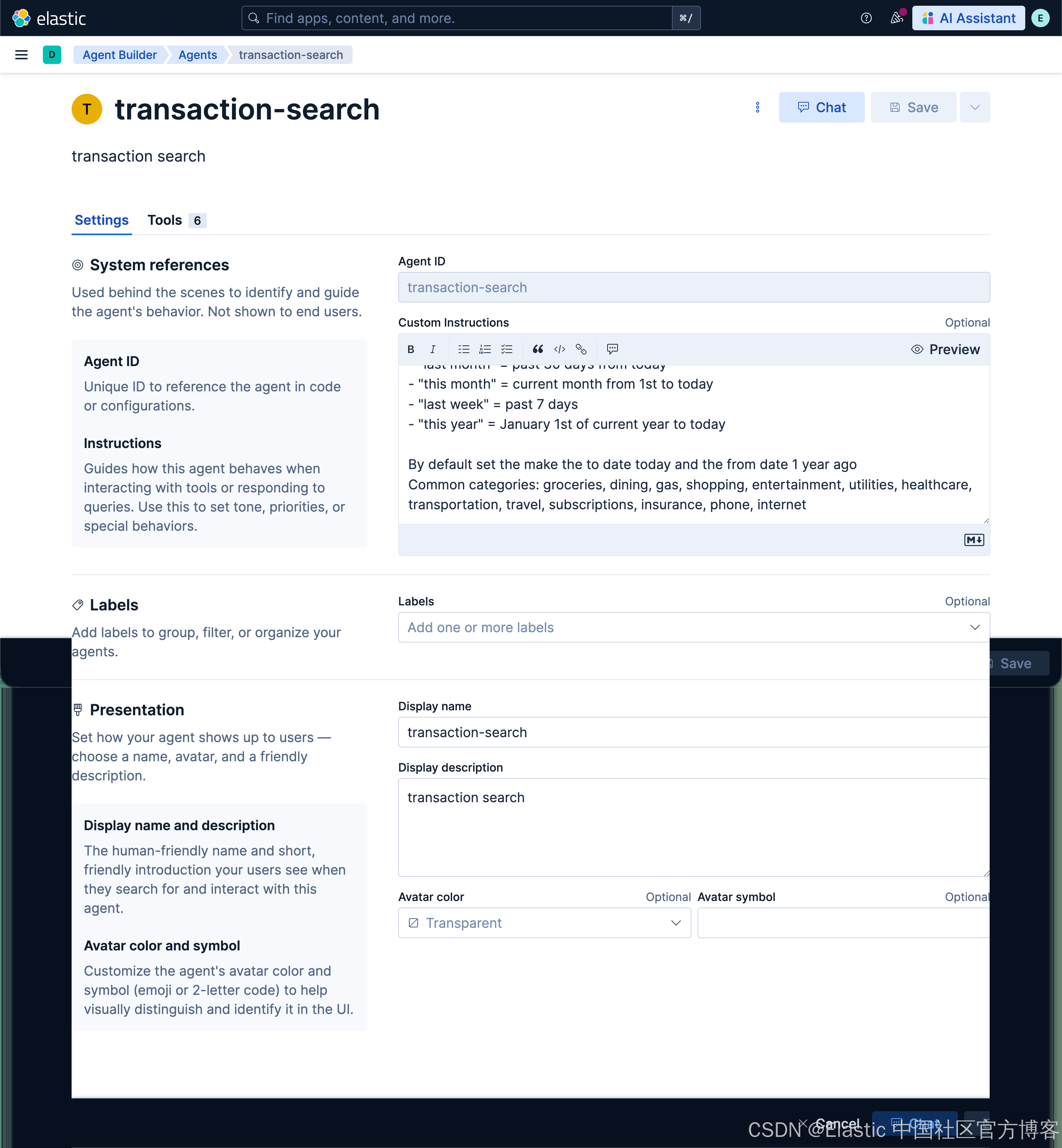
我们使用如下的工具:
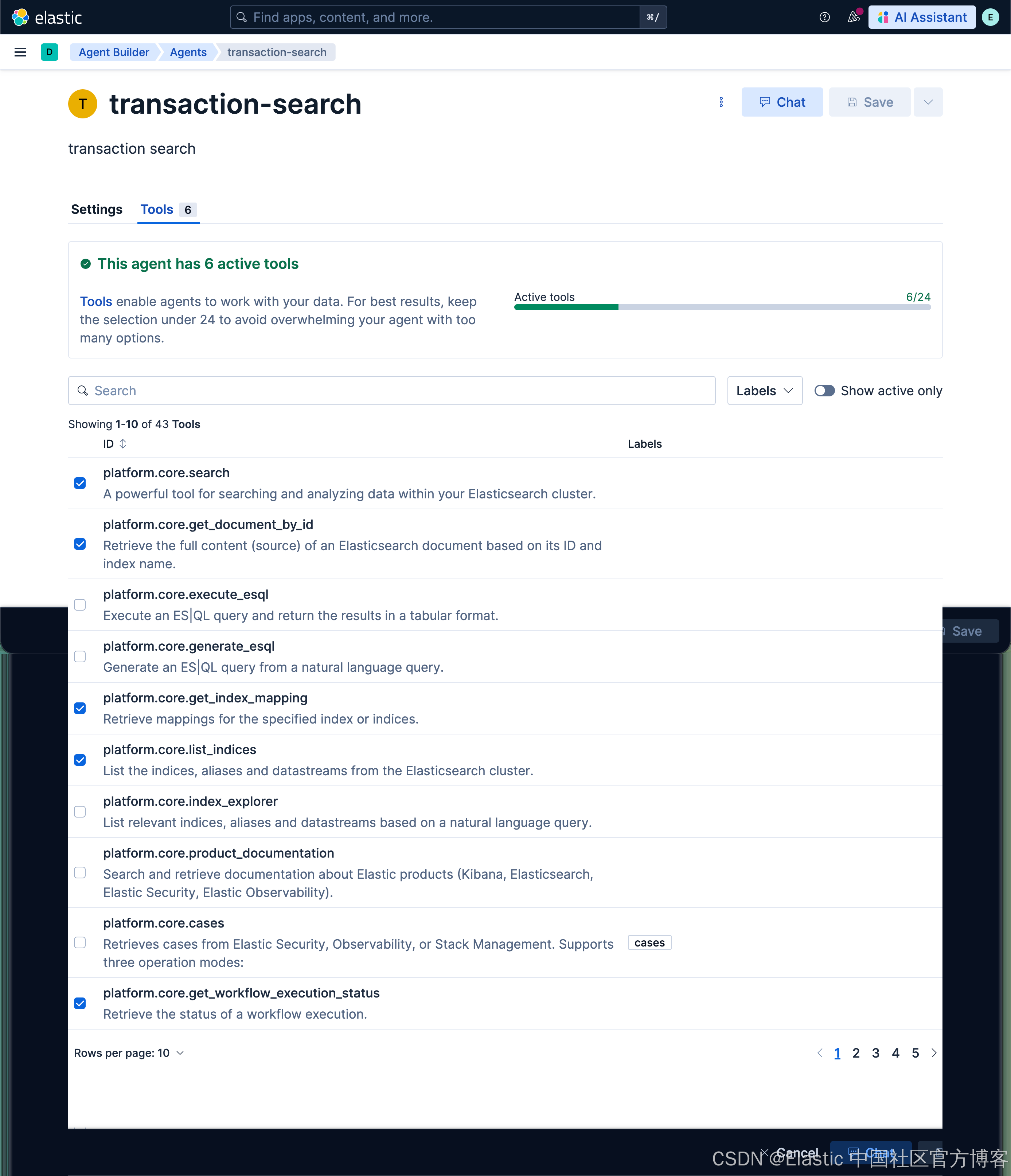
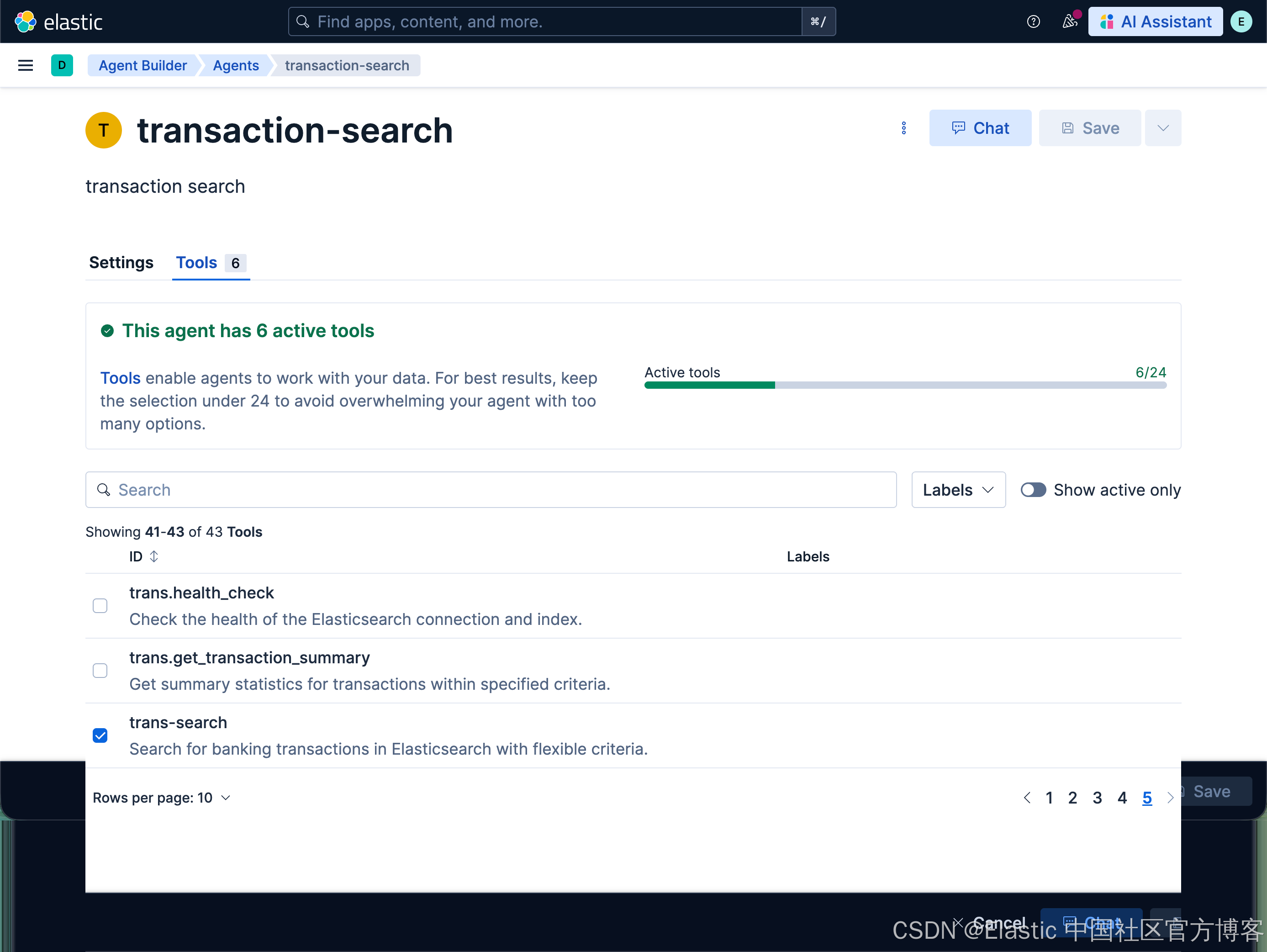
使用 transaction-search agent 来进行搜索
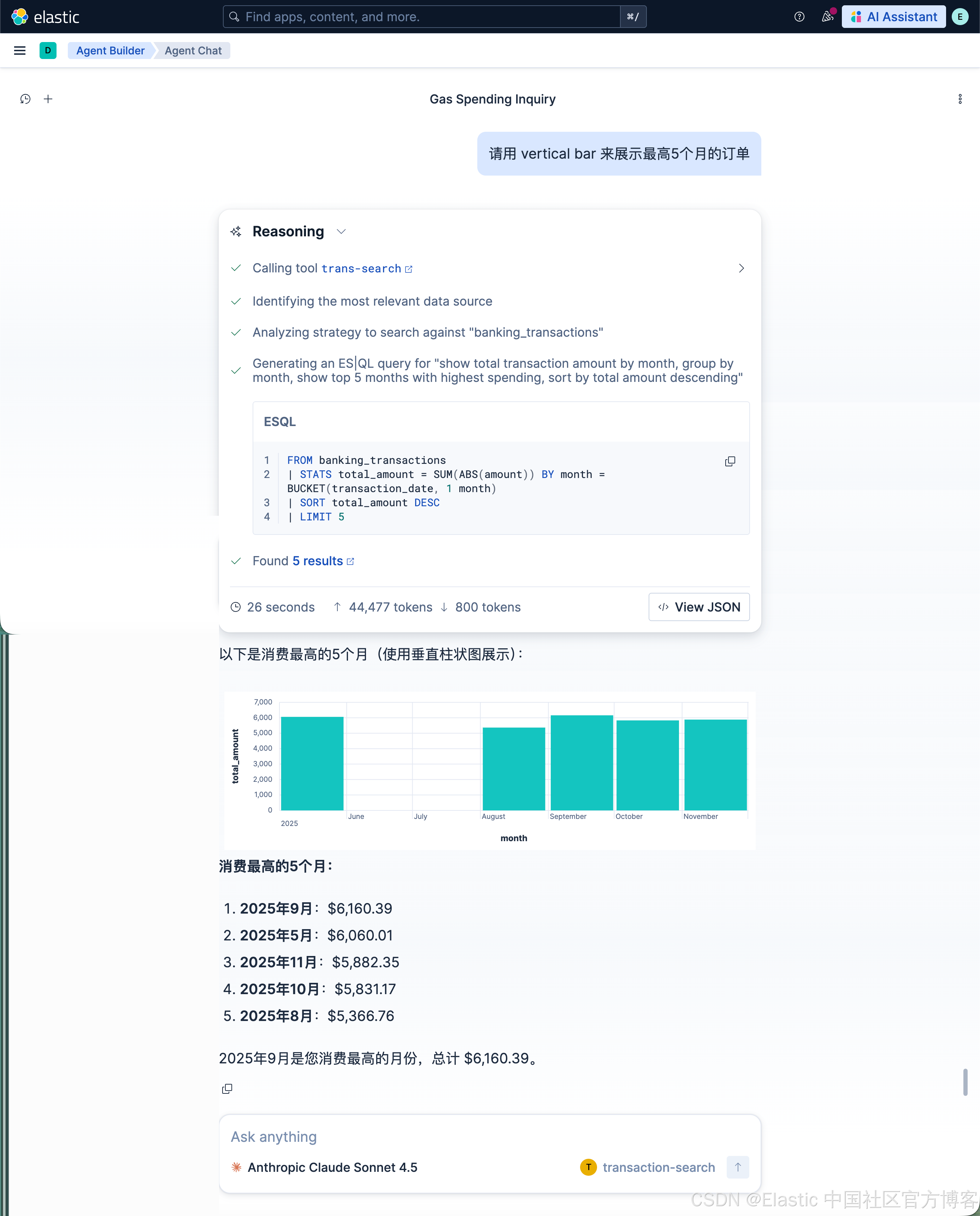
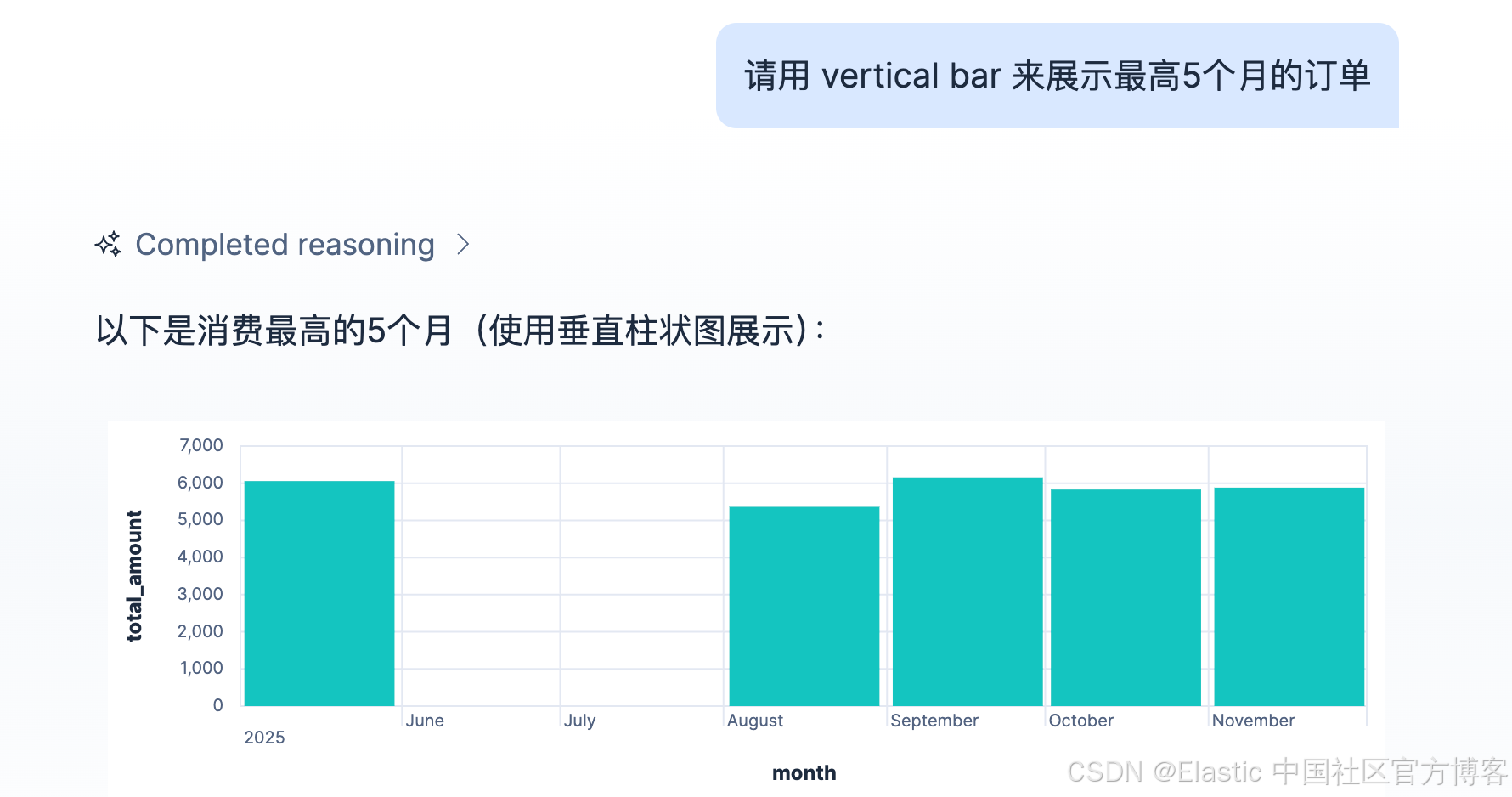
我们使用如下的示例来进行搜索:
Find all transactions over $100 in San Francisco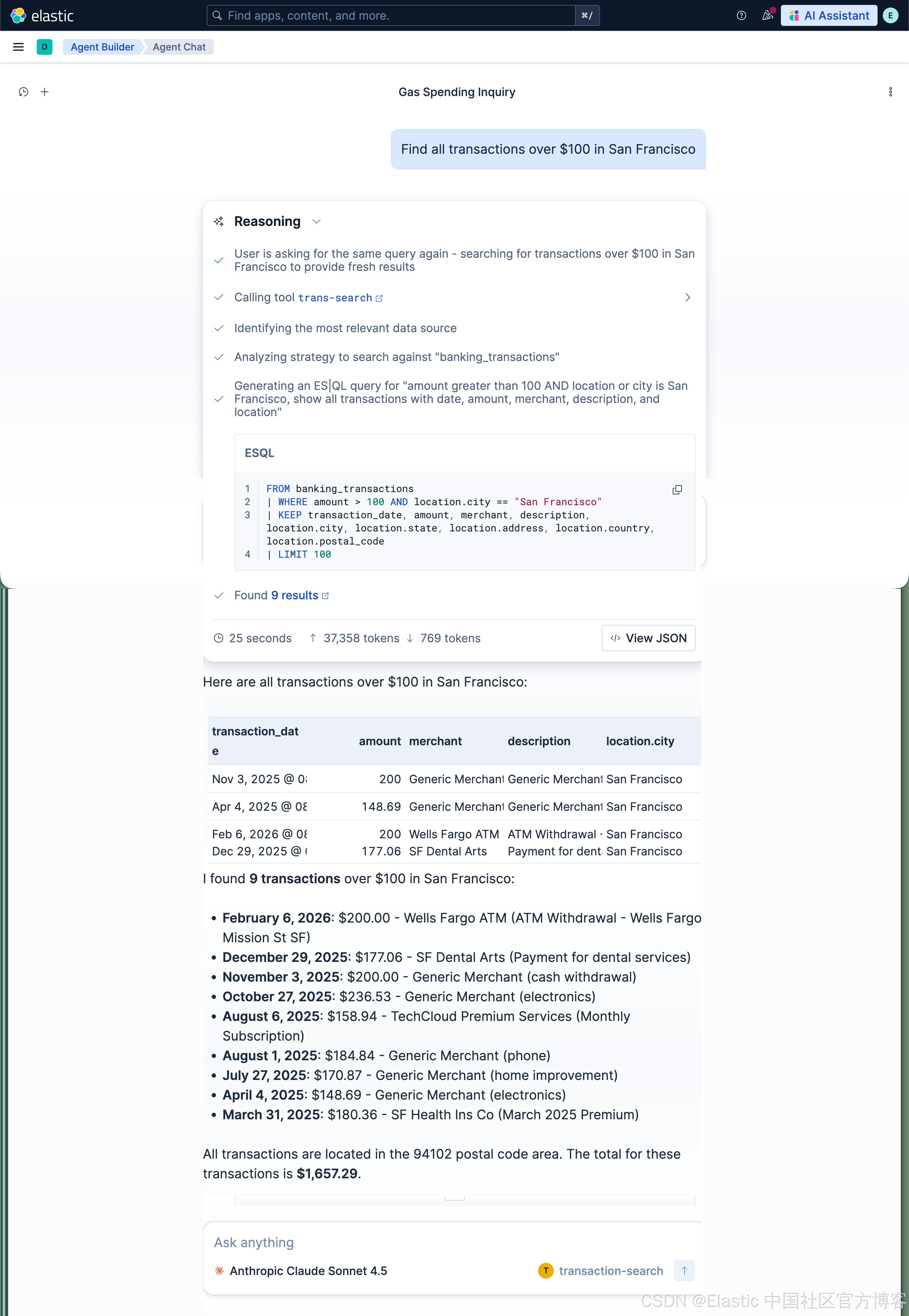
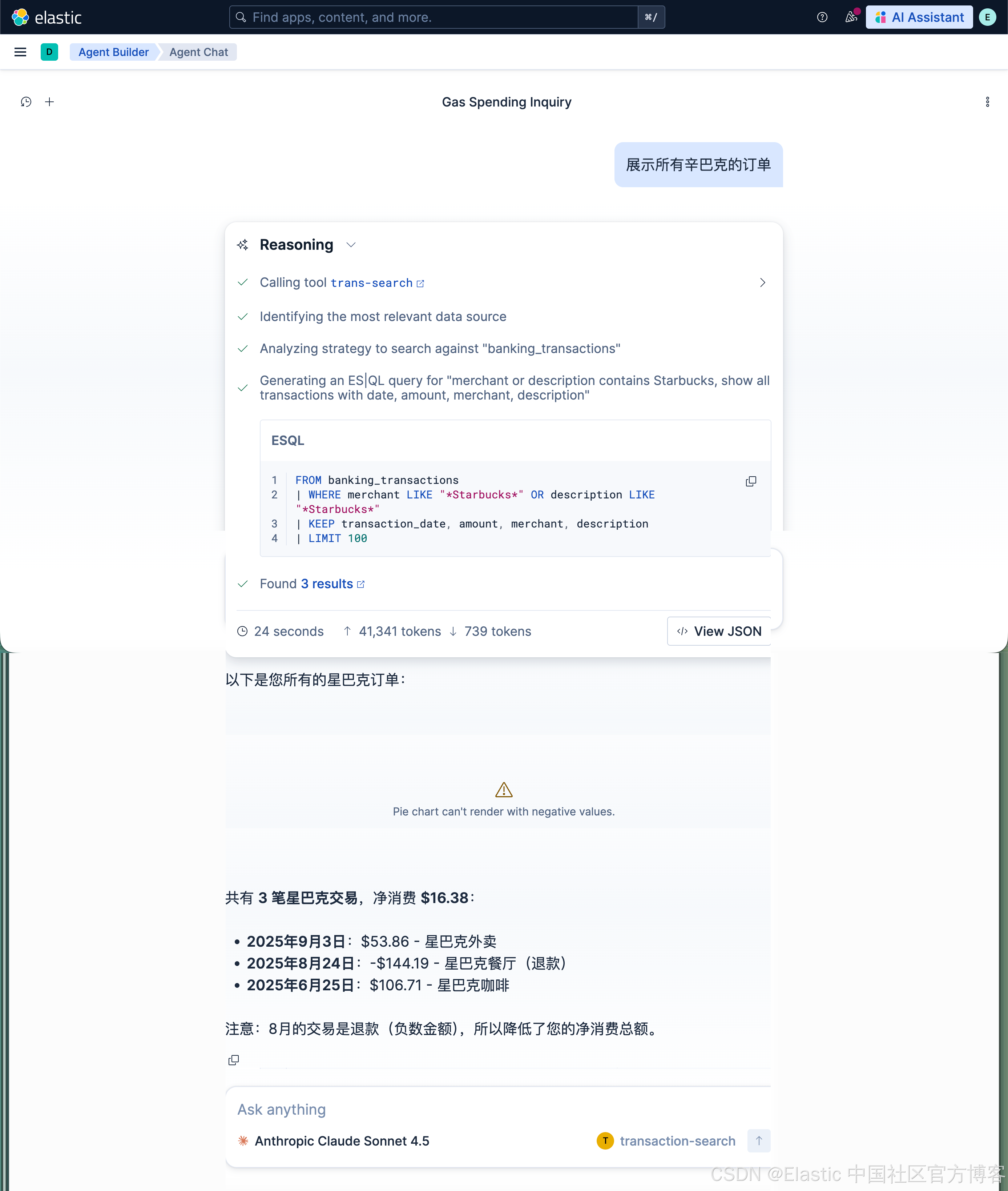
展示所有辛巴克的订单