文章目录
- 前言
- 一、开通阿里云短信服务
- 二、集成到项目里
-
- [2.1 在 common 包下创建 common-message 包](#2.1 在 common 包下创建 common-message 包)
- [2.2 添加 config 和 service 包](#2.2 添加 config 和 service 包)
- [2.3 添加阿里云短信服务的配置在 config 里](#2.3 添加阿里云短信服务的配置在 config 里)
- [2.4 在 service 下创建短信服务和验证码服务](#2.4 在 service 下创建短信服务和验证码服务)
- [2.5 在 resources 下创建自动配置](#2.5 在 resources 下创建自动配置)
- [三、配置 nacos](#三、配置 nacos)
- END
鸡汤:
● 像手机充电:掉到1%才发现原来能撑那么久。累到极限时,你会惊讶自己还能笑着走两步。
● 下雨不是天空的错,但带不带伞是你的选择。阴天不会永远持续,但晒太阳的心情可以自己提前准备。
前言
前面实现了用户服务,现在我们集成一下阿里云的短信服务,因为用户在注册的时候是会发短信通知的
一、开通阿里云短信服务
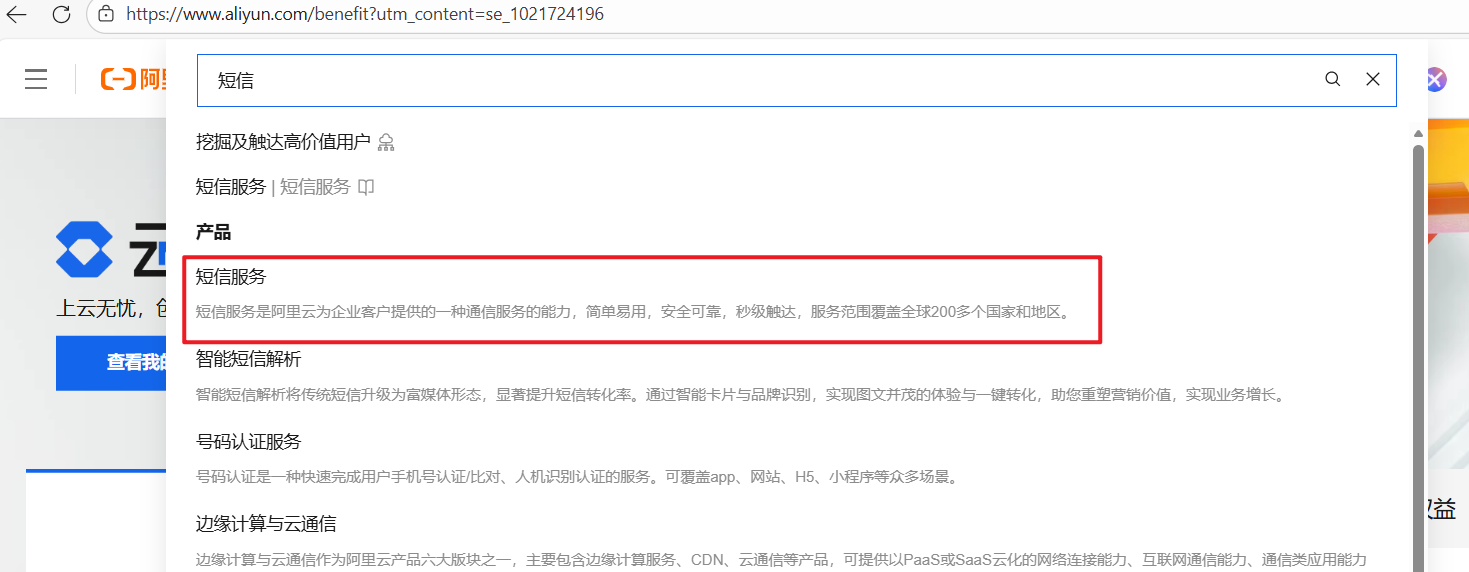
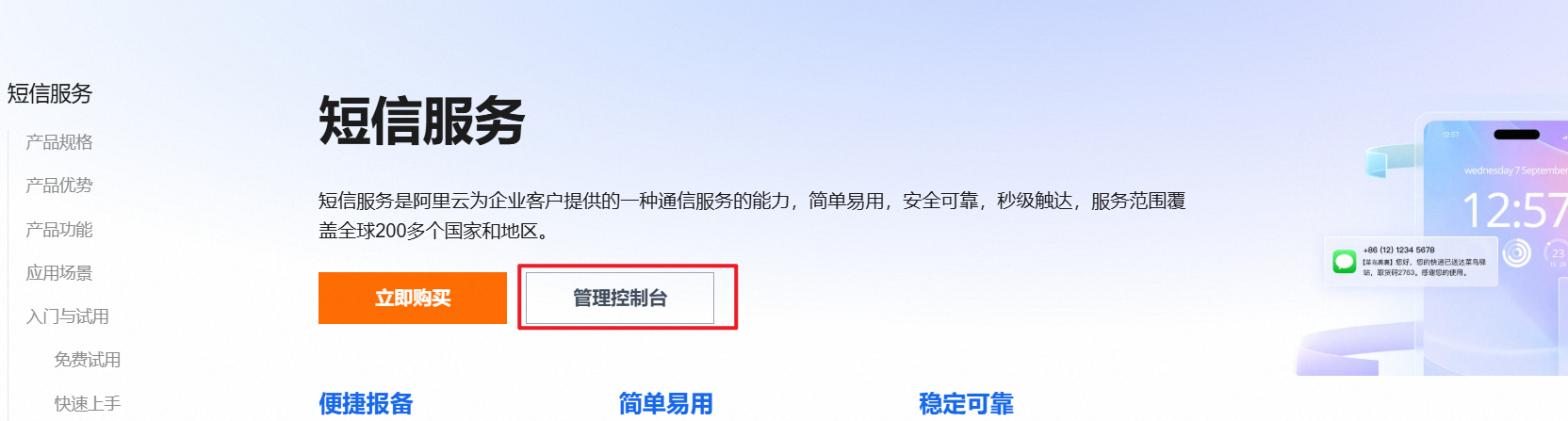
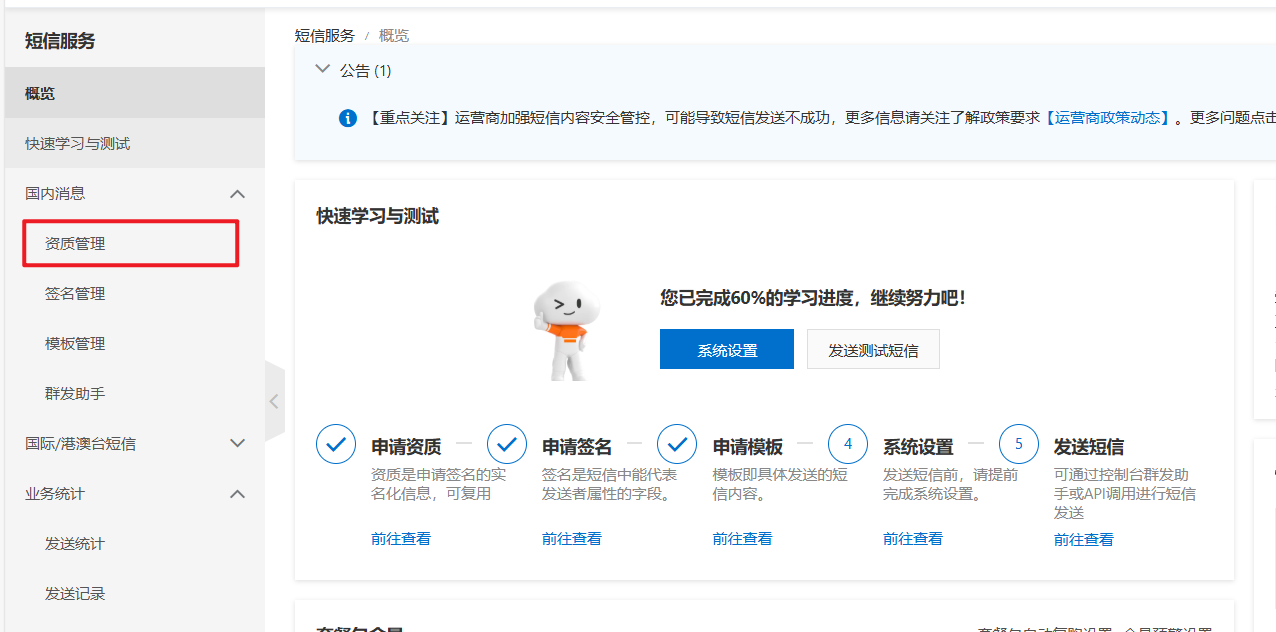
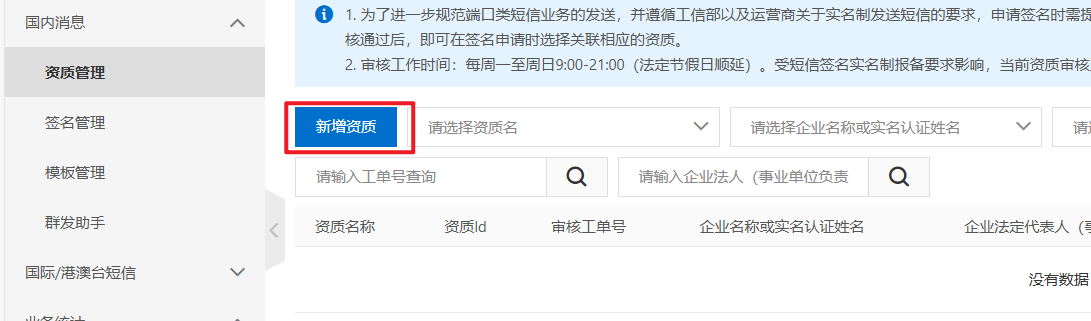
因为现在短信服务不支持"个人资质"的签名实名制报备
所以我们搞短信认证服务

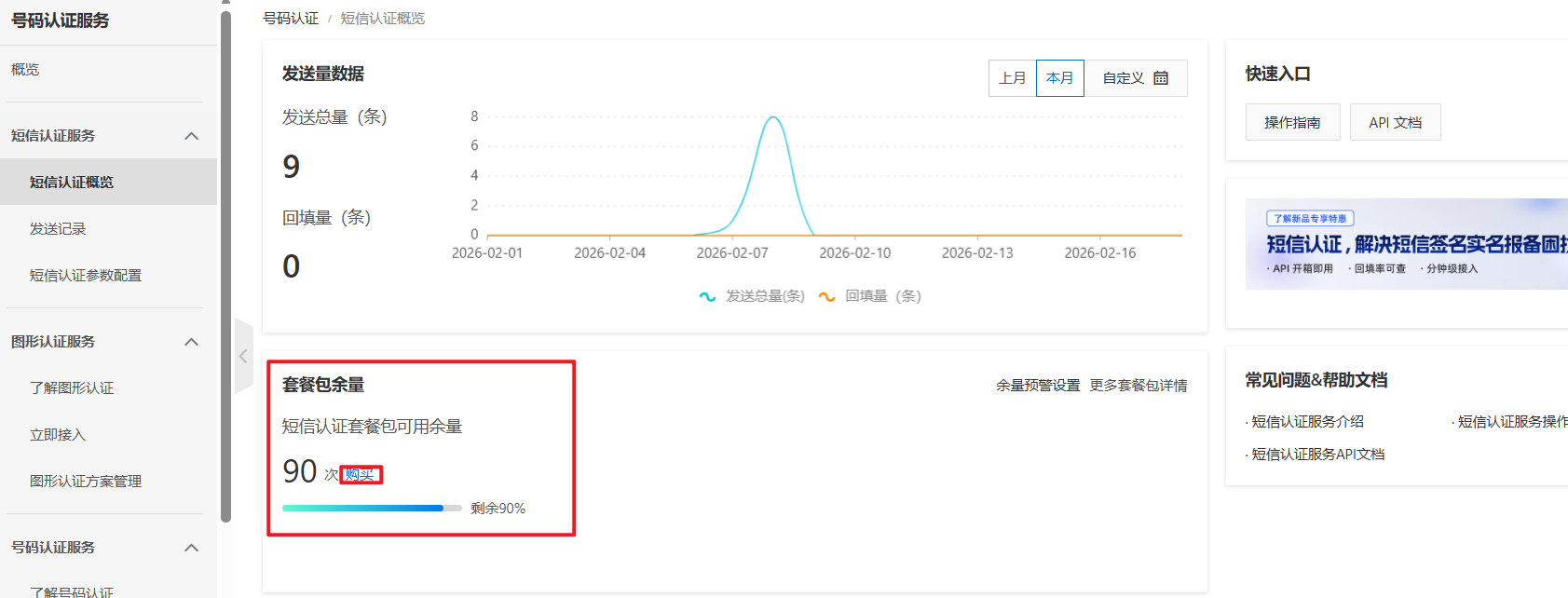
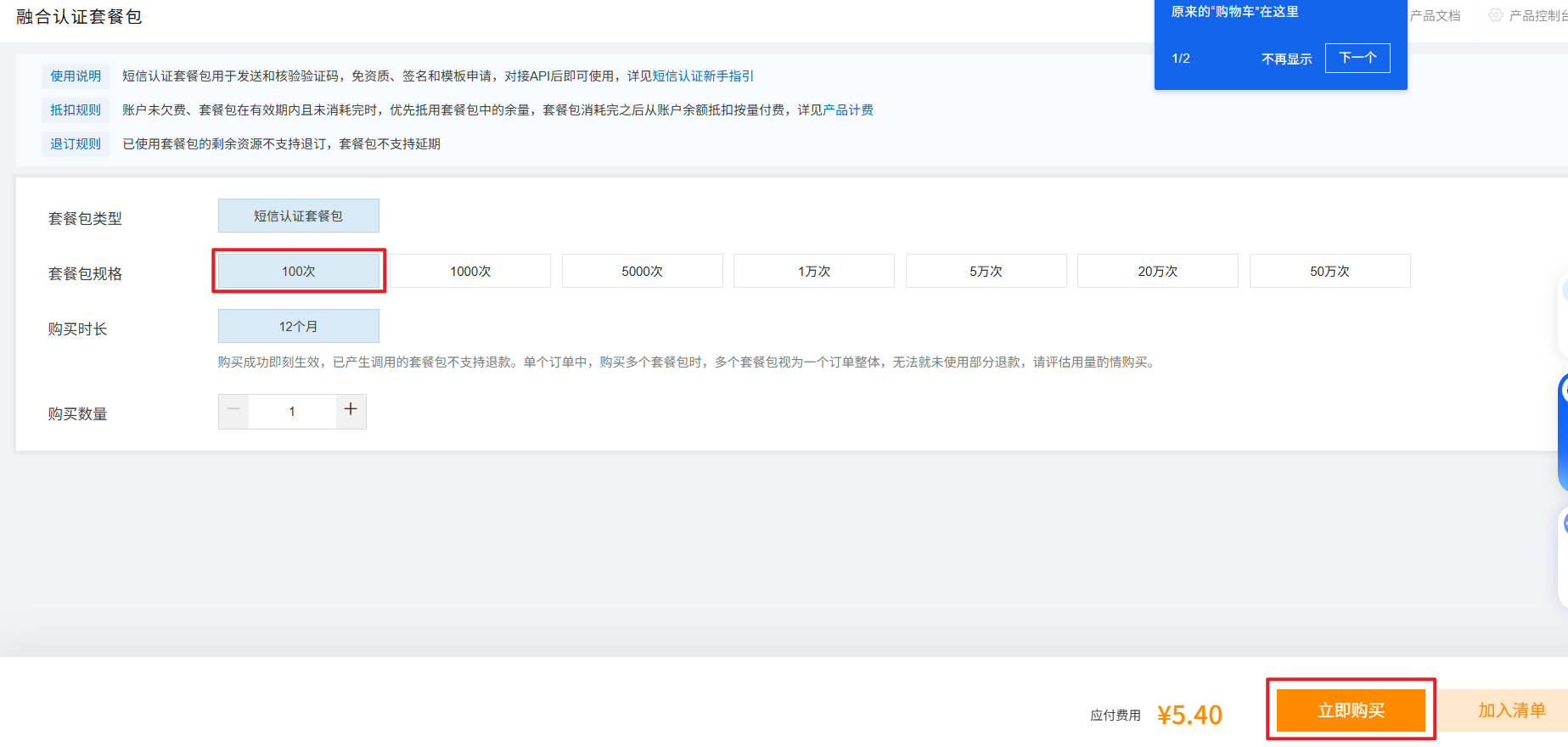
学习用可以小买 5 块的
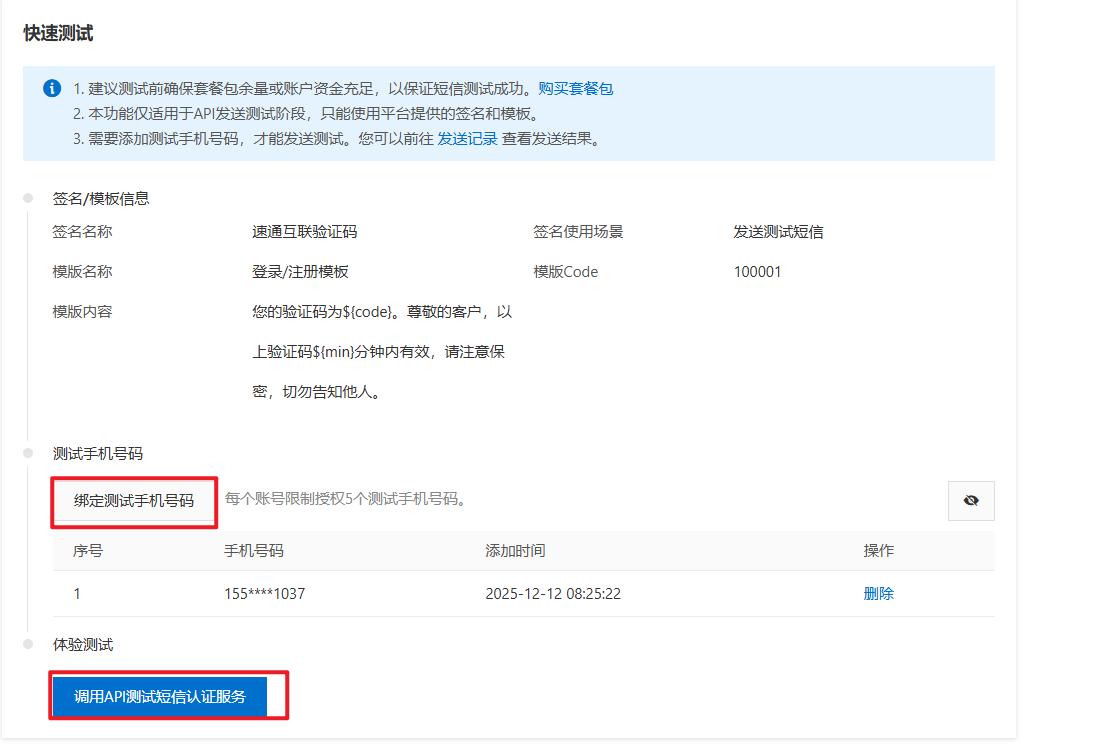
添加测试手机号,进行测试
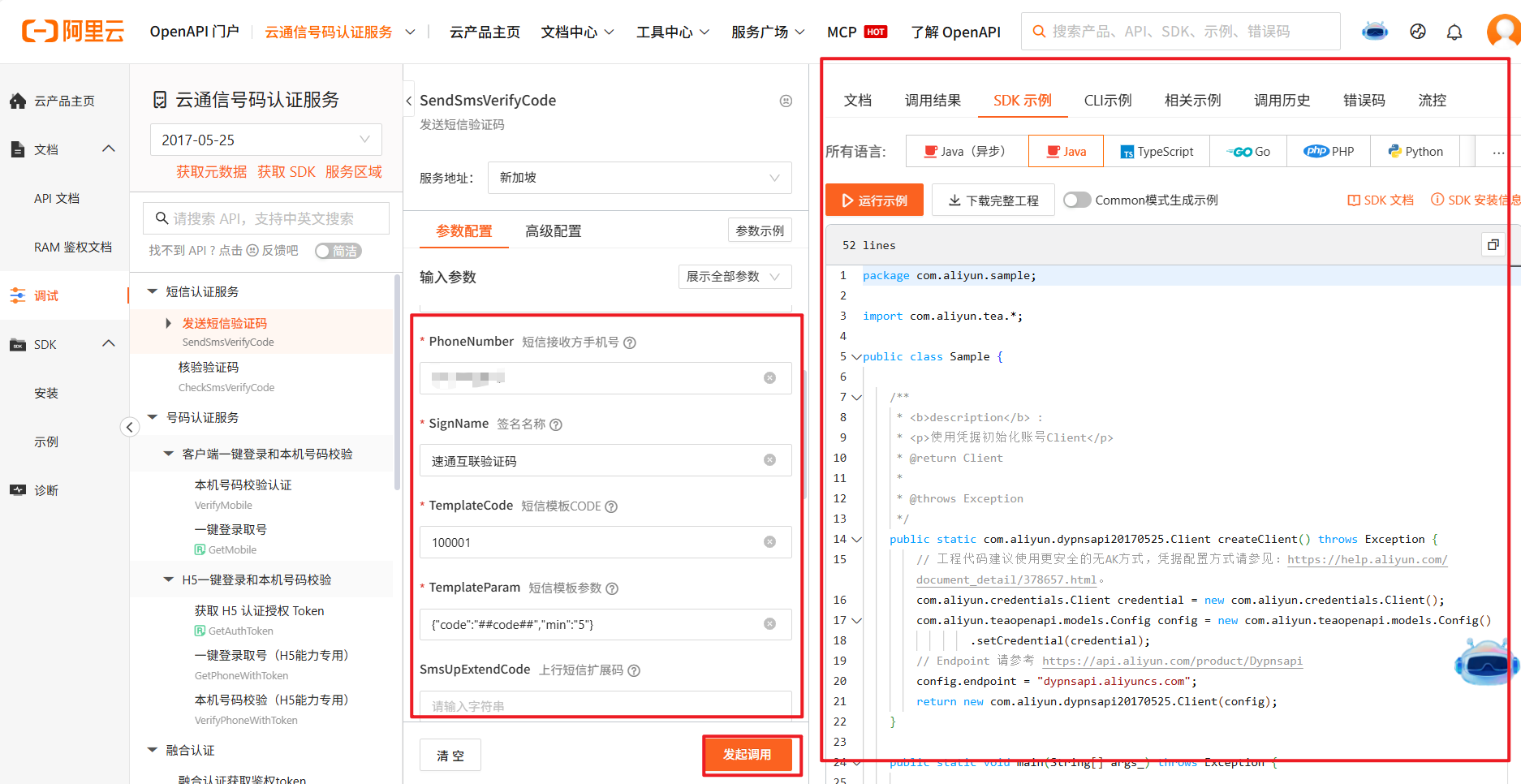
这里文档给的很全
二、集成到项目里
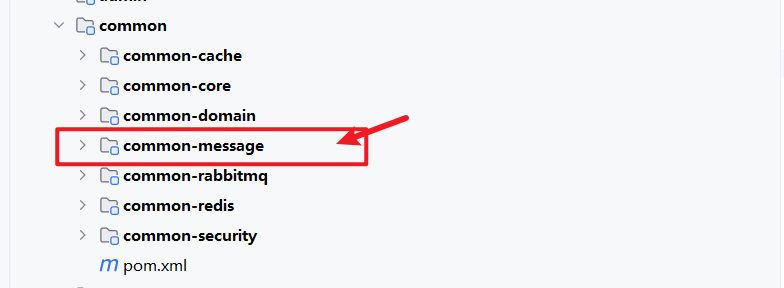
2.1 在 common 包下创建 common-message 包
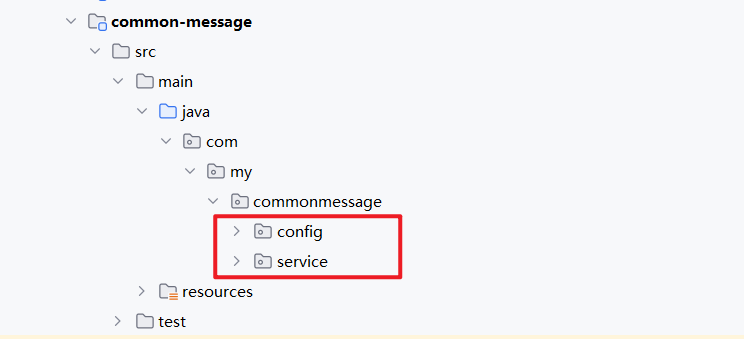
2.2 添加 config 和 service 包
2.3 添加阿里云短信服务的配置在 config 里
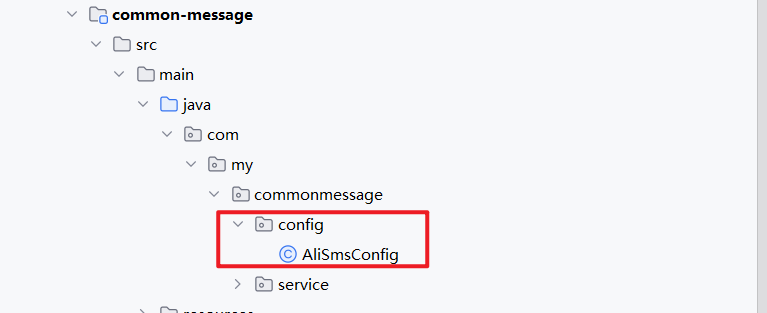
AliSmsConfig:
java
package com.my.commonmessage.config;

import com.aliyun.dypnsapi20170525.Client;
import com.aliyun.teaopenapi.models.Config;
import org.springframework.beans.factory.annotation.Value;
import org.springframework.cloud.context.config.annotation.RefreshScope;
import org.springframework.context.annotation.Bean;
import org.springframework.context.annotation.Configuration;

/**
 * 阿里云短信服务配置参数
 */
@Configuration
@RefreshScope
public class AliSmsConfig {

    /**
     * accessKeyId
     */
    @Value("${sms.aliyun.accessKeyId:}")
    private String accessKeyId;

    /**
     * accessKeySecret
     */
    @Value("${sms.aliyun.accessKeySecret:}")
    private String accessKeySecret;

    /**
     * 服务器地址
     */
    @Value("${sms.aliyun.endpoint:}")
    private String endpoint;

    /**
     * 注册客户端
     * @return 发送短信请求的客户端
     * @throws Exception
     */
    @Bean("aliClient")
    public Client createClient() throws Exception {

        com.aliyun.credentials.Client credential = new com.aliyun.credentials.Client();
        Config config = new Config().setCredential(credential);
        config.setEndpoint(endpoint);
        config.setAccessKeyId(accessKeyId);
        config.setAccessKeySecret(accessKeySecret);
        return new Client(config);
    }
}
2.4 在 service 下创建短信服务和验证码服务
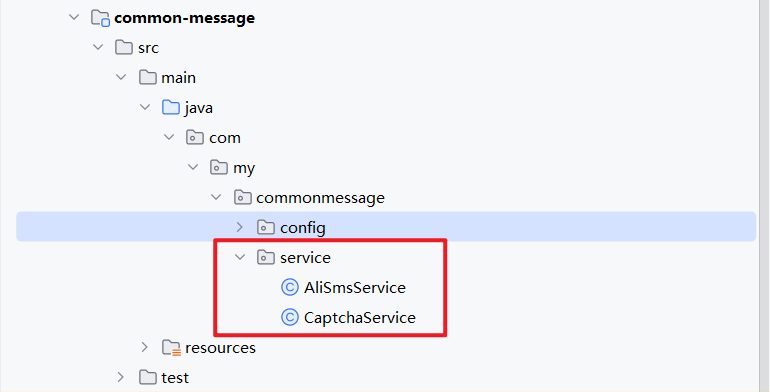
AliSmsService:
java
package com.my.commonmessage.service;

import com.aliyun.dypnsapi20170525.Client;
import com.aliyun.dypnsapi20170525.models.SendSmsVerifyCodeRequest;
import com.aliyun.dypnsapi20170525.models.SendSmsVerifyCodeResponse;
import com.aliyun.dypnsapi20170525.models.SendSmsVerifyCodeResponseBody;
import com.aliyun.teautil.models.RuntimeOptions;
import com.google.gson.Gson;
import com.my.commoncore.utils.JsonUtil;
import com.my.commondomain.constants.MessageConstants;
import lombok.extern.slf4j.Slf4j;
import org.springframework.beans.factory.annotation.Autowired;
import org.springframework.beans.factory.annotation.Value;
import org.springframework.cloud.context.config.annotation.RefreshScope;
import org.springframework.stereotype.Component;

import java.util.HashMap;
import java.util.Map;

/**
 * 短信服务
 */
@Component
@RefreshScope
@Slf4j
public class AliSmsService {

    /**
     * 客户端
     */
    @Autowired
    private Client client;

    /**
     * 短信模版代码
     */
    @Value("${sms.aliyun.templateCode:}")
    private String templateCode;

    /**
     * 签名
     */
    @Value("${sms.sing-name:}")
    private String singName;

    /**
     * 是否发送线上短信
     */
    @Value("${sms.send-message:true}")
    private boolean sendMessage;

    /**
     *  验证码超时时间
     */
    @Value("${sms.code-expiration:5}")
    private String codeTimeout;

    /**
     * 发送短信验证码
     * @param phone 手机号
     * @param code 验证码
     * @return 是否发送成功
     */
    public boolean sendMobileCode(String phone, String code){
        // 封装一下
        Map<String, String> params = new HashMap<String, String>();
        params.put("code", code);
        params.put("min", codeTimeout);
        return sendTemMessage(phone,templateCode,params);
    }


    /**
     * 发送模版短信
     * @param phone 手机号
     * @param templateCode 模版编码
     * @param params 参数
     * @return 是否发送成功
     */
    public boolean sendTemMessage(String phone, String templateCode, Map<String, String> params){
        // 1. 判断是否打开短信通道
        if(!sendMessage){
            log.error("短信发送通道关闭, {}", phone);
            return false;
        }

        // 2. 创建请求
        SendSmsVerifyCodeRequest request = new SendSmsVerifyCodeRequest()
                .setSignName(singName)
                .setTemplateCode(templateCode)
                .setPhoneNumber(phone)
                .setTemplateParam(JsonUtil.toJson(params));

        RuntimeOptions runtimeOptions = new RuntimeOptions();
        // 3 发送请求,根据结果判断是否发送成功
        try {
            SendSmsVerifyCodeResponse resp = client.sendSmsVerifyCodeWithOptions(request,runtimeOptions);
            SendSmsVerifyCodeResponseBody body = resp.getBody();
            if(!body.getCode().equals(MessageConstants.SMS_MSG_OK)){
                log.error("短信{} 发送失败, 失败原因{}...", new Gson().toJson(request), body.getMessage());
                return false;
            }
            return true;
        } catch (Exception e) {
            log.error("短信{} 发送失败, 失败原因{}...", new Gson().toJson(request), e.getMessage());
            return false;
        }
    }
}
CaptchaService:
java
package com.my.commonmessage.service;

import com.my.commoncore.utils.VerifyUtil;
import com.my.commondomain.constants.MessageConstants;
import com.my.commondomain.domain.ResultCode;
import com.my.commondomain.exception.ServiceException;
import com.my.commonredis.service.RedisService;
import org.apache.commons.lang3.StringUtils;
import org.springframework.beans.factory.annotation.Autowired;
import org.springframework.beans.factory.annotation.Value;
import org.springframework.cloud.context.config.annotation.RefreshScope;
import org.springframework.stereotype.Service;

import java.time.LocalDateTime;
import java.time.temporal.ChronoUnit;
import java.util.concurrent.TimeUnit;

/**
 * 验证码服务
 */
@Service
@RefreshScope
public class CaptchaService {

    /**
     *  阿里短信服务
     */
    @Autowired
    private AliSmsService aliSmsService;

    /**
     *  redis 缓存服务
     */
    @Autowired
    private RedisService redisService;

    /**
     * 单个手机号,每日发送短信次数的限制
     */
    @Value("${sms.send-limit:}")
    private Integer sendLimit;

    /**
     * 验证码的有效期,单位是分钟
     */
    @Value("${sms.code-expiration:}")
    private Long phoneCodeExpiration;

    /**
     * 用来判断是否发送随机验证码
     */
    @Value("${sms.send-message:true}")
    private boolean sendMessage;


    /**
     * 发送验证码
     * @param phone 手机号
     * @return 验证码
     */
    public String sendCode(String phone){
        // 1. 校验是否超过每日的发送限制(针对每个手机号)
        String limitCacheKey = MessageConstants.SMS_CODE_LIMIT_KEY + phone;
        Integer times = redisService.getCacheObject(limitCacheKey, Integer.class);
        times = times == null ? 0 : times;
        if(times >= sendLimit){
            // 抛出异常
            throw new ServiceException(ResultCode.SEND_MSG_OVERLIMIT);
        }

        // 2. 校验是否在1分钟内频繁发送
        String CacheKey = MessageConstants.SMS_CODE_KEY + phone;
        String code = redisService.getCacheObject(CacheKey, String.class);
        long expire = redisService.getExpire(CacheKey);
            // code 不空且 expire小于4分钟
        if(StringUtils.isNotBlank(code) && expire > phoneCodeExpiration * 60 - 60){
            long time = expire - phoneCodeExpiration * 60 - 60;
            throw new ServiceException("操作频繁, 请在"+ time+ "秒之后再试", ResultCode.INVALID_PARA.getCode());
        }

        // 3. 生成验证码
        String verifyCode = sendMessage ?
                VerifyUtil.generateVerifyCode(MessageConstants.DEFAULT_SMS_LENGTH)
                : MessageConstants.DEFAULT_SMS_CODE;

        // 4. 发送线上短信
        if(sendMessage) {
            boolean result  = aliSmsService.sendMobileCode(phone, verifyCode);
            if(!result){
                throw new ServiceException(ResultCode.SEND_MSG_FAILED);
            }
        }

        // 5. 设置验证码的缓存
        redisService.setCacheObject(CacheKey,verifyCode,phoneCodeExpiration, TimeUnit.MINUTES);
        // 6. 设置每日的发送限制缓存(无法预先设置缓存,只能先读后写)
        long seconds = ChronoUnit.SECONDS.between(LocalDateTime.now(),
                LocalDateTime.now().plusDays(1).withHour(0).withMinute(0).withSecond(0).withNano(0));

        redisService.setCacheObject(limitCacheKey,times + 1,seconds,TimeUnit.SECONDS);
        // 7. 返回验证码
        return verifyCode;
    }


    /**
     * 从缓存中删除手机号的验证码
     * @param phone 手机号
     * @return 验证码
     */
    public boolean delCode(String phone){
        String CacheKey = MessageConstants.SMS_CODE_KEY + phone;
        return redisService.deleteObject(CacheKey);
    }

    /**
     * 从缓存中获取手机号的验证码
     * @param phone 手机号
     * @return 验证码
     */
    public String getCode(String phone){
        String CacheKey = MessageConstants.SMS_CODE_KEY + phone;
        return redisService.getCacheObject(CacheKey,String.class);
    }

    /**
     * 校验手机号与验证码是否匹配
     * @param phone 手机号
     * @param code 验证码
     * @return 布尔类型
     */
    public boolean checkCode(String phone, String code){
        String cacheCode = getCode(phone);
        if(cacheCode == null || StringUtils.isBlank(cacheCode)){
            throw new ServiceException(ResultCode.INVALID_CODE);
        }
        return cacheCode.equals(code);
    }
}
2.5 在 resources 下创建自动配置
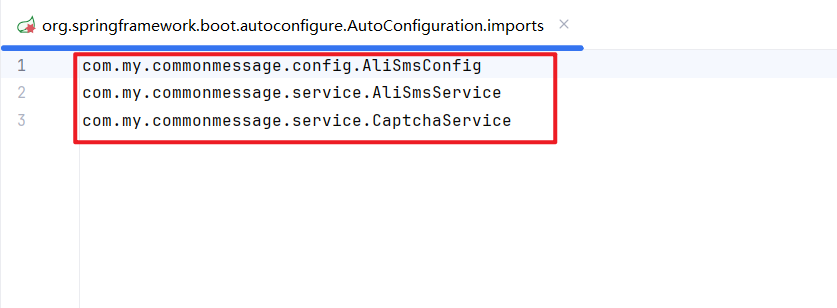
自动配置目录 : META.spring.org.springframework.boot.autoconfigure.AutoConfiguration.imports

将他们三个全部交给 Spring 容器管理
三、配置 nacos

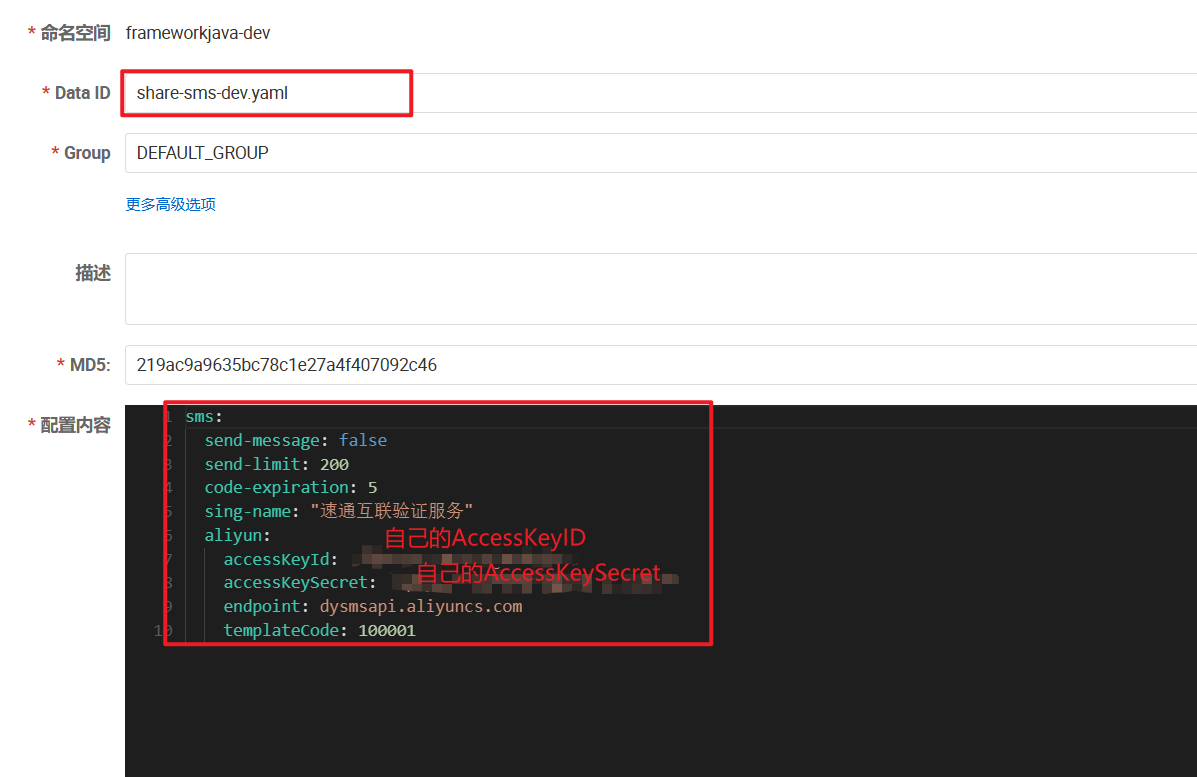
share-sms-dev.yaml:
yaml
sms:
  send-message: false
  send-limit: 200
  code-expiration: 5
  sing-name: "速通互联验证服务"
  aliyun:
    accessKeyId: 自己的accessKeyId
    accessKeySecret: 自己的accessKeySecret
    endpoint: dysmsapi.aliyuncs.com
    templateCode: 100001
END
项目代码实现完毕