一.需求分析
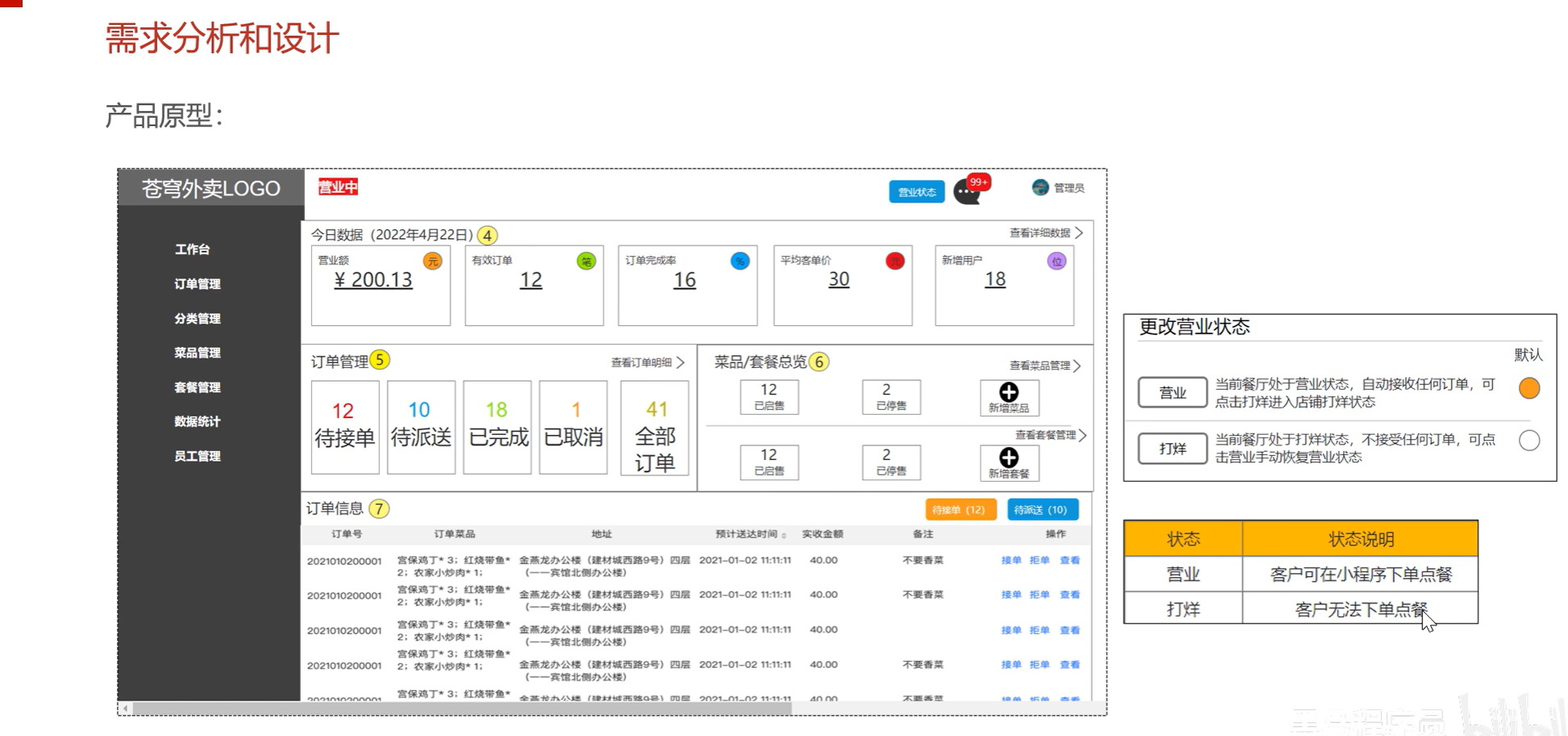
1.产品原型
2.接口设计
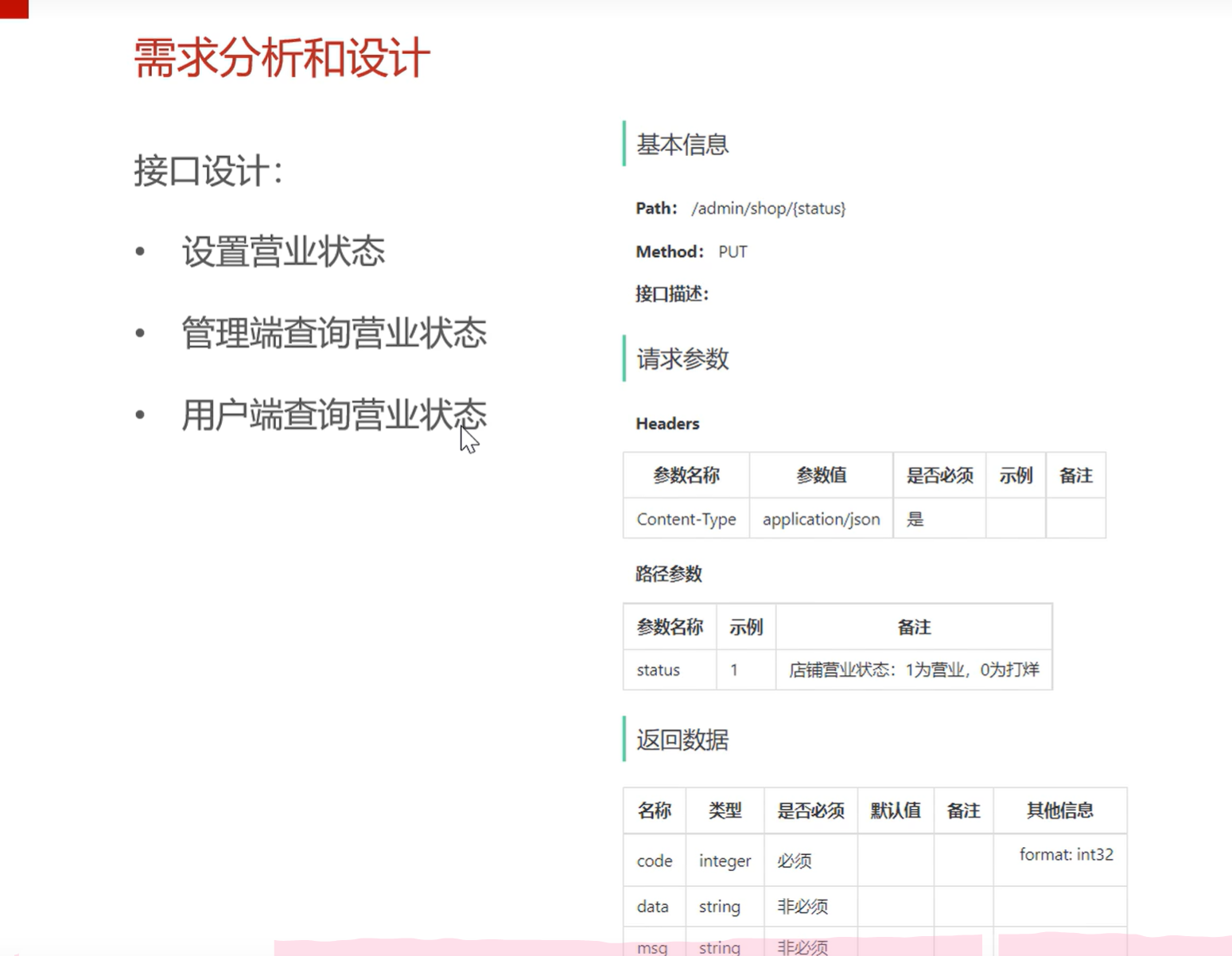
1.设置营业状态
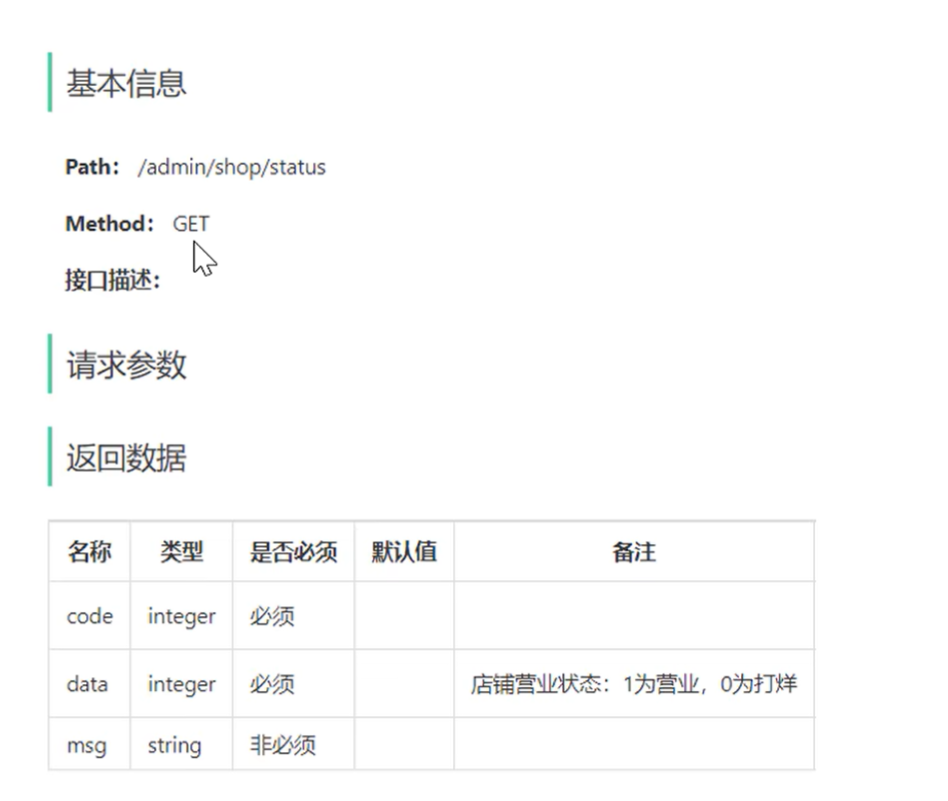
2.管理端查询营业状态
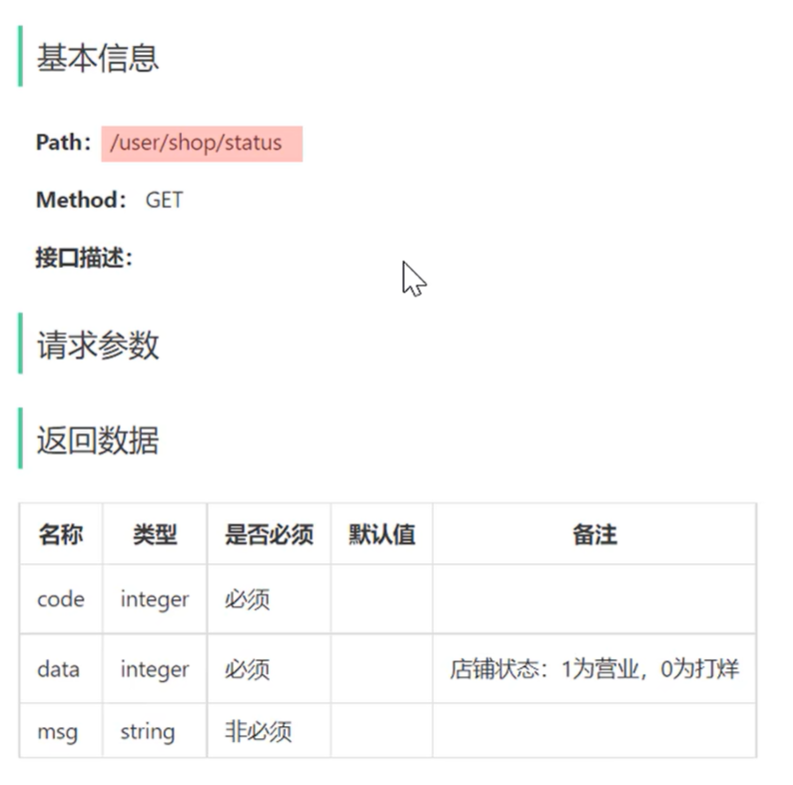
3.用户端查询营业状态
4.数据库设计
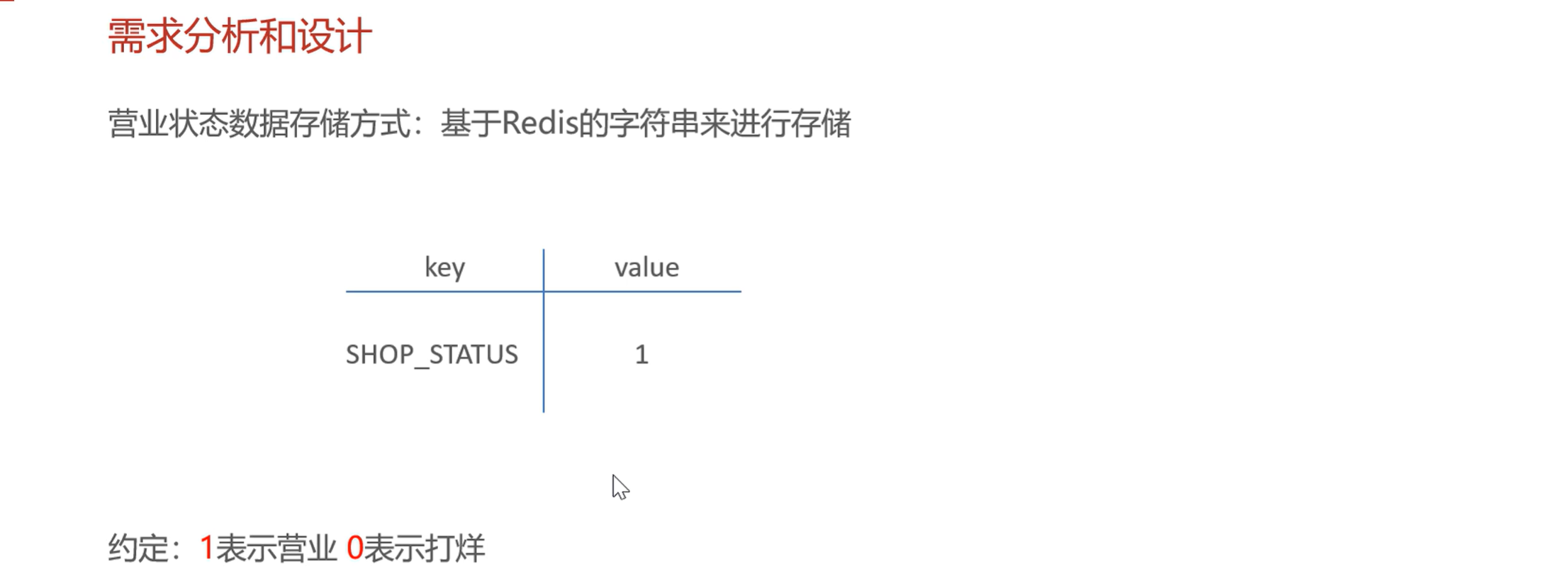
这里使用Redis数据库
二.代码开发
管理端
package com.sky.controller.admin;

import com.sky.result.Result;
import io.swagger.annotations.Api;
import io.swagger.annotations.ApiOperation;
import lombok.extern.slf4j.Slf4j;
import org.springframework.beans.factory.annotation.Autowired;
import org.springframework.data.redis.core.RedisTemplate;
import org.springframework.web.bind.annotation.*;

@RestController("adminShopController")
@RequestMapping("/admin/shop")
@Slf4j
@Api("店铺相关接口")
public class ShopController {
    @Autowired
    private RedisTemplate redisTemplate;
    @PutMapping("/{status}")
    @ApiOperation("设置营业状态")
    public Result setStatus(@PathVariable Integer status){
        log.info("设置营业状态:{}",status == 1 ? "营业中" : "打烊中");
        redisTemplate.opsForValue().set("SHOP_STATUS",status);
        return Result.success();
    }
    @GetMapping("/status")
    @ApiOperation("查询营业状态")
    public Result<Integer> getStatus(){
        Integer shopStatus = (Integer) redisTemplate.opsForValue().get("SHOP_STATUS");
        log.info("查询营业状态:{}",shopStatus == 1 ? "营业中" : "打烊中");
        return Result.success(shopStatus);
    }
}
用户端
package com.sky.controller.user;

import com.sky.result.Result;
import io.swagger.annotations.Api;
import io.swagger.annotations.ApiOperation;
import lombok.extern.slf4j.Slf4j;
import org.springframework.beans.factory.annotation.Autowired;
import org.springframework.data.redis.core.RedisTemplate;
import org.springframework.web.bind.annotation.GetMapping;
import org.springframework.web.bind.annotation.PutMapping;
import org.springframework.web.bind.annotation.RequestMapping;
import org.springframework.web.bind.annotation.RestController;

@RestController("userShopController")
@RequestMapping("/user/shop")
@Slf4j
@Api("店铺相关接口")
public class ShopController {
    @Autowired
    private RedisTemplate redisTemplate;
    @GetMapping("/status")
    @ApiOperation("查询营业状态")
    public Result<Integer> getStatus(){
        Integer shopStatus = (Integer) redisTemplate.opsForValue().get("SHOP_STATUS");
        log.info("查询营业状态:{}",shopStatus == 1 ? "营业中" : "打烊中");
        return Result.success(shopStatus);
    }
}
注意点:1.注意启动Redis数据库,否则会报错
2.注意bean容器不要重名,否则会发生冲突,这里重新定义了bean容器