[1. 枚举文件路径](#1. 枚举文件路径)
[2. 解析网页](#2. 解析网页)
[3. 存储](#3. 存储)
前言
首先什么是boost库?
Boost库是由Boost社区开发维护的开源C++程序库集合,为C++标准库提供扩展功能。是为C++语言标准库提供扩展的一些C++程序库的总称。
Boost社区成立初衷是为C++标准化工作提供参考实现,大部分boost库功能的使用只需包括相应头文件即可,少数(如正则表达式库,文件系统库等)需要链接库。
搜索引擎则是根据用户需求与一定算法,运用特定策略从互联网检索出指定信息反馈给用户的一门检索技术。简单来说就是可以通过关键词搜索到想要的内容。
而Boost搜索引擎项目就是实现一个小型的boost站内搜索(boost官网没有站内搜索功能)。
整体框架设计
首先来看正常访问网站的流程,用户通过访问网站发起请求,后端服务器通过请求所携带的信息经过处理之后,返回给用户。
根据这个,我们的项目流程就是用户通过站内搜索功能进行搜索,通过搜索关键字发起http请求,进行搜索任务。请求发送给后端服务器,后端服务则检索相关的网页,将相关信息进行返回。
所以大体上可以分为前端模块和后端模块。
后端模块分为几个部分组成:数据预处理、建立索引、搜索,最后整合到http服务模块。
-
首先就是数据预处理模块,因为所有的数据都是html网页,所以要对数据进行去标签化,存储在文件中,方便后续进行索引。
-
然后建立索引,建立正排索引和倒排索引,实现通过关键词就可以找到对应的文档,方便又高效。
-
根据建立的索引,实现搜索,将根据关键词搜索到内容,然后转换为json。
-
最后在http服务中添加搜索功能,将得到的json发送给前端页面。
数据清洗模块
在数据清洗时,要分为以下几个步骤:
-
找出每个 html 文件的路径;
-
然后对每个网页进行去标签化,解析网页中的内容;
-
以一定结构进行存储;
cpp
const std::string src_path = "data/input";
const std::string output = "data/raw_html/raw.txt";
typedef struct DocInfo
{
std::string title; //文档的标题
std::string content; //文档内容
std::string url; //该文档在官网中的url
}DocInfo_t;
int main()
{
std::vector<std::string> files_list;
//第一步: 递归式的把每个html文件名带路径,保存到files_list中,方便后期进行一个一个的文件进行读取
if(!EnumFile(src_path, &files_list))
{
std::cerr << "enum file name error!" << std::endl;
return 1;
}
//第二步: 按照files_list读取每个文件的内容,并进行解析
std::vector<DocInfo_t> results;
if(!ParseHtml(files_list, &results))
{
std::cerr << "parse html error" << std::endl;
return 2;
}
//第三步: 把解析完毕的各个文件内容,写入到output,按照\3作为每个文档的分割符
if(!SaveHtml(results, output))
{
std::cerr << "sava html error" << std::endl;
return 3;
}
return 0;
}1. 枚举文件路径
由于不同的htm网页存储在不同的路径下,我们需要知道文件的路径用于访问,如果可以使用C++17,那推荐使用 std::filesystem ,如果不能,也可以直接使用 boost 库中的 filesystem 文件系统库进行处理。
Boost.Filesystem 和 std::filesystem 在底层都调用操作系统的 API,性能相差无几。而且语法和用法与 Boost.Filesystem 几乎一致(因为 Boost 的很多设计被直接采纳为标准)。
这里我们采用 Boost.Filesystem 库。
而要使用的就是Boost.Filesystem 库中的 recursive_directory_iterator 迭代器,它是一个用于递归遍历目录树的迭代器。它允许开发者以迭代器的方式访问指定目录及其所有子目录中的文件系统条目(包括文件、目录、符号链接等),从一个起始目录开始,深度优先地遍历该目录下的所有子目录和文件。(其用法和C++的迭代器一样)。
cpp
bool EnumFile(const std::string &src_path, std::vector<std::string> *files_list)
{
    namespace fs = boost::filesystem;
    fs::path root_path(src_path);

    if(!fs::exists(root_path))
    {
        std::cerr << src_path << " not exists" << std::endl;
        return false;
    }

    //定义一个空的迭代器,用来进行判断递归结束
    fs::recursive_directory_iterator end;

    for(fs::recursive_directory_iterator iter(root_path); iter != end; iter++)
    {
        //判断文件是否是普通文件,html都是普通文件
        if(!fs::is_regular_file(*iter))
        {
            continue;
        }

        if(iter->path().extension() != ".html")
        {
            //判断文件路径名的后缀是否符合要求
            continue;
        }

        //当前的路径一定是一个合法的,以.html结束的普通网页文件
        //将所有带路径的html保存在files_list,方便后续进行文本分析
        files_list->push_back(iter->path().string());
    }

    return true;
}
2. 解析网页
html网页带有许多的标签,所以第一步就是进行去标签化,将有效内容提取出来。我们需要依次提取每个html文件的标题和正文,然后加上存储起来的每个html网页的url。将他们存储起来。
cpp
bool ParseHtml(const std::vector<std::string> &files_list, std::vector<DocInfo_t> *results)
{
    for(const std::string &file : files_list)
    {
        //1. 读取文件,Read();
        std::string result;
        if(!ns_util::FileUtil::ReadFile(file, &result))
        {
            continue;
        }

        DocInfo_t doc;

        //2. 解析指定的文件,提取title
        if(!ParseTitle(result, &doc.title))
        {
            continue;
        }

        //3. 解析指定的文件,提取content,就是去标签
        if(!ParseContent(result, &doc.content))
        {
            continue;
        }

        //4. 解析指定的文件路径,构建url
        if(!ParseUrl(file, &doc.url))
        {
            continue;
        }

        //使用右值效率更高
        results->push_back(std::move(doc));
    }

    return true;
}
3. 存储
保存html文件内容,将他们存储在特定的文件中。用分隔符分割标题、正文和url,然后用换行符分隔每个 html 文件,每次提取是就会提取一个 html 文件的内容。
例如:title\3content\3url\n
cpp
bool SaveHtml(const std::vector<DocInfo_t> &results, const std::string &output)
{
#define SEP '\3'
    std::ofstream out(output, std::ios::out | std::ios::binary);

    if(!out.is_open())
    {
        std::cerr << "open " << output << " failed!" << std::endl;
        return false;
    }

    for(auto &item : results)
    {
        std::string out_string;
        out_string = item.title;
        out_string += SEP;
        out_string += item.content;
        out_string += SEP;
        out_string += item.url;
        out_string += '\n';

        out.write(out_string.c_str(), out_string.size());
    }

    out.close();

    return true;
}
建立索引模块
介绍正派索引和倒排索引
首先我们要理解正派索引和倒排索引是什么?特别是倒排索引的规则。
正排索引
正排索引是一种以文档为中心的索引结构。它记录了每个文档包含了哪些词项(以及可能的位置、频率等信息)。简单来说,就是"文档 ID → 词项列表"的映射。
假设有三个文档:
文档1:"I like cats"
文档2:"I like dogs"
文档3:"Cats and dogs are pets"
经过分词和预处理后,正排索引可能如下:
| 文档ID | 词项列表 |
|---|---|
| 1 | i, like, cats |
| 2 | i, like, dogs |
| 3 | cats, and, dogs, are, pets |
其优点是:
-
实现简单:直接存储文档内容对应的词项,符合直观认知。
-
易于更新:当增加、删除或修改文档时,只需要操作对应文档的条目,不影响其他文档。
-
适合文档遍历:如果需要按顺序处理所有文档(例如批量统计),正排索引很方便。
但缺点是:
-
查询效率低:要找到包含某个词(如"cats")的所有文档,必须遍历整个索引,检查每个文档的词项列表。当文档数量巨大时,速度极慢。
-
空间利用率不高:词项在多个文档中重复出现时,正排索引会冗余存储。
所以其一般作为倒排索引的辅助结构(用于快速获取文档内容)。
倒排索引
倒排索引是一种以词项为中心的索引结构。它记录了每个词项出现在哪些文档中(以及可能的位置、频率等信息)。它是搜索引擎的核心数据结构,相当于"词项 → 文档ID列表"的映射。
| 词项 | 文档ID列表 |
|---|---|
| i | 1,2 |
| like | 1,2 |
| cats | 1,3 |
| dogs | 2,3 |
| and | 3 |
| are | 3 |
| pets | 3 |
其优点是:
-
查询效率极高:要查找包含"cats"的文档,直接定位词项"cats",立即得到文档ID列表,无需遍历所有文档。
-
支持复杂查询:通过合并文档列表,可以快速实现布尔查询(如"cats AND dogs")。
-
空间优化:通过压缩技术(如变长编码、差分编码)可以大幅减小存储空间。
但缺点是:
-
构建和维护复杂:需要分词、排序、合并文档列表,更新时可能需要重排索引或使用增量策略。
-
实时性挑战:新增文档需要更新多个词项的列表,可能影响在线性能。
因此使用时先用倒排索引快速定位包含查询词的文档。得到文档ID后,再通过正排索引快速获取文档的原始内容或摘要,用于展示。
建立索引
通过文档构建正排索引和倒排索引。设计时,采用单例模式,保证线程安全。
cpp
namespace ns_index
{
    struct DocInfo
    {
        std::string title;   //文档的标题
        std::string content; //文档对应的去标签之后的内容
        std::string url;     //官网文档url
        uint64_t doc_id;     //文档的ID
    };

    struct InvertedElem
    {
        uint64_t doc_id;
        std::string word;
        int weight;
        InvertedElem():weight(0){}
    };

    //倒排
    typedef std::vector<InvertedElem> InvertedList;

    class Index
    {
        private:
            std::vector<DocInfo> forward_index; //正排索引

            //倒排索引
            std::unordered_map<std::string, InvertedList> inverted_index;

        private:
            Index(){}
            Index(const Index&) = delete;
            Index& operator=(const Index&) = delete;

            static Index* instance;
            static std::mutex mtx;
        public:
            ~Index(){}

            // 单例模式,线程安全
            static Index* GetInstance()
            {
                if(nullptr == instance)
                {
                    mtx.lock();
                    if(nullptr == instance)
                    {
                        instance = new Index();
                    }
                    mtx.unlock();
                }
                return instance;
            }

            //根据doc_id找到找到文档内容
            DocInfo *GetForwardIndex(uint64_t doc_id)
            {
                if(doc_id >= forward_index.size())
                {
                    std::cerr << "doc_id out range, error!" << std::endl;
                    return nullptr;
                }
                return &forward_index[doc_id];
            }

            //根据关键字string,获得倒排索引
            InvertedList *GetInvertedList(const std::string &word)
            {
                auto iter = inverted_index.find(word);
                if(iter == inverted_index.end())
                {
                    std::cerr << word << " have no InvertedList" << std::endl;
                    return nullptr;
                }
                return &(iter->second);
            }

            //构建正排和倒排索引
            bool BuildIndex(const std::string &input)
            {
                std::ifstream in(input, std::ios::in | std::ios::binary);

                if(!in.is_open())
                {
                    std::cerr << "sorry, " << input << " open error" << std::endl;
                    return false;
                }

                std::string line;
                int count = 0;

                while(std::getline(in, line))
                {
                    DocInfo * doc = BuildForwardIndex(line);
                    if(nullptr == doc)
                    {
                        std::cerr << "build " << line << " error" << std::endl; //for deubg
                        continue;
                    }

                    BuildInvertedIndex(*doc);
                    count++;

                    std::cout <<"当前已经建立的索引文档: " << count <<std::endl;
                }

                return true;
            }

    Index* Index::instance = nullptr;
    std::mutex Index::mtx;
}
构建正排索引
构建正排索引,读取文档内容,切分后存储即可。
cpp
DocInfo *BuildForwardIndex(const std::string &line)
{
    //1. 解析line,字符串切分
    std::vector<std::string> results;
    const std::string sep = "\3";

    ns_util::StringUtil::Split(line, &results, sep);


    if(results.size() != 3)
    {
        return nullptr;
    }

    //2. 字符串进行填充到DocIinfo
    DocInfo doc;
    doc.title = results[0];
    doc.content = results[1];
    doc.url = results[2];
    doc.doc_id = forward_index.size();

    //3. 插入到正排索引的vector
    forward_index.push_back(std::move(doc));
    return &forward_index.back();
}
构建倒排索引
倒排索引要用到cppjieba分词库。分别对标题和正文内容进行分析,用map映射存储,根据关键词找到对应的倒排索引。因为用户根据关键词搜索时得到的文档不止一个,需要根据标题和正文出现该关键字的频率得到权重,后续根据权重降序排序。
cpp
bool BuildInvertedIndex(const DocInfo &doc)
{
    struct word_cnt
    {
        int title_cnt;
        int content_cnt;

        word_cnt():title_cnt(0), content_cnt(0){}
    };

    std::unordered_map<std::string, word_cnt> word_map; //映射表

    //对标题进行分词
    std::vector<std::string> title_words;
    ns_util::JiebaUtil::CutString(doc.title, &title_words);

    //对标题进行词频统计
    for(std::string s : title_words)
    {
        boost::to_lower(s); //统一转化成为小写
        word_map[s].title_cnt++;
    }

    //对文档内容进行分词
    std::vector<std::string> content_words;
    ns_util::JiebaUtil::CutString(doc.content, &content_words);

    //对内容进行词频统计
    for(std::string s : content_words)
    {
        boost::to_lower(s);
        word_map[s].content_cnt++;
    }

#define X 10
#define Y 1

    for(auto &word_pair : word_map)
    {
        InvertedElem item;
        item.doc_id = doc.doc_id;
        item.word = word_pair.first;

        //根据标题和正文词频出现高低,得到权重
        item.weight = X*word_pair.second.title_cnt + Y*word_pair.second.content_cnt;

        InvertedList &inverted_list = inverted_index[word_pair.first];
        inverted_list.push_back(std::move(item));
    }

    return true;
}
搜索模块
前面已建立好倒排索引和正派索引,现在可以根据前端传来的用户搜索的内容,先进行分词,然后进行查找,存储,然后按照权重进行降序排序,最后构建json串。
但在搜索时有一个问题,用户搜索的内容进行分词后,不同的词关联的文档可能相同,有重复的问题,这需要我们进行去重。在index索引模块得到的结果,在搜索模块时添加一个map映射,对于文档id相同的,就直接去重了。
cpp
void Search(const std::string &query, std::string *json_string)
{
    // 分词
    std::vector<std::string> words;
    ns_util::JiebaUtil::CutString(query, &words);

    std::vector<InvertedElemPrint> inverted_list_all;

    std::unordered_map<uint64_t, InvertedElemPrint> tokens_map;

    for(std::string word : words)
    {
        boost::to_lower(word);

        ns_index::InvertedList *inverted_list = index->GetInvertedList(word);

        if(nullptr == inverted_list)
        {
            continue;
        }

        for(const auto &elem : *inverted_list)
        {
            auto &item = tokens_map[elem.doc_id];
            item.doc_id = elem.doc_id;
            item.weight += elem.weight;
            item.words.push_back(elem.word);
        }
    }

    for(const auto &item : tokens_map)
    {
        inverted_list_all.push_back(std::move(item.second));
    }


    std::sort(inverted_list_all.begin(), inverted_list_all.end(),[](const InvertedElemPrint &e1, const InvertedElemPrint &e2){
                return e1.weight > e2.weight;
                });

    Json::Value root;
    for(auto &item : inverted_list_all)
    {
        ns_index::DocInfo * doc = index->GetForwardIndex(item.doc_id);

        if(nullptr == doc)
        {
            continue;
        }

        Json::Value elem;
        elem["title"] = doc->title;
        elem["desc"] = GetDesc(doc->content, item.words[0]);
        elem["url"]  = doc->url;
        elem["id"] = (int)item.doc_id;
        elem["weight"] = item.weight;

        root.append(elem);
    }

    Json::FastWriter writer;
    *json_string = writer.write(root);
}
http服务模块
根据前端传来的用户输入的内容,直接调用搜索模块的函数得到json串,最后返回给前端即可。
正常 http 服务器的流程是:创建tcp套接字 → 监听端口 → 接受连接 → 读取请求 → 解析请求数据 → 处理并生成响应 → 发送响应 → 保持连接
解析请求数据和生成相应数据都需要手动实现,我们可以使用开源的 cpp-httplib 库,直接接收请求,返回响应数据。
cpp
const std::string input = "data/raw_html/raw.txt";
const std::string root_path = "./wwwroot";

int main()
{
    ns_searcher::Searcher search;
    search.InitSearcher(input);

    httplib::Server svr;
    svr.set_base_dir(root_path.c_str());

    svr.Get("/s", [&search](const httplib::Request &req, httplib::Response &rsp){
            if(!req.has_param("word"))
            {
                rsp.set_content("必须要有搜索关键字!", "text/plain; charset=utf-8");
                return;
            }

            std::string word = req.get_param_value("word");

            std::string json_string;

            search.Search(word, &json_string);

            rsp.set_content(json_string, "application/json");
    });

    LOG(NORMAL, "服务器启动成功...");
    svr.listen("0.0.0.0", 8081);
    return 0;
}
前端模块
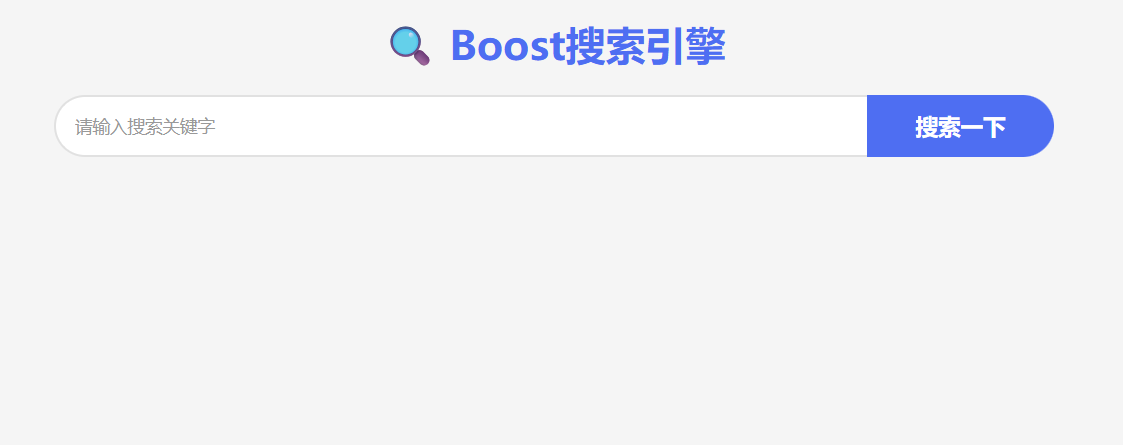
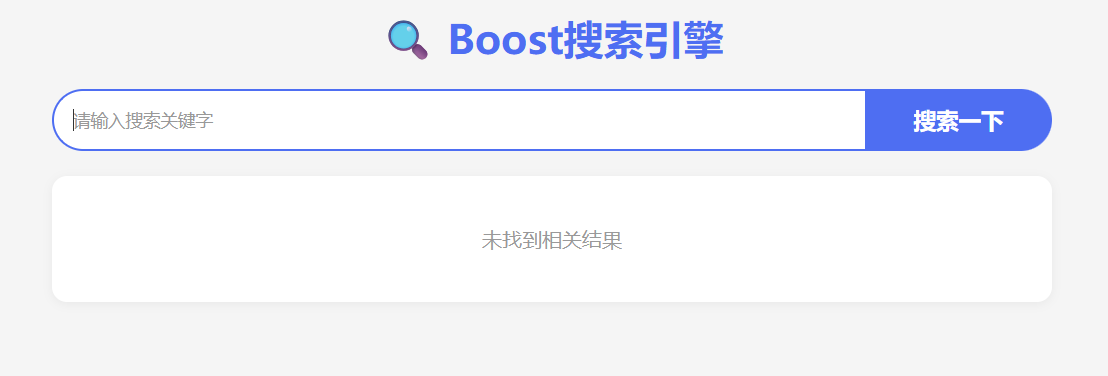
对前端不熟悉的,只需在前端模块写最基本的搜索框和搜索后出现的文本排列逻辑(要使用javascript动态构建),然后让ai生成更美观的界面。
html
<!DOCTYPE html>
<html lang="en">
<head>
    <meta charset="UTF-8">
    <meta http-equiv="X-UA-Compatible" content="IE=edge">
    <meta name="viewport" content="width=device-width, initial-scale=1.0">
    <script src="http://code.jquery.com/jquery-2.1.1.min.js"></script>
    <title>boost 搜索引擎</title>
    <style>
        /* ===== 全局样式 ===== */
        * {
            margin: 0;
            padding: 0;
            box-sizing: border-box;
        }
        html, body {
            height: 100%;
            font-family: 'Microsoft YaHei', sans-serif;
            background-color: #f5f5f5;
        }
        .container {
            width: 800px;
            margin: 0 auto;
            margin-top: 15px;
        }

        /* ===== 标题样式 ===== */
        .container h1 {
            text-align: center;
            margin-bottom: 20px;
            color: #4e6ef2;
            font-size: 32px;
        }

        /* ===== 搜索区域 ===== */
        .container .search {
            display: flex;
            width: 100%;
            height: auto;
            margin-bottom: 20px;
        }
        .container .search input {
            flex: 1;
            height: 50px;
            padding: 0 15px;
            border: 2px solid #e1e1e1;
            border-right: none;
            border-radius: 25px 0 0 25px;
            outline: none;
            font-size: 16px;
            color: #333;
            background-color: #fff;
            transition: border-color 0.2s;
        }
        .container .search input:focus {
            border-color: #4e6ef2;
        }
        .container .search input::placeholder {
            color: #999;
            font-size: 14px;
        }
        .container .search button {
            width: 150px;
            height: 50px;
            background-color: #4e6ef2;
            color: #fff;
            font-size: 18px;
            font-weight: bold;
            border: none;
            border-radius: 0 25px 25px 0;
            cursor: pointer;
            transition: background-color 0.2s;
        }
        .container .search button:hover {
            background-color: #3a5bd9;
        }

        /* ===== 搜索结果区域 ===== */
        .container .result {
            width: 100%;
        }
        .container .result .item {
            background-color: #fff;
            padding: 20px;
            margin-bottom: 15px;
            border-radius: 12px;
            box-shadow: 0 2px 8px rgba(0, 0, 0, 0.05);
            transition: box-shadow 0.2s;
        }
        .container .result .item:hover {
            box-shadow: 0 4px 16px rgba(0, 0, 0, 0.1);
        }
        .container .result .item a {
            display: block;
            font-size: 20px;
            color: #4e6ef2;
            text-decoration: none;
            margin-bottom: 8px;
            font-weight: 500;
        }
        .container .result .item a:hover {
            text-decoration: underline;
        }
        .container .result .item p {
            margin-top: 0;
            margin-bottom: 8px;
            font-size: 16px;
            line-height: 1.5;
            color: #333;
        }
        .container .result .item i {
            display: block;
            font-style: normal;
            color: #28a745;
            font-size: 14px;
            word-break: break-all;
        }

        .container .result .no-result {
            text-align: center;
            padding: 40px 20px;
            color: #999;
            font-size: 16px;
            background-color: #fff;
            border-radius: 12px;
            box-shadow: 0 2px 8px rgba(0, 0, 0, 0.05);
        }
    </style>
</head>
<body>
    <div class="container">
        <h1>🔍 Boost搜索引擎</h1>

        <div class="search">
            <input type="text" placeholder="请输入搜索关键字">
            <button onclick="Search()">搜索一下</button>
        </div>
        <div class="result">
            <!-- 动态生成内容 -->
        </div>
    </div>
    <script>
        function Search(){
            let query = $(".container .search input").val();
            console.log("query = " + query);

            $.ajax({
                type: "GET",
                url: "/s?word=" + query,
                success: function(data){
                    console.log(data);
                    BuildHtml(data);
                }
            });
        }

        function BuildHtml(data){
            let result_lable = $(".container .result");
            result_lable.empty();

            // 处理无结果情况
            if (!data || data.length === 0) {
                let noResult = $("<div>", {
                    class: "no-result",
                    text: "未找到相关结果"
                });
                noResult.appendTo(result_lable);
                return;
            }

            for (let elem of data) {
                let a_lable = $("<a>", {
                    text: elem.title,
                    href: elem.url,
                    target: "_blank"
                });
                let p_lable = $("<p>", {
                    text: elem.desc
                });
                let i_lable = $("<i>", {
                    text: elem.url
                });
                let div_lable = $("<div>", {
                    class: "item"
                });
                a_lable.appendTo(div_lable);
                p_lable.appendTo(div_lable);
                i_lable.appendTo(div_lable);
                div_lable.appendTo(result_lable);
            }
        }

        // 回车搜索功能
        $(document).ready(function(){
            $(".container .search input").keypress(function(event){
                if (event.keyCode === 13) {
                    Search();
                }
            });
        });
    </script>
</body>
</html>
页面展示

项目总结
boost搜索引擎,由用户发起请求,给后端http服务模块,http服务模块调用搜索模块实现查询。
从数据清洗开始,先将网页中的内容都提取出来,然后建立索引,然后封装,搜索模块调用索引模块,实现对关键词的搜索,得到的结果封装为 json ,返回给http服务模块,由http服务模块响应给前端。前端展示结果。