数据更新过程
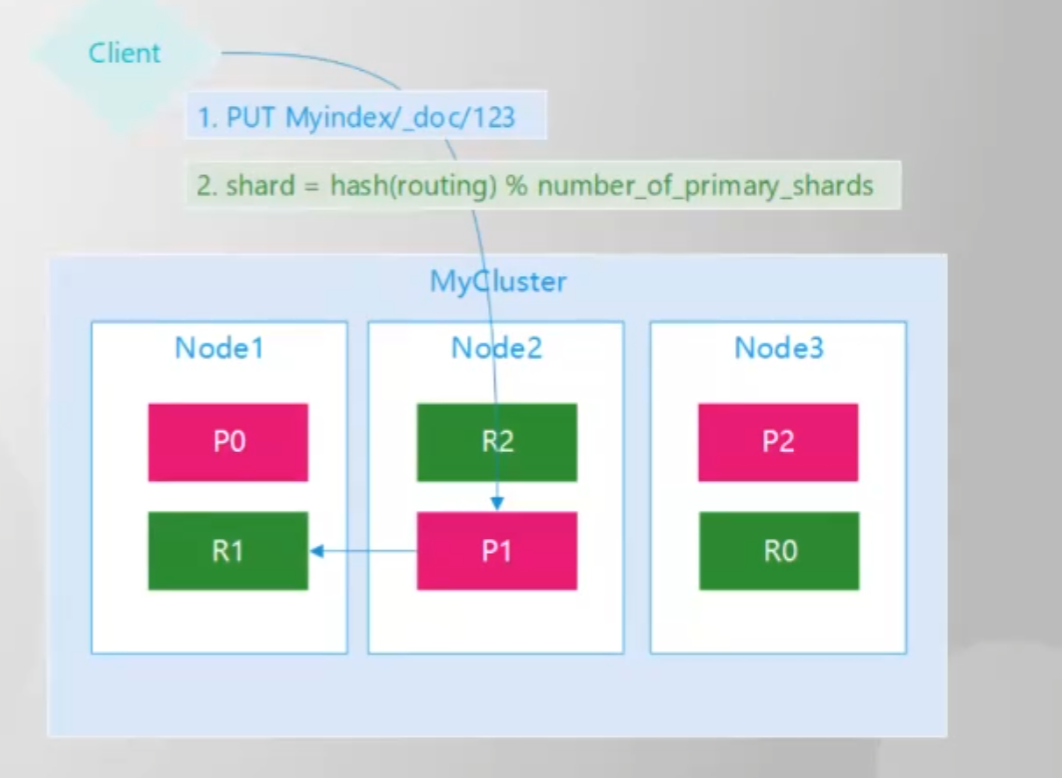
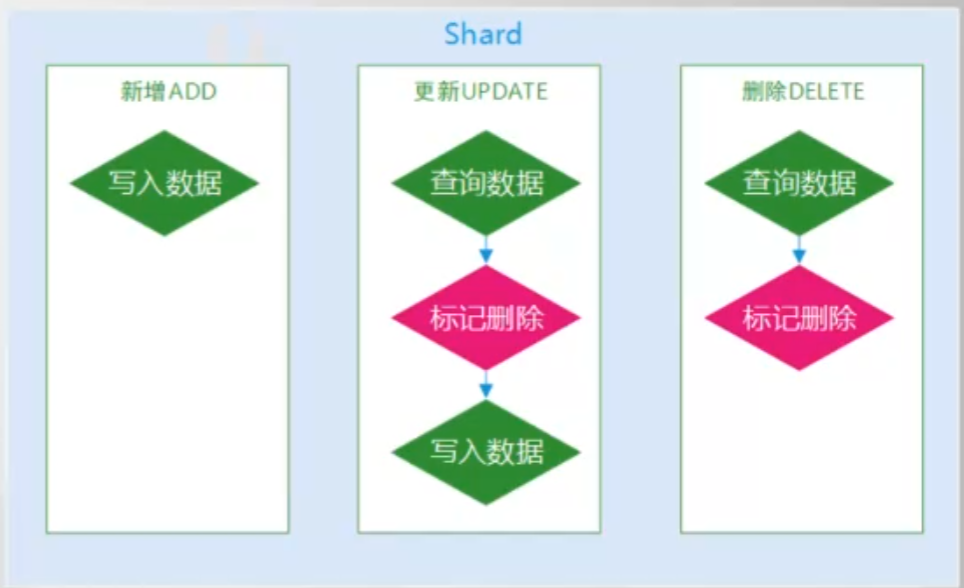
注意:多并发下更新操作没有任何的事务性隔离,在并发情况下,出现严重的数据错位问题。
单条数据更新:
使用PUT进行全量覆盖:
PUT <index_name>/_doc/1
{
    "name":"lijia"
}
单条局部更新:
只是修改需要修改的字段就行了。
POST index_test/_update/1
{
"doc": {
"name":"lizi"
}
}
doc_as_upsert 参数,如果当前id的数据不存在的话,是否使用插入的方式新增数据
使用脚本修改数据
使用脚本更新的时候需要进行一下字段的判断:
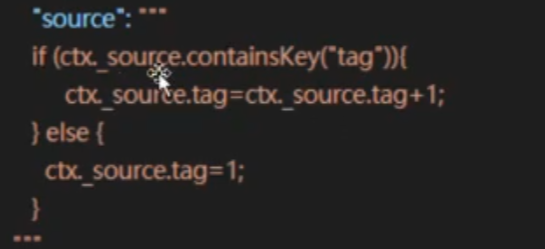
通过脚本的方式将age进行更新
POST index_test/_update/1
{
  "script": {
    "source": """
    ctx._source.age+=100;
    """,
    "lang": "painless"
  }
}
"scripted_upsert": false参数:
如果当前文档不存在时,时候强制执行脚本,默认是false,如果是true的话,就会执行。
POST index_test/_update/1
{
  "script": {
    "source": """
     if (ctx._source.age != null) {
        ctx._source.age += 100;
      }
    """,
    "lang": "painless"
  },
  //如果当前数据不存在,将数值设置成默认值
  "upsert": {
    "age":100
  },
//文档不存在时,是否执行脚本
  "scripted_upsert": false
}
使用脚本将没有用的字段进行进行删除
使用脚本将字段age删除,这个是一个小小的技巧
POST index_test/_update_by_query?wait_for_completion=true
{
  "query": {
    "match": {
      "name": "lihua"
    }
  },
  "script": {
    "source": """
    ctx._source.remove('age')
    """,
    "lang": "painless"
  }
}
批量更新
POST _bulk
{"update":{"_index":"index_test","_id":"1"}}
{"doc":{"name":"lihua"}}
{"update":{"_index":"index_test","_id":"1"}}
{"doc":{"age":10}}