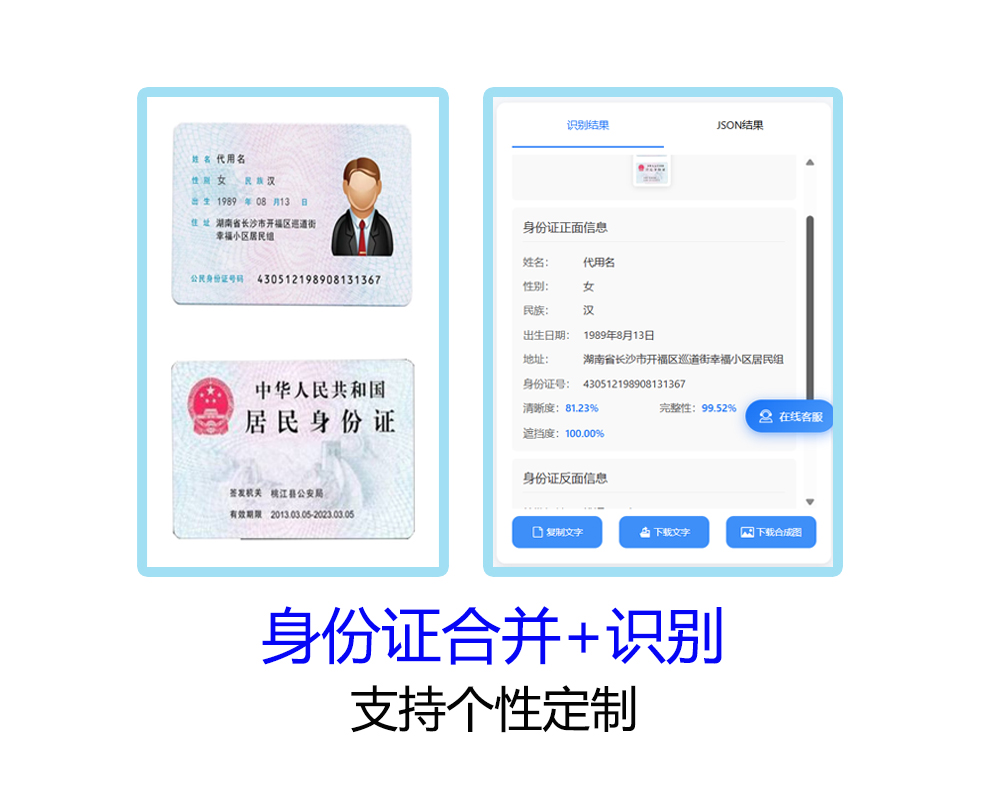
身份证合并接口(ID Card Merge API)是一款基于 OCR 技术的身份证识别与图片合成服务。 它支持对 身份证正反面图片进行自动识别、合并与规范化输出,同时返回身份证关键信息(姓名、性别、身份证号、签发机关等), 满足金融开户、政务服务 等多种场景需求。
一、功能说明
1.身份证正反面合并
- 自动将身份证正反面图片合成为一张高分辨率合成图。
- 输出尺寸、DPI、边距比例均可配置,默认 1050×1500,DPI 300。
2.身份证OCR识别
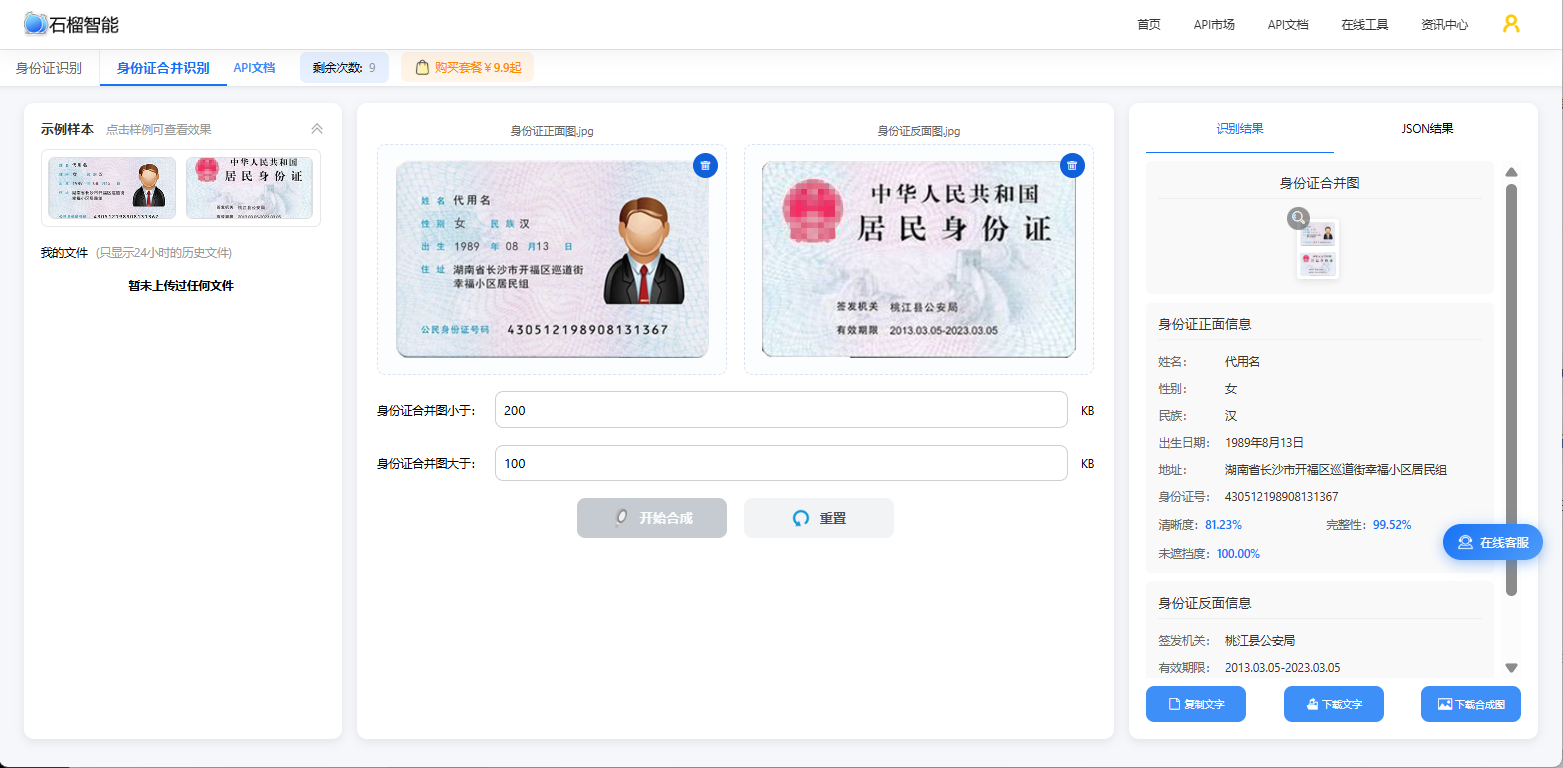
- 正面识别:姓名、性别、民族、出生日期、住址、身份证号码
- 反面识别:签发机关、有效期限
3.图像质量检测
- 完整度检测(是否裁切完整)
- 清晰度检测(文字可识别度)
- 遮挡度检测(是否无遮挡)
4.图片大小控制
- 可设置最小/最大文件大小,系统自动压缩,确保上传合规。
5.支持功能定制,个性化需求可联系人工客服沟通
二、效果展示
支持免费在线测试:https://market.shiliuai.com/tools/id-card-merge
三、调用说明
1.接口信息
请求URL:https://ocr-api.shiliuai.com/api/id_card_merge/v1
请求方式:POST
返回类型:JSON
2.接口参数
2.1请求参数(Header)
方式一:简单认证
| 参数 | 类型 | 说明 |
|---|---|---|
| Content-Type | string | application/json |
| Authorization | string | 'APPCODE ' + 您的AppCode (注意英文空格) |
方式二:签名认证
| 参数 | 类型 | 说明 |
|---|---|---|
| Content-Type | string | application/json |
| x-ca-key | string | 您的AppKey |
| x-ca-timestamp | string | 时间戳(毫秒) |
| x-ca-signature | string | 签名sign |
2.2请求参数(Body)
| 参数 | 是否必填 | 类型 | 说明 |
|---|---|---|---|
| image_base64_1 | 必填 | string | base64编码的图片文件1 |
| image_base64_2 | 必填 | string | base64编码的图片文件2 |
| width | 选填 | int | 合并图的宽度,默认为1050 |
| height | 选填 | int | 合并图的高度,默认为1500 |
| card_margin_ratio | 选填 | float | 证件边距比例,定义为边距/证件长边,默认为0.1 |
| dpi | 选填 | int | 合并图dpi, 默认为300 |
| min_file_size | 选填 | int | 最小文件大小,比如102400表示100kB,默认为None,不压缩 |
| max_file_size | 选填 | int | 最大文件大小,默认为None |
四、调用示例代码
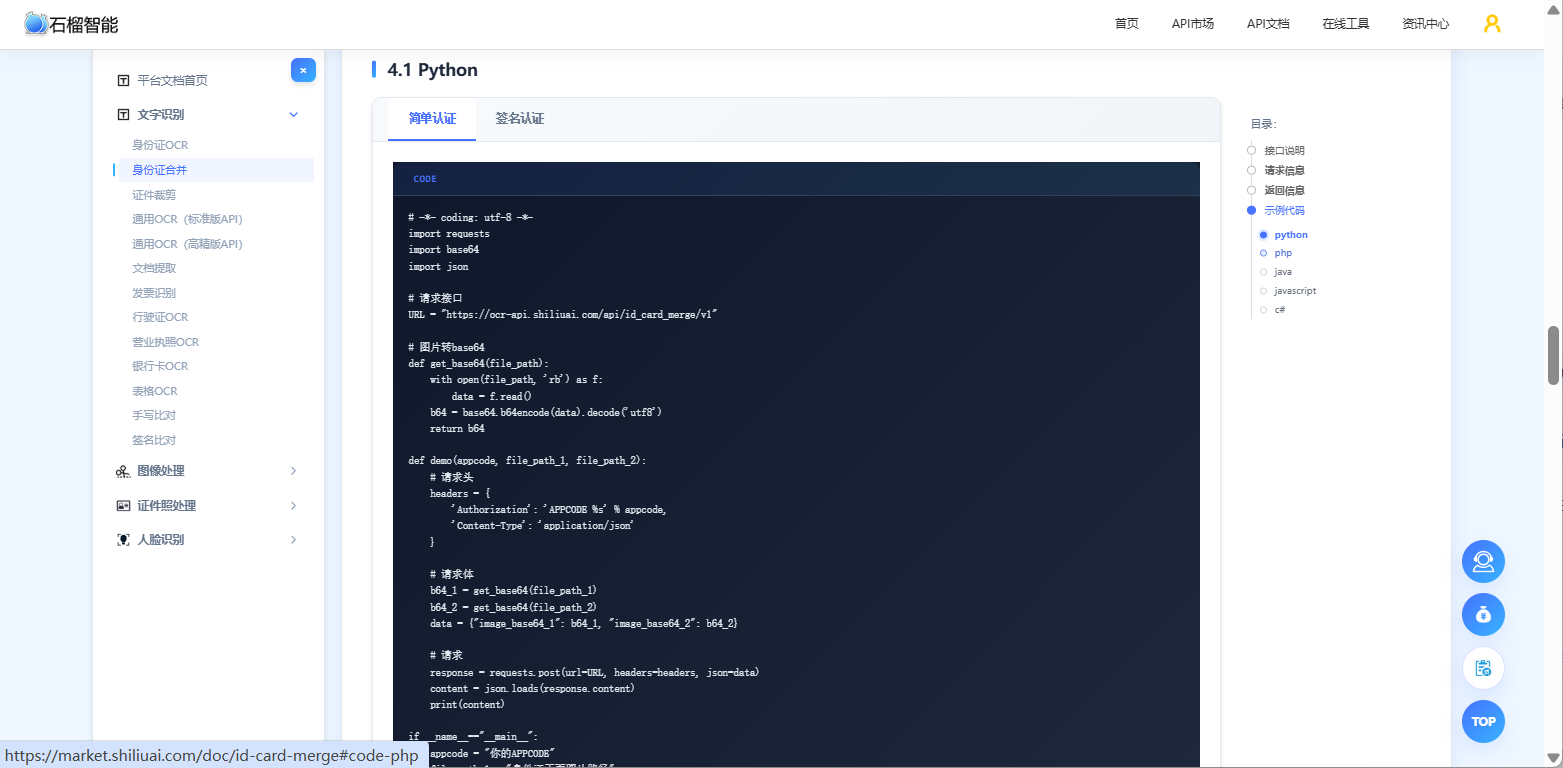
1.python示例代码
python
# API文档:https://market.shiliuai.com/doc/id-card-merge
# -*- coding: utf-8 -*-
import requests
import base64
import json

# 请求接口
URL = "https://ocr-api.shiliuai.com/api/id_card_merge/v1"

# 图片转base64
def get_base64(file_path):
    with open(file_path, 'rb') as f:
        data = f.read()
    b64 = base64.b64encode(data).decode('utf8')
    return b64

def demo(appcode, file_path_1, file_path_2):
    # 请求头
    headers = {
        'Authorization': 'APPCODE %s' % appcode,
        'Content-Type': 'application/json'
    }

    # 请求体
    b64_1 = get_base64(file_path_1)
    b64_2 = get_base64(file_path_2)
    data = {"image_base64_1": b64_1, "image_base64_2": b64_2}

    # 请求
    response = requests.post(url=URL, headers=headers, json=data)
    content = json.loads(response.content)
    print(content)

if __name__=="__main__":
    appcode = "你的APPCODE"
    file_path_1 = "身份证正面图片路径"
    file_path_2 = "身份证反面图片路径"
    demo(appcode, file_path_1, file_path_2)
2.PHP示例代码
php
// API文档:https://market.shiliuai.com/doc/id-card-merge

//图片转base64
function get_base64($path){
    if($fp = fopen($path, "rb", 0)) {
        $binary = fread($fp, filesize($path)); // 文件读取
        fclose($fp);
        $b64 = base64_encode($binary); // 转base64
    }else{
        $b64="";
        printf("%s 文件不存在", $path);
    }
    return $b64;
}

$url = "https://ocr-api.shiliuai.com/api/id_card_merge/v1";
$appcode = "你的appcode";
$img_path_1 = "图片身份证正面图片路径";
$img_path_2 = "图片身份证反面图片路径";
$method = "POST";

//请求头
$headers = array();
array_push($headers, "Authorization:APPCODE " . $appcode);
array_push($headers, "Content-Type:application/json");

//请求体
$b64_1 = get_base64($img_path_1);
$b64_2 = get_base64($img_path_2);
$data = array(
    "image_base64_1" => $b64_1,
    "image_base64_2" => $b64_2
);
$post_data = json_encode($data);

//请求
$curl = curl_init();
curl_setopt($curl, CURLOPT_CUSTOMREQUEST, $method);
curl_setopt($curl, CURLOPT_URL, $url);
curl_setopt($curl, CURLOPT_HTTPHEADER, $headers);
curl_setopt($curl, CURLOPT_FAILONERROR, false);
curl_setopt($curl, CURLOPT_RETURNTRANSFER, true);
curl_setopt($curl, CURLOPT_HEADER, true);
curl_setopt($curl, CURLOPT_SSL_VERIFYPEER, false);
curl_setopt($curl, CURLOPT_SSL_VERIFYHOST, false);
curl_setopt($curl, CURLOPT_POSTFIELDS, $post_data);

$result = curl_exec($curl);
var_dump($result);
java
//API文档:https://market.shiliuai.com/doc/id-card-merge
import com.alibaba.fastjson2.JSON;
import com.alibaba.fastjson2.JSONObject;
import org.apache.http.HttpResponse;
import org.apache.http.client.methods.HttpPost;
import org.apache.http.entity.StringEntity;
import org.apache.http.impl.client.CloseableHttpClient;
import org.apache.http.impl.client.HttpClients;
import org.apache.http.util.EntityUtils;
import org.apache.commons.io.FileUtils;
import java.io.File;
import java.io.IOException;
import java.util.HashMap;
import java.util.Map;
import java.util.Base64;

public class Main {
    public static String get_base64(String path) {
        String b64 = "";
        try {
            byte[] content = FileUtils.readFileToByteArray(new File(path));
            b64 = Base64.getEncoder().encodeToString(content);
        } catch (IOException e) {
            e.printStackTrace();
        }
        return b64;
    }

    public static void main(String[] args) {
        String url = "https://ocr-api.shiliuai.com/api/id_card_merge/v1"; // 请求接口
        String appcode = "你的APPCODE";
        String imgFile1 = "本地身份证正面图片路径";
        String imgFile2 = "本地身份证反面图片路径";

        Map headers = new HashMap<>();
        headers.put("Authorization", "APPCODE " + appcode);
        headers.put("Content-Type", "application/json");

        // 请求体
        JSONObject requestObj = new JSONObject();
        requestObj.put("image_base64_1", get_base64(imgFile1));
        requestObj.put("image_base64_2", get_base64(imgFile2));
        String bodys = requestObj.toString();

        try (CloseableHttpClient httpClient = HttpClients.createDefault()) {
            HttpPost httpPost = new HttpPost(url);
            for (Map.Entry entry : headers.entrySet()) {
                httpPost.addHeader(entry.getKey(), entry.getValue());
            }
            StringEntity entity = new StringEntity(bodys, "UTF-8");
            httpPost.setEntity(entity);
            HttpResponse response = httpClient.execute(httpPost);
            int stat = response.getStatusLine().getStatusCode();
            if (stat != 200) {
                System.out.println("Http code: " + stat);
                return;
            }
            String res = EntityUtils.toString(response.getEntity());
            JSONObject res_obj = JSON.parseObject(res);
            System.out.println(res_obj.toJSONString());
        } catch (Exception e) {
            e.printStackTrace();
        }
    }
}
例代码