Elasticsearch 实战篇:索引库、文档与 JavaRestClient 操作指南
整理自黑马程序员《SpringCloud微服务开发与实战》Elasticsearch01 课程
对应章节:索引库操作、文档操作、JavaRestClient 客户端
一、索引库操作 (Index Operations)
索引库类似于 MySQL 中的表,Mapping 定义了表结构(字段类型、分词器等)。
1. Mapping 映射属性
在创建索引库前,需定义字段的 Mapping 属性。黑马课程中重点讲解了以下核心属性:
| 属性名 | 含义 | 常用值/示例 |
|---|---|---|
type |
字段数据类型 | text(可分词的文本), keyword(精确值), integer, date, object |
index |
是否创建索引(是否可被搜索) | true(默认,可搜索), false(仅存储,不可搜索,如图片路径) |
analyzer |
创建索引时使用的分词器 | ik_smart(粗粒度), ik_max_word(细粒度) |
search_analyzer |
搜索时使用的分词器 | 通常与 analyzer 保持一致(如 ik_smart) |
properties |
子字段定义(用于嵌套对象) | 定义对象内部的字段结构 |
示例:黑马商城商品字段 Mapping 分析
json
{
  "mappings": {
    "properties": {
      "id": { "type": "keyword" }, // 精确匹配,不分词
      "name": {
        "type": "text",
        "analyzer": "ik_max_word", // 写入时细粒度分词
        "search_analyzer": "ik_smart" // 搜索时粗粒度分词
      },
      "price": { "type": "integer" }, // 用于范围查询
      "brand": { "type": "keyword" }, // 品牌做精确匹配
      "spec": {
        "type": "object", // 规格参数对象
        "properties": {
          "size": { "type": "keyword" }
        }
      }
    }
  }
}
2. 索引库的 CRUD
| 操作 | DSL 命令 | 说明 |
|---|---|---|
| 创建 | PUT /索引库名 |
需携带完整的 Mapping 结构 |
| 查询 | GET /索引库名 |
查看索引库的 Mapping 信息 |
| 删除 | DELETE /索引库名 |
删除整个索引库(数据不可恢复) |
| 修改 | PUT /索引库名/_mapping |
只能添加新字段,不能修改已有字段(ES 限制) |
创建索引库完整示例:
json
PUT /heima_goods
{
  "mappings": {
    "properties": {
      "info": { "type": "text", "analyzer": "ik_smart" },
      "email": { "type": "keyword", "index": false } // 不参与搜索
    }
  }
}
二、文档操作 (Document Operations)
文档是索引库中的具体数据,以 JSON 格式存储。
1. 文档的 CRUD
| 操作 | DSL 命令 | 特点 |
|---|---|---|
| 新增文档 | POST /索引库名/_doc/{id} |
指定 ID 新增 |
| 查询文档 | GET /索引库名/_doc/{id} |
根据 ID 查询单条 |
| 删除文档 | DELETE /索引库名/_doc/{id} |
物理删除 |
| 全量修改 | PUT /索引库名/_doc/{id} |
覆盖更新(先删除后新增,版本号+1) |
| 增量修改 | POST /索引库名/_update/{id} |
只修改指定字段(使用 doc 包裹) |
增量修改示例:
json
POST /heima_goods/_update/1
{
  "doc": {
    "price": 2999 // 仅修改价格字段
  }
}
2. 批量操作 (Bulk API)
用于高性能地批量新增、修改或删除文档。黑马项目中常用于数据初始化(如导入酒店数据)。
DSL 格式 (注意是 POST 请求,操作类型与数据成对出现):
json
POST /_bulk
{ "index": { "_index": "hotel", "_id": "1" } }
{ "name": "如家酒店", "price": 300 }
{ "index": { "_index": "hotel", "_id": "2" } }
{ "name": "汉庭酒店", "price": 400 }
三、JavaRestClient 客户端
ES 官方提供的 Java 高级客户端,用于在代码中替代 Kibana 的 DSL 语句。
1. 环境初始化
步骤 1:引入依赖(注意版本对齐)
xml
<dependency>
    <groupId>org.elasticsearch.client</groupId>
    <artifactId>elasticsearch-rest-high-level-client</artifactId>
</dependency>
<!-- 覆盖 Spring Boot 默认的 ES 版本 -->
<properties>
    <elasticsearch.version>7.12.1</elasticsearch.version>
</properties>
步骤 2:配置客户端 Bean
java
@Configuration
public class ElasticsearchConfig {

    @Bean
    public RestHighLevelClient restHighLevelClient() {
        return new RestHighLevelClient(
            RestClient.builder(HttpHost.create("http://你的IP:9200"))
        );
    }
}
2. 索引库操作 (Java API)
核心对象 :IndicesClient(通过 client.indices() 获取)
| 操作 | 请求类 | 关键代码 |
|---|---|---|
| 创建索引 | CreateIndexRequest |
client.indices().create(request, RequestOptions.DEFAULT) |
| 删除索引 | DeleteIndexRequest |
client.indices().delete(request, RequestOptions.DEFAULT) |
| 判断存在 | GetIndexRequest |
client.indices().exists(request, RequestOptions.DEFAULT) |
创建索引库代码示例:
java
@Test
void testCreateIndex() throws IOException {
    // 1. 创建 Request 对象
    CreateIndexRequest request = new CreateIndexRequest("hotel");

    // 2. 准备 DSL(MAPPING_TEMPLATE 是定义好的 JSON 字符串)
    request.source(MAPPING_TEMPLATE, XContentType.JSON);

    // 3. 发送请求
    CreateIndexResponse response = client.indices().create(request, RequestOptions.DEFAULT);

    System.out.println(response.isAcknowledged());
}
3. 文档操作 (Java API)
核心对象 :直接使用 RestHighLevelClient 的方法。
| 操作 | 请求类 | 关键方法 |
|---|---|---|
| 新增/全改 | IndexRequest |
client.index(request, ...) |
| 查询 | GetRequest |
client.get(request, ...) |
| 删除 | DeleteRequest |
client.delete(request, ...) |
| 增量修改 | UpdateRequest |
client.update(request, ...) |
新增文档代码示例:
java
@Test
void testAddDocument() throws IOException {
    // 1. 查询数据库数据(黑马案例:Hotel -> HotelDoc)
    Hotel hotel = hotelService.getById(1L);
    HotelDoc hotelDoc = new HotelDoc(hotel); // 转换为文档对象

    // 2. 创建 Request 对象(指定索引库和ID)
    IndexRequest request = new IndexRequest("hotel").id(hotelDoc.getId().toString());

    // 3. 准备 JSON 数据(使用 FastJSON 等工具转换)
    request.source(JSON.toJSONString(hotelDoc), XContentType.JSON);

    // 4. 发送请求
    client.index(request, RequestOptions.DEFAULT);
}
4. 批量导入 (BulkProcessor)
黑马项目中用于一次性导入大量数据(如全量商品数据)。
代码模板:
java
@Test
void testBulk() throws IOException {
    // 1. 查询所有数据
    List<Hotel> hotels = hotelService.list();

    // 2. 创建批量请求
    BulkRequest bulkRequest = new BulkRequest();

    // 3. 遍历添加子请求
    for (Hotel hotel : hotels) {
        HotelDoc doc = new HotelDoc(hotel);
        IndexRequest request = new IndexRequest("hotel")
            .id(doc.getId().toString())
            .source(JSON.toJSONString(doc), XContentType.JSON);
        bulkRequest.add(request);
    }

    // 4. 发送批量请求
    BulkResponse response = client.bulk(bulkRequest, RequestOptions.DEFAULT);
}
四、黑马商城业务改造实战
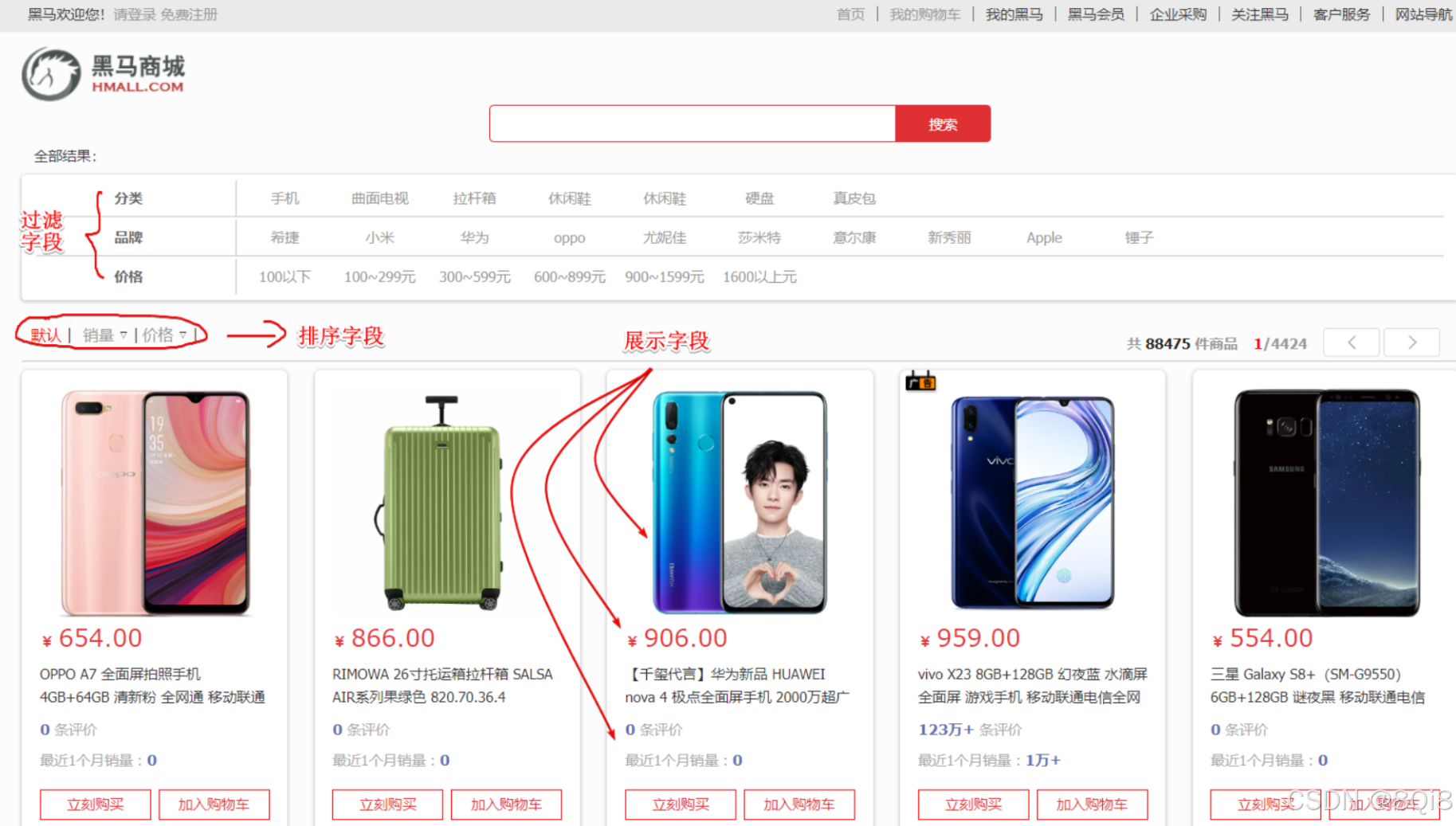
1. 商品搜索改造思路
- 数据同步 :商品上架时,通过 JavaRestClient 将商品数据写入 ES 索引库(
item_index)。 - 字段设计 :
title(商品名):type: text, analyzer: ik_max_wordcategory(分类):type: keyword(用于精确过滤)price(价格):type: integer(用于范围查询)specs(规格):type: object(嵌套对象,用于参数搜索)
- 搜索流程:前端搜索词 -> JavaRestClient 构建 DSL 查询 -> 返回结果。
2. 避坑指南
- 版本一致性 :Spring Boot 父工程默认的 ES 客户端版本可能与服务器不一致,必须在
pom.xml中显式指定<elasticsearch.version>7.12.1</elasticsearch.version>。 - 字段不可变:Mapping 中的字段一旦创建,只能新增,不能修改类型。设计初期需谨慎。
- 分词器选择 :搜索建议用
ik_smart(粗粒度,减少噪音),索引建议用ik_max_word(细粒度,召回率高)。