在很多网站和应用场景中,都需要 自动去除图片背景,例如:
-
电商商品图制作
-
证件照制作
-
图片素材处理
-
AI设计工具
-
自动生成透明 PNG
如果手动使用 PS 抠图,效率非常低。
现在可以通过 AI 抠图 API ,让网站自动完成 图片去背景 / 自动抠图。
本文将介绍:
-
AI 抠图 API 原理
-
网站如何实现自动去背景
-
Python / Java / PHP / JS API 接入示例
-
在线抠图工具体验
一、AI 抠图 API 是如何实现的
AI 抠图本质是 图像分割(Image Segmentation) 技术。
常见模型包括:
-
U²-Net
-
DeepLab
-
MODNet
-
SAM
AI会自动识别:
-
人物
-
商品
-
动物
-
物体主体
然后生成 透明背景 PNG。
处理流程:
上传图片
    ↓
AI识别主体
    ↓
背景自动分离
    ↓
生成透明PNG
网站只需要 调用 API 即可完成处理。
二、网站实现自动抠图的流程
一个典型的网站抠图流程:
用户上传图片
     ↓
服务器调用 AI 抠图 API
     ↓
API 返回透明背景图片
     ↓
网站展示或下载
例如:
原图
↓
AI抠图
↓
透明PNG
如果想体验在线抠图效果,可以直接测试:
在线工具体验:https://www.shiliuai.com/koutu/
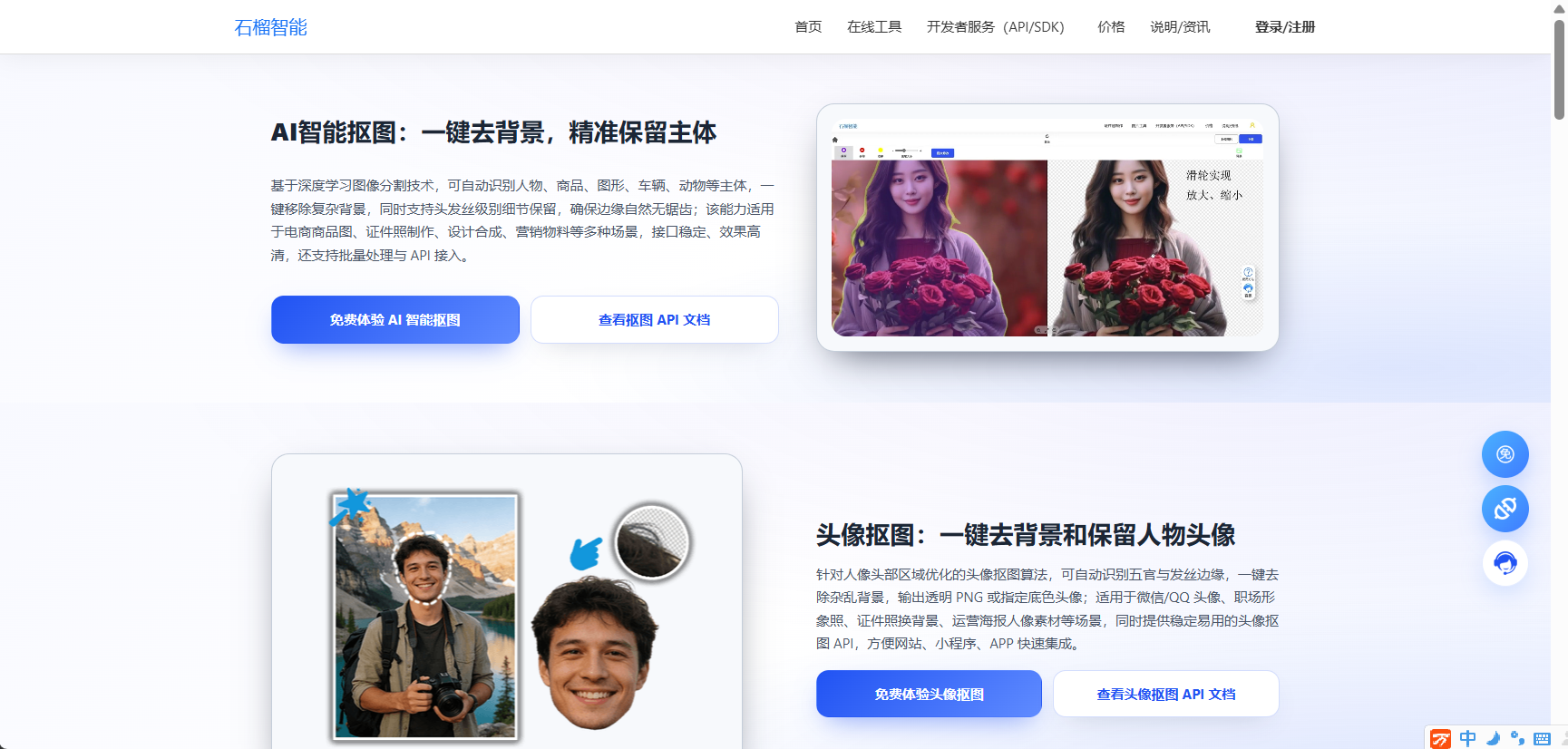
用户上传图片即可自动去背景。
三、AI 抠图 API 接口调用方式
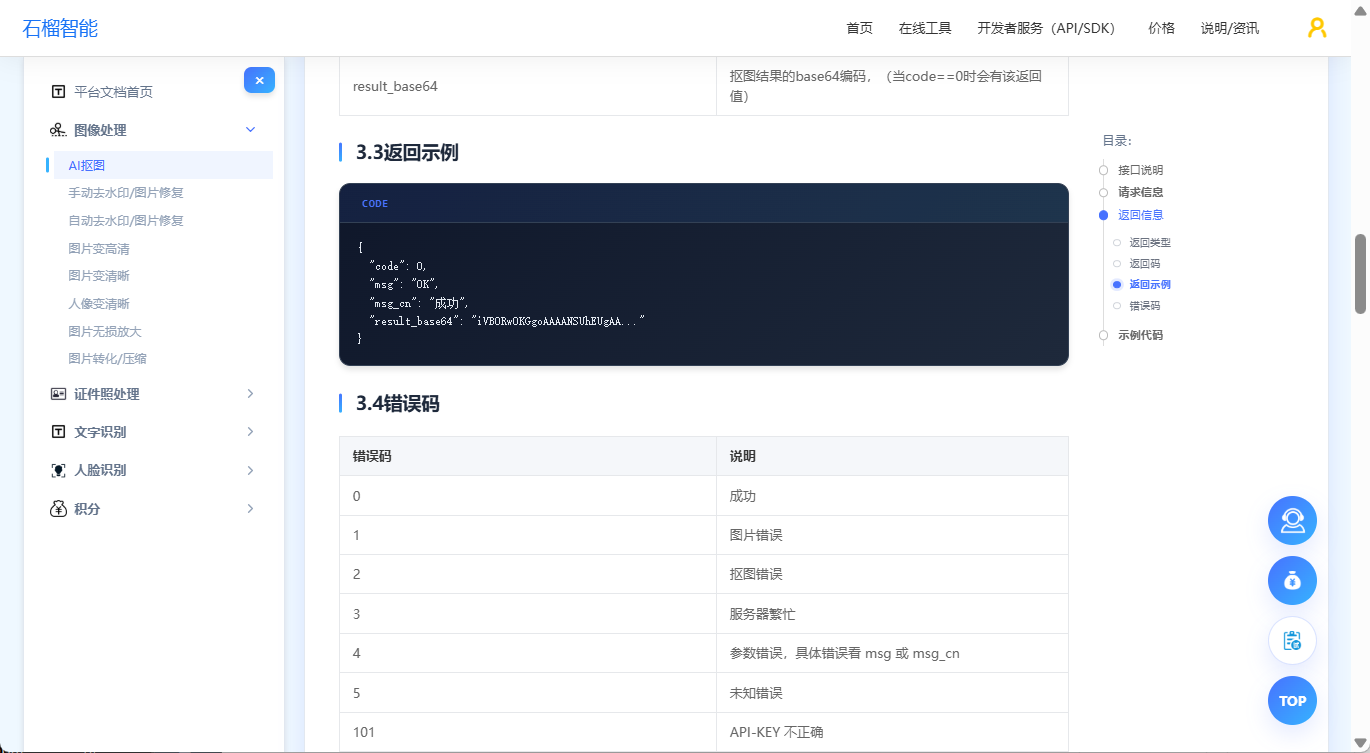
通常 API 调用方式为:POST
请求头:
| 参数 | 类型 | 说明 |
|---|---|---|
| Content-Type | string | application/json |
| APIKEY | string | 您的 API KEY |
请求体
| 参数 | 是否必填 | 类型 | 说明 |
|---|---|---|---|
| base64 | 必填 | string | base64 编码的图片文件,图片文件小于 20M |
| crop | 选填 | int | 0 或 1,是否裁剪到主体边缘,默认 0 |
| bg_color | 选填 | string | 背景色 16 进制,如 "FFFFFF" 表示白色;默认透明 |
返回信息
| 参数 | 说明 |
|---|---|
| code | 错误码 |
| msg | 错误信息(英文) |
| msg_cn | 错误信息(中文) |
| result_base64 | 抠图结果的base64编码,(当code==0时会有该返回值) |
返回示例:
{
  "code": 0,
  "msg": "OK",
  "msg_cn": "成功",
  "result_base64": "iVBORw0KGgoAAAANSUhEUgAA..."
}
四、Python 接入示例
Python 接入非常简单。
python
# 接入API说明:https://www.shiliuai.com/api/koutu
# -*- coding: utf-8 -*-
import requests
import base64
import cv2
import json
import numpy as np

api_key = '******'  # 你的API KEY
file_path = '...'  # 图片路径

with open(file_path, 'rb') as fp:
    photo_base64 = base64.b64encode(fp.read()).decode('utf8')

url = 'https://api.shiliuai.com/api/matting/v1'
headers = {'APIKEY': api_key, "Content-Type": "application/json"}
data = {
    "base64": photo_base64
    }

response = requests.post(url=url, headers=headers, json=data)
response = json.loads(response.content)
"""
成功:{'code': 0, 'msg': 'OK', 'msg_cn': '成功', 'result_base64': result_base64}
or
失败:{'code': error_code, 'msg': error_msg, 'msg_cn': 错误信息}
"""
result_base64 = response['result_base64']
file_bytes = base64.b64decode(result_base64)
f = open('result.png', 'wb')
f.write(file_bytes)
f.close()

image = np.asarray(bytearray(file_bytes), dtype=np.uint8)
image = cv2.imdecode(image, cv2.IMREAD_UNCHANGED)
cv2.imshow('result', image)
cv2.waitKey(0)
执行后即可得到 透明背景图片。
五、Java 接入示例
Java 示例:
javascript
//API文档:https://www.shiliuai.com/api/koutu
const fs = require('fs');

const apiKey = '******';
const filePath = '...';
const apiUrl = 'https://api.shiliuai.com/api/matting/v1';

async function main() {
  const photoBase64 = fs.readFileSync(filePath).toString('base64');

  const res = await fetch(apiUrl, {
    method: 'POST',
    headers: {
      APIKEY: apiKey,
      'Content-Type': 'application/json'
    },
    body: JSON.stringify({ base64: photoBase64 })
  });

  const data = await res.json();
  if (data.code === 0) {
    fs.writeFileSync('result.png', Buffer.from(data.result_base64, 'base64'));
    console.log('抠图成功,已保存 result.png');
  } else {
    console.error('请求失败:', data.msg_cn || data.msg);
  }
}

main().catch(console.error);
六、PHP 接入示例
PHP 版本:
php
//API文档:https://www.shiliuai.com/api/koutu
<?php
$url = "https://api.shiliuai.com/api/matting/v1";
$method = "POST";
$apikey = "******";
$header = array();
array_push($header, "APIKEY:" . $apikey);
array_push($header, "Content-Type:application/json");

$file_path = "...";
$handle = fopen($file_path, "r");
$photo = fread($handle, filesize($file_path));
fclose($handle);
$photo_base64 = base64_encode($photo);

$data = array(
  "base64"=> $photo_base64
);
$post_data = json_encode($data);

$curl = curl_init();
curl_setopt($curl, CURLOPT_CUSTOMREQUEST, $method);
curl_setopt($curl, CURLOPT_URL, $url);
curl_setopt($curl, CURLOPT_HTTPHEADER, $header);
curl_setopt($curl, CURLOPT_POSTFIELDS, $post_data);
curl_setopt($curl, CURLOPT_RETURNTRANSFER, true);
curl_setopt($curl, CURLOPT_SSL_VERIFYPEER, false);
curl_setopt($curl, CURLOPT_SSL_VERIFYHOST, false);

$response = curl_exec($curl);
var_dump($response);
七、AI 抠图 API 常见应用场景
AI去背景 API 在很多产品中都有应用:
1 电商商品图
商品自动抠图:
php
商品图 → 白底(无色透明底色)图适合:
-
淘宝
-
Shopify
-
Amazon
2 证件照制作
证件照工具需要:
-
自动抠图
-
自动换背景
例如:
php
蓝底
白底
红底
很多证件照系统都使用 AI抠图 API。
3 AI设计工具
很多设计工具都集成了:
-
自动抠图
-
一键换背景
-
海报生成
八、如何选择稳定的抠图 API
选择 API 时建议关注:
1 识别准确率
复杂背景下是否稳定。
2 处理速度
理想:
0.5 ~ 3 秒
3 支持格式
建议支持:
-
JPG
-
PNG
-
WEBP
4 API稳定性
包括:
-
QPS
-
成功率
-
CDN加速
九、在线体验 AI 抠图
如果不想开发,也可以直接体验在线工具:
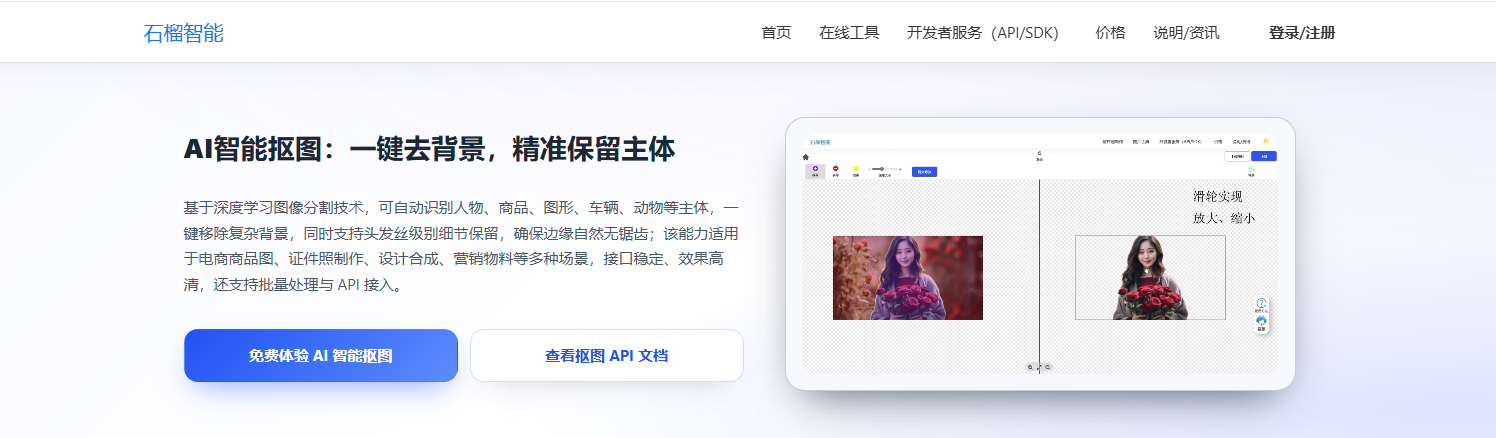
上传图片即可自动去背景。
十、总结
通过 AI 抠图 API,网站可以轻松实现:
-
自动去背景
-
商品图制作
-
证件照生成
-
图片素材处理
开发成本也非常低:
几行代码即可接入。
如果你正在开发:
-
图片处理工具
-
AI设计工具
-
证件照系统
-
电商平台
都可以考虑接入 AI 抠图 API。
#智能抠图 #API服务