OpenClaw 官网: https://openclaw.ai/
中文文档: https://docs.openclaw.ai/zh-CN
Github 地址:https://github.com/openclaw/openclaw
OpenClaw 技能合集: https://github.com/VoltAgent/awesome-openclaw-skills
文章目录
1、原理
来自:https://www.runoob.com/ai-agent/openclaw-how-it-works.html
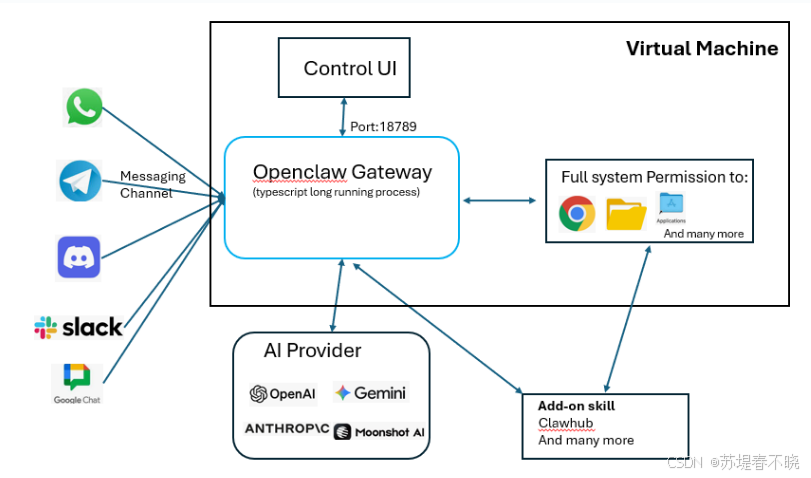
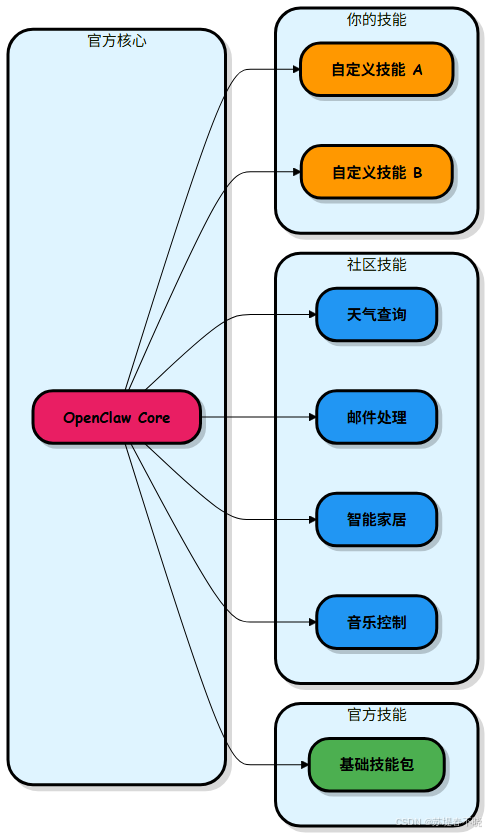
核心概念
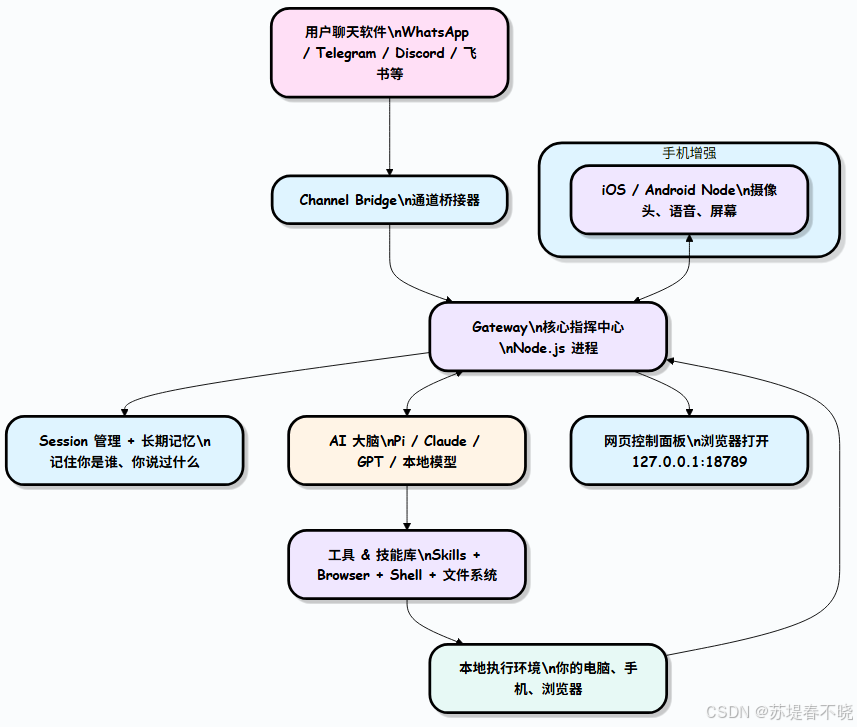
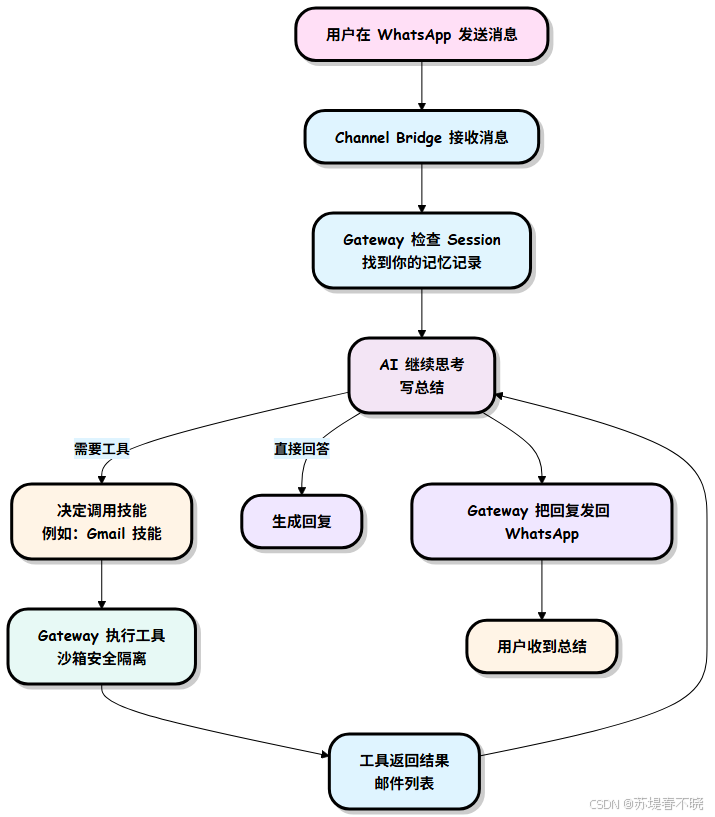
整体架构:Gateway 是大脑指挥中心
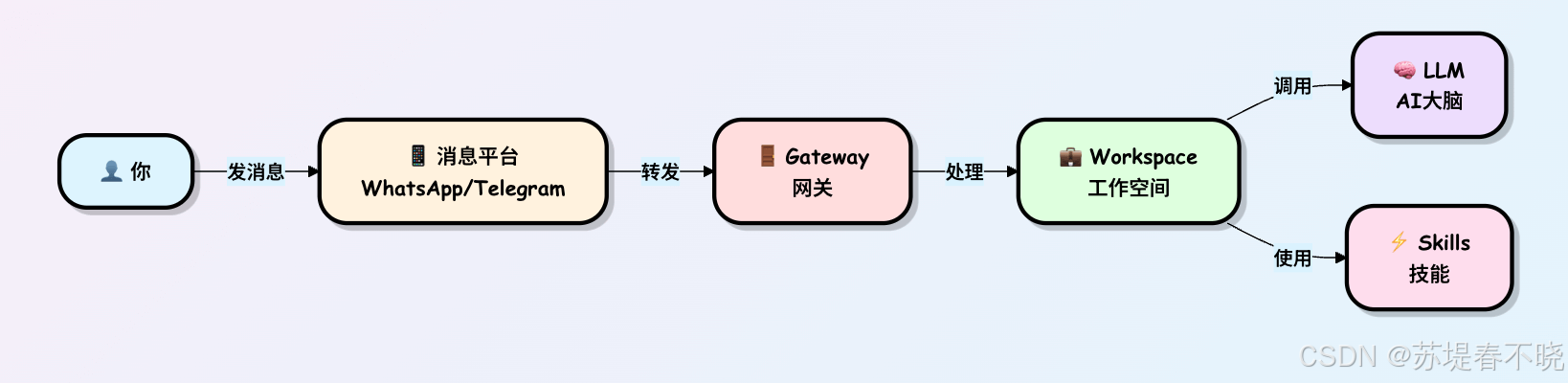
一条消息是怎么变成行动的?
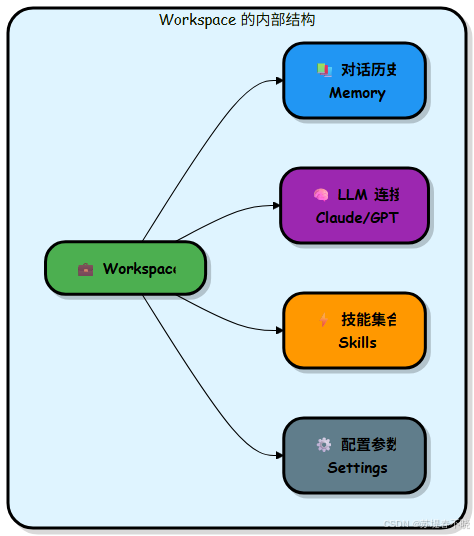
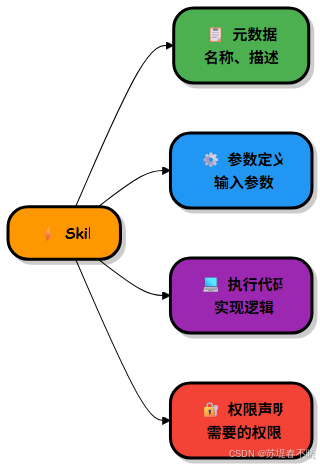
技能
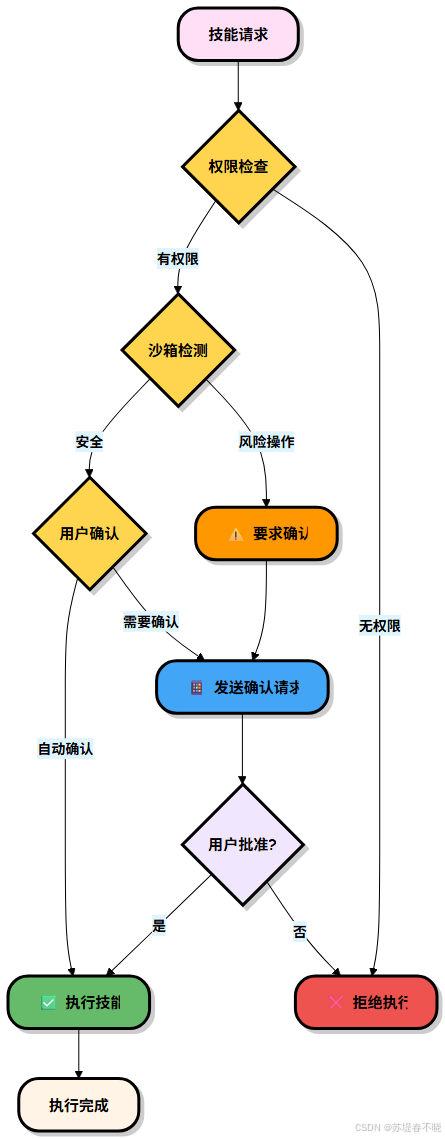
技能的安全机制
扩展性与插件生态
2、安装
(1)安装 Git
(2)安装 Node.js
Node.js 下载安装与环境配置全流程(保姆级详解)| 图文详解,快速上手
验证安装环境是否成功
python
git --version
node -v
npm -v
(3)安装 openclaw
安装 openclaw
python
npm i -g openclaw --ignore-scripts --registry=https://registry.npmmirror.com
openclaw --version
3、初始化、启动
初始化和安装后台服务 openclaw onboard --install deamon
-
onboard:引导式初始化,就像第一次使用某个软件时的设置向导 -
--install-daemon:安装后台服务(守护进程)
python
openclaw gateway --port 18789浏览器打开,http://127.0.0.1:18789/chat?session=main
TUI:终端聊天界面
除了浏览器 Control UI,OpenClaw 还提供了一个完全在终端里运行的交互界面------TUI(Terminal UI),无需浏览器,SSH 连进服务器也能直接聊天。
python
# 第一步:确保 Gateway 已运行
openclaw gateway

# 第二步:打开 TUI
openclaw tui
添加 API
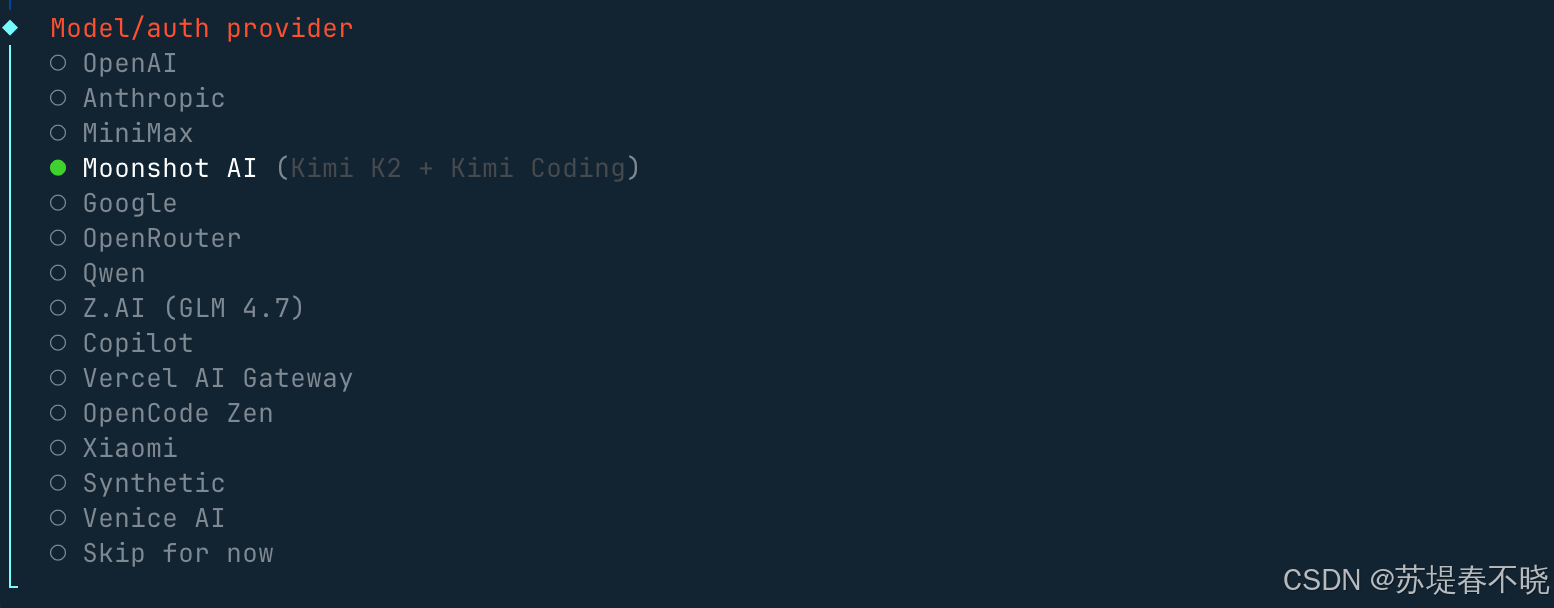
认证配置文件(OAuth + API 密钥)在~/.openclaw/agents/<agentId>/agent/auth-profiles.json,后期也可以在这个文件上修改。
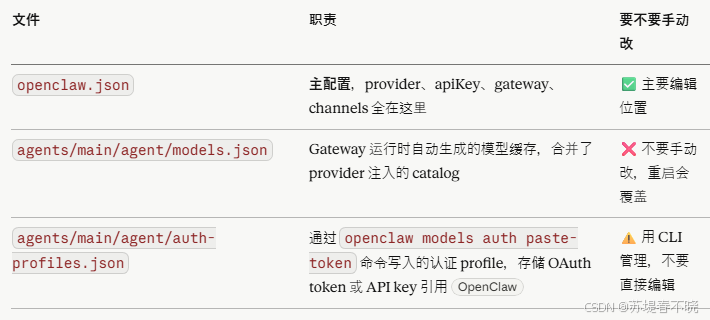
查看后台默认使用哪个模型
python
openclaw config get agents.defaults.model对应 openclaw.json 中的 primary 字段
python
      "model": {
        "primary": "xxx"
      }
查看 models API 状态
python
openclaw models status --probe4、Skills
ClawHub 技能仓库地址:https://clawhub.ai/
ClawHub 国内镜像:https://skillhub.tencent.com/
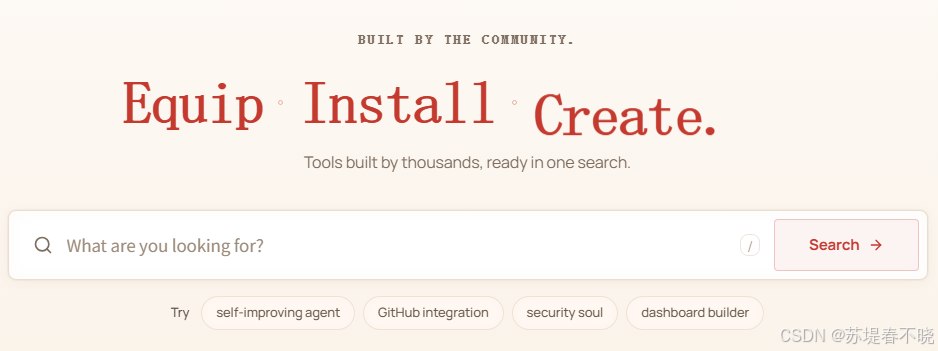
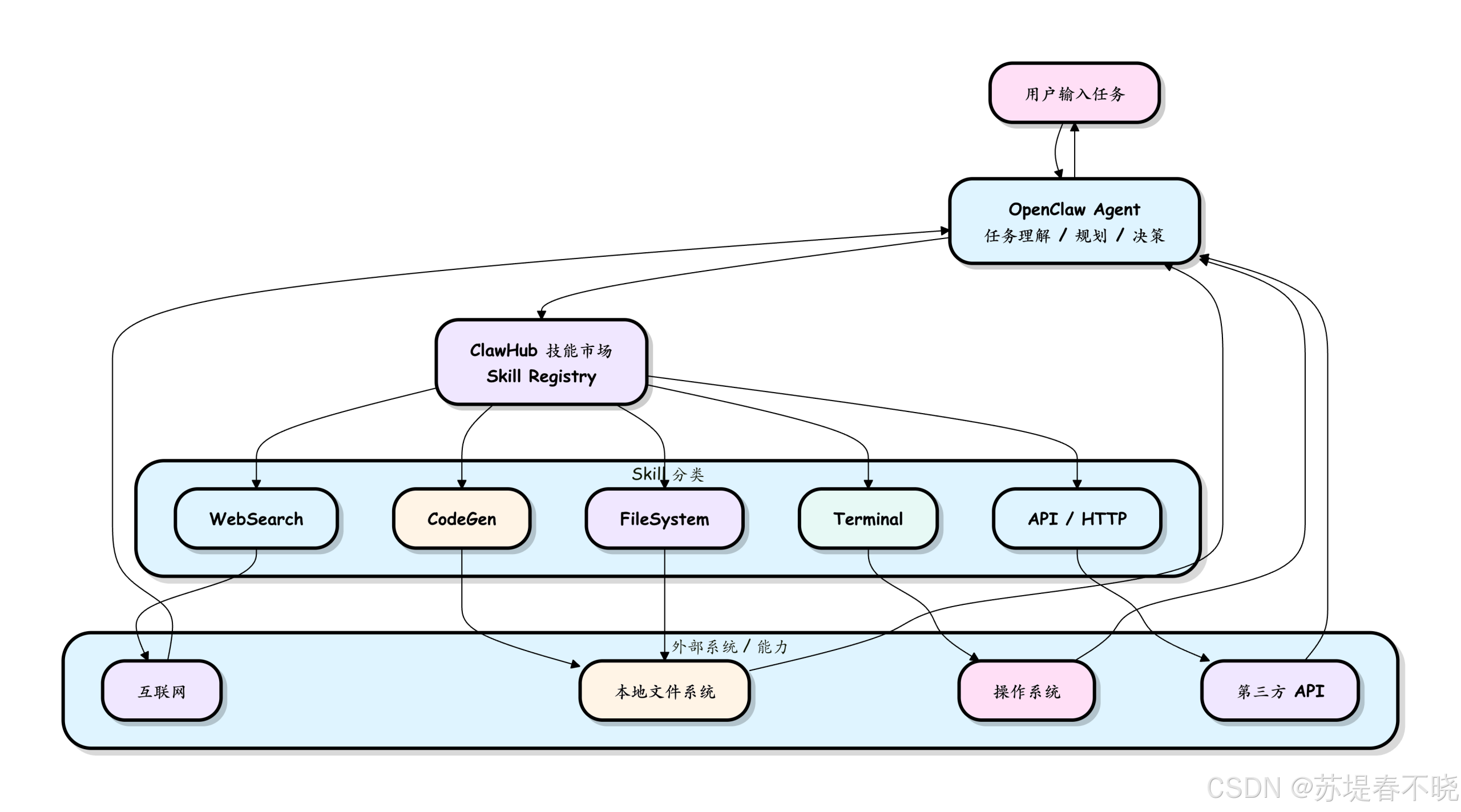
https://www.runoob.com/ai-agent/openclaw-skills.html
安装 clawhub
python
# 推荐方式(npx 无需全局安装)
npx clawhub@latest --version

# 或全局安装(方便以后直接用 clawhub 命令)
npm install -g clawhub
# 或者用 pnpm
pnpm add -g clawhub
用 clawhub 安装 skills
eg:安装前安全检测:
python
clawhub install skill-vetter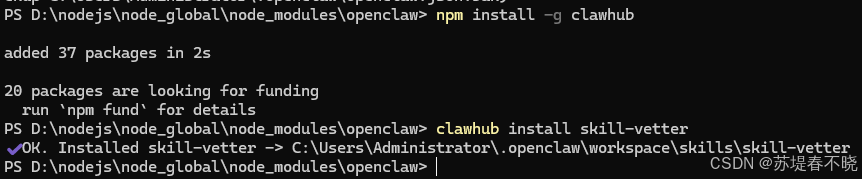
安装成功后可以看到
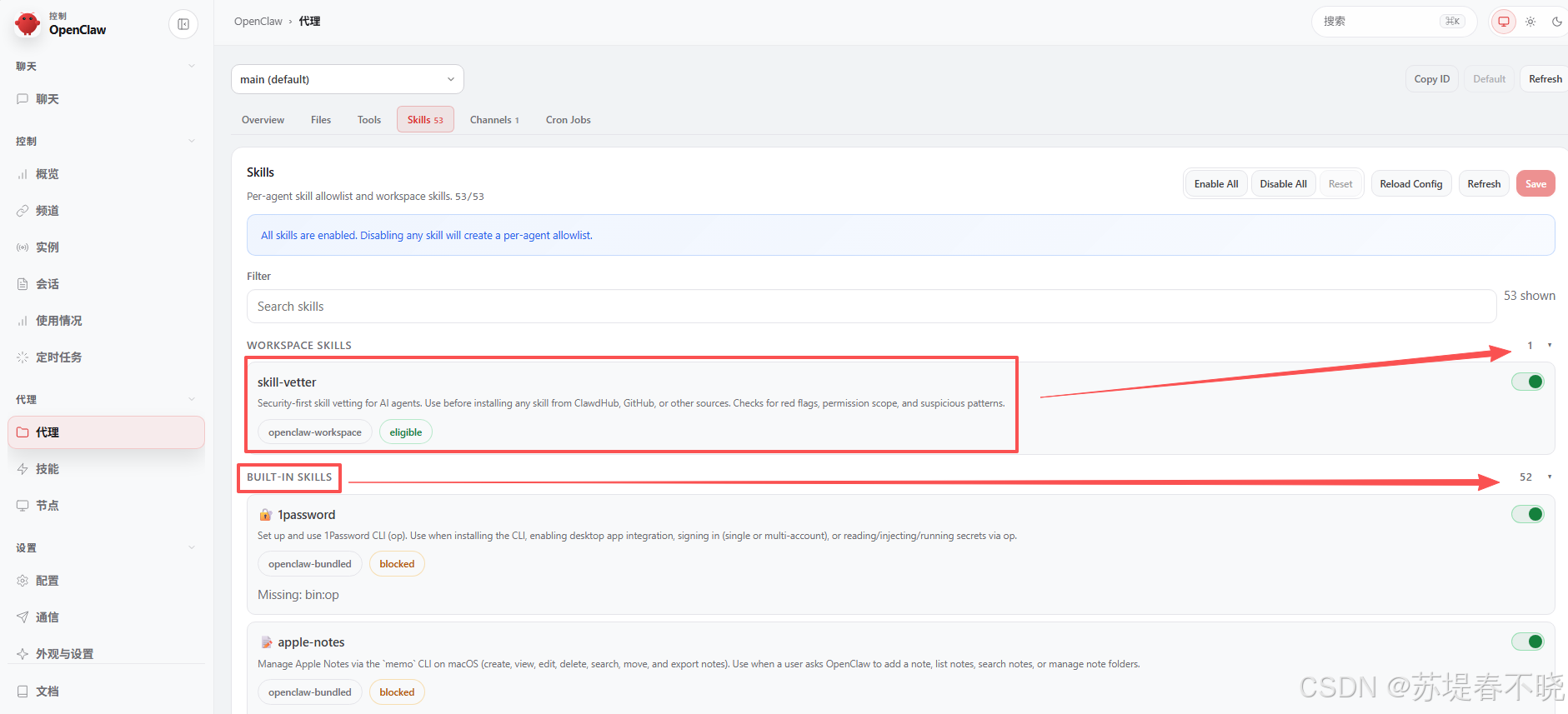
更多好用的 skills
-
记录失败与纠正并复盘优化:clawhub install self-improving-agent
-
结构化知识图谱记忆:clawhub install ontology
查看已安装 skills
python
openclaw skills5、Bug fix
【转载】解决 OpenClaw 2026.3.31 版本 exec 授权/批准问题(exec approval 错误)
(1)修改 Agent 侧策略:~/.openclaw/openclaw.json
python
{
  "tools": {
    "exec": {
      "security": "full",
      "ask": "off"
    }
  }
}
(2)修改 Host 侧策略:~/.openclaw/exec-approvals.json
python
{
  "version": 1,
  "defaults": {
    "security": "full",
    "ask": "off"
  },
  "agents": {
    // 这里可以针对特定 Agent 做更精细控制,例如:
    // "your-agent-name": {
    //   "security": "full",
    //   "ask": "off"
    // }
  }
}
6、工作区结构
来自:https://www.runoob.com/ai-agent/openclaw-setup.html
python
~/.openclaw/
├── openclaw.json                 # 主配置文件(JSON/JSON5)
├── workspace/                    # 你的 AI "灵魂"文件夹(推荐 git 版本控制)
│   ├── SOUL.md                   # 人格设定(语气、风格)
│   ├── USER.md                   # 你的个人信息(让 AI 更懂你)
│   ├── MEMORY.md                 # 长期记忆(手动可编辑)
│   ├── IDENTITY.md               # Agent 名称、形象
│   ├── AGENTS.md                 # 多 Agent 路由规则
│   ├── BOOT.md                   # 启动提示词
│   ├── HEARTBEAT.md              # 每日检查清单
│   └── skills/                   # 已安装技能(每个技能一个子文件夹)
├── agents/<cid>/                 # 每个 Agent 的独立状态
├── memory/<cid>.sqlite           # 向量记忆库
├── credentials/                  # API Key、OAuth(旧版)
├── skills/                       # 全局技能包
└── secrets.json                  # 加密凭证(可选)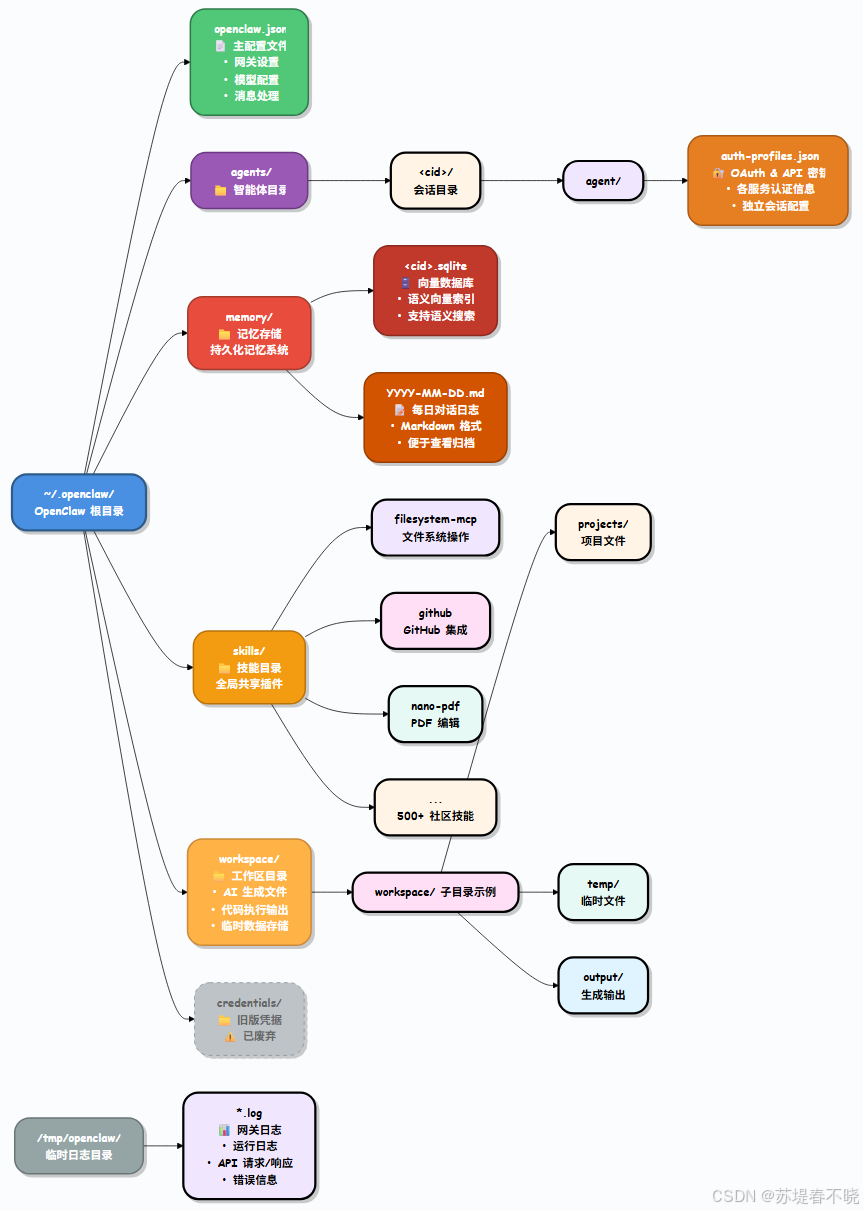
7、常用命令
来自:https://www.runoob.com/ai-agent/openclaw-clawdbot-tutorial.html
| 分类 | 命令 | 描述 |
|---|---|---|
| 初始化与安装 | openclaw onboard | 交互式向导(配置模型、通道、网关、工作区) |
| 初始化与安装 | openclaw setup | 初始化配置 + 工作区(非交互版) |
| 初始化与安装 | openclaw configure | 交互式配置向导(模型、通道、技能) |
| 网关管理 | openclaw gateway status | 查看网关服务状态 + RPC 探活 |
| 网关管理 | openclaw gateway start | 启动网关服务 |
| 网关管理 | openclaw gateway stop | 停止网关服务 |
| 网关管理 | openclaw gateway restart | 重启网关服务 |
| 网关管理 | openclaw gateway run | 直接在前台运行网关(调试用) |
| 网关管理 | openclaw gateway health | 获取网关健康信息 |
| 配置管理 | openclaw config file | 显示当前配置文件完整路径 |
| 配置管理 | openclaw config get | 读取配置项 |
| 配置管理 | openclaw config set | 修改配置项 |
| 配置管理 | openclaw config validate | 校验配置文件是否合法 |
| 诊断与状态 | openclaw doctor | 一键健康检查 + 自动修复 |
| 诊断与状态 | openclaw status | 显示会话健康状态和最近联系人 |
| 诊断与状态 | openclaw health | 从运行中的网关拉取健康数据 |
| 诊断与状态 | openclaw logs | 实时查看网关日志 |
| 其他高频操作 | openclaw dashboard | 打开网页控制面板 |
| 其他高频操作 | openclaw channels status | 查看已连接的聊天通道 |
| 其他高频操作 | openclaw agent run | 手动触发一次代理运行 |
python
C:\Users\Administrator\.openclaw查看网关状态 openclaw gateway status
快速检查:openclaw doctor
卸载:openclaw uninstall
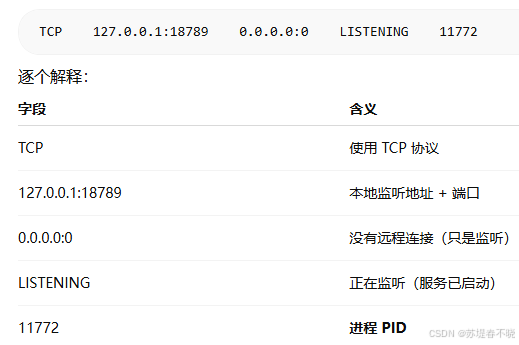
查看某个端口是否被占用,以及是谁占用的:netstat -ano | findstr 18789
-
a 👉 显示所有连接和监听端口
-
n 👉 用数字显示(IP + 端口,不解析域名)
-
o 👉 显示对应的 进程 PID
-
| findstr 18789,这是一个"过滤"操作
-
-
LISTENING 👉 服务正常启动
-
ESTABLISHED 👉 正在通信
- 杀掉旧的
python
taskkill /F /IM node.exe- 启动带执行权限版本
python
$env:OPENCLAW_ENABLE_EXECUTION="true"
$env:OPENCLAW_ALLOW_DANGEROUS="true"
$env:OPENCLAW_EXEC_MODE="full"
把 exec 加入白名单:openclaw approvals allowlist add "exec"
8、with Wechat
https://www.runoob.com/ai-agent/openclaw-weixin.html
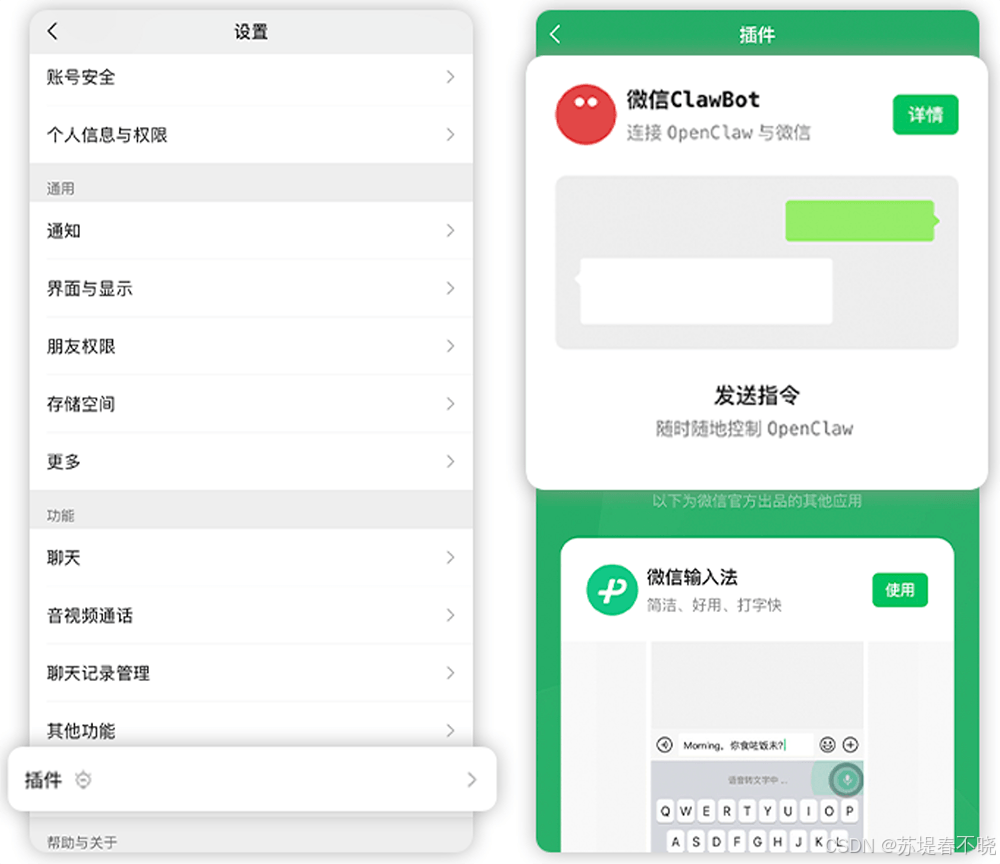
安装命令
python
npx -y @tencent-weixin/openclaw-weixin-cli@latest install不过可能报 429 错误
切换为如下安装方式
python
openclaw plugins install "@tencent-weixin/openclaw-weixin@latest"安装成功会显示
python
Installed plugin: openclaw-weixin
Restart the gateway to load plugins.
然后用二维码登录连接
python
openclaw channels login --channel openclaw-weixin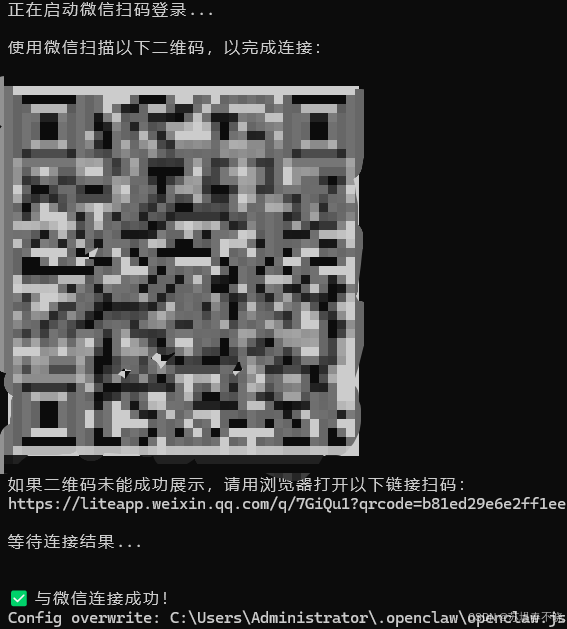
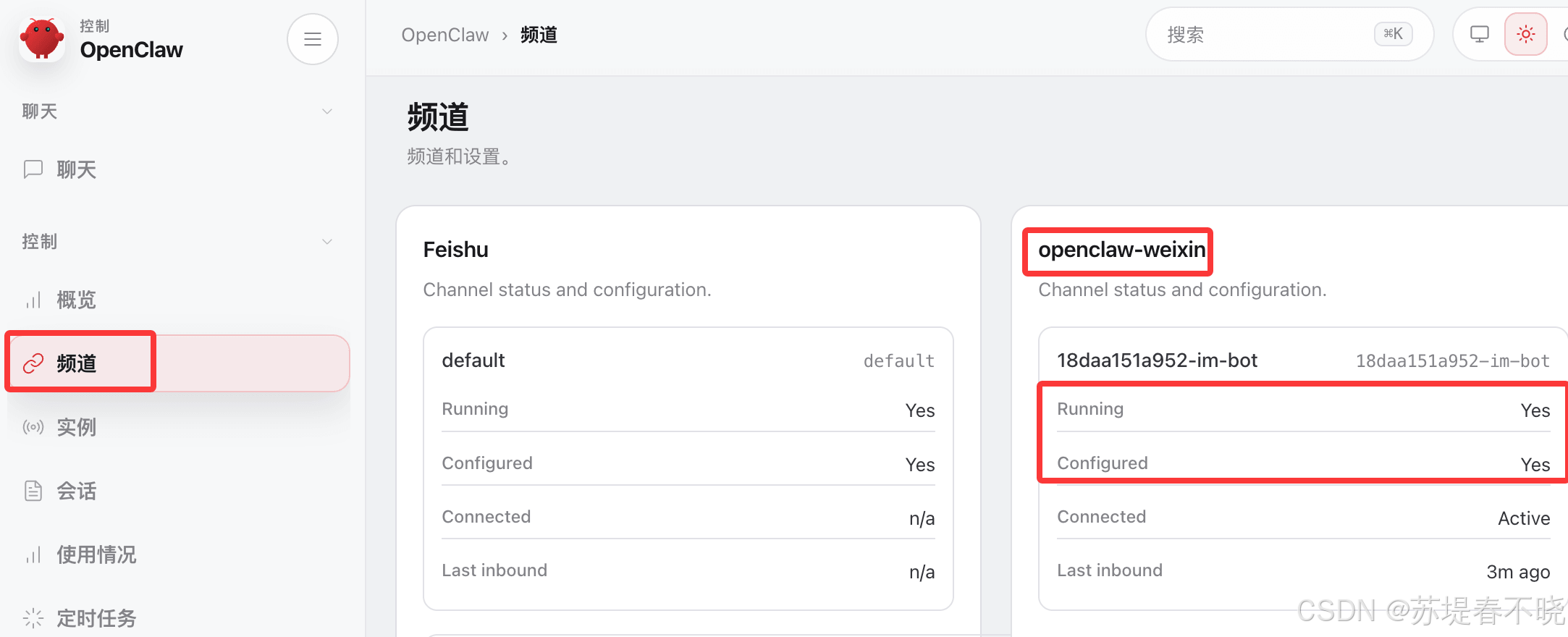
看 webUI 中