Unity开发2D类银河恶魔城游戏学习笔记
技能系统
Unity教程(二十一)技能系统 基础部分
Unity教程(二十二)技能系统 分身技能
Unity教程(二十三)技能系统 掷剑技能(上)基础实现
Unity教程(二十四)技能系统 掷剑技能(中)技能变种实现
Unity教程(二十五)技能系统 掷剑技能(下)冻结时间实现
Unity教程(二十六)技能系统 黑洞技能(上)基础实现
Unity教程(二十七)技能系统 黑洞技能(下)黑洞状态
如果你更习惯用知乎
Unity开发2D类银河恶魔城游戏学习笔记目录
文章目录
- Unity开发2D类银河恶魔城游戏学习笔记
- 前言
- 一、概述
- 二、黑洞状态的创建与实现
- 三、黑洞状态的改进
- [总结 完整代码](#总结 完整代码)
前言
注意:Udemy上更新了课程,原来的版本删掉了。新版教程与旧版顺序相差较大,并且改用Unity6。但这个笔记已经写到一半了,所以还是按照旧版来。
本文为Udemy课程The Ultimate Guide to Creating an RPG Game in Unity学习笔记,如有错误,欢迎指正。
本节实现角色黑洞技能角色动画部分。
对应视频:
Blackhole ability state
Blackhole duration
一、概述
本节实现黑洞技能。
实现黑洞状态,在此状态下角色会升到空中漂浮着释放黑洞技能,释放后落回地面。
同时本节解决技能实现过程中的一系列小问题。
状态转换如下:
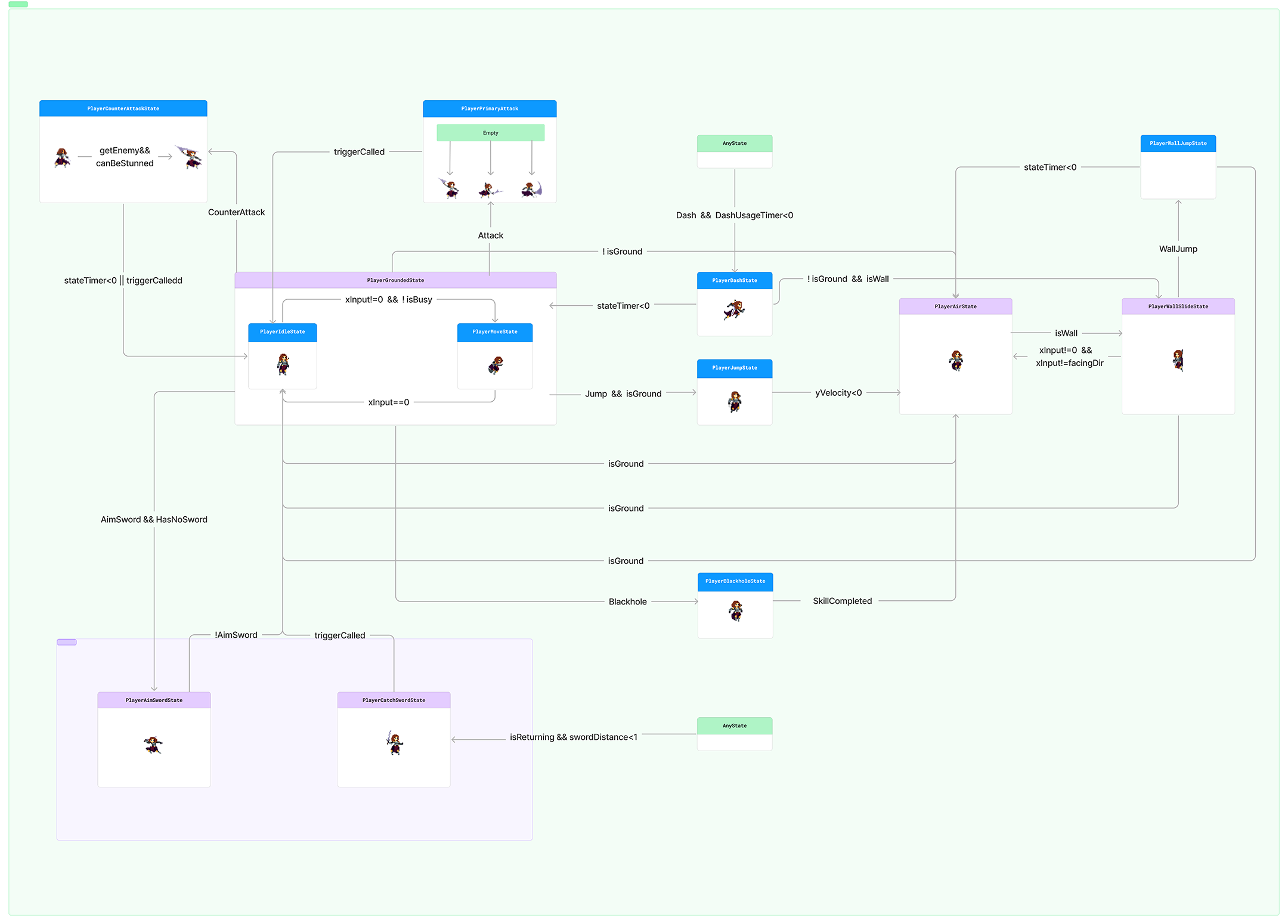
具体实现如下:
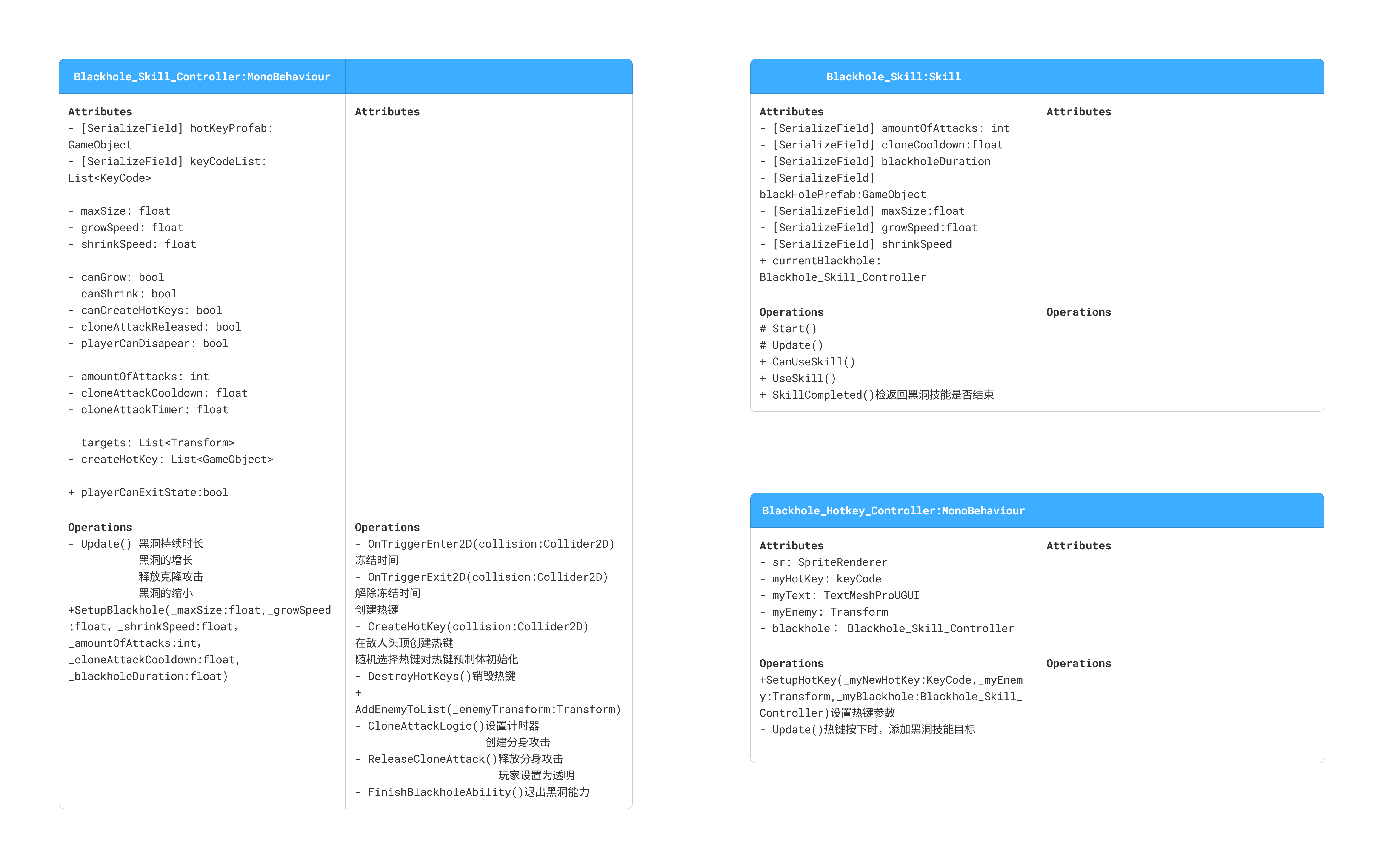
二、黑洞状态的创建与实现
(1)创建PlayerBlackholeState
创建黑洞状态PlaerBlackholeState,它们继承自PlayerState。
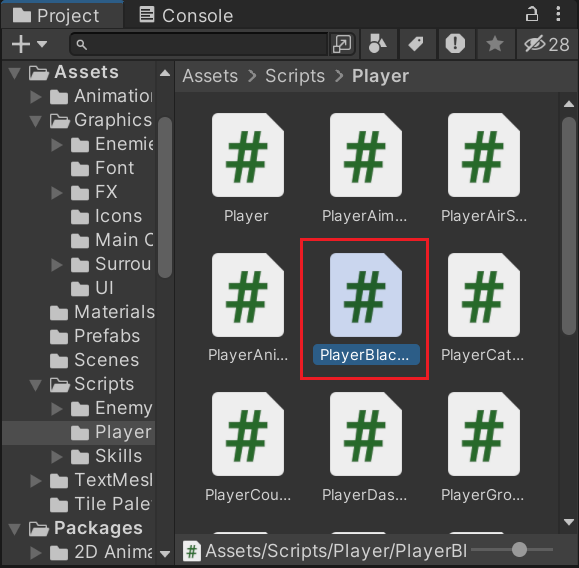
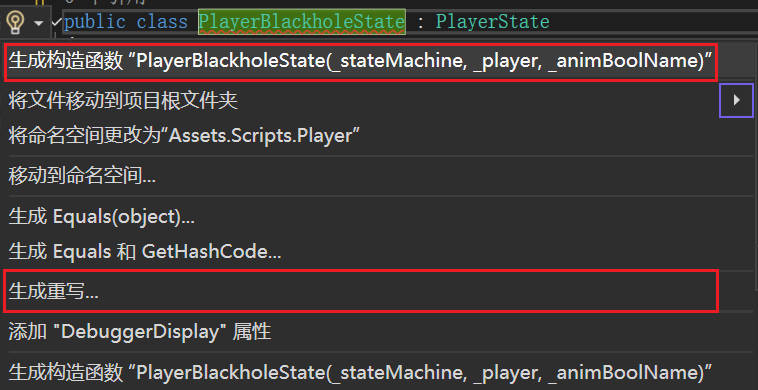
Alt+Enter生成构造函数和重写。
在Player中声明黑洞状态。
这里角色升起到空中的部分可以直接使用跳跃到空中的动画。
csharp
    #region 状态
    public PlayerStateMachine StateMachine { get; private set; }
    public PlayerIdleState idleState { get; private set; }
    public PlayerMoveState moveState { get; private set; }
    public PlayerJumpState jumpState { get; private set; }
    public PlayerAirState airState { get; private set; }
    public PlayerDashState dashState { get; private set; }
    public PlayerWallSlideState wallSlideState { get; private set; }
    public PlayerWallJumpState wallJumpState { get; private set; }
    public PlayerPrimaryAttackState primaryAttack { get; private set; }
    public PlayerCounterAttackState counterAttack { get; private set; }

    public PlayerAimSwordState aimSword { get; private set; }
    public PlayerCatchSwordState catchSword {  get; private set; }
    public PlayerBlackholeState blackhole { get; private set; }

    #endregion

    //创建对象
    protected override void Awake()
    {
        base.Awake();

        StateMachine = new PlayerStateMachine();

        idleState = new PlayerIdleState(StateMachine, this, "Idle");
        moveState = new PlayerMoveState(StateMachine, this, "Move");
        jumpState = new PlayerJumpState(StateMachine, this, "Jump");
        airState = new PlayerAirState(StateMachine, this, "Jump");
        dashState = new PlayerDashState(StateMachine, this, "Dash");
        wallSlideState = new PlayerWallSlideState(StateMachine, this, "WallSlide");
        wallJumpState = new PlayerWallJumpState(StateMachine, this, "Jump");

        primaryAttack = new PlayerPrimaryAttackState(StateMachine, this, "Attack");
        counterAttack = new PlayerCounterAttackState(StateMachine, this, "CounterAttack");

        aimSword = new PlayerAimSwordState(StateMachine, this, "AimSword");
        catchSword = new PlayerCatchSwordState(StateMachine, this, "CatchSword");
        blackhole = new PlayerBlackholeState(StateMachine, this, "Jump");
    }
(2)实现黑洞技能释放
在PlayerBlackholeState中添加两个变量flyTime和skillUsed,来表示角色向上升起的持续时间和是否释放了黑洞技能。
首先在进入黑洞状态后,将skillUsed初始状态设置为false,重置计时器记录角色升起的时间。将角色重力置为零,这样就可以实现角色升起后漂浮在顶点释放技能。不然角色会在升到高点后自然下坠。
当计时器大于0时,角色处于上升阶段,设置角色速度向上。
当计时器小于0时,角色刚刚上升到顶点,此时释放黑洞技能并修改角色向下。由于黑洞技能仅在升到顶点时释放一次,所以释放时要根据skillUsed判断是否释放过技能,若还没释放过,则调用黑洞技能,释放技能后将skillUsed标记为true。
csharp
//PlayerBlackholeState:黑洞状态
using System.Collections;
using System.Collections.Generic;
using UnityEngine;

public class PlayerBlackholeState : PlayerState
{
    private float flyTime=0.4f;
    private bool skillUsed;

    public PlayerBlackholeState(PlayerStateMachine _stateMachine, Player _player, string _animBoolName) : base(_stateMachine, _player, _animBoolName)
    {
    }

    public override void AnimationFinishTrigger()
    {
        base.AnimationFinishTrigger();
    }

    public override void Enter()
    {
        base.Enter();

        skillUsed = false;
        stateTimer = flyTime;
        rb.gravityScale = 0;
    }

    public override void Exit()
    {
        base.Exit();
    }

    public override void Update()
    {
        base.Update();

        if (stateTimer > 0)
            rb.velocity = new Vector2(0, 15);

        if(stateTimer < 0)
        {
            rb.velocity = new Vector2(0, -0.1f);

            if(!skillUsed)
            {
                if(player.skill.blackhole.CanUseSkill())
                    skillUsed = true;
            }
        }
    }
}
(3)实现黑洞技能的状态转换
在玩家的接地状态类中添加判定,按下特定键时,转换到黑洞状态。
在PlayerGroundState中添加:
csharp
    //更新
    public override void Update()
    {
        base.Update();

        if (Input.GetKeyDown(KeyCode.F))
            stateMachine.ChangeState(player.blackhole);

        if (Input.GetKeyDown(KeyCode.Mouse1) && HasNoSword())
            stateMachine.ChangeState(player.aimSword);

        if (Input.GetKeyDown(KeyCode.Q))
            stateMachine.ChangeState(player.counterAttack);

        if (Input.GetKeyDown(KeyCode.Mouse0))
            stateMachine.ChangeState(player.primaryAttack);

        if(!player.isGroundDetected())
            stateMachine.ChangeState(player.airState);

        if (Input.GetKeyDown(KeyCode.Space)&& player.isGroundDetected())
            stateMachine.ChangeState(player.jumpState);
    }
释放完技能后玩家从黑洞技能退出转换到空中状态。
在Blackhole_Skill_Controller里添加标志playerCanExitState,表示此时是否可以退出黑洞状态。
在所有攻击释放结束后,让玩家结束黑洞状态。因此在退出黑洞技能的部分将playerCanExitState改为true。
csharp
    public bool playerCanExitState {  get; private set; }

    private void CloneAttackLogic()
    {
        if (cloneAttackTimer < 0 && cloneAttackReleased)
        {
            cloneAttackTimer = cloneAttackCooldown;

            int randomIndex = Random.Range(0, targets.Count);

            float xOffset;

            if (Random.Range(0, 100) > 50)
                xOffset = 2;
            else
                xOffset = -2;

            SkillManager.instance.clone.CreateClone(targets[randomIndex], new Vector3(xOffset, 0));

            amountOfAttacks--;

            if (amountOfAttacks <= 0)
            {
                playerCanExitState = true;
                canShrink = true;
                cloneAttackReleased = false;
            }

        }
    }
在Blackhole_Skill中添加结束黑洞状态的函数,方便在角色状态机中调用。这个函数将返回一个表示是否退出黑洞的bool变量。判断当前是否退出黑洞状态,如果是则释放当前黑洞控制器,返回true。如果黑洞还没有创建,或者还没到退出黑洞状态的时候,则返回false。
csharp
    public bool SkillCompleted()
    {
        if(!currentBlackhole)
            return false;

        if (currentBlackhole.playerCanExitState)
        {
            currentBlackhole = null;
            return true;
        }

        return false;
    }
在PlayerBlackholeState中添加转换到空中状态
csharp
    public override void Update()
    {
        base.Update();

        if (stateTimer > 0)
            rb.velocity = new Vector2(0, 15);

        if(stateTimer < 0)
        {
            rb.velocity = new Vector2(0, -0.1f);

            if(!skillUsed)
            {
                if(player.skill.blackhole.CanUseSkill())
                    skillUsed = true;
            }
        }

        if(player.skill.blackhole.SkillCompleted())
            stateMachine.ChangeState(player.airState);
    }
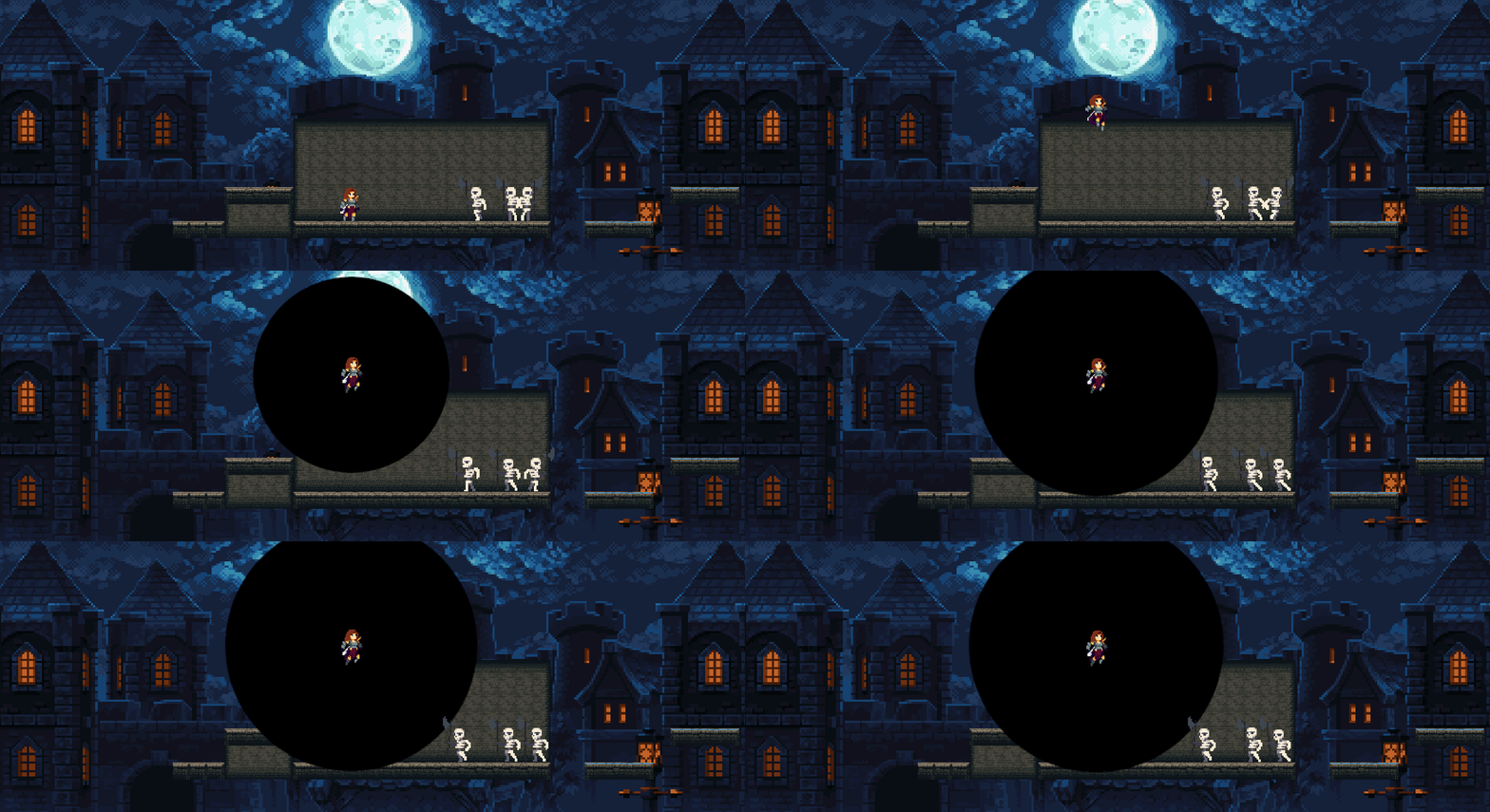
效果如下:
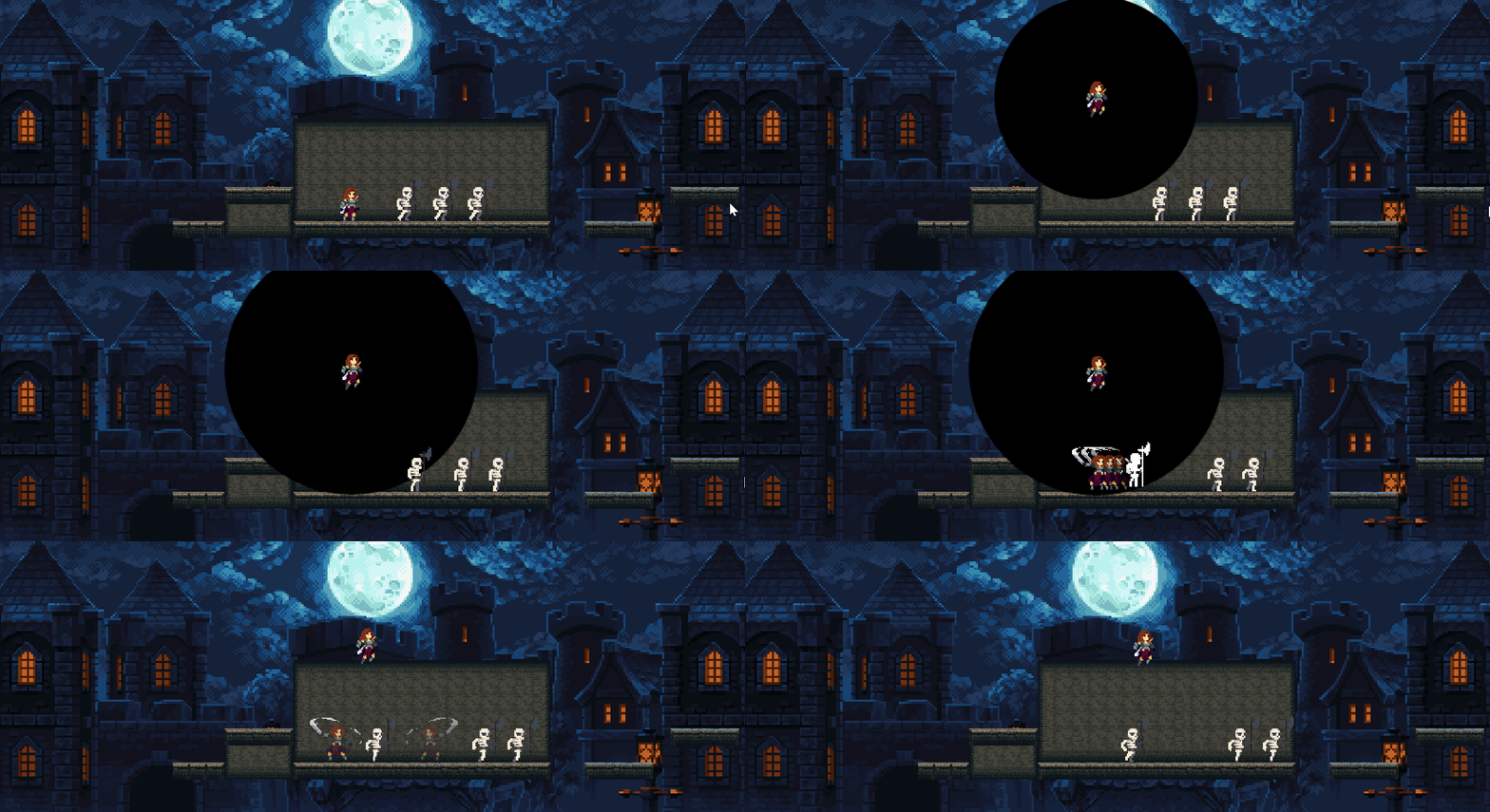
角色漂浮不落地是因为我们之前把重力设为了0。现在在黑洞状态中添加变量defaultGravity记录原先的重力数据。在进入黑洞状态时暂存角色重力值,在退出时恢复。
csharp
    private float defaultGravity;

    public override void Enter()
    {
        base.Enter();

        defaultGravity = rb.gravityScale;

        skillUsed = false;
        stateTimer = flyTime;
        rb.gravityScale = 0;
    }

    public override void Exit()
    {
        base.Exit();

        rb.gravityScale = defaultGravity;
    }
效果如下:
三、黑洞状态的改进
(1)分身攻击时隐藏空中的玩家
教程中想实现玩家升到空中后,闪现到敌人旁分身攻击的效果。于是要在玩家释放分身攻击时隐藏空中图像,在攻击后再恢复在空中下落。
由教程中认为变透明的效果可能在其他角色中也会用到,于是在Entity中添加设置透明的函数。
csharp
    #region 组件
    public EntityFX fx {  get; private set; }
    public Rigidbody2D rb { get; private set; }
    public Animator anim { get; private set; }
    public SpriteRenderer sr { get; private set; }
    #endregion

    //获取组件
    protected virtual void Start()
    {
        fx= GetComponent<EntityFX>();
        rb= GetComponent<Rigidbody2D>();
        anim= GetComponentInChildren<Animator>();
        sr=GetComponentInChildren<SpriteRenderer>();
    }

    public void MakeTransparent(bool _transparent)
    {
        if (_transparent)
            sr.color = Color.clear;
        else
            sr.color = Color.white;
    }
在黑洞控制器释放分身攻击的部分调用。
csharp
    private void ReleaseCloneAttack()
    {
        DestroyHotKeys();
        cloneAttackReleased = true;
        canCreateHotKeys = false;

        PlayerManager.instance.player.MakeTransparent(true);
    }
分身攻击要持续一些时间,所以我们希望延迟一些退出黑洞技能,让攻击动画播放完。将攻击次数为零时进行的操作提取出来,命名为FinishBlackholeAbility,延迟执行这个函数。
csharp
    private void CloneAttackLogic()
    {
        if (cloneAttackTimer < 0 && cloneAttackReleased)
        {
            cloneAttackTimer = cloneAttackCooldown;

            int randomIndex = Random.Range(0, targets.Count);

            float xOffset;

            if (Random.Range(0, 100) > 50)
                xOffset = 2;
            else
                xOffset = -2;

            SkillManager.instance.clone.CreateClone(targets[randomIndex], new Vector3(xOffset, 0));

            amountOfAttacks--;

            if (amountOfAttacks <= 0)
            {
                Invoke("FinishBlackholeAbility",0.9f);
            }

        }
    }

    private void FinishBlackholeAbility()
    {
        PlayerManager.instance.player.ExitBlackholeAbility();
        canShrink = true;
        cloneAttackReleased = false;
    }
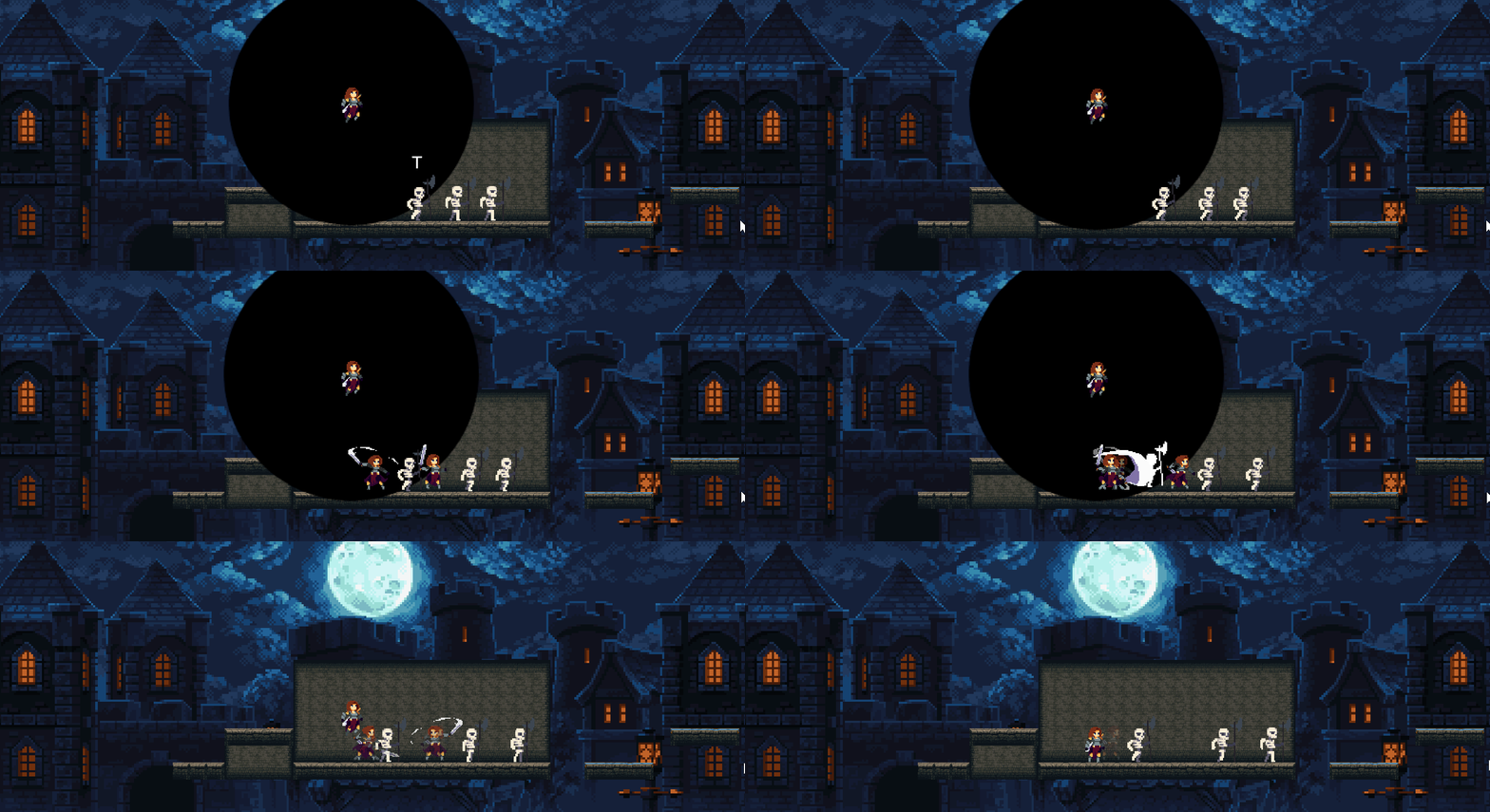
效果如下:
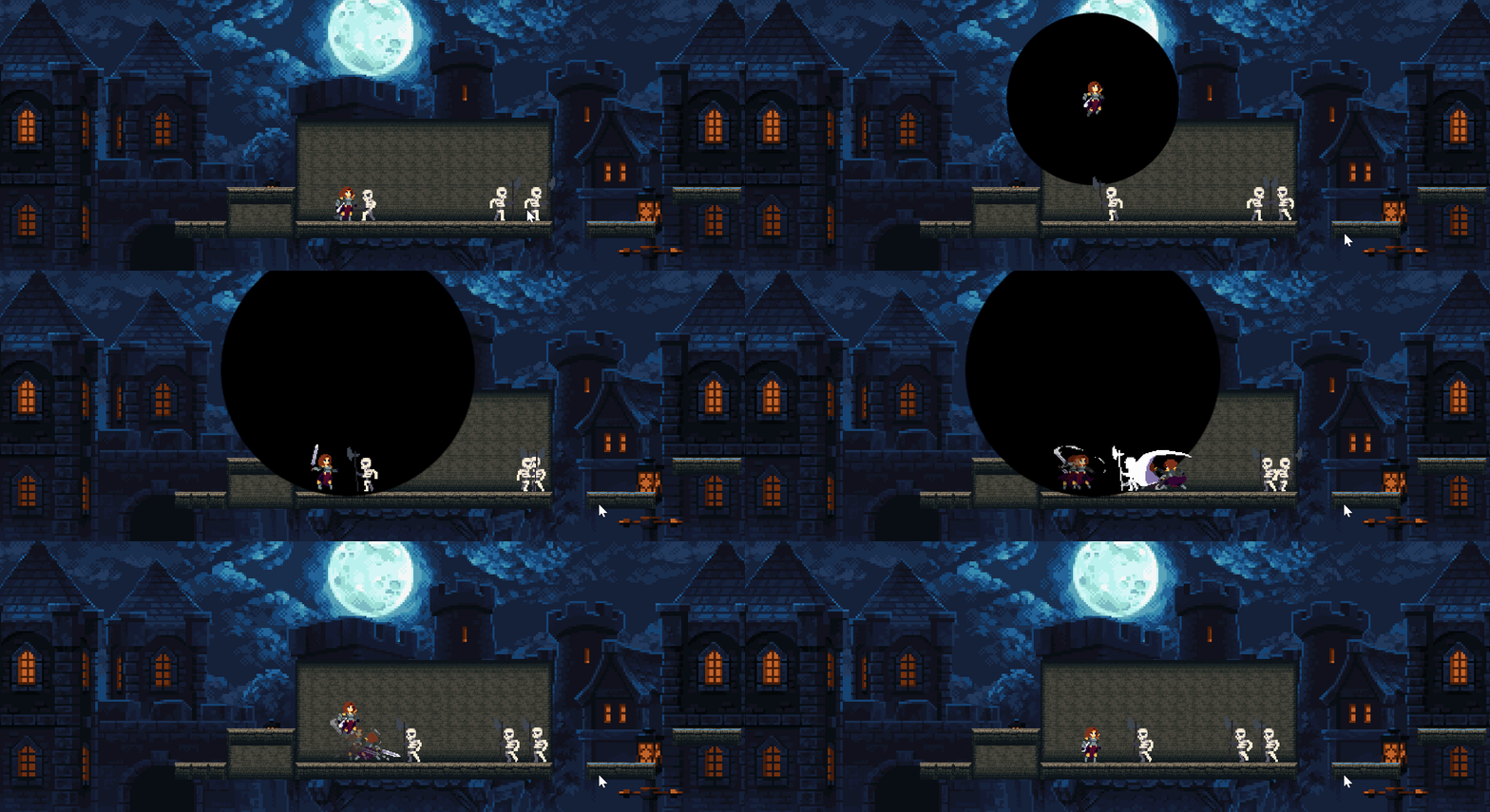
此时延长延迟的时间,会发现一直在创建分身攻击。
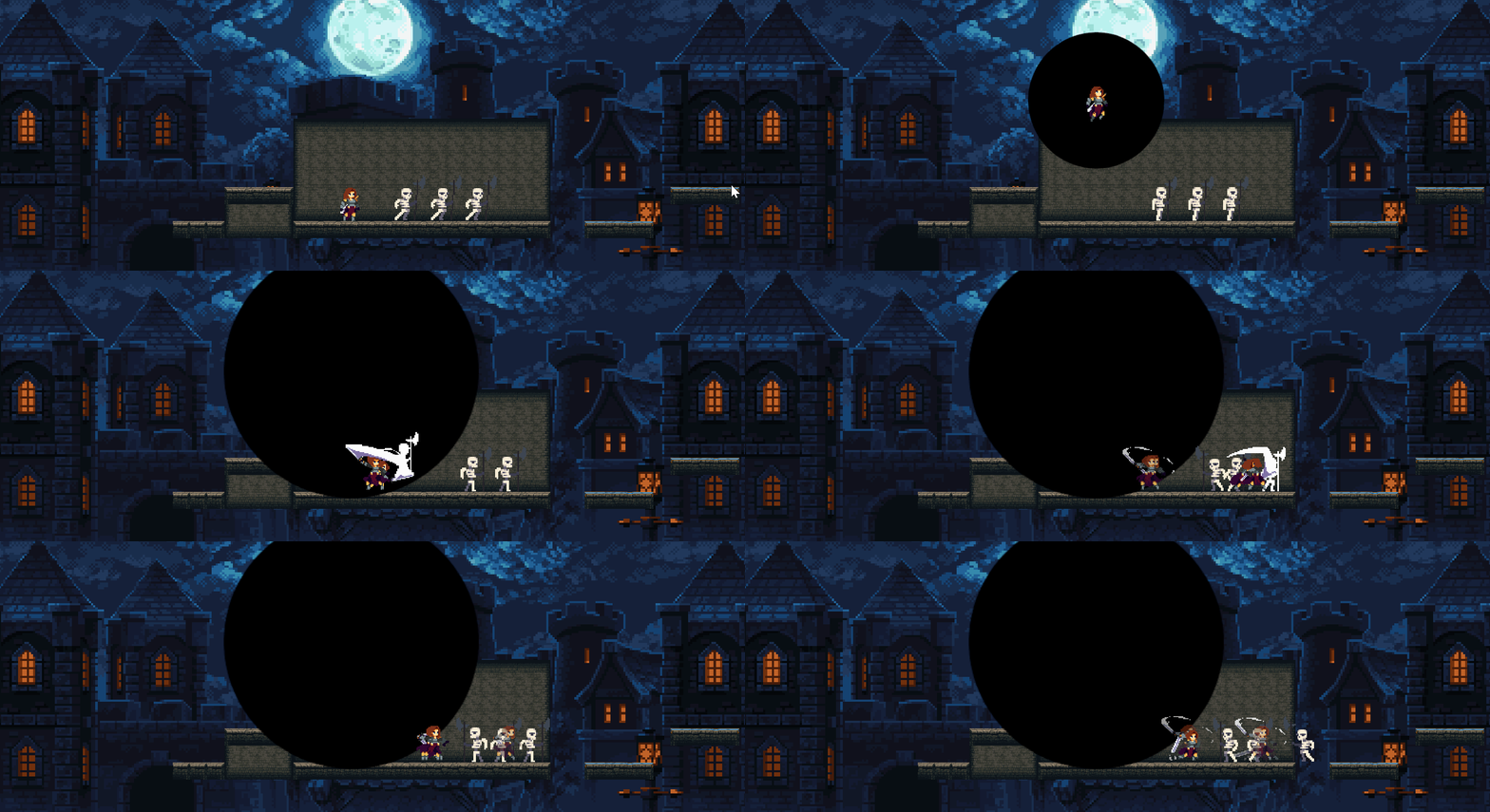
这是因为延迟后cloneAttackReleased一直没改为false,导致
cloneAttackTimer < 0 && cloneAttackReleased
这个条件一直是满足的分身攻击一直被调用。
要修正这一处可以在在判定条件中再添加一条攻击次数的判定。
csharp
    private void CloneAttackLogic()
    {
        if (cloneAttackTimer < 0 && cloneAttackReleased && amountOfAttacks > 0)
        {
            cloneAttackTimer = cloneAttackCooldown;

            int randomIndex = Random.Range(0, targets.Count);

            float xOffset;

            if (Random.Range(0, 100) > 50)
                xOffset = 2;
            else
                xOffset = -2;

            SkillManager.instance.clone.CreateClone(targets[randomIndex], new Vector3(xOffset, 0));

            amountOfAttacks--;

            if (amountOfAttacks <= 0)
            {
                Invoke("FinishBlackholeAbility",0.9f);
            }

        }
    }
(2)热键重叠问题
有时候释放黑洞后会在敌人头上创建多个重叠的热键。
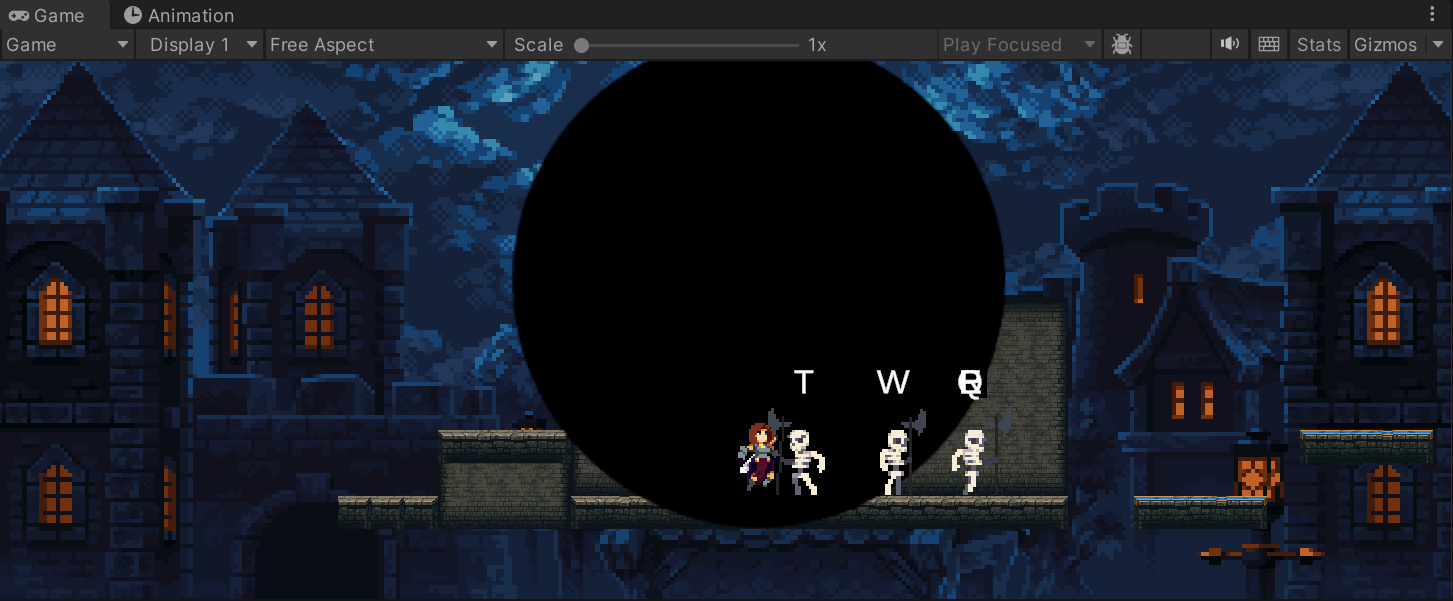
我在OnTriggerEnter2D、OnTriggerExit2D、CreateHotKey等函数中添加语句,输出一些调试信息。
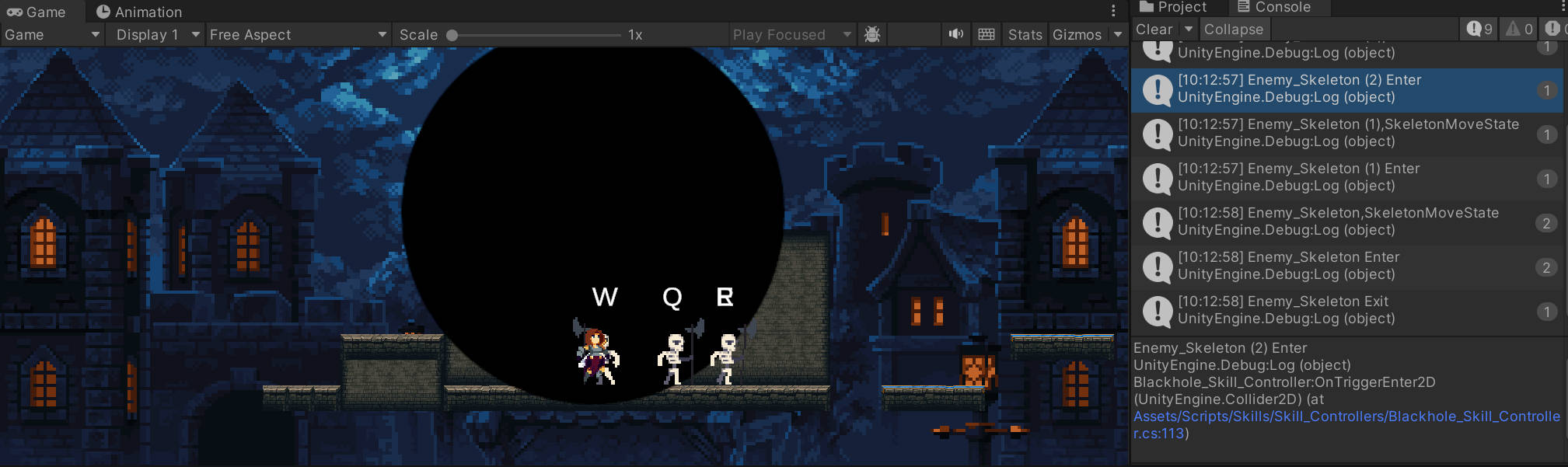
可以发现热键连续创建的原因是角色处在黑洞的边缘同时黑洞又仍在扩张。冻结时修改MoveSpeed,角色速度不会马上归零,因此会在进入碰撞器后又马上退出碰撞器,解冻后角色继续向前又进入碰撞器,这导致了角色反复创建热键。
我在冻结角色的位置又添加了直接让刚体的速度归零,后续没有再触发这个bug。
csharp
    private void OnTriggerEnter2D(Collider2D collision)
    {
        if (collision.GetComponent<Enemy>()!=null)
        {
            collision.GetComponent<Enemy>().FreezeTime(true);
            collision.GetComponent<Enemy>().ZeroVelocity();

            CreateHotKey(collision);

        }
    }
(3)热键的时间窗口的实现
按热键攻击实际是一个QTE功能,但现在按键时间没有时间限制。现在给热键添加一个时间窗口,让玩家在规定时间反应攻击。
在Blackhole_SKill中添加变量blackholeDuration,并将它传进控制器。
csharp
    [SerializeField] private int amountOfAttacks;
    [SerializeField] private float cloneCooldown;
    [SerializeField] private float blackholeDuration;

    public override void UseSkill()
    {
        base.UseSkill();

        GameObject newBlackhole = Instantiate(blackholePrefab, player.transform.position, Quaternion.identity);

        currentBlackhole = newBlackhole.GetComponent<Blackhole_Skill_Controller>();

        currentBlackhole.SetupBlackhole(maxSize, growSpeed, shrinkSpeed, amountOfAttacks, cloneCooldown, blackholeDuration);
    }
在Blackhole_Skill_Controller中添加变量blackholeTimer。
在SetupBlackhole中设置计时器的初始值为blackholeDuration。
在Update函数中添加计时器的判断,当计时器小于零时,如果还没有按攻击键F,将在进行一些处理后自动结束技能。这里的处理分两部分,一种是按下了热键但没有按攻击键,按下热键时记录了攻击的目标,因此判断targets数组中对象数量是否大于0,若大于0则调用函数释放分身攻击;若小于0,直接结束技能。
计时结束的判断应当只有一次,之后就结束黑洞技能了。为了防止在Update函数中重复判断,在处理前先将计时器置为无限大。
csharp
    private float blackholeTimer;

    public void SetupBlackhole(float _maxSize,float _growSpeed,float _shrinkSpeed,int _amountOfAttacks,float _cloneAttackCooldown,float _blackholeDuration)
    {
        maxSize = _maxSize;
        growSpeed = _growSpeed;
        shrinkSpeed = _shrinkSpeed;
        amountOfAttacks = _amountOfAttacks;
        cloneAttackCooldown = _cloneAttackCooldown;

        blackholeTimer = _blackholeDuration;
    }

    private void Update()
    {
        cloneAttackTimer -= Time.deltaTime;
        blackholeTimer -= Time.deltaTime;

        if(blackholeTimer <0)
        {
            blackholeTimer = Mathf.Infinity;

            if(targets.Count > 0)
                ReleaseCloneAttack();
            else
                FinishBlackholeAbility();
        }

        if (Input.GetKeyDown(KeyCode.F))
        {
            ReleaseCloneAttack();
        }

        CloneAttackLogic();

        if (canGrow && !canShrink)
        {
            transform.localScale = Vector2.Lerp(transform.localScale, new Vector2(maxSize, maxSize), growSpeed * Time.deltaTime);
        }

        if (canShrink)
        {
            transform.localScale = Vector2.Lerp(transform.localScale, new Vector2(-1, -1), shrinkSpeed * Time.deltaTime);

            if (transform.localScale.x < 0)
                Destroy(gameObject);
        }
    }
在技能管理器中为blackholeDuration赋值
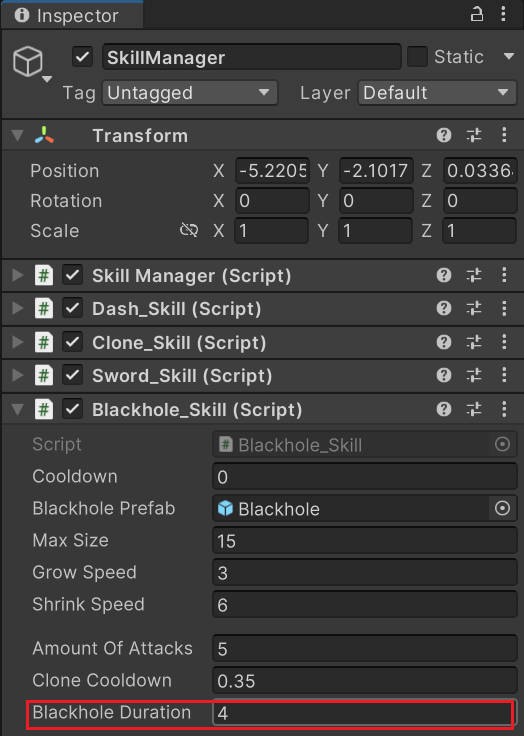
在只按热键没按攻击时,效果如下:
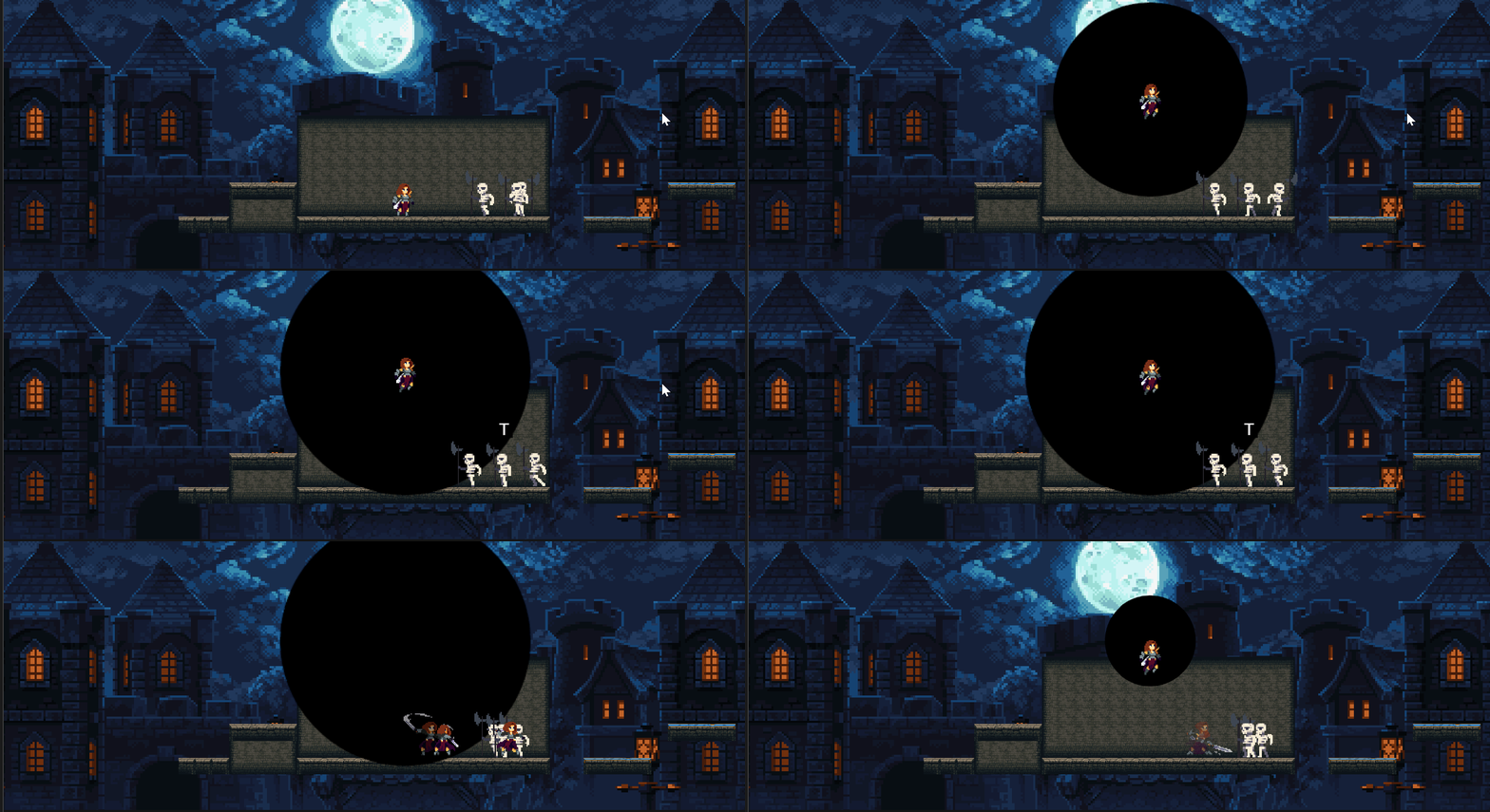
如果什么也不按:
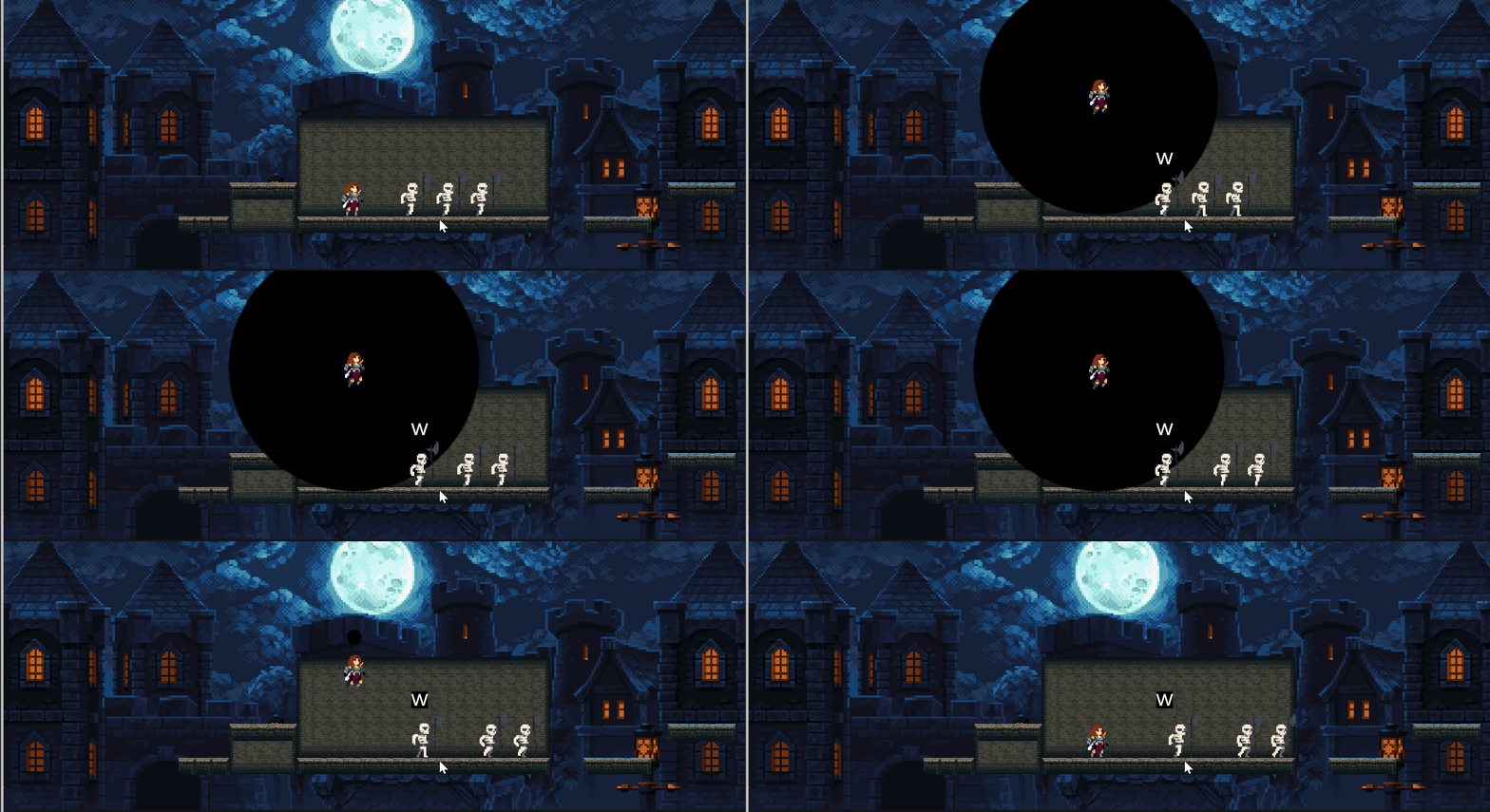
由于调用销毁热键的是ReleaseCloneAttack,不按热键时并不触发这个函数。
我们可以在退出黑洞能力时添加DestroyHotKeys。
csharp
    private void FinishBlackholeAbility()
    {
        DestroyHotKeys();
        playerCanExitState = true;
        canShrink = true;
        cloneAttackReleased = false;
    }
(4)没按热键就按攻击键报错的问题
在没按热键就按攻击键时会出现以下错误:
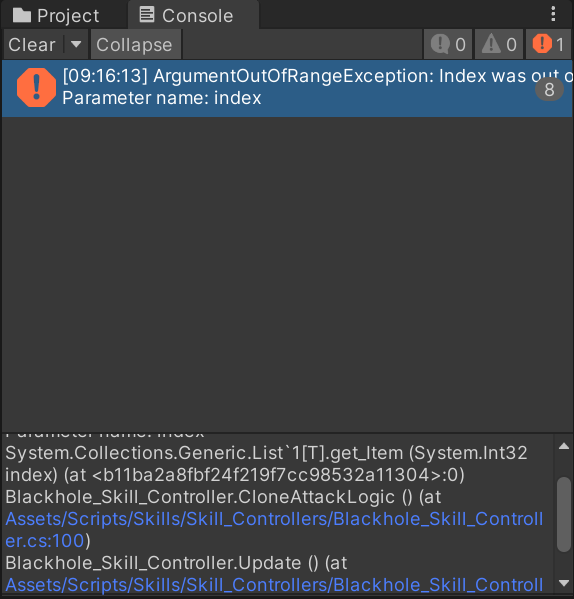
在CloneAttackLogic中生成随机索引,在创建分身攻击时依照这个索引选择targets中的敌人。在没按热键时,targets是空的,就会出现索引超出限制的问题。
csharp
            int randomIndex = Random.Range(0, targets.Count);

            SkillManager.instance.clone.CreateClone(targets[randomIndex], new Vector3(xOffset, 0));
想解决这个问题只需在ReleaseCloneAttack中添加targets是否为空的判断条件。
csharp
    private void ReleaseCloneAttack()
    {
        if (targets.Count <= 0)
            return;

        DestroyHotKeys();
        cloneAttackReleased = true;
        canCreateHotKeys = false;

        PlayerManager.instance.player.MakeTransparent(true);
    }
(4)黑洞缩小过程中按攻击键角色消失的问题
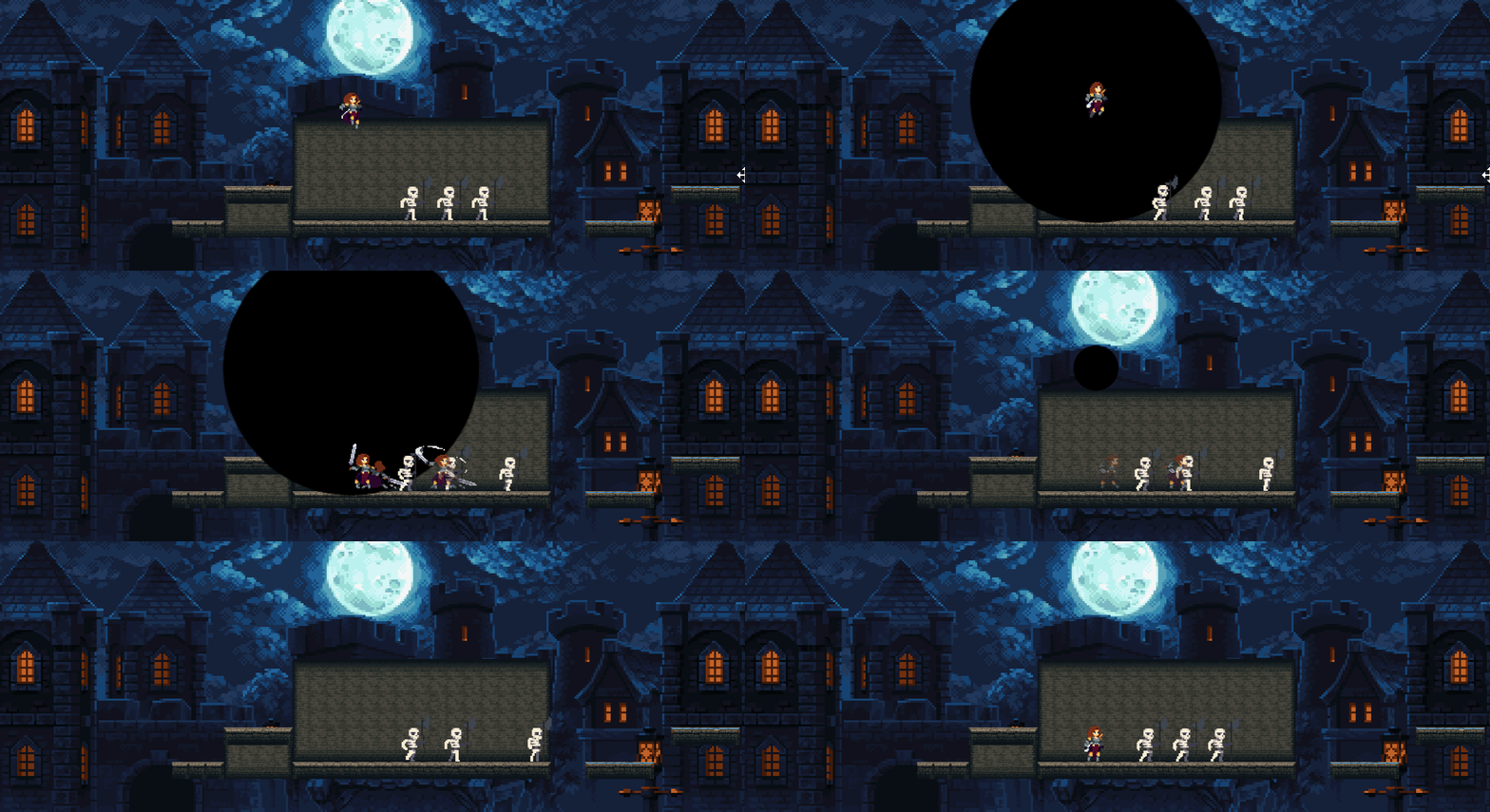
由于退出时,是先让黑洞缩小。黑洞缩小到零时销毁黑洞。在黑洞缩小过程中,攻击的判定仍然起效,就会出现重复执行的问题,角色会再次消失。
为解决这个问题,添加变量playerCanDisapear,默认为true。在释放分身攻击后,将角色设置为透明的同时,将playerCanDisapear设置为false,就不会让角色反复消失。
csharp
    private bool playerCanDisapear = true;

    private void ReleaseCloneAttack()
    {
        if (targets.Count <= 0)
            return;

        DestroyHotKeys();
        cloneAttackReleased = true;
        canCreateHotKeys = false;

        if (playerCanDisapear)
        {
            playerCanDisapear = false;
            PlayerManager.instance.player.MakeTransparent(true);
        }
    }
总结 完整代码
PlayerBlackholeState.cs
实现黑洞状态,实现角色漂浮隐藏,实现退出黑洞切换到空中状态。
csharp
//PlayerBlackholeState:黑洞状态
using System.Collections;
using System.Collections.Generic;
using UnityEngine;

public class PlayerBlackholeState : PlayerState
{
    private float flyTime=0.4f;
    private bool skillUsed;

    private float defaultGravity;

    public PlayerBlackholeState(PlayerStateMachine _stateMachine, Player _player, string _animBoolName) : base(_stateMachine, _player, _animBoolName)
    {
    }

    public override void AnimationFinishTrigger()
    {
        base.AnimationFinishTrigger();
    }

    public override void Enter()
    {
        base.Enter();

        defaultGravity = rb.gravityScale;

        skillUsed = false;
        stateTimer = flyTime;
        rb.gravityScale = 0;
    }

    public override void Exit()
    {
        base.Exit();

        rb.gravityScale = defaultGravity;
        PlayerManager.instance.player.MakeTransparent(false);
    }

    public override void Update()
    {
        base.Update();

        if (stateTimer > 0)
            rb.velocity = new Vector2(0, 15);

        if(stateTimer < 0)
        {
            rb.velocity = new Vector2(0, -0.1f);

            if(!skillUsed)
            {
                if(player.skill.blackhole.CanUseSkill())
                    skillUsed = true;
            }
        }

        if(player.skill.blackhole.SkillCompleted())
            stateMachine.ChangeState(player.airState);
    }
}
PlayerGroundState.cs
切换到黑洞状态。
csharp
//超级状态PlayerGroundedState:接地状态
using System.Collections;
using System.Collections.Generic;
using UnityEngine;

public class PlayerGroundedState : PlayerState
{
    //构造函数
    public PlayerGroundedState(PlayerStateMachine _stateMachine, Player _player, string _animBoolName) : base(_stateMachine, _player, _animBoolName)
    {
    }

    //进入
    public override void Enter()
    {
        base.Enter();
    }

    //退出
    public override void Exit()
    {
        base.Exit();
    }

    //更新
    public override void Update()
    {
        base.Update();

        if (Input.GetKeyDown(KeyCode.F))
            stateMachine.ChangeState(player.blackhole);

        if (Input.GetKeyDown(KeyCode.Mouse1) && HasNoSword())
            stateMachine.ChangeState(player.aimSword);

        if (Input.GetKeyDown(KeyCode.Q))
            stateMachine.ChangeState(player.counterAttack);

        if (Input.GetKeyDown(KeyCode.Mouse0))
            stateMachine.ChangeState(player.primaryAttack);

        if(!player.isGroundDetected())
            stateMachine.ChangeState(player.airState);

        if (Input.GetKeyDown(KeyCode.Space)&& player.isGroundDetected())
            stateMachine.ChangeState(player.jumpState);
    }

    private bool HasNoSword()
    {
        if (!player.sword)
        {
            return true;
        }

        player.sword.GetComponent<Sword_Skill_Controller>().ReturnSword();
        return false;
    }
}
Entity.cs
添加设置透明的函数。
csharp
//Entity:实体类
using System.Collections;
using System.Collections.Generic;
using Unity.IO.LowLevel.Unsafe;
using Unity.VisualScripting;
using UnityEngine;
using UnityEngine.UI;

public class Entity : MonoBehaviour
{
    [Header("Knockback Info")]
    [SerializeField] protected Vector2 knockbackDirection;
    [SerializeField] protected float knockbackDuration;
    protected bool isKnocked;


    [Header("Flip Info")]
    protected bool facingRight = true;
    public int facingDir { get; private set; } = 1;


    [Header("Collision Info")]
    public Transform attackCheck;
    public float attackCheckRadius;
    [SerializeField] protected Transform groundCheck;
    [SerializeField] protected float groundCheckDistance;
    [SerializeField] protected Transform wallCheck;
    [SerializeField] protected float wallCheckDistance;
    [SerializeField] protected LayerMask whatIsGround;


    #region 组件
    public EntityFX fx {  get; private set; }
    public Rigidbody2D rb { get; private set; }
    public Animator anim { get; private set; }
    public SpriteRenderer sr { get; private set; }
    #endregion

    protected virtual void Awake()
    {

    }

    //获取组件
    protected virtual void Start()
    {
        fx= GetComponent<EntityFX>();
        rb= GetComponent<Rigidbody2D>();
        anim= GetComponentInChildren<Animator>();
        sr=GetComponentInChildren<SpriteRenderer>();
    }

    // 更新
    protected virtual void Update()
    {

    }

    public virtual void Damage()
    {
        fx.StartCoroutine("FlashFX");
        StartCoroutine("HitKnockback");


        Debug.Log(gameObject.name + " was damaged");
    }

    protected virtual IEnumerator HitKnockback()
    {
        isKnocked = true;

        rb.velocity = new Vector2(knockbackDirection.x * -facingDir, knockbackDirection.y);

        yield return new WaitForSeconds(knockbackDuration);

        isKnocked= false;
    }

    #region 速度设置
    //速度置零
    public void ZeroVelocity()
    {
        if (isKnocked)
            return;

        rb.velocity = new Vector2(0, 0);
    }
    //设置速度
    public void SetVelocity(float _xVelocity, float _yVelocity)
    {
        if (isKnocked)
            return;

        rb.velocity = new Vector2(_xVelocity, _yVelocity);
        FlipController(_xVelocity);
    }
    #endregion

    #region 翻转
    //翻转实现
    public virtual void Flip()
    {
        facingDir = -1 * facingDir;
        facingRight = !facingRight;
        transform.Rotate(0, 180, 0);
    }
    //翻转控制
    public virtual void FlipController(float _x)
    {
        if (_x > 0 && !facingRight)
            Flip();
        else if (_x < 0 && facingRight)
            Flip();
    }
    #endregion

    #region 碰撞
    //碰撞检测
    public virtual bool isGroundDetected() => Physics2D.Raycast(groundCheck.position, Vector2.down, groundCheckDistance, whatIsGround);
    public virtual bool isWallDetected() => Physics2D.Raycast(wallCheck.position, Vector2.right * facingDir, wallCheckDistance, whatIsGround);


    //绘制碰撞检测
    protected virtual void OnDrawGizmos()
    {
        Gizmos.DrawLine(groundCheck.position, new Vector3(groundCheck.position.x, groundCheck.position.y - groundCheckDistance));
        Gizmos.DrawLine(wallCheck.position, new Vector3(wallCheck.position.x + wallCheckDistance, wallCheck.position.y));
        Gizmos.DrawWireSphere(attackCheck.position, attackCheckRadius);
    }
    #endregion

    public void MakeTransparent(bool _transparent)
    {
        if (_transparent)
            sr.color = Color.clear;
        else
            sr.color = Color.white;
    }
}
Blackhole_Skill_Controller.cs
结束黑洞技能。
分身攻击时隐藏空中的玩家,并延迟技能结束。
设置速度,解决热键重叠问题。
实现热键的时间窗口。
解决没按热键时攻击索引超限的问题。
添加角色消失的变量,避免角色重复消失。
csharp
//Blackhole_Skill_Controller:黑洞技能控制器
using System.Collections;
using System.Collections.Generic;
using UnityEngine;

public class Blackhole_Skill_Controller : MonoBehaviour
{
    [SerializeField] private GameObject hotKeyPrefab;
    [SerializeField] private List<KeyCode> keyCodeList;

    private float maxSize;
    private float growSpeed;
    private float shrinkSpeed;
    private float blackholeTimer;

    private bool canGrow = true;
    private bool canShrink;
    private bool canCreateHotKeys = true;
    private bool cloneAttackReleased;
    private bool playerCanDisapear = true;
    public bool playerCanExitState {  get; private set; }

    private int amountOfAttacks = 4;
    private float cloneAttackCooldown = 0.3f;
    private float cloneAttackTimer;

    private List<Transform> targets = new List<Transform>();
    private List<GameObject> createdHotKey = new List<GameObject>();

    public void SetupBlackhole(float _maxSize,float _growSpeed,float _shrinkSpeed,int _amountOfAttacks,float _cloneAttackCooldown,float _blackholeDuration)
    {
        maxSize = _maxSize;
        growSpeed = _growSpeed;
        shrinkSpeed = _shrinkSpeed;
        amountOfAttacks = _amountOfAttacks;
        cloneAttackCooldown = _cloneAttackCooldown;

        blackholeTimer = _blackholeDuration;
    }

    private void Update()
    {
        cloneAttackTimer -= Time.deltaTime;
        blackholeTimer -= Time.deltaTime;

        if(blackholeTimer <0)
        {
            blackholeTimer = Mathf.Infinity;

            if(targets.Count > 0)
                ReleaseCloneAttack();
            else
                FinishBlackholeAbility();
        }

        if (Input.GetKeyDown(KeyCode.F))
        {
            ReleaseCloneAttack();
        }

        CloneAttackLogic();

        if (canGrow && !canShrink)
        {
            transform.localScale = Vector2.Lerp(transform.localScale, new Vector2(maxSize, maxSize), growSpeed * Time.deltaTime);
        }

        if (canShrink)
        {
            transform.localScale = Vector2.Lerp(transform.localScale, new Vector2(-1, -1), shrinkSpeed * Time.deltaTime);

            if (transform.localScale.x < 0)
                Destroy(gameObject);
        }
    }

    private void ReleaseCloneAttack()
    {
        if (targets.Count <= 0)
            return;

        DestroyHotKeys();
        cloneAttackReleased = true;
        canCreateHotKeys = false;

        if (playerCanDisapear)
        {
            playerCanDisapear = false;
            PlayerManager.instance.player.MakeTransparent(true);
        }
    }

    private void CloneAttackLogic()
    {
        if (cloneAttackTimer < 0 && cloneAttackReleased && amountOfAttacks>0)
        {
            cloneAttackTimer = cloneAttackCooldown;

            int randomIndex = Random.Range(0, targets.Count);

            float xOffset;

            if (Random.Range(0, 100) > 50)
                xOffset = 2;
            else
                xOffset = -2;

            SkillManager.instance.clone.CreateClone(targets[randomIndex], new Vector3(xOffset, 0));

            amountOfAttacks--;

            if (amountOfAttacks <= 0)
            {
                Invoke("FinishBlackholeAbility",0.9f);
            }

        }
    }

    private void FinishBlackholeAbility()
    {
        DestroyHotKeys();
        playerCanExitState = true;
        canShrink = true;
        cloneAttackReleased = false;
    }

    private void OnTriggerEnter2D(Collider2D collision)
    {
        if (collision.GetComponent<Enemy>()!=null)
        {
            collision.GetComponent<Enemy>().FreezeTime(true);
            collision.GetComponent<Enemy>().ZeroVelocity();

            CreateHotKey(collision);

        }
    }

    private void OnTriggerExit2D(Collider2D collision)
    {
        if(collision.GetComponent<Enemy>()!=null)
            collision.GetComponent<Enemy>().FreezeTime(false);
    }

    private void CreateHotKey(Collider2D collision)
    {
        if (keyCodeList.Count <= 0)
            return;

        if (!canCreateHotKeys)
            return;

        GameObject newHotKey = Instantiate(hotKeyPrefab, collision.transform.position + new Vector3(0, 2), Quaternion.identity);
        createdHotKey.Add(newHotKey);

        KeyCode choosenKey = keyCodeList[Random.Range(0, keyCodeList.Count)];
        keyCodeList.Remove(choosenKey);

        Blackhole_HotKey_Controller newHotKeyScript = newHotKey.GetComponent<Blackhole_HotKey_Controller>();

        newHotKeyScript.SetupHotKey(choosenKey,collision.transform,this);
    }

    private void DestroyHotKeys()
    {
        if(createdHotKey.Count<=0)
            return;

        for(int i=0; i< createdHotKey.Count; i++)
        {
            Destroy(createdHotKey[i]);
        }
    }

    public void AddEnemyToList(Transform _enemyTransform)=>targets.Add(_enemyTransform);
}
Blackhole_Skill.cs
添加时间窗口,并传输给控制器。
实现技能完成的判定函数。
csharp
//Blackhole_Skill:黑洞技能
using System.Collections;
using System.Collections.Generic;
using UnityEngine;

public class Blackhole_Skill : Skill
{
    Blackhole_Skill_Controller currentBlackhole;

    [SerializeField] private GameObject blackholePrefab;
    [SerializeField] private float maxSize;
    [SerializeField] private float growSpeed;
    [SerializeField] private float shrinkSpeed;
    [Space]
    [SerializeField] private int amountOfAttacks;
    [SerializeField] private float cloneCooldown;
    [SerializeField] private float blackholeDuration;

    public override bool CanUseSkill()
    {
        return base.CanUseSkill();
    }

    public override void UseSkill()
    {
        base.UseSkill();

        GameObject newBlackhole = Instantiate(blackholePrefab, player.transform.position, Quaternion.identity);

        currentBlackhole = newBlackhole.GetComponent<Blackhole_Skill_Controller>();

        currentBlackhole.SetupBlackhole(maxSize, growSpeed, shrinkSpeed, amountOfAttacks, cloneCooldown, blackholeDuration);
    }

    protected override void Start()
    {
        base.Start();
    }

    protected override void Update()
    {
        base.Update();
    }

    public bool SkillCompleted()
    {
        if(!currentBlackhole)
            return false;

        if (currentBlackhole.playerCanExitState)
        {
            currentBlackhole = null;
            return true;
        }

        return false;
    }
}