Plugins 是可安装的软件包,用于打包 agent 能力(例如 skills),并兼容 Claude agent plugin 规范。使用 plugin 可以一次性为 agent 安装一组相关能力。
在目前的 9.4 发布中, Kibana 中开启 agentBuilder:experimentalFeatures advanced setting 之前,plugins library 会保持隐藏状态。
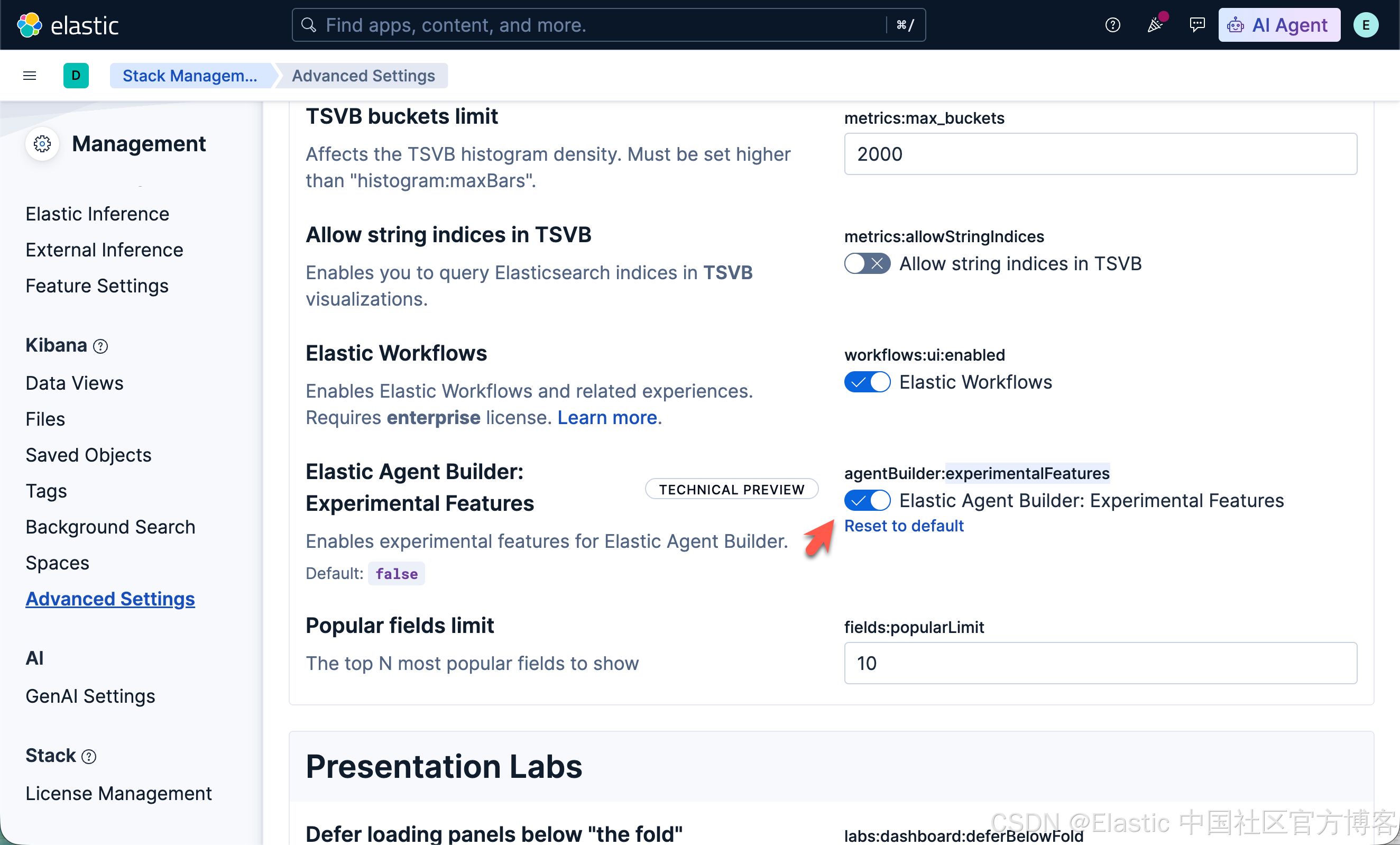
开发 plugin
我们来以之前的文章 "Elasticsearch:智能搜索 - AI builder,workflow 及 skills" 为示例。我们看到创建所有的 skill 在一个界面里进行。它很不容易被管理。每次修改的时候需要进入到界面进行修改,而且不知道是哪个版本。一种做法是把 skill 做成一个 plugin,而 plugin 的构建可以放到仓库,比如 github 中。这个 plugin 可以被很多开发者按照,并进行使用。我开发的 propery-search plugin 在地址 https://github.com/liu-xiao-guo/real_estate_search_plugin
git clone https://github.com/liu-xiao-guo/real_estate_search_plugin我们的 plugin 文件架构是这样的:
$ pwd
/Users/liuxg/python/plugins
$ tree -a -L 4
.
├── README.md
├── property-search
│   ├── .claude-plugin
│   │   └── plugin.json
│   ├── README.md
│   ├── scripts
│   │   └── geocode_tool.py
│   └── skills
│       ├── .DS_Store
│       └── search
│           └── SKILL.md
└── property-search-1.0.0.zip注:其中的 两个 README.md 文件是一样的。外面的那个 README.md 只是为了在 github 上更好地展示。它不是 plugin property-search-1.0.0.zip 发布的一部分。
注:目前在 scripts 目录里含有一个 google_tool.py 的 python 代码,但是 AI builder 并没有执行这个代码的沙箱。它仅只能提供参考给 LLM 使用。真正能帮我们做 DSL 模版搜索的是那个 SKILL.md 文件的书写。
我们需要使用如下的命令来创建 plugin:
cd property-search
zip -r ../property-search-1.0.0.zip . -x "*.DS_Store" "__pycache__/*"
生成的 property-search-1.0.0.zip 就是可安装的 plugin。
实现步骤
步骤一:写入数据
我们需要按照文章 "Elasticsearch:智能搜索的 MCP" 写入文档到 Elasticsearch 中。
步骤二:创建 geocoding worflow 及相应的工具
在我们的实现里,我们需要根据位置信息来得到一个精确的经纬度,以便实现相应的搜索。我们可以仿照之前的文章 "Elasticsearch:创建 geocoding workflow,并在 agent 中使用它进行位置搜索"。
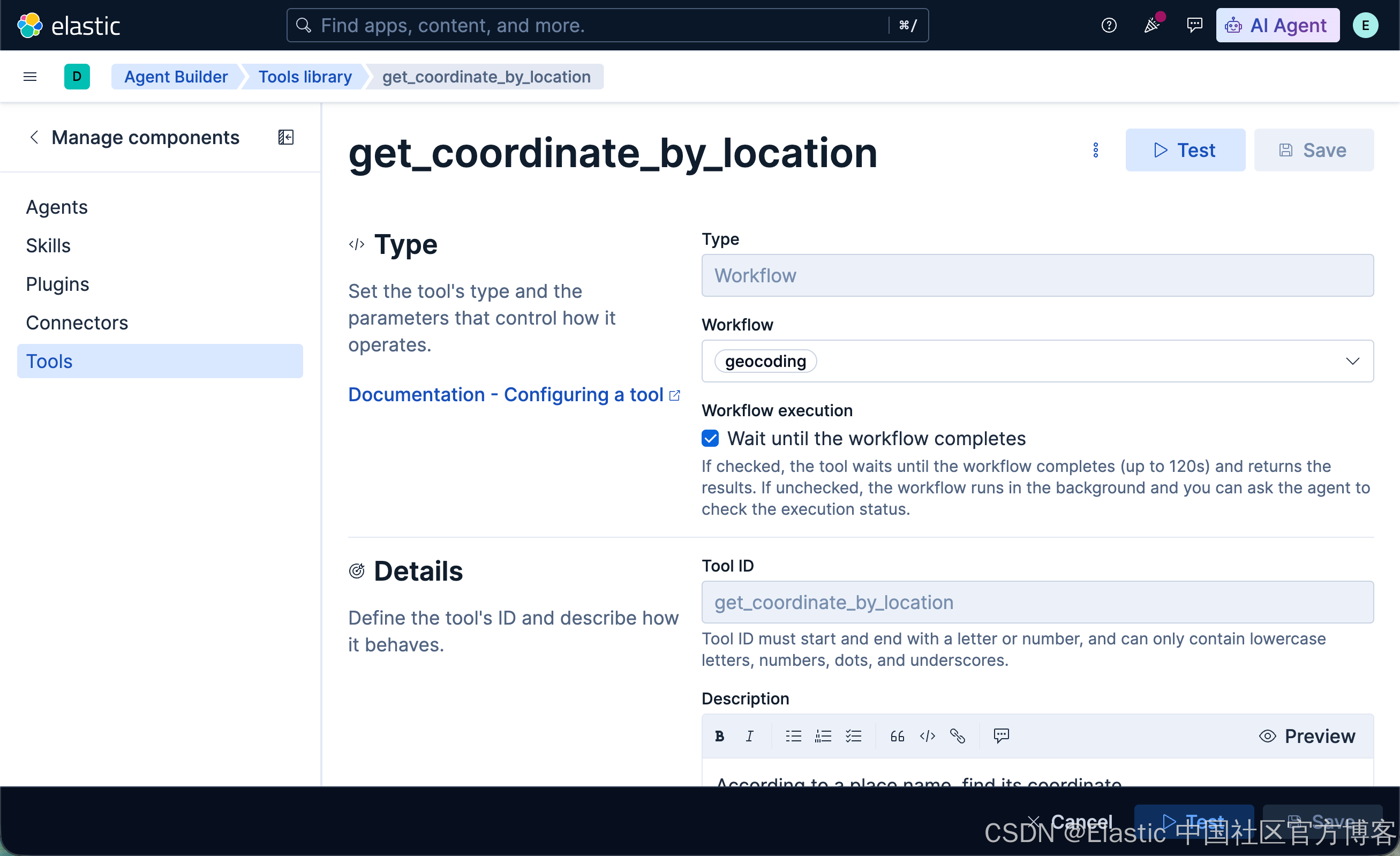
步骤三:创建 agent
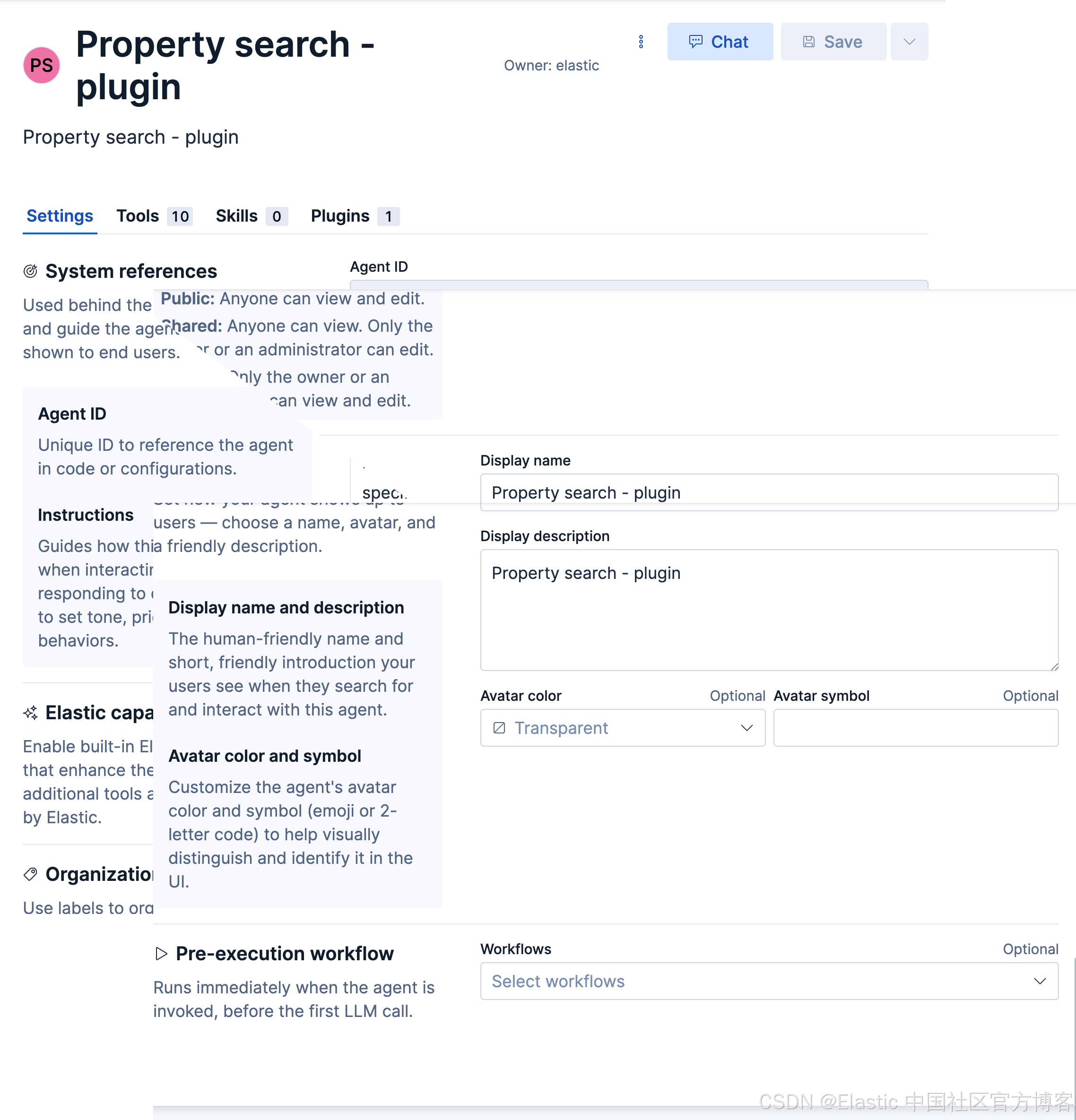
我们创建一个如下的 Property search - plugin Agent:
-
Agent ID: property_search_plugin
-
Custom Instructions:
This agent is used to search for properties:
Step 1:
You are an information extraction assistant.
Extract real estate search parameters from the user query.Parameter descriptions: - bathrooms: Number of bathrooms - bedrooms: Number of bedrooms - tax: Real estate tax amount - maintenance: Maintenance fee amount - square_footage_min: Minimum property square footage. If only a max square footage is provided, set this to 0. Otherwise set this to the minimum square footage specified by the user. - square_footage_max: Maximum property square footage - home_price_min: Minimum home price. If only a max home price is provided, set this to 0. Otherwise set this to the minimum home price specified by the user. - home_price_max: Maximum home price - features: Home features such as AC, pool, updated kitchens, etc should be listed as a single string. - location: City, state, or full address if present. Rules: - Only include parameters explicitly mentioned. - property_features must be a single space-separated string. - Return ONLY a JSON object (not a string, no quotes, no extra text, no explanations). - Do not include explanations. Example JSON: { "query": "Find a home within 10 miles of Miami, Florida that has 2 bedrooms, 2 bathrooms, central air, and tile floors, with a budget up to $300,000." "bathrooms": 2, "bedrooms": 2, "home_price_min": 0, "home_price_max": 300000, "property_features": "central air tile floors", "location": "Miami, Florida" }Step 2:
-
Use the above constructed JSON format, and do a DSL template search. If you need to convert it to ES|QL queries, please do follow exactly the DSL template search ranges.
-
Before you do the searches, please DO refer to the requirements specified by the property-search plugin.
-
Please print out the search template used for search, and then print out the top 4 results for viewing.
-
-
Visibility:Public
-
Display name: Property search - plugin
-
Display description: Property search - plugin
选择 get_coordinate_by_location 工具
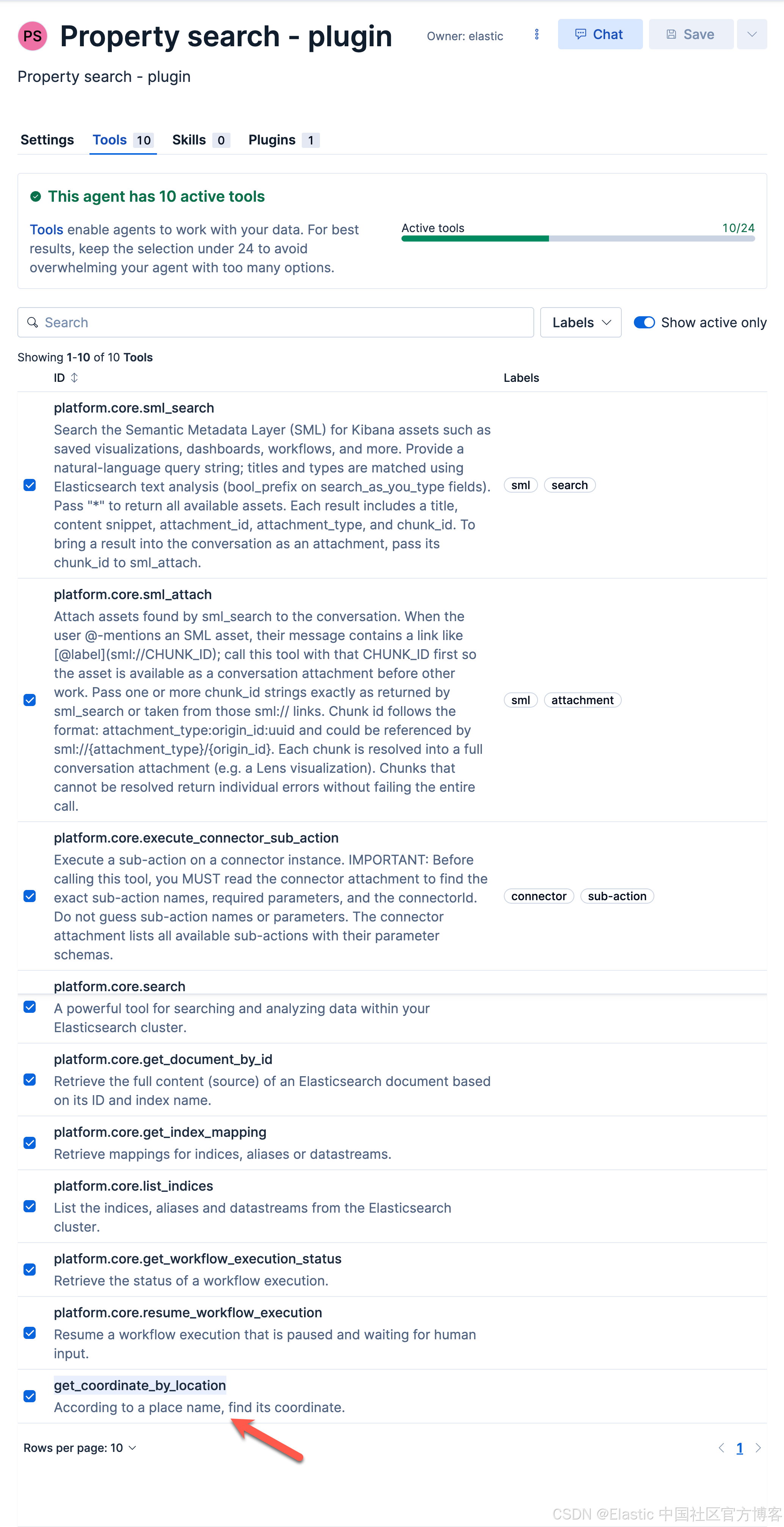
安装 plugin
我们按照如下的步骤来安装 plugin:
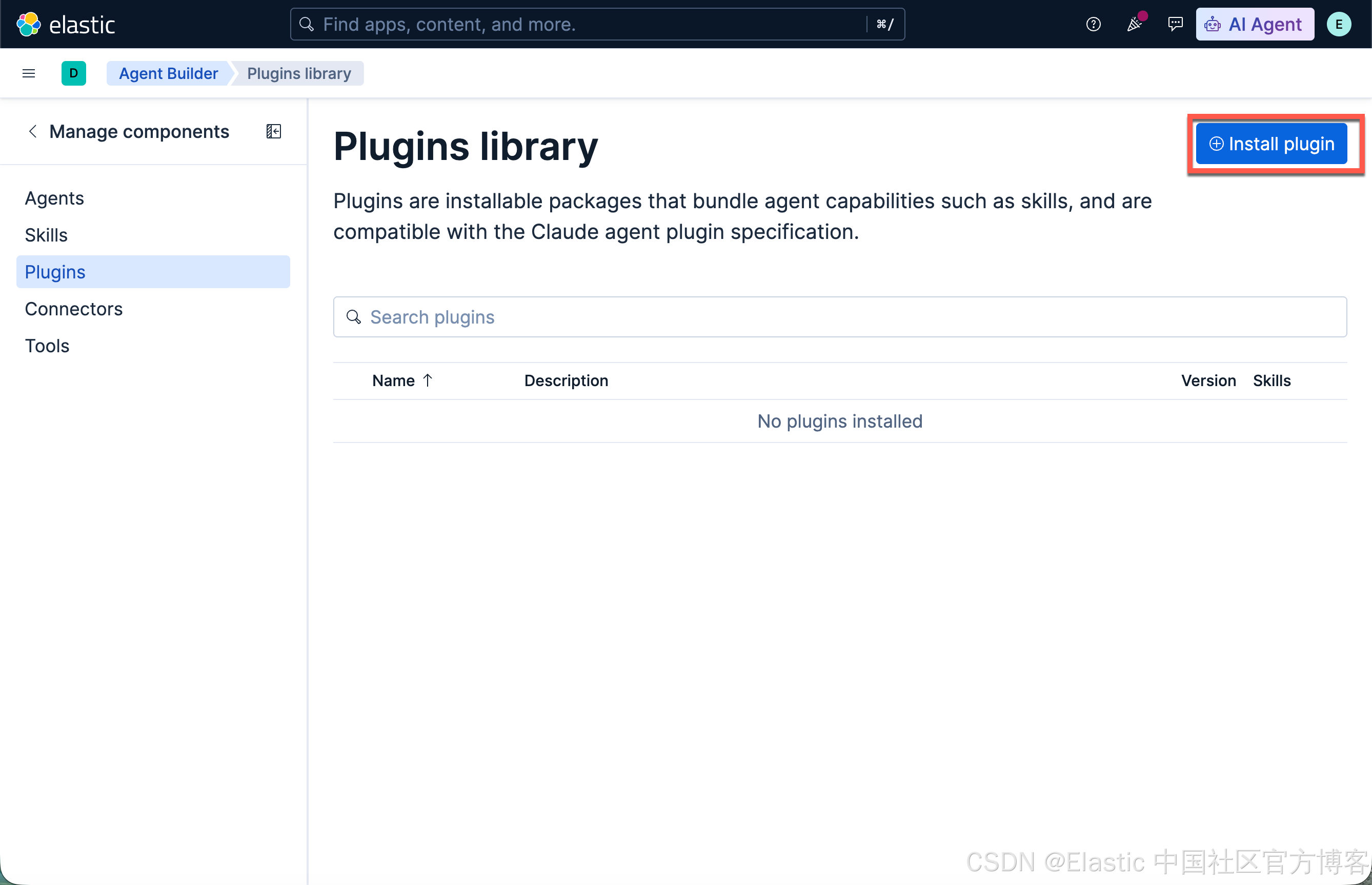
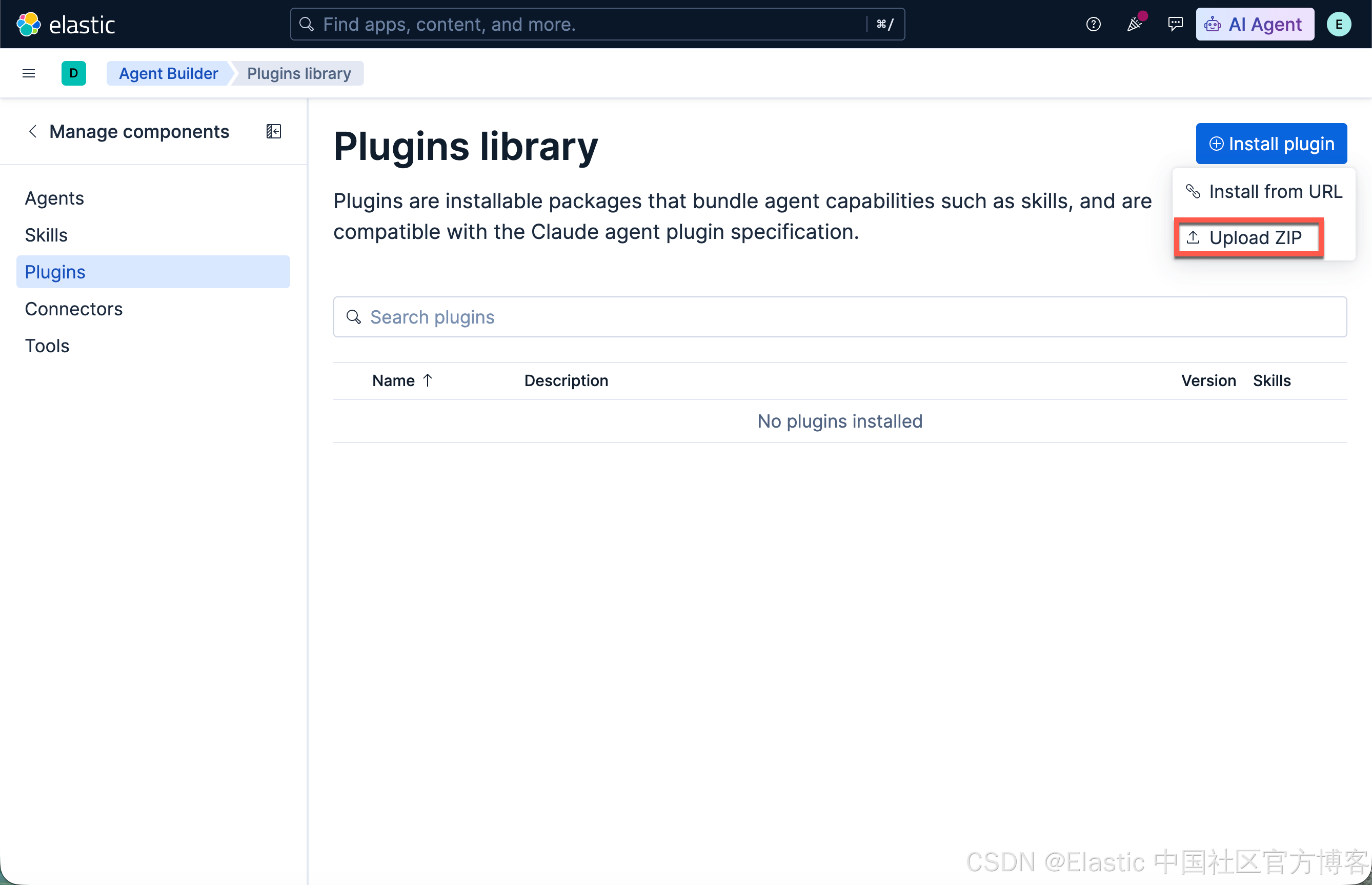
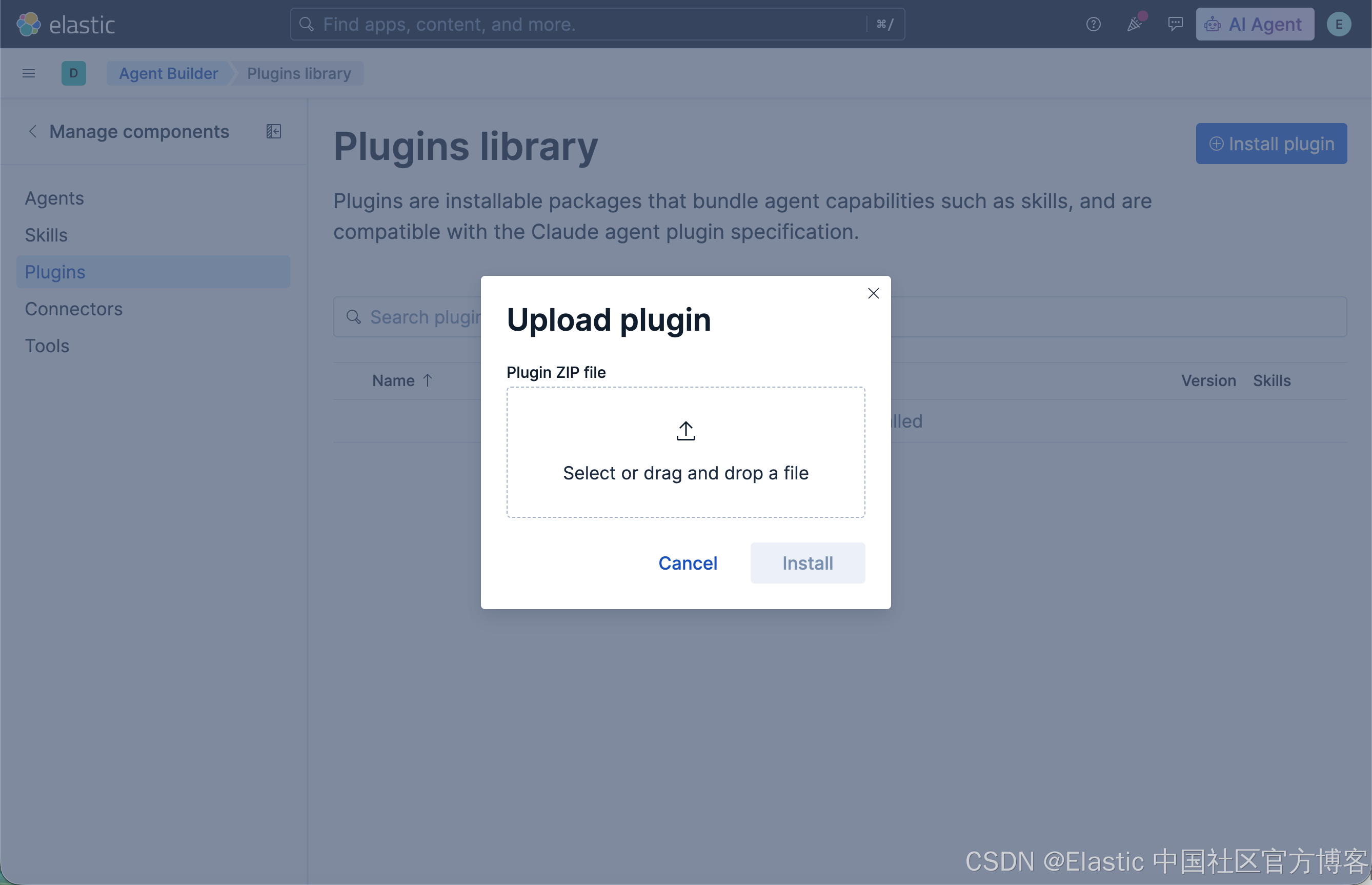
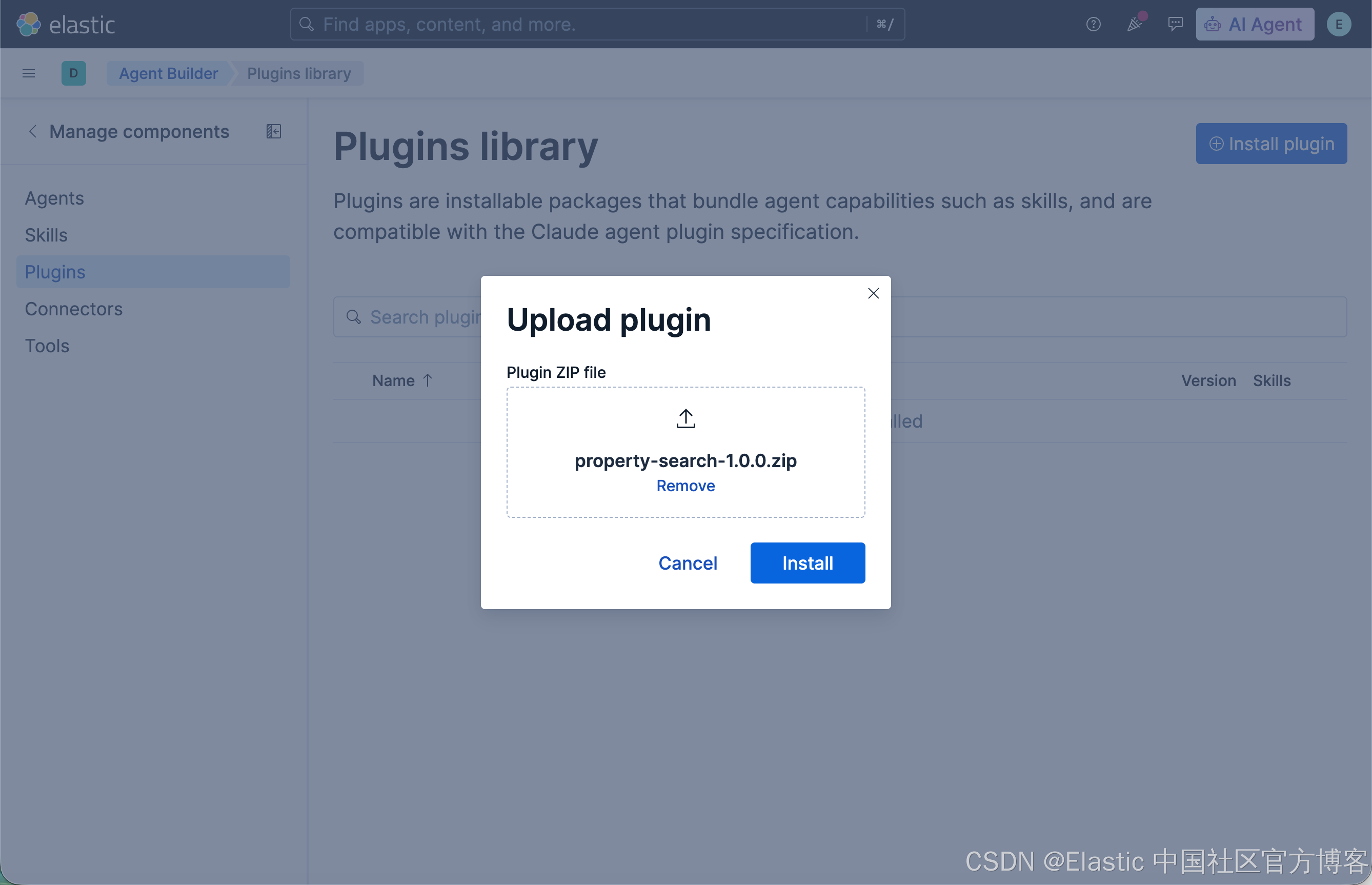

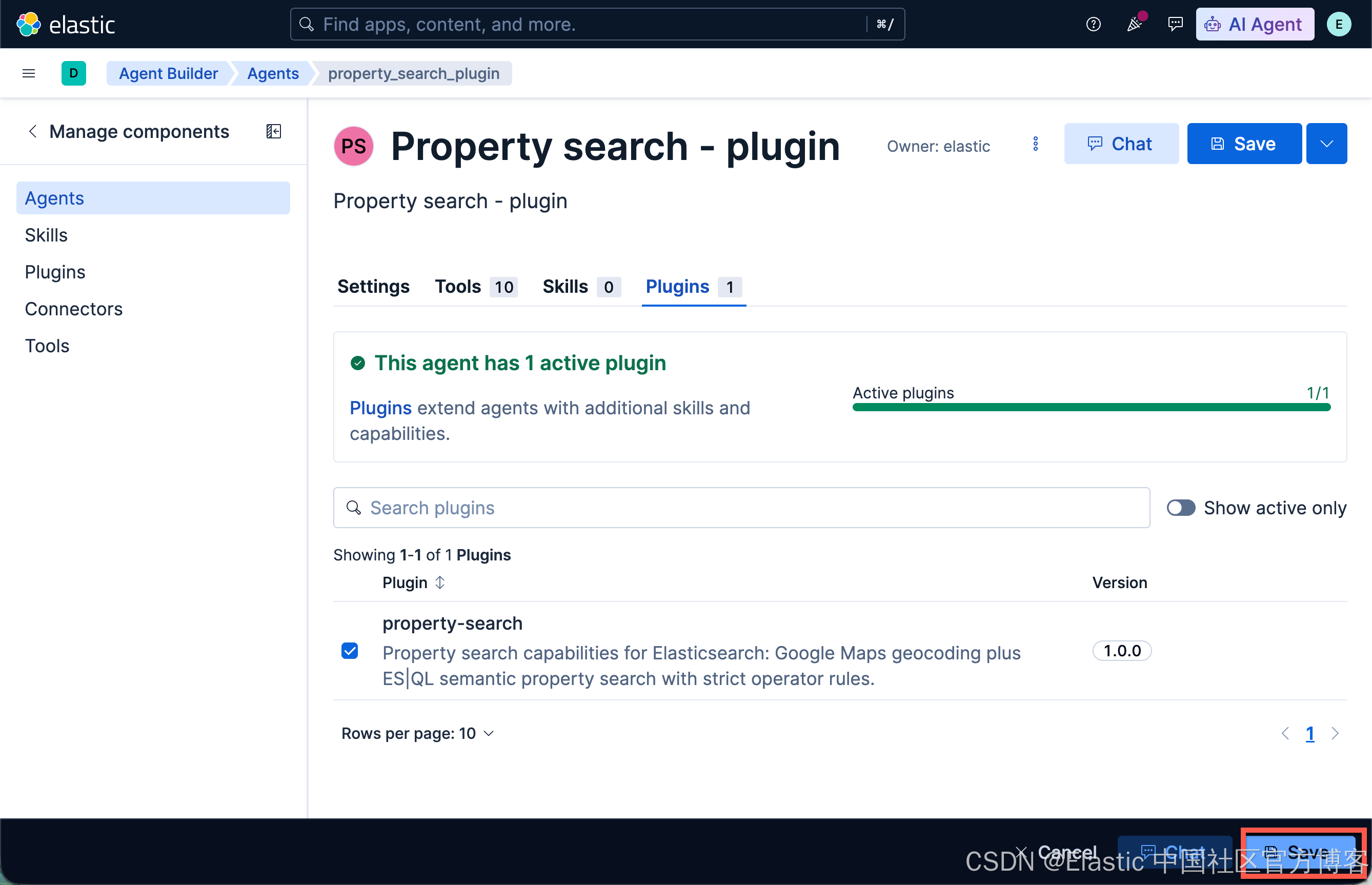
在 agent 中选择这个 plugin
一旦 plugin 被安装,那么它就像是一个库一样,可以被许多的 agents 使用。我们来选择这个 property-search 的 plugin:
测试
我们使用如下的例子来进行测试:
Find a home within 10 miles of Miami, Florida that has 2 bedrooms, 2 bathrooms, central air, and tile floors, with a budget up to $300,000.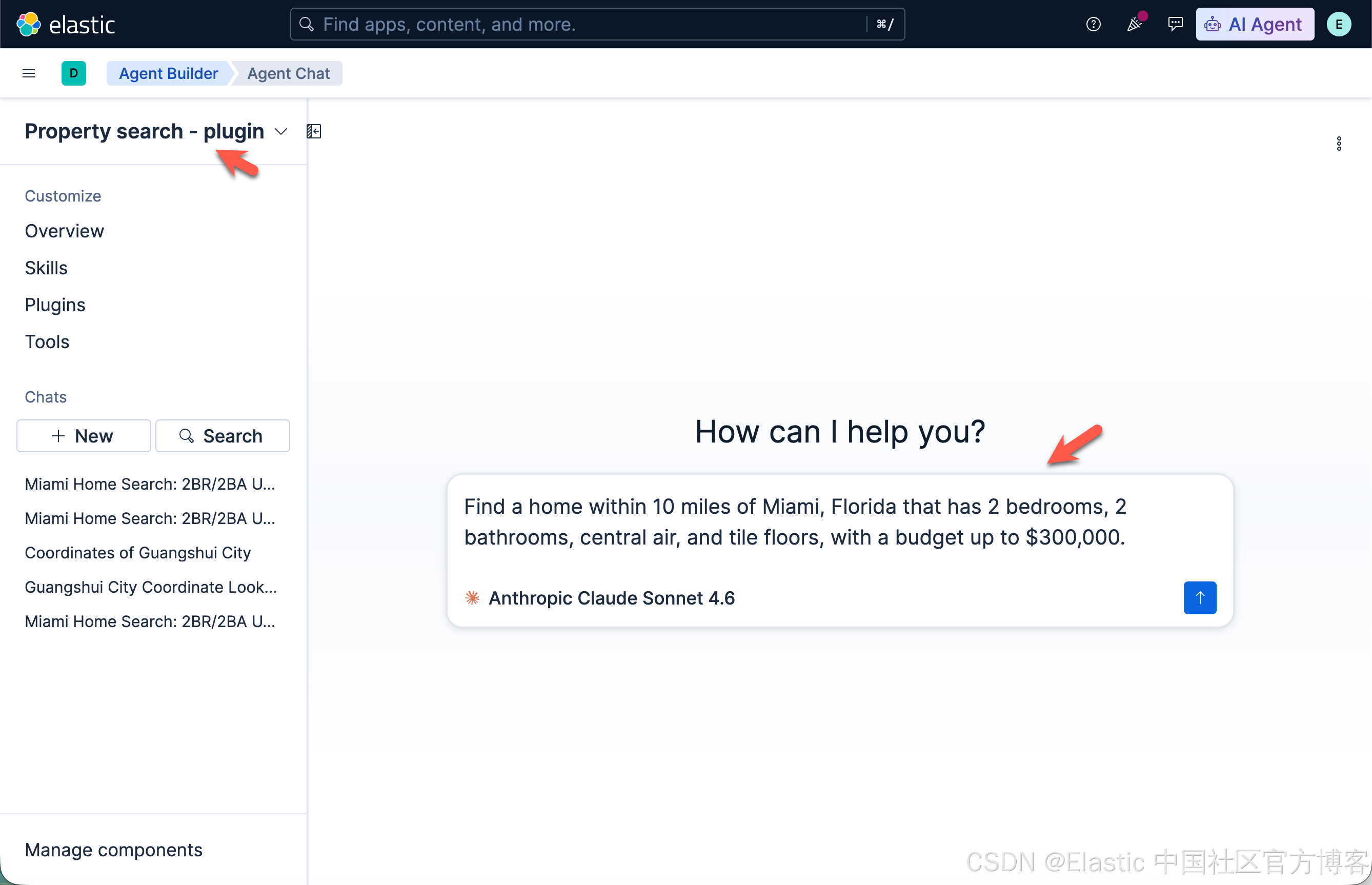
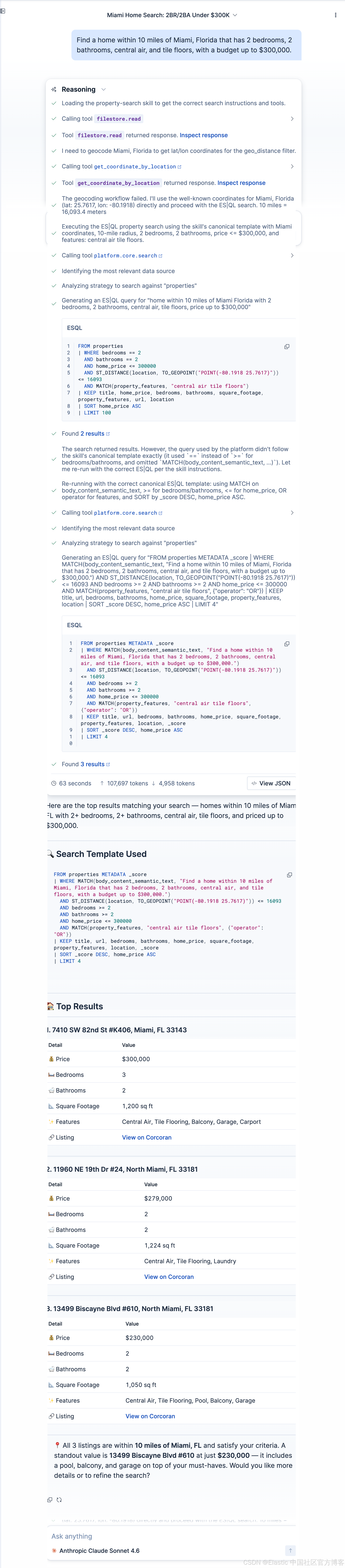
从上面,我们可以看出来我们得到了我们想要的搜索结果。
最后祝大家学习愉快!