一、参考资料
【超详细】Claude Code Ubuntu平台完整部署指南-CSDN博客
二、安装Claude Code
温馨提示:Ubuntu系统下安装Claude Code,其步骤与Windows平台类似,本文仅记录关键步骤。
详细步骤请参考:Windows系统下快速体验Claude code-CSDN博客
1. 更新系统环境
bash
sudo apt-get update
sudo apt-get upgrade
2. 安装node.js
下载地址:NodeSource
根据系统版本,选择合适的Node.js版本。
bash
sudo apt-get install -y curl

curl -fsSL https://deb.nodesource.com/setup_26.x | sudo -E bash -

sudo apt-get install -y nodejs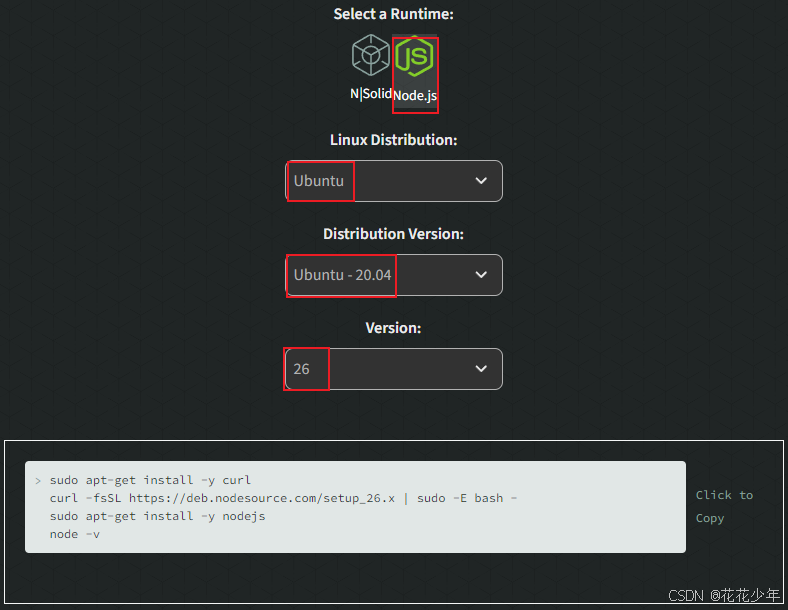
检查是否安装成功:
bash
node --version
npm --version
输出示例:
bash
yoyo@yoyo:/media/sda3/workspace$ node --version
v26.3.0
yoyo@yoyo:/media/sda3/workspace$ npm --version
11.16.0
3. 安装Claude Code Cli
bash
sudo npm install -g @anthropic-ai/claude-code输出示例:
bash
yoyo@yoyo:/media/sda3/workspace$ sudo npm install -g @anthropic-ai/claude-code

changed 2 packages in 2m
npm warn allow-scripts 1 package has install scripts not yet covered by allowScripts:
npm warn allow-scripts   @anthropic-ai/claude-code@2.1.160 (postinstall: node install.cjs)
npm warn allow-scripts
npm warn allow-scripts Run `npm approve-scripts --allow-scripts-pending` to review, or `npm approve-scripts <pkg>` to allow.
如果安装失败,则切换为国内镜像源:
bash
sudo npm config set registry https://registry.npmmirror.com检查是否安装成功:
bash
claude --version4. 配置环境变量
bash
sudo mkdir -p ~/.claude
sudo gedit ~/.claude/settings.json
添加以下内容(以 DeepSeek-V3.2 模型为例):
json
{
  "env": {
    "ANTHROPIC_API_KEY": "sk-你的真实APIKey",
    "ANTHROPIC_BASE_URL": "https://platform.deepseek.com",
    "ANTHROPIC_MODEL": "DeepSeek-V3.2"
  },
  "model": "DeepSeek-V3.2"
}
5. 启动 Claude
bash
# 创建工作空间
mkdir ~/claude_code
cd ~/claude_code

# 启动
claude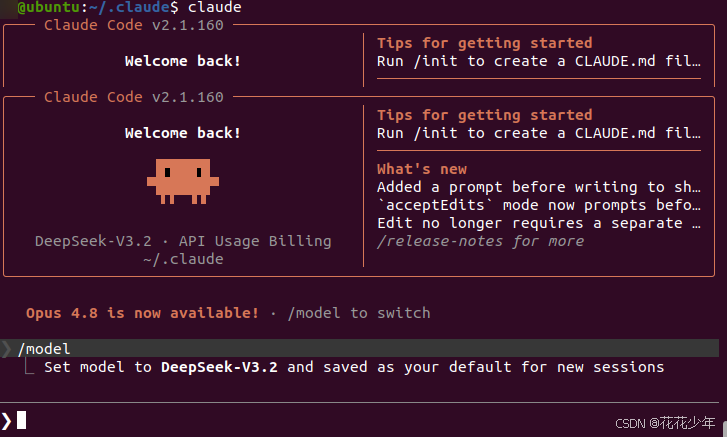
三、FAQ
Q:Note: Claude Code might not be available in your country. Check supported countries at https://anthropic.com/supported-countries
bash
Welcome to Claude Code v2.1.160
..........................................................

     *                                       █████▓▓░
                                 *         ███▓░     ░░
            ░░░░░░                        ███▓░
    ░░░   ░░░░░░░░░░                      ███▓░
   ░░░░░░░░░░░░░░░░░░░    *                ██▓░░      ▓
                                             ░▓▓███▓▓░
 *                                 ░░░░
                                 ░░░░░░░░
                               ░░░░░░░░░░░░░░░░
       █████████                                        *
      ██▄█████▄██                        *
       █████████      *
.......█ █   █ █..........................................

 Unable to connect to Anthropic services

 Failed to connect to api.anthropic.com: ERR_BAD_REQUEST

 Please check your internet connection and network settings.

 Note: Claude Code might not be available in your country. Check supported
 countries at https://anthropic.com/supported-countries
解决方法 :修改 ~/.claude.json 文件,末尾添加一行:
json
"hasCompletedOnboarding": true