关注我的公众号:【编程朝花夕拾】,可获取首发内容。
01 引言
工作中我们经常会遇到多人同时编辑一个文件,尤其企业微信中经常使用。但是在项目中如果出现需要多人编辑文件的场景,那该如何操作呢?
这就是今天要分享的项目OnlyOffice,可以帮我们实现office文件在线编辑的功能。本节使用SpringBoot4.x集成作为案例。
02 简介
OnlyOffice 文档(文档服务器)是一款开源办公套件,包含处理文档、电子表格、演示文稿、PDF 及 PDF 表单所需的全部工具。该套件支持所有主流办公文件格式(DOCX、ODT、XLSX、ODS、CSV、PPTX、ODP 等),并支持实时协同编辑。
OnlyOffice(文档服务)是一个独立的 Web 服务,负责:
- 渲染 Office 编辑器界面(前端 SDK
api.js) - 将 Office 文件转换为网页可编辑格式
- 编辑完成后回调保存
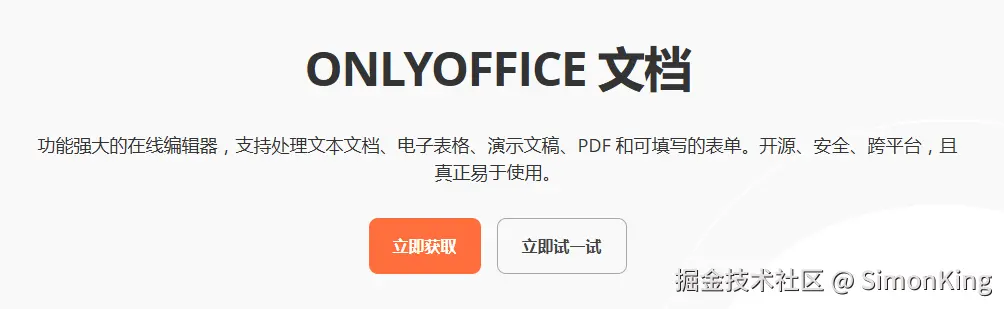
GitHub上提供社区版和企业版的Docker服务,我们下面讲义社区版为例。
GitHub地址:github.com/ONLYOFFICE/...
官网地址:www.onlyoffice.com/zh/office-s...
03 服务搭建
OnlyOffice服务搭建直接使用Docker部署即可。
bash
sudo docker run -i -t -d -p 9090:80 \
    -v /app/onlyoffice/DocumentServer/logs:/var/log/onlyoffice  \
    -v /app/onlyoffice/DocumentServer/data:/var/www/onlyoffice/Data  \
    -v /app/onlyoffice/DocumentServer/lib:/var/lib/onlyoffice \
    onlyoffice/documentserver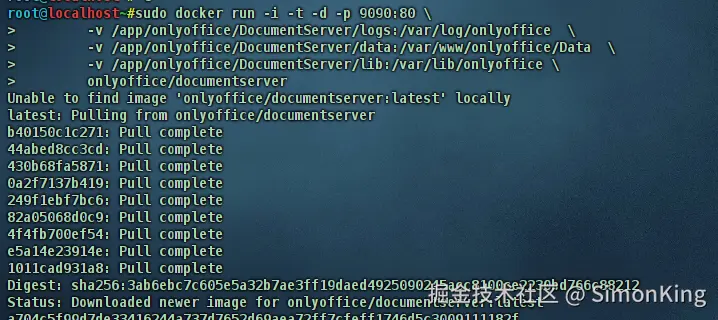
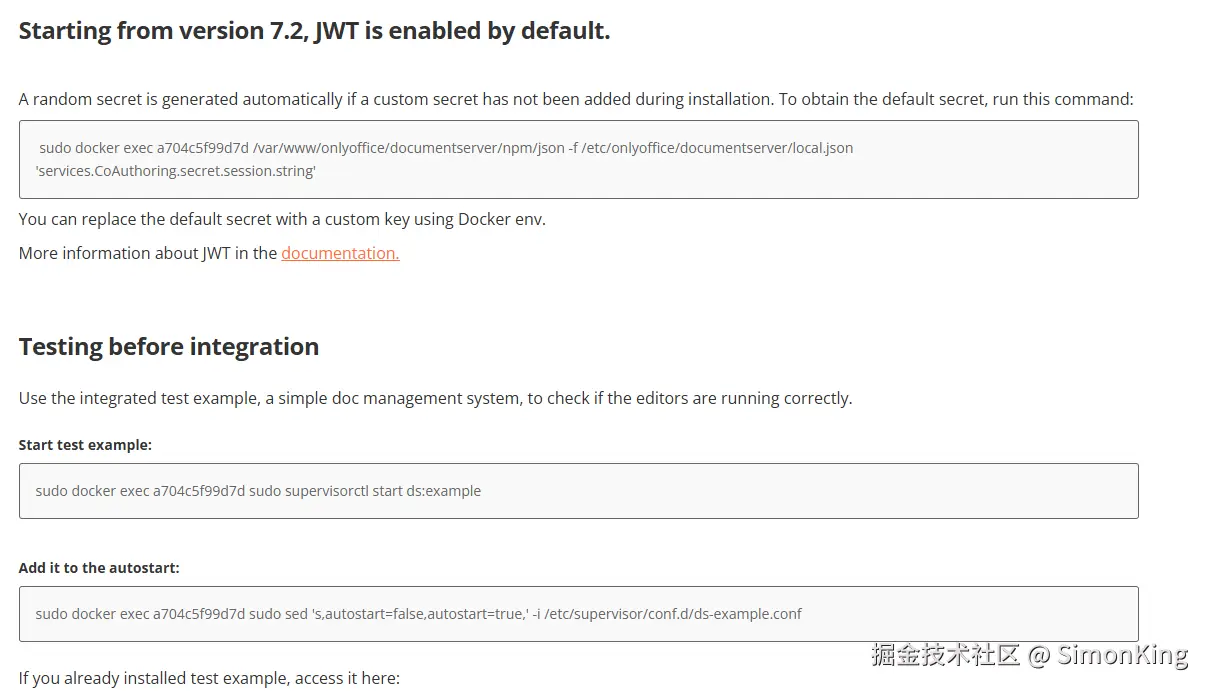
注意这里默认的包含JWT认证的。
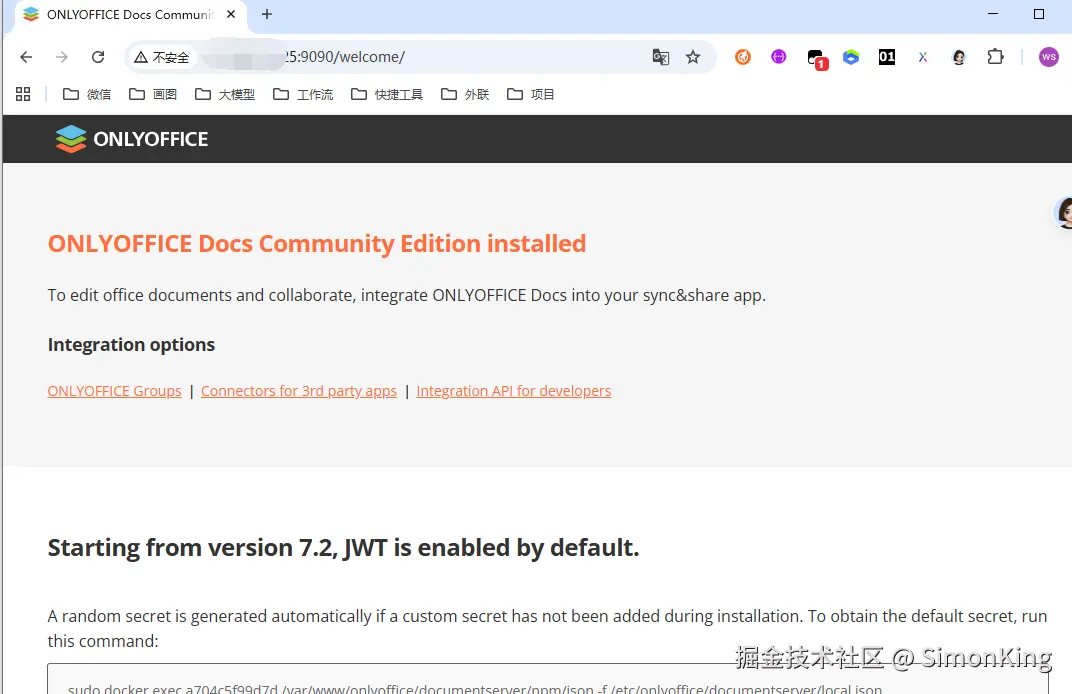
可以通过命令找到Jwt的秘钥。进入首页有很多命令提示。
04 SpringBoot集成
4.1 Maven依赖
xml
<dependency>
    <groupId>org.springframework.boot</groupId>
    <artifactId>spring-boot-starter-webmvc</artifactId>
</dependency>

<!-- Nimbus JOSE+JWT (OnlyOffice 官方推荐的 JWT 库) -->
<dependency>
    <groupId>com.nimbusds</groupId>
    <artifactId>nimbus-jose-jwt</artifactId>
    <version>10.2</version>
</dependency>如果OnlyOffice不启用Jwt认证,则不需要引入nimbus-jose-jwt.
4.2 核心常量
java
/**
 * OnlyOffice 常量配置
 */
public final class OnlyOfficeProperties {

    private OnlyOfficeProperties() {}

    /** OnlyOffice 文档服务地址 */
    public static final String DOC_SERVICE_URL = "http://10.100.xx.xx:9090";

    /** 本项目对外可访问地址(必须是 OnlyOffice 能访问到的 IP) */
    public static final String SERVER_URL = "http://10.50.xx.xx:8080";

    /** 文件存储目录 */
    public static final String STORAGE_PATH = "./storage";

    /** JWT 密钥(为空则不启用签名) */
    public static final String JWT_SECRET = "InYyL*******xTDDugbfyQI";
}
4.3 核心代码
上传和列表展示
java
@GetMapping("/files")
public ResponseEntity<List<String>> listFiles() throws IOException {
    try (Stream<Path> stream = Files.list(storageDir)) {
        return ResponseEntity.ok(stream
                .filter(Files::isRegularFile)
                .map(p -> p.getFileName().toString())
                .toList());
    }
}

@PostMapping("/files")
public ResponseEntity<String> upload(@RequestParam("file") MultipartFile file) throws IOException {
    Files.copy(file.getInputStream(),
            storageDir.resolve(file.getOriginalFilename()),
            StandardCopyOption.REPLACE_EXISTING);
    return ResponseEntity.ok("uploaded: " + file.getOriginalFilename());
}
OnlyOffice 通过下载令牌加载文档
java
@GetMapping("/files/download/{token}")
public ResponseEntity<Resource> downloadByToken(@PathVariable String token) throws IOException {
    String name = downloadTokens.getOrDefault(token, token);
    Path file = storageDir.resolve(name).normalize();
    Resource resource = new UrlResource(file.toUri());
    if (!resource.exists() || !resource.isReadable())
        return ResponseEntity.notFound().build();
    return ResponseEntity.ok()
            .contentType(MediaType.parseMediaType(contentType(name)))
            .body(resource);
}
编辑
java
@GetMapping("/settings")
public ResponseEntity<Map<String, String>> settings() {
    return ResponseEntity.ok(Map.of("docServiceUrl", OnlyOfficeProperties.DOC_SERVICE_URL));
}

@GetMapping("/config")
public ResponseEntity<Map<String, Object>> config(
        @RequestParam("name") String name,
        @RequestParam(value = "user", defaultValue = "user") String user) throws Exception {

    String token = UUID.randomUUID().toString().replace("-", "");
    downloadTokens.put(token, name);

    Map<String, Object> document = new LinkedHashMap<>();
    document.put("fileType", fileType(name));
    document.put("key", token);
    document.put("title", name);
    document.put("url", OnlyOfficeProperties.SERVER_URL + "/api/files/download/" + token);

    Map<String, Object> editorConfig = new LinkedHashMap<>();
    editorConfig.put("callbackUrl", OnlyOfficeProperties.SERVER_URL + "/api/callback");
    editorConfig.put("lang", "zh-CN");
    editorConfig.put("mode", "edit");
    editorConfig.put("user", Map.of("id", user, "name", user));

    Map<String, Object> cfg = new LinkedHashMap<>();
    cfg.put("document", document);
    cfg.put("documentType", docType(name));
    cfg.put("editorConfig", editorConfig);
    cfg.put("height", "100%");
    cfg.put("width", "100%");

    if (isJwtEnabled()) {
        cfg.put("token", sign(objectMapper.writeValueAsString(cfg)));
    }
    return ResponseEntity.ok(cfg);
}
回调
java
@PostMapping("/callback")
public ResponseEntity<Map<String, Integer>> callback(@RequestBody Map<String, Object> body) {
    try {
        handleCallback(body);
    } catch (Exception e) {
        e.printStackTrace();
    }
    return ResponseEntity.ok(Map.of("error", 0));
}

@SuppressWarnings("unchecked")
private void handleCallback(Map<String, Object> body) throws IOException, InterruptedException {
    int status = ((Number) body.get("status")).intValue();
    if (status != 2 && status != 6) return;

    String downloadUrl = (String) body.get("url");
    if (downloadUrl == null || downloadUrl.isEmpty()) return;

    String filename = downloadTokens.getOrDefault(
            (String) body.get("key"), (String) body.get("key"));

    HttpRequest request = HttpRequest.newBuilder()
            .uri(URI.create(downloadUrl)).GET().build();
    HttpResponse<Path> response = httpClient.send(request,
            HttpResponse.BodyHandlers.ofFile(storageDir.resolve(filename + ".tmp")));

    if (response.statusCode() == 200) {
        Files.move(storageDir.resolve(filename + ".tmp"),
                storageDir.resolve(filename), StandardCopyOption.REPLACE_EXISTING);
    }
}
其他辅助方法
java
private String contentType(String name) {
    return switch (ext(name)) {
        case "docx" -> "application/vnd.openxmlformats-officedocument.wordprocessingml.document";
        case "xlsx" -> "application/vnd.openxmlformats-officedocument.spreadsheetml.sheet";
        case "pptx" -> "application/vnd.openxmlformats-officedocument.presentationml.presentation";
        case "pdf" -> "application/pdf";
        default -> "application/octet-stream";
    };
}

private String fileType(String name) {
    return switch (ext(name)) {
        case "xlsx", "xls" -> "xlsx";
        case "pptx", "ppt" -> "pptx";
        case "pdf" -> "pdf";
        case "txt" -> "txt";
        case "csv" -> "csv";
        default -> "docx";
    };
}

private String docType(String name) {
    return switch (ext(name)) {
        case "xlsx", "xls", "csv" -> "cell";
        case "pptx", "ppt" -> "slide";
        default -> "word";
    };
}

private String ext(String name) {
    int dot = name.lastIndexOf('.');
    return dot > 0 ? name.substring(dot + 1).toLowerCase() : "docx";
}

private boolean isJwtEnabled() {
    return OnlyOfficeProperties.JWT_SECRET != null && !OnlyOfficeProperties.JWT_SECRET.isBlank();
}

private String sign(String configJson) throws Exception {
    JWTClaimsSet claims = JWTClaimsSet.parse(configJson);
    SignedJWT signed = new SignedJWT(
            new JWSHeader.Builder(JWSAlgorithm.HS256).type(JOSEObjectType.JWT).build(), claims);
    signed.sign(new MACSigner(OnlyOfficeProperties.JWT_SECRET.getBytes(StandardCharsets.UTF_8)));
    return signed.serialize();
}
4.4 页面
文件管理页 index.html
html
<!DOCTYPE html>
<html lang="zh-CN">
<head>
    <meta charset="UTF-8">
    <meta name="viewport" content="width=device-width, initial-scale=1.0">
    <title>OnlyOffice 在线编辑</title>
    <style>
        * { margin: 0; padding: 0; box-sizing: border-box; }
        body { font-family: -apple-system, sans-serif; background: #f5f5f5; padding: 24px; }
        h1 { font-size: 20px; margin-bottom: 20px; color: #333; }
        .upload-box { display: flex; gap: 10px; margin-bottom: 20px; }
        input[type="file"] { padding: 8px; border: 2px dashed #ccc; border-radius: 6px; flex: 1; }
        button { padding: 8px 20px; border: none; border-radius: 6px; cursor: pointer; font-size: 14px; }
        .btn-upload { background: #667eea; color: #fff; }
        .btn-edit { background: #52c41a; color: #fff; padding: 4px 14px; font-size: 13px; }
        .btn-del { background: #ff4d4f; color: #fff; padding: 4px 14px; font-size: 13px; }
        .file-list { background: #fff; border-radius: 8px; padding: 16px; }
        .file-item { display: flex; align-items: center; padding: 10px 0; border-bottom: 1px solid #f0f0f0; }
        .file-item:last-child { border-bottom: none; }
        .file-name { flex: 1; font-size: 14px; }
        .file-actions { display: flex; gap: 6px; }
        .empty { text-align: center; color: #999; padding: 40px; font-size: 14px; }
    </style>
</head>
<body>
<h1>OnlyOffice 在线编辑</h1>
<div class="upload-box">
    <input type="file" id="fileInput" accept=".docx,.xlsx,.pptx,.pdf,.txt,.csv">
    <button class="btn-upload" onclick="upload()">上传</button>
</div>
<div class="file-list" id="fileList"></div>

<script>
    const API = '/api/files';

    async function loadFiles() {
        const res = await fetch(API).then(r => r.json());
        const box = document.getElementById('fileList');
        if (!res.length) { box.innerHTML = '<div class="empty">暂无文档,请先上传</div>'; return; }
        box.innerHTML = res.map(f => `
            <div class="file-item">
                <span class="file-name">${f}</span>
                <div class="file-actions">
                    <button class="btn-edit" onclick="openEditor('${f}')">编辑</button>
                    <button class="btn-del" onclick="deleteFile('${f}')">删除</button>
                </div>
            </div>`).join('');
    }

    function openEditor(name) {
        window.open('/editor.html?name=' + encodeURIComponent(name), '_blank');
    }

    async function upload() {
        const file = document.getElementById('fileInput').files[0];
        if (!file) return;
        const fd = new FormData(); fd.append('file', file);
        await fetch(API, { method: 'POST', body: fd });
        document.getElementById('fileInput').value = '';
        loadFiles();
    }

    async function deleteFile(name) {
        if (!confirm('确定删除 ' + name + ' ?')) return;
        await fetch(API + '/' + encodeURIComponent(name), { method: 'DELETE' });
        loadFiles();
    }

    loadFiles();
</script>
</body>
</html>
编辑页面
html
<!DOCTYPE html>
<html lang="zh-CN">
<head>
    <meta charset="UTF-8">
    <meta name="viewport" content="width=device-width, initial-scale=1.0">
    <title>文档编辑 - OnlyOffice</title>
    <style>
        * { margin: 0; padding: 0; box-sizing: border-box; }
        html, body { height: 100%; overflow: hidden; }
        #editor { width: 100%; height: 100%; }
        #error { display: flex; align-items: center; justify-content: center; height: 100%; font-size: 16px; color: #ff4d4f; font-family: -apple-system, sans-serif; }
    </style>
</head>
<body>
<div id="editor"></div>

<script>
    const name = new URLSearchParams(location.search).get("name");
    if (!name) {
        document.getElementById('editor').outerHTML = '<div id="error">缺少文档名称参数</div>';
        throw new Error('missing name');
    }
    document.title = name;

    (async function () {
        const { docServiceUrl } = await fetch('/api/settings').then(r => r.json());

        const script = document.createElement('script');
        script.src = docServiceUrl + '/web-apps/apps/api/documents/api.js';
        script.onload = async () => {
            const config = await fetch('/api/config?name=' + encodeURIComponent(name)).then(r => r.json());
            new DocsAPI.DocEditor("editor", config);
        };
        document.head.appendChild(script);
    })();
</script>
</body>
</html>
05 测试
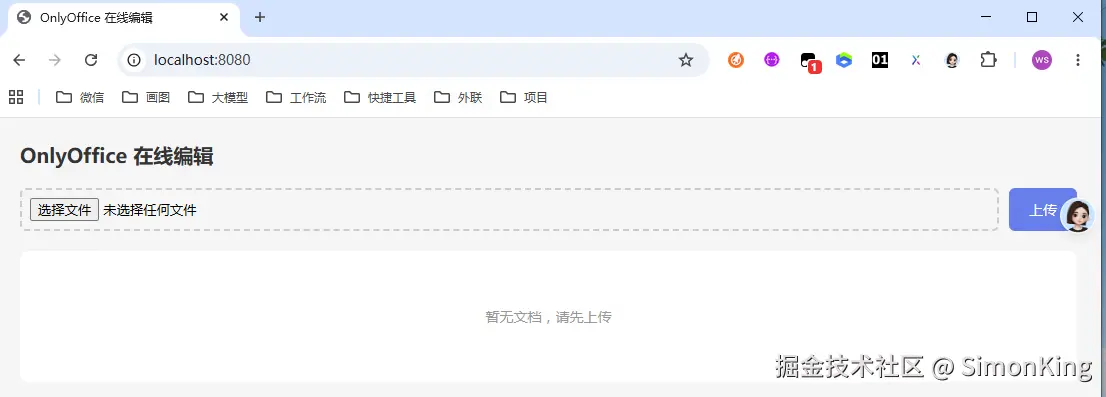
进入首页,页面管理。我们需要上传文件。
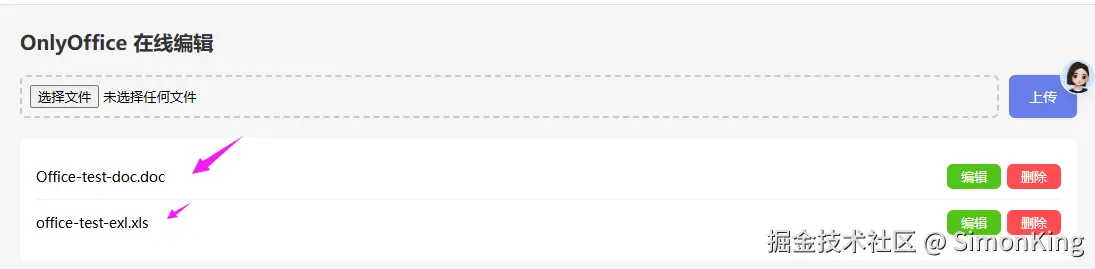
我们是分别上传excel和word文档,文件上传之后就会展示在下面的列表里,点击编辑就可以实现编辑了。
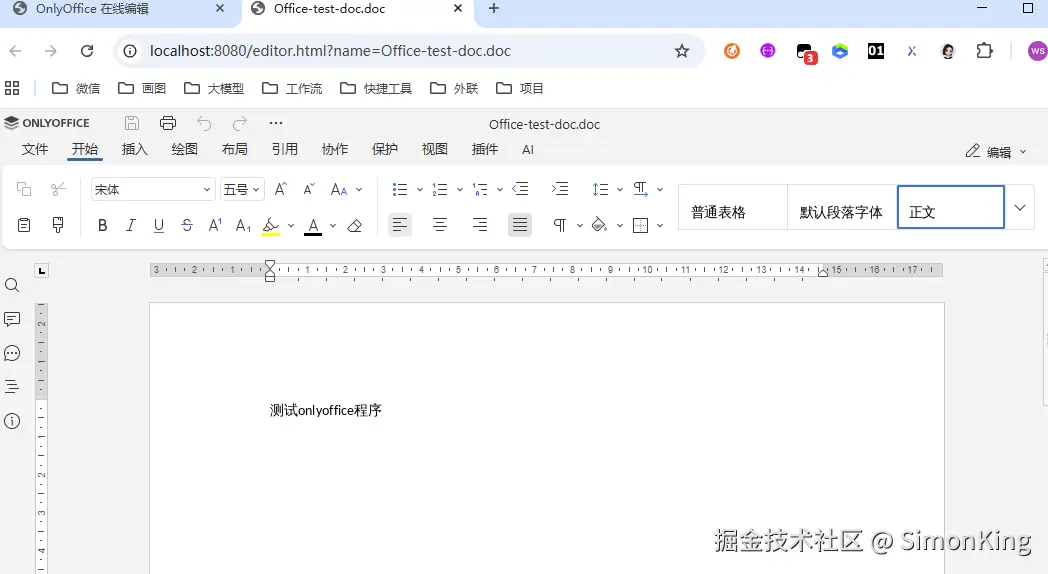
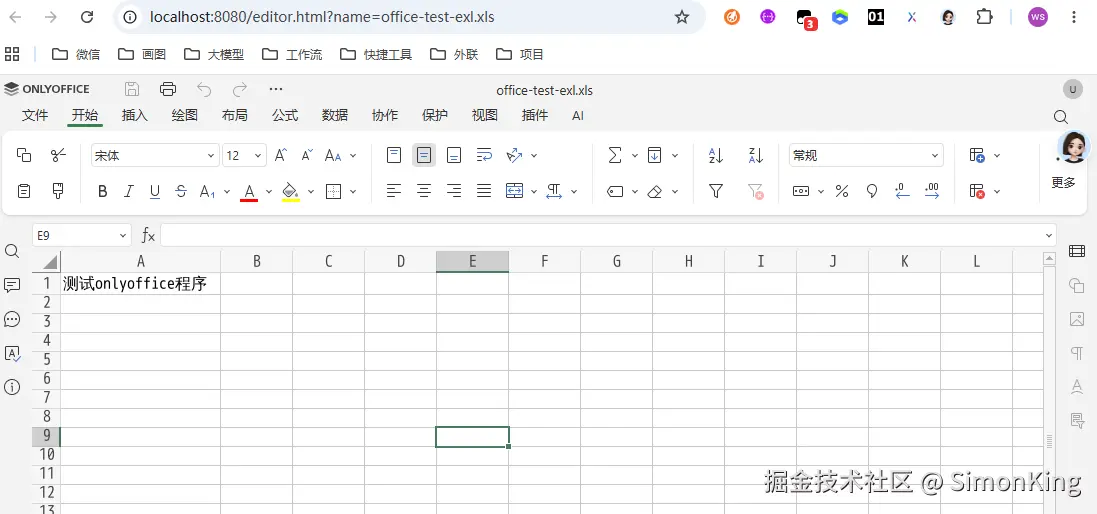
编辑完成之后,再次打开,保留上次添加的内容。