
🫧个人主页:小年糕是糕手
🎨你不能左右天气,但你可以改变心情;你不能改变过去,但你可以决定未来!

目录
[part 1:](#part 1:)
[1° max_size](#1° max_size)
[2° capacity](#2° capacity)
[3° clear](#3° clear)
[4° empty](#4° empty)
[5° reserve](#5° reserve)
[6° shrink_to_fit](#6° shrink_to_fit)
[7° resize](#7° resize)
[part 2:](#part 2:)
[1° push_back](#1° push_back)
[2° append](#2° append)
[3° operator+=](#3° operator+=)
[4° operator+](#4° operator+)
[5° assign](#5° assign)
[6° insert](#6° insert)
[7° erase](#7° erase)
[8° replace](#8° replace)
string中的一些成员函数
part 1:
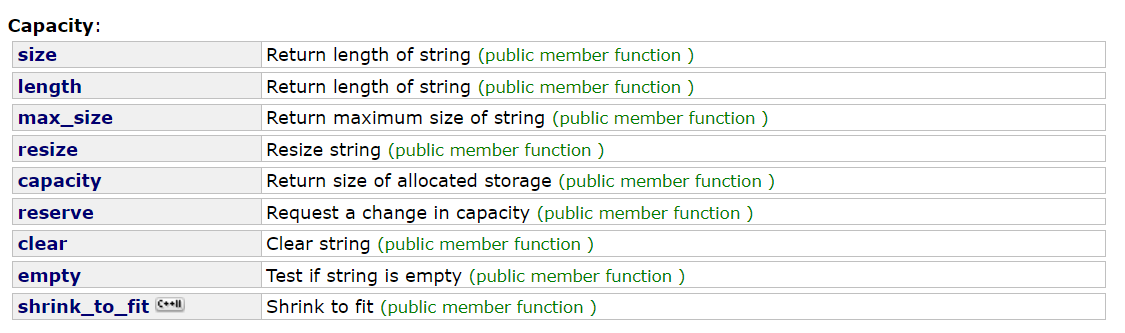
有部分前面的博客说过,下面挑部分讲解,大家要想详细了解,请浏览: https://legacy.cplusplus.com/reference/string/string/ https://legacy.cplusplus.com/reference/string/string/
1° max_size
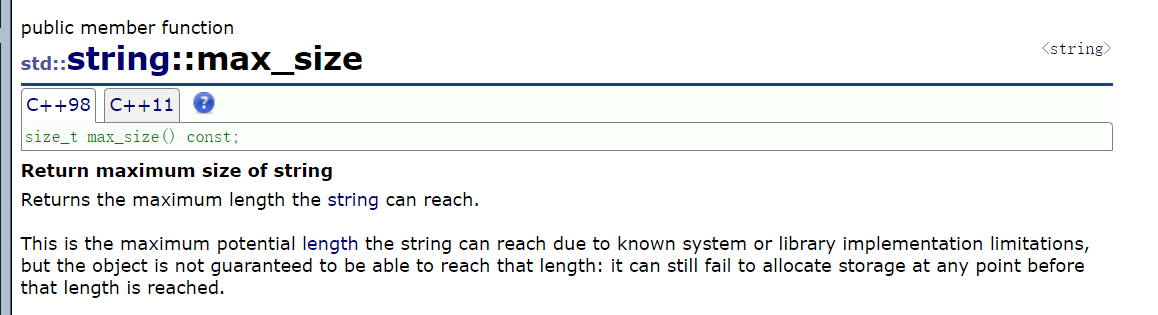
max_size()是 C++std::string类的一个成员函数,它返回的是 该 string 对象在当前系统/实现下理论上能分配的最大字符数 (包括'\0'吗?不包括,std::string不计入'\0'的长度)。
cpp
#include<iostream>
#include<string>//string
#include<algorithm>//算法头文件
#include<list>//链表头文件
using namespace std;

void test_string3()
{
	string s1("hello world");
	cout << s1.max_size() << endl;

}

int main()
{
	try
	{
		test_string3();
	}
	catch (const exception& e)
	{
		cout << e.what() << endl;
	}

	return 0;
}对于不同编译器可能值也不一样,所以参考价值不大,大家了解即可,没有什么实际意义,一般来看一个串的长度我们还是擅长于去使用size。
2° capacity
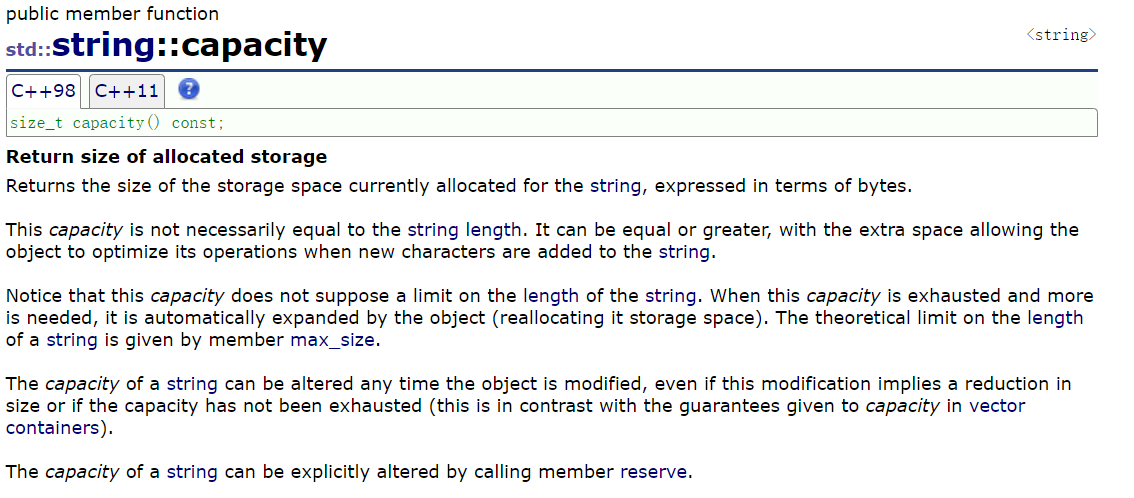
string的capacity(容量)是字符串底层缓冲区的总大小 ,它由string的内存分配策略决定,并非直接等于有效字符数:对于代码中的
s1("hello world")(有效字符数 11,含\0则是 12),string会预分配比当前需要更大的缓冲区 (避免频繁扩容),不同编译器(如 VS、GCC)的预分配规则不同 ------ 这里capacity=15,是编译器根据当前字符串长度自动分配的 "足够大的缓冲区",既覆盖了当前 11 个有效字符的存储,也预留了额外空间(用于后续追加字符时减少内存重分配)。简单说:
capacity是底层缓冲区的总容量(由编译器的内存分配策略决定),不是有效字符数,所以会比size(有效字符数)大。
cpp
void test_string3()
{
	string s1("hello world");
	cout << s1.max_size() << endl;

	//size和capacity都不包含\0(标识字符)
	cout << s1.size() << endl;//11 -- 不包含结尾的\0
	cout << s1.capacity() << endl;//15 -- 存储实际有效字符的个数,不包含结尾\0
}
这里看他会开15个字节的空间,但是实际上会开16个因为这里不包含\0
3° clear
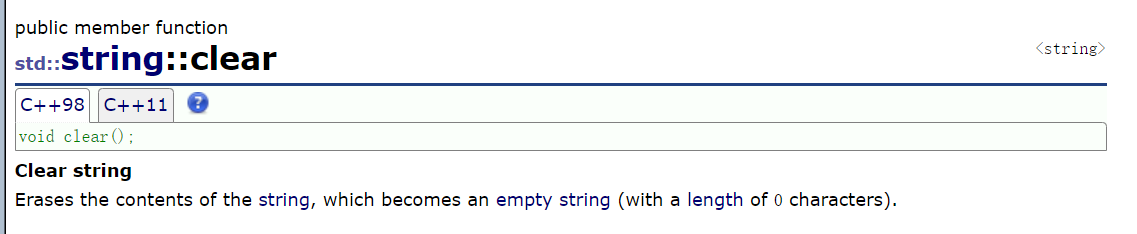
clear就想当于清除数据,但是不会清除空间!相当于就给\0挪到最前面去了,将size清空为0但是capacity不会变
cpp
void test_string3()
{
	string s1("hello world");
	cout << s1.max_size() << endl;

	//size和capacity都不包含\0(标识字符)
	cout << s1.size() << endl;//11 -- 不包含结尾的\0
	cout << s1.capacity() << endl;//15 -- 存储实际有效字符的个数,不包含结尾\0

	s1.clear();//将数据清为0,size变为0,但是capacity不会变
	cout << s1.size() << endl;//0 -- 不包含结尾的\0
	cout << s1.capacity() << endl;//15 -- 存储实际有效字符的个数,不包含结尾\0
}
4° empty
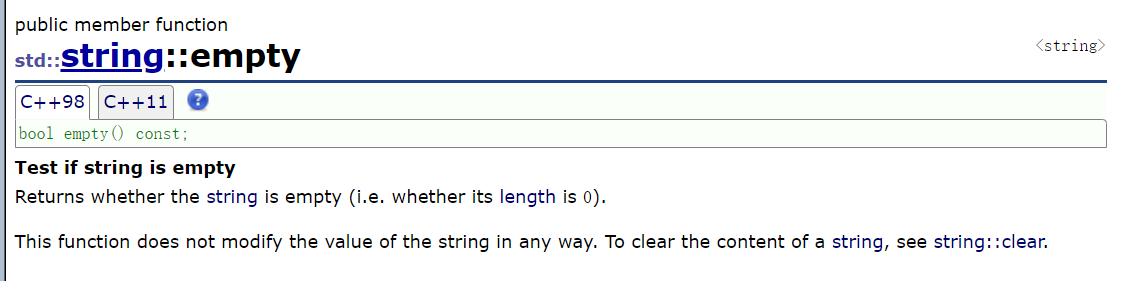
cpp
void test_string3()
{
	string s1("hello world");
	cout << s1.max_size() << endl;

	//size和capacity都不包含\0(标识字符)
	cout << s1.size() << endl;//11 -- 不包含结尾的\0
	cout << s1.capacity() << endl;//15 -- 存储实际有效字符的个数,不包含结尾\0

	s1.clear();//将数据清为0,size变为0,但是capacity不会变
	cout << s1.size() << endl;//0 -- 不包含结尾的\0
	cout << s1.capacity() << endl;//15 -- 存储实际有效字符的个数,不包含结尾\0

	//empty判断字符串是否为空
	if (s1.empty())
	{
		cout << "字符串为空" << endl;
	}
	else {
		cout << "字符串不为空" << endl;
	}
}
5° reserve
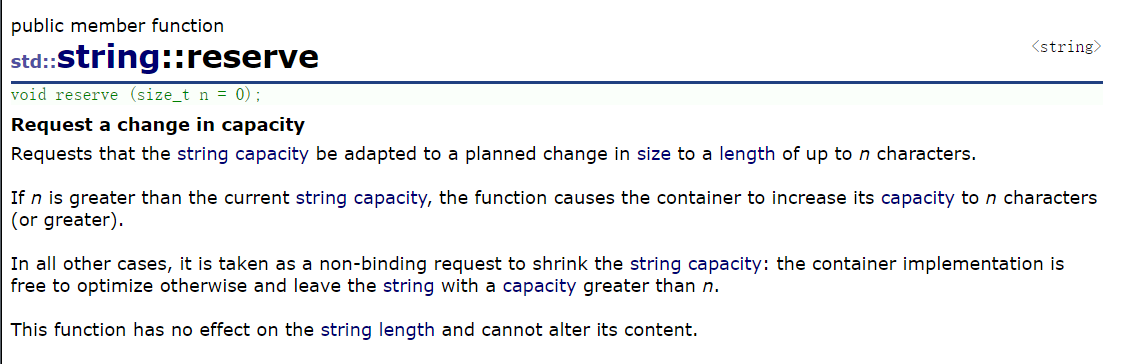
这里的reserve大家不要和reverse弄混了,第一个单词是逆置 / 储存 / 保留,第二个是逆置 / 反转 / 颠倒的意思。
cpp
void test_string3()
{
	string s2("hello world");
	cout << s2.size() << endl;//11
	cout << s2.capacity() << endl;//16

	s2.reserve(20);
	cout << s2.size() << endl;//11
	cout << s2.capacity() << endl;//31

	//这里进行缩容,但是不会缩到5,因为他要求对内容是没有影响的
	//本身有效字符都是11,VS下是不会缩的
	//不同编译器使用reserve扩容都是会扩的,但是不确定是否会缩容
	s2.reserve(5);
	cout << s2.size() << endl;
	cout << s2.capacity() << endl;
}
价值体现:
cpp
//reserve价值体现
void test()
{
	string ss1;
	ss1.reserve(200);//我如果知道我要插入多少字符,那就去提前开空间(扩容)
}
再次强调:reverse不要和reverse搞混,他是个手动扩容的接口
6° shrink_to_fit
cpp
void test_string3()
{
    string s2("hello world");
    cout << s2.size() << endl;//11
    cout << s2.capacity() << endl;//16

    s2.reserve(20);
    cout << s2.size() << endl;//11
    cout << s2.capacity() << endl;//31

    //这里进行缩容,但是不会缩到5,因为他要求对内容是没有影响的
    //本身有效字符都是11,VS下是不会缩的
    //不同编译器使用reserve扩容都是会扩的,但是不确定是否会缩容
    s2.reserve(5);
    cout << s2.size() << endl;
    cout << s2.capacity() << endl;

    //缩容接口
    s2.shrink_to_fit();
    cout << s2.size() << endl; //缩容(VS中也可以)
    cout << s2.capacity() << endl;
    //但是一般情况下我们是不建议缩容的
    //缩容实际上是去开一块更小的空间,然后将之前的数据拷贝下来,释放掉之前的空间
    //以时间换空间(记住扩容和缩容都不会去影响数据)
}
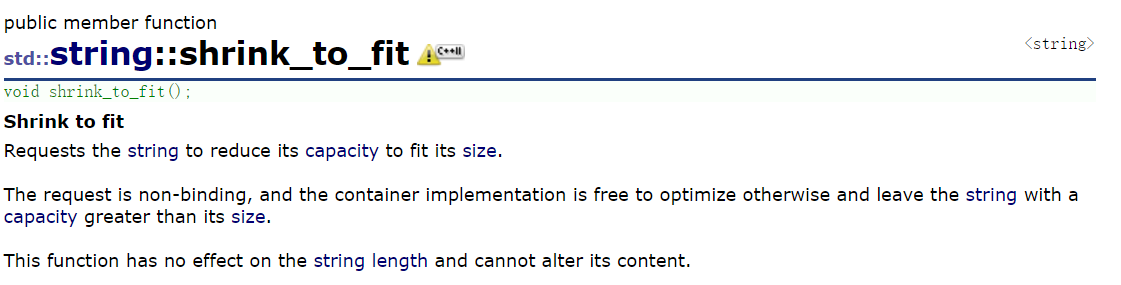
虽然这是去缩容但是大家要去记住,他是不会去改变数据内容的!
C/C++中是不支持释放一部分空间的,这里的缩容实际上是去开一块更小的空间,本质上是一种经典的以时间换空间的逻辑(一般我们都是去以空间换时间),所以我们一般这里不去轻易尝试缩容
7° resize
cpp
void test_string3()
{
	string s3("hello world");
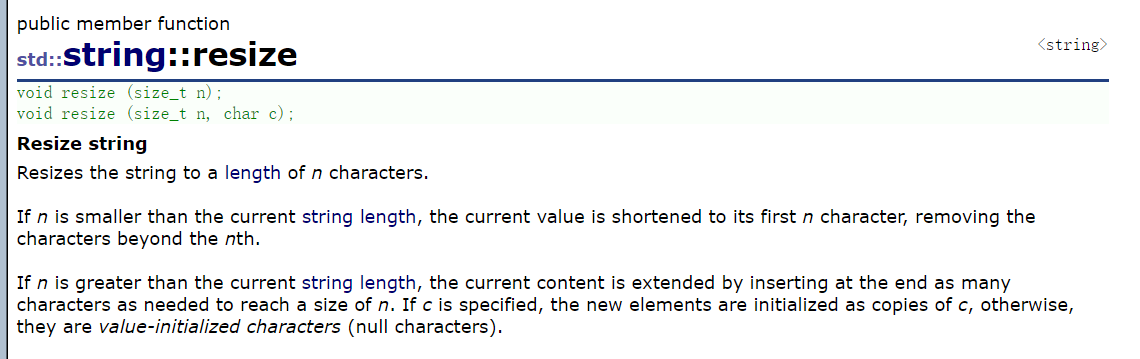
	//resize(n)中的n < 当前对象的size,相当于保留前n个,删除后面的数据
	s3.resize(5);
	cout << s3 << endl;

	//resize(n)中的n > 当前对象的size,插入数据
	s3.resize(10, 'x');
	cout << s3 << endl;
}
part 2:
1° push_back
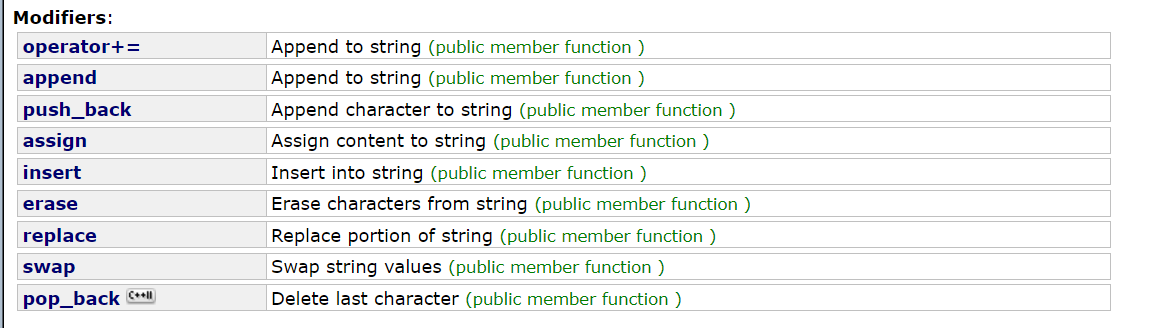
大家是否可以想起来我们之前数据结构中讲解过的尾插,也是用这个命名的,这个成员函数的意思就是尾插,我们在这里来顺便看一下string扩容的方式:

cpp
void TestCapacity()
{
	string s1;
	size_t old = s1.capacity();
	cout << s1.capacity() << endl;
	for (size_t i = 0; i < 200; i++)
	{
		s1.push_back('x');
		//检查是否扩容
		if (s1.capacity() != old)
		{
			cout << s1.capacity() << endl;
			old = s1.capacity();
		}
	}
	cout << endl;
}

void test_string3()
{
	string s1("hello world");
	cout << s1.max_size() << endl;

	//size和capacity都不包含\0(标识字符)
	cout << s1.size() << endl;//11 -- 不包含结尾的\0
	cout << s1.capacity() << endl;//15 -- 存储实际有效字符的个数,不包含结尾\0

	s1.clear();//将数据清为0,size变为0,但是capacity不会变
	cout << s1.size() << endl;//0 -- 不包含结尾的\0
	cout << s1.capacity() << endl;//15 -- 存储实际有效字符的个数,不包含结尾\0

	//empty判断字符串是否为空
	if (s1.empty())
	{
		cout << "字符串为空" << endl;
	}
	else {
		cout << "字符串不为空" << endl;
	}

	cout << endl;
	TestCapacity();
	//根据打印结果我们发现,第一次是2倍扩容,除了第一次以外都是1.5倍扩容(VS2022)
	//STL设计是一种规范
	//规定哪些容器和算法,要实现哪些接口
	//不同的编程平台实现不一样
}
pop_back是尾删的操作与其功能类似,这里就不做演示了。
push_back也是有缺陷的就是他只可以插入一个字符,如果要插入多个字符就要用到append
2° append
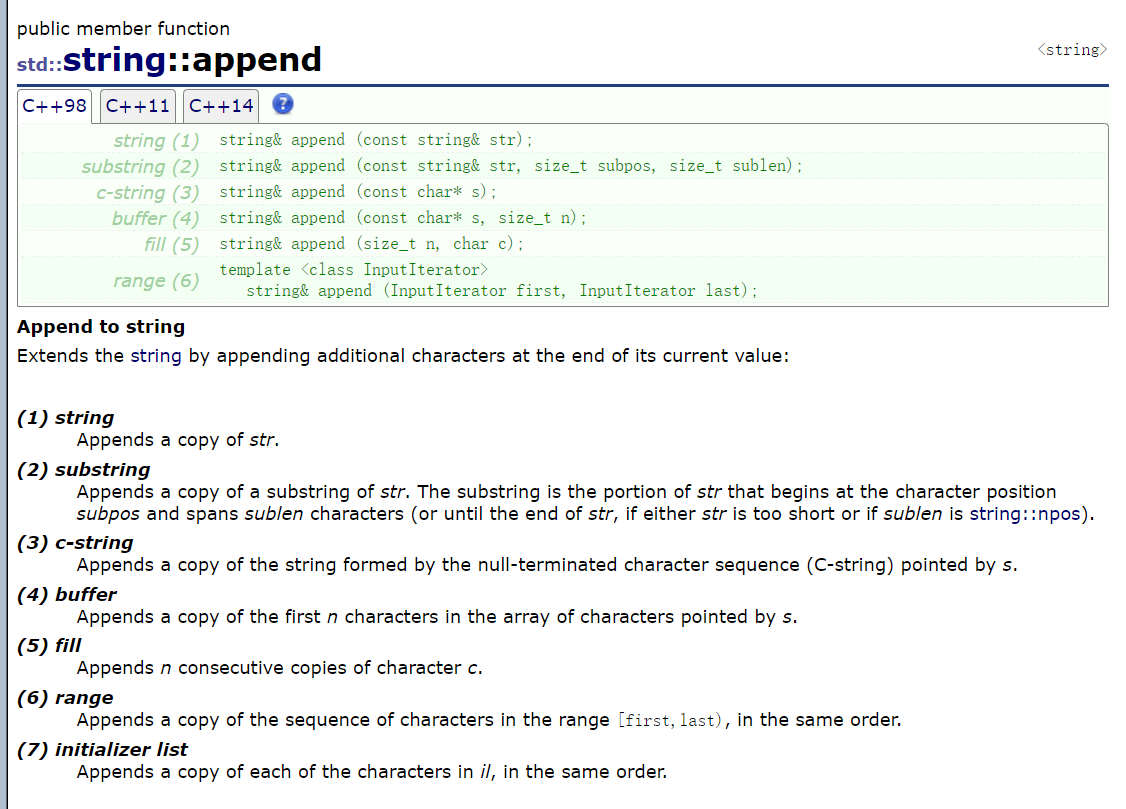
append单词是追加的意思,这里我们来进行演示:
cpp
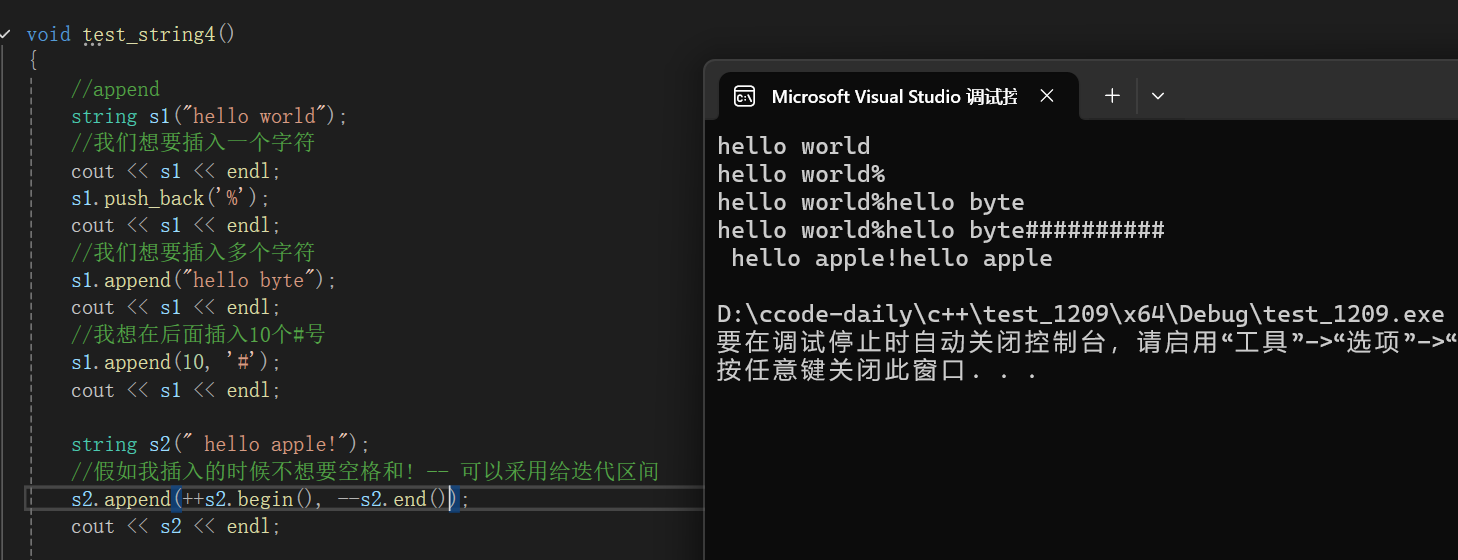
void test_string4()
{
	//append
	string s1("hello world");
	//我们想要插入一个字符
	cout << s1 << endl;
	s1.push_back('%');
	cout << s1 << endl;
	//我们想要插入多个字符
	s1.append("hello byte");
	cout << s1 << endl;
	//我想在后面插入10个#号
	s1.append(10, '#');
	cout << s1 << endl;

	string s2(" hello apple!");
	//假如我插入的时候不想要空格和! -- 可以采用给迭代区间
	s2.append(++s2.begin(), --s2.end());
	cout << s2 << endl;
}
下面是这串代码的运行结果:
3° operator+=
cpp
void test_string3()
{
    //+=
    string s3("hello world");
    s3 += ' ';
    s3 += "hello apple";
    cout << s3 << endl;
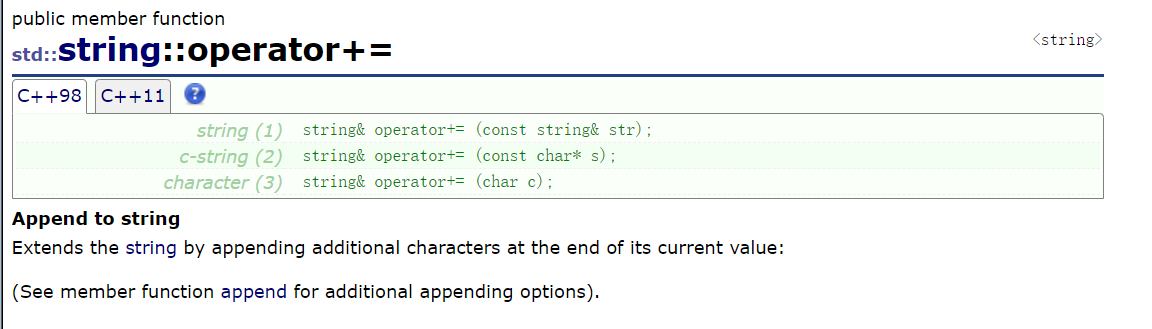
}这段代码的运行结果就是:hello world hello apple
其实这个+=就有点像拼接字符串了,所以一般C++我们学到后期就不在会经常去使用C语言底层讲的一些库了
4° operator+
这里的+并没有被重载成成员函数而是被重载成了非成员函数,他也不属于这个板块里,但是都说了+=不去为大家讲解+感觉会怪怪的,所以下面为大家简单讲解一下string中的operator+
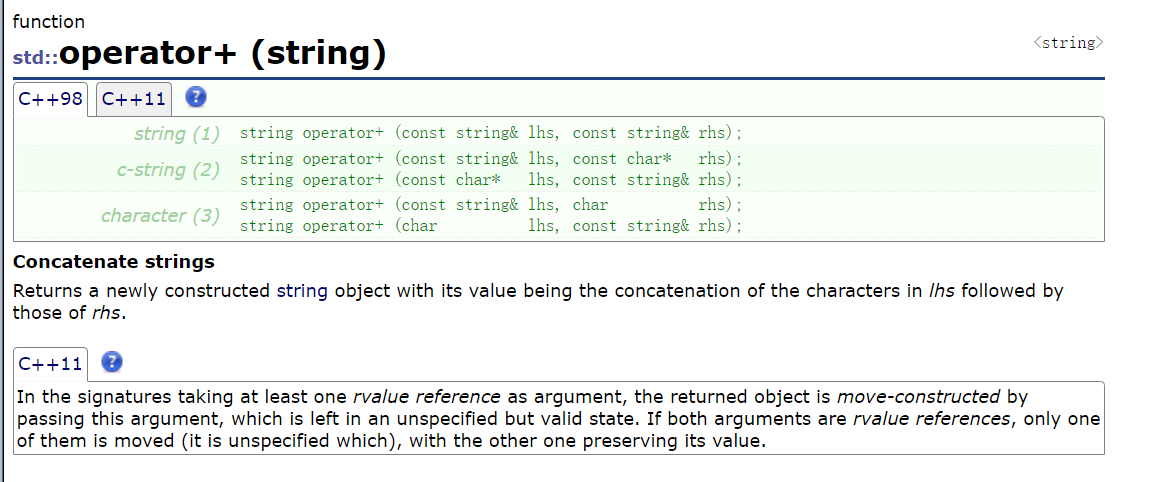
他是以传值的方式返回,不去改变自己,重载成了全局,这个函数用的相对少一点,那大家就会好奇,他存在的意义是什么呢?这时候我们就要来看下面一串代码:
cpp
void test_string3()
{
	//+(并没有被重载成成员函数,而是被重载成了全局函数)
	//但是他并没有修改s3
	cout << s3 + "xxxx" << endl;
	cout << "xxxx" + s3 << endl;//成员函数是不可以这样的
}
顺便说一句string中的比较大小也与这个operator+类似,也是被重载成了全局函数,大家感兴趣可以自己去看文档学习一下,这里不做过多演示
5° assign
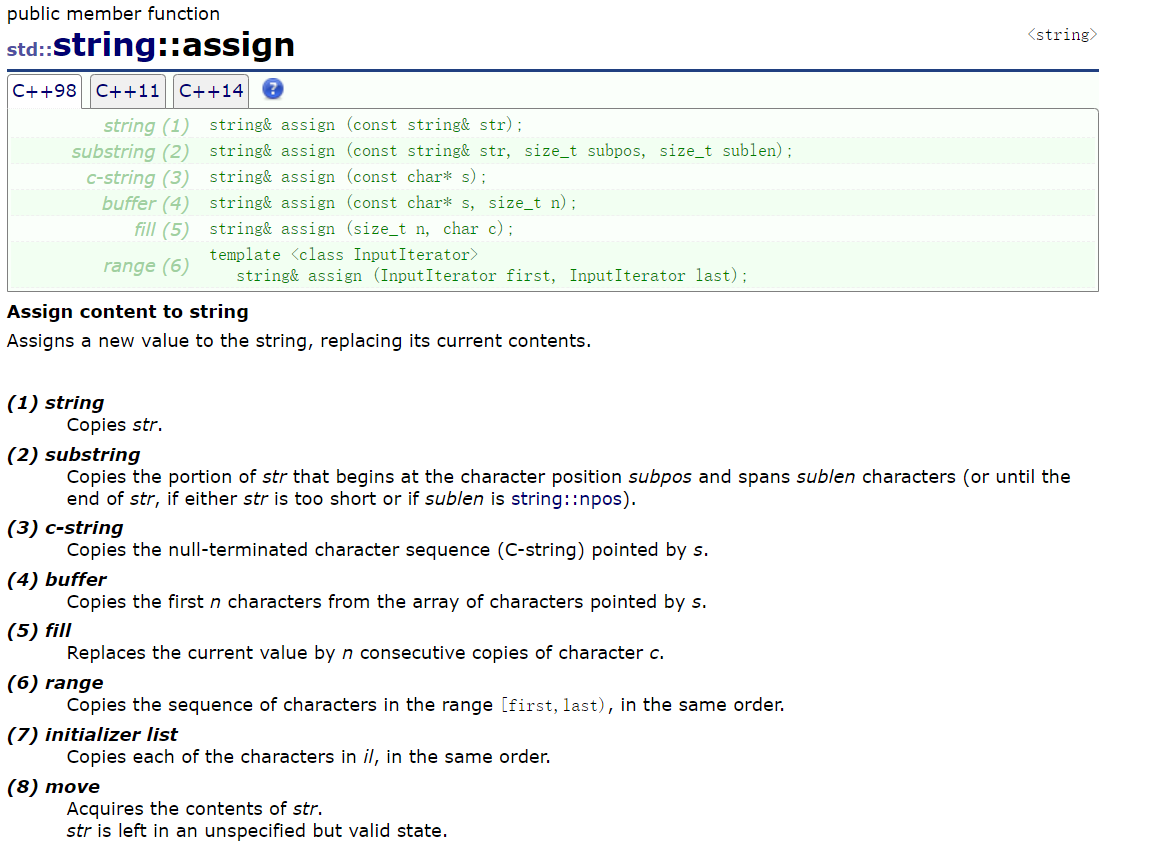
cpp
void test_string3()
{
	//assign -- 给一个字符串重新赋值
	s3.assign("yyy");
	cout << s3 << endl;
}
assign是分配的意思,其实他和赋值有点重叠的意味,也有可能是想让赋值多元化一些,我们运行这串代码打印的结果就是:yyy
下面给出这部分的完整代码供大家参考:
cpp
void test_string4()
{
	//append
	string s1("hello world");
	//我们想要插入一个字符
	cout << s1 << endl;
	s1.push_back('%');
	cout << s1 << endl;
	//我们想要插入多个字符
	s1.append("hello byte");
	cout << s1 << endl;
	//我想在后面插入10个#号
	s1.append(10, '#');
	cout << s1 << endl;

	string s2(" hello apple!");
	//假如我插入的时候不想要空格和! -- 可以采用给迭代区间
	s2.append(++s2.begin(), --s2.end());
	cout << s2 << endl;

	//+=
	string s3("hello world");
	s3 += ' ';
	s3 += "hello apple";
	cout << s3 << endl;

	//+(并没有被重载成成员函数,而是被重载成了全局函数)
	//但是他并没有修改s3
	cout << s3 + "xxxx" << endl;
	cout << "xxxx" + s3 << endl;//成员函数是不可以这样的

	//assign -- 给一个字符串重新赋值
	s3.assign("yyy");
	cout << s3 << endl;
}
6° insert
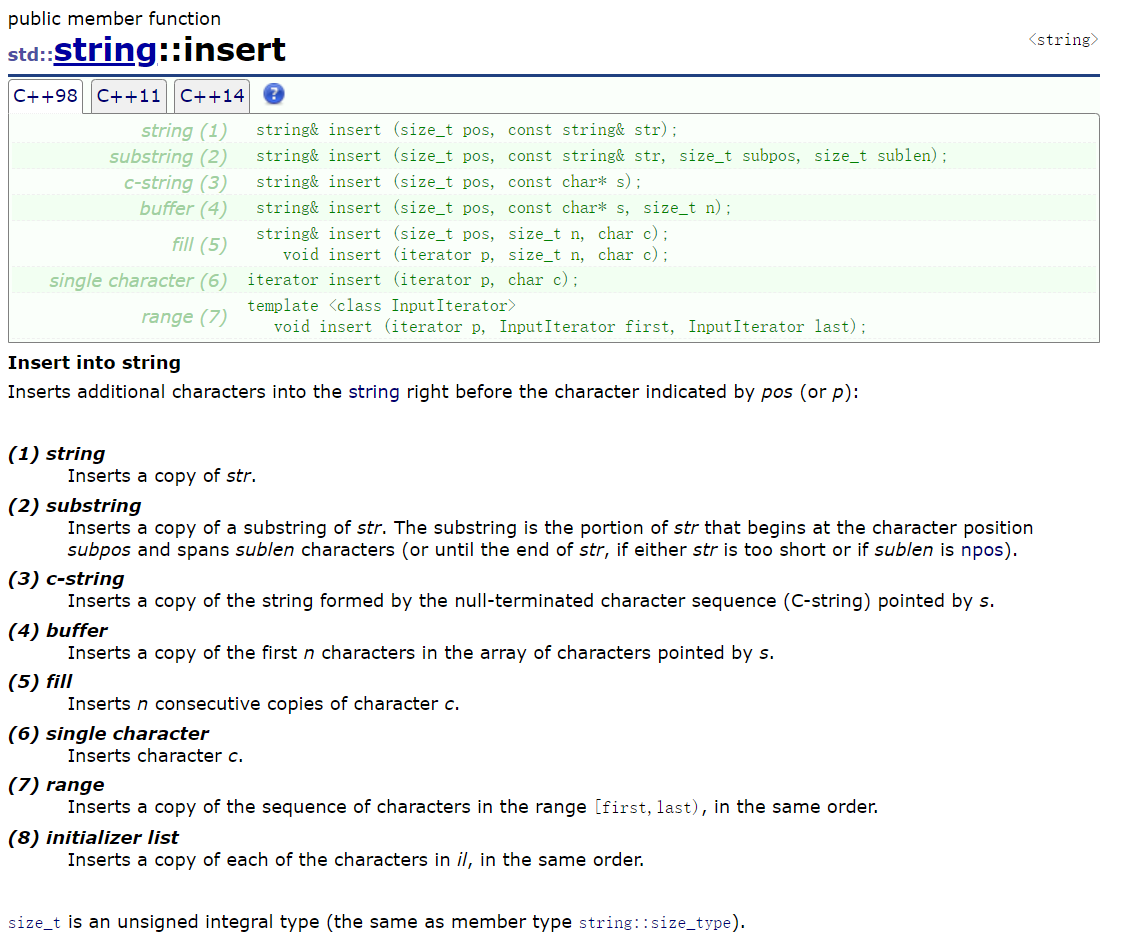
我们发现string是没有选择去实现头插、头删的操作,但是他实现了尾删、尾插(pop_back、push_back),因为头插、头删的效率比较低,不建议大量使用,但是大家在写代码的时候真的想使用有没有什么方式呢?当然有,可以使用我们这里即将学的insert和erase
cpp
void test_string3()
{
	string s1("hello world");
	cout << s1 << endl;

	//在0位置插入一个字符串
	//但是这里不可以写直接插入一个字符
	//s1.insert(0, '#'); //error
	s1.insert(0, "xxx");
	cout << s1 << endl;

	//在5位置插入2个字符
	s1.insert(5, 2, '#');
	cout << s1 << endl;

	//也可以使用迭代区间
	s1.insert(s1.begin(), '$');
	cout << s1 << endl;
}
7° erase
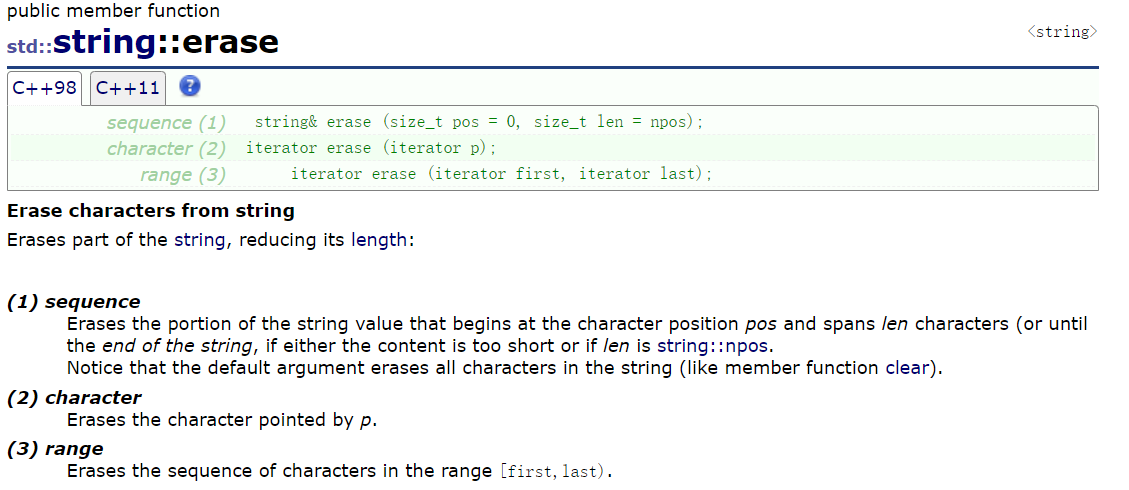
cpp
void test_string4()
{
    string s2("hello world");
    cout << s2 << endl;

    //头删
    s2.erase(s2.begin());
    cout << s2 << endl;

    //头删
    s2.erase(0, 1);
    cout << s2 << endl;

    //我想给第五个位置开始的字符删掉俩个
    s2.erase(5, 2);
    cout << s2 << endl;

    //我想给第五个后面的全删掉
    s2.erase(5);
    cout << s2 << endl;

    cout << endl;
}
8° replace
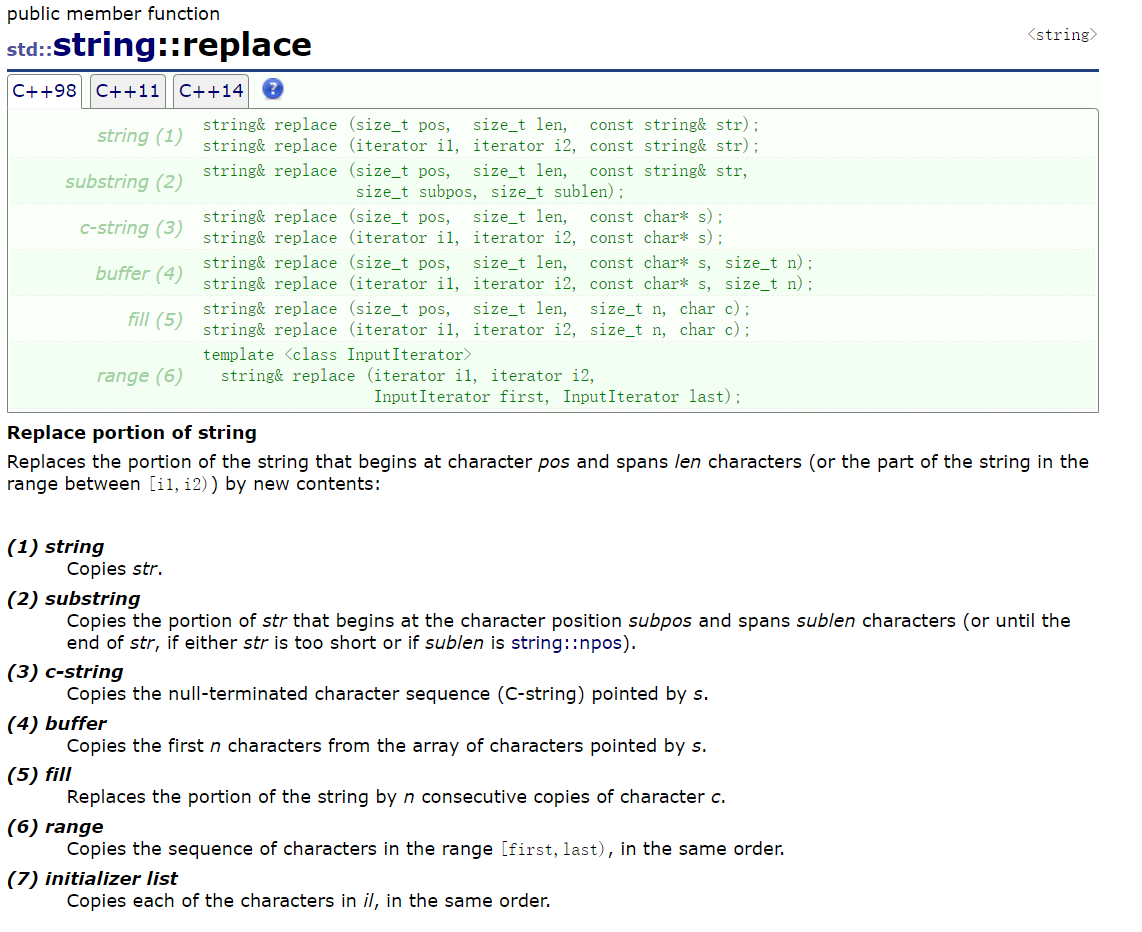
cpp
void test_string3()
{
    string s3("hello world");
    cout << s3 << endl;

    //我要将第五个位置开始的一个字符替换为 %%%
    s3.replace(5, 1, "%%%");//本质就是插入
    cout << s3 << endl;

    //我要将第五个位置开始的三个字符替换为 *
    s3.replace(5, 3, "*");//本质上就是删除再插入
    cout << s3 << endl;
}
这里我们试着来解决一个小问题:大家还记不记得我们以前说过的一个问题将一段字符串中的空格全部替换掉,假设替换为%,我们改如何利用replace去实现呢?
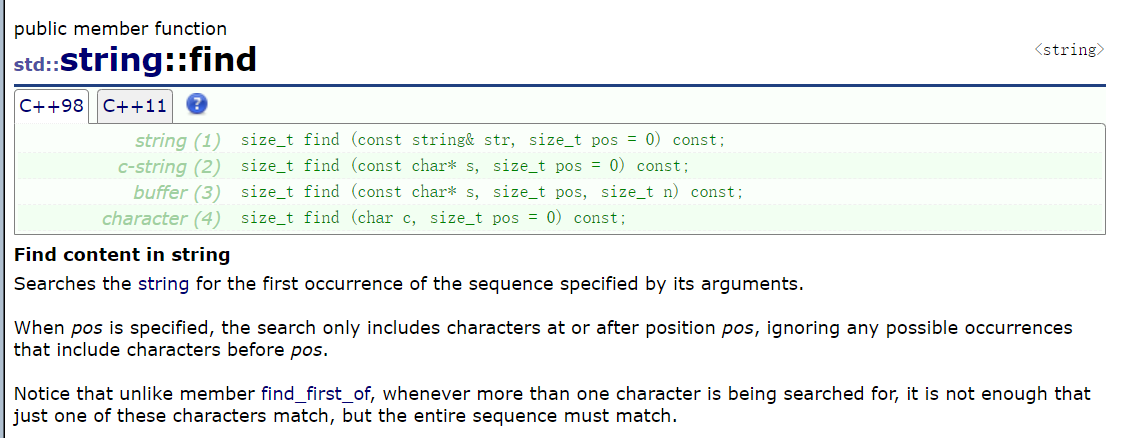
这里还需要借助find,我们先来回顾一下find:
cpp
void test_string3
{
	//将所有的空格替换为 %
	string s4("hello world hello bit");
	cout << s4 << endl;
	//这里我们可以借助find
	size_t pos = s4.find(' ');
	//find没找到就会返回一个npos
	//npos是C++标准库中std::string(以及其他容器)里的一个静态常量.用来表示"不存在的位置"
	while (pos != string::npos)
	{
		//将pos位置开始的一个字符替换成%
		s4.replace(pos, 1, "%");

		//找下一个空格
		//pos默认位置是0
		pos = s4.find(' ', pos + 1);
	}
	cout << s4 << endl;
}
在解释代码前,先理清两个关键函数的用法,这是理解代码的基础:
函数 作用 find(' ', pos)从字符串的 pos位置开始,查找字符' '(空格)的位置;找到则返回该位置的下标(size_t类型),没找到返回string::npos(表示 "无效位置")。replace(pos, n, str)从字符串的 pos位置开始,替换n个字符为字符串str;这里n=1、str="%",即 "把 pos 位置的 1 个字符换成 %"。string::nposstring类的静态常量(值通常是-1,但因size_t是无符号数,实际是极大值),专门表示 "查找失败 / 位置不存在"。
cpp
// 1. 初始化字符串,包含多个空格
string s4("hello world hello bit");
cout << s4 << endl;  // 先打印原字符串:hello world hello bit

// 2. 第一次查找空格:从默认位置(0)开始找第一个空格的位置
size_t pos = s4.find(' ');
// 此时s4的第一个空格在 "hello" 和 "world" 之间,下标是 5,所以pos=5

// 3. 循环替换:只要能找到空格(pos≠npos),就替换,直到找不到为止
while (pos != string::npos)
{
    // 3.1 替换:把pos位置(5)的1个字符(空格)换成 "%"
    s4.replace(pos, 1, "%");
    // 此时s4变成:hello%world hello bit

    // 3.2 找下一个空格:从"当前替换位置的下一位(pos+1=6)"开始找
    pos = s4.find(' ', pos + 1);
    // 第一次循环后,找到第二个空格("world"和"hello"之间),pos=11;
    // 第二次循环替换后,pos继续找下一个,直到找不到空格为止
}

// 4. 打印最终结果:所有空格都被换成%
cout << s4 << endl;  // 输出:hello%world%hello%bit
关键细节(避坑点)
为什么找下一个空格要从
pos+1开始? 如果直接写pos = s4.find(' ')(默认从 0 开始),替换后的%不会被识别为空格,但会重复查找第一个空格的位置(5),导致无限循环!pos+1表示 "跳过已处理的位置,从下一位开始找",确保只找未处理的空格。
size_t是什么类型?size_t是 C++ 的无符号整数类型(unsigned int/long),专门用于表示 "长度 / 位置",所以pos不能用int定义(否则和npos比较可能出问题)。
npos的本质?string::npos是静态常量,值为size_t(-1)(无符号数的-1等价于该类型的最大值),所以pos != npos就是 "找到有效位置" 的意思。
但是这个方法其实效率不是很高,因为每次替换都相当于大量的挪动效率会大打折扣,我们还有一种高效的方法可以帮助我们去解决,我们利用范围for去进行遍历修改:
cpp
void test_string3
{
	//给空格换成 %(高效率)
	string s5("hello             world hello bit");
	cout << s5 << endl;
	string s6;
	s6.reserve(s5.size());
	//范围for去遍历s5
	for (auto exo : s5)
	{
		//如果不是空格我们就给他加到新的s6上去
		if (exo != ' ')
		{
			s6 += exo;
		}
		//遇到空格我们就加 %
		else
		{
			s6 += "%";
		}
	}
	cout << s6 << endl;
}
最后还有一个swap,这个我们讲底层实现的时候再为大家讲解,现在讲解不太容易讲明白
下面给出后半部分的代码供大家参考、整合:
cpp
void test_string5()
{
	string s1("hello world");
	cout << s1 << endl;

	//在0位置插入一个字符串
	//但是这里不可以写直接插入一个字符
	//s1.insert(0, '#'); //error
	s1.insert(0, "xxx");
	cout << s1 << endl;

	//在5位置插入2个字符
	s1.insert(5, 2, '#');
	cout << s1 << endl;

	//也可以使用迭代区间
	s1.insert(s1.begin(), '$');
	cout << s1 << endl;

	cout << endl;

	string s2("hello world");
	cout << s2 << endl;

	//头删
	s2.erase(s2.begin());
	cout << s2 << endl;

	//头删
	s2.erase(0, 1);
	cout << s2 << endl;

	//我想给第五个位置开始的字符删掉俩个
	s2.erase(5, 2);
	cout << s2 << endl;

	//我想给第五个后面的全删掉
	s2.erase(5);
	cout << s2 << endl;

	cout << endl;

	string s3("hello world");
	cout << s3 << endl;

	//我要将第五个位置开始的一个字符替换为 %%%
	s3.replace(5, 1, "%%%");//本质就是插入
	cout << s3 << endl;

	//我要将第五个位置开始的三个字符替换为 *
	s3.replace(5, 3, "*");//本质上就是删除再插入
	cout << s3 << endl;

	//将所有的空格替换为 %
	string s4("hello world hello bit");
	cout << s4 << endl;
	//这里我们可以借助find
	size_t pos = s4.find(' ');
	//find没找到就会返回一个npos
	//npos是C++标准库中std::string(以及其他容器)里的一个静态常量.用来表示"不存在的位置"
	while (pos != string::npos)
	{
		//将pos位置开始的一个字符替换成%
		s4.replace(pos, 1, "%");

		//找下一个空格
		//pos默认位置是0
		pos = s4.find(' ', pos + 1);
	}
	cout << s4 << endl;

	//给空格换成 %(高效率)
	string s5("hello             world hello bit");
	cout << s5 << endl;
	string s6;
	s6.reserve(s5.size());
	//范围for去遍历s5
	for (auto exo : s5)
	{
		//如果不是空格我们就给他加到新的s6上去
		if (exo != ' ')
		{
			s6 += exo;
		}
		//遇到空格我们就加 %
		else
		{
			s6 += "%";
		}
	}
	cout << s6 << endl;
}