java
@Select({
            "WITH tile_bbox AS (",
            "  SELECT ST_TileEnvelope(#{z}, #{x}, #{y}) AS bbox_3857",
            ")",
            "SELECT ST_AsMVT(tile, 'layer_name', 4096, 'mvt_geom') AS mvt ",
            "FROM (",
            "  SELECT *,",
            "    ST_AsMVTGeom(",
            "      ST_Transform(geometry, 3857), ",
            "      (SELECT bbox_3857 FROM tile_bbox), ",
            "      4096, 256, true",
            "    ) AS mvt_geom ",
            "  FROM ${dataSourceName}, tile_bbox ",
            "  WHERE geometry && ST_Transform((SELECT bbox_3857 FROM tile_bbox), 4326)",
            ") AS tile"
    })
    VectorTile getMvtTile(
            @Param("z") int z,
            @Param("x") int x,
            @Param("y") int y,
            @Param("dataSourceName") String dataSourceName
    );
SpringBoot连接好PostGIS之后,使用以上的SQL代码查询即可获取,select *表示可以显示所有字段。
java
@Data
public class VectorTile {
    byte[] mvt; // Mapbox标注矢量瓦片数据
}
ArcGIS加载矢量瓦片数据对应的style:
javascript
  const parcelLayer = new VectorTileLayer({
                style: {
                    "version": 8,
                    "sources": {
                        "osm": {
                            "tiles": ["http://localhost:9999/vectortile/public.疫情/{z}/{x}/{y}.pbf"],
                            "type": "vector"
                        }
                    },
                    "layers": [
  // 发光外层(模糊/扩散效果)
  {
    id: "glow-outline",
    type: "line",
    source: "osm",
    "source-layer": "layer_name",
    paint: {
      "line-color": "#1c1c1c", // 半透明白色或蓝色
      "line-width": 10,                         // 较宽
      "line-blur": 7                           // 模糊边缘(关键!)
    }
  },
  // 主线条
  {
    id: "main-line",
    type: "line",
    source: "osm",
    "source-layer": "layer_name",
    paint: {
      "line-color": "#3388ff",
      "line-width": 1.5
    }
  }
]
                },
                title: 'mvt',
            });
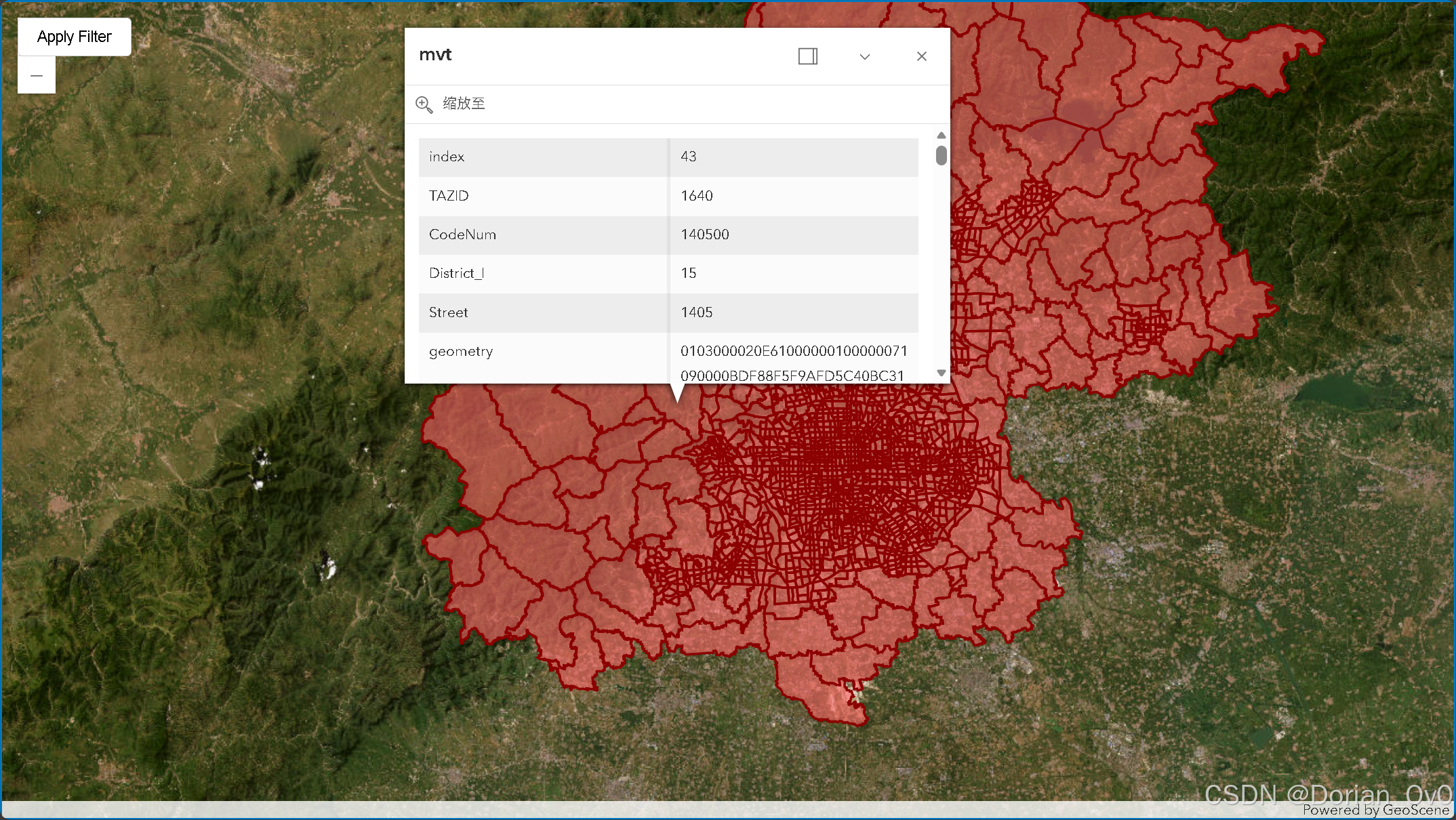
效果: