在游戏开发中,输入处理往往是最早实现、但最容易被低估的部分。
一开始我们只关心"按下按键角色动了没有",但随着需求增加,问题会逐渐暴露出来:
回放、录像、AI 行为复现、技能连招记录......
如果直接在输入代码里写逻辑,这些需求几乎无法实现。
本文将通过一个 Unity 示例,演示如何使用指令模式将"输入行为"抽象为可记录、可回放的指令对象,从而构建一个简单但可扩展的输入回放系统。
1.定义指令接口
cs
public interface ICommand
{
    void Execute();
}
2.定义具体指令
攻击指令
cs
using System.Collections;
using System.Collections.Generic;
using UnityEngine;

public class AttackCommand : ICommand
{
    private Player player;

    public AttackCommand(Player player)
    {
        this.player = player;
    }

    public void Execute()
    {
        player.Attack();
    }
}
移动指令(这里记录的是位置直接瞬移的)
cs
using System.Collections;
using System.Collections.Generic;
using UnityEngine;

public class MoveCommand : ICommand
{
    private Player player;
    private Vector3 direction;

    public MoveCommand(Player player, Vector3 direction)
    {
        this.player = player;
        this.direction = direction;
    }

    public void Execute()
    {
        player.Move(direction);
    }
}
3.创建指令记录器
这里主要是三个方法开始记录,添加记录,获取所有的记录。这里我们只能存一个指令集合,如果需要保存多条可以考虑用字典加集合来实现。
cs
using System.Collections;
using System.Collections.Generic;
using UnityEngine;

[System.Serializable]
public class CommandRecord
{
    public float time;        // 发生时间
    public ICommand command;  // 执行的命令
}
//指令记录器
public class CommandRecorder
{
    public List<CommandRecord> records = new List<CommandRecord>();
    private float startTime;
    //开始记录
    public void StartRecord()
    {
        records.Clear();
        startTime = Time.time;
    }
    //添加指令
    public void Record(ICommand command)
    {
        records.Add(new CommandRecord
        {
            time = Time.time - startTime,
            command = command
        });
    }
    //获取记录的指令集
    public List<CommandRecord> GetRecords()
    {
        return records;
    }
}
4.创建回放指令播放器
主要提供一个携程来实现依次读取指令的逻辑。
cs
using System.Collections;
using System.Collections.Generic;
using UnityEngine;

//回放指令播放器
public class ReplayPlayer
{
    public IEnumerator Play(List<CommandRecord> records)
    {
        Debug.Log("开始回放");
        float lastTime = 0f;

        foreach (var record in records)
        {
            //record.time表示第一条指令发生的时间,后续的等待时间就是上一条指令时间和下一条指令的差值
            yield return new WaitForSeconds(record.time - lastTime);
            record.command.Execute();
            lastTime = record.time;
        }
        Debug.Log("回放结束");
    }
}
5.指令输入
玩家脚本负责处理具体的指令逻辑。
cs
using System.Collections;
using System.Collections.Generic;
using UnityEngine;

public class Player : MonoBehaviour
{
    public void Attack()
    {
        Debug.Log("玩家攻击");
    }
    public void Move(Vector3 direction)
    {
        gameObject.transform.position = direction;
        Debug.Log("玩家移动"+ direction);
    }
}
输入处理器负责创建指令。
cs
using JetBrains.Annotations;
using System.Collections;
using System.Collections.Generic;
using UnityEngine;

public class InputHandler : MonoBehaviour
{
    public Player player;
    //回放记录仪
    CommandRecorder recorder;

    void Start()
    {
        recorder = new CommandRecorder();
        recorder.StartRecord();
    }

    void Update()
    {
        if (Input.GetKeyDown(KeyCode.J))
        {
            var cmd = new AttackCommand(player);
            cmd.Execute();
            recorder.Record(cmd);
        }

        if (Input.GetKeyDown(KeyCode.W))
        {
            Debug.Log("位置记录");
            var cmd = new MoveCommand(player,player.transform.position);
            cmd.Execute();
            recorder.Record(cmd);
        }
        if (Input.GetKeyDown(KeyCode.S))
        {
            ReplayPlayer myPlayer = new ReplayPlayer();
            StartCoroutine(myPlayer.Play(recorder.GetRecords()));
        }
    }
}
6.运行结果
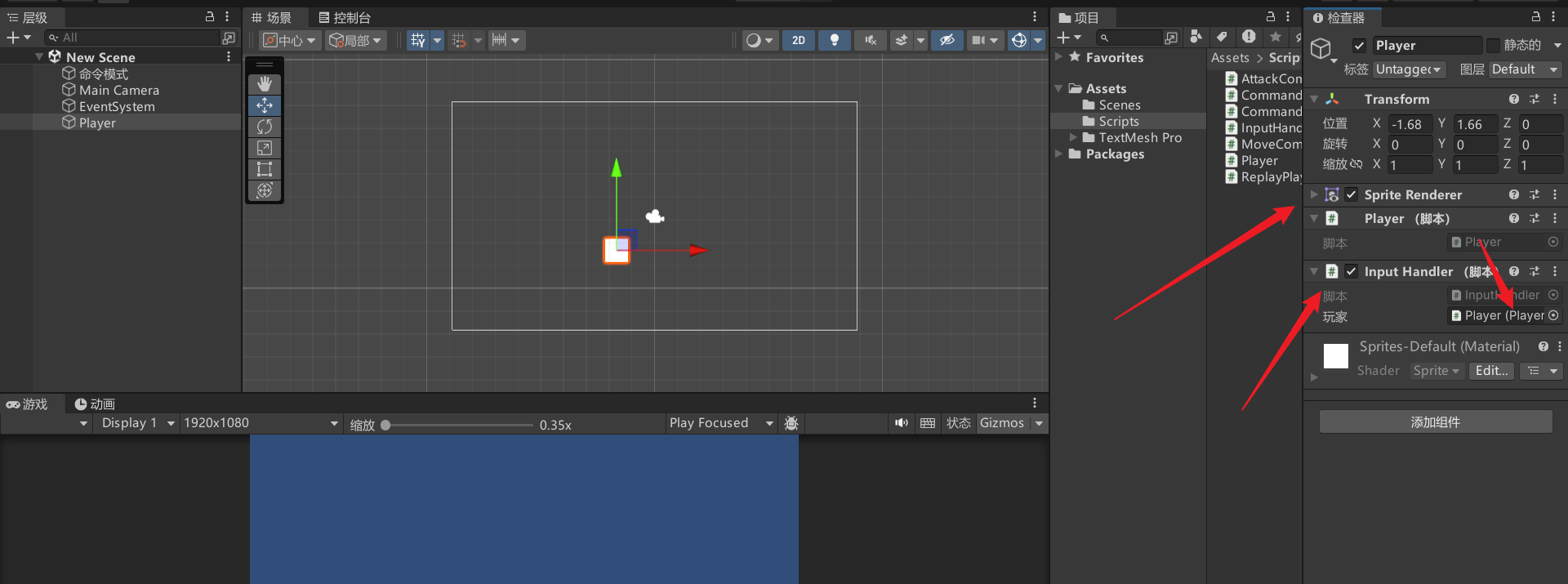
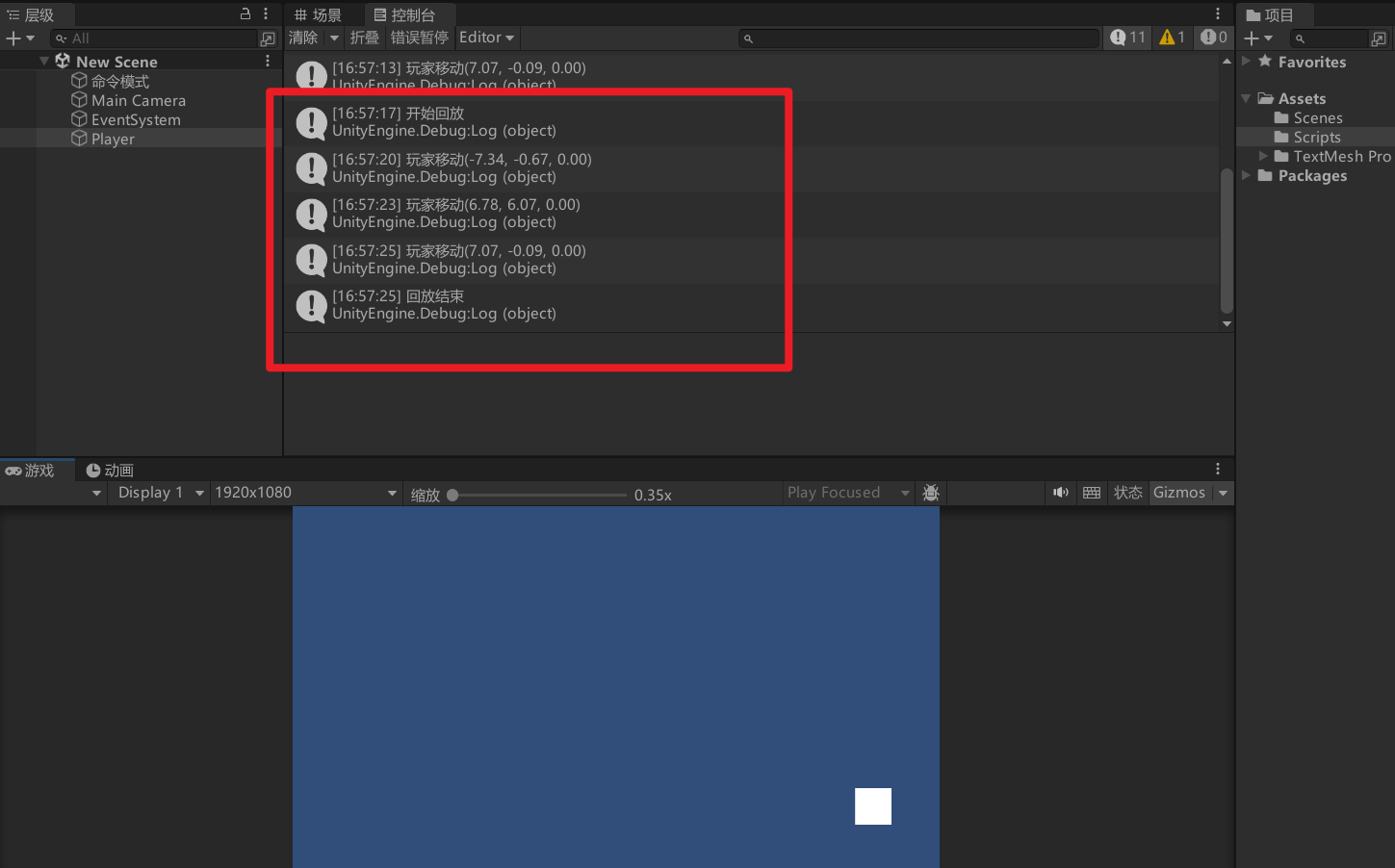
将玩家和输入采集脚本挂载到场景中的一个方块上,并拖动方块的位置,每拖动一次点击游戏面板按下W键记录一次,多记录几次后按下S键就可以看到方块沿着我们之间记录位置的顺序移动了,并且控制台打印出了对应的结果。
7.总结
通过这个示例可以看到,指令模式的价值并不只是"把操作包成一个类",
而是让行为本身成为一种可以被保存、传递和重放的数据。
当输入被抽象为指令后,我们可以非常自然地实现回放、撤销、宏操作,甚至让 AI 直接复用玩家的行为逻辑。
在实际项目中,指令模式常常与输入系统、状态机、网络同步等模块结合使用,是构建复杂交互系统的重要基础。
如果你发现自己的输入逻辑越来越难维护,那么也许问题不在功能实现上,而在于行为没有被抽象出来。