一、背景说明:Trino 启用 Kerberos 后配置从哪里来
代码已经提交到github:Ttbigdata
在 Ambari 管理的集群中,Trino 实际运行时使用的 config.properties 并不是手工编写的文件 ,而是由 Ambari 根据
配置模板(Jinja2) 渲染生成。
当开启 Kerberos 后,Trino 启动过程中涉及到的以下能力,全部依赖模板是否正确:
- HTTPS 是否启用
- HTTP Authentication 类型(KERBEROS / PASSWORD / NONE)
- SPNEGO 所需的 service-name 与 keytab
- Web UI 是否启用 Kerberos 认证
- 反向代理(Knox)场景下的 forwarded 处理
因此,在排查 Trino Kerberos 启动问题或 Web UI 访问问题时,模板文件本身是一个必须优先确认的关键点。
二、Trino 配置模板文件位置说明
在 BIGTOP 3.2.0 Stack 中,Trino 的配置模板文件位于:
ambari-server/src/main/resources/stacks/BIGTOP/3.2.0/services/TRINO/package/templates/config.properties.j2如下图所示:
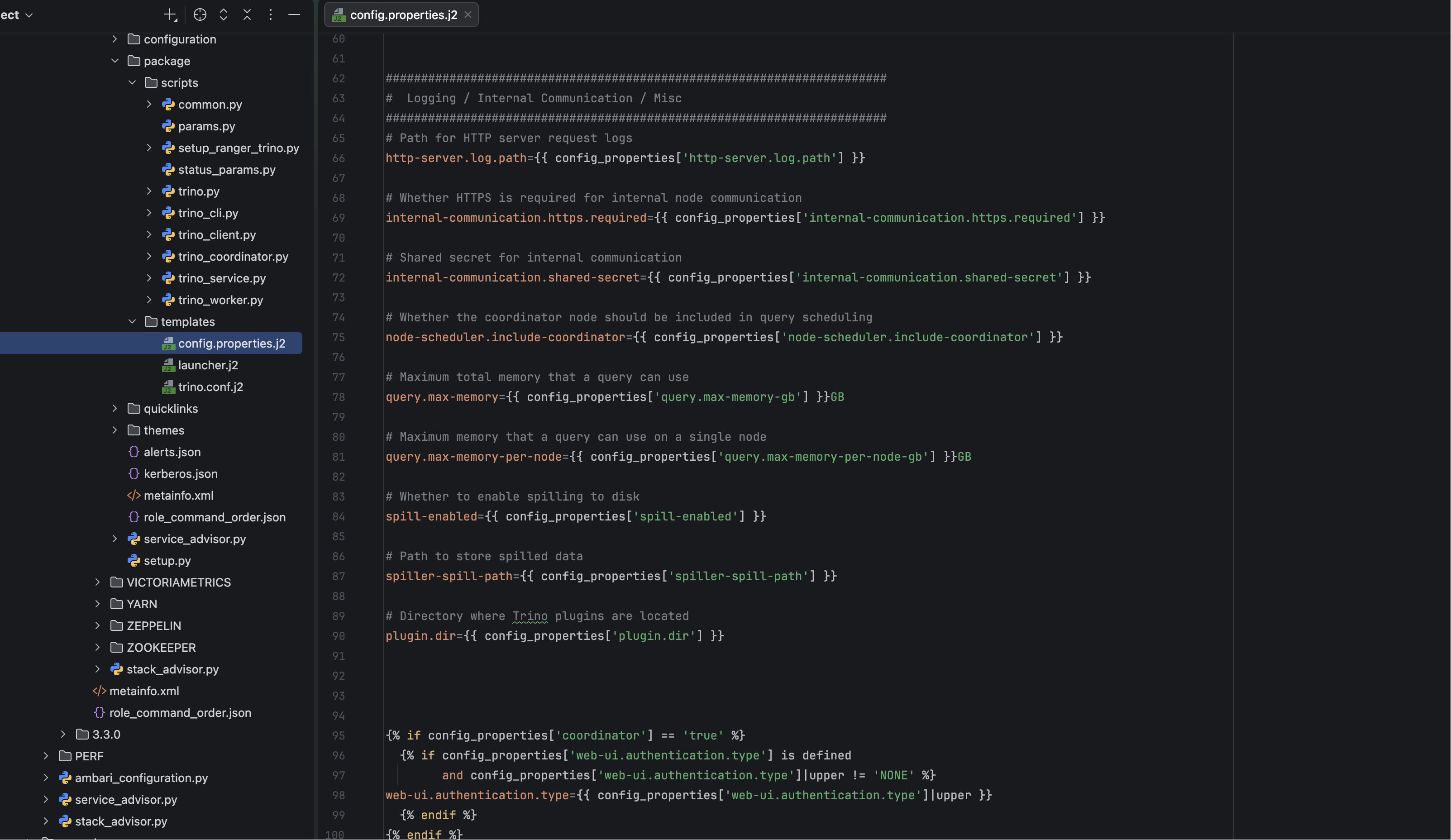
该模板文件用于生成 Trino 节点最终生效的 config.properties,其内容会根据 Ambari 页面中的配置项动态渲染。
三、config.properties.j2 模板内容解析
下面是当前模板文件的完整内容(未做裁剪),后续说明均基于该模板展开。
jinja2
# Whether this node acts as the Trino coordinator (only one node should be true)
coordinator={{ config_properties['coordinator'] }}

# Discovery URI used by Trino nodes to find each other
discovery.uri={{ discovery_uri }}

# Port for HTTP server
http-server.http.port={{ config_properties['http-server.http.port'] }}

# Whether HTTPS is enabled for the HTTP server
http-server.https.enabled={{ config_properties['http-server.https.enabled'] }}

{% if config_properties['http-server.https.enabled'] == 'true' %}
# Port for HTTPS server
http-server.https.port={{ config_properties['http-server.https.port'] }}

# Path to the HTTPS certificate (PEM format)
http-server.https.keystore.path={{ config_properties['http-server.https.keystore.path'] }}

# Keystore key password
http-server.https.keystore.key={{ config_properties['http-server.https.keystore.key'] }}
{% endif %}
一)HTTP / HTTPS 相关配置块
从模板可以看到:
- HTTP 端口始终存在
- HTTPS 相关配置完全受
http-server.https.enabled控制 - 当 HTTPS 未启用时,证书路径与密码不会被渲染进最终配置文件
这一段模板逻辑决定了 Trino 是否具备 HTTPS 能力,也是后续 Kerberos Web UI 能否正常工作的基础。
四、HTTP Authentication 与 Kerberos 模块
模板中对 HTTP Authentication 做了统一封装,根据类型不同渲染不同配置。
jinja2
#######################################################################
#  HTTP Authentication Configuration (Kerberos / Password / None)
#######################################################################
{% if config_properties['http-server.authentication.type'] is defined %}
http-server.authentication.type={{ config_properties['http-server.authentication.type'] }}
{% endif %}
当认证类型包含 KERBEROS 时,模板会渲染如下内容:
jinja2
{% if 'KERBEROS' in config_properties['http-server.authentication.type'] %}
# Kerberos Authentication Block
http-server.authentication.krb5.service-name={{ config_properties['http-server.authentication.krb5.service-name'] }}
http-server.authentication.krb5.keytab={{ config_properties['http-server.authentication.krb5.keytab'] }}
http.authentication.krb5.config={{ config_properties['http.authentication.krb5.config'] }}

http-server.process-forwarded={{ config_properties['http-server.process-forwarded'] }}
{% endif %}
一)这一段模板的实际意义
从模板结构可以明确看到:
- Kerberos 相关配置只在 authentication.type 包含 KERBEROS 时才会生效
- SPNEGO 所需的 service-name 与 keytab 均来自 Ambari 配置项
http-server.process-forwarded被明确纳入 Kerberos 场景
这也解释了为什么在 Knox 或反向代理环境中,该参数缺失时容易出现访问异常。
五、Web UI 认证配置的生效条件
模板文件的最后一段,专门处理 Web UI 的认证方式:
jinja2
{% if config_properties['coordinator'] == 'true' %}
  {% if config_properties['web-ui.authentication.type'] is defined
        and config_properties['web-ui.authentication.type']|upper != 'NONE' %}
web-ui.authentication.type={{ config_properties['web-ui.authentication.type']|upper }}
  {% endif %}
{% endif %}
从这一逻辑可以得出两个明确结论:
- 只有 Coordinator 节点才会渲染 Web UI 认证配置
- 当 Web UI Authentication 显式配置为
NONE时,该项不会写入最终文件
这也是在多节点 Trino 集群中,仅 Coordinator 节点承担 Web UI 能力的根本原因之一。
六、模板生效的两种方案说明
在实际环境中,使模板修改生效主要有两种方式。
一)方案一:重新编译 Ambari 源码
该方案通过修改 Ambari Server 源码中的模板文件,并重新编译、部署 Ambari Server 来实现。
该方式适用于:
- 深度定制发行版
- 长期维护环境
该方案涉及 Ambari 源码编译,流程较长,此处不再展开。
二)方案二:线上直接替换模板文件(常用)
在实际调试与验证过程中,更常用的是直接在 Ambari Agent 节点 上替换模板文件。
如下图所示:

可以看到,Trino 的模板文件会被同步到:
/var/lib/ambari-agent/cache/stacks/BIGTOP/3.2.0/services/TRINO/package/templates/七、线上替换模板文件的实际操作
在该目录下,将新的 config.properties.j2 文件直接替换原文件即可。
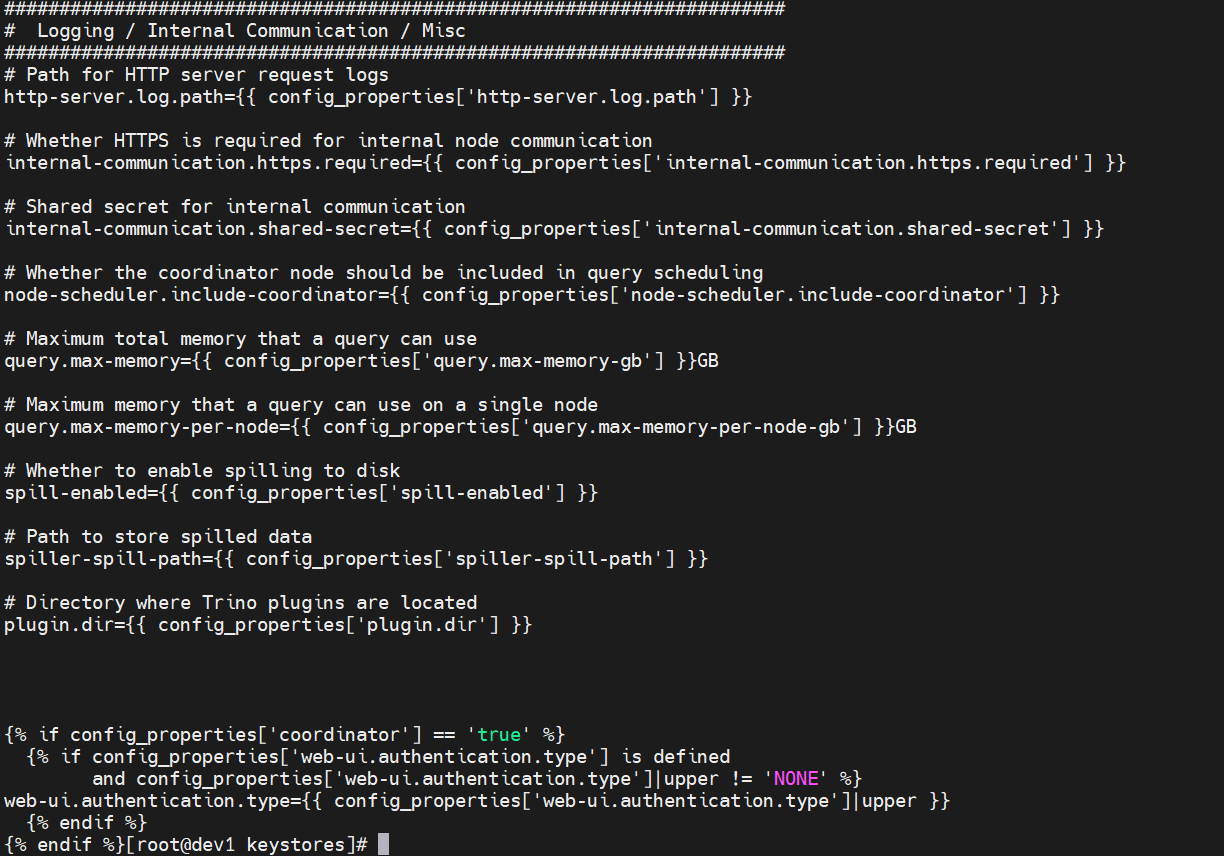
完整内容如下
jinja2
# Whether this node acts as the Trino coordinator (only one node should be true)
coordinator={{ config_properties['coordinator'] }}

# Discovery URI used by Trino nodes to find each other
discovery.uri={{ discovery_uri }}

# Port for HTTP server
http-server.http.port={{ config_properties['http-server.http.port'] }}

# Whether HTTPS is enabled for the HTTP server
http-server.https.enabled={{ config_properties['http-server.https.enabled'] }}

{% if config_properties['http-server.https.enabled'] == 'true' %}
# Port for HTTPS server
http-server.https.port={{ config_properties['http-server.https.port'] }}

# Path to the HTTPS certificate (PEM format)
http-server.https.keystore.path={{ config_properties['http-server.https.keystore.path'] }}

# Keystore key password
http-server.https.keystore.key={{ config_properties['http-server.https.keystore.key'] }}
{% endif %}


#######################################################################
#  HTTP Authentication Configuration (Kerberos / Password / None)
#######################################################################
{% if config_properties['http-server.authentication.type'] is defined %}
# Type of HTTP authentication (e.g., KERBEROS, PASSWORD, NONE)
http-server.authentication.type={{ config_properties['http-server.authentication.type'] }}
{% endif %}

{% if 'KERBEROS' in config_properties['http-server.authentication.type'] %}
# -----------------------------
# Kerberos Authentication Block
# -----------------------------
# Principal short name (should match keytab principal, e.g. HTTP)
http-server.authentication.krb5.service-name={{ config_properties['http-server.authentication.krb5.service-name'] }}

# Path to Kerberos keytab file
http-server.authentication.krb5.keytab={{ config_properties['http-server.authentication.krb5.keytab'] }}

# Path to krb5.conf (Ambari variable or fixed path)
http.authentication.krb5.config={{ config_properties['http.authentication.krb5.config'] }}

# Optional: fixed hostname for principal (if not using _HOST)
{# http-server.authentication.krb5.principal-hostname={{ config_properties['http-server.authentication.krb5.principal-hostname'] }} #}

http-server.process-forwarded={{ config_properties['http-server.process-forwarded'] }}

{% endif %}

{% if 'PASSWORD' in config_properties['http-server.authentication.type'] %}
# -----------------------------
# Password Authentication Block
# -----------------------------
# Path to the password authenticator config file
password-authenticator.config-files={{ config_properties['password-authenticator.config-files'] }}
{% endif %}


#######################################################################
#  Logging / Internal Communication / Misc
#######################################################################
# Path for HTTP server request logs
http-server.log.path={{ config_properties['http-server.log.path'] }}

# Whether HTTPS is required for internal node communication
internal-communication.https.required={{ config_properties['internal-communication.https.required'] }}

# Shared secret for internal communication
internal-communication.shared-secret={{ config_properties['internal-communication.shared-secret'] }}

# Whether the coordinator node should be included in query scheduling
node-scheduler.include-coordinator={{ config_properties['node-scheduler.include-coordinator'] }}

# Maximum total memory that a query can use
query.max-memory={{ config_properties['query.max-memory-gb'] }}GB

# Maximum memory that a query can use on a single node
query.max-memory-per-node={{ config_properties['query.max-memory-per-node-gb'] }}GB

# Whether to enable spilling to disk
spill-enabled={{ config_properties['spill-enabled'] }}

# Path to store spilled data
spiller-spill-path={{ config_properties['spiller-spill-path'] }}

# Directory where Trino plugins are located
plugin.dir={{ config_properties['plugin.dir'] }}


{% if config_properties['coordinator'] == 'true' %}
  {% if config_properties['web-ui.authentication.type'] is defined
        and config_properties['web-ui.authentication.type']|upper != 'NONE' %}
web-ui.authentication.type={{ config_properties['web-ui.authentication.type']|upper }}
  {% endif %}
{% endif %}
完成替换后:
- 同步到其他agent目录下即可