docker compose yml
xml
version: '3'
networks:
  oracle11g:
    ipam:
      driver: default
      config:
        - subnet: "172.11.0.0/24"

services:
  oracle11c:
    image:  /docker.io/yzd/oracle11:11.2.0.4
    container_name: oracle11g
    restart: always
    environment:
      # 时区上海
      TZ: Asia/Shanghai
      DBCA_TOTAL_MEMORY: 1024
      ORACLE_ALLOW_REMOTE: "true"
      ORACLE_EDITION: standard
      ORACLE_CHARACTERSET: AL32UTF8
    ports:
      - "28080:8080"
      - "2521:1521"
    volumes:
      # 数据挂载
      - "/etc/localtime:/etc/localtime"
    #    network_mode: host
    networks:
      oracle11g:
        ipv4_address: 172.11.0.11
前期准备
- 安装docker
- 安装docker compose
如需帮助请联系:121665820@qq.com
安装教程
shell
# 启动 容器
docker-compose -f docker-compose-oracle11g.yml up -d
# 停止 容器
docker-compose -f docker-compose-oracle11g.yml down
# 删除 容器
docker-compose -f docker-compose-oracle11g.yml rm
# 删除 容器及镜像
docker-compose -f docker-compose-oracle11g.yml rm -f
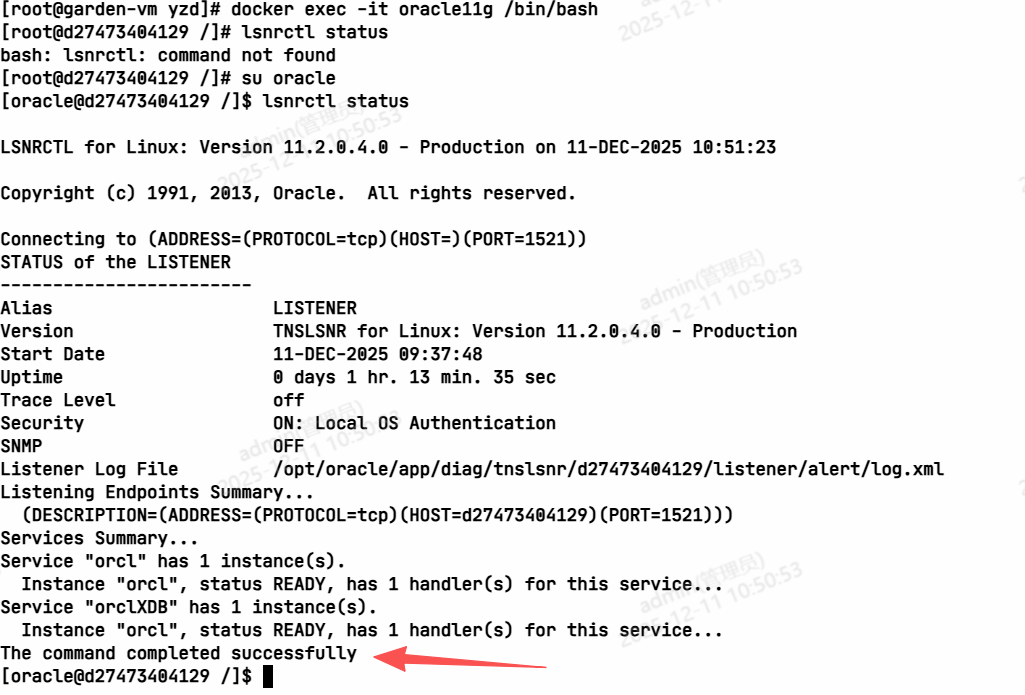
运行效果
- 查看运行状态
使用说明
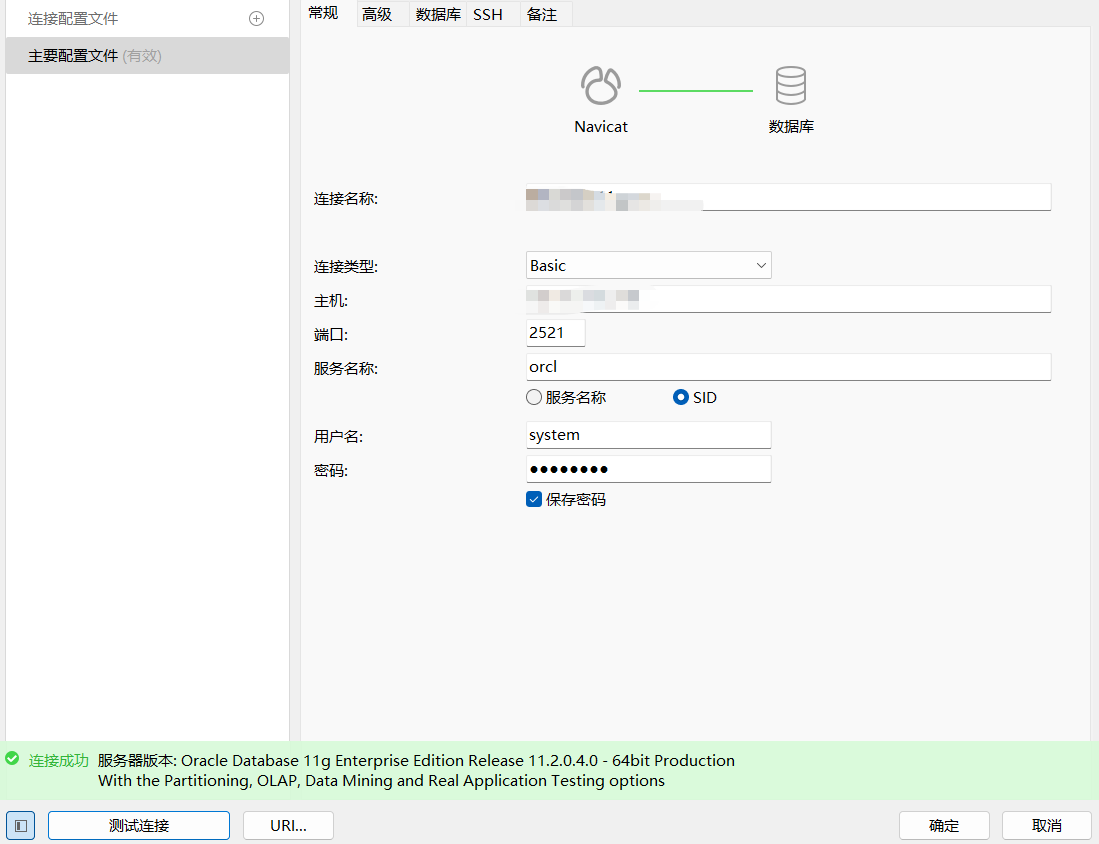
- 数据库信息
sid:orcl
port:2521
system/oracle
- 测试
如需帮助请联系:121665820@qq.com