一、介绍
1、Jenkins
Jenkins 是一个开源的持续集成 / 持续交付(CI/CD)自动化工具,主要用来自动化构建、测试、打包、部署软件项目。
2、安装
(1)JDK(Java环境)安装,根据Jenkins提示安装对应依赖的版本
下载链接:https://www.oracle.com/java/technologies/javase/javase-jdk8-downloads.html
判断JDK是否安装成功:打开管理员:Windows PowerShell面板
在管理员:Windows PowerShell面板,运行命令java -version,JDK安装成功显示:

(2)Jenkins安装(正常使用LTS版本,比较稳定)
3、常用操作
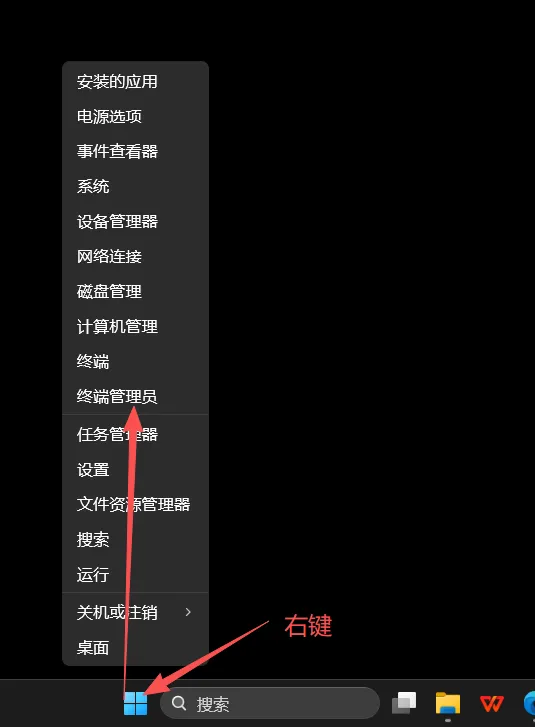
(1)启动Jenkins
在管理员:Windows PowerShell面板,运行命令net start jenkins,如下:
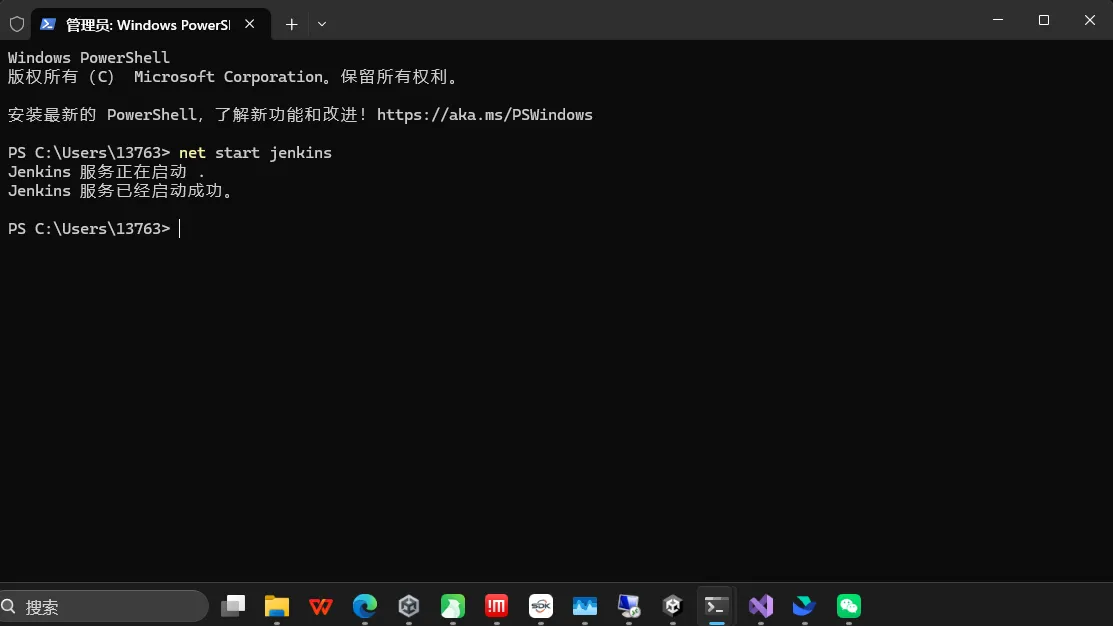
打开http://localhost:1717,1717为自己设置的端口号,创建并登录自己的账号,如下:
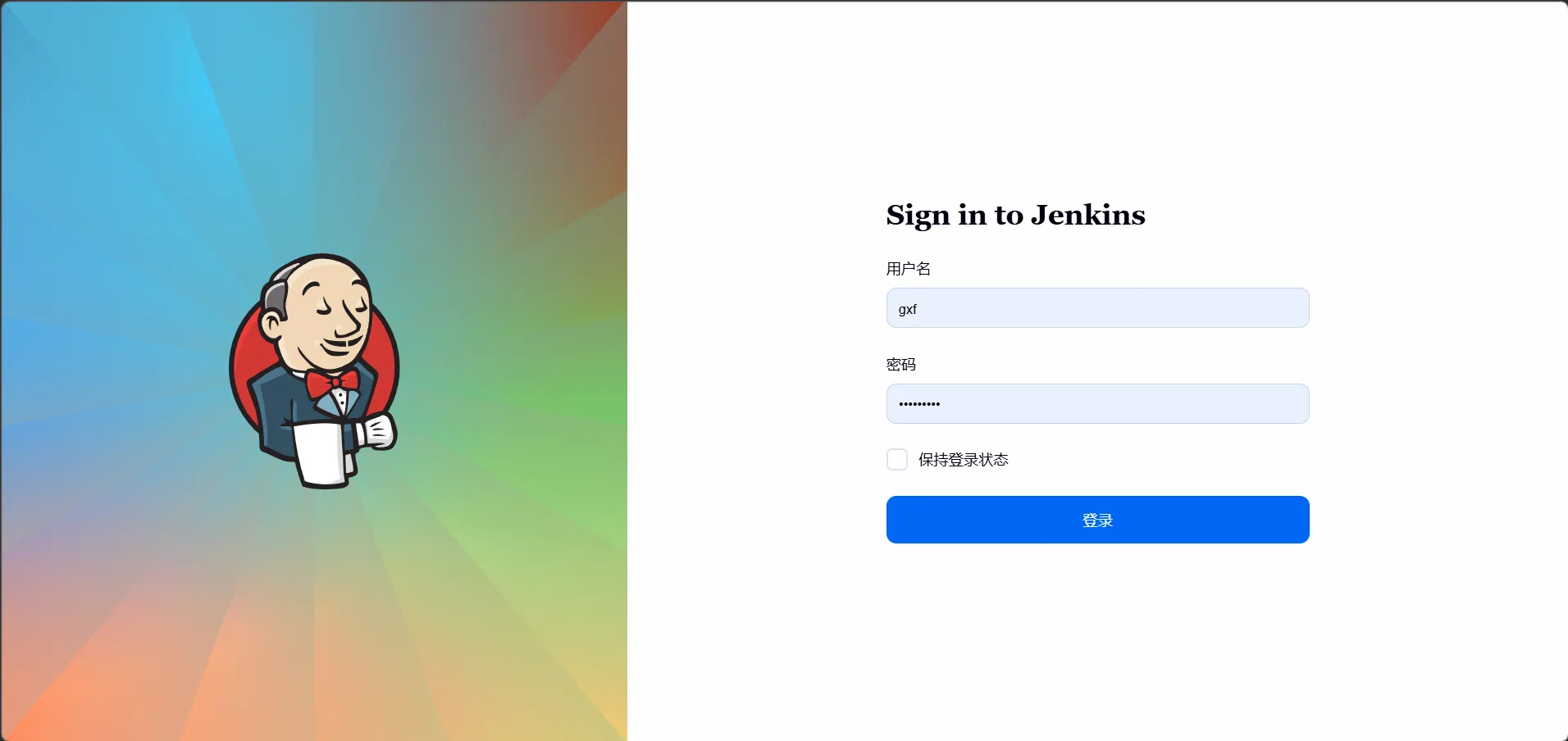
(2)关闭Jenkins
在管理员:Windows PowerShell面板,运行命令net stop jenkins,如下:
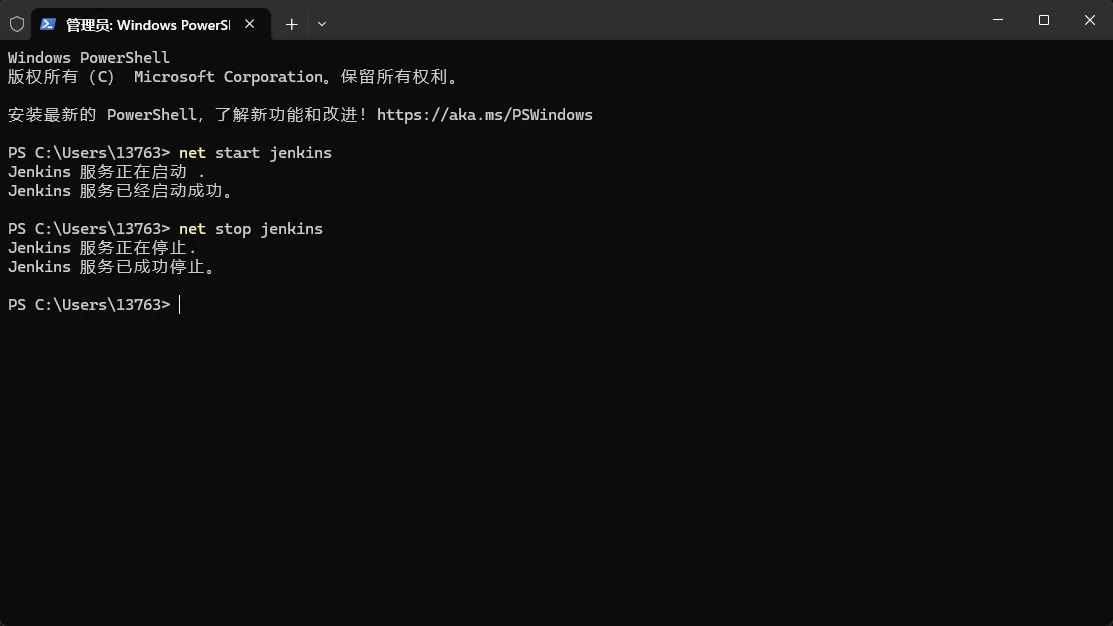
(3)安装插件,以Unity3d插件为例子
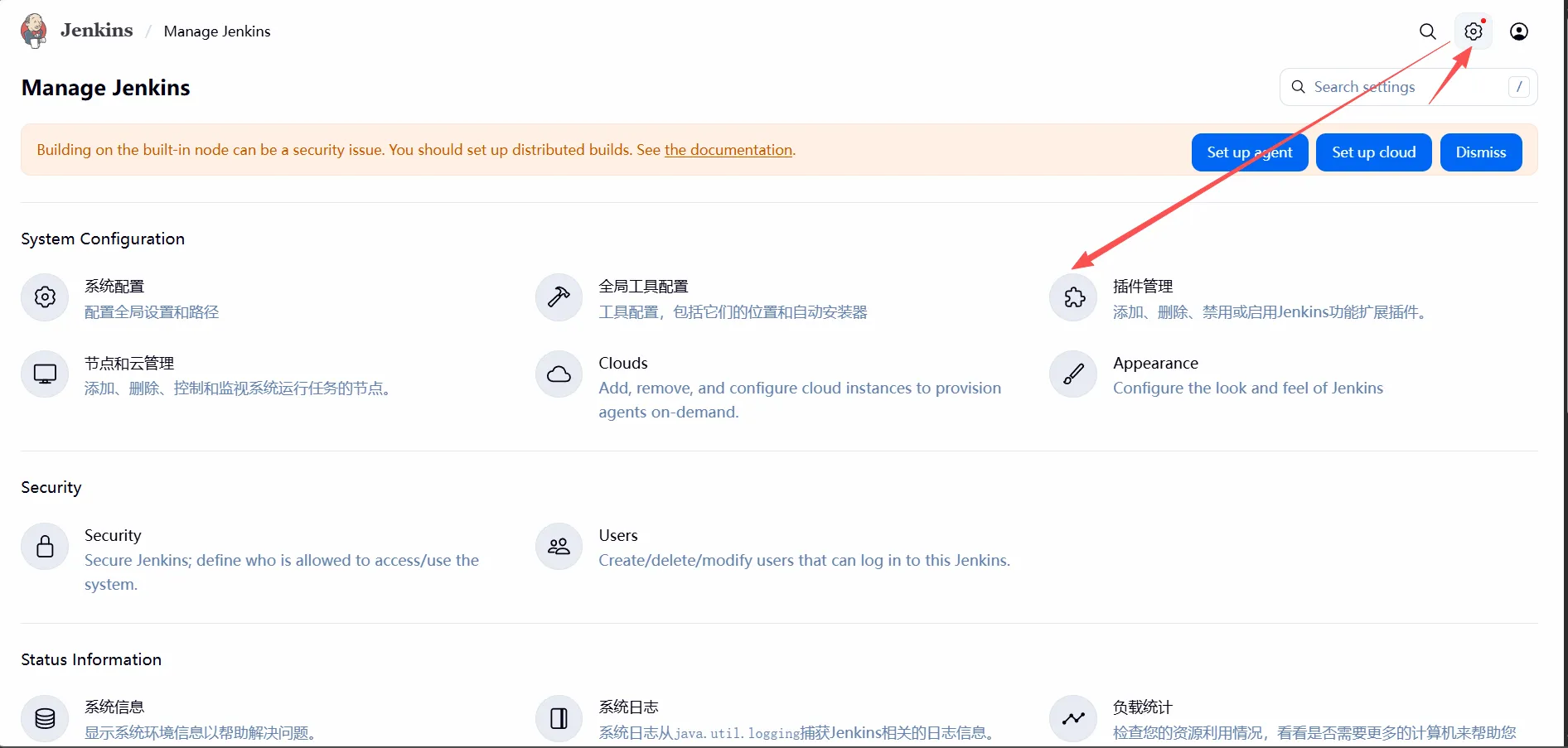
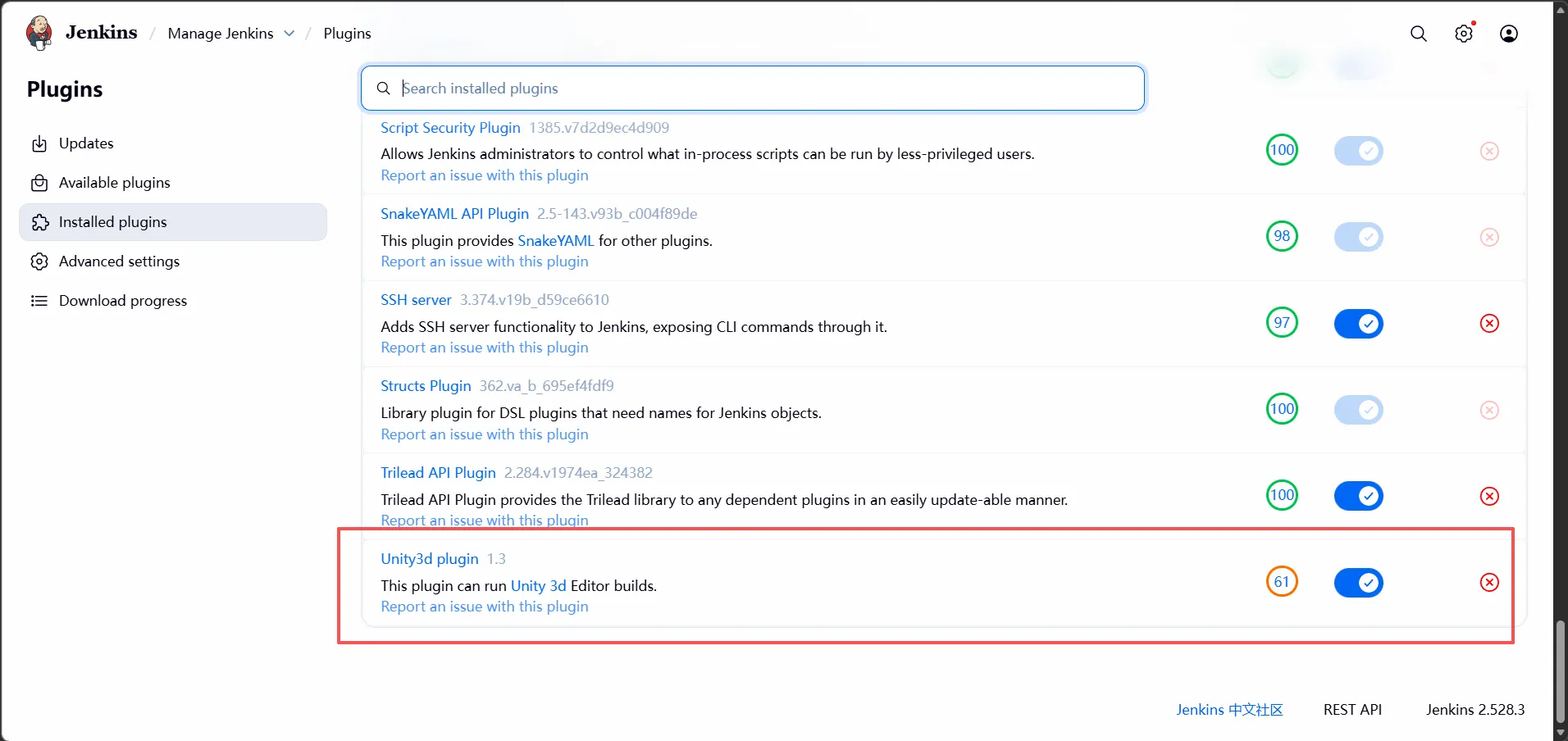
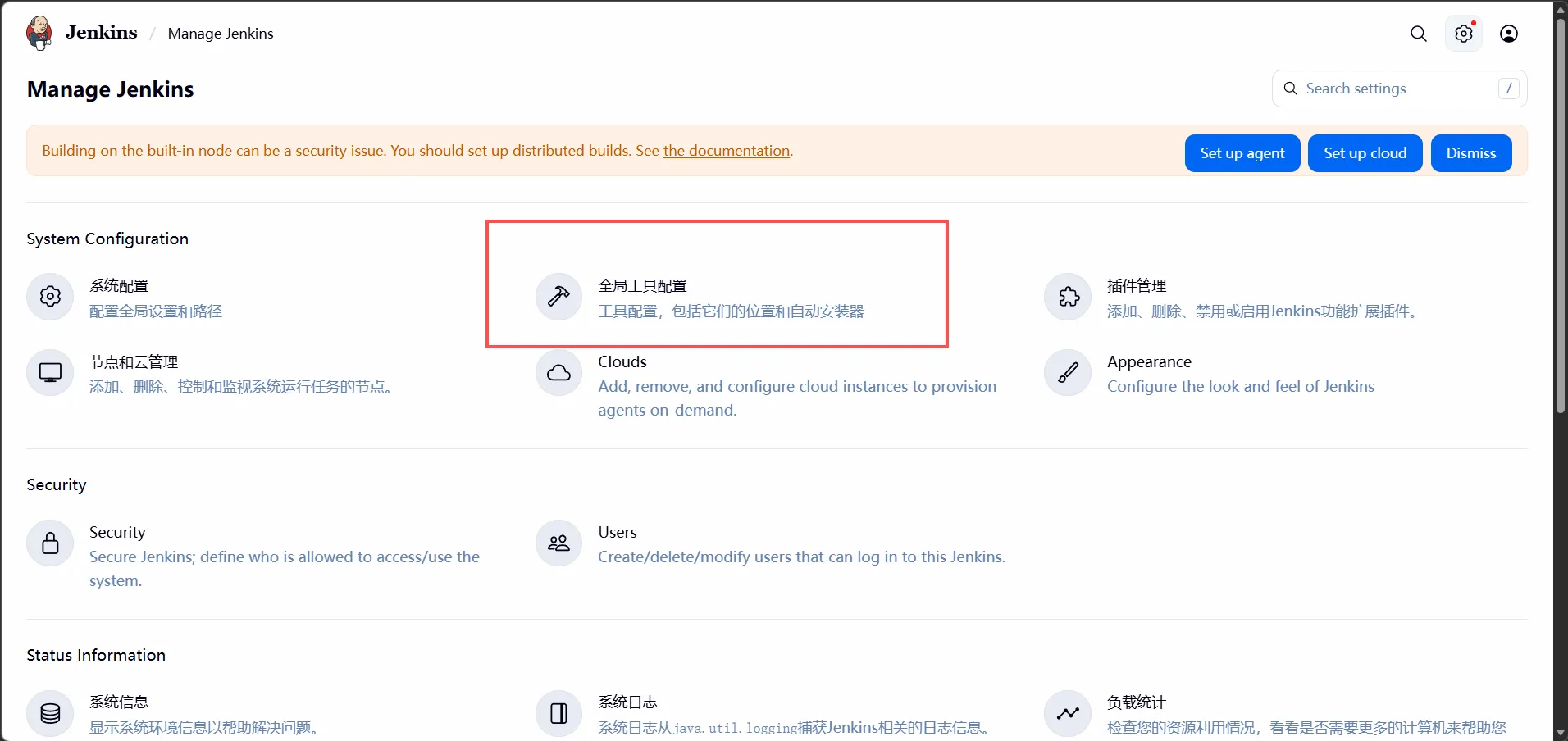
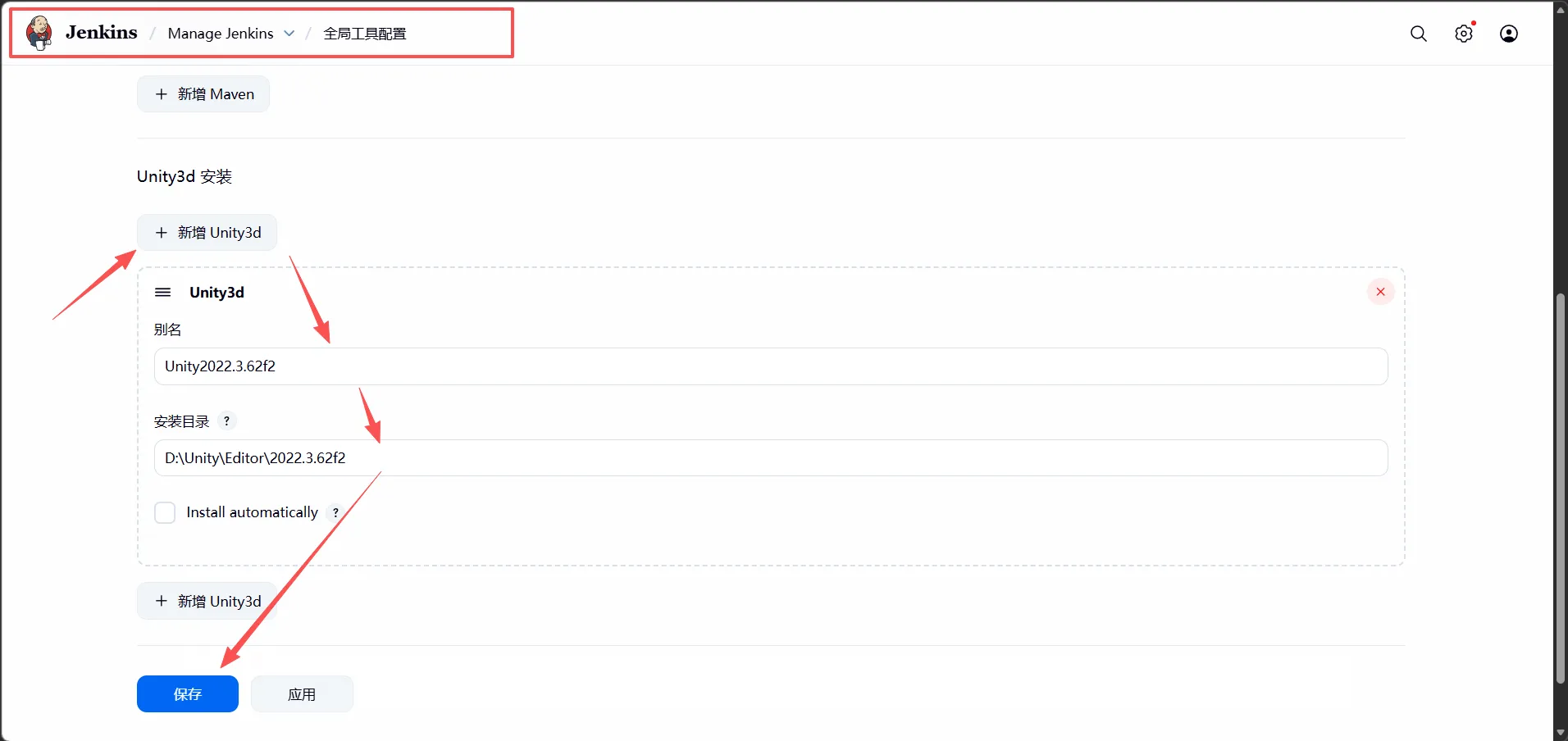
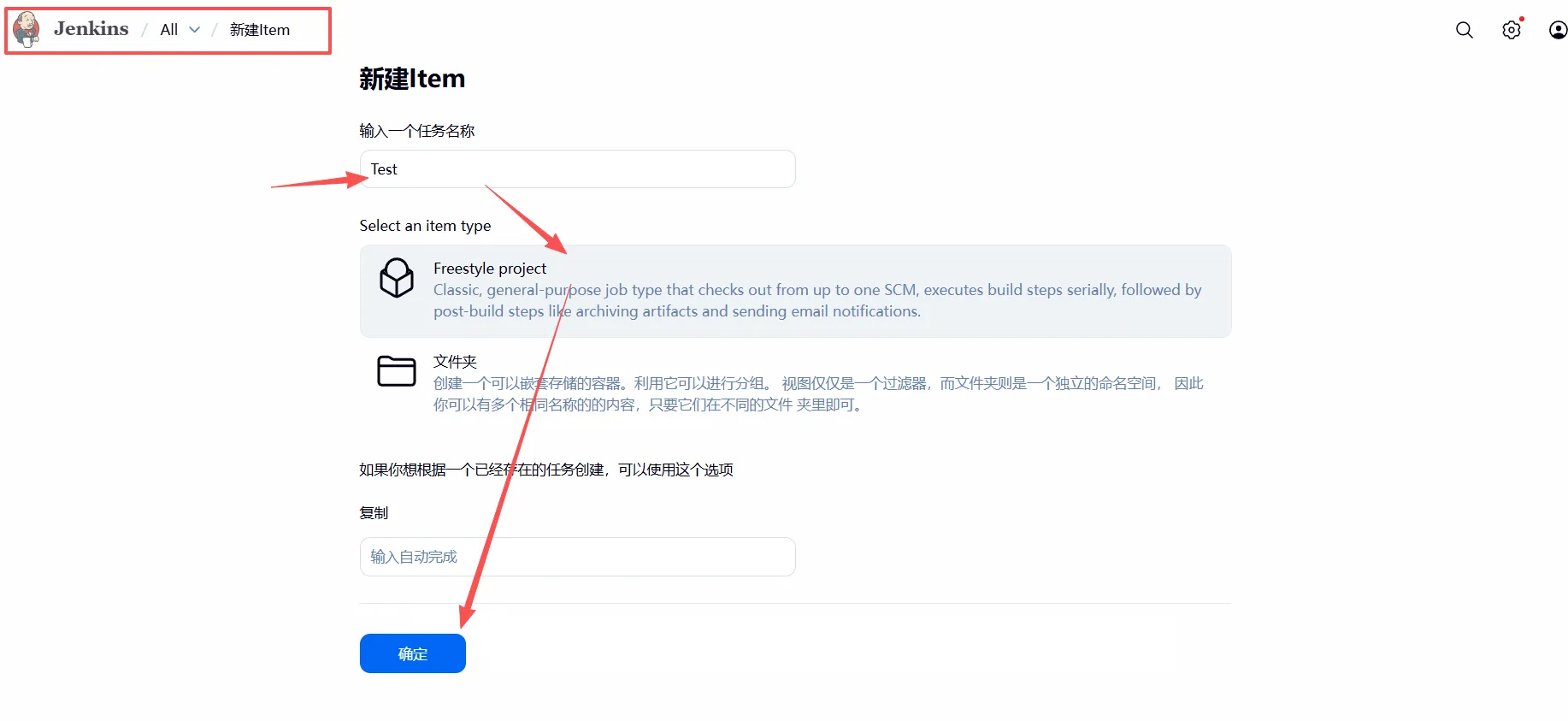
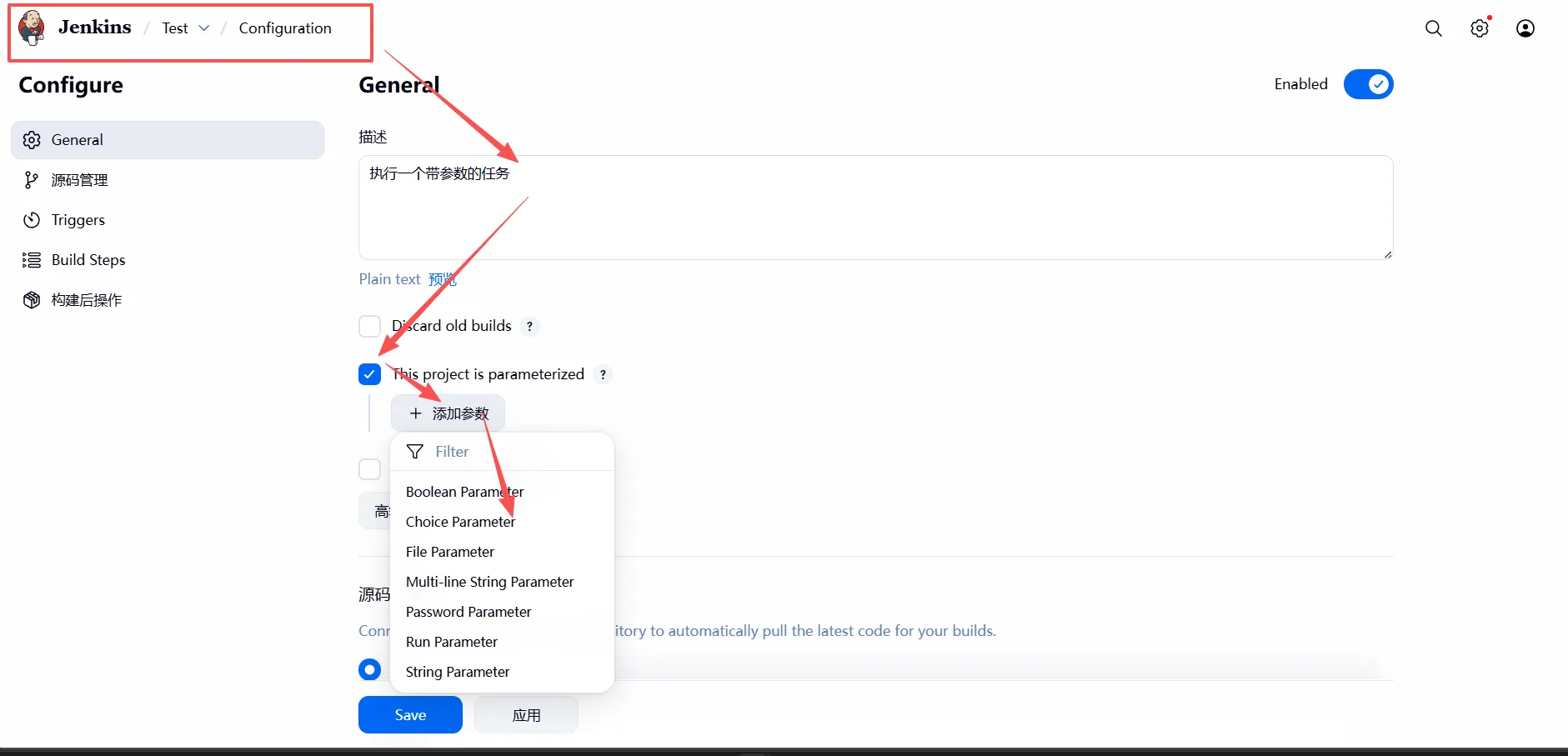
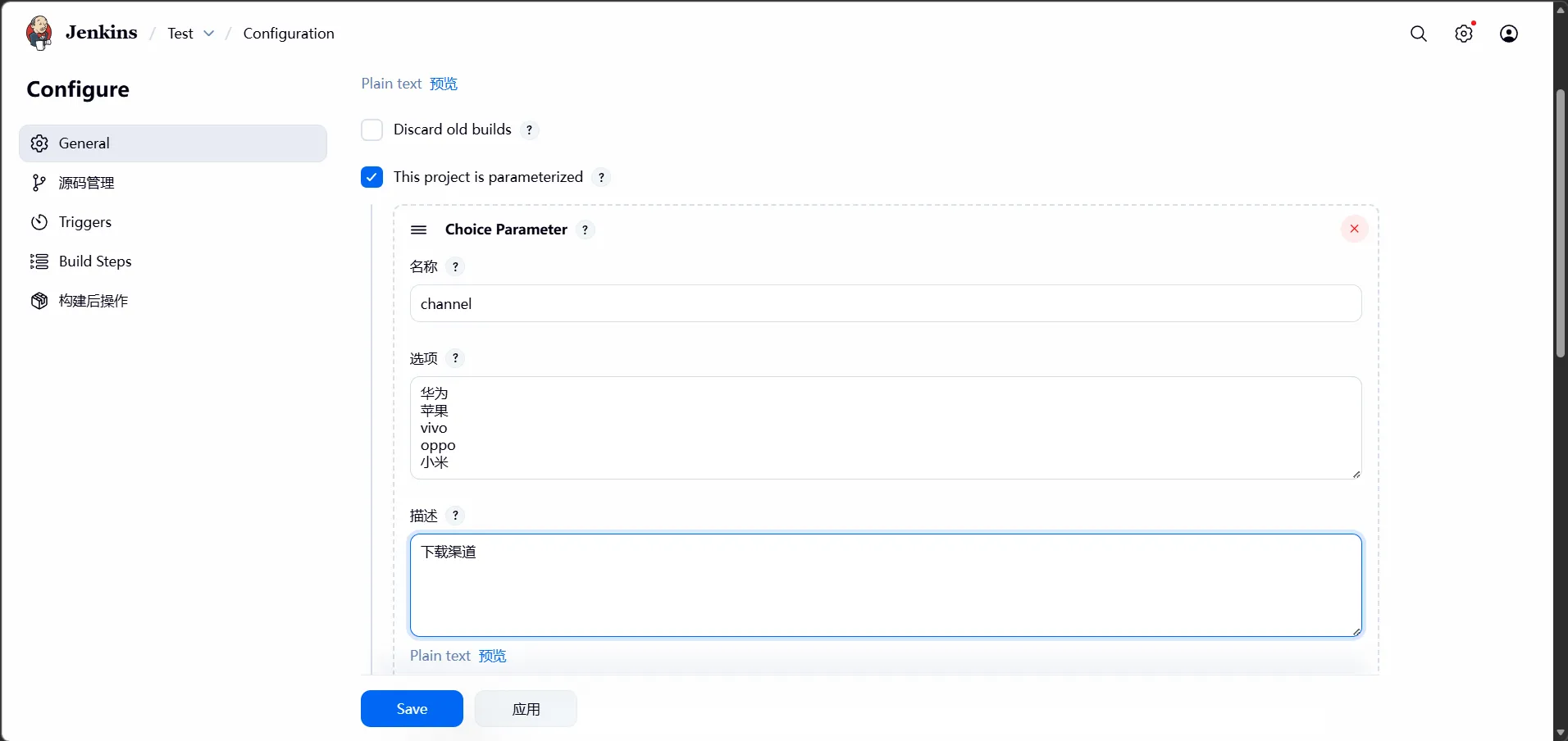
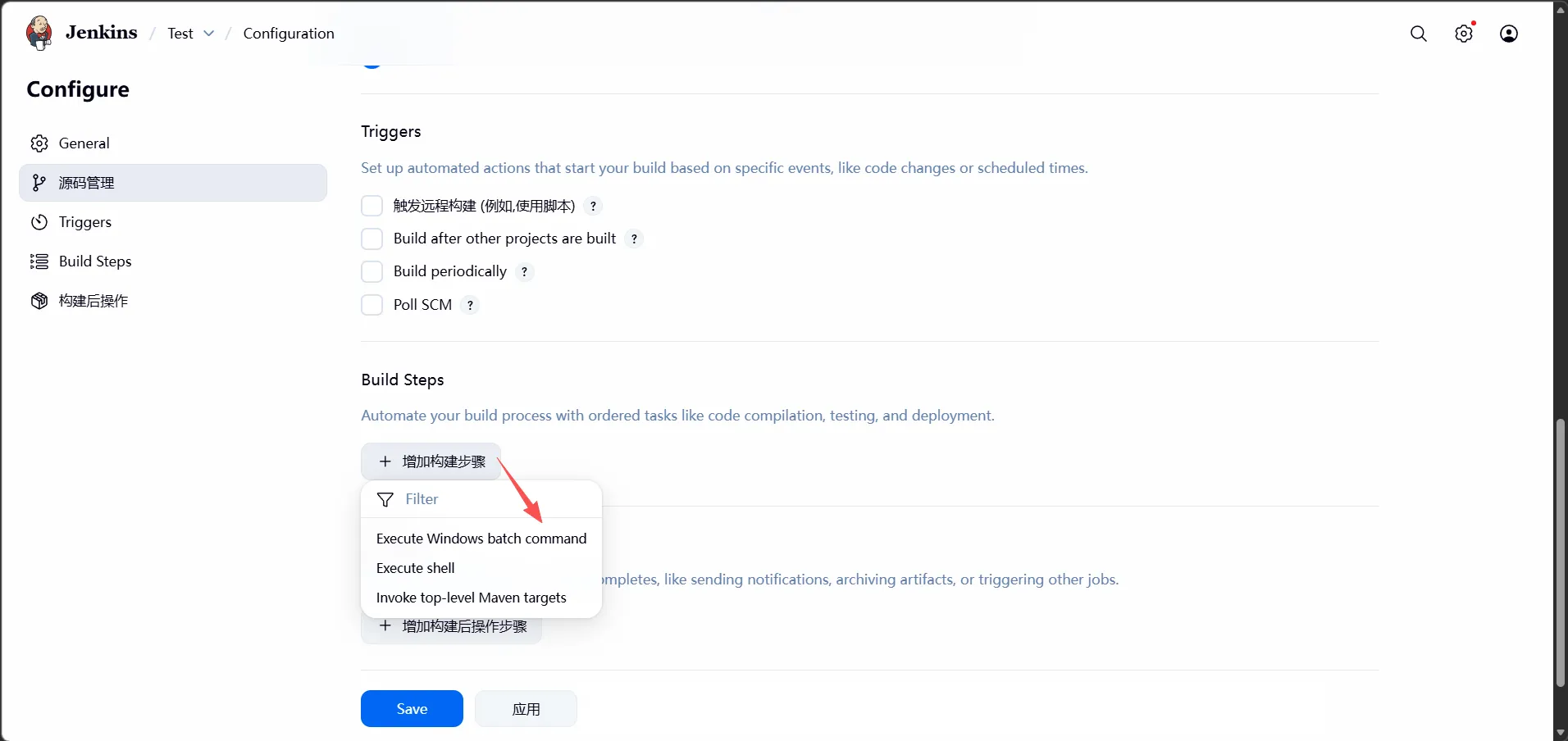
4、简单demo实现
执行一个带参数的任务
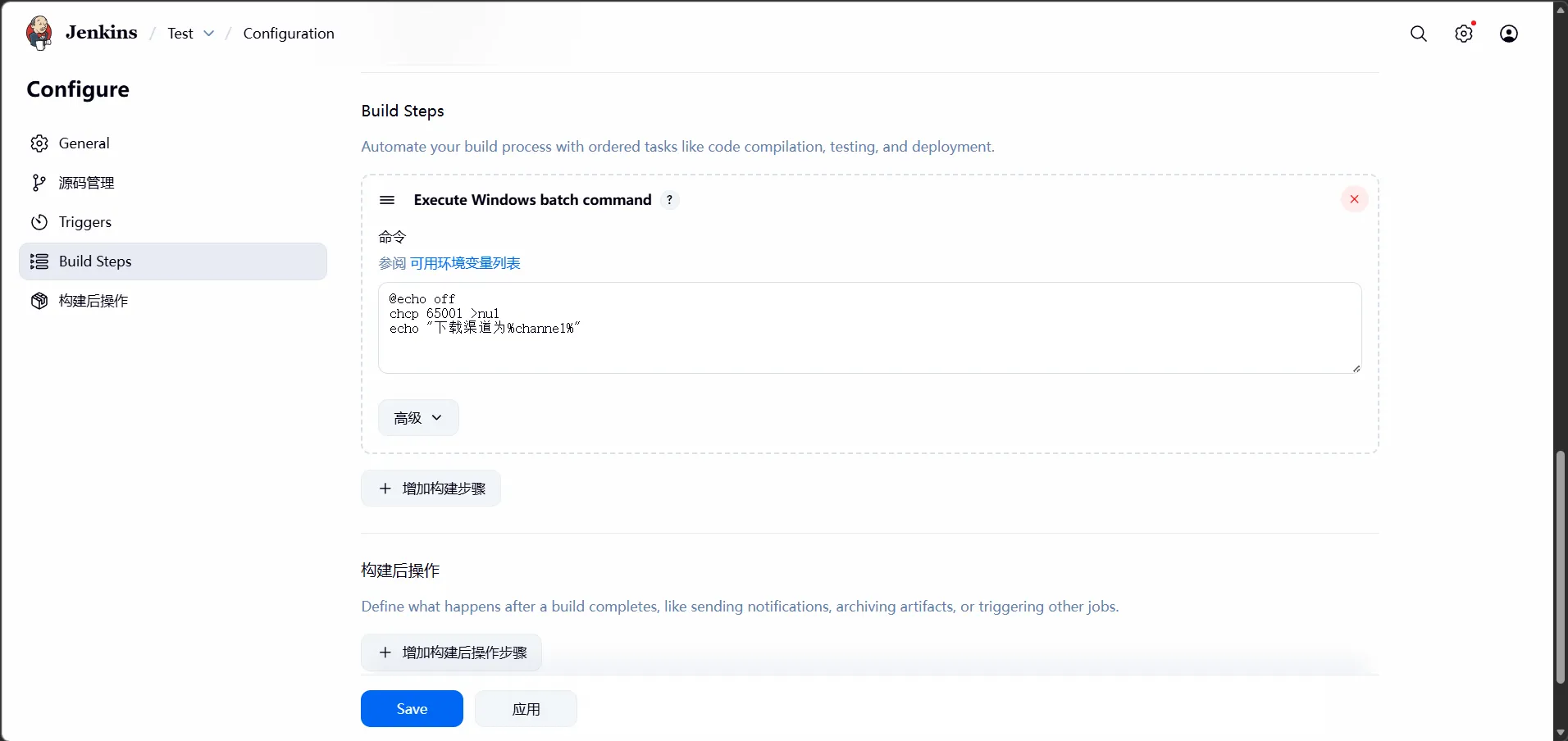
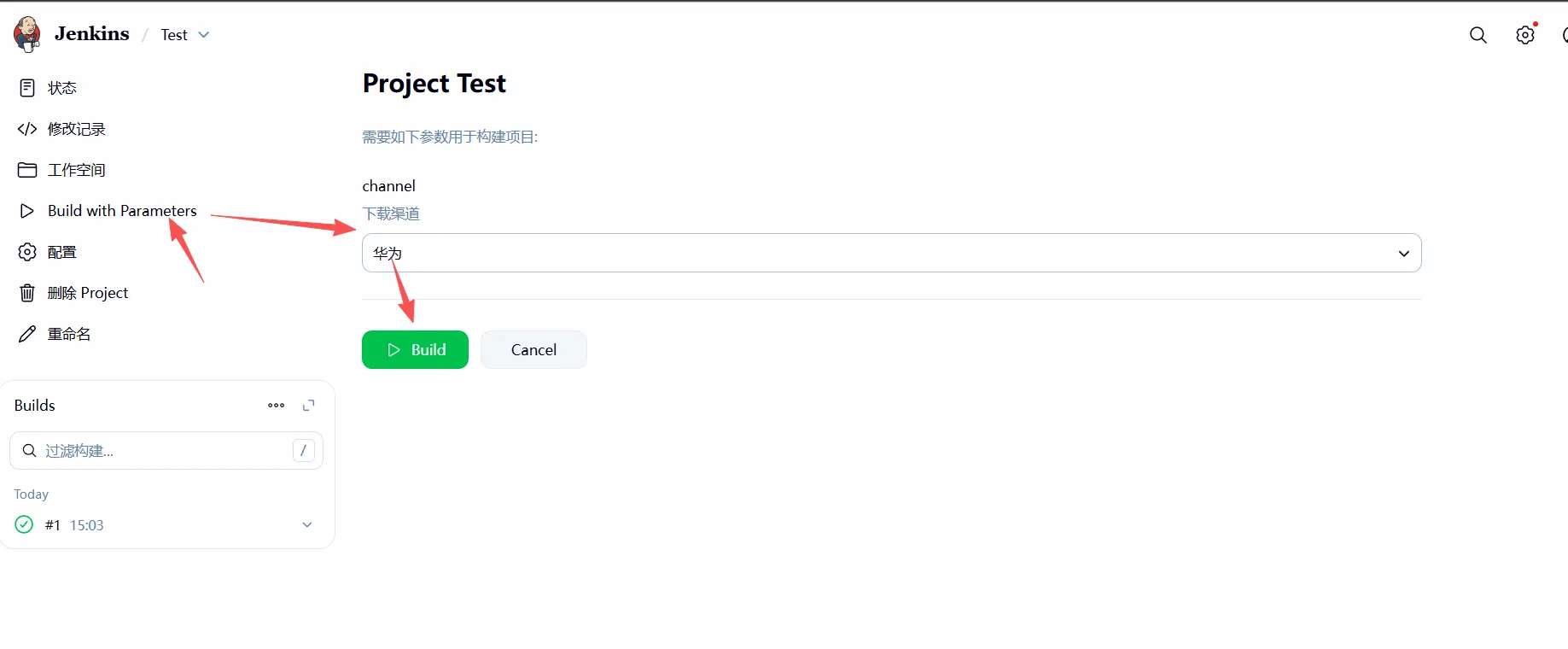
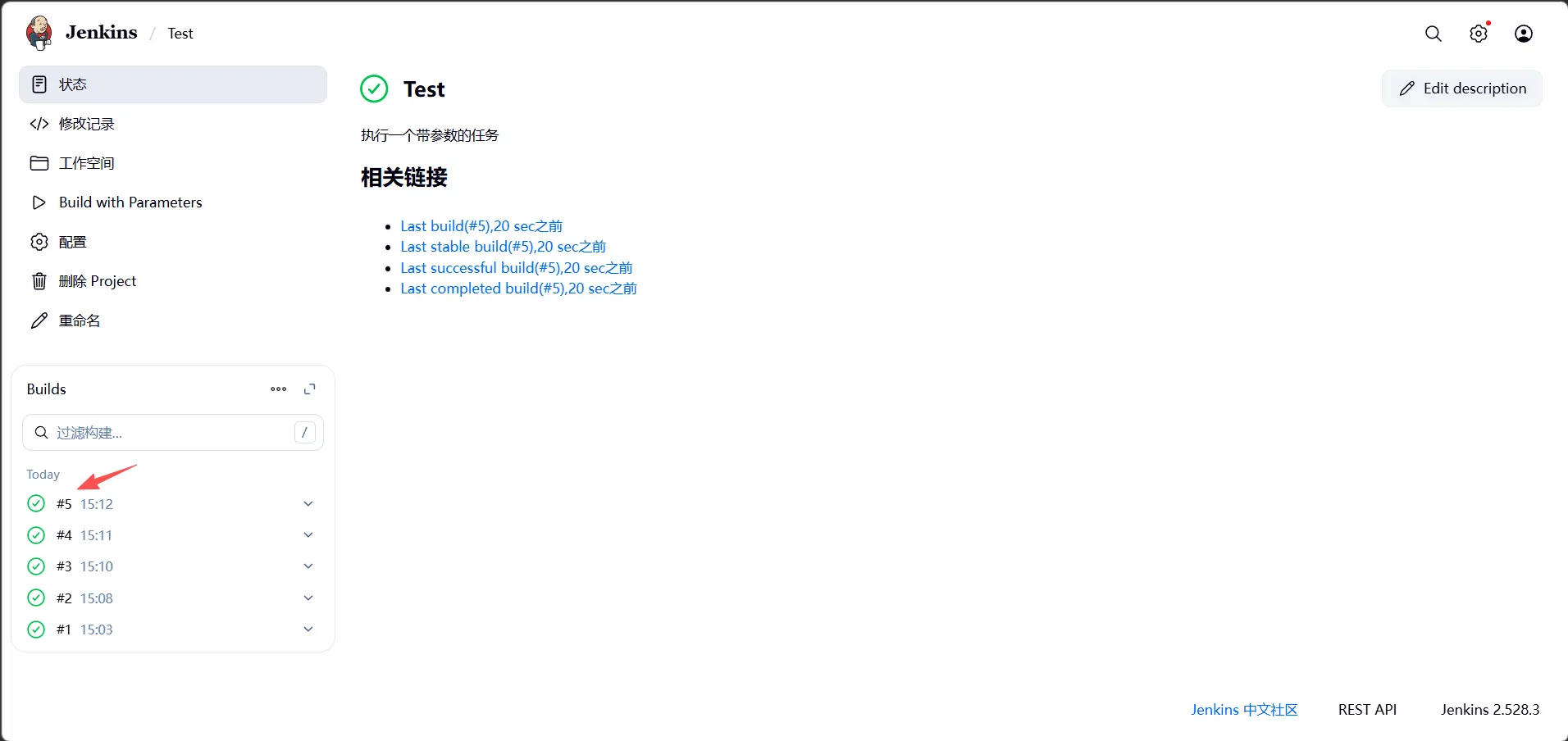
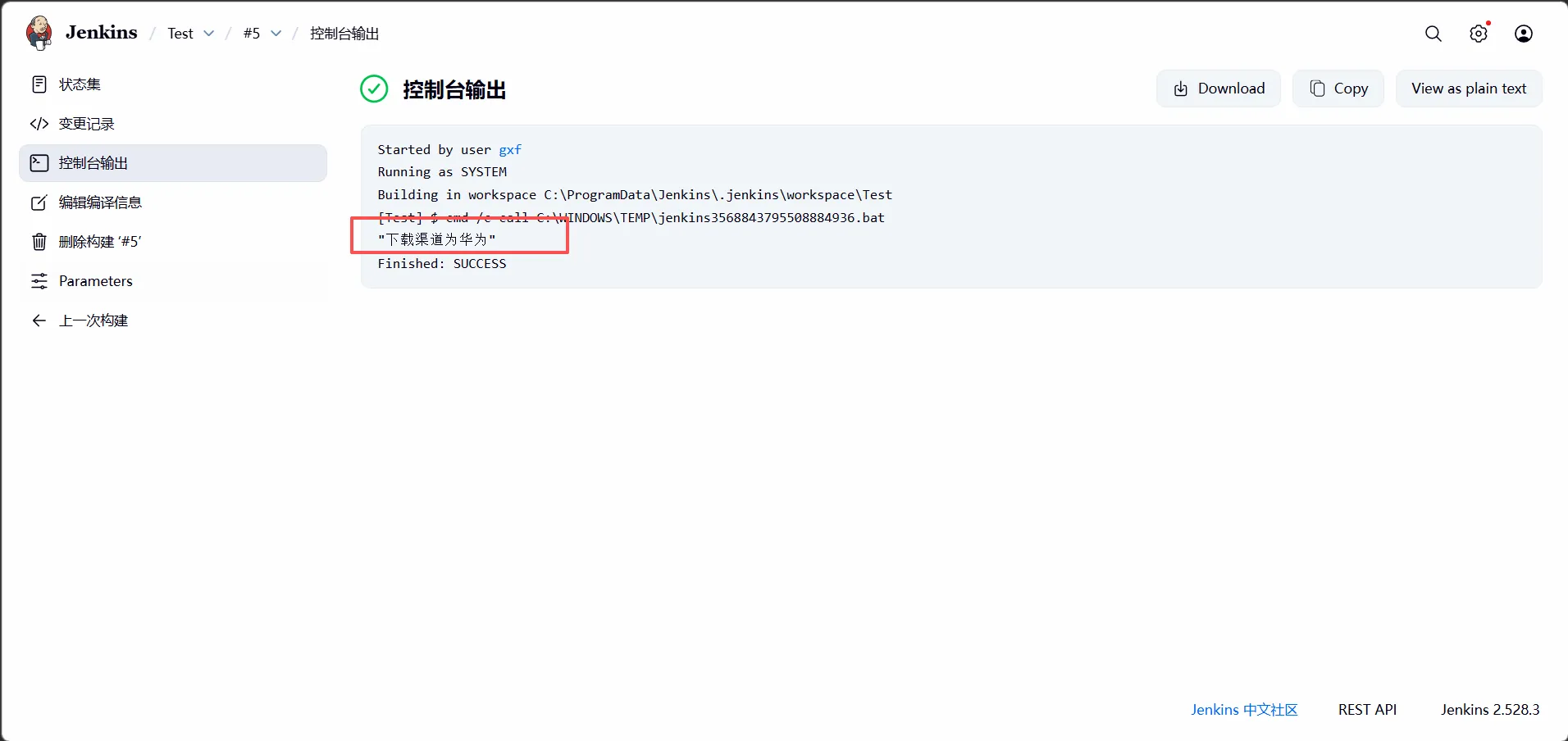
二、Unity使用Jenkins实现远程自动化打包实例
1、流程
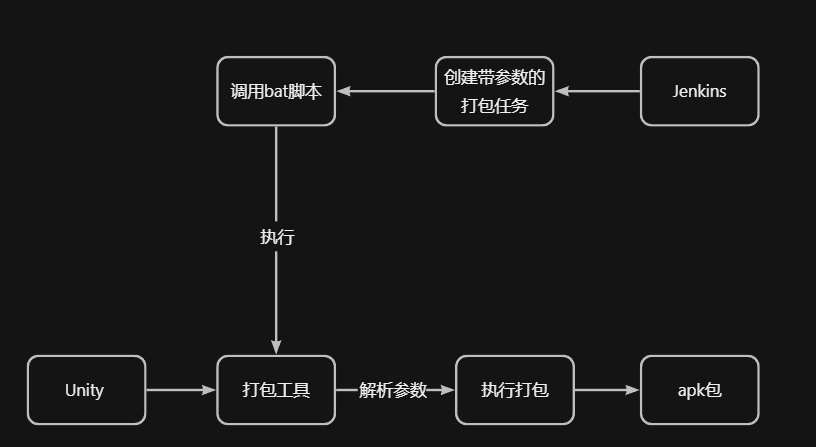
2、Unity打包工具实现
(1)创建一个Android平台的默认项目
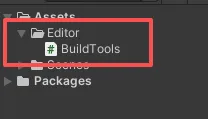
(2)编写打包工具代码
csharp
// BuildTools.cs
using UnityEngine;
using UnityEditor;

public class BuildTools
{
    [MenuItem("Build/Build APK")]
    public static void BuildApk()
    {
        // 解析命令行参数
        string[] args = System.Environment.GetCommandLineArgs();
        foreach (var s in args)
        {
            if (s.Contains("--productName:"))
            {
                string productName= s.Split(':')[1];
                // 设置app名字
                PlayerSettings.productName = productName;
            }

            if (s.Contains("--version:"))
            {
                string version = s.Split(':')[1];
                // 设置版本号
                PlayerSettings.bundleVersion = version;
            }
        }

        // 执行打包
        BuildPlayerOptions opt = new BuildPlayerOptions();
        opt.scenes = new string[] { "Assets/Scenes/SampleScene.unity" };
        opt.locationPathName = Application.dataPath + "/../Bin/test.apk";
        opt.target = BuildTarget.Android;
        opt.options = BuildOptions.None;

        BuildPipeline.BuildPlayer(opt);

        Debug.Log("Build App Done!");
    }
}
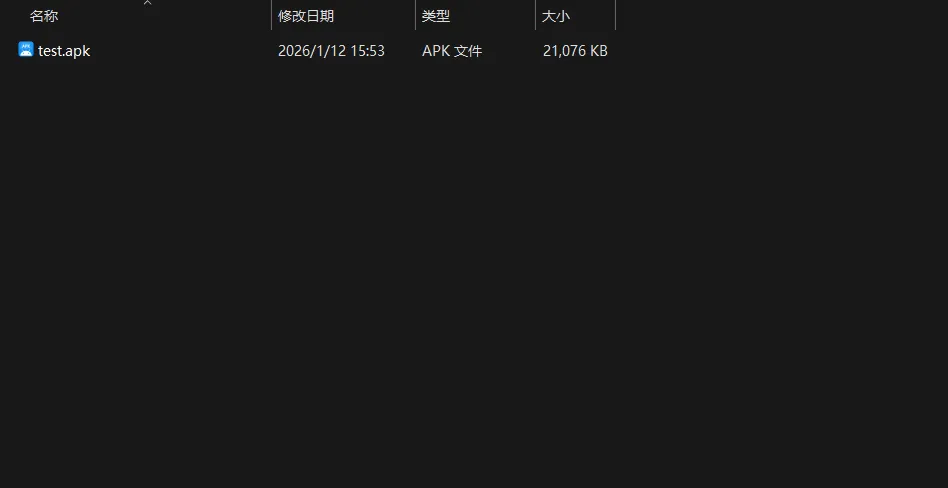
(3)测试是否能够正常打出包
成功导出:
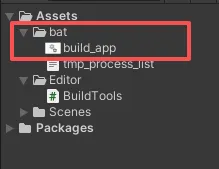
(4)使用bat脚本,调用unity打包工具
bash
::判断Unity是否运行中
TASKLIST /V /S localhost /U %username%>tmp_process_list.txt
TYPE tmp_process_list.txt |FIND "Unity.exe"

IF ERRORLEVEL 0 (GOTO UNITY_IS_RUNNING)
ELSE (GOTO START_UNITY)

:UNITY_IS_RUNNING
::杀掉Unity
TASKKILL /F /IM Unity.exe
::停1秒
PING 127.0.0.1 -n 1 >NUL
GOTO START_UNITY

:START_UNITY
:: 此处执行Unity打包
"D:\software\Unity\2021.1.7f1c1\Editor\Unity.exe" ^
-quit ^
-batchmode ^
-projectPath "E:\UnityProject\UnityDemo" ^
-executeMethod BuildTools.BuildApk ^
-logFile "E:\UnityProject\UnityDemo\output.log" ^
--productName:%1 ^
--version:%2
(5)在Jenkins上调用bat脚本
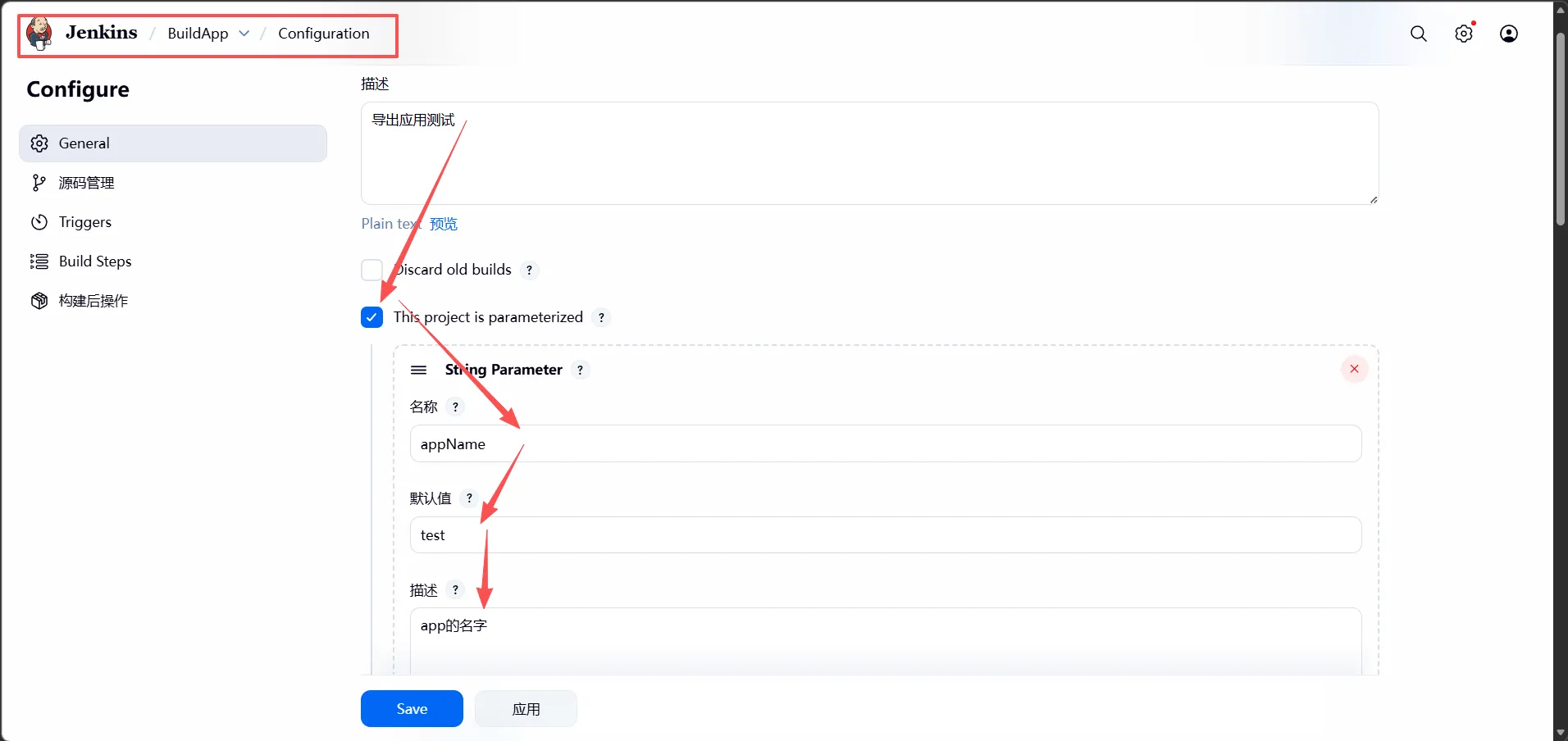
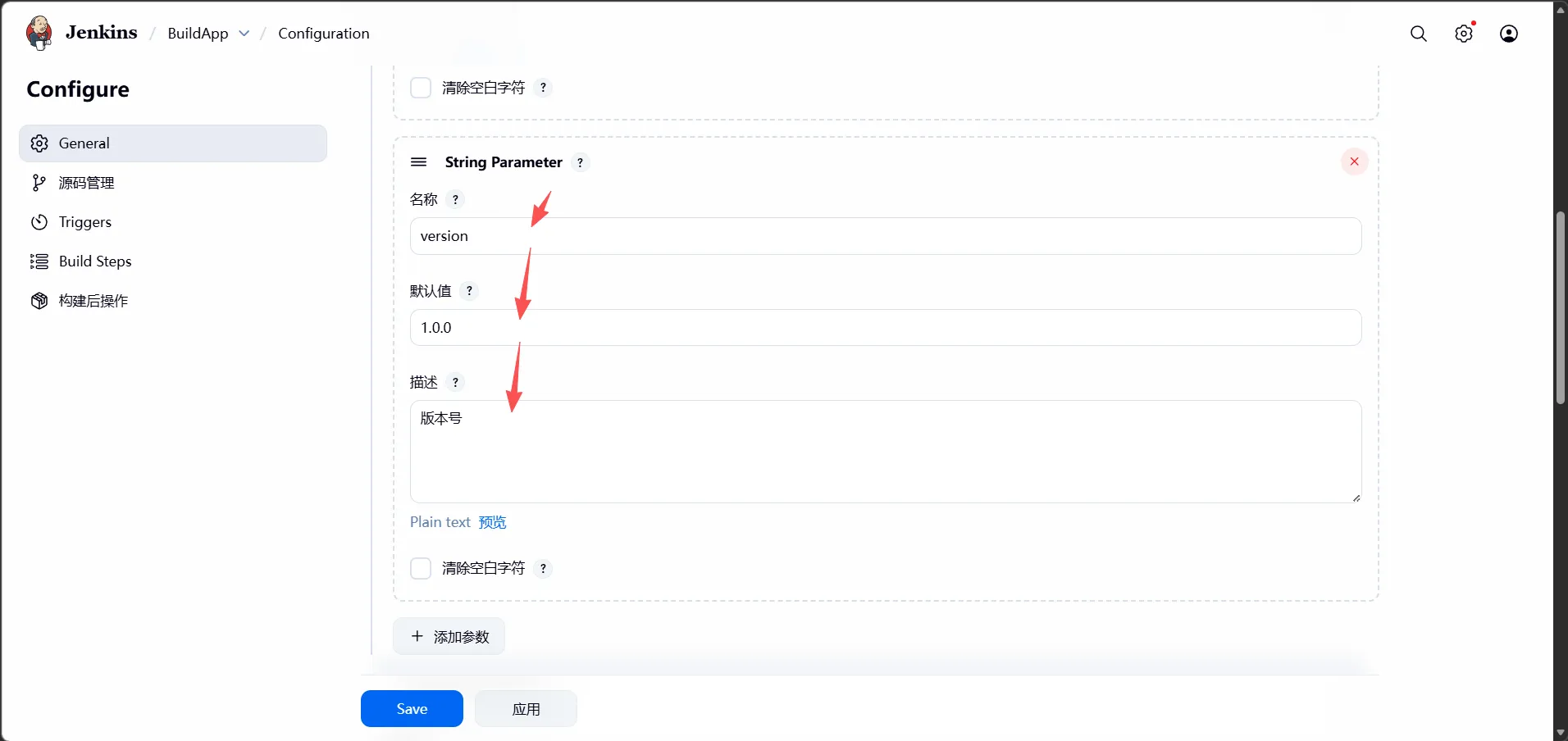
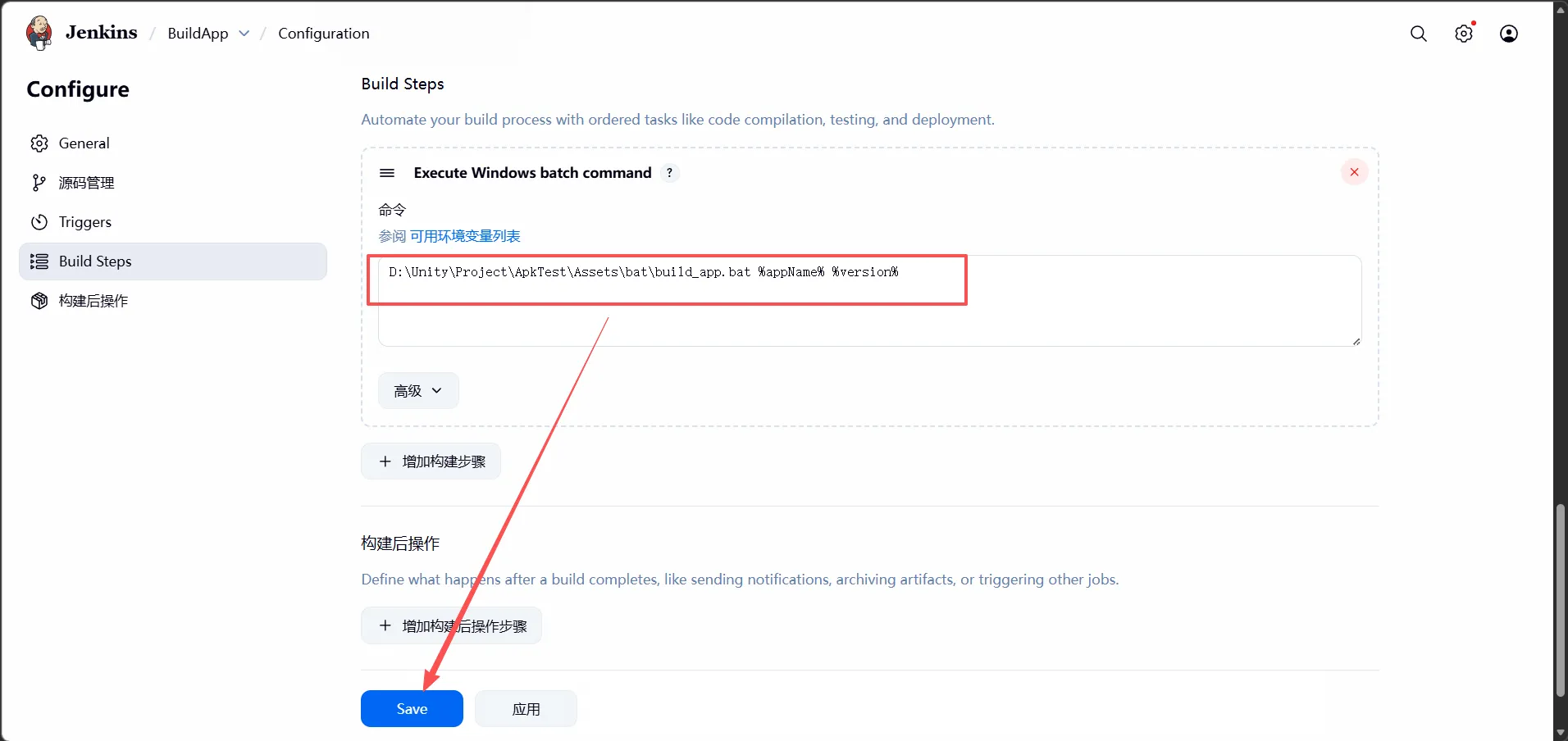
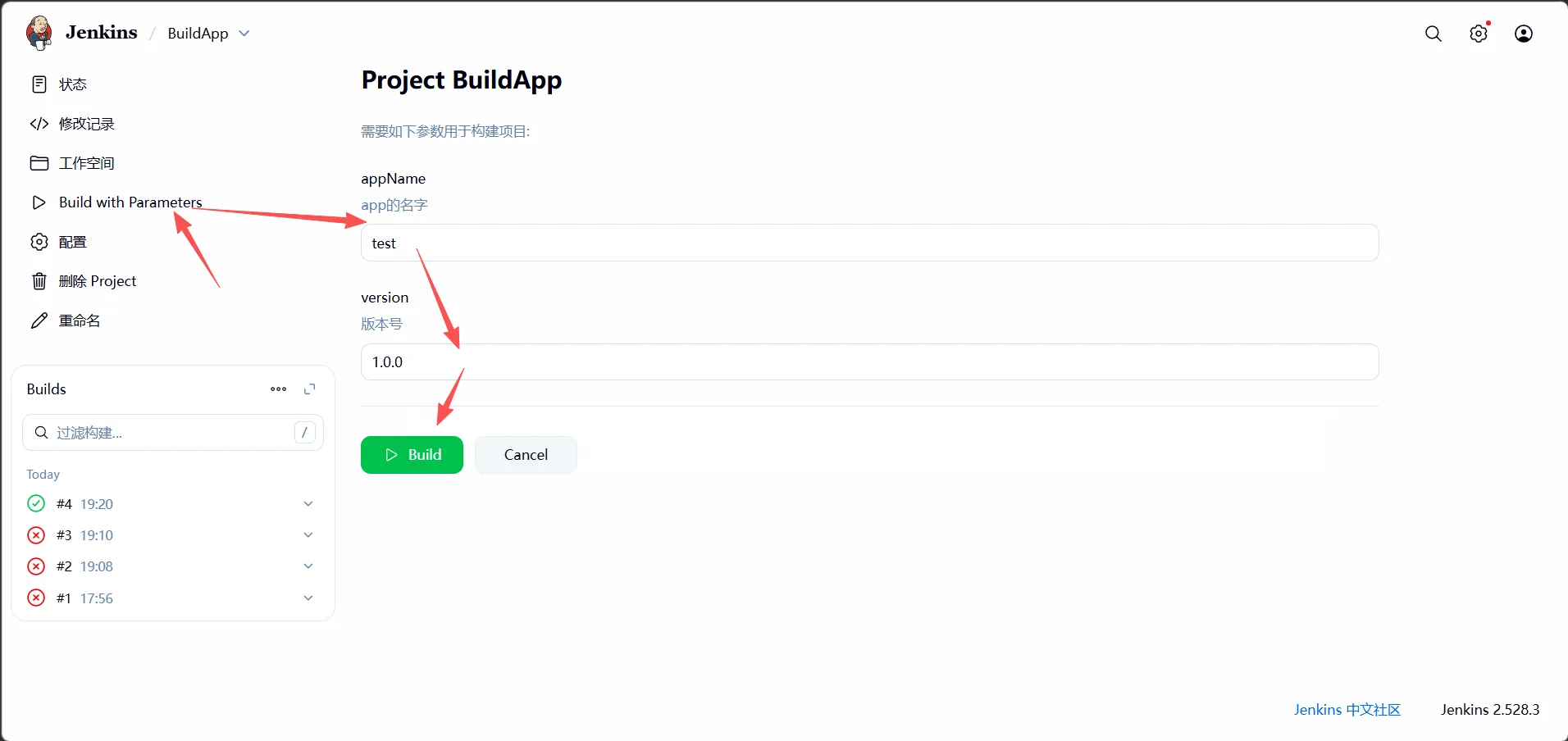
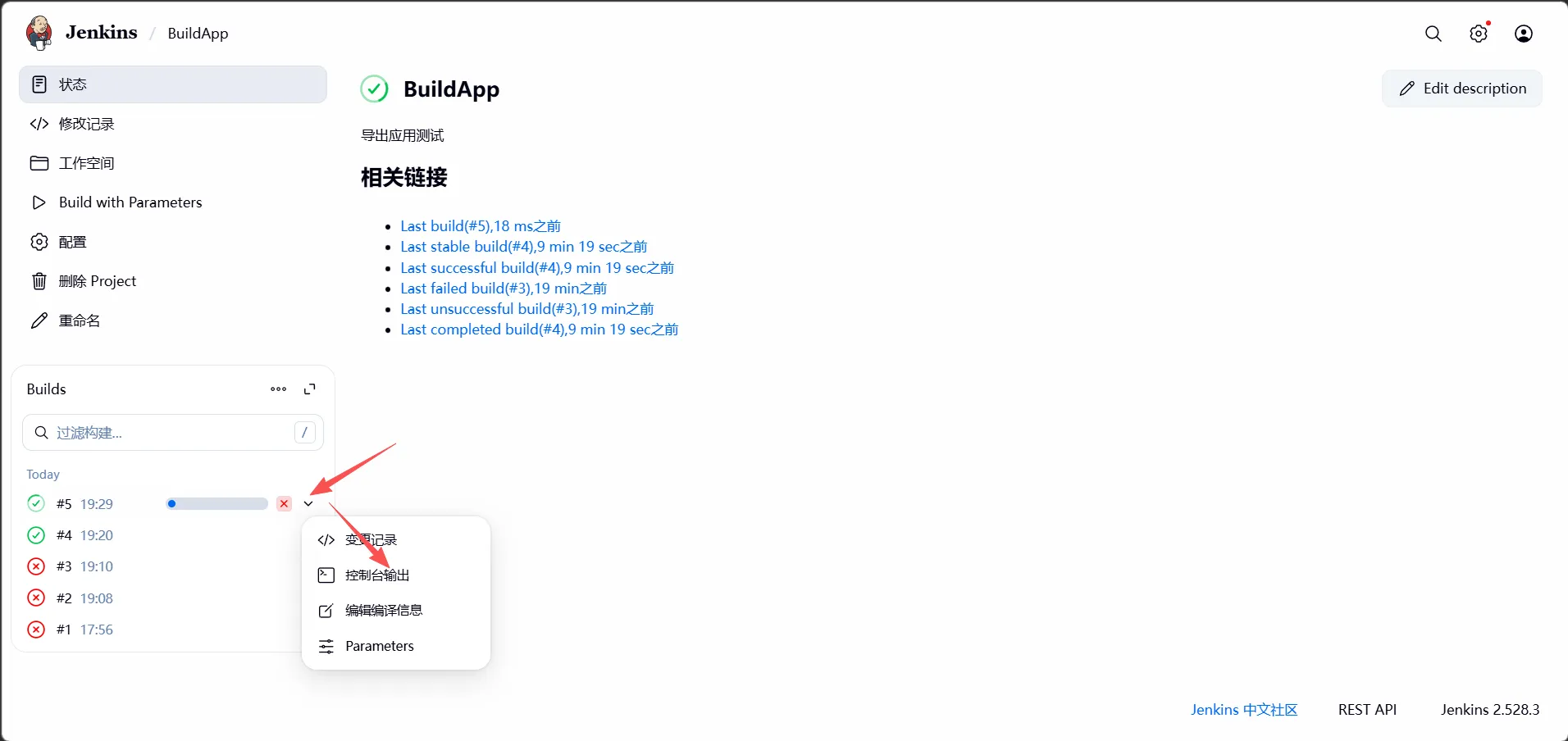
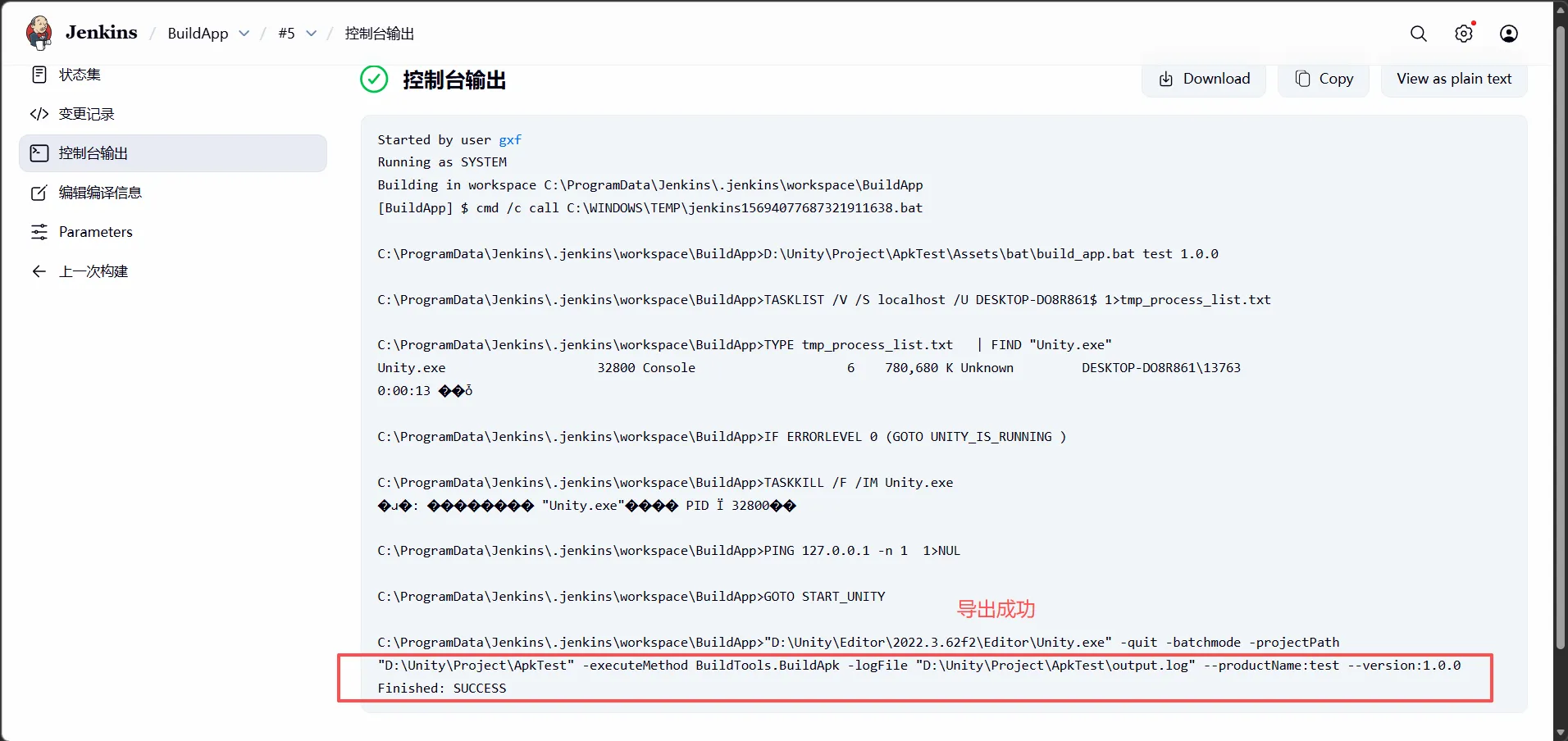
3、注意点
(1)需要确保unity编辑器有许可证,否则会一直打包失败
