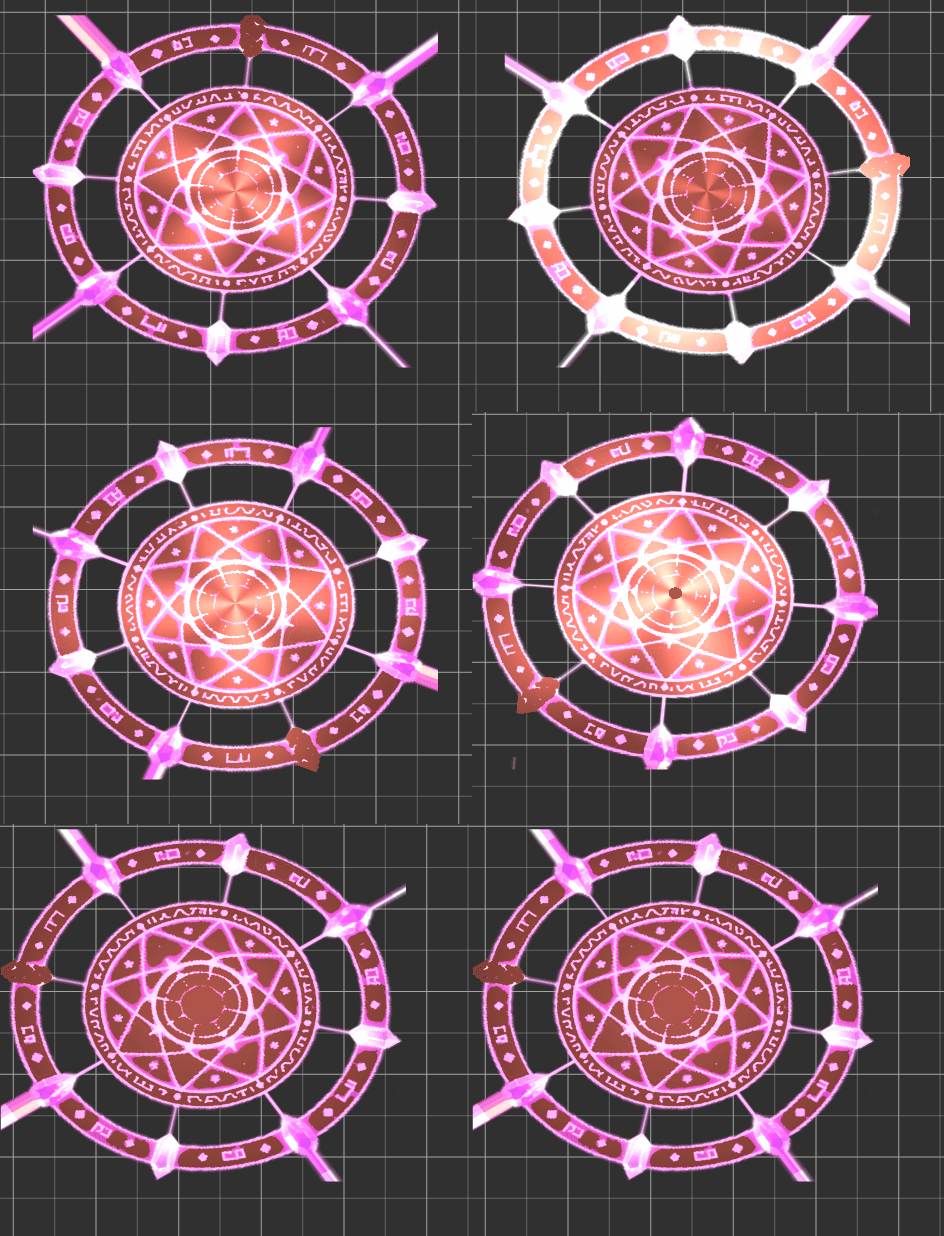
视频演示在这
go
// Effect Syntax Guide: https://docs.cocos.com/creator/manual/zh/shader/index.html

// Effect Syntax Guide: https://docs.cocos.com/creator/manual/zh/shader/index.html

// Effect Syntax Guide: https://docs.cocos.com/creator/manual/zh/shader/index.html

// Effect Syntax Guide: https://docs.cocos.com/creator/manual/zh/shader/index.html

CCEffect %{
  techniques:
  - name: glow
    passes:
    - vert: vs:vert

      frag: fs:frag
      blendState:
        targets:
        - blend: true

          blendSrc: src_alpha

          blendDst: one_minus_src_alpha
      depthStencilState:
          depthTest: false
          depthWrite: false
      rasterizerState:
        cullMode: none
      properties:
        lightColor: { value: [1.0, 0.0, 0.0, 1.0], editor: { type: color } }
        lightIntensity: { value: 3.0, editor: { slide: true, range: [1, 10] } }
        glowsize: { value: 0.0, editor: { slide: true, range: [0, 10] } }
        pulseSpeed: { value: 2.0, editor: { slide: true, range: [0, 5] } }
        isBlinking: { value: 0, editor: { type: boolean } }
}%

CCProgram vs %{
  precision highp float;
#include <cc-global>
#if USE_LOCAL


  #include <builtin/uniforms/cc-local>
#endif
in vec3 a_position;

in vec2 a_texCoord;
out vec2 uv;

#if USE_LOCAL
  in vec4 a_color;

  out vec4 v_color;
#endif


vec4 vert() {

  vec4 pos = vec4(a_position, 1);

  #if USE_LOCAL
    pos = cc_matWorld * pos;

    v_color = a_color;
  #endif

  pos = cc_matViewProj * pos;
  uv = a_texCoord;

  return  pos;
}

}%

CCProgram fs %{
  precision highp float;
  #include <sprite-texture>
  #include <cc-global> // 添加cc_time支持
  in vec2 uv;

  uniform sampler2D mainTexture;
  uniform UBO {

    vec4 lightColor;
    float lightIntensity;
    float pulseSpeed;
    float time;
    float isBlinking;

    float glowsize;
  };


  vec4 frag () {
    // 旋转设置
    // 图片旋转
    // 1. 旋转
    // 1. 旋转
    // 1. 旋转
    float angle = cc_time.x * 2.0;
    vec2 center = vec2(0.5);
    vec2 uvCentered = uv - center;
    float cosA = cos(angle);
    float sinA = sin(angle);
    mat2 rotation = mat2(cosA, -sinA, sinA, cosA);
    vec2 rotatedUV = (rotation * uvCentered) + center;

    // 2. 采样纹理
    vec4 texColor = texture(cc_spriteTexture, rotatedUV);

    // 如果没有颜色就不处理(完全透明)
    if (texColor.a < 0.01) return vec4(0.0);

    // 3. 计算发光效果

    // 3.1 计算距离中心位置(用于明暗变化)
    float dist = length(uvCentered);

    // 3.2 使用时间控制动画
    float t = cc_time.x;

    // 3.3 整体脉冲:所有部分随脉搏变亮变暗 ★ 提高基础亮度
    float basePulse;
    if (isBlinking > 0.5) {
      // 闪烁模式 ★ 提高亮部
      basePulse = sin(t * pulseSpeed) > 0.0 ? 1.0 : 0.4;  // 0.8→1.0,0.2→0.4
    } else {
      // 呼吸模式 ★ 提高整体亮度
      basePulse = sin(t * pulseSpeed) * 0.3 + 0.8;  // 0.7→0.8
    }

    // 3.4 环状方向性明暗变化 ★ 提高亮度
    float angleFromCenter = atan(uvCentered.y, uvCentered.x);
    float ringWave = sin(angleFromCenter * 4.0 + t * pulseSpeed) * 0.5 + 0.7;  // 0.6→0.7

    // 3.5 径向波纹理(由外向内收缩)
    float radialWave = 1.0 - mod(t * pulseSpeed * 0.5 + dist, 1.0);
    radialWave = pow(radialWave, 2.0) * 1.2;  // ★ 增强

    // 综合所有明暗变化 ★ 提高乘数
    float brightness = basePulse * mix(1.0, ringWave, 0.4) * mix(1.0, radialWave, 0.6);
    brightness = brightness * lightIntensity * 0.35;  // 0.2→0.35 ★★★ 提高

    // ★★★ 提高亮度范围
    brightness = clamp(brightness, 0.5, 2.5);  // 0.2→0.5,1.2→2.5

    // 4. 计算颜色

    // 4.1 使用alpha值控制颜色效果
    float colorMix = texColor.a;

    vec3 outputColor;
    if (isBlinking > 0.5) {
      outputColor = lightColor.rgb * (1.0 + basePulse * 0.5);  // 0.8→1.0,0.4→0.5 ★ 提高
    } else {
      outputColor = lightColor.rgb * brightness * 1.2;  // ★ 额外乘数
    }

    // 4.2 根据距离调整颜色饱和度 ★ 减少衰减
    float saturation = 1.0 - dist * 0.2;  // 0.3→0.2
    outputColor = mix(outputColor * 0.8, outputColor, saturation);  // 0.6→0.8

    // 4.3 边缘加亮 ★ 增强
    float edgeGlow = 1.0 - smoothstep(0.4, 0.5, dist);
    outputColor = mix(outputColor, outputColor * 1.4, edgeGlow * 0.4);  // 1.2→1.4,0.3→0.4

    // 4.4 用发光强度调整 ★ 提高系数
    outputColor = outputColor * glowsize * 1.5;  // 添加乘数

    // 4.5 ★ 添加中心区域加亮
    float centerBoost = 1.0 - smoothstep(0.0, 0.3, dist);
    outputColor = outputColor * (1.0 + centerBoost * 0.3);

    // 5. 合成输出

    float originalLuminance = (texColor.r + texColor.g + texColor.b) / 3.0;

    // ★★ 关键:取消乘法,改用加法或提高系数
    // 原方法:finalColor = outputColor * originalLuminance(会变暗)
    // 新方法:加法或更高乘法

    // 方案1:直接加法,保留原图白色
    vec3 finalColor1 = outputColor + texColor.rgb * 0.8;

    // 方案2:高系数的乘法
    vec3 finalColor2 = outputColor * (originalLuminance + 0.5) * 1.5;  // 提高系数

    // 选择更亮的方案
    vec3 finalColor = max(finalColor1, finalColor2);

    // ★ 添加额外光效
    float extraGlow = pow(texColor.a, 1.2) * brightness * 0.6;
    finalColor += lightColor.rgb * extraGlow;

    // 透明度:完全保留原始透明度
    float finalAlpha = texColor.a;

    // ★★ 最终亮度增强
    finalColor = finalColor * (1.0 + brightness * 0.2);

    // ★ 提高颜色最大值限制
    finalColor = min(finalColor, vec3(2.5, 2.5, 2.5));  // 提高上限

    return vec4(finalColor, finalAlpha);


  }


}%